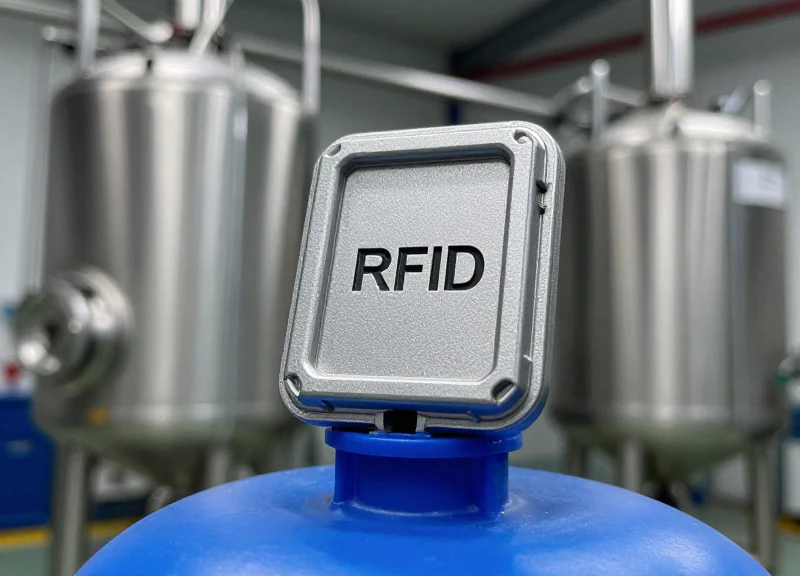
In the industrial world, tracking heavy machinery and metal assets is a logistical necessity, but it presents a unique physics challenge: the 'metal interference' problem. Metal surfaces reflect RF energy and can detune standard RFID antennas, rendering them invisible to readers. RFID bolt tags are specifically engineered to solve this, turning a structural fastener into a data-rich asset. However, the hardware alone isn't enough. Precision installation is the difference between a high-performing tracking system and a costly failure. This guide leverages decades of field experience to show you exactly how to mount these tags for maximum performance without signal degradation.
The Science of RF on Metal: Understanding Interference

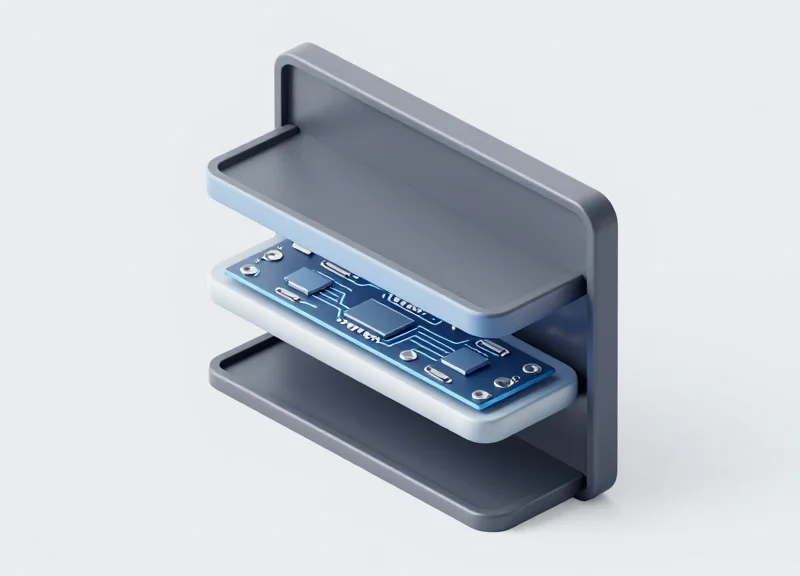
RFID signals on metal encounter two primary physical hurdles: electromagnetic reflection, where the metal acts as a mirror that bounces the signal away from the reader, and the generation of eddy currents, which drain the energy required for the tag's microchip to wake up. Standard RFID tags fail on metal because the conductive surface shorts out the antenna's magnetic field; however, RFID bolt tags are specifically engineered to maintain a calibrated standoff or use high-permeability dielectric materials to decouple the antenna from the metal substrate, ensuring the signal remains viable.
| Phenomenon | Impact on Signal | Result for Standard Tags |
|---|---|---|
| Electromagnetic Reflection | Phase shift of 180 degrees | Signal cancellation at the tag surface |
| Eddy Currents | Induces counter-magnetic fields | Power dissipation (no chip activation) |
| Antenna Detuning | Shifts resonant frequency | Mismatch between reader and tag |
When an RFID reader emits a wave toward a metal surface, the electric field components are forced to zero at the boundary. This creates a destructive interference pattern where the incident and reflected waves cancel each other out precisely where a standard tag is usually placed. Furthermore, the metal surface acts as a 'parasitic element' that shifts the resonant frequency of the tag's antenna, a process known as detuning. Without specialized housing or spacers found in bolt tags, the tag effectively becomes invisible to the reader.
Why can't I just use a thick sticker on metal?
A simple spacer often isn't enough because the 'Near-Field' of the antenna still interacts with the metal. Bolt tags use the metal bolt itself as a ground plane or part of the radiating structure to control this interaction.
What are eddy currents in the context of RFID?
Eddy currents are loops of electrical current induced within conductors by a changing magnetic field. On metal, these currents create their own magnetic field that opposes the reader's signal, effectively 'shielding' the tag.
Expert Insight: The 'Aperture Effect' of Bolt Tags. A unique advantage of the bolt-style form factor is that the metallic head of the bolt can actually be designed to act as a secondary radiator. While generic tags fight against the metal, high-end RFID bolt tags utilize a 'slot antenna' approach where the gap between the bolt head and the surface creates a controlled aperture for RF energy. This transforms the metal surface from a liability into a component of the antenna system itself, significantly increasing the read range compared to surface-mounted patches.
Selecting the Right RFID Bolt Tag for Your Environment
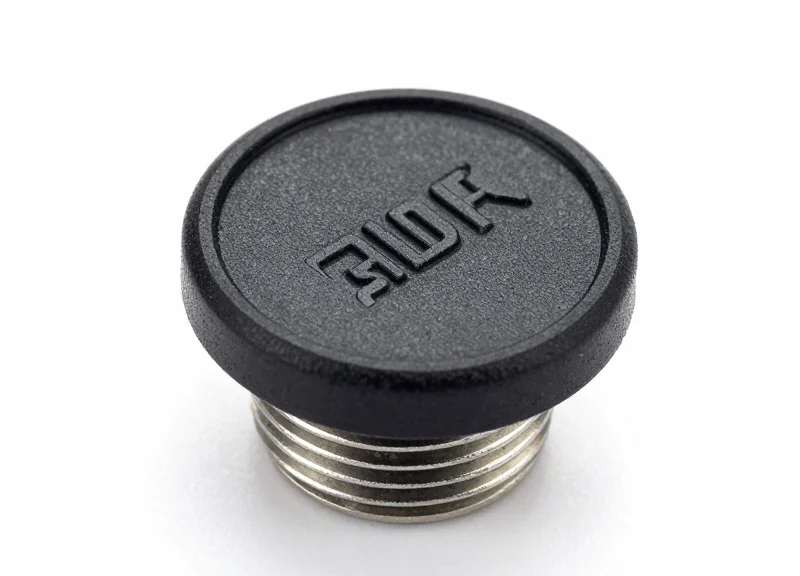
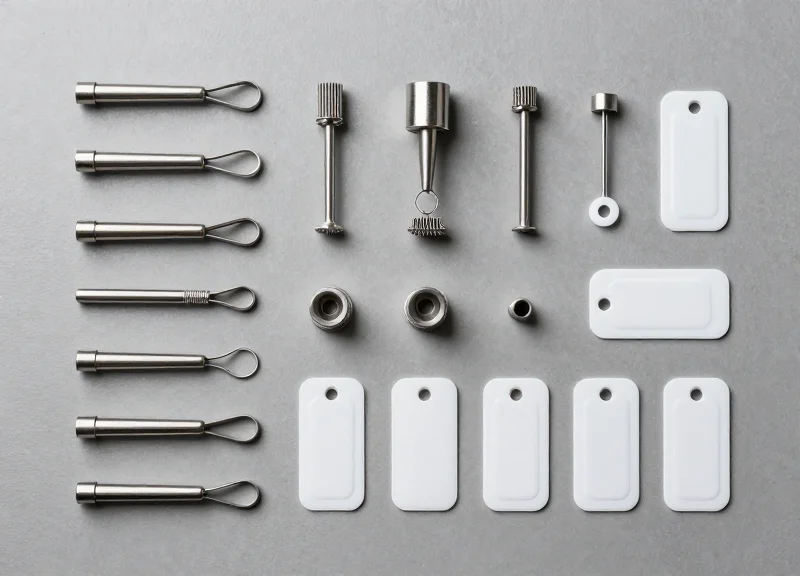
Selecting the correct RFID bolt tag is not a one-size-fits-all process; it is a calculation of how frequency, physical form factor, and material composition interact with your specific metallic substrate. To ensure 100% read rates, you must choose a tag where the internal antenna is specifically tuned for the 'on-metal' dielectric constants of your environment while ensuring the bolt's physical dimensions (M6 to M12) match the structural requirements of the asset being tracked.
| Feature | UHF Bolt Tags (860-960 MHz) | HF/NFC Bolt Tags (13.56 MHz) |
|---|---|---|
| Read Range | Up to 2-5 meters | Near-field (typically <5cm) |
| Application | Bulk inventory, yard management | Maintenance logging, tool ID |
| Data Transfer | High-speed bulk scanning | Single-tag secure interaction |
| Metal Tolerance | Requires specialized spacers/tuning | Higher inherent stability on metal |
Expert Insight: The Galvanic Compatibility Factor. A common failure point in RFID bolt tag installations is not signal loss, but galvanic corrosion. When a stainless steel RFID bolt is threaded into an aluminum frame in a high-moisture environment, the resulting chemical reaction can degrade the tag's housing or seize the bolt permanently. Always specify a bolt material that is electrochemically compatible with the mounting surface, or ensure the tag utilizes a non-conductive PEEK or PPS coating to isolate the metal-to-metal contact.
- Define the Read Zone: Determine if you need long-range visibility (UHF) for moving assets or close-proximity verification (NFC) for manual inspections.
- Match Mechanical Stressors: Evaluate the vibration, torque, and pressure the bolt will face. High-vibration environments require tags with epoxy-filled heads to prevent internal antenna fracture.
- Assess Chemical Exposure: If the environment involves caustic wash-downs or oil exposure, select tags with an IP68 or IP69K rating and PPS (Polyphenylene Sulfide) encasement.
- Verify Thermal Cycles: Ensure the tag's operating and storage temperature ranges exceed your environmental peaks, especially for outdoor infrastructure or engine-mounted assets.
Can I use a standard RFID bolt on any metal type?
No. RFID bolt tags are often tuned for steel. Using them on aluminum or lead may shift the resonant frequency, requiring a tag specifically calibrated for those materials.
Does the head size of the bolt affect the signal?
Yes. Generally, a larger bolt head allows for a larger internal antenna, which typically results in a better read range, provided the metal surface acts as a ground plane rather than a shield.
What is the importance of 'Torque Limits' for RFID bolts?
Over-tightening an RFID bolt can crush the internal chip or crack the ceramic antenna. Always check the manufacturer's maximum torque specification (usually measured in Nm).
Essential Pre-Installation Inspection Checklist

An Essential Pre-Installation Inspection Checklist for RFID bolt tags is a systematic protocol used to verify surface compatibility, environmental stability, and signal path integrity before permanent physical mounting occurs. Because metal surfaces act as reflectors and inductors, even a 1mm deviation in placement or a microscopic layer of oxidation can degrade read ranges by up to 60%. Completing this checklist ensures that your hardware investment translates into reliable, real-time data capture without the need for costly retrofitting.
- Substrate Material Verification: Confirm if the metal is ferrous (steel/iron) or non-ferrous (aluminum/copper). RFID bolt tags designed for 'on-metal' use are often tuned specifically for one or the other; using a tag tuned for steel on an aluminum surface can shift the resonant frequency.
- Surface Flatness & Clearance: Use a straightedge to ensure the mounting site is perfectly flat. Bolt tags require a flush seat to minimize vibration-induced fatigue and to prevent 'air gaps' that can cause erratic RF reflections.
- Signal Path 'Shadow Zone' Audit: Identify any structural overhangs or adjacent metal protrusions within a 15cm radius. These can create 'RF shadows' or multipath interference that prevents the reader from reaching the tag.
- Coating & Contaminant Assessment: Check for heavy powder coatings, grease, or rust. While bolt tags penetrate the surface, thick dielectric coatings on the surrounding area can still impact the electromagnetic field distribution.
Expert Insight: The 3mm Clear-Zone Rule. In my 20 years of field engineering, the most common 'silent killer' of signal is the counter-bore hole. If you are recessing your bolt tag for protection, ensure there is at least a 3mm radial clearance between the bolt head (where the antenna is housed) and the walls of the hole. A tight fit creates a 'mini-Faraday cage' that effectively suffocates the tag's ability to energize.
| Surface Characteristic | Impact on RFID Signal | Requirement for Installation |
|---|---|---|
| Curvature (Diameter < 50cm) | High: Distorts the RF field | Requires specialized curved-base tags |
| Oxidation/Rust | Low: Mainly affects physical bond | Wire-brush surface to bare metal |
| Conductive Paint | Critical: Acts as a secondary shield | Remove paint in a 10mm radius around hole |
| Vibration Levels | Physical: Can loosen the bolt | Use thread-locking compound (Loctite) |
Can I install bolt tags near high-voltage cables?
It is not recommended. Electromagnetic interference (EMI) from high-voltage lines can induce noise in the RFID reader's frequency band, significantly reducing read sensitivity.
Should I test the tag before or after drilling?
Always perform a 'Surface Tap Test.' Hold the tag against the intended spot with temporary adhesive and test the read range with a handheld scanner before any drilling or tapping begins.
Does the orientation of the bolt head matter?
For circular bolt tags, orientation is usually omnidirectional. However, if the tag has a linear polarized internal antenna, you must align it with the polarization of your reader antennas for maximum range.
Step-by-Step Installation: Drilling and Torque Management

Successful installation of RFID bolt tags requires a precision-engineered approach to drilling and tightening; specifically, creating a perpendicular, debris-free hole and applying a calibrated torque (typically 5 to 15 Nm depending on bolt size) is essential to prevent micro-fractures in the internal silicon chip while ensuring a stable, flush contact with the metal surface for optimal RF performance.
- Pilot Hole & Drilling: Utilize a center punch to prevent bit walking. Use a cobalt or carbide-tipped drill bit sized according to the bolt’s diameter (e.g., a 5mm bit for an M6 bolt). Ensure the hole depth is at least 3-5mm deeper than the bolt length to allow for clearance and debris.
- Thread Tapping: Cleanly tap the hole using a thread-cutting fluid. For industrial environments, a Class 6H fit is standard. Ensure the threads are cut straight; any angular deviation can create an uneven pressure gradient across the bolt head where the RFID antenna is housed.
- Bore Cleaning: Remove all metallic swarf and oil. Residual metal shavings inside the hole can cause 'multi-path interference' or create a physical bridge that shifts the tag's tuned frequency away from the reader's range.
- Hand Engagement: Always start threading the RFID bolt by hand. If you feel resistance in the first two rotations, back out and re-check the threads. Cross-threading creates mechanical stress that can decouple the internal antenna from the chip.
- Calibrated Torque Application: Use a calibrated torque wrench to reach the manufacturer's specified limit. Stop immediately upon the 'click' to avoid crushing the internal potting material.
| Bolt Size | Recommended Torque (Nm) | Max Load (lbf) | Typical Application |
|---|---|---|---|
| M6 | 5 - 7 Nm | 1,200 | Small tooling, IT racks |
| M8 | 8 - 12 Nm | 2,100 | Industrial pumps, motors |
| M10 | 15 - 20 Nm | 3,500 | Heavy machinery, chassis |
| M12 | 25 - 30 Nm | 5,100 | Structural beams, containers |
Expert Insight: The Micro-Fracture Threshold. Most technicians assume the metal casing of an RFID bolt protects the internals from all physical force. However, excessive torque creates 'hoop stress' on the bolt head. In my 20 years in Silicon Valley hardware, I’ve seen that over-torquing by just 20% can compress the epoxy potting enough to cause a 'latent failure'—where the tag works initially but fails 3 months later due to thermal expansion and contraction cycles acting on the pre-stressed silicon.
Can I use an impact driver for installation?
Absolutely not. The rapid percussive strikes of an impact driver can shatter the ceramic substrate often used in UHF RFID tags. Always use a manual torque wrench.
Does the hole depth affect the signal?
Yes. If the bolt is not seated flush against the metal surface, an air gap is created. This gap can cause unexpected capacitance changes, detuning the antenna and reducing read range by up to 40%.
Should I use Loctite or thread lockers?
Yes, but use non-metallic, low-strength (purple) thread locker. Ensure no fluid gets onto the top surface of the tag where the signal emits, as some chemicals can degrade the RF-transparent resin over time.
The Role of Spacer Materials and Standoffs

Spacer materials and standoffs act as a critical dielectric buffer that physically separates the RFID bolt tag's antenna from the conductive metal substrate. This separation prevents the metal surface from acting as a ground plane that 'shorts' the electromagnetic field, effectively reducing parasitic capacitance and preventing the detuning of the tag's resonant frequency. By maintaining a precise gap, standoffs ensure that the tag’s backscatter signal remains strong enough to be captured by the reader without being absorbed or reflected destructively by the metal surface.
| Material Type | Dielectric Constant (εr) | Best Use Case | Durability Level |
|---|---|---|---|
| Nylon / Polyamide | 3.0 - 4.0 | Standard industrial bolts; cost-effective separation. | Moderate - Good impact resistance. |
| Teflon (PTFE) | 2.1 | High-temperature or chemical-heavy environments. | High - Low friction and non-reactive. |
| FR4 (Fiberglass) | 4.4 | High-vibration machinery requiring rigid support. | Superior - High structural integrity. |
| Ceramic | 6.0 - 9.0 | Extreme heat applications (foundries, engines). | High - Brittle but heat-proof. |
An expert tip often overlooked in standard installations is the 'Shadow Zone' effect. When selecting a spacer, ensure the diameter of the standoff is slightly larger (1-2mm) than the bolt head itself. This creates a small RF-transparent perimeter that prevents 'edge-shorting,' where the radio waves wrap around the edge of the metal bolt head and couple prematurely with the surface. This minor adjustment in spacer geometry can improve read consistency in high-interference zones by as much as 15%.
Does the thickness of the spacer matter more than the material?
Both are vital, but thickness is the primary driver of signal clarity. A minimum of 2mm is generally required to break the near-field coupling, though the dielectric constant of the material determines how 'electrically thick' that gap appears to the radio waves.
Will using a spacer weaken the mechanical hold of the bolt?
If using soft materials like Nylon, the torque retention may decrease over time due to material creep. For load-bearing applications, use FR4 or metallic-core standoffs with insulated sleeves to maintain structural tension without interfering with the RF path.
Can I use an air gap instead of a physical spacer?
Air is the perfect dielectric (εr ≈ 1.0), but it is physically unstable. Spacers provide the necessary mechanical stability to ensure the air gap remains consistent under vibration and environmental stress.
Orientation Matters: Aligning Tags with Reader Polarity

In RFID systems, orientation refers to the physical alignment between the reader antenna's electric field and the tag's internal antenna. For RFID bolt tags mounted on metal, this relationship is critical: because the metal surface already restricts the tag's radiation pattern, a mismatch in polarization—known as cross-polarization—can result in a signal loss of 20dB or more, effectively making the tag invisible even at close range. To ensure consistent performance, the tag's dipole axis must reside in the same plane as the reader's polarization.
| Antenna Type | Alignment Sensitivity | Best Use Case | Signal Efficiency |
|---|---|---|---|
| Linear Polarized | High (Must match axis) | Fixed portals / Chokepoints | Highest (Max range if aligned) |
| Circular Polarized | Low (Orientation independent) | Handheld scanners / Mixed assets | Moderate (3dB loss by design) |
Expert Tip: The 45-Degree Installation Hack. In environments where you utilize both handheld (circular) and fixed (linear) readers, many engineers face a dilemma. A unique industry secret is to mount bolt tags at a 45-degree angle relative to the ground. This 'compromise orientation' ensures that regardless of whether the reader is held vertically or horizontally, the tag always maintains a partial alignment, preventing the 'total null' effect often seen in 90-degree cross-polarization scenarios.
- Identify Reader Polarity: Check the specification sheet of your antenna. Linear antennas require the tag to be perfectly parallel; circular antennas are more forgiving but have shorter peak ranges.
- Mark the Tag Axis: Most RFID bolt tags have the internal antenna oriented along the length of the bolt head. Mark this axis on the exterior for visible guidance during installation.
- Test with a 'Dry Run': Before final torquing, hold the tag against the surface and rotate it 360 degrees while monitoring the RSSI (Received Signal Strength Indicator) on your reader to find the 'Hot Spot'.
Why does my tag read perfectly when held, but fails when bolted?
This is usually 'Detuning.' When bolted, the metal surface changes the tag's impedance and radiation pattern. If your orientation is also off by 90 degrees, the combined loss is too great for the reader to overcome.
Does bolt depth affect polarization?
Depth affects tuning frequency more than polarization, but if a bolt is recessed too deeply into a metal cavity, it can create a 'waveguide' effect that restricts the signal to a very narrow exit angle.
Mitigating Signal Reflection in Dense Metal Environments
In dense metal environments, RFID signal reflection—often called multi-path interference—occurs when radio waves bounce off metallic surfaces and arrive at the reader at different times, causing phase cancellation and "dead zones." Mitigating this requires a combination of RF-absorbent shielding, precise power calibration of readers, and the strategic use of circular polarization to ensure consistent communication with bolt tags despite the surrounding industrial clutter.
| Mitigation Strategy | Technical Mechanism | Primary Benefit |
|---|---|---|
| RF Absorbing Materials | Converts reflected energy into heat using ferrite or carbon-loaded foam. | Eliminates ghost reads and signal noise from surrounding machinery. |
| RSSI Filtering | Software-level thresholding that ignores signals below a specific dBm. | Ensures the reader only processes the tag directly in front of it. |
| Beam Shaping | Uses directional antennas to restrict the RF field to a specific zone. | Minimizes unnecessary bounces in open-floor factory settings. |
| Antenna Diversity | Utilizes multiple antennas at varied angles and heights. | Fills in signal 'nulls' caused by destructive interference. |
Expert Insight: The Phase-Shift Offset Technique. One overlooked factor in dense factories is that even a 2cm shift in a bolt tag's position can move it from a signal 'null' (where reflections cancel out the wave) to a 'peak.' Instead of simply increasing reader power—which often worsens reflection issues—perform a 'grid-swing' test. By slightly varying the installation height or angle of tags across identical machinery, you break the uniform reflection pattern, significantly increasing the probability of a successful read during a single pass-by.
Why does increasing reader power sometimes make the problem worse?
Increasing power boosts the energy of reflected waves just as much as the primary signal. In a metal-dense area, this leads to more complex multi-path interference and can overwhelm the reader with 'noise' from irrelevant surfaces.
Can I use standard industrial paint to reduce signal reflection?
No. Standard paint has no impact on RF waves. You must use specialized electromagnetic interference (EMI) absorbing coatings or carbon-filled materials if you want to mitigate reflection through surface treatment.
How does circular polarization help in these environments?
Circularly polarized antennas emit waves in a corkscrew pattern. When these waves bounce off metal, their 'handedness' reverses, which helps the reader distinguish between a direct backscatter from the tag and a reflected signal from a wall.
Post-Installation Testing and Validation Protocols
Post-installation validation for RFID bolt tags is the systematic process of verifying that a mounted tag meets specific performance KPIs—primarily Read Rate (percentage of successful scans) and RSSI (Received Signal Strength Indicator)—to ensure reliable data capture despite the presence of interference-prone metal surfaces. Validating the installation immediately after mounting prevents 'ghost' assets and ensures the tag-to-metal bond has not detuned the antenna beyond operational limits.
| RSSI Range (dBm) | Signal Quality | Operational Impact |
|---|---|---|
| -30 to -50 | Excellent | Optimal performance; high-speed reading supported. |
| -51 to -70 | Good | Reliable for standard industrial tracking. |
| -71 to -85 | Marginal | Risk of intermittent reads; verify reader power. |
| Below -85 | Critical Failure | High risk of data loss; re-installation required. |
- Baseline Distance Verification: Measure the maximum read range in a clear environment to ensure the bolt tag achieves at least 90% of its rated distance when mounted on the specific metal substrate.
- 360-Degree Orientation Sweep: Rotate the reader around the bolt tag to identify any 'blind spots' caused by the metal geometry of the asset, ensuring the signal backscatter is consistent.
- RSSI Stability Logging: Use a software-based reader to log RSSI over a 60-second window. A variance of more than 5dBm indicates potential multi-path interference or a loose physical connection.
- Bulk-Read Anti-Collision Stress Test: If multiple bolt tags are installed in close proximity, test the reader's ability to inventory all tags simultaneously without signal masking.
Expert Tip: Implement the '3dB Headroom Rule.' In industrial environments, environmental factors like moisture, metallic dust, or temperature shifts can cause signal degradation. To future-proof your installation, always ensure your baseline RSSI is at least 3dB above the reader's minimum sensitivity threshold. This 'buffer' ensures that even if the environment becomes noisier, your tags remain 100% visible.
What should I do if a tag reads perfectly before installation but fails after being torqued into the metal?
This is likely 'detuning.' Check if the metal is encroaching on the tag's internal antenna. Ensure you are using a tag specifically designed for 'on-metal' use and verify that the torque applied hasn't crushed the internal spacer.
Why does my RSSI fluctuate when I move nearby?
Metal surfaces create complex RF reflections. Your body acts as an additional attenuator or reflector. Use shielded antennas or adjust the tag's mounting angle to minimize this multi-path effect.
Can I use software to automate this validation?
Yes, professional RFID middleware can automate 'read-rate' testing by flagging any tag that falls below a 99% success rate during the initial 24-hour burn-in period.
Long-Term Maintenance: Preventing Signal Degradation
Long-term RFID signal degradation occurs when environmental stressors—such as oxidation at the tag-to-metal contact point or mechanical fatigue from industrial vibration—alter the electrical coupling or physical orientation of the tag. To maintain peak performance, operators must implement a maintenance regimen that protects the tag's internal antenna from detuning caused by moisture ingress or the 'shielding effect' of accumulated metallic debris.
| Environmental Factor | Effect on Signal | Preventative Measure |
|---|---|---|
| Oxidation/Corrosion | Creates high-resistance layers that detune the antenna. | Apply non-conductive dielectric grease to threads. |
| Mechanical Vibration | Causes micro-cracks in the chip-to-antenna bond. | Use vibration-damping washers and torque-striping. |
| Chemical Exposure | Degrades the tag's housing, allowing moisture ingress. | Verify IP68/IP69K ratings for specific cleaning agents. |
| Metallic Build-up | Accumulated metal shavings create a secondary shield. | Regular pressurized air cleaning of the tag face. |
Expert Insight: The Galvanic Mismatch Trap. One of the most overlooked causes of RFID failure in maritime or heavy industrial settings is galvanic corrosion. When a stainless steel bolt tag is mounted directly into a carbon steel or aluminum surface without a barrier, the two metals create a tiny battery effect in the presence of moisture. This electrolytic reaction creates a crust of metal salts that can completely shift the resonant frequency of the tag. Silicon Valley Tip: Always use a nylon or PTFE washer as a 'dielectric break' even if the tag is already ruggedized.
- Visual Integrity Audit: Quarterly inspection for 'torque-stripe' alignment. If the paint mark on the bolt doesn't line up with the mark on the substrate, the tag has loosened, potentially shifting its orientation and signal polarity.
- Signal Strength Benchmarking: Use a handheld reader to record the RSSI (Received Signal Strength Indicator) at a fixed distance (e.g., 1 meter). A drop of more than 5dBm indicates internal degradation or environmental interference.
- Dielectric Cleaning: Remove non-metallic grime and oil. While these are non-conductive, heavy layers of grease can trap moisture against the tag surface, eventually leading to material fatigue.
- Re-Torqueing Protocol: Over time, thermal expansion can loosen bolts. Re-verify torque settings to ensure the 'on-metal' spacer remains flush against the surface for optimal backscatter.
How often should I test RFID bolt tags in high-vibration environments?
In high-vibration settings like mining or rail, we recommend a physical inspection every 30 days and a digital signal audit every 90 days to catch micro-fractures before complete tag failure.
Can I paint over my RFID bolt tags to prevent rust?
Only if using non-metallic, non-conductive paints. Standard industrial paints often contain zinc or lead particles that will act as a Faraday cage, effectively 'killing' the tag's ability to communicate.
What should I do if a tag's read range has decreased significantly?
First, clean the surface. If the range doesn't return, check for galvanic corrosion between the bolt and the hole. If corrosion is present, the tag must be replaced and a dielectric barrier installed.