Unmanned campus stores are the future of student convenience, but nothing kills the frictionless vibe faster than a blaring, false EAS alarm. When security gates trigger incorrectly, it creates social friction for students and operational headaches for remote managers. By streamlining identity-linked EAS alarms—connecting specific user data to security triggers—retailers can pinpoint real threats while letting honest customers pass through without interruption. This guide explores the technical and operational steps to achieving a zero-false-positive environment using advanced RFID and EAS integration.
The Cost of False Positives in High-Traffic Campus Environments
In unmanned campus retailing, a false positive EAS (Electronic Article Surveillance) alarm is more than a technical glitch—it is a critical failure of the user experience. In high-traffic environments where students value speed and anonymity, a false alarm triggers immediate 'Social Friction,' causing the customer to feel publicly shamed. This friction leads to 'Store Abandonment,' where the long-term loss of a student's recurring lifetime value (LTV) far exceeds the cost of any single stolen item. When identity-linked systems fail to correlate a purchase with a gate exit, they don't just alert security; they signal to the entire community that the technology is unreliable, effectively deterring future foot traffic.
| Impact Category | Direct Consequence | Business Metric Affected |
|---|---|---|
| Reputational | Public shaming of students in peer-dense areas | Net Promoter Score (NPS) |
| Operational | Manual intervention and security guard deployment | Operating Expense (OPEX) |
| Psychological | Anxiety regarding 'unmanned' checkout reliability | Customer Retention Rate |
| Technical | Alert fatigue leading to ignored real theft | Shrinkage Percentage |
Expert Tip: The 'Campus Social Viral Effect' means a single false positive can be shared across student communication apps like Fizz or Reddit within minutes. Unlike traditional retail, campus stores operate in a closed-loop social ecosystem where bad experiences scale exponentially. Therefore, eliminating false positives isn't just about security—it's about protecting your store's social license to operate.
How do false alarms affect student shopping habits?
Students are hyper-sensitive to social embarrassment. A false alarm during a busy period creates a 'spectacle' that discourages the user—and anyone watching—from using the store again, often driving them back to manned competitors or vending machines.
What is 'Alert Fatigue' in unmanned retail?
When EAS systems trigger too many false positives, campus security or staff begin to ignore the sirens. This 'crying wolf' scenario creates a security vacuum where actual shoplifting goes unpunished because the system has lost its credibility.
Why is identity-linking the solution?
By tying the EAS event to a specific digital identity and transaction record in real-time, the system can self-verify if a 'paid' item is passing through, silencing the alarm before it ever creates a public disturbance.
Technical Architecture: How Identity-Linked EAS Works

Identity-linked Electronic Article Surveillance (EAS) is a multi-layered security framework that synchronizes physical anti-theft hardware with a cloud-based identity management system (IMS) to authenticate exits in real-time. Unlike traditional 'dumb' EAS systems that trigger an alarm whenever an active tag passes through a pedestal, an identity-linked architecture cross-references the tag ID against the shopper's digital 'basket' and biometric or mobile token. By validating that every item detected has been successfully processed via the user's account, the system can programmatically suppress the alarm, allowing for a truly frictionless, unmanned shopping experience.
| Component | Function | Role in False Positive Reduction |
|---|---|---|
| Identity Token | Mobile app ID, biometric scan, or RFID campus card. | Establishes a 'responsible party' for every store entry. |
| Smart Controller | Edge computing unit at the gate entrance/exit. | Matches detected tag IDs with cloud-verified purchase logs. |
| EAS Pedestals | Standard AM (Acousto-Magnetic) or RFID antennas. | Provides the physical detection layer for un-deactivated tags. |
| Logic Engine | Cloud-based transaction-to-gate matching software. | Filters out 'ghost' signals and previously paid-for items. |
The true innovation lies in the 'Signal-to-Token' association. In a campus retail environment, high-density traffic often leads to signal bleed. Our recommended architecture utilizes a hybrid edge-cloud approach where the gate controller caches the last 30 seconds of transaction data locally. This ensures that even if there is a minor network latency spike, the gate can still verify a purchase and prevent a false alarm that would otherwise irritate a student customer.
- Token Handshake: The user enters the store by scanning a mobile QR code or campus ID, creating a session linked to their identity.
- Virtual Basket Mapping: As items are picked or scanned via AI vision or mobile scan-and-go, the unique item IDs (GTIN + Serial Number) are appended to that specific user session.
- The Validation Window: When the user approaches the exit, the EAS pedestals detect the hardware tags. The controller queries the logic engine: 'Is Tag X associated with a PAID status in User Y's active session?'
- Intelligent Suppression: If the query returns 'True', the alarm is suppressed. If the tag is not found in the transaction log, the system triggers an alert and sends a notification to the campus security dashboard.
How does the system handle students walking past the store with tags from other shops?
The logic engine uses 'Directional Logic' and signal strength filtering. It only processes tags that originate from the interior 'Purchase Zone' and move toward the 'Exit Zone' with increasing signal intensity.
What happens if the campus Wi-Fi goes down?
Most enterprise-grade architectures use a 'Fail-Safe' local cache on the Edge Controller, which stores recent transaction hashes to allow the store to remain operational offline for up to 60 minutes.
Can it distinguish between two people walking through the gate simultaneously?
Advanced systems utilize LiDAR or overhead 3D sensors to create 'Spatial Identity Envelopes,' ensuring that the correct basket is matched to the specific body passing through the gate.
Expert Tip: To achieve near-zero false positives, implement a 'Buffer TTL' (Time-To-Live) for transaction logs. By allowing a 30-second window after a transaction is finalized where the tag is still 'whitelisted' at the gate, you account for the time it takes for a student to bag their items and walk to the exit, preventing late-sync alarm triggers.
Choosing the Right Hardware: RFID vs. Traditional EAS for Unmanned Stores

In the context of unmanned campus retailing, choosing between RFID and traditional Electronic Article Surveillance (EAS) is a choice between data-rich intelligence and simple binary alerts. While traditional RF (Radio Frequency) or AM (Acousto-Magnetic) systems only signal that an item has crossed a threshold, RFID-based EAS identifies which specific item is moving, enabling the system to cross-reference the event against the authenticated user's virtual cart in real-time to determine if an alarm is actually warranted.
| Feature | Traditional EAS (RF/AM) | RFID-Based EAS |
|---|---|---|
| Detection Granularity | Binary (On/Off) | Item-Level (Unique EPC) |
| Identity Linkage | Impossible | Native Integration |
| False Positive Rate | High (Environmental Noise) | Ultra-Low (Filtered by ID) |
| Stock Accuracy | None | Real-time Inventory Sync |
| Cost per Tag | Very Low ($0.01 - $0.03) | Moderate ($0.04 - $0.15) |
### Why RFID is the Standard for Campus Autonomy For a campus store to function without staff, the system must be 'identity-aware.' Traditional EAS tags are prone to 'tag pollution'—where tags from outside stores trigger your alarm—and 'shielding' from student backpacks. RFID (specifically UHF Gen2) overcomes these hurdles by using encrypted unique identifiers. When a student walks through the portal, the system doesn't just hear a noise; it reads a code that says 'Blueberry Greek Yogurt, Unit #509.' If Unit #509 was just paid for by Student ID #8821, the alarm remains silent.
- Expert Tip: The 'Portal Lag' Buffer: In high-traffic campus zones, students often 'loiter' near the exit. Use circular-polarized antennas rather than linear ones. This ensures the hardware reads tags at any orientation, preventing false triggers caused by partial reads as students move near the detection zone without exiting.
- Unique Insight: Semantic Security: Modern RFID hardware allows for 'Semantic Security,' where the system ignores tags that haven't been 'activated' in the inventory database. This eliminates false positives caused by students carrying items they purchased elsewhere, a common occurrence in dense campus environments.
Can I use my existing campus ID cards with RFID EAS?
Yes. Most modern RFID readers support multi-protocol scanning. By integrating your EAS hardware with the campus HID or MiFare student ID system, you can lock/unlock the portal based on the specific credentials of the individual entering or exiting.
What is the biggest hardware challenge in metal-heavy environments?
Metal shelving or soda cans can reflect RFID signals, causing 'ghost reads.' We recommend using 'On-Metal' tags for high-liquid or foil-wrapped products and shielding the back-side of your antennas to focus the read zone strictly on the exit path.
Is RFID hardware worth the higher ROI for small campus kiosks?
Absolutely. The cost of one false alarm resulting in a student being 'locked in' or a security guard being dispatched unnecessarily often exceeds the annual cost of RFID tag premiums.
Step-by-Step Guide: Synchronizing Transaction Data with Gate Sensors
Synchronizing transaction data with gate sensors requires a low-latency middleware layer that acts as a 'digital handshake' between the Point of Sale (POS) system and the physical Electronic Article Surveillance (EAS) hardware. By mapping unique item EPC (Electronic Product Code) data from a completed transaction to the user's campus identity, the system can dynamically 'muffle' gate alarms for specific RFID tags in real-time as the student exits the retail space.
- Initialize User Identity Session: The workflow begins when a student authenticates at the store entrance via NFC, QR code, or biometrics. This creates a session ID that binds all subsequent item scans to that specific user profile.
- Real-Time Transaction Payload Broadcast: As the student completes the checkout, the POS system must push a JSON payload via WebSockets or a message broker (like MQTT) containing the list of paid EPCs and the timestamp of completion.
- Populate the 'Whitelisted' Buffer: The middleware receives the transaction data and stores the paid item IDs in a high-speed, short-lived cache (such as Redis) with an expiration time of 3-5 minutes, representing the typical exit window.
- Intercept Gate Detection Signals: When an item passes the exit sensor, the gate sends a query to the middleware rather than immediately triggering the siren. The query includes the detected tag's EPC.
- Execute Validation and Muffle Logic: The middleware checks the EPC against the 'Whitelisted' buffer. If a match is found, the gate is instructed to remain silent; if no match exists, the alarm is triggered and an exception log is generated.
| Parameter | Target Specification | Impact on False Positives |
|---|---|---|
| System Latency | < 200ms | Ensures gate logic responds before the student physically passes the sensors. |
| Cache TTL | 180 - 300 Seconds | Prevents stale 'paid' statuses from allowing future unauthorized exits. |
| Data Protocol | MQTT / gRPC | High-concurrency support prevents 'bottleneck' alarms during peak campus hours. |
def validate_exit_event(detected_epc, identity_token):
    # Query Redis for the EPC whitelist tied to user
    is_paid = cache.exists(f'whitelist:{identity_token}:{detected_epc}')

    if is_paid:
        return {'status': 'ALLOW', 'alarm': False}
    else:
        log_exception(detected_epc, identity_token)
        return {'status': 'DENY', 'alarm': True}
Expert Insight: The 'Spatial Buffer' Strategy. In high-density campus stores, students often linger near the exit gate after paying. To eliminate 'pre-exit' false alarms, we recommend implementing a RSSI (Received Signal Strength Indicator) threshold on the gate sensors. By only triggering the validation logic when the signal strength indicates the tag is within 0.5 meters of the threshold, you avoid accidental triggers from students simply standing in the checkout queue.
Implementing Geofencing and Signal Shielding to Reduce Interference
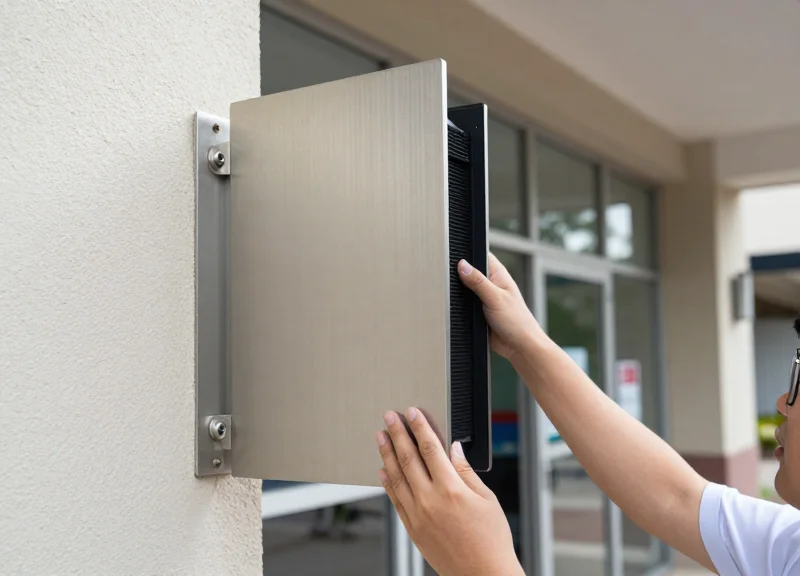
In high-traffic campus environments, signal interference and 'leakage' are the primary drivers of EAS false positives. Implementing geofencing and signal shielding involves creating a defined electromagnetic perimeter—either through physical barriers or localized frequency tuning—to ensure that sensors only detect items within the immediate exit zone. By containing the RF (Radio Frequency) field, retailers can prevent the 'ghosting' effect, where an RFID tag on a student walking outside the store inadvertently triggers the alarm gate.
- Define the Detection Aperture: Calibrate your RFID or EAS readers to narrow the 'Read Zone' to exactly 0.5 meters before and after the physical gate. Anything wider increases the risk of capturing tags from nearby shelves or passersby.
- Apply RF-Blocking Materials: Use conductive materials like copper mesh or specialized RF-shielding paint on walls adjacent to the exit gates. This creates a localized Faraday effect that prevents signals from penetrating through drywall to external corridors.
- Implement Software Geofencing: Integrate RSSI (Received Signal Strength Indicator) thresholds into your software logic. If a signal's strength is below a specific decibel (dB) floor, the system should ignore it as an 'out-of-bounds' event.
- Synchronized Pulse Modulation: If multiple stores are in close proximity, synchronize the pulse timing of the EAS gates to ensure they are not 'talking' to each other, which causes cross-talk interference.
| Shielding Material | Effectiveness (Attenuation) | Best Use Case |
|---|---|---|
| Aluminum Foil/Tape | Moderate (20-40 dB) | Small-scale retrofitting of shelving units near gates. |
| Conductive RF Paint | High (50-80 dB) | Aesthetic shielding for storefront walls and partitions. |
| Copper/Nickel Mesh | Very High (90+ dB) | Heavy-duty isolation for high-density RFID environments. |
| Clear EM-Shielding Film | Low to Moderate | Applied to glass windows to prevent external signal leakage. |
Expert Insight: The 'Null-Zone' Buffer Strategy. One overlooked technique in Silicon Valley’s top autonomous stores is the 15cm 'Null-Zone.' Instead of placing inventory right up to the edge of the sensor range, maintain a 15-centimeter physical buffer of 'dead space' where no tags are permitted to dwell. This buffer accounts for signal 'jitter'—the natural fluctuation of RF waves due to humidity or human body interference—ensuring that inventory on the edge of the store never accidentally crosses the digital threshold of the alarm system.
Does glass stop EAS signal leakage?
No, standard glass is transparent to RF signals. You must apply a metallic-based shielding film to glass surfaces if you want to prevent signals from reaching students walking outside the storefront.
What is the ideal RSSI threshold for campus retail?
While it varies by hardware, a common starting point is -65 dBm. Signals weaker than this are typically considered background noise or external interference and should be filtered out by the EAS logic.
How often should geofence boundaries be recalibrated?
Recalibration should occur quarterly or whenever the store layout changes. Changes in metal shelving or large beverage coolers can significantly alter the RF environment.
Leveraging AI and Machine Learning for Alarm Pattern Recognition

To eliminate false positives in unmanned campus retail, AI and Machine Learning (ML) shift EAS systems from binary sensors to intelligent decision engines. By applying neural networks to multi-modal data—such as transaction logs, RFID signal strength, and exit gate timing—systems can recognize 'Alarm Signatures.' Instead of triggering on every shielded tag, ML models classify events into categories like 'Incomplete Checkout,' 'System Latency Error,' or 'Actual Shrinkage,' allowing for surgical intervention rather than blanket alarms that disrupt the student experience.
| Feature | Traditional Heuristic Systems | AI-Driven ML Models |
|---|---|---|
| Decision Logic | If Tag=Detected AND Paid=False THEN Alarm | Probabilistic analysis of behavior and history |
| Error Handling | High false positives on 'Ghost Tags' | Suppresses noise through signal pattern filtering |
| Adaptability | Static rules set by technician | Continuous learning from student feedback |
| Contextual Awareness | None (Item level only) | High (Identifies group shopping dynamics) |
- Data Aggregation: Collect anonymized logs from identity-linked tokens (mobile apps), POS transaction times, and raw EAS signal bursts.
- Feature Engineering: Identify key variables such as 'dwell time near exit' and 'signal-to-identity ratio' to train the model.
- Supervised Training: Use historical data where store managers have manually resolved alarms to label 'True Theft' vs 'User Error'.
- Real-time Inference: Deploy the model at the edge to make millisecond-decisions at the exit gate to lock or remain open.
Expert Insight: The Social Proximity Logic. A unique challenge in campus retail is 'cluster shopping,' where students enter and exit in tight groups. Generic AI models often fail here, seeing five items and only one scanned ID. By implementing a proximity-clustering algorithm, our system checks if other active identity tokens are within a 1.5-meter radius of the sensor. If a 'unscanned' item matches the purchase history of a peer in that cluster, the alarm is suppressed, recognizing it as a group exit rather than a theft event.
import numpy as np
from sklearn.ensemble import IsolationForest

# Sample feature set: [Signal_Strength, Time_Diff_POS, Identity_Distance]
data = np.array([[0.8, 0.2, 0.1], [0.9, 0.1, 0.05], [0.2, 5.0, 3.0]])

# Detecting anomalies (theft) vs. normal student behavior
clf = IsolationForest(contamination=0.05)
clf.fit(data)

# -1 indicates a likely false positive or outlier needing review
prediction = clf.predict([[0.85, 0.15, 0.08]])
Does AI recognition compromise student privacy?
No. The system analyzes behavioral metadata and signal patterns rather than biometric or personal data, ensuring compliance with FERPA and GDPR.
How long does it take for the model to become accurate?
With a standard campus footfall, most ML models reach 95% accuracy in distinguishing false positives within the first 30 days of operation.
Can the AI handle 'Ghost Tags' from neighboring stores?
Yes, through signal strength filtering and identity-validation, the model learns to ignore tags that don't originate from your store's inventory database.
Privacy Compliance: Managing Student Data in Identity-Linked Security
Privacy compliance in identity-linked security is the strategic architecture of surveillance systems to protect student PII (Personally Identifiable Information) while verifying transaction status through strict data minimization, encryption, and consent management. In an unmanned campus environment, this means ensuring that the linkage between a student's digital identity and their physical movement through an EAS gate is used solely for theft prevention and is obfuscated or deleted immediately after a successful exit. To remain compliant with regulations like GDPR, CCPA, and FERPA, retail operators must transition from 'watching people' to 'verifying tokens,' shifting the focus from the individual to the cryptographic proof of purchase.
| Regulation | Primary Focus | Application to Identity-Linked EAS |
|---|---|---|
| GDPR | Data Protection & Privacy | Requires a 'Legal Basis' for processing; necessitates clear opt-ins for identity-linked tracking. |
| CCPA/CPRA | Consumer Data Rights | Grants students the right to know what data is collected and the right to delete retail history. |
| FERPA | Education Records | Protects student identity; requires that retail data is partitioned from academic records. |
Expert Tip: Implement 'Ephemeral Identity Tokens.' Instead of passing a Student ID number to the EAS gate, use a one-time-use cryptographic hash generated at the point of sale. This hash allows the gate to verify the 'Paid' status without ever knowing the student's name or university record, effectively decoupling security from identity.
- Data Minimization at the Edge: Configure EAS sensors and AI cameras to process identity data locally. Only transmit 'Pass/Fail' signals to the central server rather than raw biometric or identity data.
- Automated Purge Protocols: Establish a rolling deletion schedule. If an alarm is not triggered, all identity-to-transaction linkage data should be purged within 15 minutes of the customer exiting the store.
- Multi-Layered Consent: Embed privacy notices within the campus retail app. Users must explicitly consent to identity-linked security as a condition of using the frictionless checkout service.
Does storing video footage with identity tags violate FERPA?
Generally, no, provided the footage is used for security and not for academic or disciplinary records, and is managed by 'School Officials' with a legitimate educational interest.
Can students opt-out of identity-linked tracking?
Yes. To remain compliant, you must provide an alternative shopping method, such as a traditional manned kiosk or a guest-checkout lane that does not require an identity link.
How should data be handled in the event of a false positive?
When a false positive occurs, the incident log should be encrypted and accessible only to authorized security personnel for audit purposes, then deleted once the discrepancy is resolved.
Operational Protocols: Responding to Validated Identity-Linked Alerts

Operational protocols for validated identity-linked alerts represent a strategic shift from traditional 'stop and search' methods to a 'digitally-led resolution' framework. In an unmanned campus environment, a validated alert occurs when the system cross-references an Electronic Article Surveillance (EAS) trigger with a specific user session, confirming that an unpurchased item has crossed the threshold. The primary objective of the response protocol is to resolve the discrepancy with minimal social friction, leveraging the student's digital identity to offer self-correction opportunities before involving physical security or campus law enforcement.
- Automated Identity Correlation: The system instantly matches the timestamp of the EAS gate alarm with the active session ID of the user within the geofence. This generates a 'High-Confidence Match' profile including the user's name, student ID, and transaction history.
- The 'Nudge' Notification: Before any alarm sounds, the system sends an immediate push notification to the student's mobile app: 'It looks like you missed an item! Would you like to add [Item Name] to your cart now?' This allows for 'graceful correction' and eliminates the stigma of an accidental theft.
- Remote Video Verification: If the nudge is ignored, a remote monitoring agent receives a 5-second video clip of the exit event. The agent performs a visual audit to confirm the item presence and rules out sensor glitches or false positives from other shielding materials.
- Two-Way Audio Intervention: If the event is validated as a non-purchase, the remote agent can trigger a localized voice prompt at the exit gate, professionally requesting the student to return to the kiosk for item scanning.
- Formal Escalation: Only after digital and remote interventions fail is a report automatically filed with campus security. This report includes the timestamped video, the linked identity, and the specific SKUs involved, creating a 'paper trail' for administrative resolution.
| Severity Tier | Trigger Event | Primary Response Action | Resolution Goal |
|---|---|---|---|
| Tier 1: Minor | Low-value item, first-time occurrence | In-app push notification (Auto-billing) | Customer convenience and correction |
| Tier 2: Moderate | High-value item or repeated Tier 1 events | Remote live-audio guidance/Gate lock | Active recovery of inventory |
| Tier 3: Critical | Multiple items or tampering detected | Campus security dispatch & Account suspension | Loss prevention and policy enforcement |
Expert Insight: The 'Deferred Billing' Strategy. One of the most effective ways to handle validated alerts in a campus setting is to implement a 10-minute 'Auto-Charge' window. If the system detects a student exiting with an unpurchased item, rather than triggering a loud alarm that causes public embarrassment, the system silently adds the item to their digital cart. A notification informs the user that the item was detected and will be charged to their student account in 10 minutes unless they return to the store or dispute the charge. This virtually eliminates the need for physical security for minor oversights.
What if the student's phone is dead during an alert?
The system relies on the identity linked at the time of entry. If a discrepancy is detected at exit, the event is logged against the account used to open the door, and the resolution process continues via email or the student's web portal.
How long should video evidence be retained for validated alerts?
For validated theft events, industry standards suggest a 30-day retention period. However, campus policies may require alignment with student judicial affairs timelines, often extending to 90 days.
Can the system distinguish between a missed scan and a technical glitch?
Yes, by cross-referencing the signal strength of the RFID/EAS tag with the point-of-sale logs. If the gate sees a tag that the POS never 'deactivated' or 'logged,' it is flagged as a missed scan rather than a system error.
Measuring Success: KPIs for Unmanned Security Efficiency
To determine the effectiveness of identity-linked EAS (Electronic Article Surveillance) streamlining, campus retailers must move beyond traditional 'shrinkage' numbers. Success is defined by the system's ability to distinguish between a deliberate theft and a technical glitch without human intervention. The primary KPIs for unmanned security efficiency focus on the False Positive Ratio (FPR) and the Identity Resolution Speed, ensuring that security measures protect assets while maintaining the fluid, frictionless 'grab-and-go' experience students expect.
| Key Performance Indicator | Description | Optimal Benchmark |
|---|---|---|
| Alarm Accuracy Rate (AAR) | Percentage of alarms that correlate to a missing transaction in the digital log. | 95% or higher |
| False Positive Ratio (FPR) | The rate at which legitimate, paying customers trigger an alarm event. | Less than 0.5% |
| Customer Friction Score (CFS) | Average time (in seconds) a student is delayed at the exit for verification. | Under 3 seconds |
| Identity Linkage Success | The percentage of exit events successfully mapped to a unique student ID. | 99.9% |
Expert Insight: The 'Invisible Correction' Metric. A unique indicator of a truly sophisticated system is the 'Invisible Correction' rate. This measures instances where the system detected an un-scanned item at the exit but, instead of triggering a public alarm, automatically updated the digital basket and billed the student's account. In a campus setting, this preserves the student's dignity and reduces the operational burden of manual interventions, turning a potential security event into a seamless transaction.
How does high False Positive frequency impact campus retail long-term?
Frequent false positives lead to 'alarm fatigue' among staff and 'brand erosion' among students. If the alarm sounds too often for legitimate buyers, students will begin to perceive the security system as a nuisance, eventually ignoring it or avoiding the store entirely to escape public embarrassment.
Is Shrinkage Reduction the only metric for ROI?
No. While reducing theft is critical, the ROI of identity-linked EAS also includes labor savings (fewer staff needed to monitor exits) and increased throughput (more transactions per hour due to faster exit processing).
What is the 'Verification Zone' dwell time?
This is a subset of the Customer Friction Score. it measures the specific duration a student remains in the gated exit area while the AI cross-references their purchase history. Efficient systems should resolve this in milliseconds.
- Establish a Data Baseline: Record 30 days of alarm data prior to implementing identity-linking to understand your starting False Positive Rate.
- Sync POS and EAS Timestamps: Ensure your point-of-sale logs and exit gate sensors are synchronized to the millisecond to prevent 'lag-induced' false positives.
- Segment Alarm Causes: Categorize every alarm into 'Verified Theft,' 'Technical Error,' or 'Customer Error' (e.g., forgot to scan) to identify which part of the system needs tuning.
- Conduct Monthly Stakeholder Reviews: Share friction and accuracy reports with campus administration to demonstrate that security is not compromising the student experience.