
Ghost assets—equipment that exists on a balance sheet but cannot be physically located—account for up to 30% of an organization’s IT inventory, leading to inflated insurance premiums and tax overpayments. For high-value items like laptops and precision laboratory instruments, traditional tracking methods often fail because metal surfaces reflect RF energy, rendering standard tags useless. This technical guide explores how on-metal RFID technology by DragonGuardGroup solves the 'metal interference' problem, enabling enterprises to achieve near-perfect inventory accuracy and eliminate the financial drain of phantom inventory.
The Financial and Operational Impact of Ghost Assets

Ghost assets represent a silent drain on corporate resources, defined as fixed assets that appear in the accounting ledger but are no longer physically present or functional. For organizations managing high-density hardware environments, such as IT departments and R&D laboratories, these 'phantoms' lead to significant financial leakage. Because financial statements are built on these records, companies often pay property taxes and insurance premiums on equipment that has been lost, stolen, or scrapped years ago. In sectors involving precision instruments and laptops, where the metal-dense nature of the devices makes traditional inventory difficult, the prevalence of ghost assets can range from 15% to 30% of total recorded inventory.
| Impact Category | Financial Consequence | Operational Consequence |
|---|---|---|
| Taxation | Overpayment of personal property taxes based on inflated asset valuations. | Increased risk of failed internal and external financial audits. |
| Insurance | Inflated premiums paid for the coverage of non-existent hardware. | Inability to settle claims for lost assets due to lack of proof-of-presence. |
| Capital Expenditure | Wasted budget on 'redundant' purchases of gear already on the books. | Project delays in R&D due to misplaced or phantom precision instruments. |
| Cybersecurity | Potential data breaches from unmanaged 'ghost' laptops. | Inaccurate endpoint security mapping and compliance gaps (e.g., SOC2, HIPAA). |
How do ghost assets affect Sarbanes-Oxley (SOX) compliance?
Ghost assets create material weaknesses in financial reporting. If a significant percentage of fixed assets are missing, the organization cannot provide accurate balance sheets, leading to qualified audit opinions and regulatory scrutiny.
Why are laptops and precision instruments particularly susceptible?
These items are highly portable and frequently transition between users, locations, and service centers. Without automated tracking like on-metal RFID, manual logging fails to keep pace with the physical movement of the hardware.
What is the 'Productivity Tax' associated with these assets?
The labor cost spent by technicians and engineers searching for missing equipment. On average, employees spend 10-15% of their time looking for tools or gear that may no longer exist in the facility.
The Veteran Perspective: The 'Shadow Replacement' Trap. A unique insight often overlooked by procurement teams is the cumulative cost of the 'emergency purchase' cycle. When a critical precision instrument is listed in the system but cannot be found during a high-stakes project, organizations frequently initiate an emergency purchase at a premium. This not only results in double-spending but also adds a second entry to the ledger for what is physically a single available asset, further compounding the ghost asset problem for the next fiscal year. Precision on-metal RFID eliminates this cycle by providing real-time, physical verification that reconciles the digital ledger with reality.
Understanding the Physics: Why Metal Challenges RFID

Standard Passive UHF RFID tags fail on metal surfaces because conductive materials interfere with the tag's ability to harvest energy; specifically, metal reflects the reader's radio waves and creates eddy currents that 'detune' the tag’s antenna. When a standard dipole antenna is placed directly against a laptop chassis or a precision instrument, the metal acts as a ground plane, shifting the antenna's resonant frequency so far from the 860-960 MHz range that it becomes invisible to the reader.
- The Detuning Effect: RFID antennas are tuned to specific frequencies. Metal in the 'near-field' changes the impedance of the antenna, shifting its resonance frequency. This mismatch prevents the integrated circuit (IC) from receiving enough power to wake up and respond.
- Eddy Currents and Counter-Flux: When electromagnetic waves hit metal, they induce eddy currents on the surface. These currents create their own magnetic field that opposes the reader's signal (Lenz's Law), effectively canceling out the energy the tag needs to function.
- Signal Reflection and Multipath: Instead of passing through the tag, metal reflects RF energy. This can create 'null zones' where the reflected wave and the incoming wave interfere destructively, leading to erratic read rates or total signal loss.
| Feature | Standard Inlay RFID | On-Metal (Mount-on-Metal) RFID |
|---|---|---|
| Substrate Material | Clear PET or Paper | Specialized Dielectric Spacer (Ceramic/FR4) |
| Antenna Interaction | Short-circuited by metal | Isolated from metal surface |
| Read Range on Metal | Near zero (< 5cm) | Up to 10+ meters |
| Form Factor | Thin, flexible film | Thicker, rigid, or encapsulated |
Expert Insight: The 'Antenna Paradox' of High-End Electronics. While metal is generally the enemy, engineering experts know that on-metal tags often utilize the 'Ground Plane Effect' to their advantage. By using a precisely calculated dielectric spacer (often a ceramic or synthetic foam), the metal surface of a laptop can actually be used to reinforce the tag's signal. This allows smaller tags to achieve disproportionately long read ranges—but only if the tag's internal chemistry and thickness are matched to the specific conductivity of the asset's alloy.
Does a laptop's battery interfere with RFID?
Yes, high-density lithium-ion batteries and internal shielding create complex electromagnetic environments. Tags should be placed away from the battery housing if possible, or use high-dielectric spacers to maintain signal integrity.
Why can't I just use a thick foam tape on a regular tag?
While foam tape provides physical separation, it does not solve the impedance mismatch. True on-metal tags have antennas specifically designed to be 'pre-tuned' for the shift that occurs when placed near conductive surfaces.
Key Features of High-Performance On-Metal RFID Tags
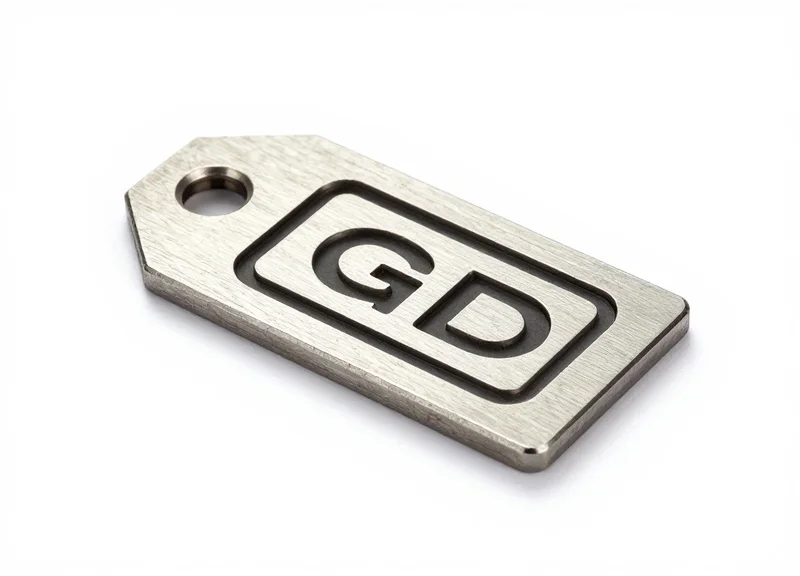
High-performance on-metal RFID tags are engineered to counteract the 'detuning' effect of conductive surfaces by incorporating a dielectric spacer—typically ceramic or specialized foam—that creates a physical buffer between the tag's antenna and the metal substrate. This design allows the tag to utilize the metal surface as a reflective ground plane, actually enhancing the read range in some configurations, rather than suffering from the signal absorption or reflection typical of standard inlays on metallic hardware.
| Feature | Technical Component | Asset Benefit |
|---|---|---|
| Signal Isolation | Dielectric Spacer | Prevents frequency shifting on high-density aluminum laptop chassis. |
| Durability | IP68/69K Housing | Withstands chemical sterilization and industrial cleaning of precision instruments. |
| Form Factor | Low-Profile (Sub-1.2mm) | Prevents snagging and allows placement in tight recessed areas of electronic devices. |
| Bond Strength | 3M VHB Industrial Adhesive | Maintains permanent attachment despite thermal expansion and mechanical vibration. |
The architecture of these tags often involves Planar Inverted-F Antenna (PIFA) designs. Unlike standard dipole antennas, PIFA structures are inherently resistant to the proximity of metal, making them the gold standard for tracking IT assets like servers and laptops. This ensures that the tag remains 'visible' to handheld and portal readers even when the asset is surrounded by other conductive materials in a dense storage environment.
Why is the spacer thickness critical for precision instruments?
The thickness of the dielectric spacer determines the degree of electromagnetic isolation; high-performance tags balance a thin profile with enough separation to prevent the metal from absorbing the RF energy intended for the chip.
What role does Global Frequency Tuning play?
High-end tags are tuned for broad-band performance (860-960 MHz), allowing assets to be tracked seamlessly as they move between different regulatory regions (FCC vs. ETSI) without loss of read range.
Can these tags handle the heat of a high-performance laptop?
Yes, premium on-metal tags are constructed with thermally stable polymers that prevent the antenna from warping or detuning when the device reaches high operational temperatures.
Expert Insight: Thermal Drift Management. In 20 years of Silicon Valley deployments, I've seen many 'ghost assets' caused by thermal drift. Laptops and high-speed instruments generate significant localized heat; if a tag's material has a high Coefficient of Thermal Expansion (CTE), the antenna can physically expand, shifting its resonant frequency. When selecting tags, look for 'CTE-matched' materials to ensure the tag remains readable at both 20°C and 55°C, preventing intermittent signal loss during peak asset usage.
Strategic Tagging for Laptops and Mobile Devices

To successfully tag laptops and mobile devices with on-metal RFID, you must identify the 'RF Sweet Spot': a placement zone that minimizes interference from internal components while maximizing exposure to reader waves. For most enterprise laptops, the optimal location is the upper corner of the exterior display lid or the hinge area, as these positions are least likely to be shielded by the user's hands or the internal motherboard during transit. Strategic placement ensures a consistent 3-to-5-meter read range without compromising the device's aesthetics or ergonomic functionality.
| Placement Location | Read Range Performance | Interference Risk | Ergonomic Impact |
|---|---|---|---|
| Top-Outer Lid Corner | High (Excellent Line-of-Sight) | Low (Clear of Motherboard) | Minimal (Visually unobtrusive) |
| The Hinge (Plastic/Non-Metal) | Medium (Variable Orientation) | Very Low | None (Invisible to user) |
| Underside / Chassis | Low (Blocked by Table/Lap) | High (Near WiFi/Battery) | Potential heat dissipation issues |
| Palm Rest | Poor (Blocked by user hands) | Moderate | High (Uncomfortable for typing) |
A critical, often-overlooked factor in mobile device tagging is the 'Hand-Effect.' In my 20 years in the Valley, I've seen countless deployments fail because tags were placed exactly where a technician naturally grips the device. When human tissue (which is high in water content) covers a tag, it absorbs the RF energy, effectively 'blinding' the reader. Always place tags at the highest point of the device lid when it is in a closed state to ensure visibility during inventory scans on shelving units or through transit portals.
- Surface Decontamination: Clean the application area with 70% isopropyl alcohol. Mobile devices accumulate skin oils and silicones that can degrade the high-bond adhesive of on-metal tags over time.
- Thermal Vent Mapping: Identify the device's exhaust and intake vents. Never place an RFID tag—even a thin one—over these areas, as it can cause localized overheating and lead to premature hardware failure.
- Antenna Orientation Check: Align the tag's polarization (horizontal or vertical) with your facility's fixed reader antennas to maximize the power transfer and read distance.
Expert Tip: For devices with anodized aluminum chassis, like MacBook Pros or Dell XPS models, the metal acts as a massive ground plane. Use a 'high-profile' on-metal tag with a thicker foam spacer (approx. 1.2mm to 2mm) rather than a thin label. This extra millimeter of separation significantly reduces the eddy current effect, often doubling the effective read range compared to flush-mounted labels.
Will the RFID tag interfere with my laptop's Wi-Fi or Bluetooth?
No. Passive RFID operates at the UHF range (860-960 MHz), while Wi-Fi and Bluetooth operate at 2.4 GHz or 5 GHz. The frequencies do not overlap, and the passive nature of the tag means it only emits energy when prompted by a reader.
Can I hide the tag inside the battery compartment?
This is highly discouraged. The metal shielding of the laptop's internal frame and the high density of the battery will almost certainly render the tag unreadable from the exterior.
How do I prevent tags from being peeled off by users?
Select tags with 'High-Grade Acrylic' or '3M VHB' adhesives. For high-churn environments, place a clear, tamper-evident laminate overlay over the tag to prevent casual removal.
Precision Instruments: Protecting Calibration and Sensitivity
Tagging precision instruments requires a non-intrusive methodology where on-metal RFID tags are strategically positioned on 'chassis dead-zones' to prevent electromagnetic coupling with sensitive internal sensors. Unlike standard IT assets, precision equipment—such as mass spectrometers, oscilloscopes, or medical diagnostic tools—is highly susceptible to electromagnetic interference (EMI); therefore, the primary goal is to ensure the tag's presence does not introduce signal noise or shift the device's thermal profile, which could void certifications or lead to measurement drift.
When dealing with instruments that operate at the micro or nano-scale, even the minute magnetic field generated by a passive RFID tag during a reader's 'interrogation pulse' can theoretically influence low-voltage analog signals. To mitigate this, engineers must prioritize the use of 'Low-Profile Dielectric' tags that offer shielding properties, ensuring the RF energy is directed outward from the device rather than into the circuitry.
| Instrument Type | Sensitivity Risk | Optimal Tag Placement | Recommended Adhesive |
|---|---|---|---|
| Analytical Balances | Vibration & Leveling | External non-moving base frame | Low-outgassing acrylic |
| Medical Ultrasound | RF Noise/Artifacting | Rear handle or cable strain relief | Medical-grade biocompatible |
| Field Oscilloscopes | Signal Cross-talk | Outer chassis, opposite of I/O ports | High-tack industrial foam |
| Optical Sensors | Thermal Expansion | Heat-dissipating fins (bottom side) | Thermally conductive epoxy |
Expert Tip: The 'Parasitic Resonance' Check. In twenty years of Silicon Valley deployments, I’ve found that the biggest hidden risk isn't the tag itself, but the 'antenna effect' created when a tag is placed too close to an instrument's existing venting slots. If the tag’s frequency (860-960 MHz) creates a harmonic resonance with the instrument's internal clock speeds, it can cause intermittent data errors. Always perform a baseline calibration test after tag application to ensure zero delta in instrument performance.
Will RFID tags interfere with ISO or FDA certification?
Generally, no, provided the tag is applied externally and does not require physical modification of the housing. However, many labs require a 're-validation' after tagging to confirm that the asset's electromagnetic compatibility (EMC) remains within original specifications.
Can the adhesive damage sensitive finishes or lenses?
Yes, standard industrial adhesives can 'gas off' chemicals that fog precision lenses. For high-end optics, use low-outgassing (ASTM E595) adhesives to maintain the integrity of the environment.
How do I tag instruments that undergo sterilization?
For medical or lab tools requiring autoclaving, use specialized ceramic on-metal tags. These are hermetically sealed and can withstand the high-pressure steam and temperature spikes of the sterilization cycle.
- Pre-Tagging Mapping: Identify 'Cold Zones' on the equipment chassis where internal PCB components are not directly adjacent to the surface.
- Surface Decontamination: Clean the area with 99.9% Isopropyl Alcohol to ensure no residue interferes with the bond or the RF signal.
- Signal Orientation Test: Orient the tag antenna parallel to the longest metal edge of the device to maximize the 'ground plane' effect without causing signal reflection into the sensors.
- Post-Application Verification: Run a standard diagnostic or self-test on the instrument to confirm read ranges are met without affecting measurement accuracy.
Optimizing Reader Infrastructure for High-Density Environments

Optimizing RFID reader infrastructure for high-density environments, such as server rooms or specialized equipment lockers, requires a strategic combination of low-power output, circular polarization, and advanced anti-collision protocols. By fine-tuning Receive Sensitivity (RSSI) and utilizing specific Inventory Sessions (such as Session 2 or 3), operators can eliminate phantom reads and ensure that every tagged laptop or instrument is accounted for without signal crosstalk from adjacent racks or metallic reflections.
| Configuration Parameter | Fixed Reader (Racks/Portals) | Handheld Reader (Manual Audits) |
|---|---|---|
| Power Levels | Lower (15-22 dBm) to prevent bleed-through. | Dynamic (10-30 dBm) for deep-reach searching. |
| Antenna Type | Circular Polarized (orientation agnostic). | Linear or Circular (dependent on scan motion). |
| Inventory Session | Session 2 (avoids continuous re-reads). | Session 1 (real-time feedback for finding). |
| Search Mode | Dual Target (A to B) for inventory cycles. | Single Target (A only) for rapid counting. |
In environments saturated with metallic surfaces, the primary challenge is multipath interference. Radio waves bounce off server chassis and metal casing, creating 'hot spots' where tags are read multiple times and 'dead zones' where signals cancel out. Managing these physics requires more than just high-end hardware; it requires software-level logic that filters out noise and prioritizes the proximity of the tag to the reader's primary field.
- Define the RF Boundary with RSSI Filtering: Set a Received Signal Strength Indicator (RSSI) threshold. This ensures the reader only registers tags with a signal strength indicative of physical proximity, effectively ignoring tags located in adjacent rooms or distant racks.
- Leverage Inventory Session 2 or 3: In high-density scenarios, use Session 2. This prevents a tag from responding repeatedly to the reader’s query once it has been inventoried, allowing the reader to 'hear' the weaker signals of tags deeper in the pile or further back in a server rack.
- Implement Polarization Diversity: Use circular polarized antennas to ensure tags are read regardless of their orientation on the instrument. This is critical for laptops which may be stored vertically, horizontally, or stacked.
Expert Tip: Implement 'Spatial Muting' via software logic. By correlating the RSSI and Phase Angle of a tag's response, you can identify if a tag is truly within the 'Primary Read Zone' or if it is a reflection from a distant metal surface. In Silicon Valley data centers, we use this to distinguish between a laptop sitting on a workbench versus one stored in a shielded cabinet ten feet away.
How do I stop readers from scanning through metal walls?
Reduce the transmit power and apply RF-absorbent foam or shielding paint to the interior of the storage unit. Additionally, use an RSSI cutoff filter to ignore signals below a specific decibel threshold.
Can I use multiple readers in the same room?
Yes, but you must enable Dense Reader Mode (DRM). This protocol prevents readers from interfering with each other by assigning specific spectral channels and timing offsets for their transmissions.
What is the best way to handle 'stray' tags in a crowded lab?
Use a 'Select' command or 'Gating' logic. This allows the reader to only 'wake up' tags with specific EPC headers (e.g., only laptops), ignoring the hundreds of other tagged assets that might be in the vicinity.
Integration: Bridging RFID Data with ITAM and ERP Systems
Integrating RFID data into IT Asset Management (ITAM) and Enterprise Resource Planning (ERP) systems is the architectural bridge that transforms raw radio frequency signals into actionable business intelligence. This process involves mapping the unique Electronic Product Code (EPC) captured by an on-metal tag to a specific asset record in databases such as ServiceNow, SAP, or Oracle. By automating the data handshake between the physical edge and the digital core, organizations can eliminate the 'human lag' that typically leads to ghost assets—items that appear in the registry but are physically missing.
- Data Capture and Filtering: Readers capture thousands of 'pings' per second. Middleware filters this 'noise' to ensure only valid, unique EPC reads are passed forward to the integration layer.
- Middleware Logic & Edge Processing: Software layers like LLRP (Low Level Reader Protocol) or proprietary IoT gateways translate hardware signals into structured JSON or XML formats.
- API Transformation: A RESTful API or webhook sends the formatted data to the ITAM system, matching the tag ID with attributes like serial numbers, purchase dates, and warranty status.
- State Reconciliation: The system compares the new scan location with the previous known state. If a laptop assigned to 'Lab A' is scanned in 'Building B,' the ERP automatically triggers a location update or an alert.
| Integration Method | Latency | Complexity | Best For |
|---|---|---|---|
| Batch Processing | High (Daily/Weekly) | Low | Monthly inventory audits of low-value assets. |
| Real-Time Webhooks | Minimal (Seconds) | Medium | Tracking high-value precision instruments in transit. |
| Message Queues (MQTT/RabbitMQ) | Low (Near Real-Time) | High | High-density server rooms with thousands of concurrent reads. |
Expert Tip: Implement the 'Silent Witness' logic. Most systems focus on what is scanned, but the real value lies in what is not scanned. Configure your ITAM to trigger an 'Exception Workflow' for any precision instrument that fails to check in during a scheduled 24-hour cycle. This proactive 'Negative Inventory' approach is the only way to truly eradicate ghost assets before they impact financial reporting.
Does RFID integration require changing our existing ERP?
No. Modern RFID middleware acts as a translation layer. As long as your ERP or ITAM has an open API (like ServiceNow or Jira Service Management), the RFID data can be mapped to existing fields without core system modifications.
How do we handle duplicate reads from multiple readers?
Middleware uses 'de-duplication' algorithms based on timestamps and RSSI (Received Signal Strength Indicator) values to ensure an asset is only recorded at its most likely current location.
What happens if the network goes down during a scan?
Enterprise-grade handheld readers feature local caching. They store the scan data locally and automatically sync with the ERP via 'Store-and-Forward' logic once connectivity is restored.
Scaling Your RFID Deployment: A Phase-by-Phase Approach
Transitioning from a localized RFID pilot to an enterprise-wide deployment requires a systematic approach to mitigate the physical and digital complexities of on-metal environments. Scaling is not merely a volume increase; it is the process of hardening your infrastructure, automating data workflows, and ensuring that the precision achieved in the laboratory translates to the chaos of the warehouse or field office. A successful rollout follows a clear trajectory from technical validation to operational integration, ensuring that the high-cost investment in on-metal tags yields a measurable ROI through the elimination of ghost assets.
| Deployment Phase | Focus Area | Primary Goal |
|---|---|---|
| Phase 1: Proof of Concept | Technical Validation | Verify read ranges on high-interference surfaces. |
| Phase 2: Operational Pilot | Workflow Integration | Test data synchronization with ITAM and ERP systems. |
| Phase 3: Regional Expansion | Infrastructure Hardening | Standardize reader placements across multiple sites. |
| Phase 4: Global Enterprise | Continuous Optimization | Implement predictive maintenance and lifecycle analytics. |
- Establish a 'Gold Standard' Tagging Protocol: Before scaling, document exact tag placement coordinates for every asset class (e.g., 'upper-left corner of the aluminum chassis'). For precision instruments, this prevents signal shielding and ensures consistent read rates during mass audits, regardless of which technician is performing the scan.
- Implement Edge Computing for Data Filtering: As you move from 100 to 10,000 assets, the volume of raw RF data can overwhelm your network. Deploy edge-capable readers to filter redundant 'heartbeat' pings and only transmit meaningful state changes to your central asset management software.
- Formalize the 'Exception Management' Workflow: Scale brings outliers. Define automated triggers for when a 'ghost asset' is detected or when a tag signal falls below a specific decibel threshold, indicating potential physical damage or new environmental interference.
Expert Insight: Beware of 'Environmental Drift.' Silicon Valley veterans know that a configuration that works in an empty facility during a pilot often fails during peak operations. Always conduct your final Phase 2 testing during periods of maximum operational activity to account for the RF noise generated by mobile machinery and human traffic, which can attenuate signals by as much as 3-5 dB.
What is the typical timeline for a successful scale-up?
Most enterprise rollouts take 6 to 18 months. A 90-day pilot is usually sufficient to identify 95% of environmental RF challenges before the capital-intensive expansion begins.
How do we handle global frequency variations?
Ensure your on-metal tags are 'Broadband' or 'Global' frequency compatible (860-960 MHz) to maintain consistent performance across US and EU regulatory standards without re-tagging.