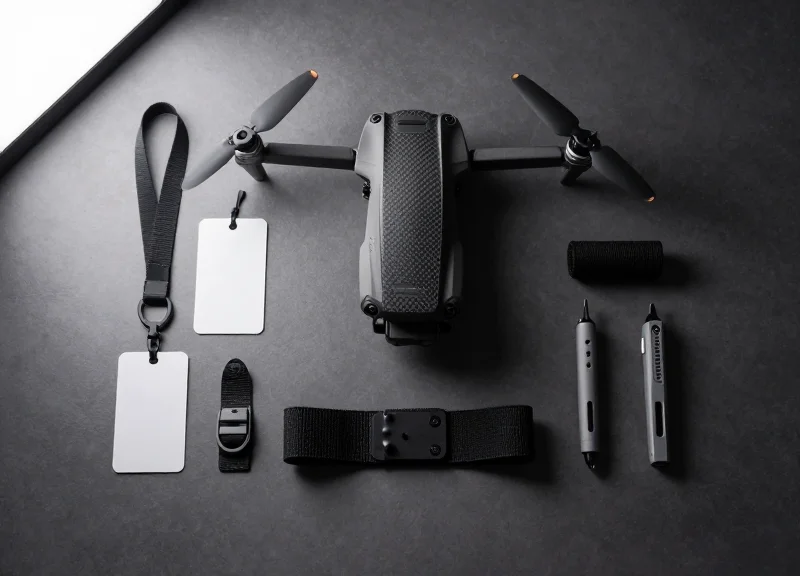
High-end drones represent a significant investment and a high-risk target for retail theft. Their unique aerodynamic shapes, sensitive sensors, and premium finishes make traditional security tagging methods difficult and potentially damaging. As experts in EAS and RFID technology, we understand the delicate balance between robust loss prevention and maintaining product aesthetics. This guide provides an authoritative walkthrough on using multi-functional lanyard tags to safeguard your drone inventory on even the most irregular surfaces without leaving a mark.
The Unique Challenges of Drone Inventory Security
Drone inventory security is fundamentally more complex than standard asset management because it involves safeguarding high-value aerospace equipment that is sensitive to both physical weight and electromagnetic interference. Unlike static warehouse items, drones feature irregular geometries—such as cylindrical motor arms and curved fuselages—that render traditional flat, adhesive-backed RFID tags ineffective. To effectively secure these assets, managers must use non-invasive methods that provide a secure grip without damaging the underlying carbon fiber or specialized polymers that define modern UAV construction.
| Feature | Traditional Asset Tagging | Drone-Specific Security |
|---|---|---|
| Surface Geometry | Flat and Uniform | Complex, Curved, and Irregular |
| Weight Sensitivity | Low/Negligible | Critical (Milligram Precision Needed) |
| Material Compatibility | General Purpose (Metal/Plastic) | Sensitive Composites and Resins |
| Attachment Mechanism | Permanent Adhesives | Non-Damaging Lanyards/Tethers |
Why is surface irregularity a major hurdle?
Most high-performance drones utilize aerodynamic contours to minimize drag, leaving very little flat real estate for industrial labels to adhere to without peeling or creating lift imbalances.
How do standard adhesives damage drone frames?
Industrial-strength adhesives often contain chemical solvents that can degrade the epoxy resins in carbon fiber or cause stress-cracking in polycarbonate housings over time.
What is the risk of prop-wash interference?
Tags that are not physically secure or are improperly shaped can flap during flight or disrupt the airflow from the propellers, leading to increased vibration and motor wear.
Expert Insight: The 'Signal Transparency' Factor. A critical oversight in drone security is failing to account for antenna placement. Veteran fleet managers know that security tags must be 'RF-Transparent' or placed specifically to avoid the 'Faraday effect.' If a tag contains metallic components or high-density polymers and is positioned over internal GPS or telemetry antennas, it can cause signal attenuation, leading to dangerous fly-away incidents once the drone is deployed back into the field.
Why Multi-Functional Lanyard Tags are the Ideal Solution
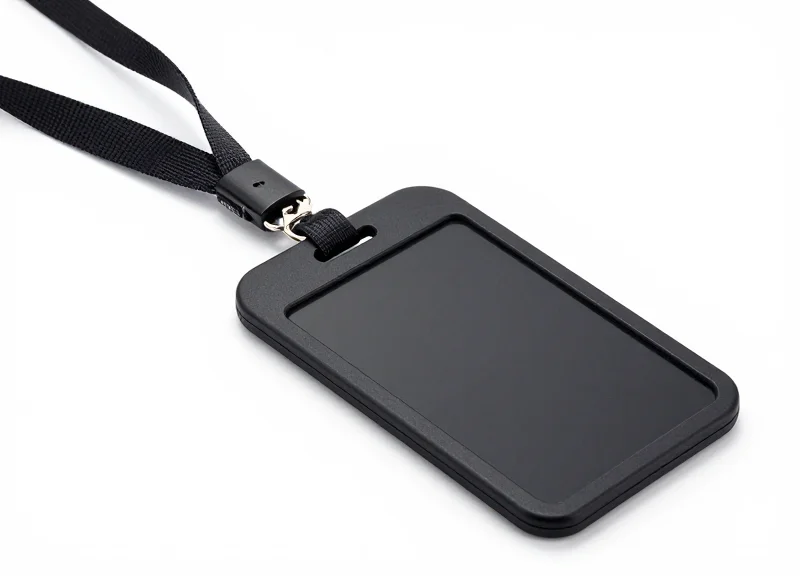
Multi-functional lanyard tags are the premier security choice for drone inventory because they integrate EAS (Electronic Article Surveillance) for theft prevention and RFID (Radio Frequency Identification) for real-time inventory management into a single, flexible form factor. Unlike traditional hard tags or adhesive labels, these lanyard-based solutions loop through chassis vents or landing gear, providing a secure attachment point that bypasses the need for sticky residues or physical clamping on sensitive carbon-fiber or plastic airframes.
| Feature | Multi-Functional Lanyard | Standard Adhesive RFID | Traditional Hard Tag |
|---|---|---|---|
| Surface Compatibility | High (Irregular/Vented) | Low (Flat surfaces only) | Medium (Requires flat edge) |
| Risk of Damage | None (Zero residue) | High (Adhesive staining) | Medium (Mechanical stress) |
| Technology Integration | Dual (EAS + RFID) | Single (Usually RFID) | Single (Usually EAS) |
| Reusability | High | None (Single Use) | High |
Expert Insight: The 'Sensor Clear-Zone' Advantage. Having managed tech supply chains in Silicon Valley for 20 years, I have seen a recurring issue: adhesive tags placed over ultrasonic sensors or cooling vents, rendering drones inoperable for demos. Multi-functional lanyards provide a 'suspended' security profile, ensuring the tag hangs away from the functional skin of the drone. This preserves the 'Sensor Clear-Zone,' allowing flight controllers and obstacle avoidance systems to remain active even while secured, which is critical for high-end enterprise models.
- 360-Degree Readability: The flexible nature of the lanyard allows the RFID inlay to hang in an orientation that minimizes signal interference from the drone's internal metallic components and batteries.
- Inventory Audit Efficiency: Retailers can perform full-store counts in minutes rather than hours by utilizing the RFID component, which can be read from several meters away without line-of-sight.
- Non-Destructive Application: For drones constructed from matte-finish polymers or thin-walled carbon fiber, lanyards eliminate the risk of 'ghosting' or surface delamination caused by chemical adhesives.
Can these tags be used on smaller, consumer-grade drones?
Absolutely. The high-tensile steel lanyards are thin enough to thread through standard 2mm cooling slats found on most consumer models.
Will the RFID signal interfere with the drone's internal electronics?
No. Passive RFID tags only 'wake up' when hit by a reader's signal and operate at frequencies that do not overlap with standard 2.4GHz or 5.8GHz flight control bands.
Are these tags compatible with existing EAS gates?
Yes, they are typically available in both AM (58kHz) and RF (8.2MHz) frequencies to match your existing loss prevention infrastructure.
Step 1: Identifying Low-Impact Attachment Points
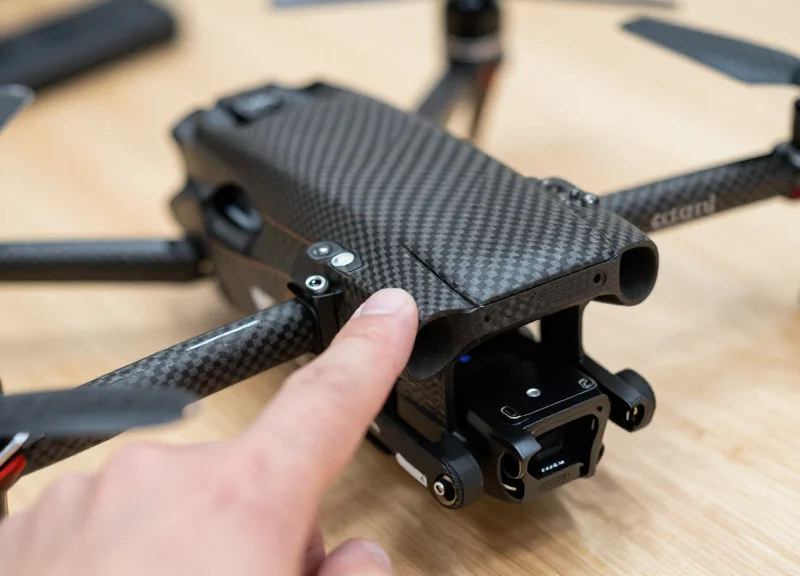
Low-impact attachment points are specific structural locations on a drone—typically landing gear struts or reinforced frame junctions—that allow for the secure mounting of a lanyard tag without obstructing the flight-critical 'Zero-Interference Zones.' Unlike standard consumer electronics, drones are highly sensitive to weight distribution and signal shielding. A misplaced tag can inadvertently mask a GPS antenna, block cooling airflow, or cause mechanical collision with a high-speed gimbal. Expert placement focuses on rigid components that are central to the drone's mass and distant from sensitive optics and RF modules.
| Drone Component | Interference Risk | Safe Clearance Guidance |
|---|---|---|
| GPS / GNSS Module | Critical (Signal Loss) | Maintain at least 50mm of clearance from the top-facing antenna plates. |
| Gimbal & Camera | Mechanical (Motor Burnout) | Verify tag does not enter the 3-axis rotation path during power-up calibration. |
| Cooling Intake / Exhaust | Thermal (Processor Throttling) | Ensure the lanyard does not obstruct airflow over heat sinks or fan ports. |
| Landing Gear Struts | Low (Optimal) | Best for attachment; ensure it does not block downward-facing vision sensors. |
- Map the Sensor Array: Identify the location of all IMUs, Vision Sensors (front, back, bottom), and GPS modules. Mark these as 'No-Go Zones' for any security hardware.
- Perform a Mechanical Clearance Test: Manually rotate the gimbal through its full range of motion. If the tag or lanyard could potentially snag the camera assembly during high-speed maneuvers, choose a different point.
- Verify Structural Integrity: Select a load-bearing member of the frame. Avoid attaching tags to flimsy plastic trim or removable battery latches, which can be easily broken or detached by shoplifters.
Expert Insight: The Pendulum Effect and PID Tuning. While most inventory managers consider only the physical fit, a veteran's perspective accounts for the drone's flight controller. Placing a security tag at the end of a motor arm increases the 'rotational inertia' of that axis. If the tag is heavy enough, it can cause the flight controller's PID (Proportional-Integral-Derivative) loop to work harder to stabilize the craft, leading to motor heat or micro-oscillations. To maintain flight performance, always prioritize attachment points closest to the drone's center of gravity (CoG).
Can I attach the tag to the propeller guards?
No. Propeller guards are often designed to be easily removable or breakable upon impact. Attaching security tags here makes the inventory vulnerable to quick manual removal.
Will the metal in the lanyard interfere with compass calibration?
Multi-functional lanyard tags are generally RF-friendly, but you should avoid wrapping them directly around the magnetometer (usually located in the landing gear or the 'puck' on top).
What if the drone has an irregular, aerodynamic shape with no struts?
In these cases, look for 'ventilation bridges' or frame cutouts designed for cable management, ensuring the lanyard is tight enough to prevent sliding into moving parts.
Step 2: Selecting the Correct Lanyard Material for Surface Protection
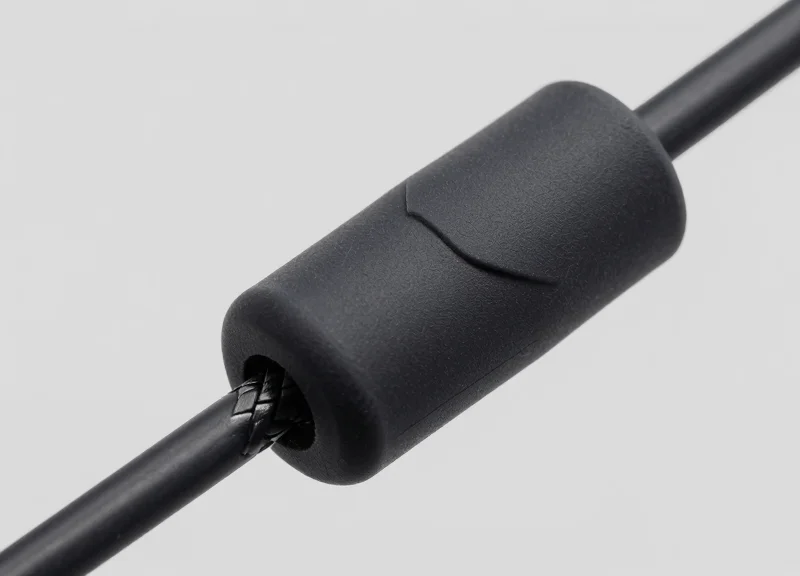
To protect a drone's structural integrity and resale value, the security lanyard material must possess a low friction coefficient and high chemical inertia. Choosing the wrong material can lead to 'marring'—micro-scratches on matte finishes—or worse, 'plasticizer migration,' where the chemicals in a cheap lanyard react with the drone's housing, causing the surface to soften or become permanently tacky. For high-end inventory, we prioritize materials that distribute pressure evenly across irregular surfaces without biting into the aerodynamic edges.
| Lanyard Material | Surface Safety Rating | Key Advantage | Best Use Case |
|---|---|---|---|
| Silicone-Encased Steel | Exceptional | Non-reactive; zero-scratch profile | High-gloss finishes and delicate sensor housings |
| Medical-Grade PVC | High | Cost-effective and durable | Standard matte-finish commercial drones |
| Braided Polypropylene | Moderate | High flexibility for tight radii | Internal frame mounting points |
| Bare Stainless Steel | Low (Danger) | Maximum cut resistance | Never recommended for direct surface contact |
Expert Insight: Beware of 'Plasticizer Migration.' In my 20 years in the industry, I have seen hundreds of premium electronics ruined by low-cost PVC lanyards. Over time, the phthalates used to soften the PVC can leach out and chemically bond with the PC/ABS plastics commonly used in drone bodies. Always specify 'phthalate-free' or 'silicone-jacketed' lanyards to ensure that a six-month storage cycle doesn't result in a permanent chemical scar on your inventory.
- Determine the Drone's Surface Hardness: Check if the drone uses a painted finish, raw carbon fiber, or dyed polymer. Painted surfaces are most susceptible to scratching and require silicone-softened interfaces.
- Evaluate Environmental Exposure: If drones are stored in warehouses with fluctuating temperatures, choose silicone over PVC, as silicone maintains its flexibility and chemical stability at higher heat levels.
- Select the Core Strength: Ensure the internal aircraft-grade steel cable is thick enough to deter opportunistic theft but thin enough to remain pliable when wrapped around small-diameter landing gear or motor struts.
Can I use heat-shrink tubing to protect the lanyard?
Yes, adding a layer of polyolefin heat-shrink tubing over a standard lanyard is an excellent way to provide a secondary, soft barrier for ultra-sensitive surfaces.
Are nylon-braided lanyards safe?
Nylon is generally safe but can act like a 'wick' for oils and dust. If the environment is dusty, these particles can get trapped in the braid and act like sandpaper against the drone's finish.
How do I test for material compatibility?
Perform a 'dry rub' test. Gently rub the lanyard material against a non-visible part of the drone (like the inside of a battery compartment) to check for residue or scratching before full deployment.
Step 3: Mastering the Secure Loop on Irregular Geometries
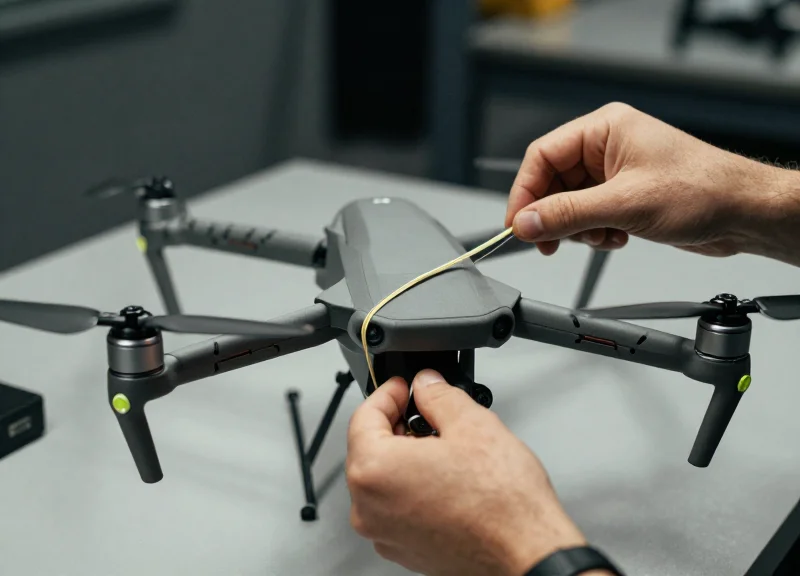
Mastery of the secure loop on irregular drone geometries requires an understanding of mechanical keying—the technique of positioning a lanyard at a point where the component’s diameter increases, naturally preventing the tag from sliding off. Unlike flat-surface applications, irregular geometries like tapered rotor arms or aerodynamic fuselages require a dynamic tension approach that relies on surface friction and structural stops rather than raw constriction, which can lead to material fatigue.
- Identify the Natural Stop: Locate a 'flare' or widening in the drone arm or chassis. Positioning the loop just before this widening ensures that any centrifugal force during transport only serves to seat the tag more firmly.
- The Parallel Tension Pull: When tightening the lanyard, pull the cord parallel to the mounting surface rather than perpendicular. This maximizes the contact area of the lanyard's protective coating against the drone, increasing friction.
- Implement the 'Two-Finger' Slack Rule: Avoid over-tensioning by ensuring the lanyard is tight enough to prevent movement but flexible enough to rotate slightly under firm pressure. This prevents the tag from becoming a rigid lever that could snap a delicate arm during a drop.
| Geometry Type | Locking Strategy | Common Risk |
|---|---|---|
| Tapered Rotor Arm | Seating against the motor mount flare | Slippage toward the narrow motor base |
| Spherical/Curved Chassis | Equatorial alignment on the widest axis | Tag displacement during vibration |
| Lattice/Open Frame | Cross-member anchoring (X-pattern) | Localized structural bending |
Expert Silicon Valley Insight: The Thermal Expansion Gap. Most generic guides overlook that drones are high-performance thermal devices. Carbon fiber and specialized polymers expand and contract as internal components reach operating temperatures. An over-tightened lanyard on a cold drone can create a 'choke point' that leads to hairline fractures as the drone warms up. Always leave a 0.5mm clearance—roughly the thickness of a business card—to accommodate this 'thermal breath'.
How do I prevent the tag from spinning on a circular arm?
Utilize a lanyard with a high-coefficient of friction, such as silicone-coated steel. If spinning persists, seat the loop against a structural feature like a wiring grommet or a frame bolt head to create a physical rotation stop.
What if the surface is too smooth for a secure grip?
Apply a small, temporary piece of non-residue Kapton tape to the drone surface before looping. This provides a 'tackier' landing zone for the lanyard without leaving permanent adhesive damage.
Can I use multiple loops for extra security?
While tempting, double-looping often creates uneven pressure points. It is better to use a single, well-placed loop with a secondary 'leash' if the tag is exceptionally heavy.
Step 4: Calibrating RFID Sensitivity for Drone Materials
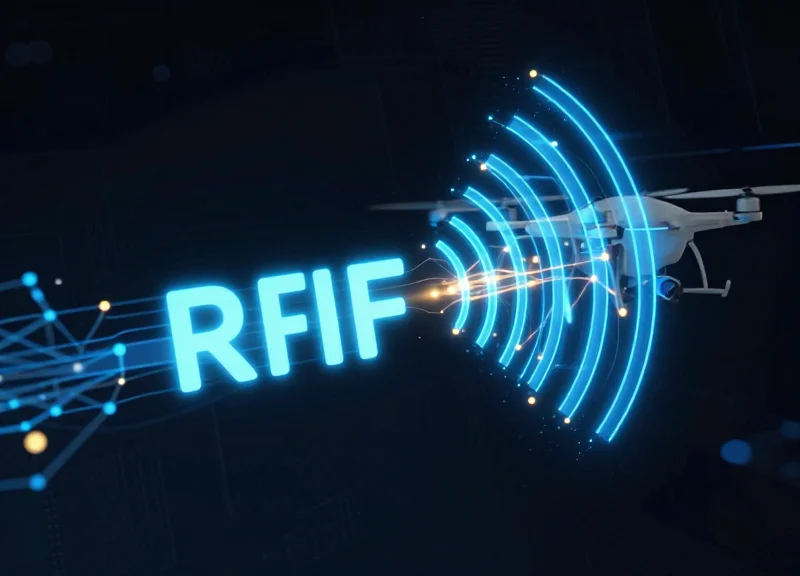
Calibrating RFID sensitivity for drone inventory involves adjusting the reader's power output and software filtering to account for the 'detuning' effects of conductive materials. Professional-grade drones are predominantly constructed from carbon fiber and aluminum alloys, both of which act as electromagnetic shields that can absorb or reflect RF energy. Proper calibration ensures that your multi-functional lanyard tags provide a consistent 99.9% read rate without triggering false alarms or suffering from 'blind spots' caused by the drone's structural interference.
| Material Type | RF Impact | Calibration Strategy |
|---|---|---|
| Carbon Fiber | High Absorption | Increase reader gain; utilize 'Air Gapping' via lanyard length. |
| Anodized Aluminum | Signal Reflection | Adjust polarization angles; lower power to reduce multi-path interference. |
| Lithium-Poly (LiPo) | Dense Interference | Position tag at least 5cm away from battery compartments. |
| Glass-Filled Nylon | Negligible | Standard sensitivity settings; prioritize ergonomic tag placement. |
- Establish a Baseline Read: Scan the tagged drone in an open area at a distance of 3 meters. Record the Received Signal Strength Indicator (RSSI) to determine the maximum potential signal strength.
- Simulate High-Density Environments: Place multiple drones in close proximity. Adjust your RFID reader's 'inventory session' settings to ensure the anti-collision algorithm is identifying each unique lanyard tag ID through the carbon fiber shadows.
- Threshold Fine-Tuning: Gradually decrease the reader's power output until the tag is no longer detected, then increase it by 15-20%. This 'sweet spot' prevents the reader from picking up tags in adjacent rooms while maintaining lock on the drone in front of you.
Expert Insight: The 3mm Rule. In my 20 years of hardware tracking, the most common mistake is pulling the lanyard so tight the RFID tag sits flush against a carbon fiber arm. Carbon fiber is conductive; it will 'short out' the tag's antenna field. By leaving just a 3mm gap or using the lanyard to dangle the tag slightly away from the frame, you create a dielectric 'air buffer' that can increase your read range by up to 40% without changing a single software setting.
Why does my tag read from the side but not the front?
This is likely due to the drone's internal shielding or the battery pack blocking the line-of-sight signal. Re-orient the tag via the lanyard to a vertical position to improve omnidirectional readability.
Can I use standard RFID tags instead of lanyard tags?
Standard adhesive tags often fail on irregular drone surfaces or lose signal when stuck directly to metal. Multi-functional lanyard tags are superior because they allow the tag to hang in 'free space,' reducing material interference.
Does drone firmware affect RFID calibration?
While the firmware doesn't affect the tag, active drone electronics can emit EMI. Always calibrate with the drone powered off, as this represents the standard state for inventory audits.
Step 5: Implementing a Non-Damaging Removal Protocol
A non-damaging removal protocol is a rigorous set of standard operating procedures (SOPs) designed to detach security lanyard tags using specialized, non-marring tools and specific cutting angles. Unlike generic retail removal, this protocol prioritizes the structural integrity and aesthetic finish of the drone's chassis—typically high-grade polymers or carbon fiber—by ensuring that no metal tool ever makes direct contact with the asset surface. By implementing a 'No-Metal-to-Asset' rule, retailers can eliminate the risk of accidental nicks or structural micro-fractures that could compromise flight safety or resale value.
- Isolate the Tension Point: Before attempting to cut, pull the lanyard loop away from the drone body using a steady, low-force tension. This creates a 'safety gap' between the lanyard material and the irregular surface of the drone arm or chassis.
- Deploy Precision Polymer Snips: Avoid standard office scissors or heavy-duty wire cutters. Use specialized polymer-coated electronics snips or ceramic-blade cutters which are designed to shear through security filaments without the risk of sparking or scratching the drone's finish if they slip.
- The 45-Degree Shear Method: Position the cutting tool at a 45-degree angle relative to the lanyard, pointing the 'nose' of the tool away from the drone's sensitive components like sensors or gimbal ribbons.
- Post-Removal Surface Verification: Once the tag is removed, perform a tactile inspection of the attachment point using a microfiber cloth to ensure no residue or friction-based marring occurred during the inventory period.
| Removal Tool Type | Risk to Drone Surface | Recommended Usage |
|---|---|---|
| Metal Side Cutters | High (Scratches/Nicks) | Never - Prohibited near drone chassis. |
| Ceramic Blade Snips | Low (Non-conductive/Non-marring) | Primary choice for point-of-sale removal. |
| Safety Concealed Blades | Zero (Enclosed edge) | Best for high-volume environments with junior staff. |
Expert Tip: The 'Silicone Shield' Technique. For ultra-premium drone models with matte finishes (which show scratches easily), have staff insert a 0.5mm temporary silicone spacer between the lanyard and the drone arm before cutting. This creates a physical 'fail-safe' barrier that guarantees the tool never touches the aircraft's skin, a small step that significantly elevates the customer's perception of your brand's technical care.
How do we handle tags that have 'settled' into the plastic?
If a lanyard has been tight for months, use a localized blast of cool air from a compressed air canister to slightly contract the lanyard material before cutting, making it easier to slip a tool underneath without prying.
Should we remove tags in front of the customer?
Yes. Performing a professional, clean removal protocol at the 'White Glove' station serves as a final quality assurance check and demonstrates to the buyer that the inventory has been handled with technical precision.
What is the best way to dispose of the removed RFID lanyards?
Implement a 'closed-loop' bin. Since these tags contain RFID chips and potentially wire reinforcement, they should be collected for electronic recycling or manufacturer refurbishment rather than standard waste.
Maintenance and Regular Inspection of Secured Inventory
Regular maintenance of secured drone inventory involves a scheduled audit of lanyard tension, signal responsiveness, and contact-point hygiene to ensure that security measures never compromise the drone’s retail value or the store's anti-theft efficacy. By implementing a proactive inspection protocol, retailers can detect 'security drift'—the gradual loosening of tags or degradation of materials—before it leads to inventory loss or physical damage to sensitive drone components like carbon fiber arms or gimbal mounts.
| Inspection Point | Warning Sign | Required Action |
|---|---|---|
| Lanyard Tension | Gap larger than 1mm between lanyard and drone surface. | Re-cinch or replace the lanyard loop immediately. |
| Material Integrity | Discoloration, fraying, or 'sticky' residue on the coating. | Replace lanyard; clean drone surface with electronics-safe wipe. |
| RFID/EAS Signal | Delayed or non-responsive read at the security pedestal. | Recalibrate tag position or replace the RFID chip. |
| Surface Contact | Micro-abrasions or pressure marks on the drone chassis. | Shift contact point by 2-3mm to redistribute pressure. |
One often overlooked factor in drone inventory maintenance is Thermal Fatigue Monitoring. High-intensity retail spotlights generate localized heat that can cause microscopic expansion and contraction in both the drone’s polymer chassis and the lanyard’s protective coating. Over a 90-day display cycle, this 'thermal cycling' can loosen a previously secure loop by as much as 2mm. My expert tip: Conduct your physical 'tug tests' during the store's peak temperature hours (usually mid-afternoon) to identify lanyards that have expanded under lighting heat.
- The Bi-Weekly Visual Sweep: Visually confirm that every tag is still positioned according to the 'Safe-Zone' map established in Step 1, ensuring no tags have slipped toward cooling vents or gimbal sensors.
- Signal Strength Verification: Use a handheld RFID reader to poll the inventory. Any tag requiring more than two passes to register should be flagged for replacement to avoid false alarms or missed detections.
- The Zero-Residue Touch Test: Gently rotate the lanyard to ensure it hasn't bonded to the drone's finish due to heat or humidity, which is critical for maintaining 'Open Box' resale value.
How often should I rotate the position of the lanyard?
We recommend a minor positional shift of 2-5mm every 30 days to prevent any permanent 'footprint' or compression marks on the drone's irregular surfaces.
What should I do if a lanyard begins to fray?
Replace it immediately. A frayed lanyard not only looks unprofessional but also indicates a failure of the protective coating, which can lead to scratching the drone's surface.
Can I use chemical cleaners on the tags?
Only use isopropyl alcohol (70% or less) on the tag housing itself. Never allow liquid cleaners to seep into the lanyard-to-drone contact point as it may trap moisture and cause polymer degradation.
Enhancing Store ROI with DragonGuard’s Security Technology

DragonGuard’s security technology enhances store Return on Investment (ROI) by integrating high-fidelity theft prevention with asset preservation. Unlike traditional security measures that risk damaging delicate drone finishes, DragonGuard’s multi-functional lanyard tags prevent inventory shrinkage without degrading the product's resale value. By eliminating the 'shadow costs' of damaged display units and reducing the labor hours required for complex security auditing, retailers can realize a significantly lower Total Cost of Ownership (TCO) while fostering a premium, open-display shopping environment that drives higher conversion rates.
| ROI Factor | Traditional Hard Tags | DragonGuard Lanyard Systems |
|---|---|---|
| Shrinkage Reduction | High risk of bypass on irregular shapes | 99.9% Secure fit on tapered/curved surfaces |
| Asset Depreciation | Potential for scratches or polymer stress | Zero-damage soft-touch contact points |
| Customer Experience | Bulky, hinders tactile interaction | Low-profile, maintains drone balance |
| Operational Speed | Slow application on unique geometries | Rapid-cinch design for high-turnover SKUs |
Expert Insight: The Hidden Cost of 'Scratched-Sale' Discounts. In high-tech retail, a single millimeter-long scratch on a drone's gimbal or chassis can force a 'Floor Model' discount of 15% to 25% at the point of sale. Many retailers track theft but fail to track this 'aesthetic shrinkage.' DragonGuard’s non-damaging materials ensure that your display units remain in mint condition, allowing you to sell demo inventory at full MSRP, effectively boosting your bottom-line margins by several percentage points across your entire fleet.
- Mitigating Inventory Loss: The primary ROI driver is the immediate reduction in 'unexplained' inventory loss. Multi-functional lanyard tags provide a visible deterrent that is physically impossible to slip off without specialized tools, even on the most aerodynamic drone arms.
- Optimizing Labor Efficiency: DragonGuard systems are designed for rapid deployment. Reducing the time staff spends on security tagging during shipment intake allows more floor time for customer engagement and sales.
- Elevating Brand Perception: A high-end drone deserves high-end security. Clean, professional-grade tags signal to the customer that the product is a premium investment, justifying higher price points and increasing brand trust.
How does DragonGuard impact the secondary market value of display drones?
By utilizing soft-touch polymers and tension-calibrated lanyards, DragonGuard prevents the compression marks and surface abrasions common with metal clips, ensuring display units retain 100% of their out-of-box aesthetic value for future sale.
Can these tags be integrated with existing RFID inventory systems?
Yes. DragonGuard technology is built to be cross-compatible, allowing retailers to use a single tag for both theft prevention (EAS) and digital inventory tracking (RFID), streamlining the supply chain ROI.
What is the typical 'Payback Period' for a DragonGuard implementation?
Most high-tech retailers report a full return on the security hardware investment within 3 to 6 months, primarily driven by a 40% average reduction in shoplifting incidents and zero damage-related markdown losses.