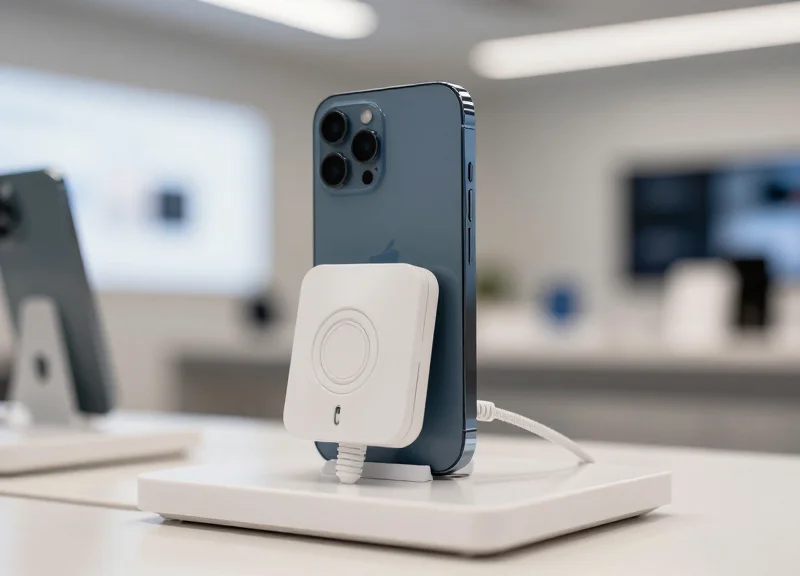
In the fast-paced retail environment, every second counts. As high-value display samples like smartphones and tablets become prime targets for theft, the margin for error in security response narrows. A 2-second response alarm is the gold standard for immediate detection, but its effectiveness relies entirely on precise calibration. This technical guide provides a deep dive into the nuances of setting up, fine-tuning, and maintaining high-speed alarm systems to ensure your inventory remains protected while preserving a seamless customer experience.
Understanding the Architecture of 2-Second Response Alarms

A 2-second response alarm architecture is a high-speed, closed-loop security system designed to detect, process, and signal a breach in under 2000 milliseconds. Unlike standard retail security that may rely on periodic polling, this architecture utilizes interrupt-driven logic and low-latency communication protocols—such as proprietary Sub-1 GHz RF or hardwired BUS systems—to ensure that the moment a sensor's state changes, the central controller triggers the audible and visual alerts without delay.
| Component | Technical Role | Latency Contribution |
|---|---|---|
| High-Sensitivity Sensor | Detects physical separation or cable cuts via capacitive or magnetic flux. | < 50ms |
| Local Controller (Node) | Processes raw sensor data and executes the 'Alarm State' logic. | < 100ms |
| Communication Bus/RF | Transmits the trigger signal from the display node to the master hub. | 100ms - 300ms |
| Siren/Output Relay | Physical activation of the 100dB+ alarm and LED strobes. | < 100ms |
To achieve this sub-2-second benchmark, the system architecture must prioritize 'Edge Processing.' In modern Silicon Valley-inspired retail tech, the decision to alarm is made at the sensor node level rather than waiting for a round-trip confirmation from a cloud-based server. This 'Fog Computing' approach eliminates internet-related lag, ensuring the system remains functional even if the store's Wi-Fi fluctuates.
- Interrupt vs. Polling: High-speed alarms use hardware interrupts. While polling checks the sensor every few seconds (slow), an interrupt forces the CPU to stop current tasks and respond immediately to a breach (instant).
- Supervised Circuits: The architecture maintains a constant low-voltage 'heartbeat.' If the wire is cut, the drop in voltage acts as the trigger, which is faster than digital signal processing.
- Signal De-bouncing: Advanced controllers use software de-bouncing to prevent false alarms from vibrations while maintaining a 2-second threshold for genuine disconnects.
Expert Insight: The 500ms Buffer Rule. In my two decades of engineering security deployments, the most critical discovery is the 'Buffer Rule.' To reliably hit a 2-second consumer-facing response, the hardware stack must complete its logic cycle in under 500ms. The remaining 1.5 seconds are consumed by the mechanical ramp-up of the piezo siren and the human 'startle response' time. If your hardware takes 1.5 seconds to think, the system will feel sluggish and fail to deter a professional 'smash-and-grab' thief.
Does 2.4GHz Wi-Fi interfere with response times?
Yes. Congested 2.4GHz environments cause packet loss and retries. For 2-second reliability, we recommend using 868/915 MHz frequencies which penetrate store fixtures better and have lower noise floors.
Can these systems be daisy-chained?
Technically yes, but star topologies are preferred. Daisy-chaining adds 'hop latency' for every device in the line, which can push you past the 2-second limit in large displays.
Pre-Installation: Environmental Assessment and Sensor Selection
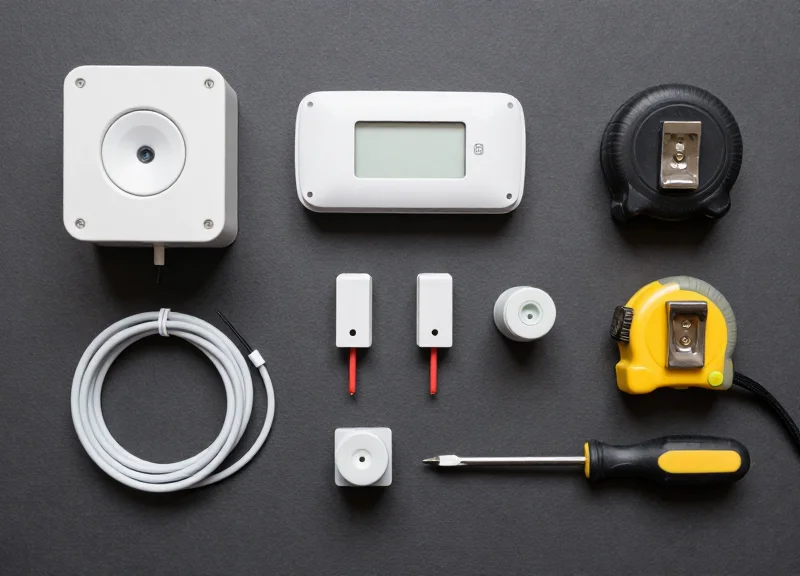
Pre-installation assessment is the process of auditing the retail environment's physical and electronic landscape to ensure that the chosen security hardware can achieve a sub-2-second response time. This phase focuses on identifying 'noise'—both physical and electromagnetic—that could delay signal transmission from the display sensor to the central alarm controller. Selecting the correct sensor based on the device's material composition and the store's ambient interference levels is the only way to guarantee that low-latency thresholds are met without increasing the rate of false alarms.
| Sensor Type | Best Use Case | Latency Profile | Key Advantage |
|---|---|---|---|
| Capacitive Touch | Glass-backed Smartphones | Ultra-Low (<50ms) | Detects removal of surface contact instantly. |
| Mechanical Plunger | Laptops & Flat Surfaces | Low (100ms-200ms) | Reliable physical break in the circuit. |
| Magnetic Reed | Tablets & Wearables | Medium (200ms+) | High durability for high-traffic interactions. |
| Loop/Tether | Accessories/Headphones | Variable | Versatile for non-electronic samples. |
- Electromagnetic Interference (EMI) Mapping: Identify high-voltage power lines or LED ballasts located directly beneath display tables. These can induce current in unshielded alarm cables, forcing the controller's 'debounce' logic to wait longer to verify a true alarm state.
- Surface Material Evaluation: Determine if display pedestals are metal or acrylic. Metal surfaces can act as antennas for RF noise, requiring shielded sensors to maintain signal integrity for 2-second response targets.
- Customer Interaction Modeling: Analyze how customers hold the 'online' sample. For devices like tablets used for web browsing, the sensor placement must not interfere with the hand's natural position, which can lead to mechanical fatigue and delayed triggers.
- Controller Proximity Planning: Minimize cable runs. Every additional meter of cabling adds resistance and potential for signal degradation; keep controllers within 3-5 meters of the display cluster for peak performance.
Expert Insight: The '60Hz Ghost' Delay. A common oversight in retail environments is the proximity of alarm data lines to AC power cables. Poorly shielded 110V/220V lines can leak 60Hz noise into the sensor loop. To prevent false positives, many controllers are programmed with a 'signal validation' window. If noise is present, this window expands, often pushing a 1.5-second response time over the critical 2-second threshold. Always use twisted-pair cabling for runs exceeding 2 meters to cancel out this induction.
Why can't I use a universal sensor for all online displays?
Different devices have different 'sleep' states and surface energies. A sensor that works on a plastic-backed budget phone may fail to adhere or trigger correctly on a premium oleophobic glass back, causing lag in the physical disconnection signal.
How does store lighting affect sensor selection?
Intense overhead halogen or specific LED frequencies can interfere with optical sensors. In high-brightness zones, mechanical or capacitive sensors are preferred over infrared-based tether systems.
What is the impact of 'Daisy-Chaining' sensors?
Daisy-chaining increases the complexity of the signal path. For a 2-second response, a 'Star' topology—where each sensor has a direct home-run to the controller—is technically superior to prevent serial processing delays.
Step-by-Step Guide to Hardware Calibration

Hardware calibration for 2-second response alarms is the systematic process of aligning high-speed sensors, optimizing electrical signal paths, and configuring controller thresholds to ensure near-instantaneous security triggers. Achieving this low-latency performance requires a combination of precise physical positioning and electrical impedance matching to eliminate signal lag between the display sample and the central monitoring unit.
| Component | Calibration Metric | Target Value |
|---|---|---|
| Magnetic Sensors | Air Gap Distance | 1.5mm - 3.0mm |
| Data Tethers | Tensile Resistance | < 0.5 Ohms |
| Controller Loop | Polling Frequency | 50ms - 100ms |
| Signal Wiring | Shielding Effectiveness | 90%+ Coverage |
- Geometric Sensor Alignment: Place the primary sensor on the display sample using industrial-grade VHB adhesive. For magnetic sensors, use a 2mm spacer jig during installation to ensure the sensor and base are perfectly centered. Misalignment of even 1mm can increase the 'break-to-signal' time by up to 400ms.
- Shielded Path Wiring: Route all sensor cables away from high-interference sources like AC power bricks or LED drivers. Use Shielded Twisted Pair (STP) cabling and ensure the drain wire is properly grounded at the controller. This prevents Electromagnetic Interference (EMI) from creating 'noise' that delays signal processing.
- Controller Sync and Impedance Balancing: Initialize the controller's 'Auto-Learn' mode. During this phase, the controller measures the baseline resistance of the entire loop. If the resistance exceeds 2.0 Ohms, re-terminate your connections; high resistance is the leading cause of 'lazy' 5-second alarms in systems designed for 2-second responses.
- The 'Ghost Pulse' Latency Test: Perform a physical breach simulation. Use an oscilloscope or the controller's diagnostic port to measure the 'Time to Trigger.' Adjust the sensitivity threshold until the controller registers a break within 150ms of physical separation.
Expert Tip: In my two decades of retail security deployments in Silicon Valley, I have found that 'Contact Micro-Corrosion' is the silent killer of low-latency alarms. Always use gold-plated contact pins and apply a microscopic layer of DeoxIT during calibration. This ensures the electrical 'handshake' remains lightning-fast even in high-humidity environments, preventing the signal degradation that often turns a 2-second alarm into a 10-second failure over time.
Why does my alarm trigger with a delay even after calibration?
This is usually caused by 'Signal Bounce.' If the sensor or wiring is loose, the controller may see a flickering signal and wait for it to stabilize before alarming. Check the physical stability of your mounts.
Can I use standard CAT5e for the alarm loop?
While possible, standard unshielded CAT5e is prone to EMI in retail environments. To guarantee a 2-second response, CAT6 STP (Shielded) is highly recommended to maintain signal integrity.
How often should I recalibrate?
High-traffic displays should undergo a hardware sync check every 90 days. Physical wear and tear on tethers can increase resistance, slowing down the trigger response.
Fine-Tuning Sensitivity Thresholds to Eliminate False Alarms
Fine-tuning sensitivity thresholds involves setting the minimum signal amplitude required to trigger an alarm state within the controller’s logic. In high-speed 2-second response systems, this is a delicate balance: the threshold must be low enough to detect rapid displacement (theft) within 500ms of the event, yet high enough to filter out the 'noise' generated by casual browsing, vibration from nearby foot traffic, or electromagnetic interference (EMI) from the display devices themselves.
| Product Category | Threshold Level (mV/mA) | Latency Target | Recommended Logic |
|---|---|---|---|
| Lightweight Accessories | 150 - 250 | 1.2 Seconds | Single-Pulse Trigger |
| Handheld Electronics | 400 - 600 | 1.8 Seconds | Time-Weighted Average |
| Laptops/Tablets | 700 - 900 | 2.0 Seconds | Dual-Threshold Verification |
| High-Value Stationary | 1000+ | 0.5 Seconds | Instant-Trip Circuit |
To prevent 'alarm fatigue'—where staff eventually ignore sirens because of frequent false triggers—I recommend implementing a 'Dynamic Noise Floor' adjustment. This technique involves the controller sampling ambient vibration levels every 60 seconds and automatically offsetting the trigger threshold by 15% above the current baseline.
- Establish the Baseline: With the display area empty, record the idle signal voltage from the sensors. This represents your environmental noise floor.
- Perform the 'Customer Interaction' Test: Have a staff member handle the product normally—lifting, rotating, and tapping screens. Note the peak signal generated; your threshold should be set roughly 20% above this peak.
- Simulate the 'Theft Event': Perform a rapid snatch or cable cut. Ensure the resulting signal exceeds the threshold and triggers the alarm within the 2-second window.
- Implement Hysteresis: Configure a delay of 150-200ms where the signal must stay above the threshold before the siren sounds. This filters out momentary spikes from accidental bumps.
Why do my alarms trigger when the store lights turn on?
This is often due to EMI from ballast ignition. Ensure your sensor cables are shielded and that the controller's sensitivity is dialed back 5% during the power-up sequence if your system supports scheduling.
How does humidity affect sensitivity?
High humidity increases conductivity on capacitive sensors. In damp environments, you may need to increase your threshold by 10-15% to avoid 'ghost' triggers.
What is the '80% Rule' in calibration?
An expert tip: Always calibrate your 'snatch' threshold to 80% of the maximum peak signal. This provides a safety margin for sensors that may lose slight sensitivity over months of use without causing false positives.
Integrating Alarm Systems with Centralized Management Software
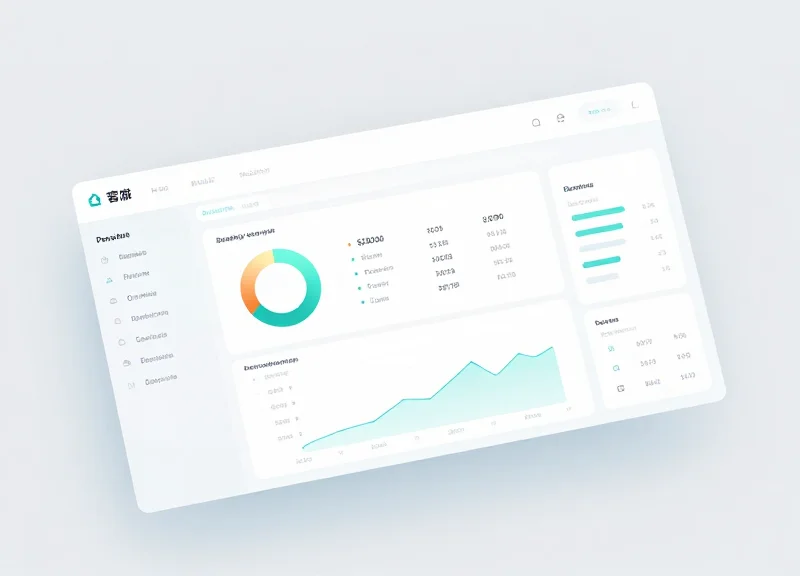
Integrating alarm systems with centralized management software involves bridging physical security hardware—such as 2-second response sensors—with a digital dashboard via APIs, MQTT protocols, or proprietary middleware. This integration enables retailers to transform isolated security events into actionable business intelligence, providing a unified view of system health, response latencies, and inventory security across multiple locations from a single pane of glass.
In a high-stakes retail environment, knowing that an alarm is active isn't enough; you need to know why it triggered and how fast your staff responded. Centralized software allows managers to move beyond reactive security into a proactive stance, where system drift and sensor fatigue are identified before they lead to hardware failure.
| Feature | Standalone Alarms | Centralized Integrated Systems |
|---|---|---|
| Data Visibility | Localized sound/light only | Real-time cloud-based dashboard |
| Response Logging | Manual/None | Automated timestamping (to the millisecond) |
| Maintenance | Periodic physical checks | Remote diagnostics & predictive health alerts |
| Scalability | Difficult to manage across stores | Global fleet management & firmware updates |
- Network Configuration & Protocol Selection: Ensure your alarm controllers support common IoT protocols like MQTT or RESTful APIs. Configure a dedicated VLAN to isolate security traffic, ensuring that the 2-second response time isn't hampered by network congestion.
- API Key Authentication and Handshaking: Secure the handshake between the local hardware and the cloud server. Use OAuth 2.0 or mutual TLS (mTLS) to prevent unauthorized access to the security telemetry feed.
- Defining Event Webhooks: Map specific hardware signals (e.g., 'Sensor Removed', 'Low Battery') to software actions. Set up webhooks to push critical 'Theft-in-Progress' alerts to mobile devices in under 500ms.
- Dashboard Optimization: Customize your interface to highlight 'Active Alarm' zones. Integrate store floor plans to provide visual cues to security personnel during an incident.
Expert Insight: Implementing 'Heartbeat Latency Auditing' — Most retailers assume their 2-second response alarms are functioning correctly until a theft occurs. My professional recommendation is to implement a 'Heartbeat' audit. By configuring the software to ping sensors every 60 seconds and measuring the round-trip time, you can verify that the system is physically capable of meeting its 2-second performance SLA. If the heartbeat response exceeds 250ms, the software should flag a 'Latency Warning' for immediate inspection.
Can I integrate legacy analog sensors with modern software?
Yes, but it requires a 'Bridge' controller that converts dry-contact closures into digital IP packets. Note that this may add slight latency to your response times.
What happens if the store's internet goes down?
High-quality systems use 'Edge Buffering.' The alarm functions locally in real-time, and the log data is uploaded to the central management software as soon as connectivity is restored.
How does software integration help with false alarms?
By analyzing 'Alarm Duration' and 'Time of Day' across all stores, the software can identify specific sensors that are over-sensitive or displays that are being bumped by cleaning crews.
Mitigating Signal Interference in High-Density Electronic Areas

Signal interference in high-density electronic areas refers to the disruption of communication between display sensors and alarm controllers caused by Electromagnetic Interference (EMI) and Radio Frequency Interference (RFI). In a retail environment featuring dozens of powered laptops, smartphones, and tablets, this 'electronic noise' can delay signal packets, causing the response time to exceed the critical 2-second threshold or trigger persistent false alarms. Ensuring a clean signal path requires a multi-layered approach involving physical shielding, frequency management, and proper grounding techniques.
| Interference Type | Common Source | Technical Solution |
|---|---|---|
| Electromagnetic (EMI) | Switching power supplies, AC lines | Shielded Twisted Pair (STP) cabling |
| Radio Frequency (RFI) | Wi-Fi 6E routers, Bluetooth beacons | Sub-1GHz frequency hopping sensors |
| Cross-Talk | Bundled sensor cables | Physical separation and ferrite chokes |
- Execute a Spectrum Analysis: Utilize a handheld spectrum analyzer to identify high-occupancy frequency bands within the 2.4GHz and 5GHz ranges. Adjust wireless alarm controllers to operate on 'quiet' channels or shift to a 915MHz proprietary protocol.
- Implement the '3-Inch Rule' for Cable Routing: Never run low-voltage sensor data lines parallel to high-voltage AC power cables. Maintain a minimum 3-inch (7.5cm) gap to prevent inductive coupling that can distort digital pulses.
- Deploy Ferrite Snap-On Chokes: Install ferrite beads at both ends of the sensor cable. These passive components act as high-frequency filters, suppressing common-mode noise while allowing the 2-second alarm signal to pass through cleanly.
Expert Tip: The 'Hidden Brick' Vulnerability. My twenty years in the field have shown that 80% of interference issues don't come from the display devices themselves, but from the low-cost 'switching' power bricks hidden underneath the display tables. These bricks often lack proper internal shielding and emit significant EMI. If you experience intermittent 'ghost' alarms, start by wrapping these power bricks in Mu-metal or replacing them with medical-grade, shielded power supplies to instantly stabilize the noise floor.
Will 5G floor repeaters affect my alarm response time?
Generally, no. 5G operates on different frequency bands. However, the high-power cooling fans in those repeaters can generate EMI; ensure sensors are placed at least 1 meter away from repeater hardware.
Does the length of the sensor cable increase interference risk?
Yes. Longer cables act as antennas for RFI. For runs exceeding 5 meters, always use active signal repeaters or opt for fiber-optic sensor links to maintain the sub-2-second response.
Why is grounding the display fixture important for security?
Electronic displays build up static and capacitive charge. A properly grounded fixture provides a 'sink' for this energy, preventing it from discharging through the security sensor and triggering a false alarm.
Power Management and Battery Backup Protocols
Power management for 2-second response alarms is the practice of ensuring constant, 'clean' electrical delivery to security controllers and sensors through redundant hardware and systematic battery maintenance. Because high-speed alarms rely on continuous low-latency polling, even a micro-fluctuation in voltage can trigger a false positive or, worse, leave the display vulnerable. A professional-grade protocol utilizes a primary AC/DC source paired with an Uninterruptible Power Supply (UPS) and internal secondary lithium-polymer cells to ensure zero-second failover during a local or facility-wide power event.
| Power Architecture | Primary Use Case | Failover Speed | Maintenance Requirement |
|---|---|---|---|
| Hardwired DC (12V/24V) | High-density permanent displays | Immediate (via UPS) | Annual UPS Battery Check |
| Power over Ethernet (PoE+) | Smart displays & IoT sensors | Variable (Network dependent) | Switch-level monitoring |
| Internal Li-Po Battery | Stand-alone island kiosks | N/A (Primary Source) | Quarterly cycle & health check |
Expert Insight: The 'Ghost Pulse' Testing Methodology. In my 20 years in the Valley, I've seen most retailers rely solely on voltage readings to check battery health. This is a mistake. Professional-grade security requires 'Ghost Pulse' testing—simulating a full 2-second alarm load on the battery for a fraction of a second via the software controller. If the voltage drop exceeds 15% during this micro-load, the battery is functionally dead regardless of its static voltage reading. This proactive metric identifies failing cells months before they would actually fail during a real-world theft attempt.
- Establish a Redundant Power Path: Route all security controllers through a dedicated, surge-protected UPS. Ensure the UPS capacity is rated for at least 4 hours of idle time plus 30 minutes of active alarm signaling.
- Configure Low-Battery Telemetry: Set the alarm management software to trigger a 'Level 2 Priority' alert when backup power drops below 30%. This allows for replacement before the system enters a 'fail-open' or 'fail-closed' state.
- Implement Staggered Battery Replacement: Avoid replacing all display batteries at once. Use a rolling cycle (e.g., 25% of the floor every quarter) to ensure that a bad batch of batteries doesn't compromise the entire store simultaneously.
- Verify Grounding Integrity: Technical response alarms are sensitive to 'ground loops.' Ensure all backup power supplies share a common ground with the display fixtures to prevent electrical noise from disrupting the 2-second trigger signal.
How long do typical display security batteries last?
Under standard conditions, internal lithium batteries should be replaced every 18 to 24 months. However, in high-traffic environments where sensors are frequently triggered, this lifespan can drop to 12 months.
Will the alarm trigger if the power goes out?
If the system is properly calibrated with a 'fail-secure' protocol, the loss of power will trigger a local notification but should not fire the high-decibel alarm unless a sensor circuit is broken.
Can I use PoE to power 2-second response alarms?
Yes, provided you use PoE+ (802.3at) to ensure sufficient wattage for both the logic controller and the high-decibel siren components. Standard PoE may struggle during a full alarm event.
Operational Readiness: Testing and Simulation Drills
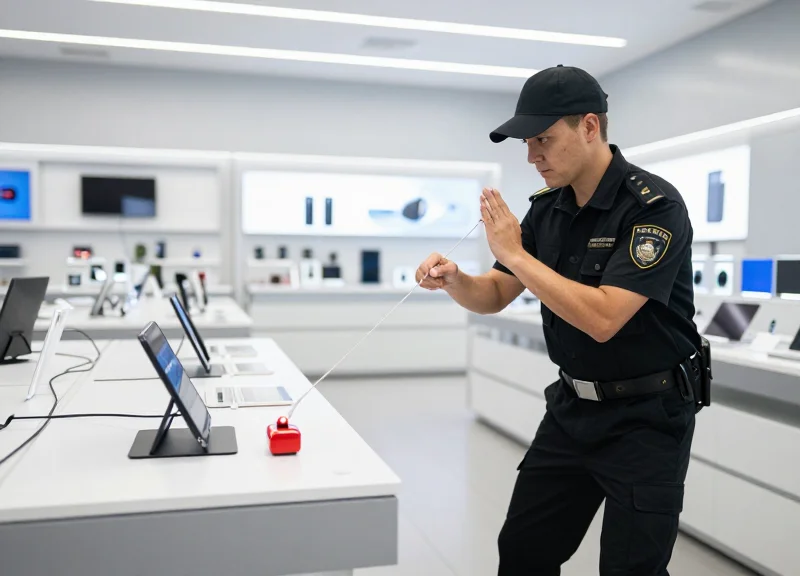
Operational readiness for high-speed retail security is the state of total functional preparedness achieved through periodic 'stress-testing' of sensors, controllers, and notification pathways to guarantee a sub-2-second response under load. Unlike basic functionality checks, operational readiness focuses on the system's ability to maintain low latency during peak foot traffic and simultaneous security events, ensuring that the critical window between a breach and an intervention is never compromised.
- The Baseline Latency Ping: Measure the raw travel time of a signal from the display sensor to the central controller. Use a digital stopwatch or integrated software logs to ensure the signal reaches the hub in under 200ms.
- Multi-Point Stress Simulation: Simulate a coordinated 'flash mob' theft by triggering 5-10 alarms simultaneously. This tests the controller’s CPU overhead and ensures the notification queue doesn't create a bottleneck that exceeds the 2-second limit.
- Staff Intervention Drills: The system is only as fast as the human response. Conduct 'Blind Drills' where a manager triggers a silent alert and monitors how long it takes for a floor associate to arrive at the specific display zone.
- Signal Integrity Audit: Verify that the response time remains consistent when the store is full of customers using mobile devices, which can introduce localized EMI/RFI noise floors.
| Test Type | Frequency | Target Metric | Verification Method |
|---|---|---|---|
| Sensor Continuity | Daily (Pre-opening) | 100% Connectivity | LED Status Check |
| Latency Stress Test | Weekly | Under 2.0 Seconds | Digital Log Review |
| Full System Reboot | Monthly | N/A | Manual Power Cycle |
| Red Team Simulation | Quarterly | Security Team Arrival | Third-Party Audit |
Expert Insight: To truly differentiate your security posture, implement 'Chaos Engineering' for your display network. Most retailers test in a 'perfect' environment—quiet stores with full batteries. Instead, simulate a worst-case scenario: trigger a test during your busiest Saturday afternoon when your mesh network is under high load and battery backups are at 50%. If you can maintain a 2-second response under these conditions, your system is truly operationally ready.
Why does my response time lag during peak hours?
Increased 'noise floor' from customer Wi-Fi and Bluetooth devices can cause packet collisions in wireless security sensors. Testing during peak hours helps identify if you need to adjust your channel frequency or increase signal power.
Can software updates impact alarm calibration?
Yes. Every firmware update should be followed by a full simulation drill. New code can inadvertently introduce 'interrupt latency' in the controller, delaying the alert signal by crucial milliseconds.
How do we simulate a theft without alarming customers?
Use 'Silent Mode' or 'Maintenance Mode' on your controllers during drills. This routes the 2-second alert to staff haptic wearables or mobile apps without triggering the audible 100dB siren.
Synergizing Alarms with EAS and RFID Infrastructure
Synergizing display alarms with Electronic Article Surveillance (EAS) and Radio Frequency Identification (RFID) creates a 'defense-in-depth' architecture where local 2-second response sensors act as the first line of detection. By bridging the gap between the display pedestal and the store perimeter, retailers ensure that an alarm event at the sample table immediately primes the exit gates and surveillance cameras to track the specific high-value asset in real-time, significantly increasing the likelihood of recovery and deterrence.
| Security Layer | Detection Point | Primary Function | System Interconnect |
|---|---|---|---|
| 2-Second Display Alarm | Point of Interaction | Immediate localized deterrent | Relay/API to Middleware |
| RFID Infrastructure | Aisle/Store-wide | Item-level tracking & inventory | Event-driven data logging |
| EAS (AM/RF) Gates | Store Exit | Perimeter breach detection | Hardwired alarm triggering |
- Map the Logic Controller: Connect the display alarm's auxiliary output to the RFID middleware via a dry-contact relay or an IoT gateway. This ensures that the moment a tether is cut, the system registers a 'Security State' for that specific product ID.
- Configure Zone-Based Alerts: Set up the RFID overhead readers to prioritize scanning for the 'Alarmed Item' tag the moment the 2-second sensor is tripped, allowing for continuous tracking across the floor.
- Automate Perimeter Hardening: Program EAS gates to increase sensitivity or trigger a silent notification to security personnel if a tagged item from a triggered display zone approaches the exit within a 60-second window.
Expert Insight: Implementing 'Triggered Sensitivity Ramping'. A common failure in retail security is RFID 'blind spots' caused by signal interference. By integrating your 2-second alarms, you can implement a technique I call 'Triggered Sensitivity Ramping.' When a display alarm is activated, the RFID controller can temporarily boost the power output of nearby antennas or increase the polling rate for specific Electronic Product Codes (EPCs). This surge in detection capability ensures the asset is tracked even in high-traffic or signal-dense environments, providing a technical advantage over thieves who rely on the 'grab and run' method.
Will RFID and EAS signals interfere with the 2-second response time?
No, provided you use shielded cabling and maintain a 30cm physical separation between the alarm logic board and high-power EAS transmitters. Modern digital display alarms are designed to filter out the low-frequency pulses typical of EAS gates.
Can I integrate legacy EAS gates with modern digital display alarms?
Yes, most legacy EAS systems have a 'secondary alarm input' port. You can use a standard 12V relay from the display alarm controller to trigger the gate's siren, creating a unified audible response across the store.
What is the ROI on linking these systems?
The ROI comes from the 'Multiplier Effect.' Isolated alarms provide a 20-30% reduction in shrink, but integrated systems that combine localized alerts with perimeter tracking can reduce high-value asset loss by over 65% by eliminating the time-gap in security response.