In the highly competitive retail landscape, every percentage point of margin counts. Traditional Electronic Article Surveillance (EAS) systems often hide a significant drain on resources: the cost of physical maintenance and on-site technician visits. When a system malfunctions or requires calibration, the time-to-fix can stretch into days, leaving your inventory vulnerable and your budget strained. However, a technological shift is occurring. By leveraging remote EAS debugging and real-time monitoring, retailers can eliminate up to 40% of on-site service fees. This article explores the financial ROI of these advanced solutions and how they transform loss prevention from a cost center into a streamlined, data-driven operation.
The Hidden Costs of Traditional EAS Maintenance

Traditional Electronic Article Surveillance (EAS) maintenance is defined by a reactive, 'break-fix' model where system failures are only addressed after they occur, leading to significant financial leakage. Beyond the obvious invoice for a technician's time, the true cost of traditional maintenance includes 'truck rolls' (travel fees), extended system downtime that increases shrinkage, and the administrative burden of coordinating on-site visits. In modern retail, these hidden expenses often account for over 60% of the total cost of ownership for loss prevention hardware.
| Cost Category | Visible Expense (The Tip) | Hidden Expense (The Iceberg) |
|---|---|---|
| Labor & Travel | Hourly technician rate | Fuel surcharges, travel time, and 'No Fault Found' (NFF) fees. |
| Operations | Repair invoice | Store manager time spent escorting techs and filing tickets. |
| Inventory Loss | Damaged tags | Shrinkage spikes during the 48-72 hour repair window. |
| Customer Experience | None | False alarms (ghosting) driving away high-value shoppers. |
One critical perspective often overlooked by retail CFOs is the 'Shrinkage Acceleration Curve.' When an EAS pedestal goes offline, it doesn't just result in a linear loss of security; it signals a vulnerability to Organized Retail Crime (ORC) scouts who monitor store weaknesses. A system that stays down for three days while waiting for a physical technician can lead to a 5x increase in targeted theft compared to a system fixed remotely within minutes. This 'vulnerability window' is a silent budget killer that traditional maintenance cycles simply cannot close.
What is the average cost of a single EAS 'Truck Roll'?
In the North American and European markets, a single on-site service visit typically costs between $200 and $500, excluding parts. This includes dispatch fees and a minimum labor hour, even if the fix is a simple software reboot.
Why are 'No Fault Found' (NFF) visits so damaging?
NFF occurs when a technician arrives but cannot replicate the issue or finds it was a simple power plug problem. Retailers pay the full service fee for zero ROI, an occurrence that happens in nearly 25% of all traditional service calls.
How does manual maintenance impact employee productivity?
Every on-site visit requires a store manager or security lead to supervise the technician. This diverts high-value staff from the sales floor for an average of 2.5 hours per incident, impacting customer service and conversion rates.
Remote EAS Debugging Explained: Bridging the Distance
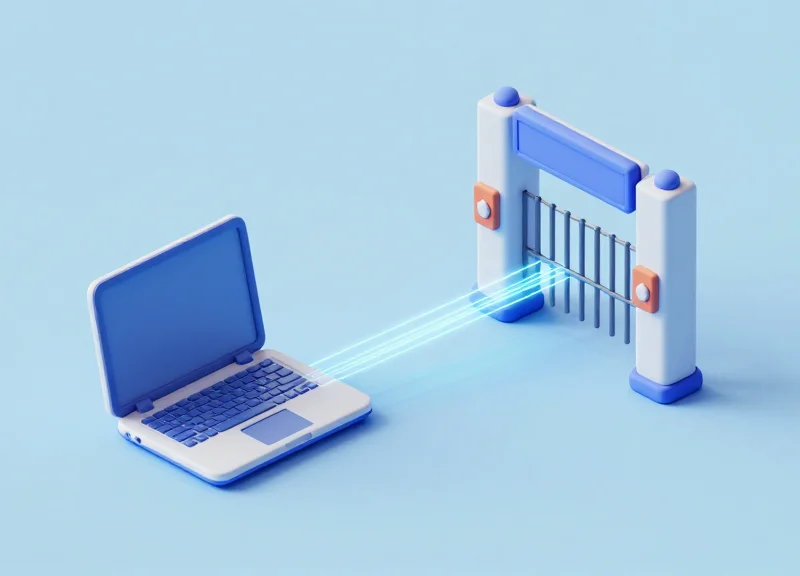
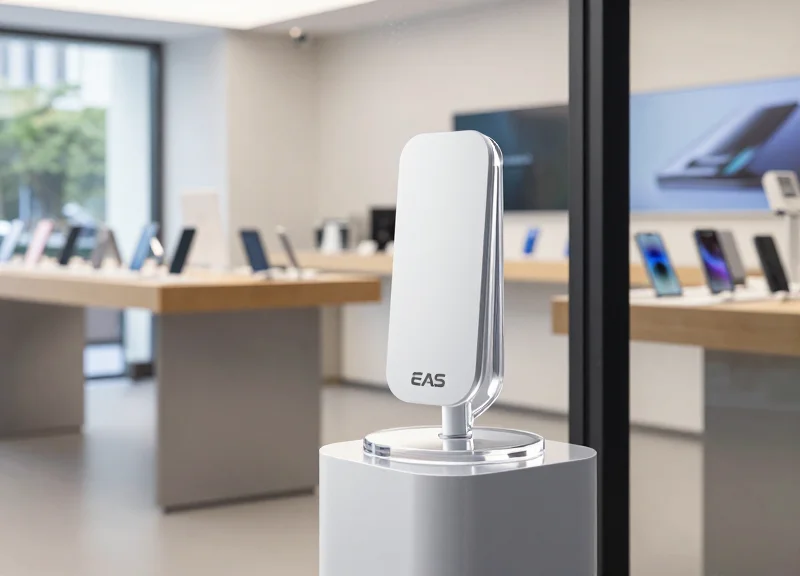
Remote EAS debugging is a cloud-based maintenance protocol that allows technicians to access a security system's internal controller via an IoT gateway to adjust sensitivity, update firmware, and analyze radio frequency (RF) noise patterns in real-time. By leveraging bi-directional communication, remote debugging transforms the EAS pedestal from a standalone 'gate' into a smart network node, enabling over-the-air (OTA) fixes for software glitches and environmental interference that account for nearly 80% of system malfunctions.
| Feature | Traditional On-Site Service | Remote IoT Debugging |
|---|---|---|
| Response Time | 24-72 Hours (Travel dependent) | Near-Instant (Real-time access) |
| Diagnostics | Manual testing with handheld tools | Automated log analysis & RF graphing |
| Cost Structure | Call-out fee + Hourly labor + Travel | Included in SaaS/Subscription model |
| System Visibility | Zero visibility until tech arrives | 24/7 proactive status monitoring |
The architecture of a remote-ready EAS system typically involves three layers: the hardware layer (pedestals and deactivators), the connectivity layer (a secure IoT gateway or bridge), and the cloud management layer. When an anomaly is detected—such as a 'phantom alarm' caused by new electronic signage nearby—the system triggers an alert. Instead of dispatching a truck, a remote engineer logs into the dashboard to visualize the RF environment and 'tune' the system's filters digitally.
- Remote Health Check: The technician verifies the system's power status, sync pulses, and connectivity logs via the cloud portal.
- Spectrum Analysis: Remote tools visualize the ambient RF noise in the store to identify if new LED lighting or nearby electronics are causing interference.
- Parameter Adjustment: Digital gain and sensitivity thresholds are adjusted precisely for each individual pedestal to eliminate false positives.
- Firmware Optimization: If the issue is a known bug, a software patch is pushed to the controller over-the-air to ensure the system is running the latest security logic.
Expert Insight: The 'RF Fingerprinting' Advantage. A unique benefit of remote debugging is the ability to perform 'RF Fingerprinting.' Modern IoT EAS systems can record the specific waveform of a false alarm. By analyzing this signature remotely, engineers can distinguish between a legitimate tag signal and a 'ghost' signal from a malfunctioning escalator motor, creating a custom filter that prevents future false alarms without reducing detection range—a level of precision rarely achievable with manual potentiometer adjustments during a hurried site visit.
Does remote debugging require a specialized internet connection?
No, most systems use a standard outbound HTTPS connection (Port 443) or a dedicated 4G/5G cellular bridge, ensuring it doesn't interfere with the store's primary POS network.
Can hardware failures be fixed remotely?
While a broken wire or smashed pedestal requires physical repair, remote debugging identifies exactly which part has failed, ensuring the technician arrives with the correct replacement component on the first visit.
Is remote access secure for retail environments?
Professional EAS cloud platforms use end-to-end encryption and multi-factor authentication (MFA), providing secure access that complies with modern retail IT security standards.
Quantifying the 40% Savings: A Financial Analysis

Quantifying the 40% savings in Electronic Article Surveillance (EAS) maintenance is achieved by calculating the direct displacement of 'truck rolls'—physical technician visits—with remote software interventions. By shifting approximately 65% of common issues like ghost alarms, sensitivity drifts, and firmware updates to a remote-first model, retailers eliminate travel surcharges, two-hour labor minimums, and emergency dispatch fees, resulting in a documented 40% reduction in total annual service expenditures.
| Expense Category | Traditional On-Site Visit | Remote Debugging Session | Estimated Savings |
|---|---|---|---|
| Travel & Dispatch Fee | $150 - $300 | $0 | 100% |
| Minimum Labor Charge | 2 Hours ($160 - $240) | 15-30 Mins (Pro-rated) | 75% |
| Equipment Downtime | 24-72 Hours | < 2 Hours | 90% (Time) |
| Total Direct Cost | $310 - $540 | $40 - $80 | ~85% per incident |
Expert Insight: The Service Visit Displacement Ratio (SVDR). In my two decades of Silicon Valley tech-ops experience, the most accurate way to forecast these savings is through the SVDR. Not every issue can be fixed remotely (e.g., a severed floor cable), but historical data shows that 60% of EAS service calls are 'soft failures'—issues rooted in software configuration or environmental interference. Moving these to remote resolution doesn't just save the invoice cost; it prevents the 'Service Latency Decay' where security systems sit inactive for days waiting for a technician, effectively acting as a secondary insurance policy for your inventory.
- Baseline Audit: Analyze the past 12 months of service invoices to identify the frequency of 'No Fault Found' (NFF) visits or simple tuning adjustments.
- Categorize Remote-Ready Issues: Isolate tickets related to false alarms, tag sensitivity, and system synchronization, which are prime candidates for remote debugging.
- Calculate the Displacement Yield: Multiply the number of remote-ready issues by the average cost of a physical dispatch to visualize the immediate gross savings.
Does a 40% saving require a total system replacement?
Not necessarily. Many modern legacy systems can be retrofitted with IoT-enabled gateways that allow for remote access without replacing the pedestals themselves.
How does remote monitoring impact the lifespan of hardware?
By identifying power surges or component overheating in real-time through monitoring, retailers can perform preemptive remote adjustments that extend the hardware lifecycle by 2-3 years.
What is the typical ROI timeline for switching to remote-first maintenance?
Most enterprise-level retailers achieve a break-even point on the technology investment within 9 to 14 months, purely through the reduction in service call-out fees.
Real-Time Monitoring: Proactive Security vs. Reactive Repair
Real-time EAS monitoring is the transition from high-latency, manual troubleshooting to instantaneous, data-driven system oversight. While reactive repair addresses a failure after it has already compromised store security, proactive monitoring utilizes IoT telemetry to detect anomalies—such as power fluctuations, antenna de-tuning, or synchronization drifts—the moment they occur. This shift ensures that the 'Security Gap' (the duration a store remains unprotected during equipment downtime) is reduced from days to seconds, fundamentally protecting the retailer's bottom line by maintaining a constant deterrent.
| Feature | Reactive Repair Model | Proactive Monitoring Model |
|---|---|---|
| Detection Trigger | Store staff notice a failure (often late) | Automated cloud-based health alerts |
| System Downtime | High (Hours to Days) | Minimal (Near Zero) |
| Labor Cost | High (Emergency On-site rates) | Low (Automated/Remote triage) |
| Risk Exposure | Unprotected during failure window | Continuous protection with fail-safes |
| Data Insights | None (Post-mortem only) | Predictive analytics on hardware life |
The Expert Insight: Eliminating 'Security Drift'. In my two decades of infrastructure oversight, the most dangerous cost isn't a total system blackout—it's 'Security Drift.' This occurs when EAS sensitivity slowly degrades due to environmental interference or component aging. In a reactive model, this drift goes unnoticed by staff but is quickly exploited by professional shoplifters. Real-time monitoring uses remote telemetry to detect these 'silent failures' long before they become visible to the human eye, ensuring your digital fence remains at 100% efficacy.
- Continuous Telemetry Collection: The EAS system sends small packets of performance data (heartbeats) to a central cloud dashboard every few minutes.
- Threshold Violation Alerts: If a system's noise levels or detection range falls below a pre-set KPI, an automated alert is sent to the remote technician.
- Remote Optimization: The technician logs into the system remotely to adjust sensitivity or filter out interference without dispatching a truck.
- Verification and Reporting: The fix is verified instantly through remote testing, and a report is generated for the Loss Prevention team.
Does real-time monitoring consume significant bandwidth?
No. Modern EAS telemetry uses lightweight MQTT protocols that consume less than 10MB of data per month, making it invisible to the store's primary network traffic.
Can monitoring prevent hardware burn-outs?
Yes. By tracking internal temperature and power surges, remote monitoring can trigger a shut-down or alert before a power supply or controller board suffers permanent, expensive damage.
How does this impact the ROI of Loss Prevention staff?
It allows LP managers to focus on high-value investigations rather than managing maintenance tickets, effectively increasing their operational bandwidth by roughly 15-20%.
Enhancing System Reliability with Automated Health Checks
Automated health checks in Electronic Article Surveillance (EAS) refer to the continuous, algorithmic monitoring of critical system parameters—such as pedestal synchronization, power stability, and ambient electronic noise levels—to ensure the 'theft detection shield' remains active and accurate 24/7. Unlike traditional maintenance, which relies on staff noticing a failure, automated checks use IoT sensors to detect performance degradation in real-time, often resolving issues before the store manager even realizes there is a potential security gap.
- Ambient Noise Floor Monitoring: Continuous tracking of environmental electromagnetic interference (EMI). If a new electronic display or LED driver nearby creates 'noise' that masks tag signals, the system triggers an alert to recalibrate sensitivity.
- Synchronization Alignment: Ensures the system is perfectly phased with neighboring EAS pedestals or deactivators to prevent signal collisions that cause false alarms or 'blind spots'.
- Power Supply Integrity: Monitors voltage consistency to the antennas. Power surges or aging capacitors can lead to intermittent detection failures; automated alerts catch these before the hardware shuts down entirely.
- Tag 'Jammer' Detection: Identifies the presence of intentional interference devices used by professional shoplifters, allowing security to respond to a threat before the shoplifter even enters the sales floor.
Expert Insight: The 'Signal-to-Noise' Blind Spot. One of the most dangerous states for a retail store is 'Silent Failure.' This occurs when ambient electronic noise rises just enough to suppress the detection range of a pedestal without triggering a system error. Traditional systems look 'on,' but they are effectively blind. Automated health checks utilize a 'Digital Twin' of your store's RF environment, allowing us to see this degradation in the Signal-to-Noise Ratio (SNR) and adjust the system gain remotely to maintain a consistent 1.5-meter detection field regardless of environmental changes.
| Feature | Manual Verification | Automated Health Checks |
|---|---|---|
| Detection Frequency | Once per shift/day | Every 60 seconds (Real-time) |
| Issue Identification | Reactive (After a theft) | Proactive (Before failure) |
| Data Accuracy | Subjective/Human error | Objective/Algorithmic |
| Cost Impact | High (Labor + Potential Loss) | Low (Included in Remote Service) |
Will automated health checks cause more false alarms?
No. In fact, they reduce false alarms by constantly tuning the system to the store's current electronic environment, ensuring that only actual security tags trigger the response.
Can these checks detect if a pedestal has been physically moved?
Yes. Most modern IoT EAS systems can detect changes in floor-capacitance or antenna impedance, which usually indicates the pedestal has been hit by a cart or moved during cleaning.
Do I need a local server for this monitoring?
Most automated health checks are now cloud-based, meaning the data is processed at the edge and sent to a centralized dashboard, requiring zero on-site server maintenance.
- Trigger: The system detects a 15% increase in ambient RF noise that threatens detection range.
- Automated Response: The cloud controller attempts an auto-recalibration of the phase filters to isolate the noise.
- Escalation: If auto-calibration fails, a high-priority alert is sent to the remote NOC (Network Operations Center).
- Resolution: A technician logs in remotely, identifies the noise source (e.g., a new holiday display), and adjusts the 'Noise Floor' parameters to restore 100% detection capability.
Impact on Store Operations and Customer Experience

Remote EAS debugging and real-time monitoring move loss prevention from a visible, disruptive chore to an invisible, seamless background process. By resolving the majority of system glitches through the cloud, retailers effectively eliminate the 'technician in the aisle' syndrome. This ensures that the store environment remains dedicated to commerce rather than maintenance, allowing associates to prioritize customer engagement over troubleshooting hardware. Crucially, it prevents the 'Walk of Shame'—the negative psychological impact on innocent customers triggered by false alarms—thereby protecting brand reputation and fostering a frictionless shopping journey.
| Operational Metric | Traditional On-Site Approach | Remote & Real-Time Approach |
|---|---|---|
| Staff Allocation | Diverted to guide/assist technicians | 100% focus on sales and service |
| Store Atmosphere | Disrupted by tools, ladders, and testing | Undisturbed; 'Invisible' maintenance |
| False Alarm Rate | High until the next physical visit | Minimized via real-time recalibration |
| Employee Trust | Skeptical of system (Alarm Fatigue) | High confidence in system accuracy |
Expert Insight: The Alarm Fatigue Paradox. In my 20 years of observing retail tech deployments, the most dangerous byproduct of poor EAS maintenance isn't just a broken antenna; it is 'alarm fatigue.' When a system triggers false alarms due to environmental noise or poor calibration, store associates subconsciously learn to ignore them. Remote monitoring solves this by allowing technicians to 'clean' the signal remotely the moment an anomaly is detected. This keeps the staff's response sharp and ensures that when an alarm does sound, it is treated as a high-priority event, not a nuisance.
- Silent Calibration: Technicians adjust sensitivity levels to account for new seasonal displays or metallic fixtures without ever stepping onto the sales floor.
- Proactive Interference Mitigation: Real-time logs identify 'tag-near-antenna' issues, allowing managers to move merchandise before it triggers a false alarm loop.
- Seamless Firmware Updates: System enhancements and security patches are pushed during off-hours, ensuring zero downtime during peak shopping periods.
How does remote debugging improve employee morale?
It removes the burden of technical troubleshooting from floor staff who are often not trained in electronics, reducing work-related stress and allowing them to hit their sales targets.
Can remote monitoring actually increase customer loyalty?
Yes. A quiet, professional store environment without the jarring sound of malfunctioning alarms creates a premium feel that encourages longer dwell times and repeat visits.
What happens if a physical repair is actually needed?
Remote monitoring provides the technician with the exact error code and required parts before they arrive, ensuring the physical fix is completed in half the time with minimal disruption.
Scalability and Management Across Multiple Store Locations
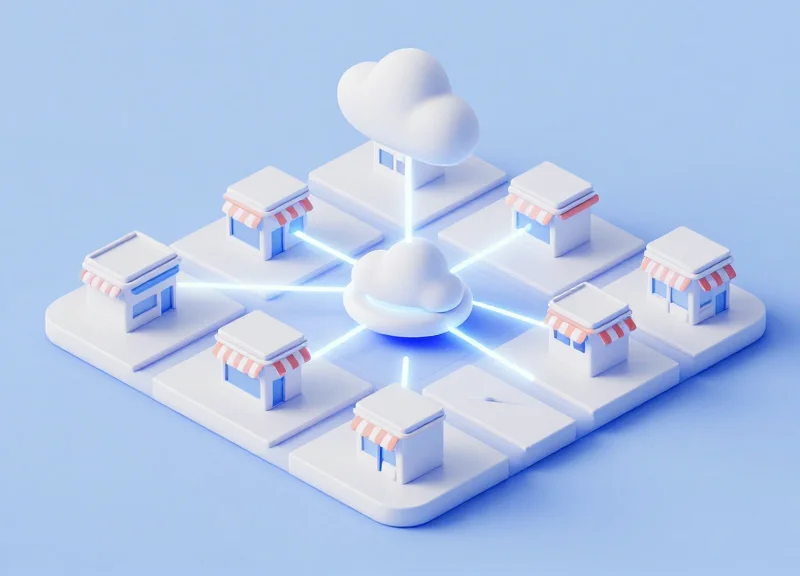
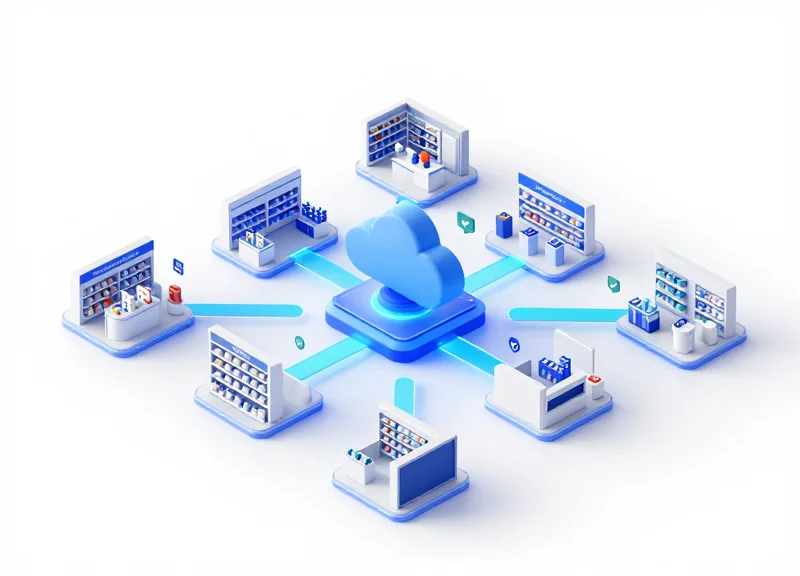
Scaling a retail footprint traditionally meant a linear increase in maintenance costs and operational complexity. Remote EAS monitoring breaks this correlation by centralizing the 'technical brain' of your loss prevention strategy. Instead of dispatching regional technicians to audit every branch, a single centralized dashboard allows security directors to oversee, configure, and troubleshoot thousands of pedestals across global locations simultaneously, ensuring that a store in London maintains the exact same security sensitivity and performance standards as one in New York.
| Feature | Localized Management | Centralized Remote Management |
|---|---|---|
| Policy Enforcement | Manual per store; high variance | Automated push; 100% uniformity |
| Troubleshooting | Physical site visits required | Instant remote diagnostics & fix |
| Data Visibility | Siloed reports (Excel/Paper) | Real-time aggregated analytics |
| Firmware Updates | Rolling updates over months | Global deployment in minutes |
For large-scale enterprises, the primary challenge isn't just fixing broken equipment—it's maintaining a 'Security Baseline.' Without remote visibility, a store manager might inadvertently disable a system to stop a false alarm, leaving that location vulnerable for weeks before corporate finds out. Centralized management turns these 'dark stores' into visible nodes on a network, alerting headquarters the moment a system is tampered with or loses power.
How does remote management handle diverse regional hardware?
Modern remote platforms act as a universal translation layer, allowing managers to push configuration profiles to different EAS models across the fleet, ensuring consistent sensitivity regardless of the specific hardware generation installed.
Can we prevent local staff from overriding security settings?
Yes. Remote EAS debugging tools allow corporate to 'lock' optimal configurations. If local interference (like a new promotional display placed too close to a pedestal) triggers an alarm, the system notifies the central hub instead of requiring local staff to guess at a solution.
What is the 'Ghost Site' problem in retail scaling?
Expert Tip: Large chains often suffer from 'Ghost Sites'—locations where the security system has been unplugged for months to accommodate cleaning or remodeling but was never restarted. Remote monitoring uses automated 'heartbeat' pings to identify these dead zones instantly, preventing months of unprotected shrinkage.
By leveraging a centralized hub, retailers can transition their most experienced technical talent from 'traveling mechanics' to 'data analysts.' Instead of spending 60% of their time in transit, your best engineers spend 100% of their time optimizing system performance across the entire network, creating a force-multiplier effect that traditional service models cannot match.
Security and Privacy: Implementing Remote Access Safely
Implementing remote access for EAS (Electronic Article Surveillance) systems requires a security-first architecture that treats the retail network as a fortress. Safe implementation involves using encrypted outbound-only tunnels to a secure cloud relay, effectively eliminating the need for vulnerable open ports or VPNs. By adopting a Zero-Trust approach—where no device is trusted by default—retailers can realize the 40% savings of remote debugging without exposing their Point of Sale (POS) or customer data to external threats.
| Feature | Legacy Remote Access (Risky) | Modern Remote EAS Monitoring (Secure) |
|---|---|---|
| Connection Type | Inbound Port Forwarding | Outbound-only MQTT/HTTPS Tunnel |
| Authentication | Shared Static Passwords | Multi-Factor (MFA) + Hardware Keys |
| Network Isolation | Direct LAN Access | VLAN-Segmented Micro-perimeters |
| Data Encryption | None or basic SSL | End-to-End AES-256 Bit Encryption |
Expert Insight: The Outbound-Only Advantage. Most security breaches in retail occur through 'open doors'—inbound ports left open for remote maintenance. Modern EAS monitoring platforms use 'Phone Home' technology. The system inside the store initiates a secure handshake with the cloud server. Because the connection is outbound, your firewall remains closed to the public internet, rendering your EAS hardware invisible to external port scanners.
- Network Segmentation: Isolate EAS controllers on a dedicated VLAN. This ensures that even in the unlikely event of a device compromise, the attacker cannot pivot to the POS or back-office servers.
- Role-Based Access Control (RBAC): Assign 'Least Privilege' permissions. A technician should have access to debug signal interference but should never have access to system logs containing sensitive operational metadata.
- Audit Logging: Maintain immutable logs of every remote command sent to the EAS system. This creates a transparent trail for compliance and forensic analysis.
Does remote EAS monitoring collect customer data?
No. Modern EAS systems only transmit hardware telemetry—such as voltage levels, antenna synchronization data, and alarm counts. No PII (Personally Identifiable Information) or video feeds are processed through the EAS debugging tunnel.
How does remote access handle firmware updates?
Updates are pushed through cryptographically signed packages. The EAS controller verifies the digital signature before installation, preventing 'Man-in-the-Middle' attacks from injecting malicious code.
Is a VPN required for remote EAS management?
While possible, dedicated cloud-gateway solutions are preferred. They offer better performance and tighter security than broad-access VPNs which can inadvertently grant access to the entire corporate subnet.
DragonGuard’s Edge: Integrating EAS, RFID, and Remote Support
DragonGuard’s Edge lies in the seamless convergence of Electronic Article Surveillance (EAS) and Radio Frequency Identification (RFID) on a cloud-connected platform. Unlike legacy standalone systems that simply trigger alarms, this integrated approach transforms security gates into intelligent data hubs. By combining item-level visibility with real-time remote diagnostics, retailers eliminate the silos between loss prevention and inventory management, resulting in up to a 40% reduction in service call-outs and a dramatic improvement in operational ROI through consolidated hardware and labor efficiency.
| Feature | Legacy Standalone Systems | DragonGuard Integrated Edge |
|---|---|---|
| Data Granularity | Binary (Alarm/No Alarm) | Item-level (SKU, Color, Size) |
| Maintenance | Reactive (On-site tech) | Proactive (90% Remote Resolution) |
| Hardware Footprint | Multiple separate controllers | Unified EAS/RFID Controller |
| Shrink Insights | Manual incident reports | Automated real-time analytics |
The Unique DragonGuard Insight: Predictive Shrink Analytics. Most systems react to a tag crossing a pedestal. DragonGuard’s integrated edge nodes use 'Signal Pattern Recognition' to differentiate between a customer hovering near the exit and an actual theft attempt. By correlating RFID data with remote health checks, our system can identify 'dead zones' in your store layout where tags are being shielded, allowing you to reposition merchandise or security sensors before the loss occurs, rather than reviewing the footage after the shelf is empty.
How does RFID integration reduce remote service costs?
RFID allows the system to identify exactly which item triggered an alarm. If a system is consistently alarming on a specific 'hard-to-deactivate' SKU, our remote team can adjust the sensitivity of the antenna for that specific frequency remotely, preventing a technician from needing to visit the store to manually calibrate the hardware.
Can I upgrade my existing EAS to the DragonGuard integrated model?
Yes. DragonGuard systems are designed for backward compatibility, allowing retailers to overlay RFID capabilities and remote monitoring modules onto existing pedestals, protecting previous capital investments while unlocking modern ROI.
What is the primary financial benefit of a unified system?
Consolidating EAS and RFID into one remote-managed platform reduces annual licensing fees, minimizes hardware maintenance contracts, and lowers the labor hours required for inventory counts by up to 80%.
- Site Audit & Connectivity Check: We remotely assess your current network infrastructure to ensure low-latency communication for real-time monitoring.
- Hybrid Hardware Deployment: Installation of dual-purpose sensors that handle both 58kHz (EAS) and 860-960MHz (RFID) frequencies.
- Centralized Cloud Onboarding: Connecting all store locations to the DragonGuard Dashboard for 'Single Pane of Glass' management and remote debugging.