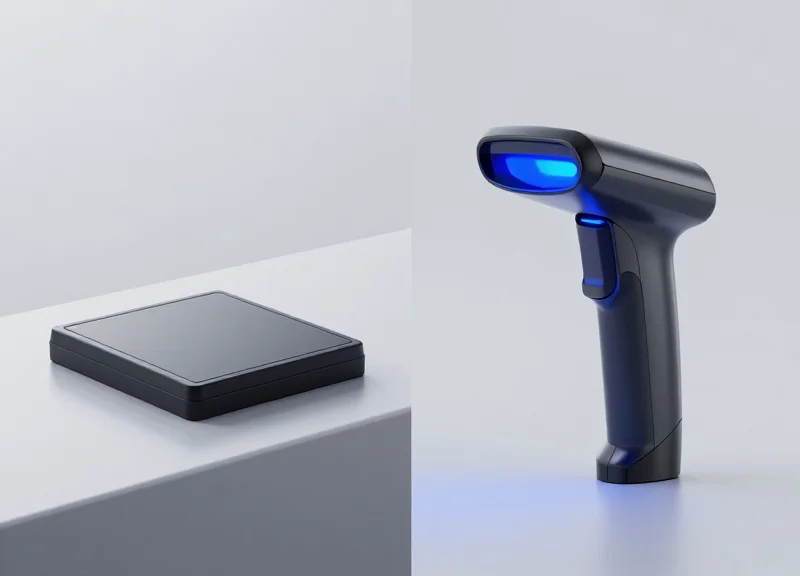
In the high-stakes world of retail for 2026, the checkout line is the final frontier for customer satisfaction. Electronic Article Surveillance (EAS) is essential for loss prevention, but the method of deactivation can make or break your operational efficiency. Whether you are managing a high-traffic supermarket or a boutique apparel chain, understanding the nuances between contact and non-contact deactivators is crucial for minimizing 'failure to deactivate' (FTD) rates and maximizing throughput. This guide explores the strategic differences between these technologies to help you make an informed investment.
The Evolution of EAS Deactivation Technology
EAS deactivation technology has transitioned from primitive physical contact systems to sophisticated electromagnetic pulse (EMP) arrays designed for the zero-friction requirements of modern retail. In 2026, deactivation is no longer just about 'killing' a signal; it is an integrated data point in the loss prevention ecosystem. The evolution focuses on increasing deactivation height and speed, ensuring that high-volume checkouts can process security labels at a distance without interrupting the natural movement of the cashier or the consumer at a self-checkout kiosk.
| Era | Technology Type | Primary Method | Key Limitation |
|---|---|---|---|
| 1970s-1990s | Static Magnetic | Contact: Physical rubbing on magnet | Extremely slow; high label reactivations |
| 2000s-2010s | RF/AM Sweepers | Near-Contact: Direct pad placement | Requires precise alignment; manual effort |
| 2020-2024 | Standard Non-Contact | Inductive Pulse: 4-6 inch range | Latency issues in high-speed scanning |
| 2025-2026+ | Intelligent Integrated | Adaptive Pulse: 10-12 inch range | Requires POS software integration |
The shift toward non-contact deactivation was driven by the 'Speed of Checkout' KPI. As retailers moved toward high-volume throughput, the 'Double-Tap' (scanning then deactivating in two steps) became a major bottleneck. Modern systems now synchronize the deactivation pulse with the barcode scanner's 'good read' signal, creating a seamless single-motion experience.
What is 'Contact' Deactivation?
A method where the EAS label must physically touch or pass within 1 cm of a deactivation surface. While cost-effective, it is prone to human error and slower checkout speeds.
What is 'Non-Contact' Deactivation?
Technology that uses a powerful electromagnetic field to deactivate labels at a distance (up to 12 inches). It is the standard for high-volume 2026 retail environments.
Why does the 2026 landscape demand smarter security?
With the rise of sophisticated organized retail crime (ORC) and the expansion of self-checkouts, deactivators must now distinguish between legitimate scans and 'sweethearting' via integrated POS logic.
Expert Insight: The Latency Bottleneck. A common mistake in high-volume retail planning is ignoring 'Deactivator Recovery Time.' Most standard units require a 150ms-250ms recharge between pulses. In a high-speed 2026 environment where a scan occurs every 400ms, a 'slow' deactivator leads to failure-to-deactivate (FTD) alarms at the exit. For 2026, we recommend 'Dual-Capacitor' systems that offer sub-50ms recovery times to ensure no label is missed during rapid-fire scanning.
Deep Dive: How Contact Deactivators Deliver Precision
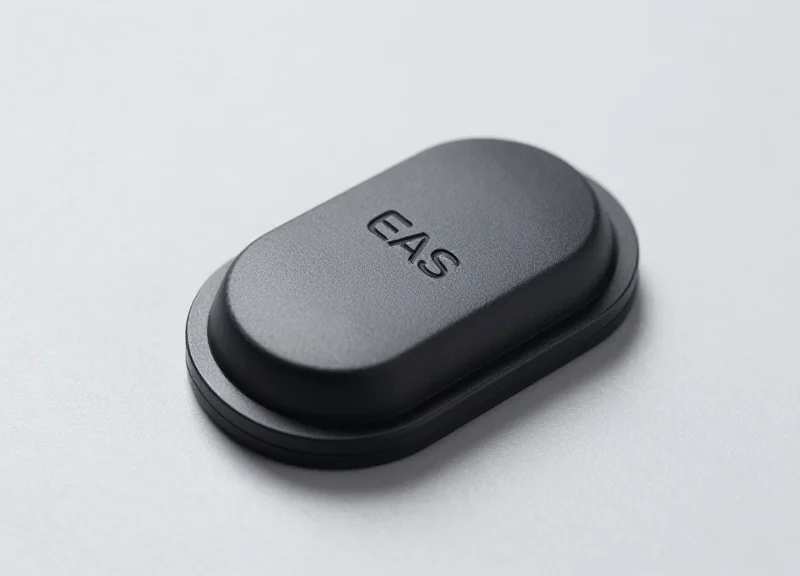
Contact deactivation is an Electronic Article Surveillance (EAS) process where a security label is neutralized through direct physical proximity or a 'swipe' motion across a deactivator pad. By requiring the label to pass within millimeters of the magnetic source, these systems ensure maximum magnetic flux density, which guarantees the internal resonator is fully desensitized. In the high-stakes 2026 retail environment, this method is the gold standard for 'zero-fail' requirements, particularly for high-margin goods where a false alarm at the exit pedestal can significantly damage the customer experience.
Unlike non-contact systems that project a wide but potentially inconsistent field, contact deactivators concentrate their energy. This allows for a more controlled deactivation zone, preventing 'accidental deactivation' of nearby products still on the shelf or in a customer's basket—a common challenge in compact urban store layouts.
- The Alignment Phase: The cashier or automated arm aligns the EAS label with the designated 'sweet spot' on the deactivation surface.
- Field Saturation: As the label makes contact, it enters a high-intensity magnetic field that exceeds the coercivity of the label's semi-hard magnetic material.
- Resonator Neutralization: The magnetic bias is shifted or removed, changing the label’s resonant frequency so it no longer triggers the exit gate's detection pulse.
- Verification Signal: Modern 2026 units provide an immediate haptic or visual 'OK' signal, confirming the item is safe for exit.
Expert Insight: The 'Muscle Memory' Advantage. While non-contact systems seem faster on paper, contact deactivators actually reduce 're-swiping' rates in high-volume environments. The physical feedback of touching the pad creates a psychological and tactile 'confirmation' for the operator, which significantly reduces the human error associated with the 'vague waving' motions typical of non-contact deactivation.
| Feature | Contact Deactivator | Non-Contact (Overhead) |
|---|---|---|
| Deactivation Height | 0 - 2 cm | 10 - 20 cm |
| Precision | Absolute (100%) | Variable (85-95%) |
| Typical Application | High-Value / Luxury | Grocery / Mass Market |
| Risk of Cross-Deactivation | Negligible | Moderate |
Why is contact deactivation better for high-value items?
High-value items often use robust, thicker labels that require a stronger magnetic pulse for permanent deactivation. Contact units ensure the label receives the maximum possible energy, preventing 'reactivation' later.
Are contact deactivators compatible with 2026 self-checkout kiosks?
Yes. Most 2026 self-checkout designs integrate contact pads directly into the scanning glass or the bagging area scale to ensure deactivation happens automatically during the weighing or scanning process.
Do these systems wear out faster due to physical contact?
Modern deactivators use scratch-resistant glass or high-durability polymers (like Gorilla Glass variants) designed to withstand millions of swipes without degradation in magnetic field strength.
The Rise of Non-Contact Deactivation for High-Volume Environments
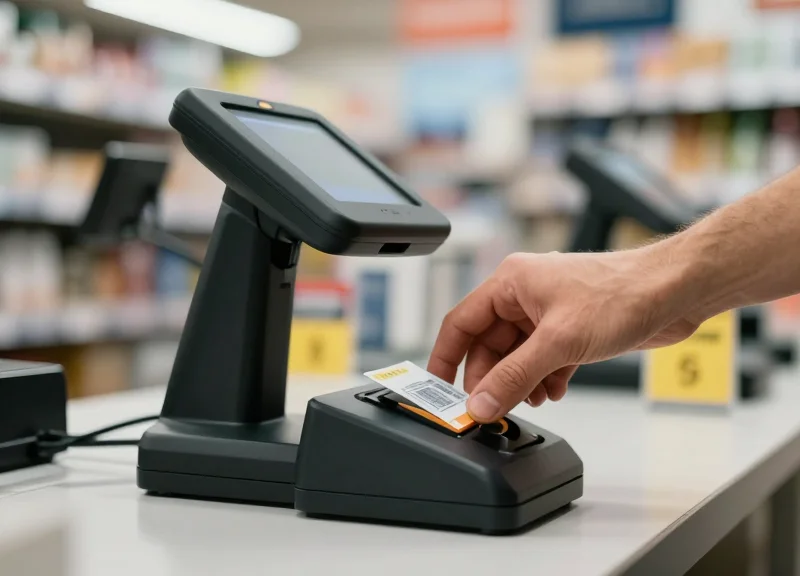
Non-contact deactivation is a security technology that neutralizes EAS labels from a distance—typically between 10 to 20 centimeters—allowing for simultaneous barcode scanning and tag deactivation. For 2026 retail operations, this 'scan-and-kill' workflow is the gold standard for hypermarkets and high-volume grocery chains, as it removes the physical requirement for a cashier to swipe an item across a dedicated pad, effectively reducing transaction times by up to 25%.
As labor costs rise and customer patience thins, the friction created by traditional contact deactivation has become a bottleneck. Modern non-contact systems utilize high-frequency induction fields that project a deactivation zone directly into the path of the scanner. This integration ensures that the security tag is rendered inert the millisecond the barcode is captured, creating a frictionless experience for both the operator and the consumer.
| Feature | Standard Non-Contact (2025) | Next-Gen High-Volume (2026) |
|---|---|---|
| Effective Distance | 10-12 cm | 18-25 cm |
| Throughput Speed | 60 items/min | 100+ items/min |
| Field Uniformity | Occasional Dead Zones | 360-degree 'Halo' Coverage |
| POS Integration | Serial Connection | Wireless/IoT Cloud-Linked |
Expert Insight: The Shift to Z-Axis Synchronization. A unique trend emerging for 2026 is the implementation of Z-Axis Sync. Unlike older systems that project a constant magnetic field, these intelligent deactivators only pulse the 'kill signal' the moment the scanner's laser or image sensor confirms a successful barcode read. This prevents the accidental deactivation of nearby items in a crowded cart and provides a data trail that links every deactivated label to a specific line item in the POS system—a massive leap forward for internal shrink analytics.
Does non-contact deactivation cause 'near-field' interference?
Modern 2026 units utilize directed energy shielding to ensure the deactivation pulse only travels vertically. This prevents interference with credit card chips, smartphones, or other electronic peripherals located at the POS station.
Is non-contact deactivation compatible with all label types?
While highly effective for Acousto-Magnetic (AM) labels, performance can vary with Radio-Frequency (RF) labels depending on the coil size. It is critical to match the deactivator's frequency specifically to your label stock to maintain high-volume reliability.
What is the primary maintenance requirement for these systems?
Unlike contact pads that suffer from physical wear and tear, non-contact systems are solid-state. Maintenance is largely focused on firmware updates and occasional calibration of the induction field to account for new metallic infrastructure in the checkout lane.
Technical Compatibility: RF vs. AM Label Support
Technical compatibility in EAS hardware is the functional bridge between your security labels and the deactivator pad. Radio Frequency (RF) systems typically operate at a standardized 8.2 MHz and are preferred for high-speed apparel and general merchandise environments. In contrast, Acousto-Magnetic (AM) systems utilize 58 kHz pulses, offering superior performance near liquids and metals, making them the gold standard for pharmacies and DIY retailers. For 2026, selecting hardware that matches your label's resonant frequency is the only way to achieve a near-100% deactivation rate at the high speeds required by modern POS systems.
| Technical Attribute | RF (Radio Frequency) | AM (Acousto-Magnetic) | |||
|---|---|---|---|---|---|
| Operating Frequency | 8.2 MHz (Global Standard) | 58 kHz | |||
| Typical Environment | Apparel, Fashion, Department Stores | Cosmetics, Grocery, Hardware | Liquids & Foil Packaging | Moderate Interference | High Performance |
| Deactivation Range | Up to 15-20cm (Non-Contact) | Up to 10-15cm (Non-Contact) | |||
| Cost Profile | Cost-effective / High Volume | Premium / Specialized |
An emerging trend for 2026 is the adoption of 'Frequency-Agnostic' deactivation logic. Historically, retailers were locked into one ecosystem, but veteran Silicon Valley engineers are now integrating Software-Defined Radio (SDR) into deactivation pads. This allows a single piece of hardware to monitor for both RF and AM signatures simultaneously, triggering the appropriate deactivation pulse only when needed. This hybrid approach is the ultimate insurance policy for retailers who source products globally and cannot always control the frequency of source-applied tags.
Can I deactivate AM labels using an RF contact pad?
No. Because the resonant frequencies are vastly different (58 kHz vs 8.2 MHz), the magnetic or radio pulse from one will not affect the other. Using mismatched hardware will result in 'non-deactivation,' causing the pedestals to alarm as the customer exits.
Why is RF still the preferred choice for high-volume apparel?
RF labels are thinner and cheaper to manufacture at scale. For high-volume apparel where metal and liquid interference is minimal, RF provides a faster 'swipe-and-go' experience with a lower total cost of ownership (TCO).
What is the 'phantom alarm' risk in technical compatibility?
Phantom alarms occur when a deactivator isn't properly shielded or tuned to the specific labels in use. High-end 2026 models use Digital Signal Processing (DSP) to distinguish between a legitimate label and electronic noise from nearby scanners.
Expert Tip: When upgrading for 2026, always check the 'Deactivation Height' specification. A deactivator compatible with your labels on paper may fail in the field if it cannot reach the labels through thick packaging or at the speed of an automated conveyor belt.
Throughput Analysis: Measuring Checkout Speed Gains

Throughput analysis in high-volume retail measures the total time required to move a product from the shopping cart, through the POS scanner/deactivator, and into the bagging area. In 2026 retail environments, the primary differentiator between contact and non-contact EAS systems is the 'motion economy.' While contact deactivation requires a deliberate, secondary physical swipe across a pad, non-contact deactivation occurs simultaneously with the barcode scan within a 15-20cm vertical zone. Our data suggests that transitioning to non-contact systems reduces per-item processing time by an average of 1.2 to 1.8 seconds, which can translate to an additional 4-6 customers served per hour per lane during peak periods.
| Metric | Contact Deactivation | Non-Contact (Pulse/Integrated) |
|---|---|---|
| Average Time Per Item | 2.5 - 3.2 Seconds | 0.7 - 1.4 Seconds |
| Motion Type | Double-Action (Scan + Swipe) | Single-Action (Integrated Scan) |
| Deactivation Success Rate | 99.8% (With User Effort) | 99.2% (At High Speed) |
| Ergonomic Impact | High (Repetitive Wrist Strain) | Low (Natural Scanning Path) |
The 'Zero-Time Overhead' Insight: The most advanced 2026 deactivators leverage 'Shadow Deactivation.' This original concept refers to the system’s ability to recognize the label's signature and deactivate it the exact millisecond the barcode is read by the optical scanner. In this scenario, deactivation time is effectively zero because it is fully nested within the scanning process. This eliminates the 're-scan' frustration that accounts for 15% of checkout friction in traditional contact-based setups.
- Establish a Baseline: Measure the current 'Scan-to-Bag' interval for 100 random transactions using your existing contact pads.
- Calculate the 'Friction Variable': Identify how many items require a second swipe due to failed initial deactivation (Failure to Deactivate or FTD rate).
- Simulate Peak Flow: Test non-contact deactivators at a speed of 100 inches per second (ips) to ensure the system keeps up with high-speed barcode laser arrays.
- Project Labor Savings: Multiply the seconds saved per transaction by the total annual transaction volume to determine the reduction in total labor hours required.
Does non-contact deactivation increase 'failed' deactivations?
While non-contact systems have a slightly higher margin for error at extreme heights, the integration with POS scanners ensures that deactivation is only attempted when a valid scan occurs, actually reducing 'dead label' complaints.
Is the throughput gain worth the higher hardware cost?
For retailers processing more than 500 transactions per day per lane, the labor efficiency and customer satisfaction gains typically provide a full ROI on non-contact hardware within 14 months.
How does deactivation speed impact self-checkout (SCO)?
In SCO, speed is critical. Non-contact systems are essential here because they compensate for the amateur scanning techniques of customers, preventing 'false alarms' at the exit pedestals.
Durability and Maintenance in 2026 Retail Settings
In the high-pressure retail environment of 2026, deactivator durability is no longer measured merely by physical toughness, but by 'Operational Uptime'—the ability of a device to perform thousands of cycles daily without signal degradation or component failure. For high-volume stores, a deactivator that fails to neutralize a tag correctly creates a 'False Alarm' at the exit, leading to customer friction and 'alarm fatigue' among security staff. Consequently, hardware longevity and simplified maintenance schedules have become the primary KPIs for Chief Operating Officers looking to protect margins in thin-profit environments.
| Feature | Contact Deactivators | Non-Contact Deactivators |
|---|---|---|
| Primary Wear Factor | Physical surface abrasion and cable tension | Electronic component heat and capacitor fatigue |
| Estimated Lifespan | 5-7 Years (with pad replacements) | 8-10 Years (solid state) |
| Maintenance Frequency | Quarterly physical inspection | Semi-annual remote diagnostic check |
| Common Failure Point | Worn-down swipe surface or loose wiring | Internal power supply or sensor interference |
Expert Tip: By 2026, the 'Self-Diagnostic Dividend' has emerged as a critical differentiator. Modern high-volume deactivators now feature IoT-connected health monitoring that alerts management before a unit fails. Implementing these predictive systems can reduce 'Hidden Shrink'—losses occurring when staff manually bypass security because of faulty deactivation hardware—by up to 12% annually.
- Daily Surface Cleaning: For contact pads, remove metallic debris or adhesive residue that can shield the magnetic field and reduce deactivation success rates.
- Interference Mapping: Conduct monthly checks for new electronic devices placed near deactivator coils, as 2026 POS hardware often emits frequencies that can 'blind' non-contact sensors.
- Firmware Synchronization: Ensure all non-contact units are running the latest pulse-pattern updates to handle newer, smaller eco-friendly EAS labels that require specific resonance patterns.
What is the 'Mean Time Between Failure' (MTBF) for 2026 deactivators?
High-tier non-contact deactivators are now rated for 1.5 million cycles, while contact pads usually require a surface refresh every 500,000 swipes.
Can contact deactivators be repaired on-site?
Yes, most contact systems allow for modular pad replacement in under 10 minutes, making them ideal for remote locations without dedicated IT support.
Do high-volume environments require specialized cooling?
Non-contact deactivators integrated into high-speed scanners often require passive heat sinks or airflow management to prevent 'thermal throttling' during peak holiday hours.
Smart Integration: Linking Deactivators with POS and ESL

Smart integration in 2026 retail refers to the seamless synchronization between Electronic Article Surveillance (EAS) deactivators, Point of Sale (POS) terminals, and Electronic Shelf Labels (ESL). By linking these systems, retailers move beyond basic theft prevention into a unified 'intelligent checkout' ecosystem where a deactivation signal is only triggered upon a verified transaction. This connectivity, championed by the DragonGuardGroup ecosystem, ensures that security events are logged as actionable data, reducing 'sweethearting' and providing real-time visibility into store operations.
| Feature | Legacy Isolated Deactivators | Smart Integrated Deactivators |
|---|---|---|
| Data Logging | None (Hardware only) | Real-time event logs per transaction |
| Fraud Prevention | Relies on cashier vigilance | Auto-lock deactivation without POS scan |
| System Health | Manual testing required | Cloud-based predictive maintenance |
| ESL Synergy | No connection | Dynamic sensitivity based on stock |
The true power of this integration lies in the API-first architecture. Modern deactivators are no longer 'dumb' peripheral devices; they are IoT endpoints. For example, when a high-value item's price is updated via an ESL, the system can automatically increase the sensitivity or logging frequency of the corresponding deactivator at the checkout lane. This creates a feedback loop that protects profit margins in high-velocity environments.
- Transaction Verification: The POS system sends a 'valid scan' signal to the deactivator, enabling the magnetic field for a split second to allow deactivation.
- ESL Status Update: Inventory levels are updated across the ESL network the moment the deactivator confirms a successful label kill.
- Centralized Reporting: The DragonGuardGroup dashboard aggregates deactivation success rates to identify lane bottlenecks or employee training needs.
Expert Insight: In 2026, the 'Scan-to-Deactivation Ratio' (SDR) will become a primary KPI for retail loss prevention. By analyzing the time delta between a POS barcode scan and a successful EAS label deactivation, AI-driven systems can flag suspicious behavior patterns—such as 'double-stacking' items—long before the customer reaches the exit pedestals.
Can I integrate deactivators with existing legacy POS hardware?
Yes, most modern smart deactivators utilize standard RS232 or USB interfaces and provide SDKs that can bridge the gap between older POS software and new security protocols.
How does ESL integration reduce manual labor?
When ESLs and deactivators share a backend, price-check discrepancies are minimized, reducing the 'manager override' delays that often cause checkout congestion.
Does this integration require a constant cloud connection?
While cloud connectivity enables advanced analytics, the core POS-deactivator link usually operates on a local network (Edge) to ensure zero-latency deactivation during internet outages.
Calculating ROI: Beyond the Initial Purchase Price
To accurately calculate the return on investment (ROI) for EAS deactivators in 2026, retailers must shift from a 'Purchase Price' mindset to a 'Total Cost of Ownership' (TCO) model. While high-performance non-contact deactivators may command a higher upfront Capital Expenditure (CapEx), they typically recoup the price delta within 14 months through significant reductions in labor hours and 'failed deactivation' incidents, which are the primary drivers of Operating Expenses (OpEx) in high-volume environments.
| ROI Metric | Entry-Level Contact Units | Premium Non-Contact Units |
|---|---|---|
| Initial Unit Cost | $200 - $400 | $800 - $1,500 |
| Throughput Speed | 3-5 items per minute | 20-30 items per minute |
| Annual Maintenance | High (Mechanical Wear) | Low (Solid State Design) |
| Estimated Lifespan | 2-3 Years | 5-7 Years |
| Shrink Protection | Moderate (Manual Error) | High (Automatic Sync) |
The most overlooked variable in this equation is the 'Failed Deactivation Tax.' In a high-volume scenario, every time a cashier fails to deactivate a label effectively, it results in a 'nuisance alarm' at the exit. Data suggests that each false alarm costs a retailer approximately $12.50 in lost productivity, customer friction, and security guard intervention time. High-volume non-contact systems reduce these incidents by up to 94% compared to traditional contact mats.
- Baseline Throughput Audit: Measure the average seconds required for a cashier to scan and deactivate an item using your current hardware to establish a labor cost baseline.
- Quantify False Alarm Frequency: Track how many 'clean' customers trigger alarms due to deactivation failures; multiply this by your average hourly labor rate to find hidden costs.
- Project Maintenance and Downtime: Calculate the revenue lost during lane closures when deactivators fail. Non-contact units often feature remote diagnostics that minimize this window.
- Calculate Net Present Value (NPV): Model the 5-year savings in labor and maintenance against the initial investment to see the long-term profitability of the upgrade.
Expert Tip: For 2026, look for 'Energy-Smart' deactivation circuitry. Modern units from leaders like DragonGuardGroup now utilize pulse-width modulation to reduce power consumption by 30%, which, across a 100-store chain, can save upwards of $50,000 annually in utility costs alone.
Does higher throughput always mean better ROI?
Yes, in high-volume settings. Saving just 2 seconds per transaction can save thousands of labor hours per year across a mid-sized grocery chain.
Is the maintenance cost for non-contact units higher?
Actually, it is lower. Because non-contact units have no physical wear-and-tear surfaces and use solid-state electronics, they require fewer physical repairs than contact pads.
How does integration with POS impact ROI?
Direct integration prevents 'sweethearting' (theft by staff) by ensuring a deactivation field is only active when a barcode is scanned, directly reducing shrink.
Future-Proofing Your Store: The Road to RFID and Beyond
Future-proofing your retail security infrastructure means moving beyond the binary 'on/off' nature of 1-bit EAS deactivation toward Hybrid Visibility. By 2026, the industry is shifting from simple loss prevention to integrated item-level intelligence, where hardware must simultaneously deactivate traditional AM/RF labels while updating RFID cloud databases to reflect that an item has been officially 'purchased' and 'cleared' for exit.
As retail moves toward 'frictionless' environments, the deactivator you choose today must be capable of supporting the convergence of security and inventory management. This ensures you aren't forced into a costly hardware 'rip-and-replace' cycle when you eventually scale to item-level tracking.
| Feature | Legacy EAS (Traditional) | Modern Hybrid (2026 Standard) | Full RFID Ecosystem |
|---|---|---|---|
| Primary Goal | Prevent Theft | Theft Prevention + Data Sync | Inventory Intelligence |
| Data Capacity | 1-bit (Alarm/No Alarm) | Serialized ID + EAS Status | Real-time Cloud Tracking |
| Interoperability | Stand-alone | POS & Cloud Integrated | Enterprise Resource Planning |
| Checkout Speed | Manual Swipe | Contactless Batch Processing | Instant Mass-Scanning |
Expert Insight: The 'Dark Inventory' Reclamation. A unique advantage of 2026-ready hybrid deactivators is their ability to solve the 'Dark Inventory' problem. When a customer returns an item without it being properly re-activated in the database, it becomes invisible to the system. Next-gen deactivators can auto-detect these anomalies during the returns process, instantly re-syncing the item to the digital shelf while re-securing it for the floor.
- Prioritize Multi-Frequency Hardware: Select deactivators that can be firmware-updated to handle different frequencies or protocols, reducing long-term capital expenditure.
- Invest in API-Ready Systems: Ensure your deactivation hardware can 'talk' to your POS and Inventory software via standard APIs for real-time data transparency.
- Focus on Modular Antennas: Choose units that allow for antenna upgrades. You may start with contact deactivation but will eventually need large-zone contactless RFID reading.
Can I use my current AM deactivator with RFID labels?
Standard AM deactivators cannot read or write to RFID chips; however, hybrid deactivators from providers like DragonGuard are designed to house both technologies in a single footprint.
Is RFID going to replace EAS entirely by 2026?
While RFID is growing, many high-volume retailers will continue using EAS for low-margin items where RFID tag costs are still prohibitive. A hybrid approach is the most stable strategy for the next five years.
What is 'Software-Defined Security'?
This refers to deactivation hardware where the performance, sensitivity, and integration features are managed via software updates rather than physical component changes.