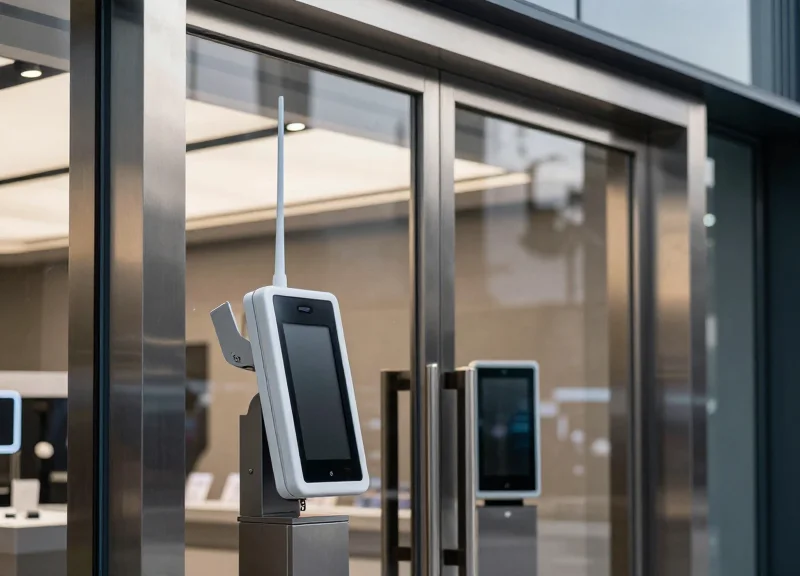
For modern retailers, a high-performance Electronic Article Surveillance (EAS) system is the backbone of loss prevention. However, in contemporary storefronts characterized by extensive metal framing, aluminum displays, and industrial decor, the system's reliability often falters due to 'false alarms.' These phantom triggers not only frustrate staff and embarrass shoppers but also lead to alarm fatigue, causing real theft events to be ignored. This technical guide provides a roadmap for engineers and loss prevention managers to optimize door-frame EAS calibration, specifically addressing the unique challenges posed by metal-intensive environments.
The Physics of Metal Interference in EAS Systems

Metal interference in Electronic Article Surveillance (EAS) systems occurs when conductive materials enter the antenna's magnetic field, triggering Lenz's Law. As the system emits an electromagnetic pulse, it induces eddy currents within nearby metal objects. These currents generate a secondary, opposing magnetic field that distorts the original signal, leading to 'dead zones' where tags aren't detected or 'phantom alarms' caused by signal phase shifts. In metal-intensive storefronts, the environment acts as a complex web of reflectors and absorbers, fundamentally altering the system's intended resonance.
| Feature | AM (Acousto-Magnetic) - 58 kHz | RF (Radio Frequency) - 8.2 MHz |
|---|---|---|
| Interference Source | Low-frequency magnetic coupling | High-frequency electromagnetic reflection |
| Metal Sensitivity | High sensitivity to large ferrous masses | High sensitivity to thin foils and 'loops' |
| Signal Distortion | Phase shifts and pulse stretching | Frequency detuning and attenuation |
| Typical Result | False alarms from vibrating metal | Failure to detect tags (shielding) |
Expert Insight: The Parasitic Loop Effect. While most installers focus on large metal panels, the most insidious interference often comes from 'parasitic loops'—closed electrical circuits formed by the aluminum door frames themselves. If the frame is not electrically isolated or 'broken' with a non-conductive gasket, it can act as a secondary, uncontrolled antenna that resonates in sympathy with the EAS system. This effectively 'muddies' the signal environment, making calibration impossible regardless of the software settings.
How do eddy currents specifically cause false alarms?
Eddy currents create a secondary magnetic field that persists slightly longer than the original pulse. When the EAS receiver listens for a tag's response, it instead 'hears' the decaying field of the nearby metal, misinterpreting it as a security tag.
Does non-ferrous metal like aluminum affect EAS systems?
Yes. Even though aluminum is non-magnetic, it is highly conductive. It interferes with RF systems by reflecting signals and with AM systems by allowing eddy currents to flow, which shifts the system's phase timing.
What is 'detuning' in the context of metal interference?
Detuning occurs when the proximity of metal changes the inductance of the EAS antenna, shifting its operating frequency away from its target (e.g., 8.2 MHz), rendering the system blind to tags that remain on the correct frequency.
Conducting a Comprehensive Environmental Audit
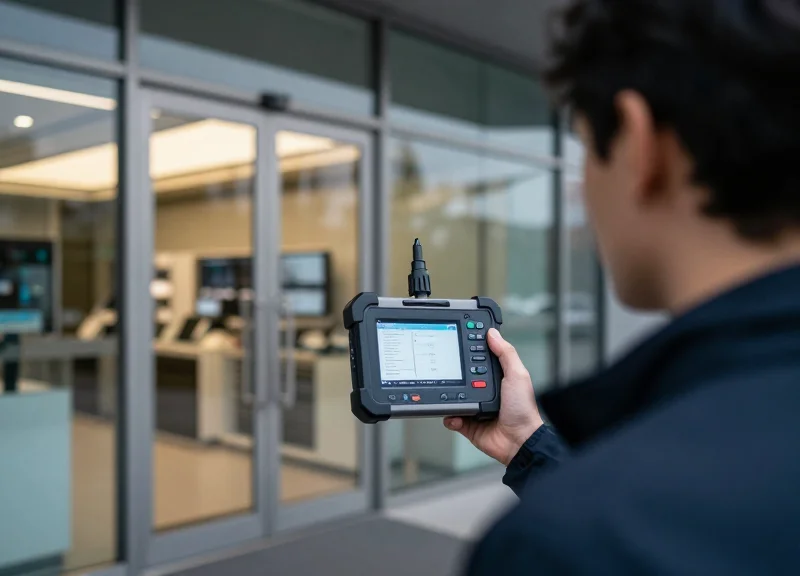
An environmental audit is the diagnostic foundation of any EAS installation in a high-interference retail setting. It involves identifying both stationary metallic masses and dynamic electronic noise that can couple with the system's magnetic field. By mapping these elements before calibration, technicians can differentiate between legitimate tag signals and environmental 'ghost' signals caused by parasitic resonance in the building's infrastructure.
- Identify Structural 'Closed Loops': Scan the storefront for continuous loops of metal, such as door frames, window mullions, or floor rebar. A closed loop acts as a secondary antenna, capturing and re-radiating the EAS signal, which often triggers false alarms.
- Perform a 'Near-Field' Metal Mapping: Use a high-sensitivity stud finder or metal detector to map the floor within 3 feet of the pedestals. Hidden rebar or conduits are the primary cause of 'blind spots' or over-sensitivity in floor-mounted systems.
- Analyze Dynamic Interference Sources: Evaluate the distance between the pedestals and automatic door motors, LED drivers, or neon signs. These devices emit high-frequency noise that mimics the frequency of RF or AM security tags.
- Audit Mobile Metallic Merchandising: Document the placement of metal racks, checkout counters, and security gates. Any metal object moved within the 'induction zone' during store hours can change the system's baseline calibration.
| Hazard Source | Interference Type | Typical Impact |
|---|---|---|
| Concrete Rebar | Passive Magnetic Coupling | Decreased detection range or constant false alarms |
| Automatic Door Motors | Active Electromagnetic Noise | Intermittent pulsing alarms synchronized with door movement |
| Aluminum Door Frames | Eddy Current Loop | Signal phase shift leading to calibration failure |
| Large Metal Racks | Field Distortion | Detection 'holes' where tags are not read at specific heights |
Expert Tip: The 'Shadow Loop' Effect. A unique challenge in modern storefronts is the use of 'invisible' metal structural supports behind drywall or under marble flooring. Use a handheld field strength meter or a dedicated EAS diagnostic software to visualize the 'Noise Floor.' If you see a consistent 50Hz/60Hz hum that spikes when doors move, you are likely dealing with a ground loop through the building's electrical conduit rather than simple metal proximity.
How far should metal merchandise be kept from the pedestals?
As a rule of thumb, maintain a 3.5-foot (1.1 meter) 'clear zone' to prevent the metal from absorbing the electromagnetic field intended for tag detection.
Can I install EAS pedestals over floor rebar?
It is possible, but it requires 'Loop Breaking' techniques or the use of specialized baseplates that insulate the pedestal from the floor's conductive properties.
Why do false alarms increase during rainy weather?
Moisture can increase the conductivity of the ground and building materials, effectively 'completing' metal loops that were previously high-resistance, thus increasing interference.
Optimal Antenna Placement and Physical Orientation

Optimal antenna placement in metal-intensive environments is defined by the mitigation of electromagnetic coupling—a phenomenon where the EAS signal 'leaks' into conductive structures like aluminum door frames or steel joists. To achieve a clean detection zone, technicians must maintain a 'Clearance Zone' of at least 30cm (12 inches) from stationary metal and orient the pedestals such that their magnetic field lines are not parallel to large conductive surfaces. Proper physical orientation ensures that the system's 'Q-factor' remains high, preventing the sensitivity loss and false alarms typically caused by parasitic interference from the storefront's architecture.
- Establish the Primary Detection Axis: Identify the center-line of the entrance. Pedestals should be centered to ensure the most uniform field distribution, avoiding 'hot spots' near one side of a metal-framed door.
- Execute the 30cm Buffer Rule: Ensure a minimum air gap of 30cm between the pedestal housing and any vertical metal members. If space is tight, use high-density plastic spacers to enforce this distance.
- Align for Phase Symmetry: When using multiple pedestals, ensure they are perfectly parallel to one another. Misalignment by even a few degrees can cause phase shifts that the system interprets as a 'tag-like' signal.
- Isolate Cable Pathways: Route TX/RX cables through non-metallic conduits. Running cables directly alongside or inside metal door frames creates an induction loop that injects noise directly into the receiver.
| Metal Type | Potential Impact | Recommended Minimum Clearance |
|---|---|---|
| Anodized Aluminum Frames | High coupling; reduces signal range | 20-30 cm |
| Steel Rebar (Floor) | Sucks signal downward; creates dead zones | 5-8 cm (Pedestal Base Height) |
| Moving Metal (Automatic Doors) | Dynamic interference; causes false alarms | 50 cm from door travel path |
| Chrome Display Racks | Reflective interference; creates ghost tags | 1 meter from pedestal center |
Expert Technical Insight: The '5-Degree Cant' Maneuver. In extremely narrow storefronts where a 30cm buffer is impossible, a veteran technique involves rotating the pedestal slightly (5 to 10 degrees) relative to the metal frame. This 'Polarization Offset' disrupts the 'mirror effect'—where the metal reflects the signal back at 180 degrees out of phase. By breaking the geometric symmetry between the antenna and the metal frame, you can often lower the environmental noise floor by 15-20%, allowing for higher sensitivity settings without triggering false alarms.
Can I mount a pedestal directly to a metal door frame?
Direct mounting is highly discouraged as it 'de-tunes' the antenna's resonant frequency. If mandatory, you must use a non-conductive mounting plate (Phenolic or PVC) at least 50mm thick to minimize capacitive coupling.
How does floor rebar affect orientation?
Rebar acts as a ground plane. If the floor is heavily reinforced, the pedestals should be raised using a non-conductive plinth to prevent the magnetic field from being 'shorted' into the concrete.
Should antennas be tilted vertically?
In stores with high ceilings and metal supports, a slight 2-degree forward tilt can focus the 'sweet spot' of the detection field toward the floor, reducing interference from overhead metal HVAC ducts.
Advanced Calibration: Adjusting Thresholds and Sensitivity

Advanced calibration in Electronic Article Surveillance (EAS) involves the mathematical isolation of genuine tag signals from the ambient electromagnetic noise floor. By adjusting the system's sensitivity (gain) and alarm thresholds, technicians can ensure the system only triggers when the specific resonance of a tag overcomes the 'Signal-to-Noise Ratio' (SNR) minimum, effectively ignoring the chaotic 'phantom signals' generated by metal-induced eddy currents or electrical interference.
| Parameter | Function | Impact on Performance |
|---|---|---|
| Sensitivity (Gain) | Amplifies the incoming analog signal received by the antenna. | Higher gain increases detection range but also amplifies background noise. |
| Detection Threshold | Sets the numerical limit a signal must exceed to trigger an alarm. | Higher thresholds reduce false alarms but may miss smaller or poorly oriented tags. |
| Noise Floor (Ambient) | The baseline level of interference detected when no tags are present. | Must be measured first to determine the headroom for sensitivity adjustments. |
- Baseline Noise Mapping: Use a digital oscilloscope or the EAS system's built-in software to measure the ambient noise floor with all nearby machinery and LED lighting turned on. In metal-intensive sites, look for 'ringing' interference caused by metallic loops.
- Dynamic Sensitivity Scaling: Increase the gain incrementally until the system begins to 'self-alarm,' then back the setting off by 15-20%. This provides a safety buffer for environmental fluctuations throughout the business day.
- Signal Validation Timing (Windowing): Adjust the pulse-width validation. Metal interference often produces short, erratic bursts, whereas a real tag produces a sustained, decaying resonance. Increase the validation count (the number of consecutive pulses required) to filter out transient noise.
- Phase Angle Adjustment: Specifically for Acousto-Magnetic (AM) systems, shift the detection phase to align with the tag’s specific resonance period, which often shifts slightly when in close proximity to large steel beams or aluminum frames.
Expert Insight: The 'Delta-T' Validation Technique. Many technicians make the mistake of simply lowering sensitivity to stop false alarms, which results in 'dead zones.' Instead, focus on the Delta-T (Time Decay). In metal-intensive environments, metal objects reflect signals almost instantly, while EAS tags have a unique 'ring-down' period. By narrowing the detection window to look specifically for this delayed decay, you can maintain high sensitivity for tags while being virtually invisible to the immediate 'echo' of metal door frames.
Why does my system alarm only at certain times of the day?
This is likely 'Dirty Power' or external EMI. Nearby neon signs, mall elevators, or even solar inverters can create periodic noise. Use a power line filter or adjust the 'Noise Average' setting in your EAS software to compensate for these peaks.
Can I calibrate a system if the floor has rebar?
Yes, but you must use 'Tag Validation' settings. Rebar creates a constant, low-level signal. You must set your threshold significantly above the rebar's resonance floor and potentially use a 'Phase Inversion' setting if the system supports it.
What is the ideal Signal-to-Noise Ratio (SNR)?
For reliable detection without false alarms, aim for a 3:1 ratio. This means the tag signal should be three times stronger than the peak ambient noise recorded by the receiver.
Leveraging Digital Signal Processing (DSP) Features
Digital Signal Processing (DSP) acts as the 'computational brain' of a modern Electronic Article Surveillance (EAS) system. While physical calibration sets the hardware limits, DSP algorithms analyze the incoming signal wave-shapes in real-time to distinguish between the specific resonance of a security tag and the chaotic interference caused by metal fixtures. In metal-intensive environments, DSP allows the system to subtract static environmental noise, effectively 'ignoring' the presence of door frames or rebar while maintaining high sensitivity for actual theft attempts.
| DSP Feature | Function in Metal-Intensive Zones | Benefit |
|---|---|---|
| Adaptive Filtering | Continuously monitors the ambient noise floor and adjusts filter parameters. | Reduces false alarms during peak power usage or environmental shifts. |
| Phase Discrimination | Analyzes the phase shift of the signal to verify it matches a tag's profile. | Ignores 'ghost' signals caused by electromagnetic coupling with metal doors. |
| Pulse Width Analysis | Measures the duration of the signal return to ensure it meets tag specifications. | Filters out short-burst static noise and high-frequency interference. |
Expert Tip: The 'Fingerprint' Method. Modern DSP suites allow for 'Static Noise Mapping.' By running a calibration cycle while the store is empty, the system creates a digital fingerprint of the metal interference in your storefront. It then uses this map as a baseline, performing real-time subtraction of that specific noise profile. This allows you to maintain a high detection rate even when antennas are placed within inches of conductive metal frames.
- Activate Ambient Noise Monitoring: Use the EAS software to view the real-time 'Noise Floor.' Identify if the interference is constant (static metal) or intermittent (automatic doors).
- Enable Tag-Validation Algorithms: Switch the system from 'Standard Detection' to 'High-Fidelity Validation.' This requires the signal to pass multiple DSP checks before the alarm triggers.
- Configure Notch Filters: Apply specific frequency filters to 'blind' the system to narrow-band interference caused by nearby electronic ballasts or metal-shielded cables.
- Set Intelligent Time-Outs: Adjust the DSP to ignore signals that persist for more than 3 seconds, as actual tags usually pass through the zone in less than 1.5 seconds.
Will DSP reduce my detection range?
If configured correctly, no. DSP actually improves 'effective' range by lowering the noise floor, allowing the system to pick up weaker signals from smaller tags that would otherwise be lost in the static.
Can DSP compensate for moving metal like automatic doors?
Yes. Most modern DSPs feature 'Dynamic Gain Control' which recognizes the rhythmic signal change of an opening door and temporarily desensitizes only the affected frequency band.
How often should I update DSP firmware?
Retailers should check for firmware updates annually. Manufacturers frequently release new algorithm patches specifically designed to counter new types of LED interference and architectural metal challenges.
The Role of Synchronization in Multi-System Environments

EAS synchronization is the technical orchestration of electromagnetic pulse timings across multiple pedestals to prevent 'cross-talk,' a phenomenon where the signal transmitted by one antenna is erroneously detected as a security tag by an adjacent receiver. In metal-intensive storefronts, synchronization is not merely a preference but a requirement; large metallic structures can reflect and delay electromagnetic waves, effectively extending the interference zone between systems. By locking all devices to a common time reference—usually the zero-crossing point of the AC power line—technicians ensure that every system in the environment fires its pulse and listens for a response in perfect unison, effectively silencing the digital noise that triggers false alarms.
In complex layouts, such as malls where systems from different retailers are back-to-back, 'Phase Lag' becomes the primary enemy. Metal frames and large power transformers can shift the phase of the AC signal locally, causing two systems on the same circuit to drift out of sync. This requires manual phase adjustment using an oscilloscope or specialized EAS tuning software to realign the detection windows.
| Sync Method | Mechanism | Best Application |
|---|---|---|
| Power Line Sync | Uses the AC 50/60Hz zero-crossing as a trigger. | Standard retail blocks with stable power grids. |
| Hardwired Sync | A physical 'Sync Cable' connects Master and Slave units. | High-interference sites with heavy metal or unstable power. |
| Wireless/DSP Sync | Software algorithms detect and lock onto nearby pulses. | Retrofit installs where pulling new cables is impossible. |
- Identify the Master Controller: Designate one pedestal as the primary timing source. In multi-brand environments, ensure the most powerful unit or the one closest to the power entry is the Master.
- Set the Phase Delay: Adjust the delay (measured in microseconds) to account for the time it takes for a signal to bounce off metal storefronts and reach the receiver.
- Pulse-Width Validation: Verify that the transmission pulse width is narrow enough to allow a 'quiet' listening window before the next cycle begins.
- Environmental Stress Test: Observe the system during peak hours when nearby electronic doors and HVAC systems are active to ensure sync holds under load.
Expert Insight: In metal-heavy environments, I have frequently observed 'Signal Ghosting' where the metal frame itself acts as a secondary antenna. If your synchronization is even 5 degrees off-phase, the metal frame can re-radiate the master pulse during the slave's listening window. Always use a 'Phase Mapping' approach: map the phase at every pedestal and look for deviations greater than 10 microseconds, which almost always indicates hidden metal coupling.
Why do my alarms trigger only when the automatic doors open?
The moving metal of the door changes the electromagnetic profile of the entrance. If the system is not perfectly synchronized, this shift pushes environmental noise into the detection window.
Can LED lighting interfere with synchronization?
Yes. Cheap LED drivers emit high-frequency noise that can distort the AC zero-crossing detection, leading to 'Sync Drift' where the system intermittently loses its timing lock.
What is the maximum distance for hardwired synchronization?
Generally, RS-485 or dedicated sync cables can run up to 300 meters, but in metal-heavy areas, shielded twisted pair (STP) is mandatory to prevent the cable itself from picking up interference.
Shielding Techniques for High-Interference Zones
Shielding techniques for high-interference zones involve the application of conductive materials (such as aluminum or copper) and high-permeability magnetic materials (like ferrite) to block or redirect electromagnetic interference (EMI) originating from metal-heavy storefronts. By creating a physical barrier between the EAS antenna and external noise sources—such as moving escalators, automatic doors, or large aluminum frames—technicians can significantly improve the signal-to-noise ratio (SNR) and eliminate the phantom signals that trigger false alarms.
| Shielding Material | Primary Function | Best For... | Installation Complexity |
|---|---|---|---|
| Aluminum Foil/Sheet | RF Reflection | Blocking high-frequency RF interference | Low |
| Copper Mesh | EMI Attenuation | Faraday cage effects for broad spectrum | Medium |
| Ferrite Tiles/Polymer | Magnetic Absorption | Damping 58kHz AM system noise | High |
| Mu-Metal | Magnetic Flux Diversion | Proximity to heavy power transformers | Very High |
To be effective, shielding must be directional. In metal-intensive storefronts, a 'back-shield' is often applied to the side of the antenna facing the store's interior metal fixtures. This creates a 'blind spot' for interference while maintaining 360-degree detection for tags passing through the portal. However, improper shielding can act as a secondary radiator of noise if not grounded correctly. Expert Tip: In 58kHz AM (Acousto-Magnetic) systems, avoid using thin aluminum foil for shielding; instead, use 0.5mm+ copper or specialized ferrite sheets, as low-frequency magnetic fields easily penetrate thin, non-ferrous metals.
- Identify the Interference Vector: Use a field strength meter or the EAS diagnostic software to determine if the noise is coming from a specific direction (e.g., a nearby metal display rack).
- Apply Directional Shielding: Install the shielding material on the pedestal or within the floor trench between the noise source and the antenna, ensuring it does not obstruct the intended detection path.
- Establish a Single-Point Ground: Connect the shield to a dedicated 'star' ground. Avoid daisy-chaining grounds with other electronic equipment to prevent ground loops that can actually increase interference.
- Verify Signal Attenuation: Re-run the environment noise test. You should see a measurable drop in 'ambient noise' levels in the diagnostic dashboard without a significant loss in tag pick-up distance.
Will shielding decrease my detection range?
If placed directly against the antenna coil, yes. Always maintain a minimum 5-10cm gap between the shield and the antenna to prevent detuning.
Can I use lead for shielding?
No. Lead is effective for X-rays but has poor electrical conductivity and magnetic permeability, making it useless for EAS interference.
What is the 'Skin Effect' in EAS shielding?
At higher frequencies, current flows on the surface of the shield. For RF systems (8.2MHz), even thin mesh is effective, but AM systems (58kHz) require thicker materials to prevent penetration.
Validation and Stress Testing Post-Calibration
Validation and stress testing is the final, non-negotiable phase of EAS installation where technicians systematically verify that the system achieves a minimum 95% pick rate while maintaining zero 'phantom' alarms. In metal-intensive environments, this requires more than a simple walk-through; it necessitates a multi-point grid test to ensure that metal-induced 'null zones' have been effectively mitigated and that sensitivity thresholds are resilient against fluctuating electromagnetic interference (EMI).
- The Three-Height Walk Test: Using a standard 8.2MHz or 58kHz test tag, walk through the pedestals at three distinct heights: Floor/Ankle level, Waist level, and Shoulder level. The tag should be detected consistently across the entire width of the entrance.
- Multi-Orientation Tag Verification: Metal interference often causes 'dead spots' for specific tag angles. Test the tag in three orientations: Parallel to the antenna, Perpendicular to the antenna, and Flat (horizontal). A robust calibration must capture the tag in at least two of these three orientations at every grid point.
- The Static Noise 'Burn-In' Period: Leave the system active for a 15-minute 'Burn-In' period with no movement in the detection zone. Monitor the software logs for any signal spikes or false triggers caused by nearby HVAC systems or LED lighting cycles.
- Stress Testing with 'Shielded' Simulation: Simulate real-world shoplifting tactics by placing a tag near (but not inside) a foil-lined bag or under a heavy metal-zippered jacket to ensure the DSP algorithms can still extract the signal from the noise.
| Test Zone | Target Pick Rate | Acceptable False Alarms | Pass Criteria |
|---|---|---|---|
| Center (Waist Height) | 99% | 0 | Immediate Trigger |
| Lower Corners (Floor) | 90% | 0 | Trigger within 0.5s |
| Upper Corners (Header) | 92% | 0 | Consistent Pulse |
| Perimeter (Outside) | < 5% | N/A | No 'Back-Field' Detection |
Expert Tip: Implement the '10-10-10 Stress Test.' This involves 10 passes at 10 different angles over 10 minutes of peak store traffic. This is critical because metal-framed doors often expand or shift slightly under heavy use or temperature changes, which can introduce new vibration-based interference (microphonics) that is invisible during an empty-store calibration.
Why does my system only alarm when someone is leaving, not entering?
This is likely due to 'Synchronization' or 'Phasing' issues. Metal structures can delay the signal return; verify the sync pulse timing in your DSP settings.
What is an acceptable 'Ghost Alarm' rate?
In a professional environment, the acceptable rate is zero. If you experience more than one false alarm every 24 hours, your sensitivity threshold is too close to the ambient noise floor.
Does the type of metal (Aluminum vs. Steel) affect the test?
Yes. Steel is ferromagnetic and can distort the magnetic field more aggressively, while aluminum tends to cause eddy currents. Always perform your final stress test with the actual store doors closed.