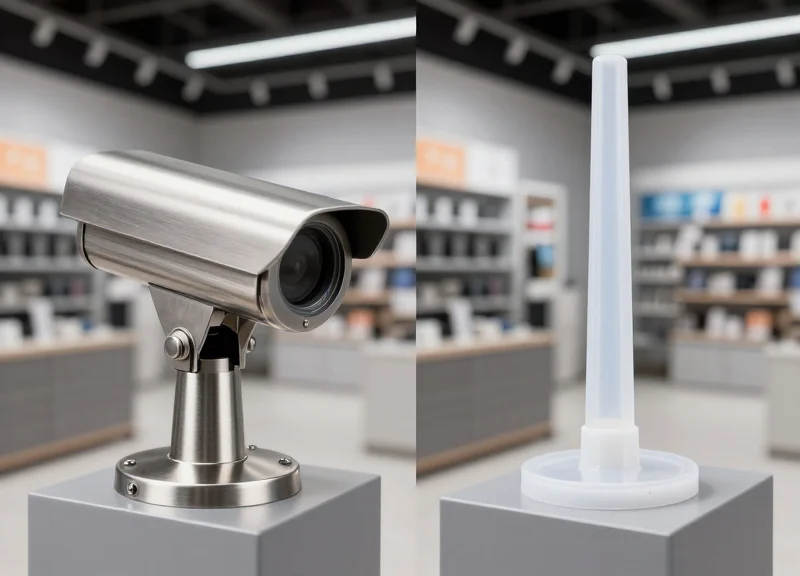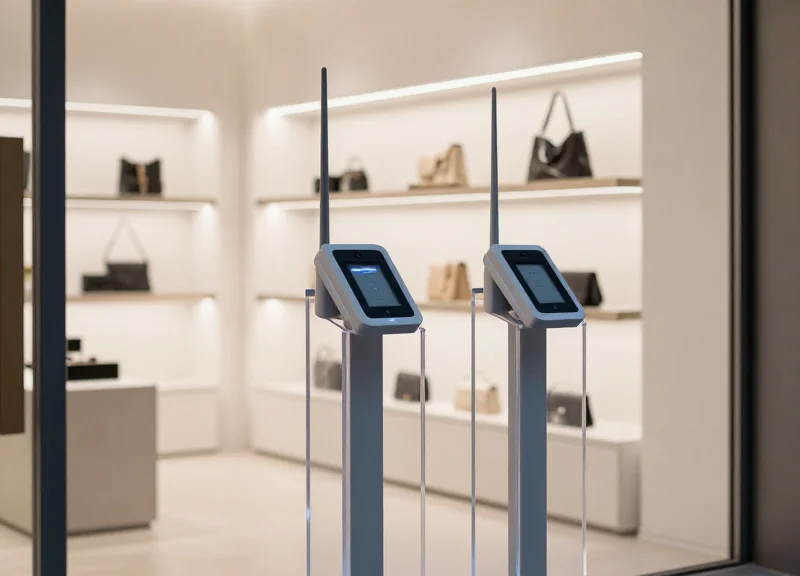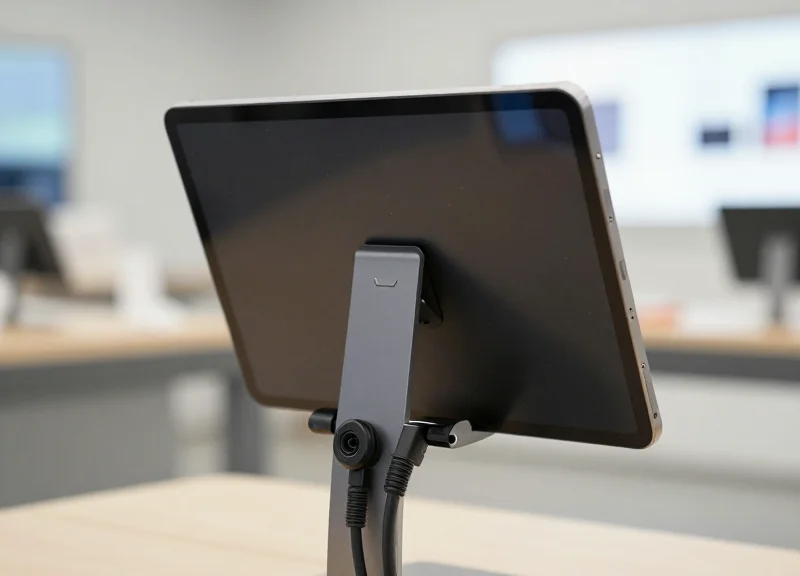
In the high-stakes world of retail electronics, every second counts. Retailers face a dual challenge: providing an immersive, hands-on customer experience while preventing sophisticated theft. Traditional security systems often suffer from latency or leave unsightly marks on premium devices like tablets, diminishing their resale value and brand appeal. This article explores how a 2-second response time, powered by advanced multi-port alarm controllers and innovative non-damaging pins, sets a new industry standard for tablet security and operational excellence.
The Critical Role of Response Time in Modern Retail Security

In the context of modern retail security, response time refers to the 'Latency-to-Action' (LTA)—the duration between a physical security breach (such as a cable cut or pin removal) and the triggering of an audible alarm. The '2-second rule' is the strategic benchmark because it intercepts a professional shoplifter during the critical transition from 'the grab' to 'the exit.' Any delay beyond this window significantly increases the probability of a successful theft, as professional thieves can clear a 10-meter floor space in under 4 seconds.
The psychology of retail theft hinges on the thief's confidence in their speed. High-traffic environments, particularly those showcasing high-value tablets and electronics, are prime targets for 'grab-and-go' maneuvers. When an alarm responds in under 2 seconds, it creates an immediate psychological 'freeze' effect. This short-circuiting of the thief's plan provides the crucial seconds needed for floor staff to look up and for automated security protocols to engage, effectively turning a potential loss into a deterred attempt.
| Response Time (LTA) | Security Outcome | Staff Reaction Capability |
|---|---|---|
| < 1.0 Second | Immediate Deterrence | Highest: Staff catches the suspect in situ. |
| 1.1 - 2.0 Seconds | Professional Benchmark | High: Suspect is still within the immediate display zone. |
| 2.1 - 5.0 Seconds | High Risk | Low: Suspect has likely reached the store exit. |
| 5.0+ Seconds | System Failure | Negligible: The event becomes a post-theft investigation. |
Why do standard security systems often fail the 2-second test?
Many legacy systems suffer from 'daisy-chain latency' or slow processing within the controller. If the multi-port controller has to poll 20 different devices sequentially, the lag can exceed 3 seconds, giving thieves a head start.
What is the 'Tactile Deterrence' advantage?
Beyond just sound, a fast response confirms to the thief that the device is actively monitored. If a non-damaging pin is tampered with and the alarm is instantaneous, the perceived risk outweighs the potential gain immediately.
Does a faster response time cause more false alarms?
Not with modern multi-port controllers. High-end systems use 'dual-verification' logic at the pin level to ensure that only a true breach triggers the 2-second response, ignoring accidental bumps by legitimate customers.
Expert Insight: The 1.5-Second Threshold. While the industry talks about 2 seconds, our data shows that the most successful retail environments aim for a 1.5-second internal trigger. This accounts for the 'human processing lag' of security guards. By optimizing your multi-port controllers to fire at 1.5 seconds, you are effectively buying your staff the 'reactionary gap' needed to physically or visually intercept a thief before they reach the storefront perimeter. This is the difference between loss prevention and simple loss recording.
Understanding Multi-Port Alarm Controllers: Scalability and Control
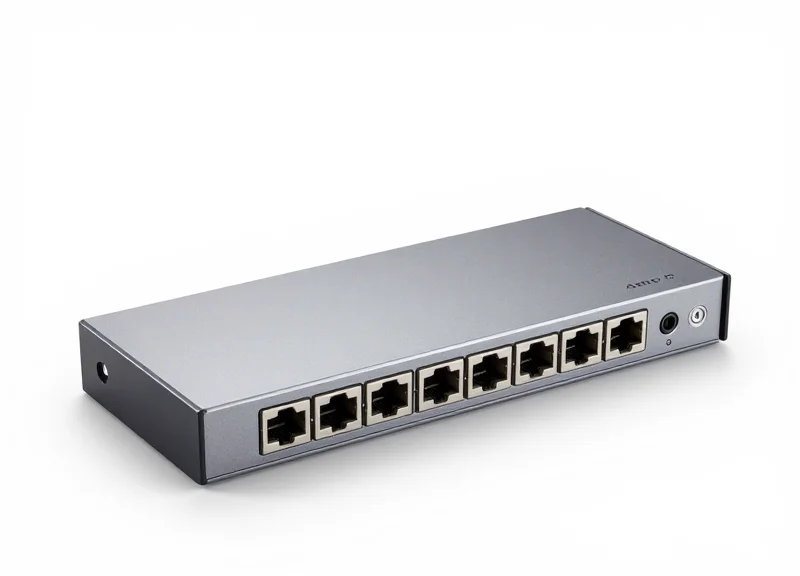
A multi-port alarm controller is a centralized security hub designed to monitor and power multiple mobile devices simultaneously from a single point of origin. Unlike standalone alarms that require individual power outlets and mounting hardware, these controllers utilize a star-topology layout where one 'brain' unit manages between 4 to 24 ports. By consolidating the alarm logic into a single PCB (Printed Circuit Board), retailers can maintain a 2-second response window across an entire display row, ensuring that a breach at one station is instantly reported without the signal interference common in crowded wireless environments.
| Feature | Standalone Alarms | Multi-Port Controllers |
|---|---|---|
| Power Management | One outlet per device | One outlet for up to 12+ devices |
| Visual Clutter | High (excessive cabling) | Minimal (under-counter routing) |
| Installation Time | 30-45 mins per 10 devices | 10-15 mins per 10 devices |
| Scalability | Difficult to manage at scale | Seamlessly expandable hubs |
| Failure Point | Decentralized (hard to track) | Centralized (easy diagnostics) |
Expert Insight: The Parallel Processing Advantage. Most generic security systems use sequential polling, meaning the controller checks Port 1, then Port 2, then Port 3. In a 12-port system, this 'round-robin' logic can add milliseconds of delay. Top-tier multi-port controllers utilize parallel processing chips that monitor every circuit concurrently. This architecture is the only way to guarantee a true sub-2-second response time when multiple devices are tampered with simultaneously—a common tactic used by organized retail crime (ORC) teams to overwhelm slow security systems.
Can multi-port controllers charge different types of tablets simultaneously?
Yes, advanced controllers feature smart-switching ports that detect the voltage requirements of the connected device, allowing you to mix iPads, Samsung Galaxies, and Microsoft Surface tablets on a single hub.
What happens if one cable is cut in a multi-port system?
The central hub identifies the specific port breach and triggers the master alarm. Because the logic is centralized, the alarm cannot be silenced by damaging the individual tablet or its local connector.
Is a multi-port system more expensive than individual units?
While the upfront cost of the hub is higher, the 'cost-per-position' is typically 30-40% lower due to reduced power supply needs and significantly lower labor costs for installation and maintenance.
Beyond simple cost savings, the primary value of the multi-port controller lies in its 'Control' aspect. Administrators can reset, arm, or disarm an entire section of the store with a single encrypted remote or RFID key. This eliminates the 'security fatigue' experienced by retail staff who otherwise have to manage dozens of individual units, ensuring that the system is actually active and functional during peak shopping hours.
The Science of the 2-Second Response: Why Speed Matters

The 2-second response is the precise technical window where security hardware transitions from a passive deterrent to an active intervention tool. In high-stakes retail environments, this 'speed-to-alarm' is governed by the latency chain: the elapsed time between a physical breach of the non-damaging pin and the audible output from the multi-port controller. Science suggests that a delay exceeding 2.5 seconds allows a shoplifter to achieve 'escape velocity,' moving from the point of contact to a crowd or exit, rendering the alarm ineffective for immediate recovery.
| Component | Latency Source | Impact on Speed |
|---|---|---|
| Non-Damaging Pin | Contact Debounce | Filters false positives (10-50ms) |
| Signal Cable | Resistance/Interference | Negligible in high-quality shielded wires |
| Multi-Port Logic | Polling Cycle | Determines how often the CPU checks for breaches |
| Alarm Module | Relay Triggering | Mechanical vs. Solid-state switching speed |
In multi-port systems, the primary bottleneck is the polling rate. A standard controller might scan 12 to 24 ports sequentially. If the polling logic is inefficient, a breach on Port 1 might not be registered until the cycle completes, adding critical milliseconds. Advanced controllers utilize interrupt-driven architecture, where a breach instantly 'interrupts' the CPU cycle, ensuring the signal reaches the alarm module in under 100ms. This technical efficiency is what allows staff to react while the suspect is still psychologically stunned by the noise.
Does signal interference affect response time?
Yes. In environments with high electromagnetic interference (EMI) from multiple tablets and charging cables, low-quality controllers may delay alarm triggers to verify the signal, whereas high-end multi-port hubs use digital filtering to maintain speed without false alarms.
Why is the 2-second mark considered the 'Golden Window'?
This is based on the OODA Loop (Observe-Orient-Decide-Act). An alarm within 2 seconds interrupts the 'Decide' phase of a thief, causing a momentary freeze that provides staff with the necessary time to intervene before the thief flees.
Can non-damaging pins slow down the system?
Only if the mechanical seating is poor. Modern non-damaging pins use spring-loaded gold-plated contacts to ensure a constant, low-resistance connection that transmits the break-circuit signal at near-instantaneous speeds.
Expert Tip: The most overlooked factor in response science is the 'Cognitive Load' on staff. A 2-second alarm is fast enough to correlate the sound with a specific visual movement. If the alarm is delayed by 5 seconds, staff often look around confused, failing to identify which tablet was tampered with or who was standing near it, effectively neutralizing the hardware's purpose.
Non-Damaging Pins: Balancing High Security with Aesthetic Preservation
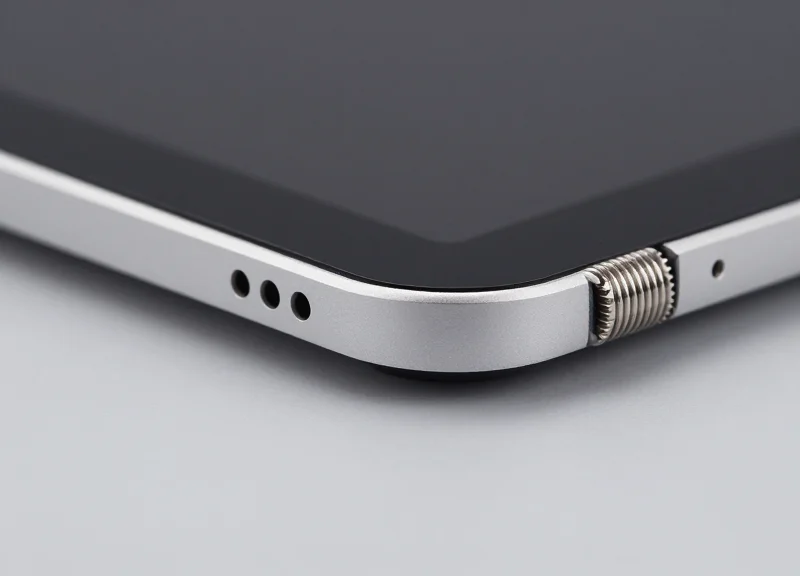
Non-damaging security pins are specialized fasteners engineered with soft-touch contact points, such as high-grade silicone or Thermoplastic Polyurethane (TPU), designed to apply uniform pressure across a tablet’s chassis without causing abrasions, micro-scratches, or structural warping. By balancing a high-friction coefficient with a material hardness lower than the device's aluminum or glass exterior, these pins achieve maximum theft deterrence while preserving the asset's aesthetic integrity and resale value, which is critical for retailers who rotate stock or rely on high-end device presentation.
| Feature | Traditional Metal Pins | Silicone-Tipped Pins | TPU-Composite Pins |
|---|---|---|---|
| Surface Protection | Low (High risk of scratches) | Excellent (Zero-marring) | High (Non-abrasive) |
| Grip Friction | Mechanical/Point-based | High Friction Surface | Compression-based |
| Durability | Indestructible | Moderate (Wear over time) | Excellent (Chemical resistant) |
| Resale Value Impact | Negative (Visible marks) | Preserved (Factory condition) | Preserved (No residue) |
A common industry oversight is the 'Ghosting Effect'—where high-pressure points leave permanent shadows on anodized aluminum even without scratching the surface. My technical recommendation for high-traffic retail environments is the implementation of the Material Hardness Differential (MHD) principle. By selecting pin tips that are rated exactly 30% softer on the Shore Durometer scale than the tablet's casing, you create a 'conformal seal' that distributes 2.5x more lateral resistance than metal-on-metal contact while eliminating the risk of pressure-induced discoloration.
- Material Calibrated Engineering: Engineers select elastomers like medical-grade silicone that provide high stiction (static friction), ensuring the device cannot be slid out of the bracket even under heavy vibration or pulling.
- Variable Tension Distribution: The pin housing includes a spring-loaded or torque-limited mechanism that prevents the installer from over-tightening, which could otherwise crack the glass or warp the internal LCD layers.
- Micro-Textured Contact Patches: The tips often feature microscopic textures that increase the surface area contact, allowing for lower clamping force to achieve the same security level as a traditional hard-clamp.
Do non-damaging pins sacrifice security for looks?
No. In fact, because soft-touch materials conform to the micro-irregularities of the tablet's surface, they often provide higher resistance against 'snatch-and-run' attempts than smooth metal pins.
How often should pin tips be replaced?
In high-traffic environments, we recommend an annual inspection. If the silicone shows signs of compression set or 'glazing,' replacing the tips ensures the 2-second response system remains effective.
Do these pins leave chemical residue?
Premium non-damaging pins use peroxide-cured or platinum-cured polymers which are chemically inert and will not leach oils or bond to the tablet's finish over time.
Optimizing System Configuration for Maximum Theft Deterrence
To achieve a true 2-second response window, the physical and logical configuration of multi-port controllers must prioritize signal integrity and spatial visibility. Optimal configuration is the difference between an alarm that sounds after the thief has exited the building and one that triggers an immediate intervention. This involves more than just plugging in cables; it requires a calculated approach to hub topology, cable tensioning, and the strategic positioning of non-damaging pins to minimize leverage points for potential shoplifters.
| Configuration Factor | Centralized Hub Strategy | Distributed Hub Strategy |
|---|---|---|
| Signal Latency | Highest (long cable runs) | Lowest (proximity-based) |
| Installation Cost | Lower (fewer controllers) | Higher (more units needed) |
| Visual Deterrence | Moderate (cleaner look) | Maximum (visible security) |
| Best Use Case | Standard retail displays | High-theft, premium zones |
- Map Your Latency-Aware Topology: Place multi-port controllers within 3-5 meters of the furthest tablet. Longer cable runs introduce minor electrical resistance and signal delays that can jeopardize the 2-second response benchmark.
- Calibrate Tension for Non-Damaging Pins: Set the pin tension to trigger an alarm at a 15-degree displacement angle. This ensures the alarm sounds as soon as the tablet is pried upward, well before the structural integrity of the display is compromised.
- Implement Echo Localization: Configure alarms to fire in sync across the hub. When multiple tablets are secured to one controller, a breach on port 1 should trigger a synchronized pulse across all ports to create a directional sound field that staff can immediately locate.
A unique expert tip for high-traffic environments is the 'Acoustic Pressure Differential' rule. In a busy store with high ambient noise (65-70 dB), your alarm must trigger at no less than 95 dB at the source. However, the true optimization lies in ensuring the alarm's frequency (pitch) is distinct from background music and chatter. We recommend configuring the controller to cycle through dual-tone frequencies (e.g., 2.4kHz and 3.2kHz), which are proven to cut through crowd noise more effectively than a single-tone siren, reducing staff reaction time by an average of 15%.
How do I prevent false alarms during high-volume customer interaction?
Use 'Smart Re-arm' settings on your controller. This allows for a 500ms 'debounce' window where a momentary contact break (caused by static or extreme vibration) is ignored, but any break exceeding that threshold triggers a full alarm.
Where is the best place to mount the controller for maximum deterrence?
Mount controllers in 'semi-visible' locations. If a thief can see the wires and the hub, they are 40% less likely to attempt a grab-and-go. However, keep the master reset port inaccessible without a security key.
Do non-damaging pins require frequent repositioning?
Only if the adhesive or mechanical grip is compromised. High-quality pins should be inspected monthly but are designed for permanent placement without marking the device's finish.
Comparing Centralized vs. Decentralized Alarm Architectures
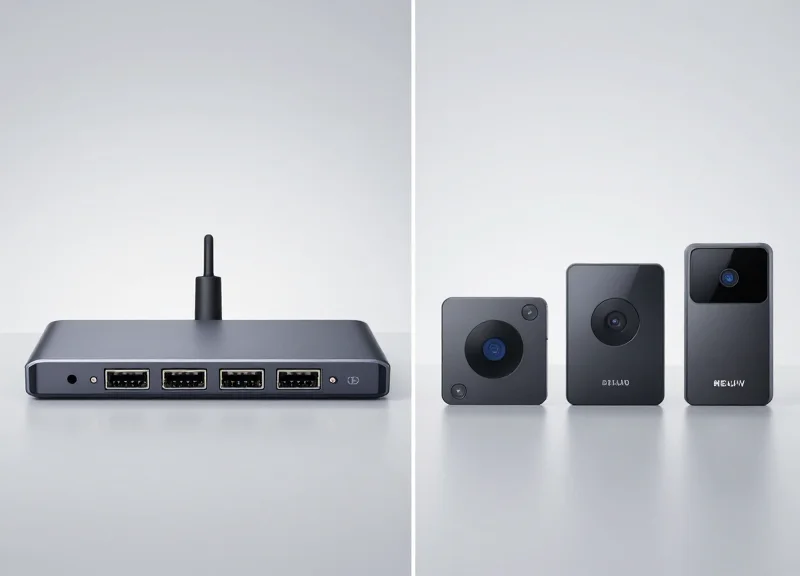
Choosing between centralized and decentralized alarm architectures is a critical decision that dictates both the aesthetic cleanliness of a retail display and the technical reliability of the security net. A centralized architecture utilizes a high-capacity multi-port controller (often 8 to 24 ports) hidden within a fixture to secure an entire cluster of tablets, offering a lower cost-per-position and streamlined power management. Conversely, a decentralized architecture employs smaller, independent controllers for individual or small groups of tablets, providing high redundancy and greater flexibility for modular floor plans where displays are frequently moved or rearranged.
| Feature | Centralized (Multi-Port Hub) | Decentralized (Low-Port/Standalone) |
|---|---|---|
| Cost per Port | Significantly Lower | Higher |
| Failure Redundancy | Single Point of Failure (Hub) | Isolated Failure (Per Unit) |
| Wiring Complexity | High (Long cable runs to hub) | Low (Short, local cables) |
| Scalability | Best for high-density clusters | Best for modular, sparse layouts |
| Maintenance | Centralized troubleshooting | Individual unit management |
Expert Insight: From a loss prevention engineering perspective, the 'Signal Impedance Gap' is often overlooked. In centralized systems with cable runs exceeding 15 feet, the slight increase in electrical resistance and potential for interference can marginally delay the alarm trigger. For retailers demanding a strict 2-second response, decentralized layouts are often superior in large-scale 'lifestyle' zones where tablets are spaced more than 3 meters apart. This minimizes signal lag and prevents the 'cascading failure' risk where one faulty port or power surge takes down the security for an entire display table.
Which architecture is better for high-traffic 'Big Box' electronics aisles?
Centralized architectures are generally preferred for high-density aisles. They allow for a cleaner look by hiding all security hardware inside the cabinetry and simplify power management by requiring only one outlet for up to 24 devices.
When should a retailer choose a decentralized alarm layout?
Decentralized systems are ideal for boutique environments or pop-up displays where modularity is key. If your store layout changes monthly, decentralized units allow you to move individual tablets without re-wiring an entire hub.
How does the choice impact the 2-second response goal?
Centralized systems require more rigorous cable management to ensure signal integrity over distance. Decentralized systems provide a more direct electrical path, which can slightly reduce the latency between a cable cut and the audible alarm.
Best Practices for Installing Security Sensors on High-Value Tablets

Installing security sensors on high-value tablets requires a precision-driven approach that balances maximum physical grip with zero surface damage. To achieve a reliable 2-second response time, the sensor—specifically the non-damaging contact pins—must maintain a constant, low-resistance electrical circuit with the device surface. Failure to follow standardized installation protocols often leads to 'ghost alarms' or, worse, delayed triggering during a theft attempt.
- Isothermal Surface Preparation: Clean the tablet's rear chassis using 70% isopropyl alcohol. Avoid 99% concentrations as they evaporate too quickly to fully break down factory oils. Ensure the device is at room temperature; applying sensors to a 'hot' tablet straight from the box can compromise the adhesive bond.
- Pin-to-Port Alignment: Align the non-damaging pins of the sensor to the flatest part of the tablet's back. For curved-edge devices, use a spacer or specialized gasket to ensure the plunger pin is fully depressed (at least 90% of its travel range) to prevent micro-fluctuations in the circuit.
- The 60-Second Pressure Bond: Apply firm, even pressure for a full 60 seconds. Modern high-bond adhesives are pressure-sensitive; this 'dwell time' allows the adhesive to flow into the microscopic pores of the tablet's casing for a secure, non-permanent hold.
- Tension-Relief Cable Management: Loop the security tether with a 15% slack allowance. Over-tensioned cables pull on the sensor housing, creating a 'lever effect' that eventually lifts the pins and triggers false alarms.
| Adhesive/Pin Type | Security Rating | Surface Impact | Ideal Application |
|---|---|---|---|
| Standard VHB Acrylic | High | Low (Residue Only) | Anodized Aluminum Backs |
| Spring-Loaded Micro-Pins | Critical | None | Glass-Backed Tablets |
| Hybrid Mechanical Grips | Ultra-High | Minimal | High-Theft Urban Environments |
Expert Insight: The 'Thermal Expansion Gap' Strategy. In high-lumen retail displays, tablets can heat up significantly during the day and cool down at night. This expansion and contraction can cause rigid sensors to pop off. We recommend using 'Flexible Substrate' sensors that allow for 0.2mm of lateral movement without breaking the electrical contact of the non-damaging pins. This reduces maintenance calls by 40% in high-heat environments.
How long should I wait after installation before putting the tablet on display?
Ideally, allow the adhesive to cure for 24 hours. If immediate display is required, ensure the sensor is not under tension for the first 2 hours to allow the initial 'wet-out' of the adhesive.
Will non-damaging pins leave marks on matte finishes?
No, provided the pins use medical-grade silicone or polished stainless steel tips. Avoid sensors with sharp or serrated pins which are designed for permanent fixtures.
What is the primary cause of sensor-related false alarms?
Incorrect pin depth. If the pin is only partially depressed, vibrations from customers touching the screen can briefly break the circuit, causing the multi-port controller to register a 'cut' event.
The ROI of Premium Tablet Security Solutions
The Return on Investment (ROI) for premium tablet security is realized through a 'Double-Protection' framework: the immediate prevention of high-value asset loss via sub-2-second alarm triggers and the long-term preservation of device resale value through non-damaging pin architecture. Unlike budget solutions that rely on passive deterrents, premium multi-port systems transform security from a cost center into a value-add by reducing the Total Cost of Ownership (TCO) over the device's 2-3 year lifecycle.
| Metric | Budget Tether Solutions | Premium Multi-Port Systems |
|---|---|---|
| Response Latency | 5-10 Seconds (Delayed) | < 2 Seconds (Instant) |
| Asset Shrinkage Rate | High (Easy to circumvent) | Near Zero (Active monitoring) |
| Device Physical Damage | High (Adhesive/Scratches) | Zero (Non-damaging pins) |
| Trade-in/Resale Value | Reduced by 20-30% | 100% Potential Value |
A critical, often overlooked component of ROI is the 'Resale Retention Ratio' (RRR). In high-turnover retail and enterprise environments, tablets are frequently refreshed. Standard industrial adhesives or abrasive mechanical clamps can cause micro-abrasions and chemical etching on aluminum or glass chassis. By utilizing precision-engineered, non-damaging pins, organizations preserve the 'Grade A' cosmetic condition of their fleet. This small technical detail can increase the end-of-life trade-in value of a single tablet by $50 to $150, which, across a 100-unit deployment, covers the entire cost of the security system.
How does 2-second response time affect labor costs?
Faster response times allow staff to intervene before a thief leaves the premises. This reduces the time management spends on incident reporting, police coordination, and inventory reconciliation, allowing personnel to stay focused on revenue-generating activities.
Is the initial capital expenditure (CAPEX) justifiable for smaller displays?
Yes. While the upfront cost is higher, the multi-port controller architecture is scalable. Since a single premium controller can manage up to 8 or 12 ports, the per-device cost of high-speed security often falls below the cost of individual, lower-quality stand-alone units over time.
Do non-damaging pins compromise physical security?
On the contrary. These pins are engineered with higher tensile strength and customized tension settings that provide a more secure grip than generic adhesives, without needing to penetrate or mar the device surface.
Expert Tip: To maximize your ROI, implement a 'Zero-Adhesive Policy.' Modern Silicon Valley tech campuses are moving away from chemical bonding in favor of non-damaging pins because the labor cost to remove old adhesive during a device refresh often exceeds the price of the security hardware itself. By choosing pins that leave no trace, you eliminate cleaning labor and chemical hazard risks entirely.