In an era where efficiency and security are paramount, optimizing entry points with Radio Frequency Identification (RFID) has transitioned from a luxury to a necessity. However, for many businesses, the perceived technical complexity of deploying hardware remains a significant hurdle. Integrated RFID readers, which combine the antenna and the reader into a single unit, offer a streamlined 'plug-and-play' solution. This guide leverages decades of Silicon Valley expertise to walk you through a professional, 5-step installation process designed to ensure your tracking and access control systems operate at peak performance with minimal downtime.
Understanding the Advantage of Integrated RFID Systems
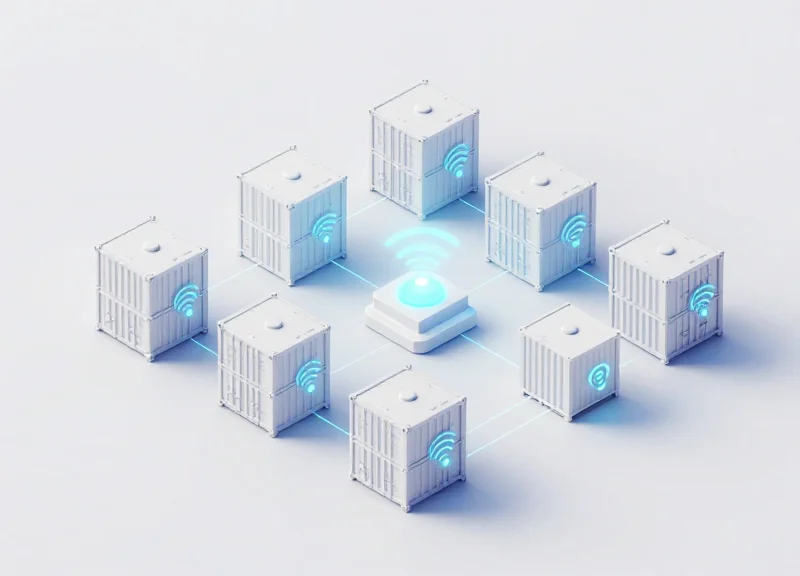
An integrated RFID system is a unified hardware solution where the RFID reader engine and the antenna are housed within a single, cohesive enclosure. Unlike traditional split-component architectures that require external coaxial cabling, integrated units are designed for 'plug-and-play' functionality, typically utilizing a single Power-over-Ethernet (PoE) connection to handle both data transmission and power. This streamlined design eliminates signal attenuation common in long cable runs and significantly reduces the physical footprint required at congested entry points.
In my twenty years of deploying infrastructure across Silicon Valley, I have seen the industry shift from complex, modular racks to these integrated 'Edge' devices. The move isn't just about aesthetics; it is about reducing the 'Total Cost of Ownership' (TCO) by minimizing installation labor and long-term maintenance of fragile RF connectors.
| Feature | Integrated System | Split-Component System |
|---|---|---|
| Cabling Requirements | Single Cat5e/6 (PoE) | Power + Data + Coaxial RF Cables |
| Signal Loss (Attenuation) | Near Zero (<0.1 dB) | Significant (1-4 dB depending on cable) |
| Installation Time | 30-60 Minutes | 3-5 Hours |
| Weatherproofing | High (Single IP67 Housing) | Moderate (Multiple connection points) |
Does an integrated reader provide the same read range as a large fixed reader?
Yes. Because integrated readers eliminate the signal loss found in coaxial cables (the 'Cable Loss Fallacy'), they often deliver more actual power to the antenna element than a split system, resulting in equal or superior read distances in entry point scenarios.
Can these systems be updated remotely?
Most modern integrated units utilize standardized network protocols (LLRP, MQTT, or HTTP), allowing IT teams to push firmware updates and configuration changes across the entire enterprise network without physical access to the device.
What is the primary failure point in RFID entry systems?
In split systems, the primary failure point is the SMA or N-Type coaxial connector which can loosen or corrode. Integrated systems remove this vulnerability by keeping the RF path entirely internal.
Expert Tip: When selecting an integrated reader for high-traffic entry points, look for 'Circular Polarization.' While linear antennas offer slightly more distance, circular antennas are far more forgiving of tag orientation, ensuring that whether a badge is held vertically or horizontally, the read is successful on the first pass.
Phase 0: The Crucial Site Survey and Environmental Analysis

Phase 0 is the preemptive evaluation of a physical environment to map Radio Frequency (RF) behavior, identify potential dead zones, and mitigate interference from metallic surfaces or electronic noise. Before a single bolt is tightened, an environmental analysis determines the success of an integrated RFID deployment by defining the 'read zone'—the specific three-dimensional space where tags are reliably captured. Skipping this stage often leads to 'ghost reads' or signal attenuation, which can degrade system accuracy from a theoretical 99% to below 70% in high-interference industrial settings.
Expert Insight: Beware of the 'RF Shadow' and 'Multipath Reflex.' In Silicon Valley deployments, we often see installers overlook how metal doesn't just block signals—it reflects them. This reflection, known as multipath, can cause signals to arrive at the reader at different times, canceling each other out. Always perform a 'Dry Run' using a handheld spectrum analyzer to measure the noise floor in the 902-928 MHz band (for North America) to ensure your integrated reader isn't competing with legacy wireless systems or heavy machinery.
| Environmental Factor | Impact on Performance | Mitigation Strategy |
|---|---|---|
| Metallic Frames/Doors | Signal Reflection & Detuning | Use non-conductive spacers (1-2 inches) between the reader and the metal surface. |
| Fluorescent Lighting | Electromagnetic Interference (EMI) | Maintain a minimum 3-foot clearance or use shielded Cat6 cabling for PoE. |
| Liquid Containers | RF Absorption (Attenuation) | Utilize 'Flag' tags or specialized liquid-mount tags to distance the IC from the liquid. |
| High Cross-Traffic | False Positive Reads | Software-level RSSI filtering to ignore tags with weak signal strength from adjacent lanes. |
- Establish the Theoretical Read Zone: Mark the exact floor area where tags must be read. For standard entry points, this is typically a 10-foot depth from the threshold.
- Identify Power and Connectivity Hardpoints: Verify the proximity of Power over Ethernet (PoE+) drops. Integrated readers require stable voltage; voltage drops over long cable runs can trigger intermittent reboots.
- Conduct a Material Density Audit: Note all materials within 20 feet of the reader. Concrete with heavy rebar acts differently than drywall or glass.
- Perform a RSSI Mapping Test: Use a sample tag at various heights (ankle, waist, head) to find the 'Sweet Spot' where Received Signal Strength Indicator (RSSI) is most consistent.
How does moisture affect the site survey?
High humidity or the presence of water-based products absorbs RF energy. If your entry point is near a loading dock exposed to weather, you must calibrate for 'worst-case' environmental attenuation.
Can I install an integrated reader directly on a metal beam?
It is not recommended. Direct mounting on metal can detune the internal antenna, significantly reducing read range. Use a stand-off bracket to create an air gap.
What is the 'Bystander Tag' problem?
This occurs when the reader captures tags from people walking near the entry point but not through it. This is solved during Phase 0 by adjusting antenna gain and polarization.
Step 1: Precision Mounting and Spatial Positioning

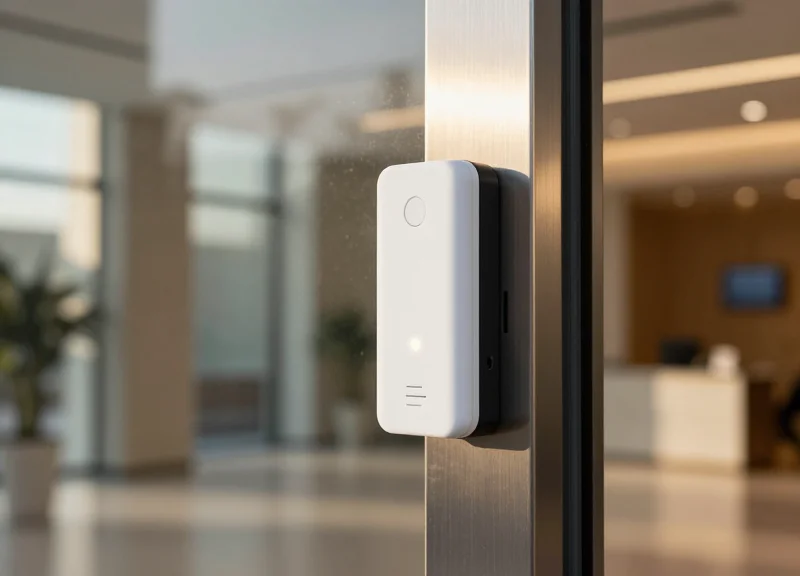
To achieve maximum read accuracy with integrated RFID readers, the device must be positioned at a height that aligns the center of the antenna's beam—the bore-sight—with the expected tag location (typically 4.5 to 5.5 feet for personnel), while maintaining a 15-to-30-degree downward tilt to concentrate the RF energy on the target zone and minimize background noise interference.
In a plug-and-play integrated system, the internal antenna is fixed within the reader housing. This means you cannot adjust the antenna independently of the processor. Consequently, spatial positioning is your primary 'tuning' mechanism. You aren't just mounting hardware; you are sculpting an invisible RF zone. Precision here prevents 'false positives' (reading tags outside the entry point) and 'missed reads' (tags passing through dead zones).
| Use Case | Optimal Mounting Height | Recommended Tilt Angle | Target Range |
|---|---|---|---|
| Personnel Entry | 1.4m - 1.6m (4.6ft - 5.2ft) | 15° - 20° Downward | 2m - 4m |
| Vehicle Gate | 2.5m - 3.5m (8.2ft - 11.5ft) | 30° Downward | 5m - 8m |
| Conveyor Belt | 0.5m - 1.0m above belt | 0° (Perpendicular) | 0.5m - 1.5m |
- Define the Tag Path: Trace the exact physical path a person or asset will take. The reader must be oriented so that the tag face remains parallel to the reader face for the longest duration possible.
- Establish Bore-Sight Alignment: Identify the center point of the reader's front face. Point this directly at the 'choke point' where you want the read to occur. For most integrated readers, the beam width is roughly 60-90 degrees.
- Implement Polarization Matching: If using linear polarized tags, ensure the reader's orientation matches the tag's orientation (vertical to vertical). For circular polarized readers, orientation is more flexible but still impacts signal strength.
Expert Insight: The 20% Fresnel Rule. In my 20 years of RF engineering, I have seen more failed installs due to 'clear' lines of sight that were actually obstructed. RFID waves require a clear 'Fresnel Zone'—an elliptical area around the direct line of sight. Always ensure that at least 80% of this zone is free of metallic obstacles. If a metal pillar is within 12 inches of the reader's side, it can diffract the wave, causing the 'sweet spot' to shift several feet away from where you intended.
Should I mount the reader directly to a metal wall?
No. Mounting directly to metal can cause 'detuning' of the internal antenna. Use a non-metallic standoff or a bracket that provides at least 2-4 inches of clearance from the metal surface.
What is the biggest mistake in mounting height?
Mounting too high without enough tilt. If the reader is at 10 feet pointing straight ahead, a tag on a lanyard at 4 feet will likely pass directly under the 'dead zone' of the RF lobe.
Does vibration affect the reader?
Yes. Integrated units contain sensitive electronics. Use rubber grommets or vibration-dampening mounts if the reader is attached to moving machinery or heavy-traffic gates.
Step 2: Powering the System - PoE vs. External DC Supply
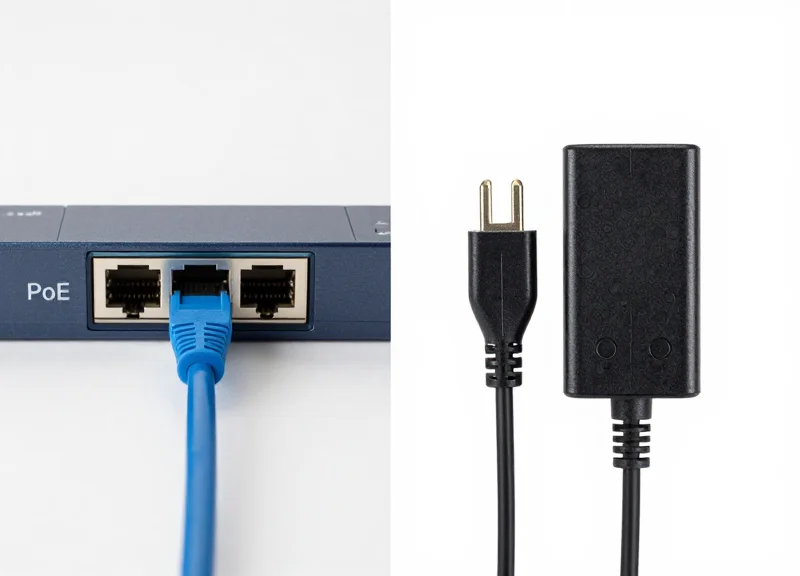
Powering an integrated RFID reader requires a choice between Power over Ethernet (PoE) and a dedicated external DC power supply. PoE (IEEE 802.3af/at) allows for a single-cable installation by delivering both data and power over standard Ethernet cabling, which is ideal for rapid deployment. In contrast, an external DC supply provides a constant, high-amperage current necessary for high-performance use cases where the reader must maintain maximum RF output and sensitivity across multiple antennas without the potential limitations of network-negotiated power levels.
| Feature | PoE / PoE+ (802.3af/at) | External DC Supply (12V-24V) |
|---|---|---|
| Installation Complexity | Low (Single Cable) | Moderate (Dual Cabling) |
| Max Distance | 100 Meters (Standard Ethernet) | Limited by Voltage Drop (Varies) |
| Power Stability | Subject to Switch Overhead | High & Isolated |
| Cost | Higher Infrastructure (PoE Switches) | Lower Infrastructure (Standard Outlets) |
Expert Insight: The 'Burst Power' Trap. In my 20 years of deploying enterprise RF systems, I have often seen 'ghost reboots' where a reader stays powered on until it starts a high-intensity inventory cycle. This happens because integrated readers often require a 'burst' of current to energize the RF field that exceeds the standard 12.95W of basic PoE (802.3af). If your reader is operating at its maximum +30 dBm transmit power, always opt for PoE+ (802.3at) or a dedicated DC supply to ensure the internal logic doesn't brown out during peak traffic.
- When to choose PoE?: Best for overhead installations and entry points where pulling a separate electrical line is cost-prohibitive. It also allows for centralized power management via the IT closet.
- When to choose External DC?: Recommended for high-speed conveyor belts or manufacturing portals where the reader is under constant heavy load and needs 100% duty cycle reliability without network interference.
- Redundancy Tip: Some high-end integrated readers support 'dual-source' power. You can use PoE as the primary source and a DC battery backup as a secondary to ensure the entry point remains operational during network switch failures.
Can I use a PoE injector if my switch doesn't support it?
Yes, a midspan PoE injector can be placed between the switch and the reader to add power to the data line, provided it matches the reader's voltage requirements.
Does cable quality affect DC power?
Significantly. When using external DC, use thick-gauge wire (16-18 AWG) to prevent voltage drop over distances greater than 20 feet, as readers are sensitive to even a 1V dip.
Step 3: Network Integration and Plug-and-Play Configuration
Network integration is the bridge between physical hardware and digital data processing. For plug-and-play RFID readers, this step involves assigning a unique IP address to the device—either through DHCP or static assignment—and ensuring the reader can broadcast its presence to the middleware using discovery protocols like mDNS or LLDP. Successful configuration ensures that tag data flows instantly from the entry point to your enterprise resource planning (ERP) or security management software without manual packet routing.
Expert Tip: The 'DHCP Reservation' Strategy. To maintain the speed of a plug-and-play setup while ensuring the long-term stability of a static system, always use DHCP reservations on your router or switch. By mapping the reader’s MAC address to a specific IP, you prevent the device from disappearing after a power cycle or lease expiration, a common failure point in high-traffic entry systems that many novice installers overlook.
- Establish Physical Link and Verification: Connect the reader to a network switch. Verify the Link/Act LED indicators; a solid green light typically indicates a valid physical connection, while amber indicates the speed negotiation (10/100/1000 Mbps).
- IP Address Assignment: By default, most modern readers are set to DHCP. Use a network scanner or the manufacturer's discovery tool to locate the device on your subnet. If your network lacks a DHCP server, the reader will often fallback to a Link-Local address (169.254.x.x).
- Enable Auto-Discovery Protocols: Activate protocols such as mDNS (Bonjour) or UPnP within the reader's web interface. This allows your RFID middleware to 'see' the reader automatically without needing to manually input IP addresses into the software console.
- Port Configuration and Firewall Rules: Ensure that the necessary communication ports are open. For example, the Low Level Reader Protocol (LLRP) typically requires port 5084, while web-based management usually resides on port 80 or 443.
| Protocol | Best Use Case | Connectivity Benefit |
|---|---|---|
| LLRP | High-performance automation | Standardized vendor-neutral communication. |
| MQTT | Cloud-based deployments | Low bandwidth, ideal for unstable networks. |
| HTTP POST | Web Applications | Direct integration with RESTful APIs. |
| gRPC | Real-time low latency | Efficient binary serialization for high tag density. |
Why can't I find my reader on the network?
The most common cause is a subnet mismatch. Ensure your configuration computer is on the same VLAN and subnet as the reader, and check if the 'Client Isolation' feature is enabled on your network switch.
Should I use IPv6 for RFID installations?
While IPv6 is future-proof, most RFID middleware still prioritizes IPv4 for ease of local discovery. Use IPv4 unless your corporate IT policy strictly mandates an IPv6-only environment.
How do I secure the network interface?
Immediately change the default admin password, disable unused protocols like Telnet or unencrypted HTTP, and place readers on a dedicated IoT VLAN to isolate them from the main corporate traffic.
Step 4: Fine-Tuning RF Power and Sensitivity Levels

Fine-tuning RF power involves calibrating the reader's Transmit Power (measured in dBm) and Receiver Sensitivity (measured in dB) to create a surgically precise 'Read Zone.' By optimizing these firmware settings, you ensure that the integrated reader captures every legitimate tag at the entry point while effectively ignoring tags in adjacent lanes or behind walls—a phenomenon known as 'stray reads' or 'false positives.'
- Identify the Target Read Boundary: Physically mark the exact spot where a tag should first be detected. Use a 'Reference Tag' held at the most difficult orientation to establish your baseline.
- Incremental Power Adjustment: Start at a low power setting (e.g., 15-20 dBm) and increase in 1 dB increments until the reader consistently identifies the Reference Tag at the boundary.
- Set the RSSI Filter Floor: Use the reader's software to monitor the Received Signal Strength Indicator (RSSI). Set a software filter to ignore any tags reporting a signal strength below your threshold, effectively cropping out distant 'echoes'.
- Verify with Multi-Tag Stress Tests: Pass multiple tags through the entry point simultaneously to ensure the reader's anti-collision algorithms are functioning correctly under the new power constraints.
| Power Level (dBm) | Approx. Range (Meters) | Recommended Use Case |
|---|---|---|
| 10 - 18 dBm | 0.5 - 1.5m | Narrow turnstiles or secure desktop kiosks. |
| 19 - 25 dBm | 2.0 - 4.0m | Standard office doorways and personnel entry. |
| 26 - 31.5 dBm | 5.0m+ | Wide warehouse loading docks and vehicle gates. |
Expert Tip: The Inverse Square Law Trap. In my 20 years of RF deployments, the most common mistake is assuming 'maximum power equals maximum reliability.' In high-multipath environments (lots of metal), high power creates 'RF flooding' where signals bounce off surfaces and read tags 30 feet away behind the reader. Always prioritize Receiver Sensitivity Gating over raw Transmit Power; it is more effective to tell the reader to 'listen less' than to 'shout louder'.
Why am I reading tags through a drywall?
Drywall is RF-transparent. If you are getting bleed-through from the next room, lower your dBm and implement an RSSI threshold to filter out signals that have been attenuated by the wall.
What is the 'Read Rate' and how does power affect it?
Read Rate is how many times a tag is seen per second. While higher power increases the rate, it also increases noise. Aim for a stable rate of 10-20 reads per pass for entry points.
Should I use 'Search Mode' settings?
Yes, for entry points, use 'Dual Target' or 'Session 2/3' modes. These prevent the reader from continuously re-reading the same tag, which clears the RF airwaves for new tags entering the zone.
Step 5: Operational Validation and Stress Testing

Operational validation is the process of verifying that your integrated RFID reader performs according to technical specifications in a live environment, rather than just a controlled lab setting. While a single tag read confirms connectivity, stress testing determines the system's reliability threshold by pushing the limits of tag density, velocity, and spatial orientation. This step is critical to prevent 'bottlenecking' at entry points where slow processing or missed reads can disrupt downstream business logic or security protocols.
- Baseline Throughput Testing: Pass a standard batch of tags (e.g., 50–100 items) through the portal at varying speeds to establish a baseline read rate. Ensure the middleware captures every Unique Identifier (UID) without duplication.
- The Orientation Stress Test: Position tags in challenging orientations—parallel to the antenna, tucked behind packaging, or near liquids. Integrated readers with circular polarization should handle most angles, but validation ensures no 'blind spots' exist in your specific entryway.
- Concurrent Load Simulation: Simulate peak traffic by introducing multiple tag-carrying assets simultaneously. This tests the reader's anti-collision algorithms and its ability to process high-density data packets without dropping frames.
- Network Latency and Data Integrity Check: Verify that the time elapsed from the physical read to the database update (latency) stays within acceptable parameters (typically <200ms) to ensure real-time visibility.
| Test Parameter | Target Metric | Failure Threshold |
|---|---|---|
| Read Accuracy | 99.9%+ | < 98% over 500 reads |
| Read Velocity | Up to 5 m/s | Missed reads at < 2 m/s |
| Tag Density | 200+ tags/sec | Buffer overflow or packet loss |
| Ghost Read Rate | 0 occurrences | Reads from > 2m outside zone |
Expert Insight: The 'Human Shield' Stress Test. In 20 years of Silicon Valley deployments, the most overlooked variable is the human body. Because humans are essentially 'bags of saltwater,' they absorb RF energy. I recommend a 'Human Shield' test: walk through the entry point with a tag held close to your chest or tucked in a pocket. If the integrated reader fails to catch the tag because you are between the tag and the antenna, you likely need to increase the sensitivity levels or adjust the mounting angle to utilize floor reflections (multipath) more effectively.
What should I do if I get frequent 'Ghost Reads' during testing?
Ghost reads occur when the reader picks up tags from adjacent areas. Reduce the RF output power in 1dB increments or use the RSSI (Received Signal Strength Indicator) filter in the firmware to ignore signals below a certain strength threshold.
How long should a stress test run?
For mission-critical entry points, we recommend a 'soak test' of at least 4 hours of continuous operation under simulated or actual high-traffic conditions to identify thermal throttling or memory leak issues in the integration software.
Ensuring Data Security and Protocol Standards
Data security in integrated RFID systems is achieved by securing the 'Air Interface' via EPC Gen2v2 cryptographic authentication and protecting the 'Network Interface' through TLS-encrypted payloads. By adhering to ISO/IEC 18000-63 standards, organizations ensure interoperability while preventing common threats like skimming, eavesdropping, and relay attacks. For plug-and-play deployments, this involves moving beyond default configurations to implement a hardened posture that treats every entry point as a potential network perimeter.
| Security Feature | Protocol Standard | Purpose |
|---|---|---|
| Cryptographic Authentication | EPC Gen2v2 | Prevents tag cloning and spoofing via challenge-response. |
| Kill/Lock Commands | ISO 18000-6C | Disables tags permanently or protects memory from unauthorized overwriting. |
| AES-128 Encryption | Gen2v2 Crypto Suite | Encrypts the air interface communication to prevent data sniffing. |
| TLS 1.2/1.3 | Network Layer | Secures reader-to-host data transmission over TCP/IP networks. |
Expert Tip: The Hardware-Level Root of Trust. In my 20 years of deploying systems in Silicon Valley, the most overlooked vulnerability isn't the air interface, but the physical hardware. Modern plug-and-play readers often include secondary USB or GPIO ports for expansion; these are 'invisible' entry points. An original security best practice is to utilize readers that support Secure Boot and have physically or logically disabled unused ports via firmware. This prevents 'Man-in-the-Middle' (MITM) attacks where a rogue device is physically tethered to the reader to intercept data before it reaches the encrypted network layer.
- Update Default Credentials: Immediately change all factory-set administrative passwords and SNMP community strings upon initial network discovery.
- Enable EPC Gen2v2 Untraceability: Configure readers to utilize the 'Untraceable' command, which allows the tag to hide parts of its memory or reduce its response range to unauthorized interrogators.
- Segment the Network (VLANs): Isolate RFID traffic on a dedicated, non-routable VLAN with strict Access Control Lists (ACLs) to limit communication to the authorized middleware server only.
- Apply Firmware Patches: Establish a quarterly audit cycle to check for and apply manufacturer firmware updates that patch protocol-level vulnerabilities.
Can RFID tags be skimmed from a distance?
Yes, high-gain antennas can sniff unencrypted tags. Implementing Gen2v2 cryptographic authentication ensures that even if a signal is captured, the data remains indecipherable without the correct keys.
Does PoE affect system security?
Indirectly, yes. Utilizing Managed PoE switches allows for port-level security (802.1X), enabling the network to disconnect the port if an unauthorized MAC address is detected.
What is the most common security failure in RFID?
The most frequent failure is leaving the 'Access Password' at the default 0x00000000, allowing anyone with a handheld reader to overwrite or lock your tags.
Troubleshooting Common Installation Pitfalls
Troubleshooting plug-and-play RFID readers involves isolating variables across the physical hardware, network configuration, and electromagnetic environment to resolve connectivity drops, 'ghost reads,' and synchronization lag. While integrated readers simplify the installation process, peak performance is often hindered by subtle environmental factors like multi-path interference or insufficient Power over Ethernet (PoE) budgeting that can cause intermittent hardware reboots.
| Symptom | Potential Root Cause | Recommended Action |
|---|---|---|
| Intermittent Connectivity | DHCP Lease Expiration or IP Conflict | Assign a Static IP outside the DHCP pool range. |
| Low Read Rates | Multi-path Interference/Reflections | Adjust antenna tilt by 5-10 degrees to break standing waves. |
| Reader Reboots under Load | PoE Power Budget Overload | Upgrade to a PoE+ (802.3at) switch or use a dedicated injector. |
| Tag Read Misses | Cross-reader Interference | Implement 'Dense Reader Mode' (DRM) in the firmware settings. |
One veteran insight often overlooked in modern deployments is the 'Multipath Null' phenomenon. In environments with heavy metallic infrastructure, RF waves reflect and can cancel each other out at specific points in space, creating dead zones despite high power output. Instead of increasing power—which often exacerbates the reflection—experienced engineers use RSSI (Received Signal Strength Indicator) mapping to find the 'sweet spot' for tag placement and reader orientation.
Why is my reader connected but not reporting any tag data?
This usually stems from a mismatch between the regional frequency profile and the tags in use. Ensure the reader's regional setting (e.g., FCC for US, ETSI for Europe) matches the hardware specifications of your tags.
How do I fix 'Ghost Reads' from adjacent dock doors?
Ghost reads occur when RF energy spills into unintended zones. The solution is to lower the 'Read Power' (dBm) incrementally and utilize RSSI filtering to ignore tags with weak signals that originate from outside the immediate entry point.
What causes the reader to lag during high-volume throughput?
Network congestion or inefficient data polling usually causes lag. Switch from a 'Polling' mode to an 'Autonomous Report' mode, where the reader only pushes data to the server when a tag is actually present, reducing unnecessary network overhead.
Finally, always verify your firmware version before deep-diving into hardware fixes. Manufacturers frequently release patches for 'Plug-and-Play' protocols that improve auto-discovery stability and fix memory leaks associated with long-term operational uptime.