Acrylic EAS antennas represent the pinnacle of modern retail security, blending seamlessly into high-end storefronts while providing robust protection. However, the 'stealth' benefit is often undermined by ghost alarms—false triggers that frustrate staff and customers alike. These phantom signals often stem from environmental factors or improper setup rather than equipment failure. This guide leverages decades of field experience to provide a definitive roadmap for precision installation, ensuring your security system remains invisible yet invincible while maintaining peak operational reliability.
Understanding the Mechanics of Acrylic EAS Antennas
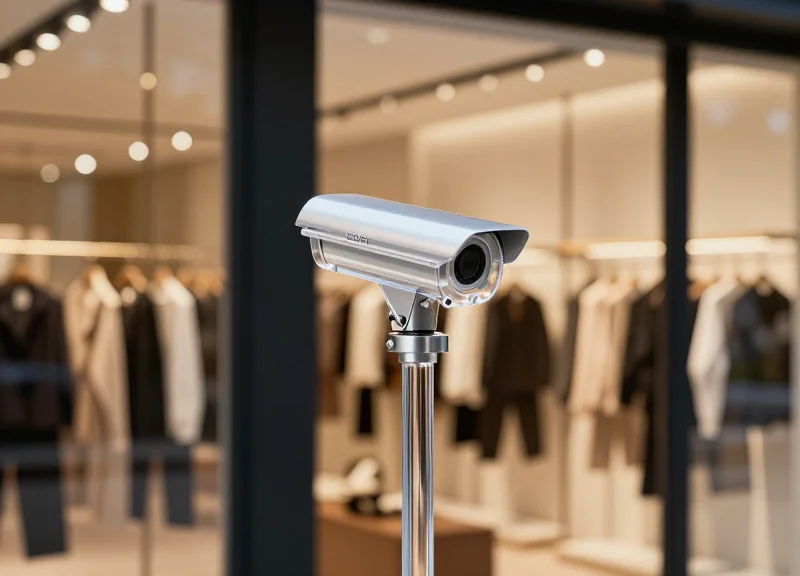
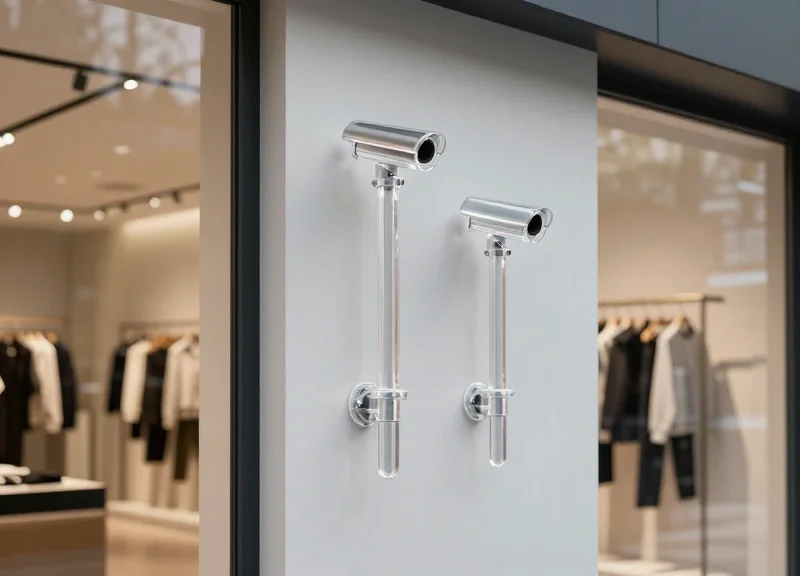
Acrylic EAS (Electronic Article Surveillance) antennas are high-transparency security pedestals designed to blend seamlessly into high-end retail environments while providing robust shoplifting prevention. These systems operate by creating an electromagnetic field between two pedestals—or a single mono-antenna—using either Radio Frequency (RF) at .8.2 MHz or Acousto-Magnetic (AM) technology at 58 kHz. When an active security tag enters this field, it disrupts the frequency, triggering an alarm. Unlike traditional bulky metal systems, acrylic units house delicate copper windings and PCB controllers within a solid, polished thermoplastic body, necessitating a higher degree of calibration to ensure the material density does not interfere with signal resonance.
The primary mechanical advantage of acrylic antennas lies in their 'stealth' profile. However, the engineering behind them is complex. Because acrylic is a dense dielectric material, the internal antenna coils must be precision-tuned to compensate for the slight phase shifts that occur when signals pass through the casing. This is why high-quality acrylic antennas often outperform cheaper PVC alternatives; the consistency of the acrylic's molecular structure allows for a more stable detection 'bubble' and a lower signal-to-noise ratio.
| Feature | Acousto-Magnetic (AM) Acrylic | Radio Frequency (RF) Acrylic |
|---|---|---|
| Standard Frequency | 58 kHz | 8.2 MHz |
| Detection Range | Up to 2.4m (Wide exits) | Up to 1.8m (Standard exits) |
| Interference Sensitivity | Low (Resistant to metal) | High (Sensitive to foil/electronics) |
| Best Use Case | Department stores, DIY, Luxury | Apparel, Supermarkets, Fashion |
Why does acrylic thickness matter for performance?
Thicker, high-grade acrylic provides better structural rigidity, which prevents 'micro-swaying.' Even millimeter-level vibrations in a pedestal can cause the internal coils to shift relative to one another, leading to the dreaded ghost alarms.
Can acrylic antennas handle mono-configurations?
Yes. While many acrylic systems are dual (Transmitter/Receiver), high-end versions use software-driven DSP (Digital Signal Processing) to operate as a single pedestal, though this requires significantly more precise environmental tuning.
Are these systems more prone to interference?
The acrylic itself is an insulator, but because these units are often used in 'clean' modern designs near LED displays or automatic doors, they are more susceptible to external RFI (Radio Frequency Interference) if not shielded correctly.
Expert Insight: The Dielectric Shift. As a Silicon Valley veteran in retail tech, I’ve observed that many installers overlook the 'dielectric constant' of the pedestal body. High-quality acrylic has a consistent dielectric property that engineers use to calculate the antenna's Q-factor (quality factor). If you use a system where the acrylic has internal air bubbles or impurities, the signal will 'scatter' internally, reducing your detection rate by up to 15%. Always verify that your pedestals use 'Grade A' cast acrylic rather than extruded variants to ensure a stable electromagnetic field.
Why Ghost Alarms Occur: The Science of Interference

Ghost alarms, or false triggers, occur when an Electronic Article Surveillance (EAS) antenna’s receiver identifies environmental electromagnetic noise as a security tag. In acrylic systems, which lack the dense physical shielding of traditional bulky pedestals, the internal coils are highly sensitive to two primary phenomena: Electromagnetic Interference (EMI) and signal reflection. When nearby electronic devices or metallic structures oscillate at frequencies near 58kHz (for AM systems) or 8.2MHz (for RF systems), the antenna's digital signal processor (DSP) can struggle to distinguish between a shoplifted item and background 'noise,' leading to a compromise in both security and customer experience.
| Interference Type | Common Source | Technical Impact |
|---|---|---|
| Active EMI | LED Drivers, Neon Signs, Switching Power Supplies | Generates 'noise spikes' that mimic the pulse-echo of a tag. |
| Passive Resonance | Aluminum Door Frames, Metal Hangers, Rebar | Reflects the antenna's own signal back with a phase shift. |
| Radiated RFI | Unshielded Data Cables, Wi-Fi Routers | Broadband frequency leakage that raises the system's 'Noise Floor'. |
The sleek, transparent nature of acrylic antennas means their internal copper windings are often positioned closer to the exterior environment than in traditional systems. This proximity leads to 'Near-Field Coupling.' If an acrylic pedestal is placed within 12 inches of a large metallic loop—such as a modern aluminum storefront—the metal can act as a secondary antenna, creating a parasitic resonance that causes the system to self-trigger intermittently as the building's electrical load shifts.
What is the 'Phantom Loop' effect?
A phantom loop occurs when two pieces of metal (like a door frame and a floor conduit) are joined in a circle, trapping the EAS signal and re-radiating it back into the receiver, appearing to the system as a valid tag signal.
Why do LED lights cause ghost alarms?
Inexpensive LED drivers often operate using Pulse Width Modulation (PWM) at frequencies that overlap with AM security systems, creating rhythmic false triggers that are difficult to filter out manually.
Can 'Ghost Tags' be caused by physical vibration?
Yes. If the acrylic antenna is not properly bolted, micro-vibrations from foot traffic or wind can cause the internal coils to move slightly within the magnetic field, generating a 'microphonic' electrical pulse interpreted as an alarm.
Expert Insight: The Noise Floor Baseline. One often-overlooked factor is the 'Time-of-Day Noise Floor.' In Silicon Valley commercial installations, we've observed that interference isn't static. It often spikes when shopping mall HVAC systems kick in or when neighboring stores activate high-intensity display lighting. When installing acrylic pedestals, it is critical to perform a 24-hour spectrum analysis to identify these 'Ghost Windows'—periods where environmental noise peaks—rather than simply tuning the system during the quiet hours of a pre-opening installation.
The Crucial Pre-Installation Site Survey
A pre-installation site survey is the diagnostic process of auditing a retail environment for 'invisible' electronic and structural obstacles before a single hole is drilled. For high-end acrylic EAS (Electronic Article Surveillance) antennas, this step is non-negotiable because their sleek design houses sensitive RF (Radio Frequency) or AM (Acousto-Magnetic) coils that are highly susceptible to signal attenuation from sub-floor heating, power conduits, and architectural metal frames. Skipping this phase is the primary cause of persistent 'ghost alarms' that frustrate staff and erode customer trust.
| Environmental Hazard | Source Type | Impact on Acrylic Antennas |
|---|---|---|
| Electromagnetic Interference (EMI) | Neon signs, LED drivers, high-voltage lines | Triggers false alarms by mimicking tag frequencies. |
| Metallic Loops | Aluminum door frames, floor rebar, metal carpets | Distorts the detection field, creating 'dead zones'. |
| Hidden Heat Sources | Sub-floor heating elements | Can cause acrylic warping or interfere with antenna base electronics. |
| Active Power Conduits | Under-floor electrical cabling | Continuous background noise that lowers system sensitivity. |
- Visual Structural Audit: Identify any large metallic objects within a 2-meter radius of the planned installation point. Pay special attention to automated sliding doors and aluminum curtain walls, which can act as a secondary antenna loop.
- Noise Floor Mapping: Utilize a spectrum analyzer or the EAS system's built-in diagnostic software to measure the 'Ambient Noise Floor.' A reading above -40dBm usually indicates heavy interference that must be addressed.
- Sub-Floor Exploration: Use a heavy-duty stud finder or ground-penetrating radar (GPR) to locate electrical conduits and rebar patterns. Acrylic antennas require deep-bolt stability; hitting a conduit can be catastrophic.
- Dedicated Power Verification: Ensure the planned power source is a dedicated circuit. Shared circuits with motors (HVAC) or refrigeration units introduce 'dirty' power that causes erratic behavior.
Expert Tip: I recommend the 'Tuning Fork Test' for metallic frames. If you tap a metal door frame and feel a sustained vibration, it may be loose enough to act as a resonator for EAS signals. Grounding the frame or adding 'insulation breaks' in the metal loop can often eliminate ghost alarms that technical calibration alone cannot fix.
How far should antennas be from metal door frames?
Ideally, maintain a minimum of 15-20 centimeters of clearance. If the frame is a closed loop, you may need to apply a non-conductive gasket to break the circuit.
Can I install acrylic antennas on top of heated floors?
It is risky. The constant heat cycling can degrade the acrylic base over time. You must identify the specific paths of the heating coils to avoid drilling into them.
What is the 'Noise Floor' and why does it matter?
The noise floor is the sum of all background electronic signals. If the noise floor is too high, the antenna cannot distinguish between a real security tag and environmental static.
Tip 1: Optimizing Antenna Spacing for Peak Detection
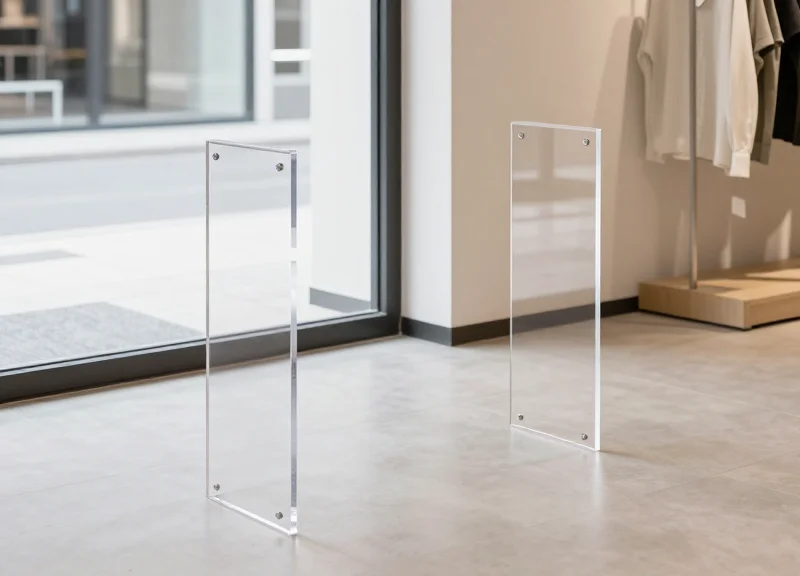
Optimizing antenna spacing involves calculating the 'effective detection corridor' where the magnetic field of the pedestals is strongest, typically ranging from 1.2 to 2.4 meters depending on whether you are using Radio Frequency (RF) or Acousto-Magnetic (AM) technology. For acrylic EAS antennas, which emphasize a 'stealth' aesthetic, the goal is to find the maximum width that maintains 100% tag detection at the center point without over-amplifying the gain, which often leads to the very ghost alarms we aim to avoid.
| Technology Type | Soft Label Spacing | Hard Tag Spacing | Recommended Max Width |
|---|---|---|---|
| RF (8.2 MHz) | 1.2m - 1.4m | 1.5m - 1.7m | 1.6 meters |
| AM (58 KHz) | 1.6m - 1.8m | 2.0m - 2.4m | 2.2 meters |
Expert Insight: The 'Acrylic Attenuation' Factor. Unlike traditional metal-framed pedestals, acrylic housings provide zero electromagnetic shielding for the internal copper coils. While this allows for a 360-degree detection field, it also makes the system 15% more susceptible to 'side-field' interference. My professional recommendation is to use the '85% Threshold Rule': take the manufacturer’s maximum rated distance and install your antennas at 85% of that width. This creates a high-density signal buffer that compensates for environmental noise without requiring high sensitivity settings.
- Determine Your 'weakest' Tag: Identify the smallest or lowest-performing tag used in your store (usually soft labels). Spacing must be calibrated to this tag, not your most powerful hard tags.
- The Center-Point Stress Test: Hold the tag at the vertical midpoint between the antennas and walk through at a brisk pace. If the alarm doesn't trigger instantly, the antennas are too wide.
- Orientation Check: Test the tag in three orientations: flat, vertical, and turned 90 degrees. Acrylic antennas often have a 'blind orientation' that can be fixed by narrowing the gap by just 5-10 centimeters.
Can I place antennas wider than the manufacturer’s spec?
It is not recommended. While the system may work in a lab, real-world foot traffic and body shielding (the 'human water bag' effect) will create dead zones in the center of the aisle.
What happens if antennas are too close together?
This causes signal saturation or 'phasing' issues, where the antennas interfere with each other, leading to constant ghost alarms or a complete system lock-up.
Does floor material affect spacing?
Yes. Reinforced concrete with heavy rebar can sap signal strength. If installing over rebar, reduce your spacing by an additional 10% to maintain detection peaks.
Tip 2: Advanced Cable Shielding and Power Management
Advanced cable shielding and power management involve the systematic isolation of EAS signal paths from electromagnetic interference (EMI) by using dedicated, noise-filtered power circuits and high-quality Shielded Twisted Pair (STP) cabling. In acrylic EAS systems, the transparent aesthetic often hides sensitive electronics that are highly susceptible to 'crosstalk' and power surges. Proper management ensures that the receiver's threshold is not breached by external electrical noise, which is a primary driver of intermittent ghost alarms in busy retail environments.
- Establish a Dedicated Power Circuit: Always wire the EAS controller to a dedicated 20-amp circuit. Sharing a power line with neon signs, LED drivers, or HVAC compressors introduces 'dirty power'—voltage spikes and harmonic distortion that the EAS antenna interprets as a tag signal.
- Implement Shielded Twisted Pair (STP) Wiring: Use STP cables for all data and synchronization lines between pedestals. The internal foil shield must be properly grounded at the controller end only to prevent ground loops while draining RFI (Radio Frequency Interference) to the earth.
- Strategic Path Routing (The 30cm Rule): Route signal cables at least 30 centimeters (12 inches) away from parallel high-voltage AC lines. If a crossing is unavoidable, ensure the cables intersect at a 90-degree angle to minimize inductive coupling and signal degradation.
| Component | Recommended Specification | Primary Benefit |
|---|---|---|
| Data Cable | Cat6 STP (Shielded) | Blocks 95% of ambient RFI |
| Power Cable | 14 AWG Dedicated Line | Eliminates voltage-drop noise |
| Filtering | Snap-on Ferrite Cores | Suppresses high-frequency transients |
| Grounding | Single-Point Star Ground | Prevents 50/60Hz hum interference |
Expert Tip: The 'Double-Choke' Method. For acrylic pedestals installed near high-power LED displays, apply a snap-on ferrite core at both the controller output and the antenna input. This creates a secondary barrier against 'Common Mode' noise that often travels along the cable's outer jacket, providing a cleaner signal environment than standard factory installations.
Can I use standard Cat5e for EAS installations?
While standard UTP Cat5e works in electrically 'quiet' areas, it lacks the shielding necessary for acrylic systems in dense malls. Always opt for STP (Shielded Twisted Pair) to prevent ghost alarms caused by mobile phones and Wi-Fi routers.
Why should I only ground the shield at one end?
Grounding both ends of a cable shield can create a 'ground loop,' where a small current flows through the shield itself due to voltage differences between two points. This current creates its own magnetic field, which is a common cause of persistent system instability.
Do I need a UPS (Uninterruptible Power Supply)?
A high-quality Online Double-Conversion UPS is highly recommended. It not only provides backup power but constantly regenerates a clean sine wave, filtering out almost all line noise before it reaches the sensitive EAS receiver.
Tip 3: Precision Sensitivity Calibration
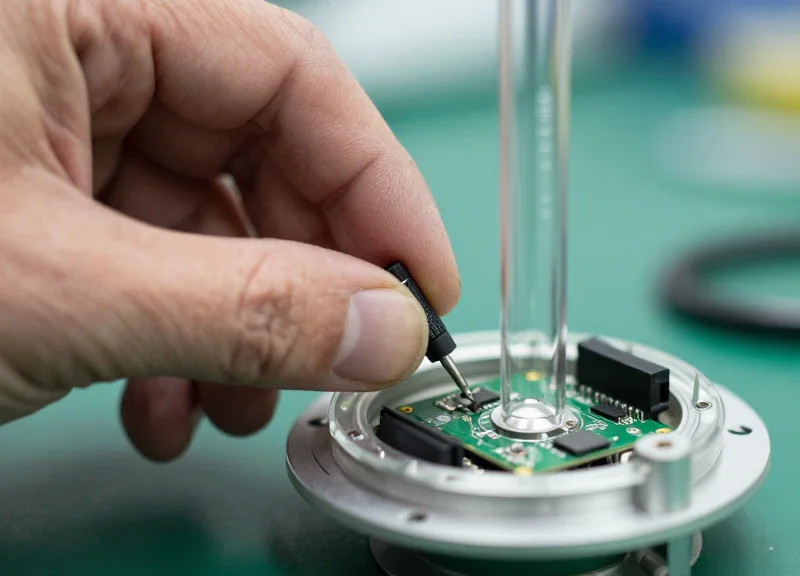
Precision sensitivity calibration is the digital 'fine-tuning' of your acrylic EAS antenna's receiver to establish a clear distinction between a legitimate security tag and background electromagnetic interference (EMI). Rather than simply turning the power to maximum, professional calibration focuses on optimizing the Signal-to-Noise Ratio (SNR), ensuring the system ignores the 'ghost' signals generated by LED drivers, neon signs, or nearby point-of-sale systems while maintaining a high catch rate for protected merchandise.
- Establish the Noise Floor: Before introducing any tags, use the system's diagnostic software or an oscilloscope to measure the ambient noise level in the environment. This baseline represents the 'zero point' for your installation.
- Incremental Gain Adjustment: Increase the receiver gain in small increments (typically 5-10% steps). At each level, move a standard security tag through the detection zone at various heights and orientations to find the minimum threshold for a consistent alarm.
- Identify the 'Ghost' Threshold: Continue increasing the sensitivity until the system triggers a false alarm without a tag present. Once this 'break point' is found, back the sensitivity off by 15-20% to create a safety buffer.
- Phase Synchronization: If multiple antennas are present, synchronize the pulse timing (phase) to prevent the antennas from 'seeing' each other's signals as tags, which is a leading cause of intermittent ghosting.
| Environment Type | Noise Profile | Recommended Sensitivity Logic |
|---|---|---|
| Stand-alone Boutique | Low | High Sensitivity (85%+): Maximize detection width in quiet RF zones. |
| Shopping Mall Corridor | Medium to High | Balanced (60-75%): Prioritize noise filtering over extreme distance. |
| Electronics Retailer | Extreme | Dynamic/Low (40-60%): High-density filtering to prevent constant triggers. |
Expert Insight: The '3:1 Signal-to-Noise' Rule. In my 20 years of field engineering, I’ve found that the most stable acrylic systems maintain a 3:1 ratio between the tag signal strength and the ambient noise floor. If your noise floor is too high (above 30% of your maximum gain), do not try to overpower it with more sensitivity. Instead, revisit Tip 2 (Shielding) or use a 'Pulse-Listen' delay adjustment in the software to wait for the noise to dissipate before the antenna 'listens' for a tag. This 'patience' in the software prevents 90% of environmental ghost alarms.
Why does my antenna alarm only at 5:00 PM?
This is often 'Twilight Ghosting,' caused by mall-wide timers turning on high-frequency LED signage or parking lot lights. Calibrate your system during these peak noise hours to ensure stability.
Can I calibrate via a mobile app?
Most modern acrylic EAS controllers offer Bluetooth or Wi-Fi tuning. However, always verify the 'True Analog' signal via the hardware ports to ensure the app's digital smoothing isn't hiding a serious EMI issue.
What if I can't get a tag signal 3 times stronger than the noise?
If the SNR is lower than 3:1, you must reduce the antenna spacing. Precision calibration cannot overcome physics; narrowing the aisle is the only way to maintain security without constant false alarms.
Tip 4: Eliminating Nearby Electronic Interference
Electronic interference, or Electromagnetic Interference (EMI), is the leading cause of 'ghost alarms' in high-end acrylic EAS systems. Because acrylic antennas are often selected for their sleek, transparent aesthetic in modern boutiques, they are frequently placed in close proximity to other modern technology—such as LED displays and digital POS terminals—that emit high-frequency noise. This noise can mimic the specific 58kHz (Acousto-Magnetic) or 8.2MHz (Radio Frequency) signatures of security tags, tricking the antenna's receiver into triggering a false alert. To achieve a 'Zero-Noise Floor,' installers must look beyond the antenna itself and address the electronic ecosystem surrounding it.
| Interference Source | Typical Impact | Recommended Mitigation |
|---|---|---|
| LED Drivers & Dimmers | Constant low-level 'hum' or flickering alarms | Install ferrite cores on power leads; switch to high-quality shielded drivers. |
| Automatic Sliding Doors | Bursts of alarms as doors open/close | Relocate antenna 1.5m away or use 'Door Synchronization' cables. |
| POS Terminals/Tablets | Intermittent alarms during transactions | Ensure POS power is on a different circuit; use shielded Cat6 for data. |
| Christmas/Neon Lights | Seasonal spikes in false alarms | Maintain a 2-meter 'clear zone' or use dedicated isolation transformers. |
- Identify the Source through Sequential Power-Down: Turn off all non-essential electronics in the vicinity (lights, screens, doors). Turn them back on one by one while monitoring the antenna’s noise level to pinpoint exactly which device is polluting the signal.
- Deploy Ferrite Chokes Strategically: Snap-on ferrite beads should be placed on the power cords of the interference-emitting devices, not just the EAS system. This 'suppression at the source' is significantly more effective than trying to filter the noise at the receiver.
- Implement Phase Synchronization: If multiple electronic systems are operating on the same AC cycle, sync the EAS system's pulse timing to the power line phase to help the software distinguish between ambient 60Hz noise and a tag signal.
Expert Insight: The PWM Harmonic Trap. In my two decades of field engineering, I’ve found that high-end LED dimming systems using Pulse Width Modulation (PWM) are the 'silent killers' of EAS performance. PWM dimmers cycle power at frequencies that often create harmonics overlapping perfectly with the 58kHz AM frequency. If your ghost alarms increase when you dim the store lights for evening ambiance, you are likely dealing with PWM harmonics. The solution isn't higher sensitivity—it's replacing the dimming module with a constant-current driver or adding a low-pass filter to the lighting circuit.
Can I use acrylic antennas near large video walls?
Yes, but you must maintain a minimum distance of 2.5 meters. Large LED walls generate massive electromagnetic fields that can completely saturate an acrylic antenna's receiver if placed too close.
What is the 'clear zone' rule?
The 'clear zone' is a 1.5 to 2-meter radius around the antenna where no large metal objects or high-voltage electronics should reside to ensure signal integrity.
Do digital price tags (ESLs) interfere with EAS?
Generally, Electronic Shelf Labels operate on different frequencies (like Zigbee or IR), but their base stations can cause interference if mounted directly above the security pedestals.
Tip 5: Mastering Multi-System Synchronization
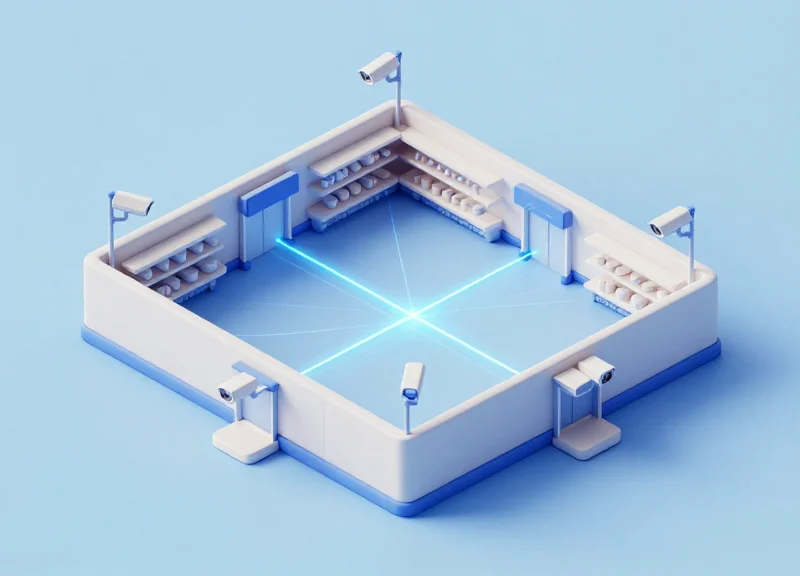
Multi-system synchronization is the process of aligning the transmission pulses of multiple Electronic Article Surveillance (EAS) pedestals so they 'fire' and 'listen' at the exact same micro-interval. Without this precision timing, one antenna's detection pulse is interpreted by its neighbor as a security tag's signal, resulting in persistent and frustrating ghost alarms. In modern acrylic systems, mastering this synchronization is the final step in creating a truly 'stealth' security environment that remains silent until a genuine theft occurs.
| Sync Method | Reliability | Installation Complexity | Best Use Case |
|---|---|---|---|
| Hard-wired (Sync Cable) | High | High | New constructions with under-floor conduit. |
| Power-Line Sync (PLL) | Medium | Low | Retrofits where floor cutting is not possible. |
| Wireless RF Sync | Medium-High | Medium | Wide mall entrances with multiple neighboring systems. |
- Identify the Master Pedestal: Designate the most stable unit (closest to the power source) as the Master controller. All other pedestals in the array must be set to 'Slave' mode to follow its timing pulse.
- Connect the Synchronization Bus: Run a shielded twisted-pair cable between the SYNC terminals of each pedestal's logic board. Ensure the polarity is consistent across all boards to avoid phase cancellation.
- Adjust Phase Shift Settings: Use an oscilloscope or the manufacturer's tuning software to align the 'Phase' of the pulse. Aim for a zero-degree offset between units to ensure they are perfectly in sync.
- Implement the 'Zero-Beat' Calibration: Fine-tune the frequency until the 'beat'—the audible or visual interference pattern—disappears completely from the diagnostic software.
Expert Tip: The 'Neighbor Conflict' Protocol. In dense shopping malls, your ghost alarms are often caused by the store next door. Use a 'Phase Delay' of 1.5 milliseconds if your system detects an external 58kHz or 8.2MHz signal that you cannot physically wire to. This micro-delay allows your system to 'ignore' the neighbor's pulse window, effectively creating a private frequency lane for your antennas.
How do I know if my systems are out of sync?
If your antennas alarm only when the neighboring store turns their system on, or if you see a rhythmic 'pulsing' on your tuning software, you have a synchronization conflict.
Can I sync different brands of EAS antennas?
Yes, provided they operate on the same frequency (e.g., both 58kHz AM). Most professional controllers have a 'Sync In' port that can accept a universal trigger signal from a competitor's master unit.
Does distance affect synchronization?
For wired sync, distance is rarely an issue up to 100 feet. For wireless or power-line sync, heavy machinery or large transformers between units can cause 'phase jitter' which disrupts the sync.
Troubleshooting Post-Installation Ghost Alarms
Post-installation ghost alarms are false triggers in an Electronic Article Surveillance (EAS) system that occur after a seemingly successful setup, usually caused by environmental shifts or subtle electromagnetic interference. To eliminate these 'ghosts,' technicians must employ a diagnostic triage that separates structural interference—such as floor-embedded metal—from transient electronic noise generated by new POS hardware, LED signage, or neighboring security systems. Mastering this phase ensures that the acrylic antenna's aesthetic appeal is matched by its operational reliability.
| Symptom | Probable Root Cause | Recommended Action |
|---|---|---|
| Continuous rhythmic chirping | Synchronized noise from a nearby EAS system or LED driver | Check synchronization cables and adjust phase settings |
| Random triggers at specific times | Automated systems (HVAC, floor polishers, or outdoor lighting) | Monitor noise levels during peak times and increase filtering |
| Alarms triggered by door movement | Metal-to-metal contact in door frames causing a 'loop' effect | Insulate door hinges or adjust the 'Near-Field' sensitivity |
| Intermittent triggers with no movement | Static discharge or loosely connected power shielding | Tighten all terminal connections and verify grounding |
Expert Insight: The '48-Hour Burn-In' Rule. Never consider an installation finished until it has survived two full business cycles. Retail environments change drastically between 'store closed' and 'store busy' modes. Fluctuations in the local power grid and the introduction of hundreds of mobile devices during peak hours can reveal sensitivity vulnerabilities that are invisible during an empty-store installation. We recommend setting a 10% sensitivity buffer below the 'false-trigger threshold' during the initial 48 hours to account for these environmental variables.
- Isolate the Power Source: Disconnect the antenna from the shared circuit and use a portable power pack or temporary dedicated line to determine if the noise is 'conducted' through the power wires or 'radiated' through the air.
- Perform a 'Tag-Sweep' of the Zone: Check for 'hidden' tags trapped in floor mats, under baseboards, or inside nearby display furniture that may be vibrating just at the edge of the detection field.
- Analyze the Noise Profile: Use the system's diagnostic software or an oscilloscope to visualize the interference. Look for spikes that correlate with external events like the activation of an air conditioning compressor.
- Incremental Gain Reduction: Lower the receiver gain in 5% increments until the ghost alarms stop, then test with a standard security tag to ensure the detection width still meets the client's requirements.
Can LED lights really trigger an EAS alarm?
Yes, specifically the switching power supplies in cheap LED drivers. They emit broadband noise that can mimic the frequency of EAS tags.
What is the 'Tag-Shadow' effect?
This occurs when a large quantity of tagged merchandise is placed too close to the pedestal, creating a dense field that the system struggles to filter, leading to false positives.
Does weather affect acrylic antennas?
While the acrylic is stable, high humidity can sometimes affect poorly insulated floor cables, leading to signal leakage and ghost alarms.
Why Professional Installation Support Matters

Professional installation support transforms a security pedestal from a mere visual deterrent into a high-precision loss prevention tool by ensuring that complex environmental factors—such as structural metal interference and electronic noise—are professionally mitigated during the commissioning phase. While high-end acrylic EAS systems are designed for aesthetics and performance, their sophisticated circuitry requires expert calibration to distinguish between a shoplifter's tag and the ambient 'noise' of a modern retail environment, making expert partnership the difference between a secure storefront and a constant source of false-alarm frustration.
| Feature | Standard/DIY Installation | Expert Support (DragonGuardGroup) |
|---|---|---|
| Initial Calibration | Factory Default (High False Alarms) | Site-Specific Environment Tuning |
| Interference Mapping | Visual Inspection Only | RF Spectrum Analysis & Shielding |
| System Synchronization | Single System Only | Multi-Pedestal & Cross-Store Sync |
| Long-term ROI | High Maintenance/Service Calls | Predictive Stability & Lower TCO |
Expert Tip: Avoid the 'Set-and-Forget' Trap. Most retailers overlook the '3-Month Environmental Drift.' As you introduce new inventory, electronic displays, or holiday decorations, the RF profile of your store changes. Professional support teams like DragonGuardGroup utilize remote diagnostic tools to provide dynamic re-tuning, ensuring your stealth security evolves with your store layout.
Can professional support resolve ghost alarms remotely?
Yes, many modern acrylic EAS antennas feature integrated software that allows technicians to perform remote sensitivity adjustments and diagnostic checks without an on-site visit.
Does expert installation impact warranty coverage?
Typically, yes. Professional installation ensures the system is operated within its electrical specifications, preventing damage and often serving as a prerequisite for full manufacturer warranty claims.
Is support necessary for stores with only one entrance?
Even single-entrance layouts suffer from 'Tag-Near-Antenna' issues and electronic interference from nearby checkout systems, making expert positioning critical regardless of store size.