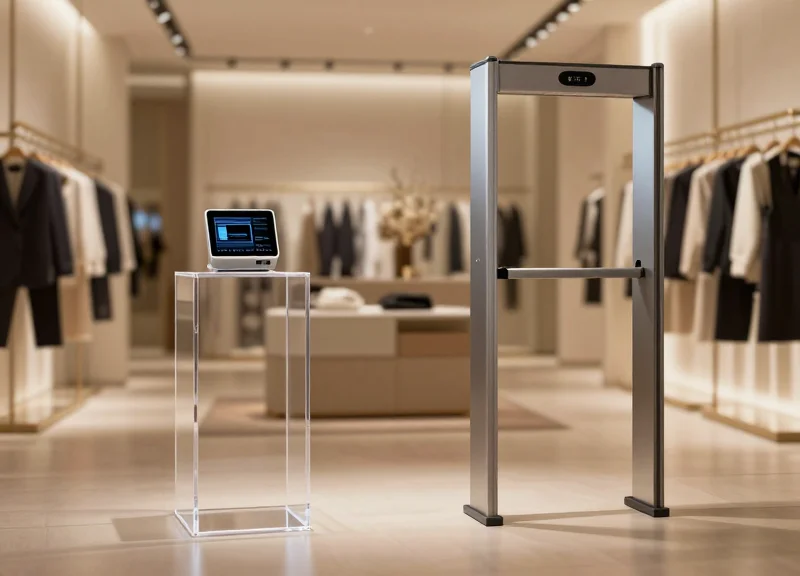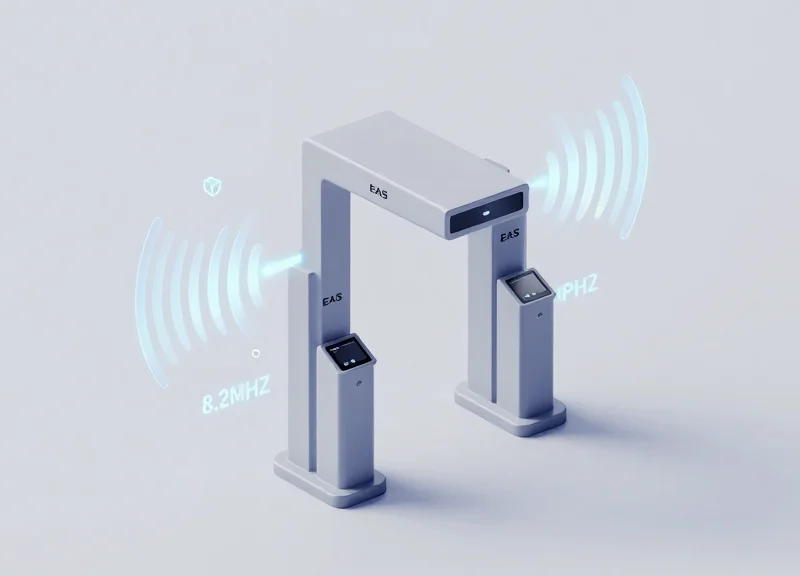
Few things disrupt the customer experience and staff morale like the persistent 'ghost alarm'—a false EAS trigger that occurs without a tagged item present. In dense retail layouts like shopping malls or electronics boutiques, high-frequency noise and structural interference can turn a standard 8.2MHz Radio Frequency (RF) system into a source of frustration. As experts at DragonGuardGroup, we understand that a security system is only effective if it is trusted. This guide provides a professional-grade, 5-step technical protocol designed to stabilize your RF systems, filter out environmental noise, and ensure that your alarms only sound when they are supposed to.
The Anatomy of a Ghost Alarm: Why 8.2MHz Systems Fail in Dense Areas

A ghost alarm in an 8.2MHz RF system is a false positive trigger that occurs when the receiver (RX) antenna interprets ambient electromagnetic noise or signals from neighboring systems as the specific resonance of a security tag. In dense retail environments, these 'ghosts' are rarely random; they are the result of physics-based failures where the system's pulse-listen window is compromised by in-band interference that mimics the decay signature of a standard LC (Inductor-Capacitor) tag.
Standard 8.2MHz swept-frequency systems work on a 'pulse-listen' principle. The transmitter (TX) sends a burst of energy; the receiver then 'listens' for a specific decaying signal at roughly 8.2MHz. When the environment becomes saturated with electronic noise—common in modern malls with high-density LED arrays and digital signage—the receiver can no longer distinguish between the thermal noise floor and a genuine tag response.
| Interference Type | Technical Source | Impact on 8.2MHz RX |
|---|---|---|
| Broadband EMI | LED Drivers, Neon Transformers | Raises the noise floor, desensitizing the system or causing constant chirping. |
| Cross-talk | Adjacent RF systems in neighboring stores | Creates 'phantom tags' when pulse cycles from different TX units overlap. |
| Radiated RFI | Switching Power Supplies, POS Terminals | Introduces spikes within the 7.4MHz to 8.8MHz sweep range. |
Why do alarms trigger when no one is near the pedestals?
This is typically caused by 'Cross-talk.' If two RF systems are not synchronized (wired to the same AC phase or synced via a master-slave cable), the pulse from Store A's transmitter is picked up by Store B's receiver, which interprets the signal as a tag inside the aisle.
How do metallic structures contribute to ghosting?
Large metal objects like door frames, HVAC ducts, or even rebar can act as 'passive resonators.' They can reflect the TX signal back to the RX with just enough phase shift to look like a low-quality tag signature.
Does the time of day affect ghost alarms?
Yes. Ghosting often increases at night or during store opening/closing when high-voltage lighting systems or motorized security grilles are activated, introducing massive amounts of EMI into the retail floor's electrical ground.
Expert Tip: One overlooked cause of ghosting is 'Tag Shadowing' from metallic inventory. If a display of metal-cased perfumes or electronics is placed too close to the pedestal, it can create a 'multipath' environment where the RF signal bounces chaotically, eventually tricking the receiver's DSP (Digital Signal Processor) into identifying a tag that isn't there. Always maintain a 'Clear Zone' of at least 3 feet (1 meter) around your 8.2MHz antennas to prevent these structural echoes.
Phase 1: Environmental Interference Audit
An Environmental Interference Audit for 8.2MHz RF systems is a systematic diagnostic process used to identify and quantify external Electromagnetic Interference (EMI) and Radio Frequency Interference (RFI) that mimic or mask the signal of an security tag. In dense retail layouts, these 'ghost' signals typically originate from switching power supplies, LED drivers, or poorly shielded neighboring EAS systems. Rather than simply lowering sensitivity—which reduces detection range—this audit identifies the specific source of the noise so it can be physically or electronically mitigated at the origin.
| Interference Source | Typical Frequency Impact | Common Manifestation |
|---|---|---|
| LED Lighting Drivers | Broadband RF Noise | Continuous, low-level 'hiss' on the oscilloscope. |
| Power Transformers | 50/60 Hz Harmonics | Pulsating false alarms during peak load times. |
| Neighboring EAS | 8.2 MHz (+/- 10%) | Rhythmic 'thumping' or cross-talk triggers. |
| Digital Signage | High-Freq Switching Noise | Random, intermittent spikes during content transitions. |
- Baseline Power-Down: Deactivate the RF pedestals and use a hand-held spectrum analyzer or a field strength meter tuned to the 7.5-8.7MHz range to establish the ambient noise floor of the vacant store.
- Zone Isolation: Systematically toggle large electronic loads (lighting circuits, HVAC, digital walls) to identify which subsystem elevates the noise floor above the -50dBm threshold.
- Coil Proximity Testing: Move a portable receiving antenna near suspected sources, such as under-counter credit card terminals or hidden neon transformers, to map the 'noise radius' around the pedestals.
- Synchronization Check: Determine if neighboring systems are 'in phase' by checking the pulse timing; unsynchronized systems will cause cyclic interference patterns known as beating.
Expert Tip: Beware the 'Phantom LED Driver.' Modern retail design often hides high-frequency LED drivers behind drywall or above drop ceilings. These drivers frequently degrade over time, shifting their switching frequency into the 8.2MHz band. If you encounter a localized 'hot zone' for ghost alarms with no visible source, use a near-field probe to check the ceiling space directly above the pedestals. Replacing a $20 driver is often more effective than an $800 system recalibration.
Can LED lights really trigger a security alarm?
Yes. Poorly shielded LED drivers use high-frequency switching to manage voltage; if the driver's oscillation frequency harmonics land near 8.2MHz, the pedestal's receiver may interpret this as a tag signal.
How far away can interference originate?
While most interference is within 3-5 meters, high-powered sources like unshielded transformers or industrial motors can cause interference from up to 15 meters away in dense mall environments.
What is the acceptable noise floor for 8.2MHz systems?
Generally, you want an ambient noise floor at least 15-20dB below your tag signal strength. If the noise floor exceeds -45dBm, ghost alarms are virtually guaranteed without physical shielding.
Phase 2: Antenna Physical Alignment and Grounding Check
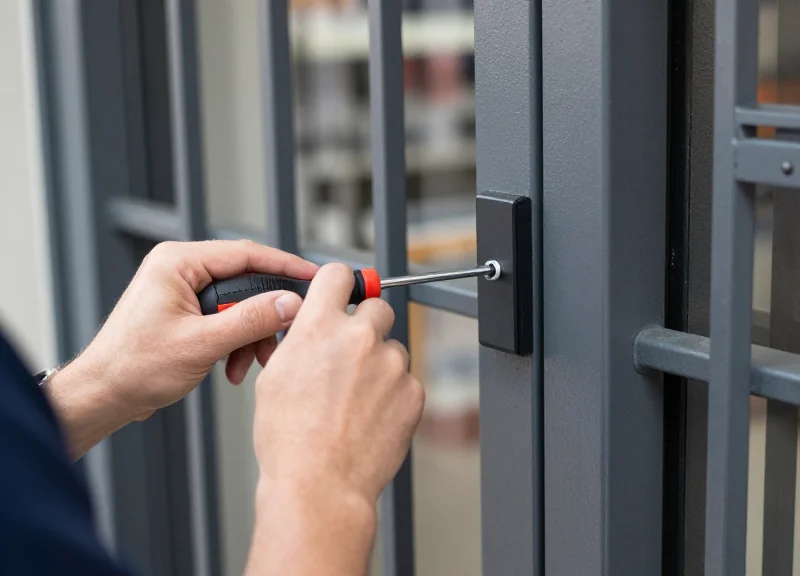
Phase 2 focuses on establishing a 'clean' mechanical and electrical baseline; in 8.2MHz RF systems, even a 3-degree vertical tilt or a 'floating' ground can introduce phase shifts that the receiver interprets as a valid tag signal. Before touching any software sensitivity sliders, you must ensure that the physical pedestals are perfectly parallel and that the electrical grounding is isolated from high-current machinery, as mechanical instability is the primary cause of intermittent ghost alarms.
| Parameter | Optimal Specification | Impact of Deviation |
|---|---|---|
| Vertical Alignment | < 0.5° (Dead Level) | Phase distortion and narrowed detection field. |
| Parallelism | Pedestal faces perfectly flush | Signal cancellation zones and 'dead spots'. |
| Ground Resistance | < 1.0 Ohm (True Earth) | High noise floor and increased EMI susceptibility. |
| Cable Separation | 30cm from high-voltage lines | 60Hz hum interference and digital jitter. |
- The Digital Level Audit: Use a digital level to check both the X and Y axes of each pedestal. In dense layouts, structural vibration from foot traffic can cause pedestals to lean over time, creating a 'skewed' magnetic field that is hyper-sensitive to external noise.
- Verification of the 'Mirror Rule': Ensure transmitter (TX) and receiver (RX) faces are exactly parallel. If antennas are 'toed-in' or 'toed-out', the RF envelope becomes asymmetrical, making the system prone to triggering on tags located 2-3 meters outside the aisle.
- Point-to-Point Grounding Continuity: Using a multimeter, test the continuity between the antenna chassis and the building's main earth ground. A 'floating' ground turns the antenna frame into a giant loop antenna that captures ambient radio noise.
Expert Tip: The 'Faraday Floor' Trap. In modern retail spaces with reinforced concrete or metal-composite flooring, the rebar can act as a parasitic radiator. If your pedestal is bolted directly to a metal sub-frame without an insulating gasket, you may be creating a 'ground loop' through the building's own structure. Always use non-conductive mounting shims if you detect a potential difference between the floor steel and your system's electrical ground.
Should I use a common ground for multiple pedestals?
No. Always employ a 'Star Ground' configuration where each pedestal has a dedicated path to the main ground bus. Daisy-chaining grounds creates 'Ground Loop Interference' which is a leading cause of 8.2MHz instability.
How does floor vibration affect ghost alarms?
RF antennas rely on stable physical geometry. If a pedestal wobbles when a customer walks by, the change in capacitance relative to the floor can trigger a false alarm. Ensure all floor bolts are torqued to at least 25Nm.
Can I run power and sync cables in the same conduit?
Strictly avoid this. Running 8.2MHz sync cables adjacent to AC power lines induces 'Cross-Talk,' which confuses the receiver's pulse-listening window.
Phase 3: Frequency Synchronization and Phase Adjustment

Frequency synchronization and phase adjustment is the technical process of aligning an 8.2MHz RF transmitter's pulse with either the AC power cycle or a master clock signal. In dense retail layouts, this ensures that neighboring security pedestals do not emit their detection bursts at the same microsecond. When two systems are out of sync, the 'receiver' antenna of System A may mistake the 'transmitter' pulse of System B for a moving security tag, resulting in a persistent ghost alarm. Proper tuning creates a 'time-division' environment where each system has its own clear window for detection.
- Oscilloscope Calibration: Connect a dual-channel oscilloscope to the TX-OUT and SYNC-IN test points on the PCB. This allows you to visualize the relationship between the RF burst and the reference clock.
- Center Frequency Centering: Adjust the VR1 (Frequency) potentiometer to ensure the sweep is perfectly centered at 8.2MHz. A drift of even 100kHz can reduce detection rates while increasing sensitivity to environmental noise.
- Phase Offset Implementation: Use the Phase-Shift dial to move the pulse position. In a 'Master-Slave' configuration, ensure the slave pulse is delayed by exactly half a cycle relative to the master to maximize signal isolation.
- Zero-Crossing Alignment: Align the RF burst to the 'Zero-Crossing' point of the AC sine wave. This is the moment of lowest electrical noise on the power line, providing the cleanest environment for signal processing.
| Parameter | Target Value | Impact of Incorrect Setting |
|---|---|---|
| Center Frequency | 8.2 MHz (+/- 50kHz) | Missed tags or frequency overlap with neighbors. |
| Phase Shift | 0° to 180° (Adjustable) | Constant ghost alarming due to cross-talk. |
| Sweep Width | 1.0 MHz (approx.) | Reduced detection zone or increased 'blind spots'. |
| Pulse Width | 1.6ms - 2.0ms | Overlapping signals causing false triggers. |
Expert Tip: Implement the '1.2ms Offset Rule.' In high-density environments like shopping malls, if your neighbor's system is causing interference and you cannot physical move the antennas, introduce a 1.2ms phase delay. This specific timing offset usually places your detection window exactly between the peaks of most standard 8.2MHz systems, effectively 'hiding' your receiver from their transmitter bursts.
Can I sync systems from different manufacturers?
Yes, but it requires a hardwired sync cable. Most 8.2MHz boards use a standard 5V or 12V TTL sync pulse. If the brands differ, you must manually align the phase using an oscilloscope since their 'Auto-Sync' protocols will likely be incompatible.
What is 'Phase Drift'?
Phase drift occurs when the AC power frequency (50/60Hz) fluctuates slightly, causing the RF pulse to slide out of its designated time slot. Modern DSP systems use software-based Phase-Locked Loops (PLL) to combat this, but older analog boards require manual re-tuning every 6-12 months.
Does frequency synchronization affect detection range?
Directly, no. However, by reducing the 'noise floor' caused by other systems, you can safely increase the gain (sensitivity) of your system, which effectively expands the detection range without causing false alarms.
Phase 4: Sensitivity Threshold and DSP Tuning
Phase 4: Sensitivity Threshold and DSP Tuning is the critical software-level calibration where you define the mathematical difference between a genuine security tag and ambient electronic interference. By adjusting the Digital Signal Processing (DSP) algorithms, technicians can set the 'noise floor'—the level of baseline signal the system ignores—while ensuring the system remains sensitive enough to capture the rapid energy decay characteristic of an 8.2MHz LC (inductor-capacitor) circuit.
| Parameter | Function | Adjustment Strategy |
|---|---|---|
| Gain Control | Amplifies the incoming signal from the receiving antenna. | Set as low as possible while maintaining 95%+ detection at the center of the aisle. |
| Threshold Level | The 'trigger point' for the alarm logic. | Raise in 5% increments until 'ghost alarms' cease after physical alignment is locked. |
| Pulse Validation | Checks for the specific frequency width of the tag signal. | Tighten the validation window in areas with heavy LED or VFD motor noise. |
| Hit Count | Number of consecutive valid pulses required to trigger. | Increase from 3 to 5 hits to filter out transient 'burst' noise. |
- Identify the Local Noise Floor: Use an oscilloscope or the system’s onboard diagnostic software to monitor the ambient RF levels without a tag present. Note the peak amplitude of the interference.
- Set the Absolute Threshold: Configure the threshold logic to be at least 20% higher than the peak noise floor observed. This creates a 'safety buffer' against minor fluctuations in the power grid.
- Optimize DSP Filter Strength: Enable digital band-pass filters to narrow the detection window strictly to the 7.8MHz - 8.7MHz range, effectively 'blinding' the system to low-frequency noise from nearby lighting.
- Calibrate the Signal Decay Logic: Adjust the DSP to look for 'Ring-Down'—the unique way an 8.2MHz tag continues to vibrate for microseconds after the transmitter pulse stops. Non-tag noise rarely exhibits this specific decay pattern.
Expert Insight: The 'Ring-Down' Signature. Unlike basic RF systems that only measure signal amplitude, high-end DSP tuning focuses on the 'Q-factor' or decay rate. A common mistake is increasing 'Gain' to fix poor detection, which actually increases noise. Instead, a veteran engineer will lower the Gain but increase the 'Decay Validation' window. This allows the system to ignore high-amplitude 'spikes' from things like vacuum cleaners or power tools, which have a different mathematical decay than a security tag.
Why does my system alarm when no one is there after I tuned it?
This is likely 'diurnal noise'—interference that changes based on the time of day, such as when neon signs turn on at dusk. Your DSP threshold must be tuned during peak interference hours, not when the store is empty.
Can I use DSP to fix a poorly grounded antenna?
No. DSP is a software solution for RF noise. It cannot compensate for hardware-induced ground loops. If you have 50/60Hz hum from a grounding issue, digital filters will often 'clip' the tag signal along with the noise.
What is the 'Hit Count' trade-off?
Increasing the hit count (requiring the system to see the tag multiple times) reduces ghost alarms but also reduces the speed of detection. If the hit count is too high, a person running through the gate may not trigger the alarm.
Phase 5: Stress Testing and Field Validation
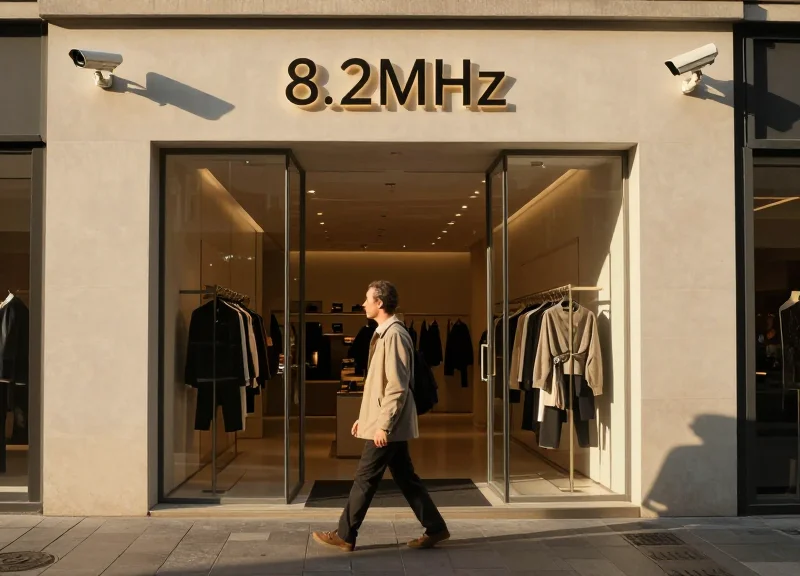
Stress testing for 8.2MHz RF systems is the critical final validation process that confirms the system's ability to maintain a high detection rate while remaining completely inert to background environmental noise. This phase moves beyond bench-top tuning to verify that the Digital Signal Processing (DSP) adjustments made in previous steps hold up against the dynamic, 'noisy' reality of a live retail environment, specifically focusing on a 24-to-48-hour 'Tag-Free' soak test to ensure zero ghost alarms occur when no merchandise is present.
- The 24-Hour Tag-Free Soak Test: Clear the pedestal area of all tagged merchandise within a 3-meter radius. Power the system on and monitor it for a full day cycle. Any alarm triggered during this period is a confirmed 'ghost alarm,' indicating that the sensitivity threshold or frequency synchronization still requires minor attenuation.
- Multi-Angle Orientation Testing: Test detection using a standard 4x4 hard tag and a soft label. You must pass through the pedestals with the tag in three orientations: vertical, horizontal, and flat-parallel to the antenna. A successful system should detect at least 95% of passes at the center point between pedestals.
- Peak-Load Interference Check: Conduct final testing during the store's peak hours when HVAC systems, automatic doors, and high-intensity LED displays are all active. These devices create transient EMI that might not be present during after-hours tuning.
| Test Parameter | Target Metric | Failure Condition |
|---|---|---|
| Ghost Alarm Rate | 0 alarms / 24 hours | Any unprovoked trigger |
| Detection Consistency | >95% on all axes | <90% detection at center |
| Alarm Duration | 2.0 - 3.0 Seconds | Continuous or 'Latching' alarm |
| Pick-up Range | Standard Aisle Width | Dead zones at floor level |
Expert Insight: The 'Commuter Hour' Stressor. In dense urban retail layouts, 8.2MHz systems often fail not because of internal store noise, but because of external 'dirty power' spikes. We recommend monitoring the system specifically during the 7:00 AM - 9:00 AM window. This is when local power grids experience massive surges as neighboring businesses activate heavy machinery and climate control systems, which can introduce harmonic distortion into your security pedestals' power supply.
Why does my system only alarm when the automatic doors open?
This is usually caused by the motor's brush noise or the proximity of the door's metal frame moving through the RF field. In Phase 5, you must adjust the 'gate timing' or slightly reduce the sensitivity on the pedestal closest to the door.
Is a 100% detection rate possible?
While 100% is the goal, physics dictates that 'dead spots' can occur due to tag orientation (the 'edge-on' effect). A professionally tuned system should achieve 95-98% reliability; pushing for 100% often leads to over-sensitivity and the return of ghost alarms.
How often should field validation be repeated?
We recommend a 'mini-validation' every six months or whenever the store layout changes, as shifting metal fixtures or new electronic displays can alter the RF environment significantly.
The Role of High-Quality Shielding in Preventing Signal Bleed
In 8.2MHz RF systems, high-quality shielding refers to the strategic use of high-conductivity materials, such as copper foil or nickel-plated steel enclosures, to isolate internal circuitry from external electromagnetic interference (EMI). This 'passive hardening' prevents signal bleed—the phenomenon where stray frequencies from nearby LED drivers, power cables, or adjacent EAS systems penetrate the receiver's housing. By establishing a localized Faraday cage around the Digital Signal Processing (DSP) core, premium hardware components ensure that only signals captured by the antenna's primary loop are processed, significantly reducing the 'ghost alarms' common in high-density retail environments.
| Feature | Generic/Standard Shielding | DragonGuard Premium Shielding |
|---|---|---|
| Material Type | Single-layer aluminum or plastic coating | Multi-layer high-grade copper or Mu-metal |
| EMI Attenuation | Up to 20dB (Poor) | Over 60dB (Excellent) |
| Signal-to-Noise Ratio | Highly variable, prone to jitter | Stable and high SNR for clear tag detection |
| Component Isolation | Minimal; board-level cross-talk common | Individual compartmentalized shielding for DSP |
Why does signal bleed happen more frequently in dense retail layouts?
Dense layouts involve a high concentration of electronic noise sources like POS systems, neon signage, and hidden structural wiring. Without premium shielding, the 8.2MHz antenna acts as a giant microphone, picking up every electrical 'spark' in the vicinity as if it were an EAS tag signal.
Can software tuning fix issues caused by poor hardware shielding?
Software tuning is a filter, not a cure. If the hardware lacks proper shielding, the noise floor is too high for Digital Signal Processing (DSP) to distinguish between a weak tag signal and environmental noise. High-quality hardware shielding provides the clean data stream that makes advanced software filters effective.
What is the specific advantage of DragonGuard's component-level shielding?
Unlike generic systems that use a single external plastic shell, DragonGuard hardware utilizes secondary shielding on the PCB level. This prevents internal interference between the power supply module and the sensitive receiving oscillators, virtually eliminating self-generated ghost alarms.
Expert Insight: Beware of the 'Phantom Gain Fallacy.' Many technicians attempt to eliminate ghost alarms by simply reducing the sensitivity (gain) of the system. While this stops the false alarms, it creates a 'blind spot' in the center of the aisle where small or poorly-positioned tags will no longer trigger the system. Premium hardware shielding allows you to maintain high sensitivity—and thus maximum security coverage—by blocking the external noise that would otherwise necessitate a gain reduction. In technical terms, hardware shielding is the only way to improve the true Signal-to-Noise Ratio (SNR) rather than just masking a high noise floor.
Troubleshooting Checklist for Post-Tuning Maintenance
Effective post-tuning maintenance for 8.2MHz RF systems involves a systematic verification of environmental variables and hardware stability to ensure that the calibrated sensitivity thresholds remain valid amidst the dynamic nature of a retail floor. Regular auditing prevents the 'sensitivity creep' that often leads to ghost alarms when external factors like new electronic signage or metal fixtures are introduced after the initial technical setup.
| Interval | Action Item | Technical Goal |
|---|---|---|
| Daily | Reference Tag Verification | Ensure detection consistency across the walk-path. |
| Weekly | Peripheral Electronics Audit | Identify new 8.2MHz interference from LED drivers or screens. |
| Monthly | Physical Connection Integrity | Check for loose bolts or oxidized ground wires causing 'microphonic' noise. |
| Quarterly | Power Supply Load Test | Verify the SMPS is delivering clean, ripple-free DC current. |
- The 1.5-Meter Clean Zone Sweep: Verify that no new metal-framed displays or 'active' merchandise (electronics) have been moved within 1.5 meters of the antennas, as these can distort the RF field or increase noise floors.
- Synchronicity Pulse Check: If multiple systems are in use, check that the sync cables are still seated firmly; a single loose sync connection is the most common cause of systemic ghost alarms in dense layouts.
- DSP Log Review: If your system supports a data port, review the Digital Signal Processing (DSP) error logs to identify specific times of day when noise spikes occur, which usually points to scheduled mall lighting or HVAC activity.
Why are my pedestals alarming at exactly 9:00 AM?
This is typically 'Environmental Wake-up.' Check for mall-wide lighting systems or nearby digital kiosks that power on simultaneously with your store opening.
Can floor cleaning equipment affect tuning?
Yes. Large floor scrubbers generate massive electromagnetic fields. If alarms occur during cleaning, ensure the system is tuned with a 'Noise Margin' that accounts for transient industrial equipment.
What should I do if detection range drops suddenly?
Check your tag inventory. 'Tag Fatigue' or poor quality batches can lose resonance. Test with a known 'Gold Standard' tag to see if the issue is the hardware or the consumables.
Expert Insight: The 'Proximity Variable' is the silent killer of RF stability. In my 20 years of Silicon Valley hardware deployments, I've observed that seasonal 'Pop-up' metal displays are the leading cause of system degradation. Even if the display isn't touching the antenna, a large metal mass changes the 'Q-factor' of the antenna loop. Always perform a 'Stress Retest' whenever the store layout changes by more than 20% to account for these shifts in electromagnetism.