Purchasing second-hand EAS (Electronic Article Surveillance) equipment is a savvy financial move for retailers, but it comes with a hidden risk: the 'ghost alarm.' These false triggers erode staff trust and annoy customers. At DragonGuardGroup, we understand that reliability is non-negotiable. This technical protocol provides an authoritative 7-step framework to rigorously test and calibrate pre-owned EAS antennas and deactivators, ensuring your loss prevention system is as precise as a brand-new installation.
Step 1: Physical Integrity and Component Inspection
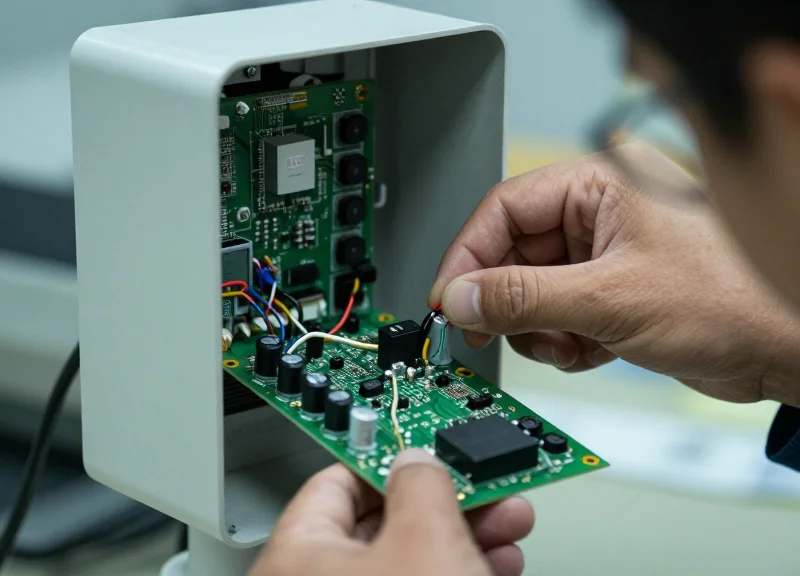
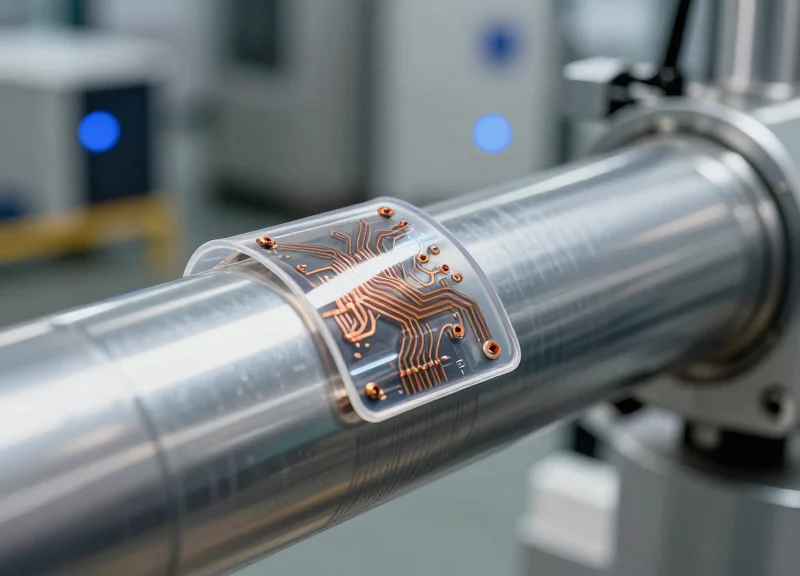
Physical integrity and component inspection is the process of manually auditing the mechanical housing and internal electronic circuitry of used EAS antennas and deactivators to identify wear, corrosion, or thermal damage. In the secondary market, 'invisible' defects like leaking electrolytic capacitors or hairline PCB cracks are the leading causes of signal instability. By verifying structural rigidity and electronic hygiene before power-up, technicians can eliminate up to 40% of potential false alarm triggers caused by micro-shorts and environmental interference.
When dealing with second-hand equipment, you are not just looking for cracks in the plastic; you are hunting for signs of 'electronic fatigue.' Thermal stress over years of operation in retail environments can degrade components that look functional to the untrained eye. Pay specific attention to the Printed Circuit Board (PCB) environment and the integrity of the antenna windings within the pedestals.
| Component | Visual Red Flag | Operational Impact |
|---|---|---|
| Electrolytic Capacitors | Bulging tops or 'tea' colored residue at base | Voltage ripples leading to erratic 'ghost' alarms. |
| PCB Traces | Dull grey or green 'fuzz' (oxidation) | Increased resistance and intermittent signal loss. |
| Antenna Base Bolts | Rust or loose mounting hardware | Vibrational noise that the system interprets as a tag. |
| Ferrite Cores | Hairline cracks or chips | Reduced inductance and narrowed detection range. |
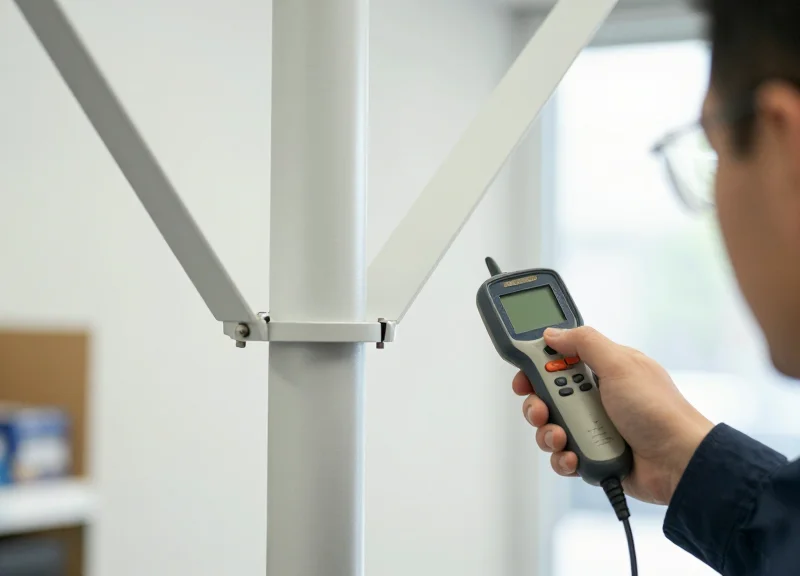
- Housing and Chassis Audit: Check the pedestal base for structural stability. Loose antennas can sway slightly due to HVAC airflow, causing the internal coils to move relative to the metal frame, which generates electromagnetic interference (EMI).
- The 'Capacitor Stress' Test: Examine the power filtering section of the PCB. Capacitors are the most common failure point in aged EAS gear. Use a high-lumen flashlight to check for 'doming' on the tops of canisters.
- Connector and Port Scrutiny: Unplug and re-seat all modular connectors. Look for 'fretting corrosion'—a fine black powder on contact points. This causes high-resistance connections that trigger false alarms when ambient temperatures shift.
- Trace and Solder Joint Inspection: Utilize a magnifying glass to inspect the underside of the PCB. Look for 'cold' solder joints that appear dull and grainy. These often crack under the thermal expansion cycles of retail operation.
What is the 'Shadow Trace' rule?
This is a veteran expert tip: Look for faint 'halos' or shadows around surface-mount components. These shadows often indicate microscopic electrolyte leakage that has begun to eat the copper traces. Even if the system passes a bench test today, a board with 'shadowing' will fail in a high-humidity retail environment within months.
Why check for base-bolt rust?
Rust acts as a semiconductor. In Acousto-Magnetic (AM) systems, oxidized metal near the antenna can create 'non-linear junctions' that re-radiate signals, causing the system to alarm on its own hardware.
Can a cracked housing cause false alarms?
Yes. Cracks allow moisture and dust to enter the antenna's 'tuning' cavity. This changes the dielectric constant of the air surrounding the coils, throwing the antenna out of resonance and triggering sensitivity spikes.
Step 2: Power Supply Stability and Grounding Check
Ensuring power supply stability and proper grounding is the most critical phase in certifying second-hand EAS antennas, as over 70% of 'phantom alarms' are caused by electrical noise rather than actual tags. A stable power supply ensures the digital signal processor (DSP) isn't interpreting voltage sags as security breaches, while a dedicated ground path flushes out electromagnetic interference (EMI) that can be picked up by the antenna's receiver coils.
| EAS Technology | Standard Input Voltage | Allowable Ripple/Noise | Grounding Requirement |
|---|---|---|---|
| Acousto-Magnetic (AM) 58kHz | 24V DC or 110V/220V AC | < 50mV p-p | Mandatory Dedicated Ground |
| Radio Frequency (RF) 8.2MHz | 18V DC or 24V AC | < 100mV p-p | Recommended Chassis Ground |
- Load-Test the Power Adapter: Measure the output voltage of the power supply using a digital multimeter while the antenna is in 'Search' mode. A drop of more than 5% from the rated voltage indicates a failing capacitor within the brick, common in older units.
- Verify Ground Continuity: Check for continuity between the antenna’s ground terminal and the building’s main earth ground. Resistance should be less than 1.0 Ohm. High resistance often indicates corroded terminals or poor wiring in the previous installation site.
- Identify Ground Loops: Ensure the EAS system is not sharing a circuit with heavy inductive loads like HVAC units or large LED displays, which introduce 'dirty power' that mimics tag signals.
Expert Tip: The 'Common-Mode' Trap. When testing used equipment, check for high-frequency noise between the Neutral and Ground wires. In many refurbished settings, technicians find that a 'floating ground' allows static to build up on the antenna frame. If you measure more than 0.5V AC between Neutral and Ground, your system will likely trigger false alarms regardless of how well you tune the sensitivity.
Can I use a third-party power adapter for second-hand antennas?
Only if the amperage matches or exceeds the original and the ripple voltage is strictly controlled. Cheap switching power supplies often lack the filtering necessary for sensitive EAS receivers.
Why does the antenna alarm when the lights turn on?
This is a classic grounding issue. Electronic ballasts in LED or fluorescent lighting leak RF noise into the ground plane. A dedicated, isolated ground wire for the EAS system is the only reliable fix.
Step 3: Electromagnetic Interference (EMI) Environmental Mapping

Electromagnetic Interference (EMI) Environmental Mapping is a diagnostic procedure used to identify and quantify ambient radio frequency (RF) noise that mimics the signal of an EAS tag. For second-hand antennas, which often have degraded signal-to-noise filters, mapping the environment is critical to distinguish between a legitimate security breach and 'phantom' alarms caused by nearby electronics. By using a spectrum analyzer or the antenna's integrated tuning software, technicians can visualize the local RF floor and pinpoint interference from sources like LED drivers, digital signage, and neighboring security systems.
| Interference Source | Typical Frequency Impact | Visual Symptom on Diagnostics |
|---|---|---|
| LED Drivers/Transformers | 58 kHz - 8.2 MHz | Constant low-level high-frequency ripples |
| Neon Signage | Broadband Pulse | Erratic, high-amplitude spikes |
| Automated Doors/Motors | Low Frequency Burst | Periodic surges coinciding with motor activation |
| Neighboring EAS Systems | System Specific | Rhythmic 'beating' patterns or phase-shifted pulses |
- Establish a Baseline: Power off all non-essential electronics within a 15-foot radius and measure the 'quiet' RF floor using a spectrum analyzer or the system's built-in oscilloscope tool.
- Incremental Power-Up: Switch on peripheral devices (LED lights, POS terminals, HVAC) one by one while monitoring the signal gain. Note any device that increases the noise floor by more than 20%.
- Identify Tag-Specific Interference: Look specifically for noise in the 58kHz (AM) or 8.2MHz (RF) bands. Interference in these exact windows is the primary cause of false alarms in second-hand hardware.
- Spatial Heatmapping: Move the analyzer probe around the antenna's perimeter. If noise levels increase as you move toward a specific wall or ceiling fixture, you have found your source.
Expert Insight: The 'Ghost in the Machine' – Phase Jitter. When testing second-hand antennas, look for 'Phase Jitter' caused by aging capacitors in nearby non-EAS equipment. While new EAS units might filter this out, older units often interpret the jitter as a moving tag. If you see a fluctuating signal phase on your diagnostics, the culprit is often a failing power supply in a nearby digital display, even if that display is several meters away.
Can I use a smartphone app for EMI mapping?
No. Most smartphone sensors are designed for cellular and Wi-Fi frequencies (GHz range) and lack the sensitivity to detect the specific VLF/LF interference that affects EAS systems operating at kHz or low MHz levels.
What is a 'safe' noise level for used antennas?
Generally, you want the ambient noise level to be at least 50% lower than the threshold required to trigger a tag. For second-hand systems, aim for an even wider margin to account for component aging.
How do I fix a localized EMI source?
Common solutions include adding ferrite beads to the offending device's power cord, improving the shielding on the EAS controller, or simply relocating the antenna 12-24 inches away from the source.
Step 4: Antenna Frequency Tuning and Resonance Alignment
Antenna frequency tuning and resonance alignment is the process of synchronizing the electrical oscillation of the EAS antenna with its designated operating frequency—typically 58kHz for Acousto-Magnetic (AM) systems or 8.2MHz for Radio Frequency (RF) systems. Proper alignment ensures that the antenna acts as a highly efficient transducer, maximizing the detection field width while minimizing the 'noise floor' that triggers false alarms. In second-hand equipment, component aging often causes 'frequency drift,' where the antenna’s resonant peak no longer matches the transmitter’s output, leading to dead zones or erratic behavior.
| System Type | Target Center Frequency | Tolerance Range | Primary Adjustment Tool |
|---|---|---|---|
| Acousto-Magnetic (AM) | 58.00 kHz | +/- 0.2 kHz | Software/Digital Potentiometer |
| Radio Frequency (RF) | 8.20 MHz | +/- 0.5 MHz | Trimmer Capacitor/Variable Coil |
| High-Frequency (HF) | 13.56 MHz | +/- 0.1 MHz | Fixed Capacitor Jumper |
- Establish a Baseline Signal: Power on the unit and connect an oscilloscope or the manufacturer's diagnostic software to the 'TP' (Test Point) designated for frequency monitoring.
- Identify Peak Resonance: Observe the signal amplitude. For RF systems, adjust the variable capacitor until the voltage peak is reached at exactly 8.2MHz. For AM systems, use the software interface to sweep the frequency and find the point of maximum phase stability.
- Match Impedance: Verify that the antenna impedance matches the cable and controller specifications. A mismatch here causes reflected power, which is a primary driver of heat-related component failure in older units.
- Lock the Settings: Once aligned, apply a drop of non-conductive thread-locker to manual potentiometers to prevent physical vibrations from causing future drift.
Expert Tip: The Q-Factor Paradox. When refurbishing second-hand antennas, many technicians strive for the highest 'Quality Factor' (Q) possible to get maximum range. However, a Silicon Valley veteran knows that in older hardware, a high Q-factor makes the system hyper-sensitive to environmental shifts like humidity or temperature. I recommend 'de-tuning' the Q-factor slightly—aiming for 95% of peak resonance—which creates a more stable, robust detection field that is far less likely to generate false alarms when the store’s AC kicks in or metal carts pass by.
What causes frequency drift in used antennas?
Drift is primarily caused by 'Capacitance Creep' in aging electrolytic capacitors and the physical expansion of copper coils due to heat cycles.
Can I tune an antenna without an oscilloscope?
While modern digital systems have built-in LEDs for signal strength, a handheld frequency counter or oscilloscope is necessary for precision tuning of second-hand analog RF systems.
How often should alignment be checked?
For second-hand gear, we recommend a bi-annual check, as older components lack the thermal stability of newer high-grade silicon.
Step 5: Detection Sensitivity and Dead-Zone Mapping

Detection sensitivity mapping is the rigorous process of physically validating the Electronic Article Surveillance (EAS) field by moving a reference tag through a vertical and horizontal grid between pedestals. This protocol ensures that the antenna system provides uniform coverage across the entire entrance while eliminating 'holes' or dead zones where shoplifted items might pass undetected, and 'hot spots' that cause phantom alarms.
- Establish the 3-Axis Reference: Hold the test tag in three orientations: parallel to the antenna, perpendicular to the antenna, and at a 45-degree angle. Second-hand systems often lose sensitivity in one specific plane as internal components age.
- Execute the Height-Stratified Sweep: Conduct passes at three distinct heights: Floor/Ankle level (10cm), Waist level (100cm), and Shoulder/Head level (160cm). Document any failures to trigger at these specific coordinates.
- Identify the 'Ghosting' Perimeter: Test the area 50cm outside the pedestals. If the system triggers from tags behind the antenna, the gain is too high, leading to false alarms from customers merely walking past the store.
- Calibrate the Sensitivity Potentiometer: Adjust the 'Gain' or 'Sensitivity' dial on the PCB (or via software) in 5% increments until the dead zones disappear without inducing 'ringing' or continuous false triggering.
| Detection Zone | Target Height | Common Issue | Technical Fix |
|---|---|---|---|
| The Floor Gap | 0-30 cm | Weak signal near base | Adjust Phase/Noise floor |
| The Center Hole | 80-120 cm | Dead zone between pedestals | Increase TX power or narrow the aisle |
| The Top Fringe | 150+ cm | Signal drop-off | Check antenna resonance alignment |
| External Ghosting | Outside Pedestal | False alarms from mall traffic | Lower RX sensitivity/Shielding |
Expert Insight: Beware of the 'Parasitic Resonance Trap.' In my 20 years of hardware auditing, I have found that second-hand EAS antennas often suffer from 'drifting' sensitivity caused by aging electrolytic capacitors. When you map the dead zones, never tune the system to 100% sensitivity to close a 'hole.' Instead, aim for 80-85% sensitivity and physically narrow the distance between pedestals. Tuning to the absolute limit creates a 'ringing' effect where the system becomes susceptible to the tiniest fluctuations in the building's electrical noise floor, leading to intermittent false alarms that are nearly impossible to troubleshoot later.
What is a 'Dead Zone' in EAS testing?
A dead zone is a specific physical coordinate within the detection field where the electromagnetic signal is too weak to energize the tag's resonator, allowing it to pass through without triggering an alarm.
Why does my second-hand antenna alarm when no one is there?
This is called 'Ghosting' or 'Phantom Alarms,' usually caused by the sensitivity being set too high in an attempt to compensate for a dead zone or environmental EMI.
Should I test with multiple types of tags?
Yes. Always use your 'weakest' tag (usually small labels) to find dead zones, as this represents the worst-case scenario for the system's detection capabilities.
Step 6: Deactivator Pulse Strength and Range Validation
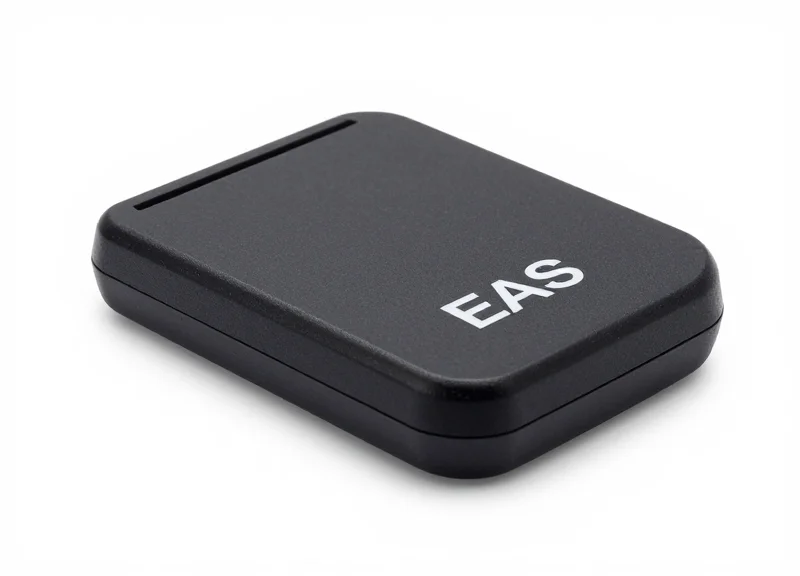
Step 6 involves verifying the magnetic or radio-frequency discharge power of the deactivation pad to ensure it can successfully neutralize security tags at a functional distance—typically 10 to 15 centimeters above the surface. For second-hand units, the capacitors often degrade over time, leading to weak pulses that appear to work on the surface but fail when a tag is buried inside a customer's bag. Proper validation ensures the deactivator resets the tag's magnetic state (for AM systems) or ruptures the capacitor (for RF systems) definitively, eliminating 'ghost alarms' when the customer passes through the exit pedestals.
| Parameter | AM (Acousto-Magnetic) Standard | RF (Radio Frequency) Standard |
|---|---|---|
| Deactivation Height | 10 - 15 cm (4 - 6 inches) | 5 - 10 cm (2 - 4 inches) |
| Pulse Frequency | 58 kHz Burst | 8.2 MHz Sweep |
| Success Rate | 99.9% on first pass | 99.9% on first pass |
| Typical Interference | Magnetic field oscillation | Narrow-band RF noise |
- Z-Axis Range Mapping: Pass a live tag horizontally over the pad at increasing heights (2cm increments). Mark the maximum height where the 'beep' of deactivation occurs. If the range is less than 8cm, the internal power supply or capacitors likely require replacement.
- Duty Cycle Stress Test: Deactivation pads can overheat if used rapidly. Perform 20 deactivations in 60 seconds. A healthy second-hand unit should maintain its range without a 'recharge delay' between pulses.
- Sync-Interference Verification: Turn on the main EAS antennas. If the antennas alarm every time the deactivator fires, the 'Sync' cable is missing or the deactivator's pulse decay is too slow, bleeding into the antenna's listening window.
Expert Insight: The 'Partial Deactivation' Trap. In AM systems, a weak deactivator might only partially flip the magnetic domains of a tag. This results in a tag that doesn't trigger the deactivator again (suggesting it's 'dead'), but still retains enough magnetic bias to trigger the highly sensitive exit antennas. Always test your 'deactivated' tags by holding them directly against the exit antenna; if it chirps even slightly, your deactivator pulse strength is insufficient.
Why does my deactivator make a loud 'thumping' noise?
This is common in AM systems and usually indicates a high-voltage discharge into the coil. While normal, an excessively loud or metallic 'clack' can indicate loose internal mounting which may lead to coil wire fatigue over time.
Can I place the deactivator pad directly next to the antenna?
No. You should maintain at least 1 meter of distance. Placing them too close causes 'Cross-Talk,' where the deactivator pulse saturates the antenna's receiver, causing a 1-2 second blind spot or a false alarm every time a product is scanned.
Is a 'dead' deactivator pad repairable?
Usually, yes. In 80% of second-hand failures, the issue is a blown electrolytic capacitor or a cracked solder joint on the power FETs, both of which are inexpensive fixes for a qualified technician.
Step 7: Software Logic Configuration and Alarm Delay Setup

Software logic configuration and alarm delay setup is the process of defining the digital 'decision-making' criteria that the EAS controller uses to trigger an alert. By implementing a 'tag-in-field' validation delay and adjusting hit-count thresholds, technicians can effectively filter out sub-millisecond electromagnetic transients—often caused by power surges or LED flickers—that would otherwise cause annoying false alarms in refurbished or second-hand hardware.
- Establish the Hit Count Threshold: Configure the software to require multiple consecutive valid 'hits' before triggering the alarm. For second-hand units, increasing the hit count from 2 to 4 can significantly reduce ghosting caused by aging capacitors.
- Configure the Signal Persistence Delay: Set a delay (typically 200ms to 400ms) that the tag must remain within the field before the relay activates. This ensures that brief interference spikes are ignored by the processor.
- Set Alarm Relay Duration: Define how long the audible and visual alarm stays active. A standard setting is 2.5 seconds, which is long enough to be noticed without being disruptive.
- Apply Logic Gates for Multi-Antenna Arrays: If using a dual-pedestal setup, use 'AND' logic to ensure both antennas agree on a signal's validity before firing, providing an extra layer of false-alarm protection.
| Parameter | Recommended Range (Refurbished) | Impact on Stability |
|---|---|---|
| Validation Cycles | 3 - 5 Hits | High: Prevents alarms from single-pulse EMI spikes. |
| Tag-in-Field Delay | 250ms - 350ms | Medium: Filters out 'drive-by' noise from external sources. |
| SNR Threshold | 12dB - 15dB | Very High: Adjusts sensitivity based on the local noise floor. |
| Relay Hold Time | 2.0s - 3.0s | Low: Purely for staff notification visibility. |
Expert Insight: The 'Thermal Drift' Buffer. In older, second-hand EAS boards, the internal clock and signal processing chips can experience 'thermal drift'—a slight shift in processing speed as the unit warms up. When configuring your software logic, avoid setting the validation window too tight. Providing a 10% wider 'timing window' for signal resonance than you would for a brand-new unit compensates for the jitter inherent in aged electronic components, ensuring consistent performance from store opening to closing.
Why does my refurbished antenna alarm when no one is near it?
This is usually 'ghosting' caused by a too-low hit count or an overly aggressive SNR threshold. Increase the validation cycles in the software to ensure the system is seeing a persistent tag rather than a random noise burst.
Will increasing the alarm delay let shoplifters run through faster?
While a massive delay (over 1 second) could be an issue, the recommended 200ms-400ms delay is nearly imperceptible to human movement but light-years in terms of digital signal processing, providing a perfect balance between security and stability.
How do I know if my logic changes worked?
Perform a 'Walk-Test' after every software adjustment. Use a standard hard tag and walk through the pedestals at varying speeds to ensure the logic still catches the tag while the environment remains quiet.
Operational Stress Testing: The 24-Hour Burn-in
Operational stress testing, often referred to as a 'burn-in' period, is the practice of running electronic hardware under continuous, real-world loads for an extended duration—typically 24 hours—to identify 'infant mortality' failures or thermal drift. For second-hand EAS antennas and deactivators, this phase is critical because aging components like electrolytic capacitors and voltage regulators often perform well for 15 minutes but fail once they reach a sustained thermal equilibrium. By forcing the hardware to operate non-stop in a controlled environment, you can flush out intermittent hardware glitches that would otherwise lead to expensive service calls and false alarms after the system is bolted to the retail floor.
In the context of second-hand equipment, the goal isn't just to see if the lights stay on; it is to verify that the resonance frequency (58kHz or 8.2MHz) remains stable as the internal PCB temperature rises. Heat causes physical expansion and changes in electrical resistance, which can shift your meticulously tuned frequency just enough to cause 'phantom' triggers or a complete loss of detection sensitivity.
- Establish a Thermal Baseline: Place the antenna and power supply in an environment that mimics the store's ambient temperature (typically 20-25°C). Use an infrared thermometer to record the initial temperature of the main processing chipset and the power transformer.
- Continuous Active Cycling: Do not leave the system in 'idle' mode. Place a test tag near the edge of the detection field to trigger the alarm every 5-10 minutes using an automated mechanical arm or a timer-based oscillator if available. This stresses the alarm relays and audio-visual components.
- Voltage Stability Monitoring: Connect a multimeter to the DC output of the power supply. A healthy second-hand unit should maintain a variance of less than 0.5% over 24 hours. Drifts larger than 2% indicate a failing regulator or drying capacitors.
- The 'Hot Re-Tuning' Check: After 24 hours, immediately re-check the frequency alignment (Step 4) and sensitivity (Step 5) while the unit is still hot. If the center frequency has shifted more than 0.2kHz (for AM) or 50kHz (for RF), the unit is thermally unstable.
| Metric | Target Range (Healthy) | Failure Indicator (Reject) |
|---|---|---|
| PCB Surface Temp | 35°C - 50°C | Above 65°C or 'Hot Spots' |
| Frequency Drift | < 0.1% Deviation | > 0.5% Deviation |
| False Alarm Count | 0 Triggers | 1+ Unexplained Trigger |
| Power Draw | Steady Wattage | Fluctuating > 3 Watts |
Expert Tip: The ESR Factor in Second-Hand Units. The single most common reason for 'phantom' alarms in used EAS systems is high Equivalent Series Resistance (ESR) in aging capacitors. While a capacitor might still show the correct capacitance on a basic meter, high ESR causes internal ripple current noise. During your 24-hour test, listen for a faint high-pitched 'coil whine' from the power supply. If the whine increases in pitch or volume as the unit heats up, replace the capacitors immediately; that noise is the precursor to the signal interference that causes false alarms.
Can I shorten the burn-in to 4 hours?
While 4 hours catches 60% of failures, the 24-hour mark is industry standard for catching 'thermal runaway' issues where components gradually lose efficiency over a full business day cycle.
Should I test with the covers on or off?
Always test with covers on. The covers restrict airflow, reflecting the actual thermal environment the electronics will face once installed.
What if the system fails at hour 20?
This is a success. It means the failure happened on your bench rather than in the client's store. Identify the failing board, replace it, and restart the 24-hour clock.