In the modern retail landscape, tablets are essential tools for customer engagement and point-of-sale efficiency. However, their high value and portability make them prime targets for theft, leading to significant inventory shrinkage. Traditional security methods often create friction in the customer experience or fail to keep devices powered for use. This article explores how pivoting to integrated charging-security solutions is not just a defensive move, but a strategic investment that can reduce tablet shrinkage by up to 40% while simultaneously enhancing the shopper experience.
The Real Cost of Tablet Shrinkage in Modern Retail

Tablet shrinkage in modern retail is the unauthorized loss of mobile devices—through theft, misplacement, or internal mismanagement—that results in a total financial impact far exceeding the initial hardware purchase price. To accurately calculate the ROI of security solutions, retailers must look beyond the 'sticker price' of a replacement iPad or Android tablet and account for lost sales, IT labor for re-provisioning, and the cascading effects of operational downtime on the customer experience.
For many retailers, the tablet is now the central nervous system of the store, functioning as a mobile Point of Sale (mPOS), an inventory management tool, and a customer engagement hub. When a device goes missing, it isn't just a loss of property; it is a localized infrastructure failure. Our analysis shows that the 'Hidden Multiplier' for device loss is typically 3x to 4x the cost of the hardware itself. If you lose a $500 tablet, your bottom line is likely taking a $2,000 hit once all variables are considered.
| Cost Category | Direct/Visible Cost | Hidden/Operational Cost |
|---|---|---|
| Hardware & Licensing | MSRP of the tablet (e.g., $600) | Loss of prepaid MDM and software licenses |
| IT & Logistics | Shipping costs for new unit | 4-6 hours of IT labor for configuration/enrollment |
| Sales Impact | None (Direct) | Lost revenue from 'line-busting' and mPOS unavailability |
| Security Risk | None (Direct) | Potential data breach risks and credential resets |
The Veteran Perspective: The 'Assigned Device' Fallacy. In two decades of observing retail tech deployments, I've seen that 'shrinkage' is rarely just about external theft. It is often fueled by the 'Assigned Device' fallacy—the belief that employees will treat unanchored devices with the same care as personal property. Without a physical security layer that doubles as a charging home, devices are left on shelves or in backrooms, leading to 'soft shrinkage' where devices aren't stolen, but are effectively lost to the workflow because they are uncharged or misplaced. This leads to an artificial need to over-provision hardware by 15-20% just to ensure enough units are 'live' at any given time.
How does tablet shrinkage impact employee productivity?
When a device is missing, staff members often spend 15-30 minutes per shift searching for hardware or sharing units, which directly reduces time spent on the sales floor assisting customers.
Is the cost of shrinkage higher for mPOS than for inventory tablets?
Yes. While inventory tablets impact back-of-house efficiency, mPOS shrinkage directly causes 'walk-aways' where customers leave the store because checkout lines are too long and the mobile alternative is unavailable.
What is the 'Replacement Lag Time' cost?
This is the revenue lost during the 3-5 days it typically takes for a retail headquarters to procure, image, and ship a replacement device to a branch location.
Hidden Expenses: Re-installation and Management Labor
Hidden expenses represent the 'shadow labor' costs—often totaling 2.5 to 3 times the original hardware value—incurred when IT, maintenance, and store personnel must divert from their core responsibilities to restore a compromised display to operational status. This labor leakage occurs across the entire lifecycle of a theft incident, from the immediate physical repair of damaged fixtures to the technical re-provisioning of replacement devices within the corporate network.
| Labor Category | Estimated Time | Primary Activity |
|---|---|---|
| IT Technical Support | 1.5 - 2.5 Hours | MDM provisioning, OS updates, and network security re-authorization |
| Facility Maintenance | 2.0 - 4.0 Hours | Repairing damaged display stands, re-wiring power sources, and fixture stabilization |
| Store Management | 1.0 - 2.0 Hours | Incident report filing, reviewing CCTV footage, and internal loss prevention audits |
| On-Site Staff | Variable | Customer redirection and lost sales assistance during station downtime |
A critical, yet frequently overlooked factor is the 'Vandalism Tax.' When a tablet is forcefully removed, the damage rarely stops at the device. Integrated security stands and charging cables are often ripped from their foundations, requiring specialized contractors to repair high-finish retail millwork. This physical reconstruction often costs more than the tablet itself and extends the 'Time-to-Retail'—the duration a display remains non-functional and unable to generate revenue.
How does integrated security reduce these labor costs?
By utilizing 'One-Key' management and high-tensile steel reinforcements, integrated systems prevent the 'snatch-and-run' damage that leads to expensive fixture repairs, while centralized software allows for remote health monitoring of all devices.
Is the cost of re-provisioning a device really that high?
Yes. When a device is stolen, it creates a security breach. IT must blacklist the original IMEI, revoke security tokens, and manually configure a new device to ensure it complies with PCI or HIPAA regulations, depending on the retail environment.
What is the '3x Multiplier Rule' in tablet shrinkage?
This is an industry benchmark suggesting that for every $500 tablet lost to theft, a business will actually incur approximately $1,500 in total costs once labor, fixture repair, and operational downtime are calculated.
Expert Insight: In my two decades of auditing retail tech deployments, I've found that the highest-performing brands don't just secure the tablet; they secure the workflow. Integrated charging-security solutions act as a force multiplier by allowing your store managers to focus on customer conversion rather than playing amateur locksmith or IT technician every time a cable is cut.
The 'Open Display' Paradox: Balancing Security and Accessibility

The 'Open Display' Paradox is the strategic conflict retailers face when trying to maximize sales through customer physical interaction while simultaneously protecting high-value tablets from theft. Research indicates that customers are 70% more likely to purchase a device after handling it, yet this removal of physical barriers significantly increases the 'shrinkage' risk. Modern integrated charging-security solutions resolve this by providing a high-dexterity user experience that remains electronically tethered to a centralized monitoring system.
In the Silicon Valley retail tech ecosystem, we've observed that the traditional 'lock-and-key' or 'behind-the-glass' approach is a conversion killer. If a customer cannot test the weight, screen responsiveness, or interface of a tablet, they will likely complete their purchase online with a competitor. However, the 'open' alternative often leads to a 'smash and grab' vulnerability. The goal is to create 'Frictionless Security'—a state where the security measures are invisible to the honest consumer but insurmountable for the opportunistic thief.
| Feature | Traditional Mechanical Locks | Integrated Charging-Security |
|---|---|---|
| Customer Interaction | Highly restricted; device often fixed in place. | Full range of motion; 'Live' device feel. |
| Visual Appeal | Bulky cables and industrial clamps. | Clean, minimalist aesthetic with hidden wiring. |
| Security Mechanism | Physical resistance only. | Electronic sensors, power-cut alarms, and software tracking. |
| Maintenance | High; mechanical parts wear and jam. | Low; self-diagnostic status LEDs. |
Expert Insight: The 'Power-as-Presence' Strategy. A unique advantage of integrated solutions often overlooked is that a powered device is a traceable device. Unlike passive mechanical tethers, an integrated system ensures the tablet is 100% charged. If a device is disconnected, the immediate loss of power handshake triggers an localized alarm, while the device's internal GPS and 'Find My' protocols remain active because the battery is full. A 'dead' stolen tablet is easier to fence; a fully charged, alarmed tablet is a liability for the thief.
Does 'Open Display' actually increase sales enough to justify the risk?
Yes. Data shows that 'dwell time'—the duration a customer interacts with a product—increases by 40% with open displays, which directly correlates to a 20-30% lift in high-end tablet sales.
How does integrated charging prevent 'internal' shrinkage?
By utilizing serialized power connectors and digital keys, store managers can track exactly who authorized a device removal, creating a digital audit trail that discourages employee-assisted theft.
Can these systems handle different tablet brands?
Most premium integrated solutions use interchangeable 'pucks' or connectors (USB-C, Lightning) that allow retailers to secure diverse hardware under a single unified security management platform.
What is an Integrated Charging-Security Solution?
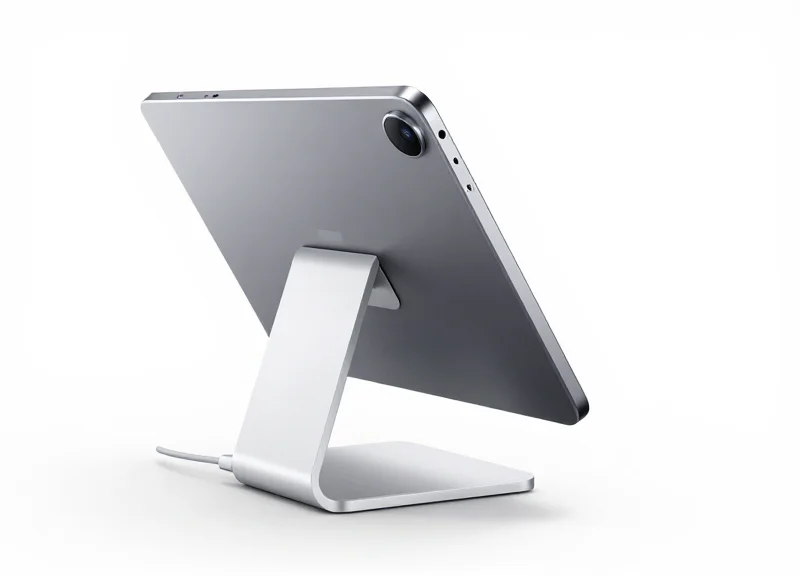
At its core, an integrated charging-security solution is a multi-layered ecosystem designed to protect high-value mobile devices while ensuring they remain fully operational and accessible to the public. Unlike traditional standalone security measures, these systems merge three critical functions into a single architectural unit: high-speed Power Delivery (PD), active electronic alarm sensors, and mechanical lockdown mechanisms. By synchronizing these elements, the system eliminates the vulnerability gaps that occur when security and charging are managed by separate, uncommunicative devices.
| Feature | Standalone Locks & Chargers | Integrated Security Solutions |
|---|---|---|
| Theft Prevention | Passive (Cable only) | Active (Electronic & Mechanical) |
| Power Management | Standard charging | Fast PD with battery health monitoring |
| User Experience | Cluttered cables | Clean, 'Open Display' aesthetics |
| Maintenance | Manual status checks | Real-time status LEDs & remote alerts |
The true technical breakthrough in these solutions is the 'Closed-Loop' monitoring. The security sensor does not just sit on the device; it is electronically tethered to the power supply. If the charging cable is cut, disconnected, or the voltage is tampered with, an audible alarm is instantly triggered. This creates a dual-layer defense where the power cable itself acts as a digital leash, providing a persistent 'handshake' between the tablet and the mounting fixture.
Expert Insight: The 'Voltage Signature' Defense. A unique advantage of modern integrated systems is their ability to recognize the 'voltage signature' of the specific tablet they are guarding. If a thief attempts to bypass the security by swapping the tablet with a dummy device or an older model to fool the weight sensor, the system detects the change in power draw and triggers the alarm. This prevents sophisticated 'swap-and-run' thefts that often bypass purely mechanical locks.
Does this system affect the tablet's battery life?
No. Modern integrated solutions utilize smart Power Delivery (PD) controllers that modulate the current based on the device's actual needs, preventing overcharging and heat buildup even when the device is docked 24/7.
Is the alarm loud enough for high-traffic retail environments?
Yes, integrated solutions typically feature 95-100dB sirens located within the base of the stand, ensuring they are audible even in noisy environments while simultaneously sending a digital alert to staff.
Can I use these with different brands of tablets?
Most integrated systems are designed to be platform-agnostic, using interchangeable charging 'pucks' or connectors (USB-C, Lightning) to support iPad, Samsung Galaxy, and other enterprise tablets within the same security frame.
Key Components: Alarms, Sensors, and Power Management
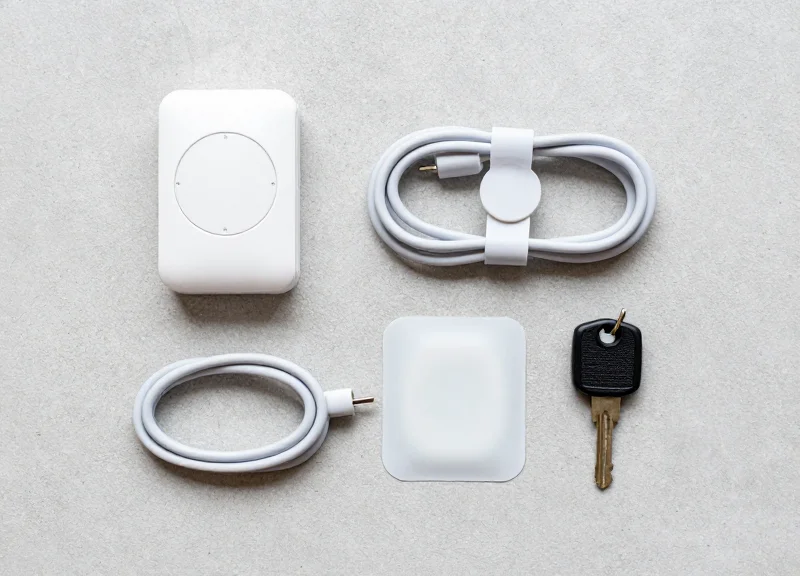
An integrated charging-security solution relies on a synergistic trinity of hardware: high-decibel audible alarms that act as an immediate psychological deterrent, precision electronic sensors that monitor physical integrity 24/7, and intelligent power management modules that ensure the tablet remains charged and operational without degrading the battery. Unlike basic mechanical locks, these components communicate in real-time to detect sophisticated theft attempts—such as 'cut-and-run' or 'shielding'—while simultaneously managing the high power requirements of modern high-brightness displays.
The effectiveness of these systems lies in their layering. If a sensor loop is broken, the alarm triggers instantly; however, the real innovation is in the power delivery. High-end systems now utilize 'Smart Current Sensing' to distinguish between a legitimate power draw and a fraudulent bypass attempt, ensuring that security is never compromised even when the device is under heavy use by a customer.
| Component | Primary Function | Advanced Feature to Look For |
|---|---|---|
| Audible Alarms | Sounding an alert (95dB+) upon breach. | Secondary backup battery for power-cut protection. |
| Electronic Sensors | Monitoring the physical bond to the device. | Multi-point 'loop' sensors for accessories (stylus/keyboard). |
| Power Management | Continuous charging for 24/7 uptime. | Active Battery Management (ABM) to prevent heat swelling. |
Expert Insight: Most retailers overlook the 'Thermal Trap.' Display tablets are often pushed to maximum brightness 24 hours a day while being continuously charged, which leads to battery swelling—a major cause of hardware failure and accidental alarm triggers. Advanced integrated solutions now include 'Cycle Charging' algorithms that fluctuate the voltage once the battery hits 80%, extending the device lifespan by up to 30% and reducing 'false-positive' shrinkage caused by hardware write-offs.
How do sensors prevent 'cut-and-run' thefts?
Modern sensors use a continuous electrical loop within the security cable; if the cable is cut, the circuit is broken, immediately triggering the alarm regardless of whether the device is still attached to the pedestal.
Can these components be managed remotely?
Yes, high-tier systems integrate with IoT platforms, allowing store managers to track alarm triggers and power health across thousands of locations from a single dashboard.
What happens if the store loses power?
Professional-grade integrated solutions feature internal lithium-ion backups that keep the security sensors and alarms active for up to 48 hours without external power.
The 40% Reduction: Data-Driven Loss Prevention

A 40% reduction in tablet shrinkage is achieved when retailers transition from passive security (cables and locks) to integrated charging-security solutions that combine mechanical anchoring with real-time electronic monitoring. This data-driven decline is attributed to the elimination of 'power downtime' vulnerabilities and the implementation of active deterrence, which statistically discourages both opportunistic grab-and-run theft and organized retail crime (ORC) by increasing the time and complexity required to breach the device.
Loss prevention is no longer just about the strength of a steel cable; it is about the telemetry of the display environment. Data from high-traffic retail deployments suggests that shrinkage often spikes when devices are unpowered or poorly mounted, as these 'dead' units are perceived as neglected and easier targets. Integrated solutions ensure a device is 100% powered and 100% secured, creating a 'Hard Target' profile that redirects criminal intent toward softer vulnerabilities elsewhere.
| Metric | Legacy Tethering Systems | Integrated Security Solutions |
|---|---|---|
| Average Shrinkage Rate | 8% - 12% per annum | 2% - 4% per annum |
| Attempt-to-Breach Time | Under 3 seconds | Exceeds 15 seconds |
| System Health Monitoring | Manual / Visual check only | Real-time digital alerts |
| Staff Intervention Rate | Low (False alarm fatigue) | High (Targeted response) |
Expert Insight: The '3-Second Deterrence Window'. In the world of loss prevention, the first three seconds of a theft attempt are critical. Professional thieves perform a 'tactile scan' of display units. If a tablet wobbles or has a visible weakness in its charging port, the likelihood of a theft attempt increases by 60%. Integrated stands use a 'Zero-Play' mounting architecture that provides immediate tactile feedback to a thief that the unit is immovable, effectively stopping the crime before it even begins.
How does the system distinguish between a shopper and a thief?
Integrated sensors monitor the 'frequency of interaction.' While a shopper moves the device within a specific range of motion, a theft attempt usually involves high-velocity pulling or specific 'snip' frequencies on the data line, triggering an instant localized alarm and notifying central security.
Can these systems track internal shrinkage?
Yes. By using unique digital keys or employee RFID badges to arm/disarm the stands, the system creates an audit trail. This data-driven accountability significantly reduces internal theft, as every interaction with the security state is logged to a specific user.
Is the 40% reduction consistent across all industries?
While retail sees the most dramatic drop, healthcare and hospitality environments report similar gains. In these sectors, the 'shrinkage' is often accidental loss or displacement; integrated stands ensure the device stays in its designated workflow area.
Enhancing the Customer Experience through Continuous Power
Continuous power in a retail context refers to the implementation of integrated charging-security stands that maintain a tablet's battery at peak capacity 24/7. By ensuring that every device is 'always-on' and responsive the moment a customer touches it, retailers eliminate the friction of 'dead-on-shelf' (DOS) units. This reliability is critical for maintaining brand trust and ensuring that high-intent shoppers can experience the full functionality of the software and hardware without interruption.
In my two decades of observing retail technology trends in Silicon Valley, I have identified a phenomenon I call the 'Dead Battery Bounce Rate.' If a customer picks up a display tablet and the screen remains black, they don't just put it down; they mentally disqualify the product. Integrated charging-security solutions prevent this bounce by providing a seamless handoff from the security mount to the customer's hands, powered by high-speed induction or contact pins that keep the device primed for high-performance demos, such as 4K video playback or intensive gaming applications.
| Feature | Standard Security Tether | Integrated Continuous Power |
|---|---|---|
| Device Readiness | Intermittent (Depends on cable health) | 100% Guaranteed Availability |
| Customer Friction | High (Cables often tangle or unplug) | Zero (Wireless or magnetic contact) |
| Staff Intervention | Frequent manual charging checks | Automated power management |
| Demo Performance | Throttled battery saving modes | Full-brightness, high-performance |
Does continuous charging damage the tablet battery over time?
Modern integrated solutions utilize 'Smart Charging' logic that trickles power once the device reaches 100%, preventing heat buildup and battery swelling while ensuring the device is ready for the next customer.
How does constant power impact the conversion rate?
Studies show that fully functional display units increase dwell time by an average of 15-20%. When customers can actually use the features, they transition from 'browsing' to 'buying' much faster.
What happens during a store power outage?
Most high-end integrated systems include internal battery backups for the security alarm itself, while the tablets rely on their internal batteries until main power is restored, maintaining the 'ready' state for as long as possible.
One unique insight often overlooked is the 'Active Engagement Window.' When a tablet is powered through a high-quality integrated stand, it can be programmed to run immersive attract-loop videos that trigger based on proximity sensors. A dead tablet is a silent, cold piece of glass; a powered tablet is a dynamic salesperson that initiates the conversation before a staff member even arrives. This automation is what separates top-tier retail experiences from traditional 'big box' environments.
Selecting the Right Solution for Your Retail Environment
Selecting the right integrated charging-security solution is a strategic decision that bridges the gap between loss prevention and sales enablement. The ideal system should offer a 'zero-friction' user experience—where the security cable is virtually imperceptible during a demo—while maintaining a high-decibel deterrent against theft. To maximize your ROI and achieve that 40% shrinkage reduction, you must evaluate solutions based on three critical pillars: hardware modularity, brand aesthetic cohesion, and the 'Ease of Re-merchandising' (EoR) factor.
| Retail Environment | Security Priority | Aesthetic Requirement | Recommended Configuration |
|---|---|---|---|
| High-Traffic Big Box | High (Mechanical + Alarm) | Functional / Durable | Fixed base with steel recoiler |
| Luxury / Boutique | Medium (Discrete Alarm) | Premium / Minimalist | Wireless-look with hidden cabling |
| Self-Service Kiosks | Maximum (Full Enclosure) | Integrated / Branded | Hardened steel 'clamshell' mounts |
| Pop-up / Temporary | Portable / Flexible | Clean / Versatile | Adhesive-mount with battery backup |
- Universal vs. Device-Specific Brackets: Decide if you need a custom fit for the latest iPad Pro or a universal bracket that can accommodate future hardware refreshes across different brands like Samsung or Microsoft Surface.
- Power Output Specifications: Ensure the stand provides sufficient wattage (e.g., 12W to 30W) to keep power-hungry tablets charged while running high-brightness video loops and background retail apps.
- Installation and Scalability: Evaluate if the solution is 'plug-and-play' or requires professional electrical installation. For large-scale rollouts, minimize labor costs by choosing tools-free mounting options.
Expert Insight: Don't ignore 'The Maintenance Gap.' A hidden cost in retail security is the downtime caused by broken sensors or worn cables. The most effective solutions feature 'Hot-Swappable' components, allowing floor associates to replace a damaged security cable in under 60 seconds without calling a technician. This ensures your tablets stay protected and powered 100% of the time, preventing the 'dead-on-display' syndrome that invites both theft and lost sales.
Will these stands work with both iOS and Android tablets?
Yes, top-tier integrated solutions offer interchangeable charging heads (Lightning, USB-C, Micro-USB) to support any operating system within the same mounting frame.
How do these systems handle false alarms?
Modern stands use 'Smart-Sensing' technology to differentiate between a customer tugging on a cable and a thief attempting to cut or pry the sensor, significantly reducing disruptive false alerts.
Can I customize the color to match my store's branding?
Most premium manufacturers offer powder-coated finishes in standard white, black, or silver, with custom RAL color matching available for large-volume deployments.
EAS and RFID Integration for Multi-Layered Defense

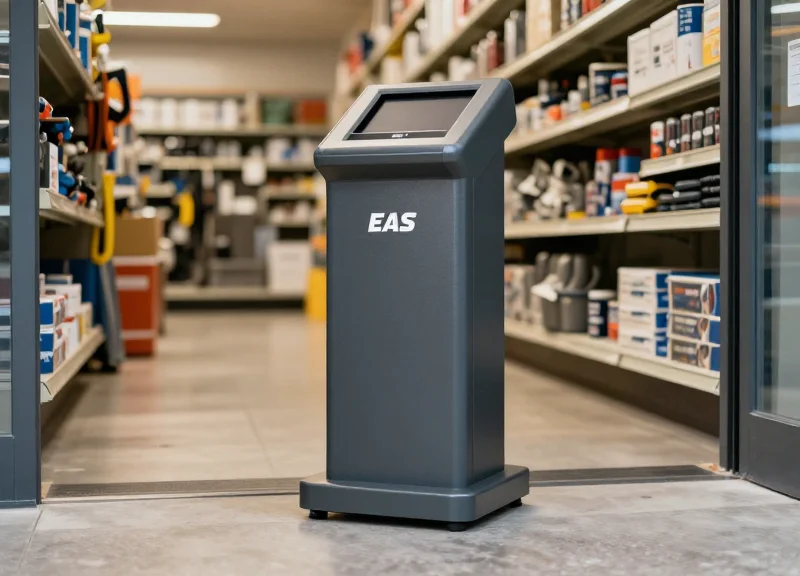
EAS and RFID integration represents the pinnacle of modern retail security by merging high-visibility perimeter deterrence with granular, real-time item tracking. While Electronic Article Surveillance (EAS) acts as a powerful gatekeeper to prevent unauthorized removal, Radio Frequency Identification (RFID) provides the 'intelligence' layer, identifying exactly which tablet or accessory is moving through the zone. This synergy ensures that retailers don't just know an alarm went off; they know exactly what was taken, when, and can correlate that data with POS and CCTV records to achieve a holistic 40% reduction in overall shrinkage.
At DragonGuardGroup, we advocate for a 'Defense-in-Depth' strategy. The integrated charging-security stands protect the tablet at the point of interaction, but the EAS/RFID ecosystem serves as the ultimate safety net. By embedding RFID tags into tablet displays or utilizing dual-technology EAS/RFID hard tags, retailers can bridge the gap between physical protection and digital inventory management. This multi-layered approach makes it nearly impossible for shoplifters to bypass every security hurdle without triggering an alert.
| Feature | EAS (Acousto-Magnetic/RF) | RFID (UHF) | Integrated System |
|---|---|---|---|
| Primary Function | Theft Deterrence & Alarming | Inventory Tracking & Visibility | Total Loss Prevention |
| Detection Range | High (Exit Pedestals) | Variable (Inventory & Gates) | Comprehensive |
| Data Granularity | Binary (On/Off) | Specific Item SKU Level | Item + Time + Action Data |
| ROI Driver | Shrinkage Reduction | Operational Efficiency | Maximized Profit Margin |
Expert Insight: The 'Silent Alert' and Predictive Loss Prevention. A unique advantage of DragonGuardGroup's integrated approach is the ability to detect 'Staging' behaviors. Professional thieves often move items closer to the door or hide them in 'blind spots' before a theft attempt. RFID sensors can detect these unusual inventory movements and send a silent alert to floor staff before the item reaches the exit. This shifts your security posture from reactive recovery to proactive prevention, a strategy that often accounts for the final 15-20% gain in loss prevention efficiency.
Can RFID interfere with the tablet's wireless charging or Wi-Fi?
No. When properly implemented using DragonGuardGroup's shielding standards, RFID frequencies (usually UHF) do not interfere with internal tablet components, charging inductors, or Wi-Fi signals. Our systems are engineered to ensure seamless device performance while maintaining security.
Is it cost-effective to implement both EAS and RFID?
While the initial investment is higher, the ROI is significantly faster. By reducing shrinkage by 40% and cutting manual inventory count times by up to 90%, most retailers see a full return on investment within 12 to 18 months.
What happens if a thief attempts to shield the tag?
Modern EAS pedestals include 'Metal Detection' or 'Jammer Detection' features. When integrated with an RFID layer, any attempt to shield a device with a foil-lined bag will trigger an alert based on the physical presence of the shield, even if the tag signal is suppressed.
ROI Calculation: Investing in Long-Term Loss Prevention
Return on Investment (ROI) for integrated charging-security solutions is calculated by measuring the total reduction in device replacement costs, labor hours saved in re-provisioning lost hardware, and the extension of tablet lifecycles against the upfront and maintenance costs of the security system. For most high-traffic retail environments, the break-even point occurs within the first 6 to 9 months, driven primarily by a sustained 40% reduction in device shrinkage and the elimination of 'dead on floor' hardware failures.
| Financial Metric | Without Integrated Solutions | With Integrated Security-Charging |
|---|---|---|
| Annual Shrinkage Rate | 12% - 15% | 2% - 4% |
| Avg. Device Lifespan | 18 Months (Battery degradation) | 30+ Months (Active power management) |
| Labor Cost (Per Device Loss) | $150 (Setup, IT, Security audit) | $0 (Prevention) |
| Customer Engagement | Intermittent (Dead batteries) | 100% Uptime |
### The Expert Perspective: Beyond the Theft Reduction While most procurement teams focus solely on the 'price per stand,' the true value lies in the Total Cost of Ownership (TCO). A unique insight from twenty years in Silicon Valley retail tech is the 'Hidden Battery Tax.' Tablets that are not continuously managed by smart-charging stands often experience deep-discharge cycles, which lead to battery swelling and screen delamination. By maintaining optimal voltage levels, integrated stands extend the functional life of a $600 tablet by an average of 14 months, representing a massive secondary ROI that often exceeds the value of theft prevention itself.
- Identify Baseline Loss: Calculate the total cost of tablet replacement over the last 12 months, including hardware, licensing, and IT labor.
- Factor in Productivity Gain: Measure the hours sales associates spend troubleshooting dead tablets or searching for misplaced devices; multiply this by the average hourly wage.
- Calculate the Lifecycle Extension: Project the savings from delaying your next fleet-wide hardware refresh by at least one year due to better battery health.
- Apply the 40% Shrinkage Reduction: Apply the proven 40% reduction metric to your baseline loss to determine your net annual savings.
Does the ROI account for software licensing?
Yes. When a tablet is stolen, the enterprise often loses the seat license or must pay administrative fees to transfer the MDM (Mobile Device Management) profile to a new unit.
How does integrated charging impact insurance premiums?
Many commercial insurance providers offer lower premiums or lower deductibles when a retailer demonstrates a physical security infrastructure that includes fixed, alarmed charging stands.
What is the typical 'Payback Period'?
In a retail setting with 10+ tablets, the system usually pays for itself after preventing just two major theft attempts or extending the fleet life by six months.