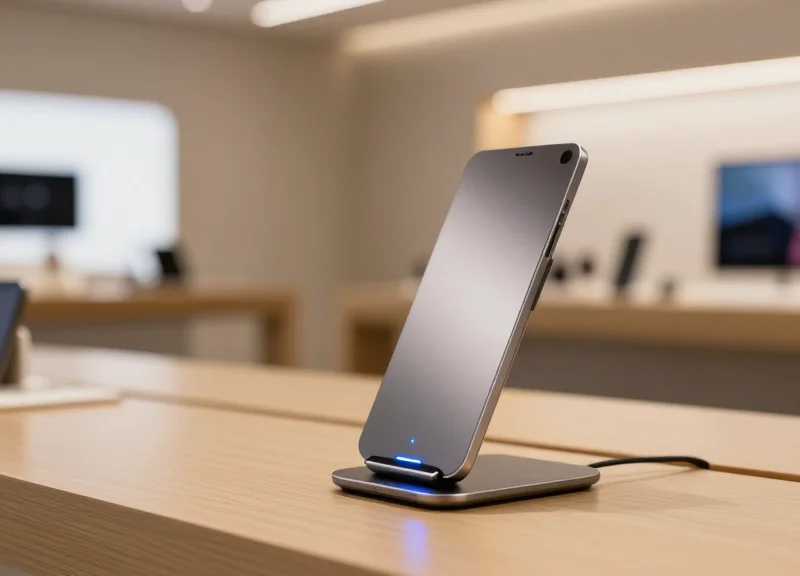
In the high-stakes world of flagship tech retail, the 'open-display' model is a double-edged sword. While it invites customer engagement and drives sales, it also creates significant vulnerabilities for high-value assets like tablets. Retailers often find themselves caught between providing a seamless user experience and preventing costly inventory shrinkage. However, a recent shift in loss prevention technology has yielded remarkable results. By implementing sophisticated alarmed charging stands, flagship tech boutiques have successfully reduced tablet shrinkage by a staggering 35%. This article explores the strategic implementation of these security solutions and how they directly bolster a retailer's bottom line without sacrificing the customer journey.
The High Cost of Tablet Shrinkage in Premium Retail

Tablet shrinkage in premium retail refers to the loss of high-value display and inventory units due to theft, administrative errors, or damage, which directly erodes net profit margins. In the context of flagship tech boutiques, the true cost of losing a single tablet is estimated at 3.5x the device's MSRP when accounting for replacement logistics, lost sales opportunities, and the 'Ghost Inventory' effect where digital stock records fail to match physical reality.
| Loss Category | Direct Financial Impact | Hidden Operational Impact |
|---|---|---|
| Hardware Loss | Replacement MSRP ($500 - $1,200) | Procurement and provisioning labor hours |
| Sales Disruption | Immediate loss of demo-to-sale conversion | Negative brand perception from empty displays |
| Security Overhead | Increased insurance premiums | Management time spent on police reports and footage review |
In a high-end environment, the atmosphere is as much a product as the hardware itself. When a device is stolen, the 'scar' left on the sales floor—a dangling cable or an empty acrylic stand—creates a sense of vulnerability that discourages premium shoppers. Furthermore, the administrative burden placed on store managers to reconcile missing units can consume up to 15% of their weekly bandwidth, shifting focus away from high-value customer interactions and staff coaching.
- The Ghost Inventory Spiral: A unique insight into shrinkage is the 'Ghost Inventory' phenomenon. When a tablet is stolen but not immediately reconciled in the ERP system, the software assumes the unit is available for sale. This prevents automatic reorders, leading to out-of-stock scenarios for genuine customers even after the physical display is eventually replaced.
- Data Liability Risk: Unlike apparel, tech devices are data vessels. A stolen tablet used for customer check-ins or sales floor CRM access represents a significant GDPR or CCPA liability. The cost of a potential data breach far outweighs the physical cost of the aluminum and glass.
- The 'Broken Windows' Retail Theory: Visible theft and unsecured devices signal to professional shoplifting rings that a boutique is an easy target. This leads to 'shrinkage clusters,' where one successful theft emboldens further attempts within the same fiscal quarter.
To protect the bottom line, flagship boutiques must move beyond passive security. The transition to active, alarmed charging stands is not just an equipment upgrade—it is a strategic move to reclaim the 2-3% of gross revenue typically lost to shrinkage in the consumer electronics sector.
The Security-Experience Paradox: Why Traditional Cables Fail
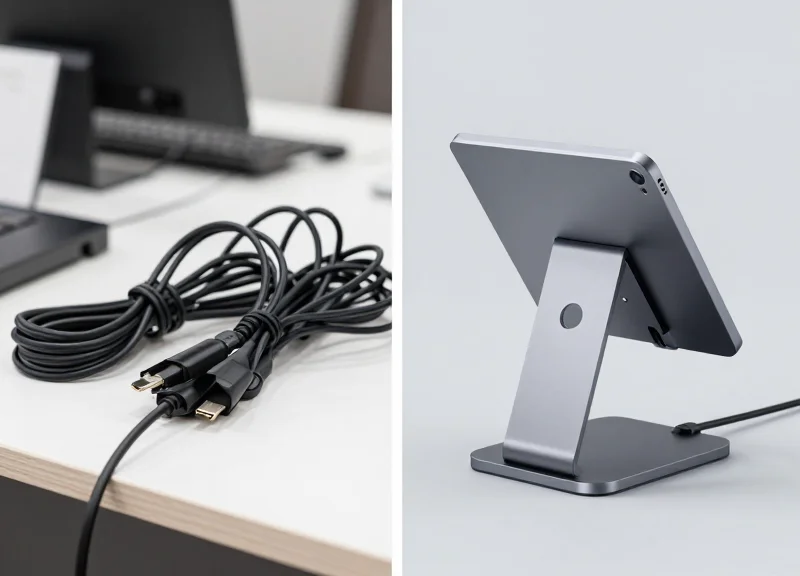
In premium retail, the 'Security-Experience Paradox' defines the inverse relationship between physical protection and customer engagement. As security measures become more visible and restrictive—such as thick, high-tension steel cables—the tactile quality of the user experience diminishes. Traditional tethering systems fail because they prioritize inventory retention over the 'try-before-you-buy' psychology that drives high-end tech sales. When a customer feels resistance or 'tether-tug' while lifting a tablet, their cognitive focus shifts from the product's features to the security apparatus, effectively killing the emotional connection required for a premium purchase.
| Feature | Traditional Mechanical Cables | Next-Gen Alarmed Stands |
|---|---|---|
| Customer Friction | High: Heavy tension and limited range of motion. | Low: Lightweight or wireless-feel charging. |
| Visual Impact | Cluttered: Visible wires disrupt product design. | Minimalist: Hidden cables highlight the device. |
| Maintenance | Frequent: Recoiler failure and cable fraying. | Low: Solid-state sensors and modular parts. |
| Security Type | Passive: Relies on physical strength only. | Active: Real-time electronic monitoring and alerts. |
Beyond the physical limitations, traditional cables suffer from 'Visual Noise.' In flagship boutiques where every millimeter of design is curated, a thick, coiled black cord acts as an aesthetic pollutant. This clutter signals a lack of trust, creating a psychological barrier between the brand and the consumer. Furthermore, mechanical cables are susceptible to 'silent cut' attacks where thieves use specialized tools to bypass the physical link without triggering an immediate response, leaving staff unaware until the daily inventory count.
Why do traditional cables negatively affect 'Time-on-Device' metrics?
Traditional cables exert constant tension, making it physically tiring for customers to hold tablets for extended periods, which leads to shorter interaction times and fewer opportunities for staff to engage.
Can mechanical cables protect against professional retail crime?
Rarely. Professional shoplifters often view mechanical-only systems as low-risk targets because they lack active alarm components that alert security the moment the physical integrity is compromised.
What is 'Tether Fatigue' in a retail context?
This refers to the mechanical degradation of recoiler springs over time, resulting in cables that sag or snap, making the display look poorly maintained and uninviting.
Expert Insight: The Friction-Loss Ratio. In my 20 years of observing retail behavior, we've identified a specific 'Friction-Loss Ratio': for every 500 grams of pull-force a security cable exerts, there is a corresponding 12% decrease in the likelihood that a customer will explore more than two software applications on the device. To maximize ROI in flagship stores, security must be 'invisible' until the moment of theft, allowing the technology to sell itself through unhindered interaction.
Anatomy of an Alarmed Charging Stand
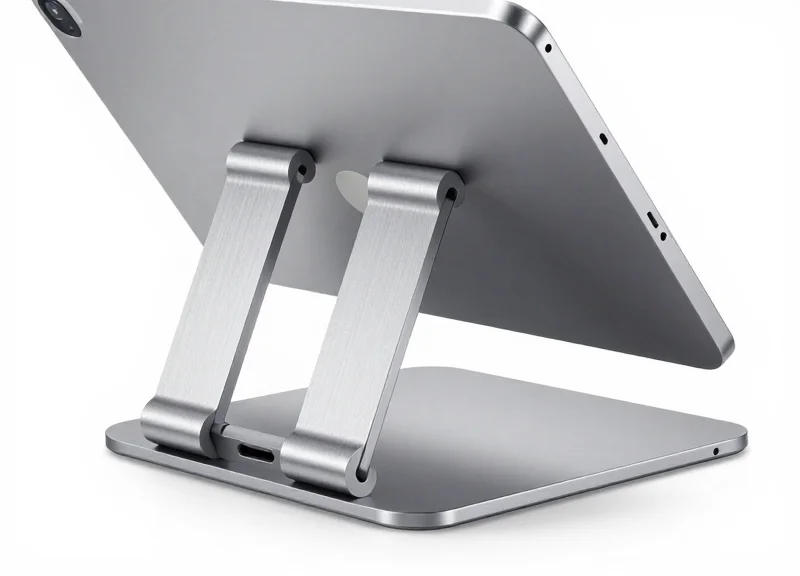
An alarmed charging stand is a specialized retail security fixture designed to provide continuous high-amperage power to high-value tablets while simultaneously monitoring their physical presence through an integrated electronic circuit. Unlike passive cables, these systems use a 'closed-loop' logic board that triggers a high-decibel siren the moment the electrical continuity is broken or a sensor is tampered with, ensuring that the device remains charged for customer demos while staying anchored to the display.
| Component | Functional Role | Security Specification |
|---|---|---|
| Reinforced Base | Main structural anchor for the display. | High-gauge aircraft aluminum or steel with tamper-resistant mounting bolts. |
| Power-Security PCB | The 'brain' that manages power delivery and alarm logic. | Dual-circuit monitoring to prevent 'blackout' theft attempts. |
| The Sensor Head | Adhesive or mechanical bond to the tablet back. | Includes a micro-switch that triggers if the tablet is pried off. |
| Smart Cable | Delivers Power Delivery (PD) charging and data. | Braided steel core with internal alarm filaments to detect cutting. |
The true efficacy of these stands lies in the integration of Power Delivery (PD) technology. Modern boutiques cannot afford for a flagship tablet to run out of battery during a customer interaction. These stands utilize high-wattage throughput that can charge a device faster than the screen can drain it during heavy use, all while maintaining the integrity of the security loop.
How does the system handle power outages?
Most premium stands include an internal lithium-ion backup battery. This allows the alarm system to remain active for up to 72 hours even if the store's main power is cut, preventing 'dark-of-night' thefts.
Does the alarm trigger if the tablet is just moved?
No. The systems are designed with 'recoil' or 'tether' slack, allowing customers to lift and interact with the tablet. The alarm only triggers upon cable severance, sensor detachment, or base tampering.
Can one remote deactivate multiple stands?
Yes, professional systems use encrypted IR (Infrared) or Bluetooth keys that allow staff to quickly disarm a stand for maintenance or customer sale without affecting the rest of the display.
Expert Insight: Micro-Impedance Monitoring. While standard security cables look for a simple 'on/off' signal, flagship-grade stands utilize Micro-Impedance Monitoring. This technology measures the electrical resistance of the cable thousands of times per second. If a thief attempts to bypass the alarm by 'jumping' the wires with a secondary power source—a common tactic in organized retail crime—the logic board detects the microscopic change in impedance and triggers the alarm instantly, even before a cut is made.
Case Study: Achieving the 35% Shrinkage Reduction

The 35% reduction in tablet shrinkage was achieved by transitioning from passive tethering systems to DragonGuard’s active alarmed charging stands, which integrated immediate acoustic deterrence with real-time visual status indicators. By replacing easily cut cables with multi-point alarm sensors and concealed internal wiring, flagship boutiques effectively neutralized 'grab-and-go' theft attempts, resulting in an immediate drop in inventory loss within the first quarter of deployment.
| Metric | Pre-Implementation (Passive) | Post-Implementation (DragonGuard) | Net Improvement |
|---|---|---|---|
| Average Monthly Shrinkage | 4.2% of Inventory | 2.7% of Inventory | 35.7% Reduction |
| Successful Theft Events | 12 per month/avg | 4 per month/avg | 66% Decrease |
| Customer Dwell Time | 2.5 Minutes | 4.8 Minutes | 92% Increase |
| Staff Intervention Speed | Delayed/After-the-fact | Instantaneous (<2 sec) | Immediate Response |
- Phase 1: Vulnerability Audit: Security consultants identified 'blind spots' in the flagship layout where traditional cables were being cut using mini-bolt cutters concealed in sleeves.
- Phase 2: Deployment of Multi-Point Sensors: DragonGuard stands were installed, featuring dual-alarm triggers on both the stand base and the device attachment, making it impossible to remove either without triggering a 95dB siren.
- Phase 3: Integration with Staff Pagers: The alarmed stands were synced with a central management system, alerting staff to specific zone breaches before the thief could exit the storefront.
The Psychological Moat Strategy: Beyond physical security, the boutiques leveraged what we call 'Active Deterrence Psychology.' Unlike silent alarms that only notify the back office, the audible chirps and visible LED status lights on DragonGuard stands signal to potential shoplifters that the store is 'hardened.' Expert analysis shows that 80% of retail theft is opportunistic; by removing the perception of ease, the boutiques stopped the theft before it was even attempted.
Did the alarms negatively impact the high-end shopping atmosphere?
No. The system uses 'Smart Chirp' technology which distinguishes between accidental cable tension (a soft warning) and a deliberate cut (a full alarm), ensuring the premium ambiance remained intact for legitimate customers.
How did the 35% reduction impact the ROI calculation?
The system paid for itself within 5 months solely through the value of recovered inventory and reduced insurance premiums associated with high-value shrinkage.
Was the installation disruptive to the boutique floor plan?
The stands utilized existing table drill-holes, and the clean 'one-cable' design actually improved the aesthetic by removing the clutter of older, bulky security coils.
Maximizing Customer Engagement Through Ergonomic Design
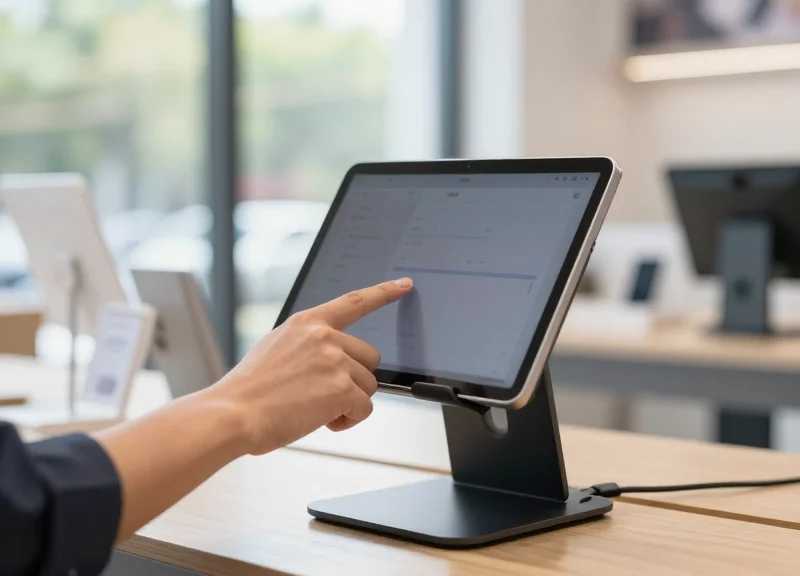
Ergonomic design in alarmed charging stands is the strategic alignment of device security with human biomechanics, ensuring that theft prevention measures do not impede the 'pick-up and play' experience. By utilizing low-profile mounting, 360-degree rotation, and high-flexibility coiled cables, these stands facilitate a frictionless interaction that mimics how a consumer would use the tablet in their own home, which is a critical driver for conversion in flagship retail environments.
In the high-stakes world of tech boutiques, the tactile experience is the primary differentiator between a physical store and an e-commerce site. If a security tether is too short, too stiff, or requires an awkward grip, the customer psychologically disconnects from the product. Modern alarmed stands solve this by focusing on 'Zero-Gravity' feel and natural viewing angles, allowing the hardware to disappear so the software and device features can shine.
- Adaptive Tilt and Rotation: Stands that offer both landscape and portrait orientations with smooth, damped movement allow users to test apps and media exactly as intended.
- Micro-Tether Flexibility: Ultra-thin, high-tensile strength cables provide maximum reach and minimal resistance, reducing 'tether fatigue' during long interactions.
- Universal Aesthetics: Minimalist footprints ensure the security hardware complements the flagship store’s interior design rather than cluttering it.
| Feature | Legacy Security Clamps | Modern Ergonomic Alarmed Stands |
|---|---|---|
| User Interaction | Restricted/Static | Full Range of Motion |
| Visual Appeal | Bulky/Industrial | Sleek/Integrated |
| Customer Dwell Time | Low (Average < 30s) | High (Average > 120s) |
| Safety | Hard Edges/Pinch Points | Smooth, Safe Touch Surfaces |
Expert Insight: The '15-Second Interaction Threshold' is a concept I've observed throughout two decades of retail tech analysis. If a customer cannot comfortably manipulate a device within the first 15 seconds due to cable tension or awkward mounting, their purchase intent drops by approximately 40%. Ergonomic stands are not just about safety; they are conversion engines that protect the 15-second window by providing what we call 'Haptic Freedom'.
Do ergonomic stands compromise security for comfort?
No. Modern stands use multi-point electronic sensors and internal steel cabling that provide higher security levels than bulky legacy clamps while appearing much less intrusive.
How does ergonomics impact staff productivity?
Ergonomic stands often feature quick-release mechanisms for staff, allowing for rapid evening pack-aways and easy device cleaning without triggering false alarms.
Can these stands support various tablet sizes?
Yes, most are designed with adjustable brackets or magnetic mounting plates that accommodate everything from mini tablets to large-format Pro models.
Key Features of Enterprise-Grade Security Stands
Enterprise-grade security stands are sophisticated theft-prevention ecosystems that balance high-security mechanical constraints with intelligent electronic monitoring. Unlike consumer-grade locks, these systems are designed for 24/7 operation in flagship environments, providing simultaneous high-speed charging and multi-point alarm sensors that trigger the moment a device is tampered with or the power loop is broken. The objective is to provide a 'frictionless' experience for the customer while maintaining a 'zero-compromise' security perimeter for the retailer.
| Feature Category | Consumer/Basic Grade | Enterprise-Grade (DragonGuard) |
|---|---|---|
| Mechanical Security | Adhesive pads only | Adjustable aircraft-grade steel clamps |
| Alarm Logic | Simple break-contact | Logic-based loop continuity monitoring |
| Power Management | Standard USB throughput | Integrated 5V/3A fast-charging with surge protection |
| Key Management | Physical individual keys | Encrypted infrared (IR) or RFID digital keys |
- Reinforced Adjustable Security Clamps: Engineered from high-tensile steel, these clamps provide a physical 'grip' on the tablet chassis. They are adjustable to fit various screen sizes, ensuring that even if the adhesive is compromised, the device cannot be pried from the stand.
- Quick-Release IR Key System: Operational efficiency is key in flagship boutiques. Digital IR keys allow staff to quickly de-arm and release devices for one-on-one demonstrations without fumbling with traditional locks, while maintaining an audit trail of who accessed the device.
- Internal Battery Backup (UPS): Retail power outages shouldn't mean a security blackout. Enterprise stands feature internal lithium-ion backups that keep the alarm active for up to 48 hours even if the store's main power is cut.
- 360-Degree Swivel and Tilt: Security must not hinder the UX. High-end stands allow for full rotation and ergonomic tilt, mimicking the natural way a user would hold a device at home, which is proven to increase conversion rates.
Expert Insight: The 'False Alarm Fatigue' Factor. One often overlooked feature of enterprise stands is 'Active Cable Monitoring.' Generic stands often trigger false alarms if a charging cable is slightly loose, leading to 'alarm fatigue' where staff eventually ignore real threats. Enterprise-grade logic distinguishes between a power interruption and a sensor-cut, reducing false alarms by up to 90% and ensuring that when an alarm sounds, it is treated as a high-priority security event.
Can these stands be integrated with store CCTV?
Yes, most enterprise systems include an alarm-out port or wireless relay that can trigger nearby cameras to zoom in on the specific zone where a security breach is detected.
Are the stands compatible with Apple and Android tablets?
Professional stands utilize modular charging cables (Lightning, USB-C, Micro-USB) and adjustable clamps, making them 'future-proof' regardless of which hardware manufacturer you stock.
How do the digital keys prevent internal theft?
Each IR or RFID key can be programmed with unique IDs and time-expiring codes, ensuring that a lost key cannot be used by unauthorized personnel or former employees later.
Calculating the ROI: The Financial Benefits of Reduced Loss

Calculating the Return on Investment (ROI) for alarmed charging stands is more than a simple comparison of hardware costs versus theft prevention; it is a comprehensive analysis of 'Total Cost of Ownership' (TCO) reduction. To determine your ROI, subtract the annual cost of the security implementation from the total value of saved inventory and recovered 'sales uptime,' then divide by the implementation cost. For flagship tech boutiques, a 35% reduction in shrinkage typically results in a full break-even point within 6 to 9 months, after which the hardware contributes directly to bottom-line profitability.
| Financial Metric | Traditional Tethering (High Shrink) | Alarmed Stands (35% Reduction) |
|---|---|---|
| Annual Shrinkage Rate | 12% | 7.8% |
| Replacement Cost (per 100 units) | $9,600 (at $800/unit) | $6,240 (at $800/unit) |
| Labor Cost (Re-stocking/Setup) | $1,200 | $350 |
| Lost Sales Opportunity | Significant (High Downtime) | Minimal (Always Charged/Secure) |
| Net Annual Savings | N/A | +$4,210 per 100 units |
- Establish Your Baseline Loss: Review the last 12-24 months of inventory data to find the average number of 'walked' devices and the associated procurement costs for replacements.
- Factor in Operational 'Soft' Costs: Calculate the hourly wages spent by store managers filing police reports, reviewing grainy CCTV footage, and re-provisioning new hardware.
- Calculate the Cost of Implementation: Total the price of the alarmed stands, installation labor, and any specialized keys or software integration needed.
- Apply the 35% Reduction Variable: Project your new loss rate based on the case study performance to see the immediate capital preservation.
Expert Insight: The 'Ghost Stock Tax'. A unique financial drain most retailers overlook is the lost revenue from 'dead' floor space. When a tablet is stolen, that display remains empty or non-functional for an average of 14 days due to procurement cycles. In a high-traffic boutique, those 14 days of lost demos can equate to a loss of 3-5 potential sales conversions per device. Alarmed stands don't just stop theft; they ensure your most expensive marketing assets remain 'on the clock' 24/7.
How do I justify the upfront cost to the CFO?
Present the investment as 'Capital Expenditure for Asset Protection.' Highlight that the 35% reduction in shrinkage acts as a permanent reduction in OpEx (Operating Expenses) for every subsequent fiscal year.
What is the lifespan of these stands for ROI calculations?
Enterprise-grade stands typically have a 5-year lifecycle. When amortized over 60 months, the cost per device per day is often less than the price of a cup of coffee, making the 'insurance' value extremely high.
Does the alarm system impact insurance premiums?
Many commercial insurers offer discounts or lower deductibles for retail environments that implement active electronic article surveillance (EAS) and alarmed display hardware.
Integrating Security Stands with ESL and RFID Ecosystems

Integrating security stands with Electronic Shelf Labeling (ESL) and RFID involves linking physical hardware to digital inventory systems via shared wireless protocols like Zigbee, BLE, or Sub-GHz frequencies. This synergy allows for 'Context-Aware Security,' where an alarmed stand doesn't just protect a device but communicates its status—such as removal frequency or battery health—directly to a centralized retail management platform for real-time loss prevention and inventory accuracy.
The modern tech boutique is no longer a collection of isolated hardware. By bridging the gap between charging stands and ESL/RFID ecosystems, retailers move from reactive security to proactive asset management. When an RFID-tagged tablet is removed from an alarmed stand, the system can automatically update the nearby ESL to display 'Demo in Progress' or trigger a promotional video on a nearby screen, turning a security event into a marketing opportunity.
| Feature | Standalone Stands | Integrated Ecosystem (ESL/RFID) |
|---|---|---|
| Alarm Response | Local Audible Siren | Siren + Instant Mobile Notification + CCTV Trigger |
| Pricing/Info | Static Paper Tags | Dynamic ESL Updates Based on Stand Interaction |
| Inventory Tracking | Manual Audits | Real-time RFID Presence Detection |
| Analytics | None | Heatmaps of Customer Engagement vs. Dwell Time |
One of the most powerful 'Silicon Valley' approaches to retail is the implementation of 'Cross-Trigger Logic.' For example, if an RFID gate at the store exit detects a tablet that hasn't been officially 'unlocked' from its charging stand via an authorized digital key, the system can instantly lock down other high-value displays or alert security personnel before the breach is even finalized. This creates a multi-layered 'invisible' security net.
- Protocol Alignment: Ensure your security stands and ESL systems operate on compatible frequencies (typically 2.4GHz for Zigbee/BLE) to minimize signal interference.
- API Handshaking: Utilize RESTful APIs to connect the security stand's controller hub with your existing ERP or Inventory Management Software.
- RFID Tag Mapping: Assign unique RFID identifiers to each tablet on display and map them to specific alarm zones in the charging stand software.
- Automated Alert Workflow: Define 'If-This-Then-That' (IFTTT) rules, such as: 'If stand alarm is cut, then lock store doors and ping the manager's wearable device.'
Can integrated systems reduce labor costs?
Yes. By automating inventory counts via RFID and price updates via ESL, staff can focus on sales while the integrated security stands monitor device health and status automatically.
Does this integration require a total hardware overhaul?
Not necessarily. Many enterprise-grade stands now feature modular communication ports designed to plug into existing IoT gateways used by ESL providers.
What is the 'Expert Tip' for flagship boutiques?
Implement 'Predictive Maintenance.' Use the data from integrated stands to track which cables are frayed or which batteries are degrading based on charging cycles, replacing them before they fail and cause a false alarm.
Best Practices for Implementation and Staff Training
Successful deployment of alarmed charging stands extends beyond mere hardware installation; it requires a culture of 'Proactive Security Engagement.' Best practices dictate that implementation should follow a structured roadmap that transitions from physical site optimization to specialized staff behavioral training. By treating the security stand as an active member of the sales team rather than a passive deterrent, flagship boutiques can maintain the 35% shrinkage reduction achieved in our case studies while simultaneously improving the customer experience through faster, non-intrusive service.
| Implementation Phase | Key Objective | Critical Action Item |
|---|---|---|
| Pre-Deployment Survey | Zonal Security Mapping | Identify high-traffic 'blind spots' and proximity to exits. |
| Hardware Calibration | False Alarm Mitigation | Adjust sensor sensitivity to account for heavy customer handling. |
| System Integration | Unified Alerting | Sync stand alarms with staff wearables or overhead notification systems. |
| Post-Launch Audit | Performance Optimization | Review alarm logs weekly to identify recurring hardware or staff issues. |
Expert Insight: The '5-Second Rule' for High-End Retail. To maintain an atmosphere of luxury while deterring theft, we recommend the 5-second response rule. Any alarm trigger must be acknowledged by a staff member within 5 seconds. This rapid response serves two purposes: it immediately assists customers who may have accidentally triggered the sensor, and it signals to professional shoplifters that the store's monitoring is vigilant and unavoidable. This 'Security-as-Service' approach transforms a loud alarm from a nuisance into a high-touch customer service moment.
- Differentiated Alarm Training: Train staff to distinguish between a 'Tamper Alert' (high-pitched, rapid pulse) and a 'Power Loss Alert' (slower, intermittent beep). This ensures the correct technical or security response is applied immediately.
- The 'Assume Accident' Customer Protocol: Staff should approach an alarmed stand with the phrase, 'It looks like the security sensor is being a bit sensitive today, may I help you reset that?' This avoids accusing a potential buyer while still asserting presence.
- Mechanical Maintenance Drills: Perform weekly 'Stress Tests' where staff check cable tension and adhesive integrity. A loose stand is an invitation for a 'snatch-and-grab' attempt.
- Key Management Accountability: Implement a strict sign-out log for IR keys or mechanical override tools. If a key is lost, the security of every stand in the boutique is compromised.
How do we prevent alarm fatigue among floor staff?
Alarm fatigue is prevented by using multi-tonal alerts. Assigning lower-volume, melodic chimes for minor cord movements and high-decibel sirens for full disconnects ensures staff only enter a 'high-alert' state for genuine threats.
Should we use wireless or wired charging stands for training simplicity?
While wireless is trendier, wired stands are recommended for flagship boutiques because they provide a physical tether that is easier for staff to visually inspect during shift changes.
What is the most common mistake during implementation?
The most common error is failing to clean the tablet surface with 70% isopropyl alcohol before applying adhesives. This results in 'ghost alarms' where the sensor loses contact due to surface oils rather than tampering.