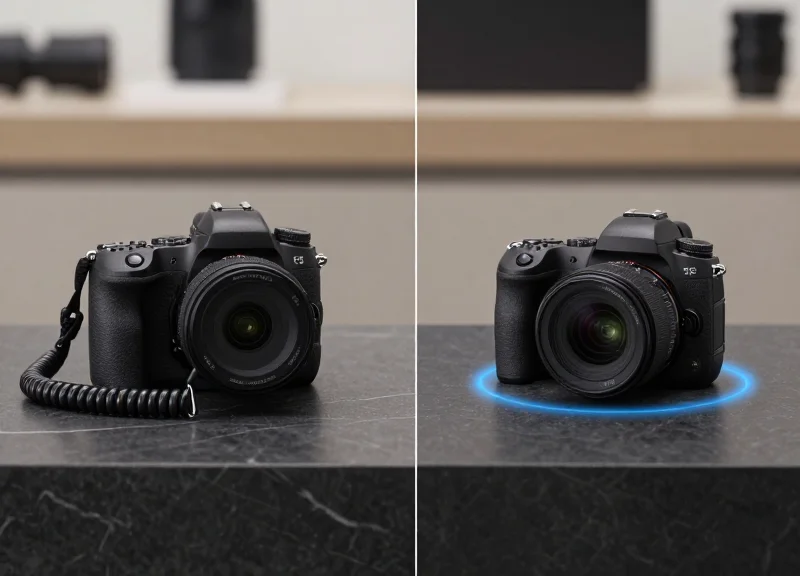
In high-density data centers, managing hardware like network switches and blade servers is a logistical challenge that demands precision. Traditional RFID tags often fail near metal surfaces due to signal reflection and detuning. However, 15mm anti-metal RFID tags are specifically engineered to thrive in these environments. This guide explores the technical nuances and expert mounting techniques required to ensure 100% readability and long-term durability for your critical IT infrastructure.
The Physics of RFID on Metal: Why Specialized Tags Matter

Standard RFID tags fail on metallic surfaces because metal is an energized conductor that reflects electromagnetic waves and creates 'eddy currents.' When a passive RFID tag is placed directly on a switch or blade server, the metal surface acts as a ground plane, effectively short-circuiting the tag's antenna and detuning its resonance frequency. Specialized anti-metal tags, particularly in the 15mm form factor, utilize a physical spacer or a high-permeability ferrite layer to create a 'buffer zone' that prevents the metal from cancelling out the reader's signal.
| Feature | Standard RFID Tag | 15mm Anti-Metal Tag |
|---|---|---|
| Reaction to Metal | Frequency Detuning | Controlled Impedance |
| Wave Interaction | Signal Absorption/Reflection | Flux Management via Ferrite |
| Read Range on Server | 0cm (Non-functional) | 1 - 3 Meters (Optimized) |
| Form Factor | Flexible/Thin | Rigid/Encapsulated |
The primary challenge with 15mm tags is the 'Size-to-Performance' ratio. In a data center, space is at a premium on the faceplate of a high-density 48-port switch. To maintain a functional read range at this small scale, engineers use materials with high magnetic permeability. These materials steer the magnetic flux lines away from the metal surface and through the tag's antenna loop. Without this specialized engineering, the 'Boundary Layer Effect' would ensure that the tag remains invisible to any handheld or fixed portal reader.
Why can't I just use a thick foam spacer with a normal tag?
While a foam spacer (creating an air gap) can work, it lacks the magnetic shielding of ferrite. In high-density environments like blade chassis, an air gap needs to be significantly thicker than a specialized anti-metal tag to achieve the same read range, leading to physical interference with cables.
Does the type of metal on the server chassis matter?
Yes. Different alloys (aluminum vs. stainless steel) have varying levels of conductivity and magnetic properties. Professional-grade 15mm tags are typically tuned to the global UHF standard (860-960 MHz) to perform consistently across various server housing materials.
Expert Insight: The 'EMI Ghost' in the Rack. Most generic guides overlook that switches are active EMI (Electromagnetic Interference) emitters. A 15mm tag placed too close to a 100GbE transceiver port doesn't just deal with the metal chassis; it deals with the high-frequency switching noise of the data packets. I always recommend placing tags on the 'structural' metal of the ear-brackets or the center-mass of the blade handle where the metal is thickest and the electronic noise is lowest.
Why the 15mm Form Factor is Ideal for Blade Servers
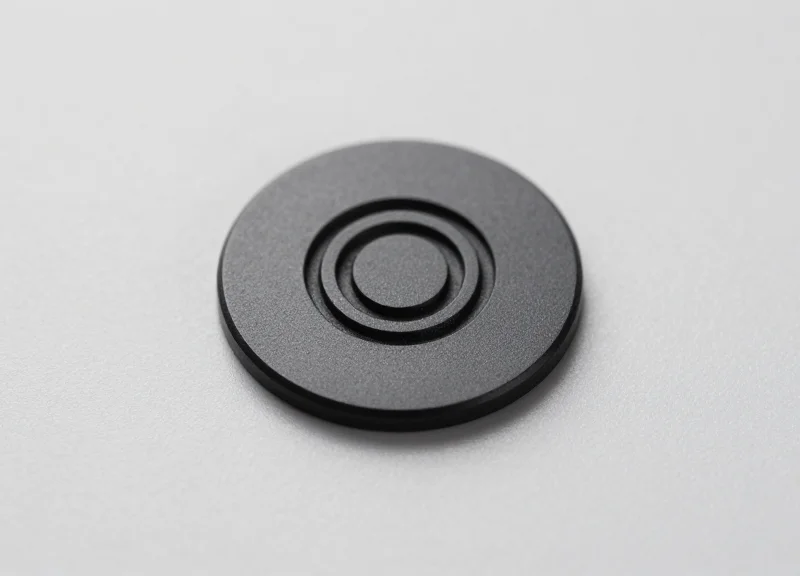
A 15mm anti-metal RFID tag is the optimal form factor for blade servers because it fits within the standard 17.5mm to 20mm width of most server faceplates and pull-tabs without obstructing airflow, cooling vents, or high-speed connectivity ports. This specific size provides the 'Goldilocks' balance of RFID physics: it is compact enough for high-density chassis deployments while maintaining a large enough internal antenna to provide a consistent 1-2 meter read range, which is essential for rapid, automated inventory audits in a rack-scale environment.
| Tag Size | Mounting Compatibility | Typical Read Range | Primary Constraint |
|---|---|---|---|
| 5mm - 10mm | Excellent (Very small) | Sub-0.5 Meters | Requires handheld proximity; too slow for bulk audits. |
| 15mm Round/Square | Ideal (Fits faceplates) | 1.0 - 2.5 Meters | Optimized for density and automated gate reading. |
| 30mm+ | Poor (Blocks ports) | 3.0 - 5.0 Meters | Interferes with airflow and port access on 1U/Blade hardware. |
- Zero Airflow Obstruction: Modern blade servers are thermal engineering marvels. A 15mm tag avoids covering the perforated intake holes that are critical for maintaining the server's thermal profile.
- Faceplate Real Estate Optimization: With SFP+ ports and status LEDs occupying the majority of the front panel, the 15mm footprint is one of the few sizes that can be placed on the rigid structural frame or pull-handle.
- U-Level Accuracy: The size allows for precise positioning that corresponds to the specific slot, preventing 'signal bleed' where a reader might misidentify which blade is in which slot.
Expert Insight: The Pull-Tab Leverage Strategy. In my two decades of data center deployments, the most common mistake is mounting tags on the removable cover. The 15mm tag is uniquely suited for mounting on the 'Service Pull-Tab' or extraction handle. Unlike larger tags that would overhang the handle and risk being sheared off during maintenance, the 15mm tag fits perfectly within the handle's recessed thumb-grip. This ensures that the RFID identity stays with the internal motherboard assembly—the most expensive asset—even if the outer chassis shell is replaced or swapped during repairs.
Why not use the smallest 5mm tag available?
While 5mm tags are easy to hide, their internal antenna gain is significantly lower. In a metal-heavy environment like a server rack, 5mm tags often suffer from 'blind spots,' requiring technicians to touch the reader almost directly to the server, defeating the purpose of rapid RFID scanning.
Does the 15mm size interfere with Wi-Fi or Bluetooth management modules?
No. Because the 15mm anti-metal tag is passive and tuned to the UHF (860-960 MHz) frequency, it does not interfere with the 2.4GHz or 5GHz frequencies used by internal server management modules.
Surface Preparation: Ensuring a Permanent Bond
Surface preparation for mounting 15mm anti-metal RFID tags involves deep-cleaning metallic surfaces to remove microscopic oils, oxidation, and dust that interfere with molecular bonding. In a data center environment, where servers operate at high temperatures and high airflow, a 'clean' look is insufficient; the surface must be chemically prepared to ensure the pressure-sensitive adhesive (PSA) achieves maximum surface contact, preventing tag displacement during maintenance cycles or equipment vibrations.
- Identify the Mounting Zone: Select a flat, rigid area on the server chassis or switch faceplate. Avoid seams, vents, or areas near heavy cabling where the tag might be snagged or blocked.
- Primary Degreasing: Wipe the area with a lint-free cloth soaked in 70% Isopropyl Alcohol (IPA). Avoid standard household cleaners as many contain silicone or oils that leave a residue, creating a barrier for the adhesive.
- Abrasion (Optional but Recommended): For heavily textured or powder-coated surfaces, a light scuffing with a fine abrasive pad can increase surface area, providing better 'teeth' for the adhesive to grab.
- Final Chemical Flash-Off: Perform a final wipe with fresh IPA and allow at least 60 seconds for the solvent to fully evaporate. The surface should be room temperature (between 21°C and 38°C) for optimal initial tack.
| Surface Type | Cleaning Agent | Prep Difficulty | Bond Strength |
|---|---|---|---|
| Bare Stainless Steel | 70% Isopropyl Alcohol | Low | Excellent |
| Anodized Aluminum | 70% Isopropyl Alcohol | Low | High |
| Powder-Coated Steel | IPA + Light Abrasion | Medium | Good |
| Polycarbonate (Plastic) | Mild Detergent / Water | Medium | Variable |
Expert Tip: Beware of 'Micro-Vibration Displacement.' In dense server racks, the high-frequency vibrations from 15,000 RPM cooling fans can slowly shear a poorly applied tag over 6-12 months. To prevent this, always apply firm, even pressure across the entire 15mm surface for at least 30 seconds upon application. This 'wets' the adhesive into the microscopic valleys of the metal, reaching 90% of its ultimate bond strength within 24 hours. Do not attempt to re-position the tag; if the placement is wrong, use a new tag for the best result.
Can I use 100% Isopropyl Alcohol instead of 70%?
While 100% IPA is a stronger solvent, it evaporates almost instantly, often leaving dissolved contaminants on the surface. The 70% blend stays liquid slightly longer, allowing the cloth to physically lift the debris away.
Why do tags fall off in 'Hot Aisles'?
Most adhesive failure in data centers is caused by 'outgassing' or thermal expansion. If the surface wasn't cleaned properly, the heat causes the trapped air or moisture to expand, lifting the tag off the metal.
How do I remove residue from old tags?
Use a citrus-based adhesive remover for bulk residue, followed by a thorough IPA wipe to ensure the citrus oils are gone before applying a new tag.
Optimal Placement Strategies for Network Switches

To achieve 100% read rates while maintaining hardware integrity, 15mm anti-metal RFID tags should be positioned on the switch's 'static' surfaces—ideally the rack-mounting ears or the far edges of the front bezel. The optimal placement avoids 'RF shadows' created by dense cabling and ensures the tag is not obstructing airflow vents, LED status indicators, or SFP/RJ45 port clusters, allowing for seamless inventory audits without physical disconnection.
| Placement Zone | Accessibility Score | Risk Factor | Recommendation |
|---|---|---|---|
| Rack Ears (Flanges) | High | Low | Best for fixed-reader environments. |
| Top/Bottom Bezel Edges | Medium | Low | Ideal for 15mm tags on 1U switches. |
| Side Chassis Panels | Low | High | Avoid; tags are hidden once racked. |
| Near Power Supplies | Medium | High | Avoid due to heat and EMI interference. |
When dealing with high-density top-of-rack (ToR) switches, the 15mm form factor provides a distinct advantage. Unlike larger tags that might overlap onto the port faceplate, these compact tags can be tucked into the narrow 'dead space' between the port bank and the chassis edge. This prevents the tag from becoming a snag hazard for technicians during hot-swapping of transceivers or patch cables.
Will the tag block cooling if placed near the intake?
A 15mm tag is small enough that it won't significantly impede airflow, but it should never be placed directly over hexagonal mesh venting. Always offset the tag at least 5mm from any perforation.
Can I place the tag on the cabling arm?
While possible, it is not recommended. RFID tags should identify the asset (the switch), not the peripheral arm. If the arm is replaced, the asset identity moves with it, causing database errors.
Does cable density affect the read range?
Yes. A thick 'curtain' of Cat6 or Fiber cables can create an RF barrier. Position your tags on the outermost edge of the ears to ensure a direct line-of-sight for handheld scanners.
Expert Insight: The 'Line-of-Sight' Paradox. In twenty years of data center auditing, I've found that the most common failure point isn't the tag—it's the 'RF Shadow' cast by heavy cable management. For switches with massive cable bundles, always mount the 15mm tag on the forward-facing edge of the rack ear, angled slightly toward the aisle. This 'Angled Polar Alignment' can increase read distances by up to 30% because it minimizes the signal absorption from adjacent copper cabling.
Mounting on Blade Servers: Navigating High-Density Chassis

Mounting 15mm anti-metal RFID tags on blade servers requires a strategic focus on the front-facing bezel or the integrated pull-out asset tabs to ensure readability in high-density chassis without obstructing hot-swap mechanics or airflow channels. Because blade servers are packed tightly within a shared enclosure, the primary challenge is not just the metal interference, but the physical clearance required for sliding units in and out of the rack without shearing off the tag or blocking critical thermal vents.
In a data center, every millimeter counts. When dealing with blade modules from manufacturers like Dell, HP, or Cisco, the mounting surface is often limited to the vertical edge or the release handle. Our 15mm form factor is specifically designed to fit these narrow margins, providing a low-profile solution that survives the friction of high-density deployment.
| Mounting Location | Pros | Cons | Best For |
|---|---|---|---|
| Front Release Handle | Highest visibility; easy scan angle. | High touch area; potential adhesive wear. | Frequent inventory audits. |
| Pull-out Asset Tab | Zero footprint; protects tag from friction. | Requires manual extension to scan. | Enterprise servers (PowerEdge/ProLiant). |
| Top/Side Chassis Skin | Flat surface; strongest bond. | Hidden when blade is docked. | Internal maintenance tracking. |
- Identify the 'Dead Zone': Before mounting, ensure the tag is not placed over the blade's latch mechanism or the ejector lever pivot points. Use a dummy tag to test clearance during a full insertion cycle.
- Leverage the Pull-Out Tab: Most modern blades feature a plastic 'luggage tag' for serial numbers. Mounting the 15mm RFID tag here is the gold standard, as it isolates the tag from the main metallic body and prevents mechanical interference.
- Account for Airflow Chimneys: Avoid placing tags over the perforated intake holes. Even a 15mm tag can create localized turbulence or micro-impedance in airflow if placed directly over a high-RPM fan intake.
Expert Insight: In a fully populated chassis, the 'RF Shadow' effect can be significant. If you are mounting tags on the side of the blade (internal), the signal will be completely shielded once docked. Always prioritize external-facing surfaces or the pull-out tabs if you require 'in-situ' inventory scanning while the servers are live and docked.
Will the tag interfere with hot-swapping?
No, provided you use the 15mm low-profile tags and avoid the sliding friction rails. Always mount tags on the non-moving face of the blade.
How does the chassis heat affect the adhesive?
High-density blade enclosures can reach 45°C+ at the exhaust. We recommend using high-temperature acrylic adhesives (like 3M 467MP) to prevent the tag from 'creeping' or falling off over time.
Can I scan multiple blades at once in a chassis?
Yes, if tags are mounted on the front bezel. The 15mm tags are designed with anti-collision protocols to allow a handheld reader to capture all blades in a 7U or 10U chassis in a single pass.
Step-by-Step Installation: Adhesive and Mechanical Options
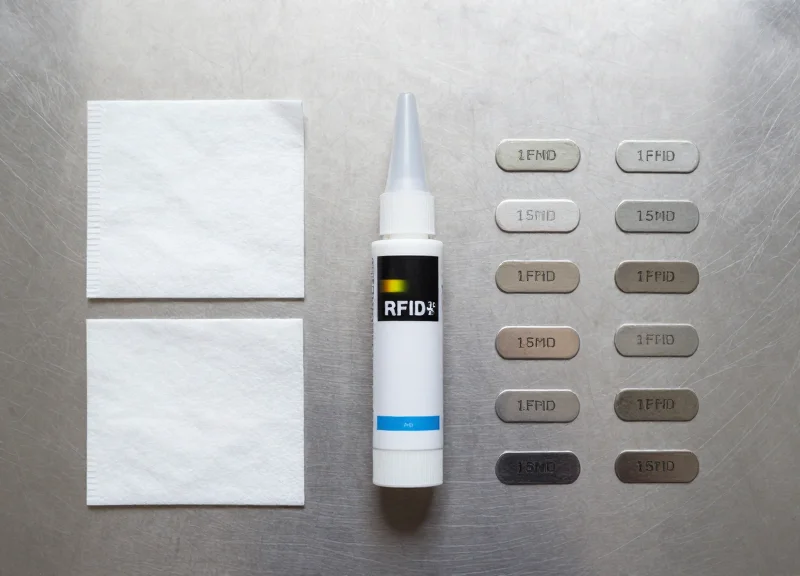
To successfully mount 15mm anti-metal RFID tags on high-density IT infrastructure, administrators must choose between industrial-grade adhesive bonding or mechanical fastening. Adhesive mounting using 3M 300LSE or VHB (Very High Bond) tapes is the industry standard for speed and non-invasive application, while mechanical mounting via micro-screws or rivets is reserved for high-vibration environments or assets subject to extreme thermal cycling where adhesive failure could compromise inventory integrity.
| Feature | 3M Industrial Adhesive | Mechanical Fastening |
|---|---|---|
| Installation Speed | Fast (seconds per tag) | Slow (minutes per tag) |
| Hardware Impact | Zero (Non-invasive) | High (Requires drilling/holes) |
| Heat Resistance | Up to 150°C (depending on tape) | Excellent (Material dependent) |
| Removal Effort | Moderate (Chemical/Heat) | Difficult (Leaves physical damage) |
- Option A: Adhesive Mounting (The 3M 300LSE Process): First, ensure the surface is de-energized and cleaned with a 70% Isopropyl Alcohol solution. Peel the liner from the 15mm tag, avoiding contact with the adhesive surface. Apply the tag to the pre-marked location on the switch or blade server and apply firm, even pressure (approx. 15 PSI) for 30 seconds. Note that 3M adhesives reach 90% bond strength after 24 hours at room temperature; avoid immediate high-heat exposure.
- Option B: Mechanical Mounting: For tags equipped with mounting holes, use M2 or smaller stainless steel screws. Align the tag with a non-critical area of the chassis, ensuring no internal components or PCB traces are behind the drill site. Use a depth-stop drill bit to create pilot holes. Secure the tag with a manual screwdriver—avoid impact drivers which can crack the ceramic or ferrite core of the 15mm tag.
Expert Insight: In the high-thermal-load environments of modern blade servers, 'Differential Thermal Expansion' is the silent killer of RFID deployments. A 15mm tag and a steel chassis expand at different rates. If using adhesives, always select a tape with an acrylic carrier that offers slight elasticity; this allows the bond to 'breathe' during server power-up and power-down cycles, preventing the tag from shearing off over time—a common failure point in enterprise data centers that generic guides often overlook.
Testing Read Ranges and Data Integrity
Testing RFID read ranges and data integrity is the final, critical step in the deployment process, ensuring that 15mm anti-metal tags communicate accurately with handheld or fixed readers despite the electromagnetic interference inherent in data centers. For high-density switches and blade servers, success is defined by a 99.9% read rate at a distance of 0.5 to 1.5 meters, depending on the reader's power settings and the tag’s specific orientation on the metal chassis.
| Testing Parameter | Target Benchmark | Acceptable Variance |
|---|---|---|
| Direct Line-of-Sight Range | 1.2 - 1.8 Meters | +/- 15% |
| Off-Axis Read Angle (45°) | 0.8 - 1.0 Meters | +/- 20% |
| Data Write Verification | CRC Pass (100%) | Zero Tolerance |
| Multi-Tag Inventory Speed | 50+ tags / second | +/- 10% |
- Baseline Distance Sweep: Approach the rack with a calibrated handheld reader at 2 meters. Gradually move closer until the tag responds. Mark the maximum distance for both the front faceplate of the switch and the side-mounted blade tags.
- Multi-Angle Validation: Read the tag from a 45-degree angle from both the left and right sides. This simulates a technician scanning a row of racks while walking down an aisle, ensuring the tag's radiation pattern isn't obstructed by the server's handles or cooling fins.
- Data Integrity Checksum: Using the reader’s 'Verify' mode, read the Electronic Product Code (EPC) and any User Memory banks. Cross-reference the unique identifier against your DCIM (Data Center Infrastructure Management) database to ensure no bit-flipping occurred during the commissioning phase.
- High-Load Interference Test: Perform tests while the servers are under peak load. The high-frequency switching of modern power supply units (PSUs) can create local EMI that slightly degrades the signal-to-noise ratio of passive RFID signals.
Expert Insight: The 'Shielded Cable Shadow' Effect. A common oversight in data centers is testing RFID tags on 'cold' hardware. Once a switch is fully patched with Category 6A shielded cables, the density of the metal braiding in the cables can create an RF shadow. Always perform your final read-range validation with cables fully populated to ensure the tag remains accessible in a real-world production environment.
Why is my 15mm tag only reading at 10cm?
This usually indicates 'detuning' caused by the tag being too close to a high-frequency component or being mounted on a non-planar metal surface that warps the internal antenna's impedance.
Can I read tags through the perforated server cabinet doors?
Yes, but the metal mesh acts as a Faraday cage. You will likely see a 30-50% reduction in read range. For best results, use a reader with a circularly polarized antenna.
Does heat affect data integrity?
While the data itself is stored non-volatiley, extreme heat (above 85°C) can cause a temporary frequency shift in the tag's IC, making it harder for the reader to lock onto the signal.
Environmental Factors: Heat, Airflow, and Tag Longevity
In the high-density environment of a modern data center, environmental factors like thermal cycling and high-velocity airflow are the primary causes of RFID tag failure. Standard 15mm anti-metal tags are often rated for ambient office temperatures, but switches and blade servers frequently operate with exhaust temperatures ranging from 45°C to 65°C (113°F to 149°F). To ensure a 5-to-10-year lifecycle, tags must utilize industrial-grade adhesives and specialized housing materials that resist thermal expansion, which can otherwise cause the internal antenna to detune or the adhesive bond to undergo 'creep' and eventually slide off the chassis.
| Environment Type | Average Exhaust Temp | Recommended Tag Rating | Adhesive Requirement |
|---|---|---|---|
| Standard Network Closet | 25°C - 35°C | Up to 60°C | Standard Acrylic |
| High-Density Server Rack | 40°C - 55°C | Up to 85°C | High-Performance 3M VHB |
| Blade Chassis Exhaust Zone | 55°C - 75°C | Up to 110°C | Thermal-Grade Silicone/Epoxy |
Beyond heat, airflow management is critical. Improperly placed tags can create micro-turbulence or block intake vents on compact 1U switches. This not only risks the server's health but creates a high-pressure environment that can lift the edges of a 15mm tag. Expert Tip: Always place tags on the 'cool' side (intake) of the server whenever possible. If mounting on the 'hot' side (exhaust) is mandatory, ensure the tag profile is lower than 1.5mm to minimize wind resistance from the high-RPM fans used in blade chassis.
Does heat affect the RFID read range?
Yes. High temperatures can slightly shift the dielectric constant of the anti-metal spacer, causing a frequency shift. Using high-quality ceramic or PCB-based 15mm tags minimizes this 'detuning' effect compared to cheaper foam-core tags.
How long do adhesives last in a 24/7 data center?
In a controlled environment, industrial adhesives like 3M 467MP or 9448A can last over 10 years. However, if exposed to constant 60°C+ heat without proper surface curing (72 hours), the lifespan can drop to less than 2 years.
Can RFID tags interfere with server cooling?
A single 15mm tag will not impact cooling, but 'tagging en masse' near air intakes can accumulate dust over time. Monitor 'dust-bridging' around tag edges during biannual maintenance to ensure airflow remains laminar.
One often overlooked risk in Silicon Valley deployments is 'Adhesive Out-gassing.' At high temperatures, lower-quality adhesives can release volatile organic compounds (VOCs). In the confined space of a blade server chassis, these compounds can potentially condense on the sensitive optics of SFP+ or QSFP transceivers, leading to signal degradation. Always specify 'low-outgassing' certified tags for mission-critical networking hardware.
Common Installation Pitfalls to Avoid
Successful deployment of 15mm anti-metal tags in a data center requires navigating a complex landscape of electromagnetic interference and mechanical constraints. The most common installation failures occur not because of the tag quality, but due to 'RF Blind Spots' created by chassis geometry or physical damage sustained during routine hardware maintenance. Avoiding these pitfalls ensures that your asset tracking remains reliable throughout the server's five-to-seven-year lifecycle.
| Installation Pitfall | Technical Consequence | Prevention Strategy |
|---|---|---|
| Seam Overlapping | Mechanical stress breaks the internal antenna bond. | Ensure the 15mm footprint sits entirely on a flat, single-piece surface. |
| LED/Port Proximity | Signal noise from active transceivers disrupts read rates. | Maintain a minimum 5mm buffer from active data ports. |
| Adhesive Contamination | Tag detaches due to 'off-gassing' or skin oils. | Use 99% Isopropyl alcohol; never touch the adhesive backing with bare fingers. |
| Cable Bundle Masking | Dense copper cabling creates a Faraday cage effect. | Map cable management paths before finalized tag placement. |
Expert Insight: The 'Cable Density Trap' One unique failure point often overlooked by junior installers is the 'dynamic RF environment.' A tag that reads perfectly on an empty blade server may become invisible once the unit is fully populated with CAT6a or twinax cables. Because these cables often contain metallic shielding, they act as a physical barrier to the RFID reader's signal. Always perform your final validation with the cable management arms in their operational position.
Can I place the tag on the pull-handle of a blade server?
Avoid this. Pull-handles are high-stress points. Frequent use leads to mechanical shear that can peel the tag or crack the ceramic inlay.
Why does my reader fail when the server rack door is closed?
Perforated metal rack doors can create multipath interference. If using 15mm tags, ensure your reader is tuned to a higher sensitivity or use a circular polarized antenna.
Is it safe to mount tags directly over serial numbers?
Technically yes, but it is a major compliance pitfall. Always place the RFID tag adjacent to the human-readable SN to allow for manual audits if the RF system is offline.
- Surface De-energization: Powder-coated switches have low surface energy. If the tag doesn't 'wet out' properly, it will fall off within 48 hours. Use a primer like 3M Tape Primer 94 for these surfaces.
- Thermal Expansion Check: Servers expand and contract during power cycles. If a tag is placed too close to a heat-sink vent, the localized thermal cycling can degrade the adhesive's chemical bond.
- Shadow Zone Mapping: Identify 'Shadow Zones' where the chassis frame blocks the line-of-sight between the rack-mounted reader and the tag. Adjust tag orientation to maximize exposure to the aisle.