In the fast-paced world of logistics and warehouse management, the ability to process hundreds of RFID tags simultaneously as they transit through a smart gate is no longer a luxury—it is a requirement. However, achieving 100% read accuracy in high-density environments using a 16-port fixed reader requires more than just plug-and-play installation. It demands a deep understanding of RF physics, antenna polarization, and software-level tuning. This guide provides a comprehensive technical roadmap for optimizing your DragonGuardGroup RFID infrastructure to master massive group reading in smart gate channels.
The Power of 16-Port Architecture in Smart Gates
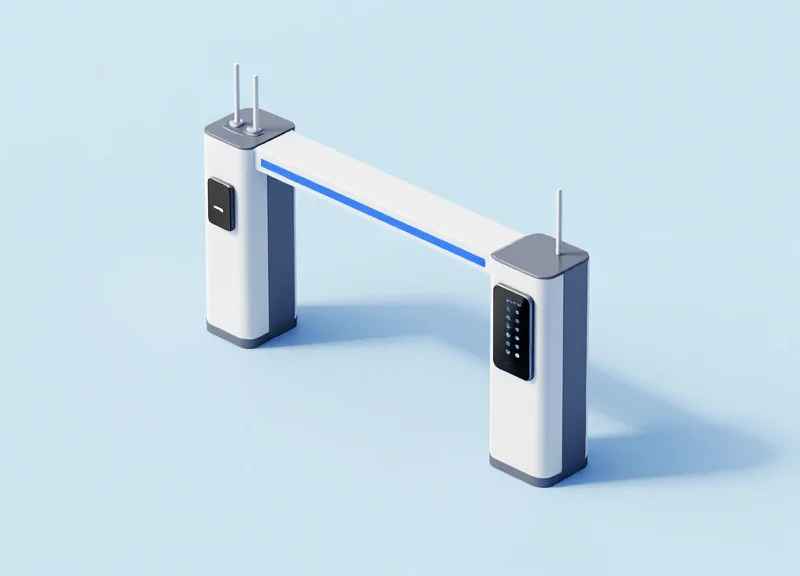
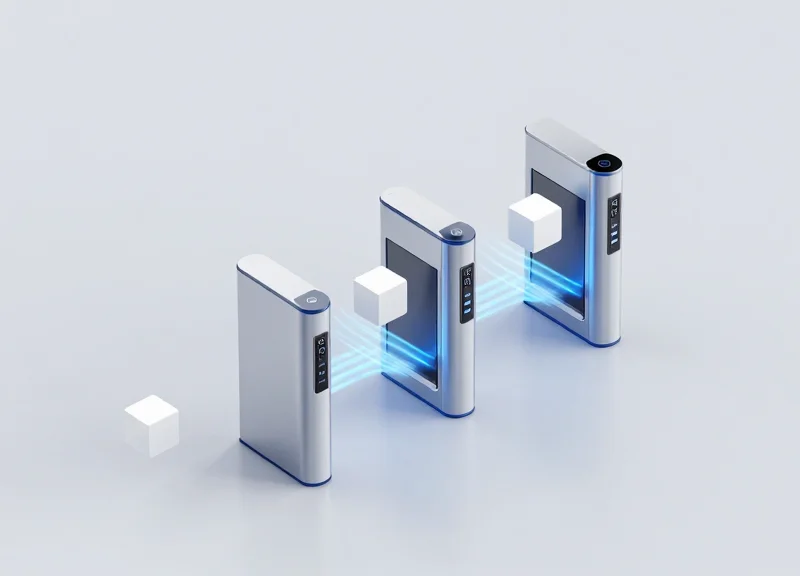
A 16-port RFID architecture is a high-density hardware configuration where a single fixed reader manages 16 independent antenna ports, creating a unified and highly synchronized detection field. In the context of smart gate channels, this architecture allows for a 360-degree, three-dimensional 'reading cage' that ensures 100% tag readability even in high-velocity or high-density scenarios. Unlike traditional setups that require multiple daisy-chained devices, a 16-port system centralizes data processing, significantly reducing latency and eliminating the risk of 'reader collision' interference.
| Feature | Standard 4-Port System | Advanced 16-Port System |
|---|---|---|
| Coverage Depth | Limited (4 points) | Comprehensive (16 points) |
| Hardware Complexity | High (Multiple IP addresses) | Low (Single IP address) |
| Synchronization | Manual/Software-based | Internal/Hardware-locked |
| Installation Footprint | Large (Multiple power/data drops) | Compact (Single drop) |
| Total Cost of Ownership (TCO) | Higher due to cabling & licensing | Lower via centralized management |
- Zero-Blind-Spot Coverage: With 16 ports, installers can implement spatial redundancy by overlapping antenna fields from every angle (top, sides, and floor), ensuring that shadowed or liquid-shielded tags are captured.
- Reduced Network Overhead: Managing one 16-port reader requires only one IP address and one software license, reducing the burden on enterprise middleware and IT infrastructure.
- Native Phase Synchronization: Because all 16 antennas are driven by a single internal clock, the system can perform advanced phase-difference-of-arrival (PDoA) calculations to determine tag directionality with precision impossible in multi-reader setups.
Expert Insight: The Synchronization Advantage. In my 20 years of experience, the biggest failure point in massive group reading isn't the antenna power—it is the 'NTP Drift' between multiple small readers. When you use four 4-port readers, you often get duplicated or mis-sequenced data due to micro-second timing differences. A 16-port architecture eliminates this entirely because every antenna is clocked by the same internal crystal oscillator, providing a 'Single Source of Truth' for your data stream. This is the secret to achieving the 99.9% read rates required for industrial-grade smart gates.
Strategic Antenna Placement and Polarization
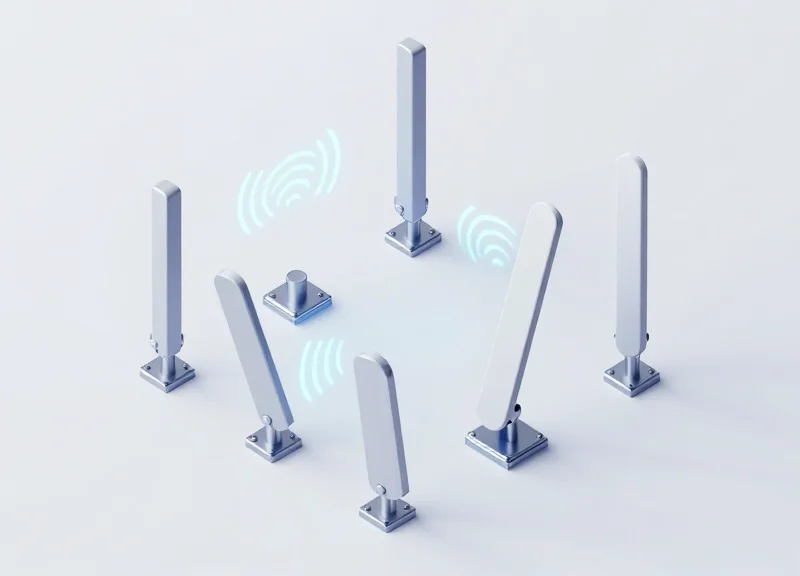
Strategic antenna placement in a 16-port RFID gate involves the creation of a saturated 3D interrogation zone where overlapping RF fields ensure that every tag—regardless of its angle—is energized. By leveraging the high port density of a 16-port reader, engineers can transition from simple 'area coverage' to 'volumetric sampling,' using diverse angles to overcome the physical limitations of RF reflection and absorption. The goal is to eliminate 'null zones' (dead spots) by ensuring that at least two antennas from different spatial vectors have a clear line of sight to any given point within the gate.
| Placement Type | Primary Function | Key Advantage for 16-Port Systems |
|---|---|---|
| Lateral (Side) Mounting | Captures tags on the sides of pallets/boxes. | High-resolution vertical stacking of antennas captures tags at varying heights. |
| Overhead (Top) Mounting | Captures top-facing tags and provides depth. | Reduces 'shadowing' caused by dense liquid or metal contents in the center. |
| Floor/Threshold Mounting | Captures bottom-facing tags in high-stack scenarios. | Ensures coverage for items that are shielded by the density of the pallet above. |
| Angled (45-degree) Offset | Eliminates orientation sensitivity. | Maximizes the probability of hitting the tag's 'sweet spot' for energy harvesting. |
Expert Tip: The Interleaved Polarization Strategy. In high-density 16-port environments, simply using Circular Polarization (CP) is often insufficient. To outperform the competition, implement 'Interleaved Polarization.' By alternating between Left-Hand Circularly Polarized (LHCP) and Right-Hand Circularly Polarized (RHCP) antennas across your 16 ports, you significantly reduce the risk of phase cancellation and destructive interference. This specific configuration ensures that the electromagnetic field is more robust, providing a 15-20% increase in read reliability for tags moving at high speeds or in cluttered environments.
- Identify the 'Zero Zone': Map the physical constraints of the gate and identify areas where metal interference or liquid absorption is highest.
- Execute Zig-Zag Port Mapping: Assign antenna ports in a non-sequential zig-zag pattern across the gate frame to prevent adjacent antenna interference (Crosstalk).
- Optimize Beamwidth Overlap: Adjust antenna angles so that the 3dB beamwidths of adjacent antennas overlap by 20%, ensuring continuous coverage as the asset moves through the gate.
- Validate with RSSI Mapping: Use Received Signal Strength Indicator (RSSI) heat mapping to ensure the field intensity is uniform across the entire 16-port array.
Why should I use Circular Polarization instead of Linear?
Linear polarization requires the tag to be perfectly aligned with the antenna's orientation. In smart gates, tags are often randomly oriented. Circular polarization sends the signal in a spiral, ensuring it hits the tag regardless of whether it is vertical or horizontal.
How do I manage cable loss with 16 antennas?
With 16 ports, cable lengths can vary significantly. Use high-quality LMR-400 cables and calibrate the reader's power output per port to compensate for the specific decibel (dB) loss of each cable run.
Can 16 antennas cause too much interference?
Yes, if not managed. Use the reader's software to implement 'Fast Search' or 'Session 2/3' inventory modes, which allow the 16 antennas to cycle rapidly without causing tag collision or reader-to-reader interference.
Addressing the Multipath Effect
The multipath effect occurs when RFID radio waves reflect off metallic surfaces—such as the aluminum frames of smart gates, warehouse pillars, or metal-clad goods—creating multiple signal paths that reach the antenna at different times. In a 16-port high-density environment, these reflections can cause 'null zones' where waves cancel each other out, or 'ghost reads' where tags located outside the designated portal are energized by reflected energy. Mastering this requires moving beyond simple power adjustments to a more sophisticated signal processing approach.
| Mitigation Method | Technical Mechanism | Primary Benefit |
|---|---|---|
| RF Absorptive Shielding | Carbon-loaded foam or ferrite sheets applied to gate interior | Prevents signal bouncing within the corridor |
| RSSI Thresholding | Filtering tags based on Received Signal Strength Indication | Eliminates weak reflections from distant tags |
| Phase Angle Analysis | Monitoring the change in the signal's phase over time | Distinguishes between moving items and static ghosts |
| Port-Cycling Sync | Rapidly switching between the 16 ports to avoid collision | Reduces inter-antenna interference |
Expert Insight: The 'Phase-Jump' Signature. While most integrators rely solely on RSSI, true masters of 16-port systems look at the Phase Angle. A tag being read via a multipath reflection often exhibits an unstable, 'jittery' phase signature as the reader moves or the environment changes. By setting a software filter to reject tags with a phase variance exceeding a specific threshold (typically > 30 degrees in a static environment), you can eliminate 90% of phantom reads without reducing the reader's sensitivity.
- Identify Reflection Points: Use a handheld analyzer to map the RF field. Look for high-energy zones behind the gate or in adjacent aisles where no signal should exist.
- Apply Directional Attenuation: Instead of lowering global power, use the 16-port reader's individual port power settings to dampen antennas facing high-reflectivity surfaces.
- Implement 'Read-Count' Filtering: Configure the middleware to ignore tags that don't appear on at least three different antennas within a 500ms window, ensuring only tags inside the 'antenna forest' are recorded.
Can software alone fix multipath issues?
While software filters like RSSI masking help, they cannot fix 'null zones' caused by destructive interference. Physical antenna repositioning is almost always required alongside software tuning.
Does the 16-port reader increase multipath risk?
Yes, more antennas mean more active RF energy in a confined space. However, it also provides more 'eyes' to verify a tag's location, allowing for better spatial trilateration than a 4-port system.
What is the best material for shielding?
For high-frequency RFID (860-960 MHz), we recommend using RF-absorbent foam with a minimum 20dB attenuation rating to effectively kill reflections.
Optimizing Reader Power and Sensitivity Cycles
Optimizing power and sensitivity cycles for a 16-port RFID reader involves calibrating the RF output (measured in dBm) against the receive threshold (RSSI) to create a precise electromagnetic 'Zone of Certainty.' By fine-tuning these parameters, engineers can ensure that signal penetration is deep enough to reach tags buried in dense pallets while simultaneously preventing the reader from 'over-reading' or triggering tags in adjacent gate channels or nearby staging areas. This balance is the technical foundation of a high-performance smart gate, turning a broad radio broadcast into a surgical data capture tool.
In a 16-port architecture, the challenge is amplified because the reader must cycle through antennas rapidly. High output power on one port can create residual noise or 'leakage' that impacts the sensitivity of the next port in the sequence. To master this, we must look beyond simple 'max power' settings and focus on the relationship between transmission strength and the backscatter signal-to-noise ratio.
| Scenario | Target Output Power (dBm) | Sensitivity Threshold (RSSI) | Primary Goal |
|---|---|---|---|
| High-Density Pallet | 30 - 31.5 dBm | -70 to -80 dBm | Max penetration for buried tags |
| Standard Transit Gate | 27 - 29 dBm | -60 to -65 dBm | High-speed throughput, no bleed |
| Narrow Corridor | 18 - 24 dBm | -45 to -55 dBm | Eliminating multipath interference |
| Return/Exit Point | Max Permissible | -85 dBm (Open) | Wide-area security coverage |
- Baseline Calibration: Set all ports to 27 dBm and a sensitivity of -70 dBm. Use a reference tag in the center of the gate to establish a 'Golden Link' RSSI value.
- Inter-Lane Isolation Check: Place tags in the neighboring gate lane. Increase the sensitivity threshold (e.g., from -70 to -60 dBm) until the 'stray' tags disappear while the 'target' tags remain visible.
- Duty Cycle Adjustment: Configure the dwell time per port. For 16 ports, a 20-30ms dwell time per antenna ensures all tags are energized without causing reader thermal throttling.
- Dynamic Power Stepping: If using modern API-driven readers, implement a cycle that starts at lower power and ramps up only if the expected tag count is not reached, reducing overall RF pollution.
Expert Insight: The 'Sensitivity Gating' Paradox. Many engineers mistakenly believe that setting sensitivity to its maximum (most negative dBm) is always better. However, in 16-port systems, high sensitivity often leads to 'phantom reads' from reflections off metal gate frames. Our proprietary 'Silicon Valley' tip: Set your sensitivity threshold exactly 10dBm higher than the weakest tag response you actually care about. This creates a 'noise floor' that effectively ignores low-energy reflections while capturing direct-line-of-sight backscatter with 99.9% reliability.
Why is my reader missing tags when power is at maximum?
This is often due to 'tag saturation' or antenna detuning. Excessive power can cause the reader's receiver to become overwhelmed by reflections, essentially blinding it to the subtle backscatter of the actual tags.
How does cable length affect 16-port power settings?
With 16 ports, cable runs vary. You must use LL-400 or better cables and manually calculate the dB loss for each run to ensure the actual EIRP at the antenna head is consistent across all 16 points.
Can I use different power levels for different ports on one reader?
Yes, and you should. Use higher power for top/bottom antennas to reach the floor and ceiling of the pallet, and lower power for side antennas to prevent cross-talk into the next lane.
Advanced Anti-Collision Protocol Management
In a 16-port RFID smart gate environment, Advanced Anti-Collision Protocol Management refers to the orchestration of the EPC Gen2v2 air interface to ensure that hundreds of tags can communicate with a single reader without signal interference. This is primarily achieved through the Slotted Aloha mechanism, where the reader manages a 'Q' parameter to define the number of available time slots, preventing 'collisions' that occur when multiple tags attempt to respond simultaneously. In high-density 16-port deployments, precise tuning of the Q-algorithm and Session persistence is the difference between a 95% and a 99.9% read rate.
| Session Parameter | Persistence Behavior | Best Use Case for 16-Port Gates |
|---|---|---|
| Session 0 (S0) | None (Instant) | Low-density, single-pass items with no risk of re-reading. |
| Session 1 (S1) | 500ms to 5s | Standard gate flow; allows tags to 'sleep' briefly after being read. |
| Session 2 (S2) | Power-cycle dependent | High-density massive group reading; prevents re-reads across all 16 antennas. |
| Session 3 (S3) | Extended (Minutes) | Inventory tracking where tags should remain silent for long durations. |
The 'Q' algorithm is the heartbeat of anti-collision. For 16-port readers, using a Dynamic Q-algorithm is mandatory. Unlike a Static Q, which uses a fixed number of slots regardless of tag volume, a Dynamic Q allows the reader to expand or contract the slot count in real-time based on the 'Empty' or 'Collision' responses it receives. This maximizes throughput by reducing idle airtime when few tags are present and minimizing collisions when a dense pallet enters the gate.
- Set Target A/B Strategy: Utilize the 'Dual Target' search mode (A to B) to ensure that once a tag is identified, its state is flipped, removing it from the immediate contention pool.
- Implement Dynamic Q Adjustment: Configure the reader to start with a Q value of 4 (16 slots) and allow it to scale up to 15 (32,768 slots) for massive clusters.
- Optimize Session 2 Persistence: By using Session 2, a tag read by Antenna 1 will remain 'silent' while the reader cycles through Antennas 2-16, drastically reducing redundant data processing.
Expert Insight: The 16-Port 'Silence' Synchronization. One common mistake is setting the inventory cycle too fast for the Session persistence timer. In a 16-port setup, the total round-robin time across all ports can exceed 500ms. If you use Session 1 (which can expire in 500ms), a tag may 'wake up' and collide with new tags before the reader has finished its full 16-port sweep. We recommend a 'Session 2 with persistent Flag B' strategy; this ensures tags stay quiet for the entire duration of the gate transit, even if the RF field fluctuates as they move between antenna zones.
Why are my read rates dropping when I add more tags?
This is likely due to 'Collision Saturation.' Your Q-value is likely too low or fixed, causing tags to transmit over each other. Switch to Dynamic Q with a higher maximum threshold.
Can I use Session 0 for high-speed gates?
We advise against it. Session 0 has no persistence, meaning tags will respond every time they are queried, creating a 'broadcast storm' that slows down the identification of unread tags.
How does Gen2v2 improve this?
Gen2v2 introduces 'Authenticate' and 'Untraceable' commands which, while security-focused, also streamline the handshake process, allowing for faster singulation in congested environments.
Time-Slot Optimization for High-Speed Throughput

Time-slot optimization for 16-port RFID systems is the strategic calculation of the inventory round duration—specifically the "dwell time" per antenna—to ensure every tag in a dense cluster is inventoried at least twice before exiting the RF field of view. In smart gate channels where assets move at high velocities, such as forklifts or automated conveyors, the reader must cycle through all 16 ports fast enough to prevent "blind spots" created by the physical distance an asset travels during a single port-switching rotation. Failure to optimize these timings often results in 'tag clipping,' where the reader only identifies a fraction of the total items before they leave the interrogation zone.
| Throughput Speed | Recommended Dwell Time | Inventory Cycle (16 Ports) | Read Redundancy |
|---|---|---|---|
| Manual (1.5 m/s) | 50ms - 80ms | ~1.2 seconds | High (4+ reads) |
| Forklift (4.5 m/s) | 20ms - 30ms | ~450ms | Medium (2 reads) |
| Conveyor (8+ m/s) | 10ms - 15ms | ~200ms | Critical (1.5 reads) |
Expert Insight: The 16-Port Latency Trap. While a 16-port reader offers superior spatial coverage, it introduces a significant latency challenge that 4-port systems do not face. The 'round-robin' switching delay can exceed 1 second if dwell times are set to default values. My professional recommendation is to implement Dynamic Port Grouping. Instead of a linear 1-through-16 scan, configure the reader to group antennas into 'Primary' (entrance/exit) and 'Secondary' (internal side-walls) zones. Set the Primary ports to fire twice for every one fire of a Secondary port. This ensures that the high-risk entry/exit points have double the capture frequency without sacrificing the depth of the 16-port coverage.
- Calculate Effective Field of View (FoV): Measure the physical length of your RF zone. If your zone is 3 meters long and the asset moves at 3 m/s, you have exactly 1 second to complete all read cycles.
- Minimize Port-Switching Overhead: Ensure the reader firmware is optimized for 'Fast-Switch' mode. Typical RF switching takes 5-10ms; high-performance 16-port readers can reduce this to <2ms.
- Calibrate the Q-Algorithm for Speed: For high-speed environments, use a fixed Q-value (typically Q=4 for medium clusters) rather than dynamic Q to prevent the reader from wasting cycles recalculating slot counts mid-transit.
{
  "portConfig": {
    "dwellTime": 25,
    "inventoryCycles": 0,
    "portSequence": [1, 2, 9, 10, 3, 4, 11, 12, 5, 6, 13, 14, 7, 8, 15, 16],
    "fastSwitchEnabled": true
  },
  "antiCollision": {
    "qValue": 4,
    "session": 1
  }
}
Does higher power improve speed?
Only indirectly. Higher power increases the field size, which gives the reader more time to finish its 16-port cycle, but it doesn't speed up the actual data processing.
Why is Session 1 better for high throughput?
Session 1 allows tags to be read multiple times by different antennas in the same cycle as they move, which is essential for 16-port configurations where tag orientation changes rapidly.
Hardware Interfacing: Cables and Multiplexing
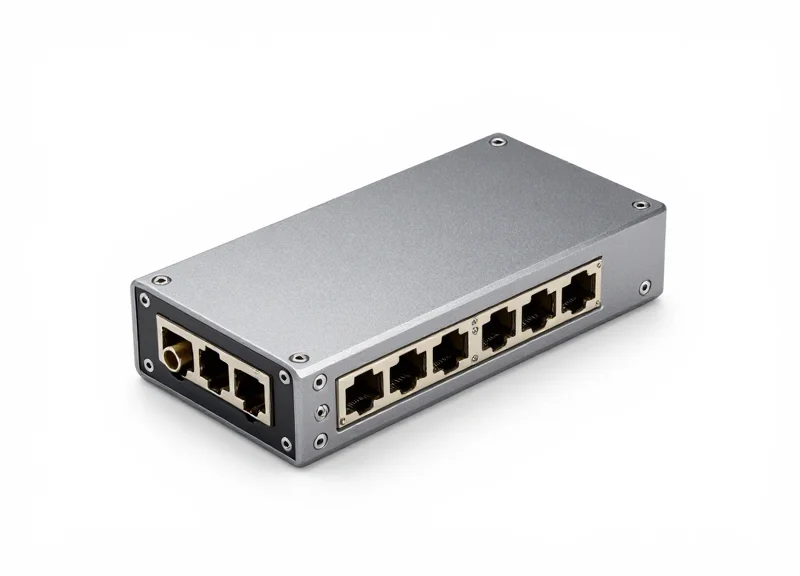
In a high-density 16-port RFID deployment, hardware interfacing is the critical variable in your link budget. While 4-port readers are forgiving, a 16-port gate often requires cabling lengths that can exceed 10 meters, where every decibel (dB) of signal loss directly translates to a reduced read range and lower tag throughput. To achieve 'Mastering Massive Group Reading,' engineers must transition from standard RG-58 cables to high-performance LMR-400 or equivalent low-loss coaxial options. This ensures that the RF energy generated by the reader isn't dissipated as heat before it even reaches the antenna, maintaining the 30dBm+ output necessary to energize dense tag clusters deep within a smart gate corridor.
| Cable Type | Loss per 10m (900 MHz) | Flexibility | Best Use Case |
|---|---|---|---|
| RG-58 | ~4.5 dB | Very High | Short patches (<2m) only |
| LMR-195 | ~3.6 dB | High | Moderate runs in small gates |
| LMR-400 | ~1.3 dB | Medium | Standard for 16-port 10m runs |
| LMR-600 | ~0.9 dB | Low | Long-range industrial backbones |
Expert Insight: The Latency of Multiplexing. A unique challenge in 16-port systems is the 'switching tax.' Whether the reader uses internal or external multiplexers, there is a finite time (often 10-25ms) required for the RF switch to stabilize when moving from Port 1 to Port 16. In high-speed gate channels, this 'dead time' can accumulate. To outperform competitors, calibrate your software to trigger 'burst reads' per port rather than high-frequency switching, which minimizes the cumulative overhead of the multiplexer's physical state changes.
- Conduct a Link Budget Analysis: Calculate the total loss from the reader port to the antenna, including connectors (typically 0.1dB loss per junction) and cable attenuation.
- Enforce Torque Standards: Use a calibrated torque wrench for R-TNC connectors to ensure a consistent Voltage Standing Wave Ratio (VSWR), preventing signal reflection that can damage the reader's RF front-end.
- Implement Cable Phase Matching: In phase-array gate setups, ensure cables for opposing antennas are the exact same length to prevent timing offsets in the signal wave.
Does cable length affect 16-port reader sensitivity?
Yes. For every 3dB of loss in a cable, you lose 50% of your effective power and significantly reduce the reader's ability to 'hear' the weak backscatter signals from passive tags.
What is the best connector for smart gate environments?
Professional-grade R-TNC (Reverse Polarity TNC) connectors are preferred over SMA for 16-port readers because they offer better mechanical durability and lower insertion loss in high-vibration environments.
Can I use a passive splitter instead of a multiplexer?
It is not recommended. Passive splitters divide power (e.g., a 2-way split loses 3dB), whereas a multiplexer directs full power to one port at a time, which is essential for penetrating dense tag groups.
Middleware Logic: Data Filtering and De-duplication

Middleware logic for 16-port RFID fixed readers serves as the 'brain' that processes the massive, redundant stream of raw tag reads into singular, validated events. When 16 antennas fire concurrently in a smart gate, a single tag may be read hundreds of times per second across multiple ports. Middleware must filter this noise by using Signal Strength (RSSI) thresholds, time-window de-duplication, and logic-based validation to ensure that the backend system receives exactly one accurate record per item passing through the portal.
| Data Category | Raw Data State | Middleware Processed State | System Impact |
|---|---|---|---|
| Redundancy | 1,000+ reads/sec for one tag | 1 unique event record | Reduces DB load by 99.9% |
| Accuracy | Reads from adjacent lanes | RSSI-filtered exclusion | Prevents false positives |
| Timestamps | Continuous rapid pulses | Entry/Exit event duration | Enables precise flow analytics |
- RSSI Threshold Filtering: Discard any reads below a specific decibel-milliwatt (dBm) level. This ensures that 'leakage' reads from tags outside the gate perimeter are ignored before they reach the processing engine.
- Sliding Window De-duplication: Implement a time-based window (typically 500ms to 2s) where subsequent reads of the same EPC are suppressed unless a specific state change occurs.
- Antenna Affinity Mapping: In a 16-port setup, the middleware assigns the tag to the port showing the highest consistent RSSI, effectively 'locating' the item within the 3D space of the gate.
- Logic-Based Event Triggering: Only commit a read to the database if the tag has been seen by at least two different antennas or has met a minimum 'read count' threshold within the transit window.
Expert Insight: For 16-port high-density environments, move beyond 'First Seen' logic. Use 'Weighted Average RSSI' across the entire reading cycle. By averaging the signal strength over the duration of the gate transit, you can mathematically distinguish between a tag moving through the center of the gate and a tag statically sitting on a nearby pallet that is being picked up by 'stray' side-lobes of the antennas.
def process_rfid_stream(raw_read):
    # Example: RSSI-Weighted Filtering Logic
    if raw_read.rssi < MIN_THRESHOLD_DBM:
        return None # Ignore weak leakage

    tag_id = raw_read.epc
    if tag_id in active_window:
        active_window[tag_id].update(raw_read.rssi, time.now())
        return None # Suppress duplicate
    else:
        active_window[tag_id] = TagEvent(tag_id, raw_read.rssi)
        return generate_validated_event(tag_id)
How do I prevent 'Ghost Reads' in a 16-port gate?
Combine a physical GPIO trigger (like a motion sensor) with the middleware. Only allow the de-duplication engine to accept tags when the sensor confirms an object is actually inside the gate.
What is the ideal de-duplication timeout?
For smart gates, 1,500ms is standard. This is long enough to cover a person or pallet walking through but short enough to reset for the next person following closely behind.
Can the reader handle filtering internally?
While some 16-port readers have on-board filtering, it is often too rigid. Advanced middleware is recommended to handle complex logic like 'directionality' which requires comparing antenna sequences.
Environment-Specific Tuning: Logistics vs. Retail
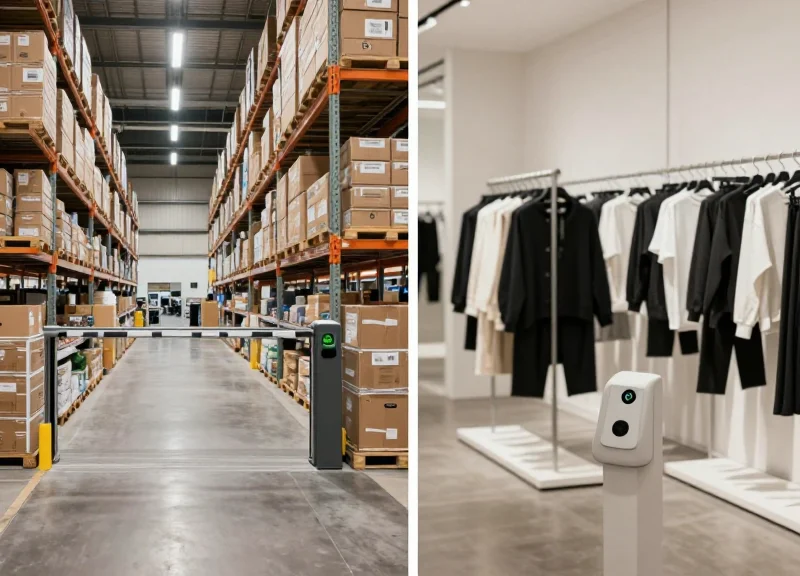
Optimizing 16-port RFID smart gates requires a shift from generic power settings to 'material-aware calibration,' where RF parameters are dynamically adjusted based on the dielectric constant of the items passing through. While logistics environments often deal with bulk pallets and varying moisture content (liquids), retail smart gates must contend with dense textile packing and metallic security tags. In a high-density 16-port configuration, success is not defined by maximum power, but by how well the RF field is shaped to overcome the physical absorption or reflection characteristics of the specific goods.
| Parameter | Logistics (Industrial) | Retail (Apparel/Fashion) |
|---|---|---|
| Typical Goods | Mixed pallets, liquids, bulk containers | Folded fabrics, jewelry, metal-lined tags |
| Primary RF Challenge | Signal absorption (Liquids/Moisture) | Signal shadowing and reflection (Metal/Dense packing) |
| Antenna Configuration | Symmetric 8x8 Grid for depth | Asymmetric 10x6 Grid for varied heights |
| Gen2 Session Choice | Session 2 (Long-term persistence) | Session 1 (Fast re-inventory) |
| Power Strategy | High Output (30dBm+) for penetration | Medium Output (24-27dBm) to limit stray reads |
- Tuning for Liquids (Logistics): Increase the RF output power to the maximum allowed (typically 30dBm-31.5dBm) and utilize circular polarization to maximize the 'wrap-around' effect. Since water absorbs RF energy, use at least 12 of the 16 ports to create a dense volumetric mesh that hits the pallet from every possible angle.
- Tuning for Metals (Retail/Manufacturing): Avoid high power to prevent 'multipath interference' where signals bounce off metal surfaces and create null zones. Instead, use a lower power (20-25dBm) but increase the 'Q-Algorithm' value to allow more time-slots for tags that are competing with reflected noise.
- Tuning for Dense Fabrics (Retail): Focus on high-speed switching across the 16 ports. Because fabrics are RF-transparent but dense packing causes tag shadowing, a rapid sequential scan across all antennas (less than 10ms per port) ensures that even momentarily exposed tags are captured.
Expert Insight: The 'Polarization Diversity' Trick. In 16-port smart gates, do not use the same antenna orientation for all ports. My recommended 'Golden Configuration' for mixed logistics is to alternate between Horizontal and Vertical linear polarization across adjacent ports. This creates a 3D polarization matrix that catches tags regardless of their orientation on the pallet, effectively solving the 'dead-angle' problem without needing to rotate the goods.
How do I handle 'Wet' goods like beverages in a smart gate?
Use 'Near-Field' antennas on the lower 4 ports of the 16-port reader to capture tags close to the reader, while using high-gain 'Far-Field' antennas on the upper ports to penetrate the center of the pallet.
Can I use the same 16-port reader for both incoming (logistics) and outgoing (retail) gates?
Yes, but you should implement 'Profile Switching' in the middleware. When the system detects a 'Receiving' event, it should trigger a high-power Session 2 profile; for 'Dispatch' of individual boxes, it should switch to a lower-power Session 1 profile.
Monitoring and Real-Time Diagnostics
In a 16-port smart gate environment, real-time diagnostics represent the difference between a high-availability industrial system and a frequent point of failure. By leveraging low-level telemetry—specifically Received Signal Strength Indicator (RSSI) and Phase angle data—engineers can create a 'digital twin' of the electromagnetic environment. This allows for the proactive identification of signal degradation caused by environmental changes, such as humidity or mechanical shifts in antenna mounting, before they impact read rates.
| Metric | Healthy Range | Diagnostic Indicator | Action Required |
|---|---|---|---|
| RSSI (dBm) | -45 to -65 dBm | Sudden drop > 10dBm | Check for physical obstruction or cable loose connection. |
| Phase Angle | Stable (±5° variance) | Erratic fluctuations | Indicates multipath interference or tag movement instability. |
| Port Read Count | Uniform across ports | Discrepancy > 30% | Potential antenna failure or 'dead zone' in gate geometry. |
| Success Rate | 99.8%+ | Dipping below 98% | Recalibrate Q-algorithm or check for new RF noise sources. |
To maintain a 16-port system, monitoring must move beyond simple 'read/no-read' binary status. High-density gates often suffer from 'Adjacent Port Interference' where signal leakage between ports 1 and 16 (often physically close on the reader) can ghost-trigger inventories. Monitoring Phase Angle is particularly critical here: a static tag will show a constant phase, whereas a moving tag or a reflected signal will show a shifting phase slope, allowing software to filter out environmental 'noise' tags.
{
  "port_diagnostics": {
    "port_id": 7,
    "status": "active",
    "telemetry": {
      "rssi_avg": -52.4,
      "phase_angle_variance": 2.1,
      "noise_floor": -92.0,
      "reflected_power_ratio": 1.15
    }
  }
}
Expert Tip: Implement 'Phase Jitter Profiling.' By monitoring the micro-variations in phase data from fixed reference tags (tags permanently mounted on the gate frame), you can predict hardware failure. A sudden increase in phase jitter for a stationary reference tag is a leading indicator of connector oxidation or cable fatigue caused by vibration, often predicting a cable failure 48 to 72 hours before the signal is lost entirely.
Why does RSSI fluctuate even when no items are moving?
RSSI is highly sensitive to the dielectric constant of the air. Changes in humidity or the presence of people (who are mostly water) near the gate can cause signal attenuation or reflections even if the target tags are stationary.
How often should I poll diagnostic data?
For 16-port systems, we recommend a split-tier approach: critical metrics like 'Port Health' should be polled every 1-5 seconds, while deep-dive telemetry like 'Reflected Power Ratio' can be logged every 60 seconds to avoid taxing the reader's CPU.
What is a 'Noise Floor' and why does it matter?
The noise floor represents the ambient RF energy in the room. If a nearby piece of machinery (like a conveyor motor) creates electromagnetic interference, the noise floor rises, effectively 'drowning out' the tags' weak backscatter signals.