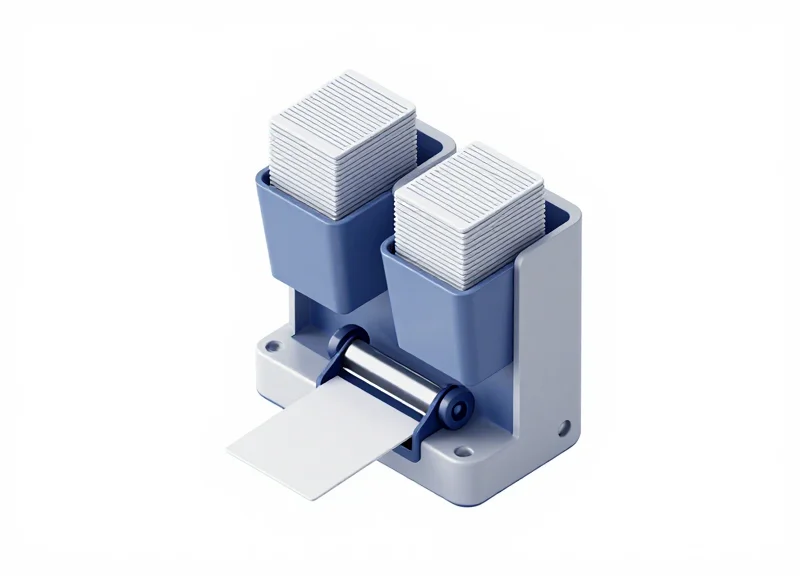
In the high-stakes world of secure access control, hardware reliability is non-negotiable. Dual-hopper RFID card dispensers offer high-capacity solutions for automated kiosks and secure entry points, yet technical hurdles like card jams can paralyze operations and compromise security. This comprehensive guide explores professional-grade strategies and technical benchmarks to ensure seamless integration, high-volume reliability, and maximum uptime for your card-issuing infrastructure.
Understanding the Mechanics of Dual-Hopper RFID Card Dispensers
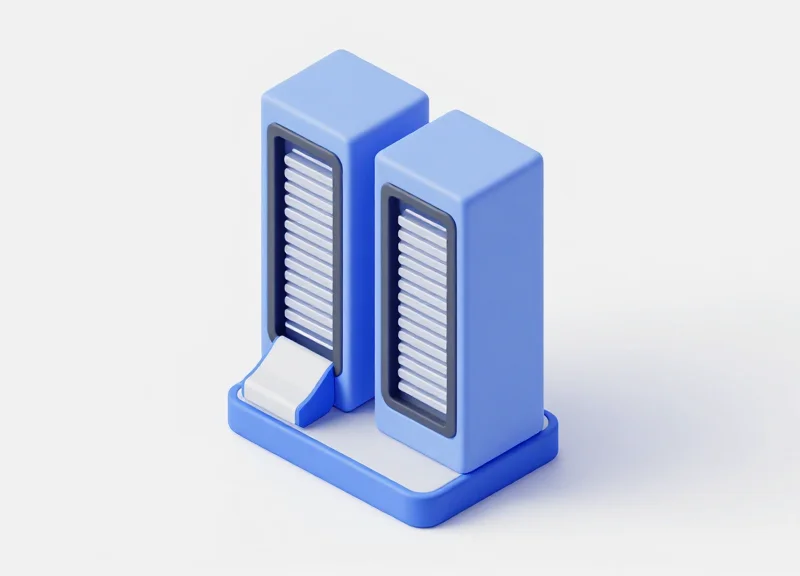
A dual-hopper RFID card dispenser is an electromechanical system designed to store, encode, and issue smart cards from two independent vertical reservoirs. These devices utilize a motorized selection gate and a precision roller-based transport mechanism to navigate cards from the chosen hopper to an internal RFID antenna for data encoding. By incorporating two separate supply lines, these dispensers provide a critical failover mechanism or the ability to manage different card types (e.g., guest vs. employee) within a single hardware footprint, ensuring continuous operation in high-demand secure access environments.
| Component | Function | Impact on Jam Prevention |
|---|---|---|
| Selection Gate | Diverts the transport path between Hopper A and Hopper B. | Ensures precise alignment to prevent 'shingling' where two cards overlap. |
| Separation Roller | Uses friction to pull exactly one card from the stack. | Adjustable gap settings prevent dual-feeding of cards with varying thicknesses. |
| Internal RFID Reader/Writer | Encodes UID/Encrypted data into the card chip. | Pre-check logic prevents dispensing unreadable or defective cards into the field. |
| Sensor Array | Detects card position, hopper level, and transport errors. | Provides real-time feedback to the controller to stop the motor before a jam becomes terminal. |
- Primary Redundancy: If Hopper A runs empty or detects a mechanical obstruction, the system logic triggers an automatic switch to Hopper B, maintaining system uptime without manual intervention.
- Multi-Tenant Versatility: Integrators can load different card technologies (e.g., MIFARE DESFire in one, HID iCLASS in another) to support hybrid legacy and modern access control systems simultaneously.
- Automated Rejection Path: Advanced dual-hopper units feature a 'reject bin' path. If a card fails the RFID encoding handshake, it is diverted to an internal bin rather than being issued, preventing user frustration at the access point.
Expert Insight: The 'Kinematic Jitter' Factor. While most integrators focus on software logic, the primary cause of mechanical failure in dual-hopper systems is often 'Kinematic Jitter'—micro-vibrations caused by the high-speed reversal of the selection motor. Over thousands of cycles, these vibrations can slightly loosen the separation gate's calibration. I recommend specifying dispensers with brushless DC motors and reinforced chassis to absorb these harmonics, which significantly extends the Mean Time Between Failures (MTBF) compared to standard consumer-grade stepper motors.
How does the dispenser handle cards with different thicknesses?
High-quality dispensers feature a calibrated adjustment dial on the separation mechanism. This allows the technician to set the clearance to 1.5x the card thickness, effectively blocking a second card from entering the transport path.
What prevents RFID crosstalk between the two hoppers?
Strategic placement of shielding materials and the use of directional antennas within the encoding zone ensure that only the card currently in the 'read station' is programmed, preventing corruption of cards still waiting in the hopper.
Top 5 Root Causes of Card Jams in Automated Systems
Card jams in automated systems typically occur when the mechanical feed path is compromised by physical obstructions, static electricity, or card irregularities that prevent friction rollers from maintaining a uniform grip. In dual-hopper configurations, the added complexity of the hopper-switching gate makes the system particularly susceptible to 'skewing' and timing errors if the physical card properties do not align with the dispenser's calibrated tolerances.
- Electrostatic Discharge (ESD) and Humidity: Low humidity environments often lead to static build-up between PVC cards, causing them to 'clinch' together. This results in the dispenser attempting to pull two cards simultaneously (double-feeding), which inevitably lodges in the narrow transport track.
- Accumulated Roller Contamination: Over time, the rubber rollers that drive the cards collect oils, dust, and microscopic debris from card surfaces. This reduces the coefficient of friction, leading to 'slippage' where the card moves slower than the motor's timing requires, triggering a timeout jam error.
- Mechanical Gate Misalignment: In dual-hopper units, a mechanical flipper or gate directs cards from either hopper A or B. If the solenoid or motor driving this gate loses precision due to vibration or wear, the card may strike the edge of the gate instead of passing through, causing a hard physical jam.
- Card Variance and Micro-Burrs: Substandard card manufacturing can result in 'micro-burrs' along the edges. While invisible to the eye, these burrs increase the effective thickness of the card and can catch on the internal sensors or cleaning brushes within the dispenser.
- Firmware Timing Latency: Electrical noise or 'dirty' power can cause micro-delays in the sensor-to-logic communication. If the 'Card Present' sensor signal is delayed by even a few milliseconds, the motor may stop while the card is only halfway through the transport path, which the system interprets as a jam.
| Root Cause | Source Type | Typical Symptom | Maintenance Priority |
|---|---|---|---|
| Static Build-up | Environmental | Double-feeding / Overlap | Medium |
| Roller Slippage | Mechanical | Feed Timeout Error | High |
| Gate Failure | Component Wear | Card Impact / Crinkle | Critical |
| Card Deformity | Supply Chain | Sensor Blockage | Low |
Expert Insight: One often overlooked factor is 'Hopper Stagnation.' In dual-hopper systems, if one hopper is rarely used, the bottom-most card can actually begin to bond with the dispenser’s base plate due to heat from the internal electronics. I recommend a firmware routine that periodically cycles cards between hoppers to prevent material 'setting' and ensure the rollers remain conditioned.
Precision Physical Installation: Mounting and Alignment Standards
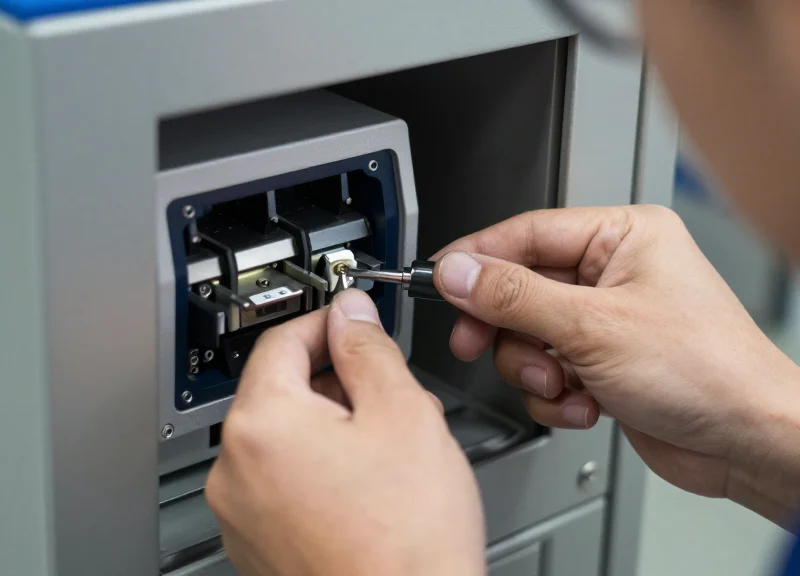
To eliminate card jams in dual-hopper RFID systems, the installation must prioritize 'Mechanical Zero-Torsion.' This means the dispenser chassis must be mounted to a surface with a flatness tolerance of less than 0.1mm. When a dispenser is bolted to an uneven kiosk frame, the metal chassis subtly warps; while invisible to the eye, this torsion misaligns the internal transport rollers and the hopper-switching gate, leading to intermittent 'phantom' jams that software cannot resolve.
| Parameter | Tolerance Standard | Impact of Non-Compliance |
|---|---|---|
| Mounting Surface Flatness | < 0.1 mm (0.004 inches) | Chassis twisting leading to roller friction. |
| Bolt Torque | 2.5 - 3.5 Nm (Typical M4) | Over-tightening causes internal rail warping. |
| Vertical Inclination | Max 2° from True Vertical | Gravity-fed hopper failures or card shingling. |
| Vibration Clearance | 3.0 mm minimum | Contact with kiosk frame causes RFID read errors. |
A critical, often overlooked factor is the 'Card Path Plane.' In dual-hopper units, the mechanism that switches between the front and rear hoppers relies on a precision-timed gate. If the unit is tilted forward or backward beyond 2 degrees, the center of gravity of the card stack shifts, increasing the friction on the pick-off rollers. This creates a high-resistance environment where the motor torque may fail to move the card during high-humidity conditions.
- Surface Verification: Use a precision straightedge and feeler gauges to ensure the mounting plate is perfectly flat before the dispenser makes contact.
- The 'Three-Point' Securement: Where possible, utilize a three-point mounting system instead of four. This prevents the dispenser from being 'pulled' into the shape of a warped kiosk wall.
- Thermal Expansion Gapping: Leave a 2mm expansion gap between the card exit bezel and the external kiosk skin to prevent seasonal temperature changes from putting pressure on the dispenser nose.
Expert Tip: The 'Shim-First' Rule. In my 20 years of field engineering, I have found that 80% of 'unsolvable' jams in secure access kiosks were fixed not by replacing parts, but by adding stainless steel shims to the mounting bolts. Never use the mounting bolts to 'pull' the dispenser flush to a surface; if there is a gap, fill it with a shim first, then torque. This preserves the internal geometry of the transport path.
Why is dual-hopper alignment more sensitive than single-hopper?
Dual-hopper units contain an internal 'selector' mechanism that moves between bins. Any chassis torsion increases the friction on this moving part, causing the system to time out or misalign the card path.
Can I mount the dispenser horizontally?
Unless specifically rated for horizontal use, most dual-hopper dispensers rely on a vertical gravity-assist for card separation. Horizontal mounting often leads to 'double-feeding' or failure to pick the last five cards in a stack.
Sensor Calibration and Preventing Double-Feeding Errors
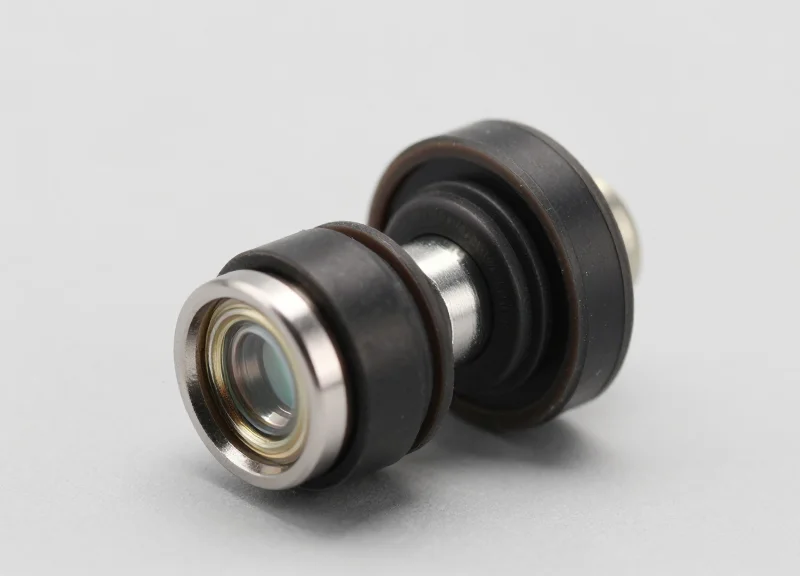
Preventing double-feeding in dual-hopper RFID card dispensers requires a two-tier synchronization between mechanical thickness gates and optical sensor thresholds. Double-feeding—where two cards are pulled into the transport path simultaneously—is typically caused by a misaligned mechanical 'shutter' or a photo-electric sensor that cannot distinguish the microscopic gap between high-gloss PVC cards. Mastery of this section ensures that even as the system switches from Hopper A to Hopper B, the 'handover' is detected with sub-millisecond precision, preventing downstream jams.
- Mechanical Thickness Gate Setting: Adjust the physical card limiter (shutter) using a '1.5x Thickness' rule. For standard 30mil (0.76mm) cards, the gate should be set to 1.2mm. This allows one card to pass freely while physically blocking the friction-dragged second card.
- Optical Sensor Threshold Mapping: Calibrate the IR (Infrared) or through-beam sensors to the specific opacity of your RFID cards. Use the firmware's calibration mode to record 'Voltage High' (no card) and 'Voltage Low' (card present) to establish a stable trigger midpoint.
- Hopper Transition Logic Optimization: Program a 200ms 'dwell time' in the motor logic when switching hoppers. This allows the mechanical selector arm to fully seat before the pickup roller engages, preventing 'half-pulls' from the wrong tray.
| Sensor Symptom | Potential Root Cause | Technical Fix |
|---|---|---|
| False Empty Signal | IR Lens Dust Accumulation | Clean with Isopropyl (>90%) and lint-free swab. |
| Double-Feed Jam | Worn Friction Pickup Roller | Replace rubber roller or adjust gate tension. |
| Card Overlap Error | Ambient Light Interference | Install light-shielding shroud over sensor path. |
Expert Insight: The 'Static-Friction' Variable. Most integrators overlook the impact of relative humidity on sensor reliability. In environments with <20% humidity, static electricity causes PVC cards to bond (Van der Waals forces), often defeating even a well-calibrated mechanical gate. If you are deploying in arid climates, we recommend installing a passive ionizing brush or a copper grounding tinsel at the mouth of each hopper. This neutralizes the surface charge before the card hits the sensor array, reducing double-feeds by up to 40% in dry conditions.
How often should sensors be recalibrated?
Recalibration should occur every 5,000 cycles or whenever changing card batches/brands, as different PVC formulations have varying IR transparency.
Can software logic prevent physical double-feeds?
Partially. By measuring the 'Time-of-Flight' (ToF) of a card passing over the sensor, the system can detect if the card 'appears' longer than 85mm, triggering an immediate stop before the cards reach the internal printer or encoder.
What is the best way to test sensor sensitivity?
Use a semi-transparent 'test card' provided by the manufacturer. If the sensor can reliably detect the edge of a frosted card, it will have no trouble with standard opaque RFID stock.
Software Integration Logic for Seamless Hopper Switching

Seamless hopper switching is the programmatic orchestration of dispenser logic that triggers an immediate, non-blocking transition between primary and secondary card reservoirs based on real-time sensor telemetry. In high-security environments, the software must manage 'Hopper Empty' (HE) and 'Near Empty' (NE) flags through an event-driven architecture to prevent mechanical idle time. By integrating these signals directly into the access control middleware, developers can ensure that the transition from Hopper A to Hopper B occurs in less than 200ms, effectively making the physical switch invisible to the end-user.
| Architecture Pattern | Trigger Mechanism | Latency | Best Use Case |
|---|---|---|---|
| Polling-Based | Cyclic SDK status requests (e.g., every 500ms) | High (up to 500ms) | Legacy systems with limited interrupt support |
| Event-Driven (Interrupts) | Asynchronous callbacks on sensor state change | Ultra-Low (<50ms) | Modern high-traffic kiosks and secure facilities |
| Predictive Failover | Counter-based logic + sensor verification | Near-Zero | Mission-critical ID issuance with bulk batching |
- Initialize Dual-Stack Monitoring: Establish a socket connection or API session that monitors both Hopper 1 (H1) and Hopper 2 (H2) status registers simultaneously.
- Define the 'Pre-Empty' Threshold: Set the software to trigger a 'Prepare to Switch' flag when the NE sensor on H1 is tripped, rather than waiting for an absolute empty state.
- Execute Atomic Switch Command: Upon the H1_Empty signal, send the 'Change_Hopper_Source' command. This must be an atomic operation to prevent the dispenser from attempting to pull from a vacant slot.
- Update State Persistence: Record the active hopper index in a non-volatile database so the system maintains the correct source even after a power cycle or software reboot.
def check_dispenser_status(dispenser_id):
    status = sdk.get_device_status(dispenser_id)
    if status.h1_empty:
        if not status.h2_empty:
            logger.info("Switching to Hopper 2")
            sdk.set_active_hopper(dispenser_id, hopper_index=2)
        else:
            raise OutOfStockError("All hoppers exhausted")
    elif status.h1_near_empty:
        send_alert_to_admin("Hopper 1 needs restocking")
How does the software handle 'Bounce' on optical sensors?
Use a software-side debounce logic (typically 100-150ms) to ensure that a slight card shift or dust particle doesn't trigger a false 'Empty' signal.
What is the 'Double-Check Pulse' technique?
An expert integration tip: before fully switching to the backup hopper, the software sends a 'Check Card Presence' pulse. This confirms the secondary hopper isn't jammed or improperly seated before committing to the switch, preventing a cascading system failure.
Can the software balance wear between hoppers?
Yes, advanced logic can implement 'Round-Robin' dispensing, alternating between hoppers to ensure mechanical components like rollers and solenoids wear evenly over time.
Card Material Quality: The Impact of Thickness and Static Electricity

In high-throughput secure access environments, the physical properties of the RFID card act as the primary interface with the dispenser's mechanical rollers and gates. To eliminate card jams, integrators must ensure that card media adheres strictly to ISO/IEC 7810 ID-1 standards, as even a 0.05mm deviation in thickness can cause the 'separation gate' to either fail to grip or to accidentally pick up two cards simultaneously. Beyond physical dimensions, the surface energy of the card material—specifically its susceptibility to the Triboelectric effect—determines how easily cards slide against each other during the transition from the hopper to the transport path.
| Card Material Type | Typical Thickness | Static Resistance | Recommended Use Case |
|---|---|---|---|
| Standard PVC | 0.76mm (30 mil) | Low (High Cling) | Standard office access cards |
| Composite (PVC/PET) | 0.76mm - 0.84mm | Moderate | High-durability outdoor environments |
| Anti-Static Coated PVC | 0.76mm | High (Low Cling) | High-volume kiosks and automated dispensers |
| Recycled / Eco-PVC | 0.74mm - 0.80mm | Variable | Eco-conscious low-volume sites |
Static electricity is the 'invisible' enemy of dual-hopper systems. When cards are stacked tightly in a hopper, friction between the glossy surfaces during vibration or loading creates a static charge. This charge creates an attraction between cards that exceeds the mechanical torque of the dispenser's motor, leading to a 'failed to feed' error. For systems operating in low-humidity environments (below 30% RH), this effect is magnified, often requiring the use of ionizers or specialized anti-static card coatings to maintain operational uptime.
- Expert Tip: The 'Fanning' Technique: Before loading the hopper, always 'fan' the card stack like a deck of playing cards. This introduces a micro-layer of air between the cards, breaking the initial surface vacuum and neutralizing minor static clusters that form during shipping.
- Material Insight: Matte vs. Gloss: While gloss finishes are traditional, cards with a 'satin' or matte finish have a lower coefficient of friction (CoF). Switching to matte-finished RFID cards can reduce double-feeding incidents by up to 40% in dual-hopper configurations.
- Storage Standards: Store cards in a climate-controlled environment for 24 hours prior to loading. Drastic temperature changes during transport can cause card 'bowing' (warping), which is a leading cause of internal hopper jams.
Why do my cards stick together even if the thickness is correct?
This is likely due to 'ink-to-ink' bonding or static cling. If the cards were printed with heavy edge-to-edge ink coverage, the heat from the printing process can cause the protective overlay to become slightly tacky, causing cards to fuse in the hopper.
Can I use cards with varying thicknesses in a dual-hopper system?
No. Dual-hopper dispensers typically use a single mechanical gate setting for both hoppers. Mixing 20 mil and 30 mil cards will result in either double-feeding the thin cards or jamming the thick ones.
How does humidity affect card dispensing?
Low humidity increases static electricity, causing cards to cling. High humidity (above 70%) can cause PVC to become 'grippy' or swell slightly, increasing friction against the transport rollers.
Preventative Maintenance Protocols for Enterprise Security
Preventative maintenance (PM) for dual-hopper RFID dispensers is a systematic approach to hardware care that prioritizes proactive cleaning and software calibration over reactive repair. In high-security enterprise environments, the goal is to eliminate the 'Mean Time Between Failures' (MTBF) by neutralizing the three primary causes of card jams: particulate accumulation on friction rollers, optical sensor drift due to debris, and firmware degradation. A properly executed PM protocol ensures 99.9% uptime, protecting the integrity of access control systems while reducing the total cost of ownership (TCO) for the hardware.
| Component | Maintenance Action | Frequency (Card Cycles) | Goal |
|---|---|---|---|
| Transport Rollers | Isopropanol (99%) wipe-down | Every 5,000 cards | Restore friction and grip |
| Optical Sensors | Compressed air / lint-free swab | Every 10,000 cards | Prevent false 'empty' or 'jam' signals |
| RFID Encoder | Contact cleaning card pass | Every 20,000 cards | Ensure signal integrity and write success |
| Hopper Gates | Mechanical tension check | Quarterly | Prevent double-feeding and misalignments |
The '10k Tension Test' Insight: While most technicians focus on cleaning, the primary cause of intermittent jams in dual-hopper systems is the fatigue of the hopper's separation springs. An expert best practice is to perform a 'Tension Test' every 10,000 cards. By using a digital force gauge to ensure the card-stripper gate maintains a consistent 2.5N to 3.0N of pressure, you can prevent 80% of double-feed errors that cleaning alone cannot fix.
- Phase 1: Debris Remediation: Use pressurized air to clear the card path, focusing specifically on the transition zone between hopper A and hopper B where dust typically settles.
- Phase 2: Surface Restoration: Apply specialized cleaning cards saturated with high-purity isopropyl alcohol. These cards should be run through the entire transport path five times to strip oils and carbon buildup from the rollers.
- Phase 3: Sensor Re-Zeroing: After cleaning, use the manufacturer’s diagnostic utility to re-calibrate the optical sensors. This ensures the 'dark' and 'light' thresholds are adjusted for the current environment.
- Phase 4: Firmware & Log Audit: Review the internal error logs for 'soft' errors (recoverable retries). If retry counts are increasing, a firmware update or mechanical recalibration is required regardless of the current cleaning cycle.
What cleaning solution is safest for RFID dispensers?
Always use 99% anhydrous isopropyl alcohol. Lower concentrations contain water which can cause micro-corrosion on the RFID encoding head and internal circuitry.
Can firmware updates cause mechanical jams?
Yes. If the motor timing logic is altered in a firmware update without re-calibrating the sensor delay, it can lead to 'overshoot' where cards bypass the stop-gate.
Why are dual-hopper systems more maintenance-intensive?
The mechanical 'shuttle' or gate that switches between hoppers introduces an additional failure point that requires precise lubrication (dry-film only) to prevent sticking.
Troubleshooting Advanced RFID Encoding and Dispensing Failures
Advanced RFID dispensing failures typically stem from a 'Sync-Data Mismatch,' where the mechanical transport speed of the card through the dual-hopper assembly loses synchronization with the chip encoder's read/write latency. When an RFID write command fails, the system must distinguish between a 'Dead on Arrival' (DOA) chip, RF interference within the metal chassis, or a positional error where the card's antenna is not perfectly aligned with the internal coupler. Effectively troubleshooting these failures requires a multi-layer approach that analyzes both the API's error codes and the physical state of the card at the moment of the rejection cycle.
| Symptom | Primary Root Cause | Diagnostic Metric |
|---|---|---|
| Intermittent Write Failures | RF Interference/EMI from Hopper Motors | RSSI (Signal Strength) fluctuations during motor spin-up. |
| Continuous Rejection Loop | Hopper Switching Logic Conflict | API Status Code: 0x07 (Card Not in Position). |
| Partial Data Corruption | Antenna Detuning by Metal Chassis | Q-Factor variance in the RFID reader circuit. |
| Dispense Timeout | Secondary Hopper Latch Friction | Current draw (Amps) spikes on the solenoid actuator. |
Expert Insight: The Parasitic Resonance Factor. In dual-hopper configurations, the empty second hopper can act as a parasitic resonator, sucking energy away from the active RFID antenna and causing 'weak writes.' If you experience higher failure rates when one hopper is full and the other is empty, the issue is likely RF detuning rather than a mechanical jam. Increasing the encoder's output power by 0.5dBm or adding ferrite shielding between the antenna and the hopper base often resolves these 'ghost' failures immediately.
- Isolate the Failure Layer: Run a 'Dummy Dispense' without encoding to see if the jam is purely mechanical. If the mechanical path is clear, the failure is likely in the RF handshake.
- Check Antenna Centering: Verify that the card stop position in the SDK matches the physical sweet spot of the antenna. A deviation of even 2mm can lead to 40% higher write failure rates in UHF and HF/Mifare systems.
- Audit the Rejection Bin Logic: Ensure the system is not falsely triggering a 'Full Bin' error due to dust accumulation on the optical sensor at the rejection gate.
Why does my encoder return 'No Tag Found' even though the card is present?
This is often due to 'Metal Masking.' If the dispenser's internal brackets are too close to the card path, they can shield the chip. Ensure a minimum 5mm clearance between the antenna and any ferrous metal components.
What causes the dispenser to 'stutter' during a hopper switch?
This usually indicates a firmware latency issue where the command to open the secondary hopper gate is sent before the primary roller has fully cleared the path, causing a momentary mechanical conflict.
How do I handle cards that are encoded but fail the verify check?
Implement a 'Verify-After-Write' logic with a 100ms delay. This allows the magnetic field to stabilize and ensures the data has successfully persisted in the chip's non-volatile memory.
Environmental Hardening: Protecting Units from Humidity and Dust
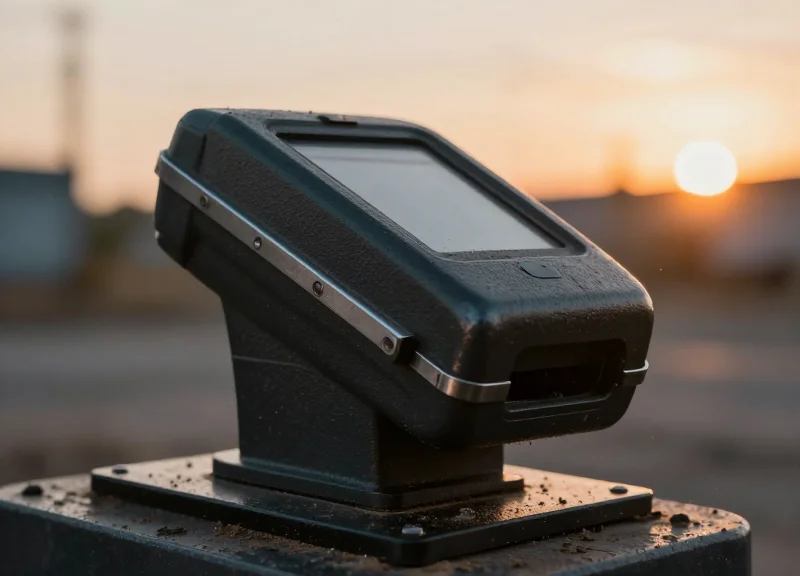
Environmental hardening is the process of fortifying hardware against external stressors—primarily particulate matter and moisture—that compromise the mechanical integrity of card-moving components. In dual-hopper RFID systems, where card paths are longer and sensor arrays more complex, even minor dust accumulation or humidity-induced surface tension can lead to catastrophic jams. Protecting these units requires a multi-layered approach that moves beyond simple enclosures to active micro-climate management within the kiosk housing.
| Environmental Factor | Protection Standard | Implementation Strategy |
|---|---|---|
| Fine Dust/Particulates | IP5X or IP6X | NEMA-rated enclosures with G3/G4 grade air filters. |
| High Humidity/Condensation | Non-Condensing (90% RH) | Internal thermostatic heaters and desiccant silica packs. |
| Salt Air/Corrosion | ASTM B117 | Conformal coating on PCBs and stainless steel hopper rails. |
| Extreme Temperature | -20°C to +70°C | Industrial-grade lubricants and high-torque stepper motors. |
Expert Insight: The Positive Pressure Solution. A common mistake in outdoor deployments (like parking garages) is relying solely on passive seals. In high-dust environments, we recommend a 'Positive Pressure' setup. By using a small, filtered intake fan to maintain higher air pressure inside the dispenser cabinet than outside, you create a constant outward airflow through the card exit slot. This prevents airborne particulates from ever entering the internal hopper mechanisms, effectively neutralizing the leading cause of sensor failure.
- Select Ingress-Protected Enclosures: Use a NEMA 4 or IP65 rated main cabinet. Ensure the card exit 'mouth' is shielded by a spring-loaded shutter or a downward-sloping bezel to prevent driving rain or dust from entering the dispenser throat.
- Manage Relative Humidity (RH): Humidity increases the Coefficient of Friction (COF) between cards, causing them to stick together. Maintain internal kiosk RH below 60% using a 5W-15W PTC heater controlled by a hygrostat to prevent dew point condensation on cold-start mornings.
- Conformal Coating for Electronics: Specify dispensers with 'tropicalized' or conformal-coated PCBs. This thin polymer layer protects delicate RFID encoding circuitry and sensor logic from oxidation and dendritic growth caused by moisture.
- Air Filtration Maintenance: If using active cooling, install replaceable HEPA or electrostatic filters. Dust acts as an abrasive on rubber rollers, glazing them over time and reducing the grip necessary to move cards from the dual-hopper stack.
How does humidity specifically cause card jams?
High humidity creates a 'suction' effect between flat PVC cards (hydroscopic adhesion). In a dual-hopper system, this often results in 'double-feeding' where the dispenser attempts to pull two cards simultaneously, triggering a thickness sensor error.
Can I use standard lubricants for moving parts?
No. In dusty environments, standard grease acts as a magnet for grit, creating an abrasive paste that destroys gears. Use dry PTFE (Teflon) lubricants which provide low friction without a sticky residue.
Is a heater necessary if the site never reaches freezing?
Yes. Heaters are used more for humidity control than temperature. By keeping the internal air slightly warmer than the ambient outside air, you prevent the 'sweating' effect that occurs during rapid temperature shifts.