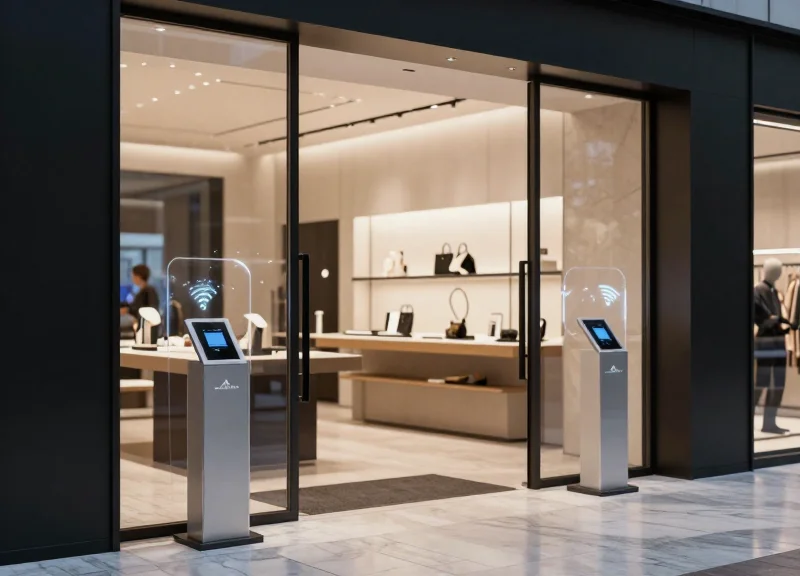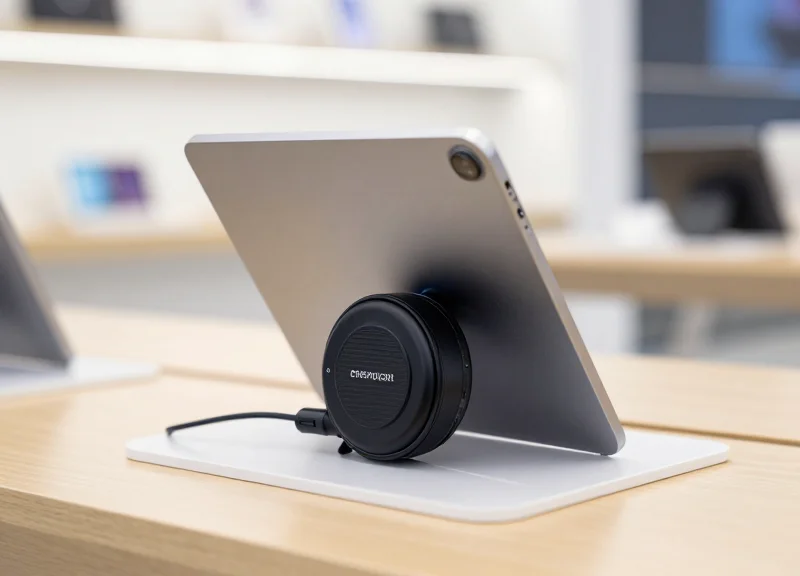
In the world of furniture retail, spacious showroom entrances are essential for moving large inventory and providing an inviting customer experience. However, securing a 3-meter wide opening presents unique technical challenges for Electronic Article Surveillance (EAS). Traditional systems often struggle with detection gaps in the center of such wide spans. This guide leverages 58kHz Acoustic Magnetic (AM) technology, known for its superior performance over distance, to provide a professional-grade calibration checklist designed specifically for high-end furniture showrooms. By following these technical steps, retailers can achieve seamless security without compromising on aesthetic openness.
The Challenge of Wide Entrances in Furniture Retail
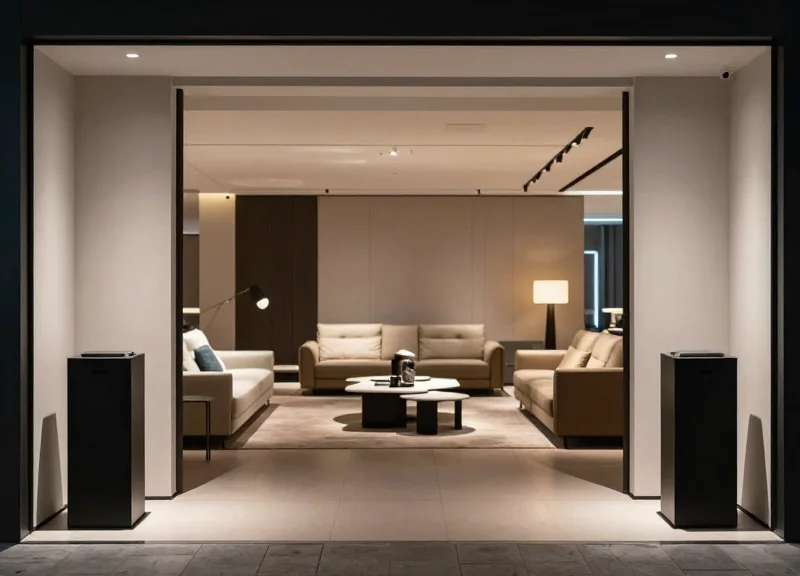
In the furniture retail sector, wide showroom entrances—often exceeding 3 meters—are a logistical necessity to accommodate the movement of bulky items like sectional sofas, king-sized bed frames, and dining sets. However, these expansive entryways create a significant 'Security-Logistics Gap' because standard 58kHz Acousto-Magnetic (AM) technology faces exponential signal degradation as the distance between transceiver pedestals increases. For a furniture retailer, a 3-meter opening represents the 'outer limit' of reliable EAS detection, where the physical laws of electromagnetism threaten to leave the center of the aisle completely unprotected, creating a 'dead zone' for theft.
| Aisle Width (Meters) | Signal Strength (Rel.) | Detection Reliability | Furniture Logistics Suitability |
|---|---|---|---|
| 1.2 - 1.6m | High | 99% | Poor (Small items only) |
| 1.8 - 2.4m | Moderate | 85-90% | Fair (Standard chairs/desks) |
| 3.0m+ | Critical Low | Under 70% (uncalibrated) | Optimal (Full logistics flow) |
Why can't I just turn up the sensitivity on the pedestals?
Increasing sensitivity often backfires by raising the 'Noise Floor.' In a 3-meter setup, high sensitivity causes the system to pick up ambient electronic noise from LED lighting and nearby escalators, leading to frequent false alarms that annoy customers and desensitize staff.
What exactly is a 'Dead Zone' in AM technology?
A dead zone is a specific area—usually the dead center of a wide aisle at waist height—where the magnetic flux density is too weak to excite the 58kHz resonator in a security tag, allowing the item to pass through undetected.
How does furniture material affect the wide-aisle challenge?
While wood is transparent to RF, many modern furniture pieces contain metal springs, foils, or frames that can further distort or 'shield' the signal, exacerbating the weakness of a wide-span detection field.
Expert Insight: The Inverse Cube Law Paradox. Most retailers assume signal strength drops linearly with distance. In reality, the magnetic field strength of an AM antenna drops according to the Inverse Cube Law ($1/r^3$). When you move from a standard 1.5-meter opening to a 3-meter opening, you aren't just doubling the distance; you are technically reducing the available magnetic flux density at the center point by a factor of eight. This is why standard 'out-of-the-box' calibration is mathematically guaranteed to fail in wide-aisle furniture environments.
Why 58kHz AM Technology is Superior for Large Spans
For showroom entrances reaching or exceeding 3 meters, 58kHz Acousto-Magnetic (AM) technology is the industry standard because it leverages low-frequency magnetic fields that maintain signal integrity over greater distances than traditional 8.2MHz Radio Frequency (RF) systems. While RF signals are easily 'shadowed' or absorbed by the high metal content found in furniture—such as recliner mechanisms, metal bed frames, and spring mattresses—AM technology's pulsed magnetic field effectively 'wraps' around obstacles, ensuring a consistent detection zone even at the center of a wide-span entrance.
| Feature | 58kHz AM Technology | 8.2MHz RF Technology |
|---|---|---|
| Max Detection Width (Dual) | Up to 3.0 - 3.6 Meters | 1.6 - 1.8 Meters |
| Resistance to Metal | High (Excellent for furniture) | Low (High 'shadowing' risk) |
| Signal Characteristics | Pulsed Magnetic (Resonant) | Continuous Swept Frequency |
| False Alarm Rate | Low (Digital Signal Processing) | Moderate (Environmental Noise) |
The technical superiority of AM stems from the principle of magnetostriction. Unlike RF, which relies on a simple LC (Inductor-Capacitor) circuit, AM tags contain two amorphous strips that mechanically vibrate when exposed to a 58kHz pulse. This mechanical vibration creates a unique 'remnant' signal that the pedestals listen for during the 'off' phase of the pulse cycle. Because this specific mechanical resonance is virtually non-existent in nature or other electronics, AM systems can be tuned to much higher sensitivities to cover 3-meter spans without triggering false alarms from ambient electrical noise.
Does the 'Near-Field' effect limit 3-meter coverage?
No. While all magnetic fields decay following the inverse-cube law, AM systems use high-Q (Quality Factor) coils that concentrate flux lines more efficiently than RF antennas. This allows the magnetic 'sweet spot' to extend significantly further into the center of the aisle.
Why is 58kHz better for showrooms with LED lighting?
Modern LED drivers often emit noise in the 8MHz range, which can cripple RF systems. 58kHz is a much 'quieter' frequency band in retail environments, allowing for higher gain settings and wider pedestal spacing.
How does AM technology handle 'shielded' tags in furniture?
Because AM uses a magnetic field rather than an electric field, it is less susceptible to the 'Faraday Cage' effect. A tag tucked inside a metal-framed sofa is far more likely to be detected by an AM system than an RF system.
Expert Insight: The Phase-Jitter Advantage. A unique benefit of high-end 58kHz systems is their ability to distinguish between a moving tag and a stationary tag (like a 'tag-near-antenna' scenario). In a 3-meter wide entrance, signals are inherently weaker at the center; AM's phase-jitter analysis allows the system to boost sensitivity for moving objects while ignoring static metal interference, a calibration trick that is impossible with standard RF hardware.
Pre-Installation: The Environmental Noise Audit
An environmental noise audit is a rigorous diagnostic procedure used to quantify the ambient Electromagnetic Interference (EMI) within a showroom prior to EAS installation. For furniture retailers aiming to protect 3-meter wide entrances, this audit is non-negotiable because the Acousto-Magnetic (AM) signal strength follows the inverse-square law; as the distance between pedestals increases, the system's ability to distinguish a tag from background electronic 'noise' diminishes. A successful audit establishes the 'Noise Floor'—the baseline level of interference that the system must filtered out to prevent false alarms while maintaining maximum sensitivity at the center of the wide opening.
- Baseline Frequency Scanning: Utilize a handheld field strength meter or the EAS controller’s built-in oscilloscope software to scan the 58kHz spectrum. Record peak noise levels with all showroom electronics powered down to identify external grid interference.
- Dynamic Load Assessment: Systematically activate showroom subsystems—including HVAC units, LED spotlights, and motorized reclining furniture. Observe spikes in the 58kHz range to identify internal EMI sources.
- Phase Jitter Identification: Check for nearby AM systems in adjacent stores. If they operate on the same phase, they can cause 'phantom' signals. Determine the phase timing to ensure synchronization during the final calibration.
- Metal Proximity Mapping: Identify large stationary metal objects (e.g., steel door frames or structural beams) within 2 meters of the intended antenna placement, as these can cause signal reflections or 'sinks'.
| Source of Interference | Typical Noise Impact | Recommended Mitigation |
|---|---|---|
| Switching Power Supplies (LED Drivers) | High (Broadband Noise) | Shielded cabling or 5-meter physical separation. |
| Motorized Furniture Displays | Intermittent (Voltage Spikes) | Dedicated power circuit for EAS pedestals. |
| Neighboring RF/AM Systems | High (Signal Overlap) | Hardwired synchronization or phase adjustment. |
| Underfloor Power Conduits | Moderate (Inductive Loops) | Relocate pedestal 30cm from primary conduit axis. |
Expert Insight: The PWM Dimming Trap. Many modern furniture showrooms utilize Pulse Width Modulation (PWM) to dim LED track lighting. These controllers often oscillate at frequencies that generate harmonics near 58kHz. If your noise floor jumps significantly when lights are dimmed to 50%, you are dealing with harmonic interference. The solution isn't just tuning the EAS; it’s upgrading to high-frequency LED drivers (above 200kHz) to move the noise floor entirely out of the AM detection band.
What is an acceptable noise level for a 3-meter span?
Ideally, the noise floor should remain below 40mA as measured by the system software. For wide spans, anything above 70mA will likely require a reduction in sensitivity, which creates a 'dead zone' in the center of the entrance.
Can I perform an audit without specialized tools?
While professional meters are preferred, most modern digital AM controllers allow you to connect a laptop and view a real-time Fast Fourier Transform (FFT) graph of the local environment.
Why does the noise floor matter more for furniture stores?
Unlike apparel, furniture tags are often smaller or attached to items with metal components (like springs). A high noise floor forces you to turn down the 'gain,' making these harder-to-detect tags invisible to the system.
Optimal Hardware Configuration: Master vs. Slave Units
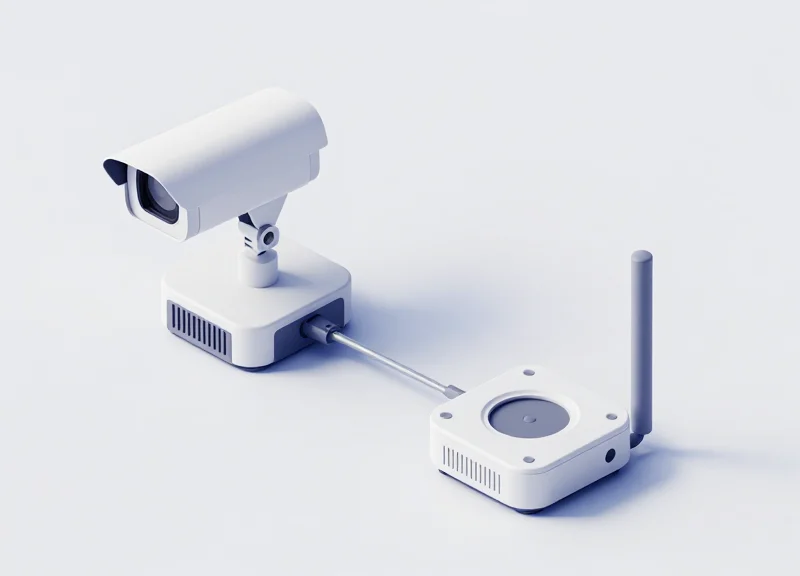
For a 3-meter wide furniture showroom entrance, the hardware configuration typically involves a 'Master' unit—which contains the primary controller, power supply, and signal processing logic—and one or more 'Slave' units (also known as satellites) that act as passive transceivers. In a wide-aisle setup, the Master unit dictates the pulse timing and phase synchronization for the entire array, ensuring that the 58kHz bursts are emitted and received in perfect harmony across the pedestals to prevent signal cancellation.
| Feature | Master Unit | Slave (Satellite) Unit |
|---|---|---|
| Electronics | On-board Controller & DSP | Passive Antenna / Transceiver only |
| Power Source | Direct AC Mains Connection | DC Power/Signal via Master |
| Primary Role | Signal Generation & Analysis | Signal Extension & Detection Range |
| Tuning Capability | Software/Potentiometer Control | Dependent on Master Tuning |
To bridge a 3-meter gap effectively, a single Master-Slave pair is often insufficient because the detection field weakens significantly beyond 1.5 meters from any single pedestal. For furniture retailers, the recommended configuration is a Dual-Master 'Center-Slave' (M-S-M) layout. This involves placing two Master pedestals at the outer edges of the 3-meter span and a Slave pedestal in the center. This creates two 1.5-meter detection zones, ensuring that even small tags on large sofas are caught as they pass through the midpoint.
- Primary Controller Positioning: Install the Master unit closest to the power source and away from large metal door frames to minimize 'hard-wired' interference at the source.
- Slave Linkage and Cabling: Use high-quality, 14AWG shielded twisted-pair cables for the Master-to-Slave connection. Standard cabling can lead to voltage drops that weaken the 58kHz pulse over 3-meter runs.
- Phase Synchronization: Configure the Master unit to 'Sync to Line' so that it identifies the zero-crossing point of the AC power, ensuring the pedestals don't fire while other electronics are creating peak noise.
Expert Insight: The 'Voltage-Lag' Correction. In furniture showrooms, installers often bury cables deep under floor tiles to maintain aesthetics. This added depth increases the physical cable length. To compensate for the 'Phase Lag' introduced by 4-5 meters of underground cabling in a 3-meter wide entrance, always adjust the software-based 'Burst Delay' on the Master unit. This ensures the Slave antenna receives the firing command at the exact microsecond required for constructive interference.
Can a 3-meter span work with just one Master and one Slave?
Technically yes, but detection at the 1.5m midpoint will be unreliable for 'boutique' tags. For furniture retail, where tags may be hidden in upholstery, a three-pedestal M-S-M configuration is the industry standard for 3-meter widths.
What happens if the Master and Slave are out of sync?
You will experience 'Phantom Alarms' or total detection failure. The system will perceive its own signal as environmental noise and de-sensitize the receivers.
Is a separate controller box better than on-board electronics?
For 3-meter spans, an external controller box is often superior as it allows you to drive higher amperage to the pedestals without the heat constraints of an on-board pedestal housing.
Step-by-Step Calibration: Synchronization and Phase Adjustment

In 58kHz AM technology, synchronization (Sync) refers to aligning the system's pulse transmission with the local AC power frequency (50/60Hz) or neighboring EAS units, while phase adjustment ensures that the electromagnetic pulses from multiple antennas reach their peak amplitude simultaneously. For 3-meter wide furniture showroom entrances, precise phase alignment is critical because even a micro-degree of timing deviation can cause destructive interference, resulting in 'dead zones' where tags remain undetected despite the hardware's theoretical range.
| Parameter | Target Value | Impact on 3m Spans |
|---|---|---|
| Sync Frequency | 50Hz or 60Hz (Local Grid) | Prevents pulse drifting and erratic false alarms. |
| Phase Delay | 0 - 180 Degrees | Aligns Master/Slave pulses to maximize central signal density. |
| Pulse Width | 1.6ms - 1.8ms | Optimizes energy burst for high-penetration detection. |
| Signal-to-Noise Ratio | > 3:1 | Essential for distinguishing tags at the 1.5m mid-point. |
- Establish the Master Sync Source: Connect to the controller software and set the 'Sync Source' to 'Power Line' (Internal). If multiple systems are in close proximity, one must be designated as the Master and the others as Slaves via hardwired synchronization cables to prevent 'beating' interference.
- Perform the Zero-Crossing Calibration: Locate the zero-crossing point of the AC sine wave. Adjust the pulse delay so the transmission occurs precisely in the noise-quietest window of the cycle. This is usually managed automatically by modern digital signal processors (DSP), but manual override is often required in high-EMI furniture environments.
- Execute Phase Alignment for Wide Aisles: With a test tag held at the exact center of the 3-meter entrance (1.5m from each antenna), adjust the Phase setting in 5-degree increments. Monitor the 'Signal Strength' indicator; you are looking for the 'Constructive Peak' where the signals from both antennas combine to produce the highest numerical value.
- Verify Interference Cancellation: Check the 'Noise Floor' levels. If noise increases after syncing, you may be experiencing 'Phase Lag' from a nearby competitor's system. Adjust your window offset to shift your pulse into their 'listening' window.
Expert Tip: The 'Mid-Point Stress Test'. In wide-span installations, standard calibration often fails because technicians test only near the pedestals. For 3-meter entrances, you must use a 'Ferrite-Core' calibration tag placed on a non-metallic pedestal exactly at the 1.5-meter mark. If the phase is off by even 15 degrees, the signal amplitude at this center point will drop by up to 40%, creating a bypass for shoplifters.
Why does my system alarm when no one is passing?
This is typically caused by 'Sync Drift.' Ensure your system is locked to the 50/60Hz frequency and that no variable frequency drives (VFDs) from nearby elevators or HVAC units are polluting the power line.
What is 'Phase Fighting'?
This occurs when two antennas are 180 degrees out of phase, effectively canceling each other's signal. If you have great detection near pedestals but zero detection in the center of the 3m aisle, your phase is likely inverted.
Can I calibrate without an oscilloscope?
Yes, modern AM controllers provide a digital 'Soft-Scope' via USB. Use the visual waveform to align the TX (Transmit) pulse away from high-noise spikes visible on the RX (Receive) line.
Sensitivity Tuning: Eliminating the Center Dead Zone
Eliminating the center dead zone in a 3-meter wide entrance requires a precise calibration of the receiver's gain and digital signal processing (DSP) thresholds to ensure the 'magnetic null point'—the exact midpoint between two pedestals—is responsive to active tags. Because magnetic field strength follows the inverse-square law, the signal at 1.5 meters from either pedestal is significantly weaker than at the periphery; sensitivity tuning bridges this gap by amplifying the receiver’s 'hearing' while simultaneously filtering out the background electromagnetic noise typical of large showroom environments.
- Establish the Noise Floor Baseline: Before increasing sensitivity, monitor the ambient noise levels via the system software. In a 3-meter span, your target noise floor should be below 40mA. If noise is higher, you must identify the source before tuning, or you will trigger endless false alarms.
- Incremental Gain Incrementation: Increase the Receiver Gain (Rx Gain) in increments of 5%. For a 3-meter span, most 58kHz controllers require a gain setting between 85% and 95%. Move a test tag through the center point at varying heights (floor, waist, and head level) after each adjustment.
- Adjust Signal-to-Noise Ratio (SNR) Thresholds: Set the detection threshold just above the peak noise spikes. For wide spans, use a 'Windowing' technique where the system only listens for the specific 58kHz decay pattern, effectively ignoring generic electrical hum from nearby LED displays or escalator motors.
- Validate with the 'Slow-Motion' Walk: The dead zone is most prominent when a tag passes through the center at a very slow pace. Perform a 'Z-pattern' walk-test through the 3-meter opening to ensure the pulse-listen cycle captures the tag even at minimum velocity.
| Parameter | Standard Entrance (1.8m) | Wide Showroom (3.0m) |
|---|---|---|
| Receiver Gain | 60% - 75% | 85% - 98% |
| Pulse Width | 1.6ms | 1.8ms - 2.0ms |
| Integration Hit Count | 3-4 Hits | 2 Hits (High Sensitivity) |
| Tag Orientation Sensitivity | High | Critical (requires multi-phase tuning) |
Expert Tip: The 'Z-Axis' Signal Bounce. In large furniture showrooms with polished concrete or metallic floor substrates, you can actually leverage ground-plane reflections to fill the center dead zone. By tilting the internal antenna coils slightly (3-5 degrees) toward each other within the pedestal housing, you shift the phase profile to concentrate the magnetic flux at the 1.5-meter midpoint, effectively 'squeezing' the signal into the area where it is traditionally weakest.
Can I simply set sensitivity to 100% to cover the 3-meter gap?
Rarely. At 100% sensitivity, the system becomes a giant 'ear' for every piece of electronics in the mall. This leads to 'phantom alarms.' The goal is the lowest possible sensitivity that still provides 100% detection at the center.
What if the dead zone persists only at floor level?
This usually indicates 'Floor-Effect Interference' from rebar or underfloor power lines. Increase the 'Near-Field' suppression and check if your pedestals are properly grounded to the building's main earth.
Does tag type affect the dead zone?
Absolutely. Small 'pencil' tags have a smaller magnetic footprint. For 3-meter spans, retailers should ideally use high-Q ferrite tags (SuperTags) which provide a 15-20% better pick-up rate in the center compared to standard labels.
Managing Metal Interference in Furniture Showrooms
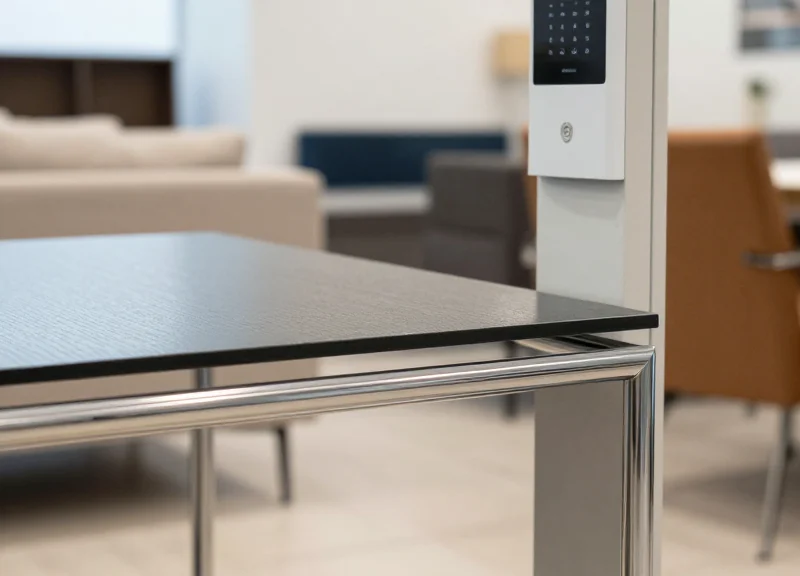
In the context of 58kHz AM (Acousto-Magnetic) technology, metal interference is the distortion or absorption of the magnetic field by conductive materials, which can lead to reduced detection range or increased false alarms. Because furniture showrooms frequently utilize metal bed frames, industrial-style shelving, and structural steel reinforcement, these environments are prone to the 'Faraday Shielding' effect and 'Eddy Current' losses that can compromise a 3-meter wide entrance's security perimeter.
| Metal Source | Interference Type | Impact on 3M Spans | Mitigation Priority |
|---|---|---|---|
| Metal Bed Frames | Inductive Looping | Creates 'dead zones' near floor level | Critical |
| Structural Rebar | Field Absorption | Reduces total signal depth/reach | High |
| Aluminium Door Frames | Eddy Currents | Causes 'phantom' tag detections | Medium |
| Display Racks | Passive Resonance | Distorts the 58kHz pulse shape | Low |
Expert Insight: The 'Short Loop' Phenomenon. Most technicians treat metal as a simple barrier, but in furniture retail, the greater threat is the 'closed loop.' A rectangular metal bed frame can act as a single-turn shorted transformer. This loop absorbs the AM signal's energy and re-radiates it out of phase, effectively canceling out the detection field in the center of a wide 3-meter opening. Breaking the electrical continuity of these loops (e.g., using non-conductive washers at joints) is often more effective than simply moving the furniture.
- Identify the 'Critical Zone': Establish a 1.5-meter 'metal-free' radius around each pedestal. Within this zone, no large movable metal masses should be permitted.
- Implement the '3-5-7 Rule': Maintain 30cm clearance for small metal decor, 50cm for chrome chairs or side tables, and at least 70cm for heavy-duty metal shelving or bed displays.
- Phase-Shift Optimization: Use software diagnostics to adjust the system's phase if structural metal is fixed. Shifting the phase by 10-15 degrees can sometimes 'tune out' static metal interference from rebar.
- Conductivity Isolation: For showroom displays that must remain near the pedestals, ensure they are not grounded. Using rubber floor mats or plastic glides can reduce the coupling effect between the floor-embedded rebar and the display.
Does the color of the metal matter?
No, but the material does. Non-ferrous metals like aluminum and copper create more interference via eddy currents, while ferrous metals (iron/steel) cause more absorption and field distortion.
Can I use AM technology if I have automatic sliding metal doors?
Yes, but it requires 'Door Noise Suppression' (DNS) calibration. This involves syncing the AM controller with the door motor's logic to ignore interference peaks generated during the door's movement.
Why do false alarms increase during showroom reorganizations?
Moving large metal items changes the 'magnetic footprint' of the room. Any significant layout change in a furniture store requires a quick sensitivity re-calibration of the AM system.
Tag Selection and Placement Strategy
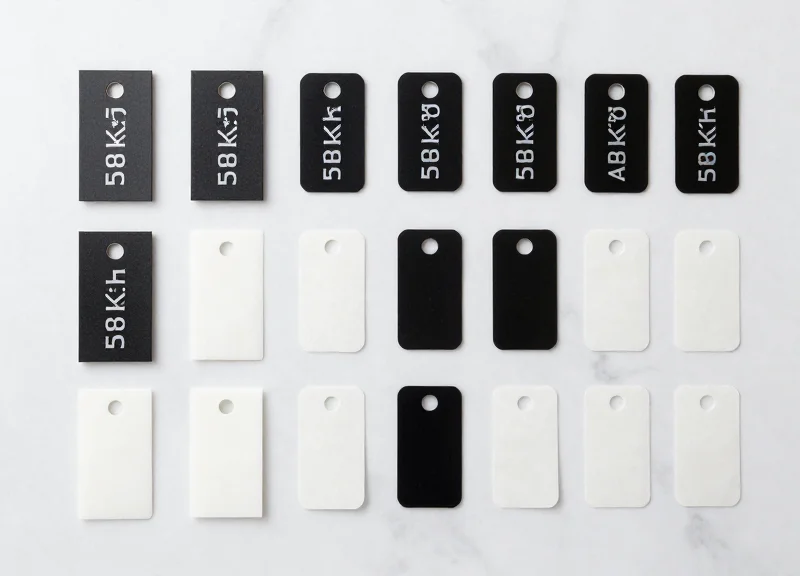
For furniture retailers operating with 3-meter wide showroom entrances, the physical tag is the critical 'second half' of the detection equation. While pedestal calibration handles signal transmission, the tag's resonance quality (Q-factor) and its orientation relative to the antenna's magnetic field determine whether the system triggers an alarm or permits a 'silent' exit. In wide-aisle configurations, the signal strength at the 1.5-meter midpoint is significantly lower than near the pedestals, necessitating the use of premium hard tags with high-grade ferrite cores that can maintain resonance even under low-excitation conditions.
| Tag Type | Detection Performance | Best Furniture Use Case | Metal Tolerance |
|---|---|---|---|
| SuperTag / PowerTag | Highest (Optimized for wide aisles) | High-end sofas, mattresses, and heavy upholstery | Moderate |
| Pencil / Mini Hard Tag | Medium (Reduced ferrite size) | Smaller decor items, cushions, and textile accents | Low |
| AM Soft Labels | Low (Short range) | Flatpack boxes, instruction manuals, or small wooden accessories | Very Low |
| Spider Wraps (AM) | High (Active loop) | Boxed furniture kits, expensive electronics, or flat-screen displays | High |
The Pro’s Secret: The Polarization Match. My primary recommendation for 3-meter spans is the 'Vertical Orientation Rule.' Because 58kHz AM pedestals typically generate a vertically polarized magnetic field, mounting your tags so the internal ferrite rod is perfectly vertical—rather than horizontal—can increase detection range by up to 25%. This often makes the difference between a missed detection and a successful alarm at the dead center of a wide entrance.
- Identify the 'Weak Zone' Centroid: Mark the exact center point between your 3-meter pedestals. This is your 'Zero-G' test zone where tag orientation is most critical.
- Align Ferrite Coils to Antenna Planes: Place tags on furniture such that the longest axis of the tag is parallel to the pedestal faces. Avoid 'pointing' the tag at the antenna, as this minimizes the magnetic flux intersection.
- Implement the 5cm Metal Buffer: Never place an AM tag directly against metal frames or mirrored surfaces. Use a 5cm 'standoff' distance to prevent the metal from detuning the tag's 58kHz frequency.
- Subtle Placement for Aesthetics: On upholstered furniture, place the tag on the inner-side of a leg or under the rear seam, ensuring it remains in a vertical orientation while staying hidden from casual observation.
Can I use AM labels on metal-framed chairs?
Direct application on metal will 'sink' the signal. For metal furniture, use a hard tag attached via a plastic-coated lanyard to provide a physical air gap between the tag and the metal surface.
How does tag age affect 3-meter detection?
Ferrite cores can lose magnetism over years of impact. In wide-aisle setups, we recommend rotating out tags every 5 years to ensure the Q-factor remains high enough for long-distance resonance.
Are 'Super' tags worth the investment for wide aisles?
Absolutely. Standard mini-tags often fail at the 1.5-meter center point of a 3-meter span. The larger ferrite core in a 'Super' tag is essential for harvesting enough energy from the weakened central magnetic field.
Post-Calibration Validation and Stress Testing
Post-calibration validation is the final, mission-critical phase of EAS installation where the theoretical signal strength is tested against real-world physical variables to eliminate 'dead zones' in wide-aperture entrances. For a 3-meter furniture showroom entrance, this requires a volumetric 18-point grid test—verifying detection at three different heights and three lateral positions across the threshold, using tags oriented in three distinct axes (X, Y, and Z).
| Test Zone | Lateral Position | Vertical Height | Target Detection Rate |
|---|---|---|---|
| Zone A (Near Pedestal) | 0.2m from Antenna | 0.5m, 1.0m, 1.5m | 99% |
| Zone B (Mid-Span) | 1.0m from Antenna | 0.5m, 1.0m, 1.5m | 98% |
| Zone C (Center Point) | 1.5m from Antenna | 0.5m, 1.0m, 1.5m | 95%+ |
- The Orientation Stress Test: Walk the 3-meter span with a pencil tag or hard tag held in three orientations: parallel to the floor, perpendicular to the floor, and facing the antenna. The center point (1.5m) is most susceptible to signal 'nulls' when tags are parallel to the antenna face.
- Velocity and Shadow Testing: Move through the entrance at a brisk walking pace (approx. 1.5 m/s). Use a 'shielded walk' by placing the tag between your body and the furthest antenna to test if the 58kHz signal can penetrate human tissue or 'shadow' through the person carrying the item.
- Multi-Tag Collision Check: Carry three tagged items simultaneously through the center zone. This tests the system's pulse-processing capability and ensures the alarm triggers even when multiple signals are competing for the receiver's attention.
Expert Insight: The 'Proximity Shadow' Effect. In furniture retail, a common failure point is validating the system when the showroom is empty, only to have it fail when a metal-framed sofa or a cluster of industrial lamps is placed within 2 meters of the entrance. Metal objects act as parasitic resonators that can 'sink' the AM signal. Always conduct your final stress test after the floor-model furniture has been positioned in its final merchandising spot to account for localized electromagnetic interference (EMI) shifts.
Why does the alarm trigger when no one is walking through?
This is likely 'Phantom Tripping' caused by environmental EMI or a nearby furniture display containing metal that has moved slightly. Re-run the phase-adjustment check to ensure the system is filtering out ambient 58kHz noise.
What is the 'Waist-High Dead Zone'?
In 3-meter spans, the magnetic field is weakest at the exact center point, roughly 1 meter off the floor. If detection fails here, you must increase the Receiver Gain or adjust the pulse width in the tuning software.
How long should a stress test last?
A 'Soak Test' should last at least 30 minutes during peak hours to ensure that external factors—like automatic doors or nearby elevator motors—don't trigger false positives once the showroom is active.