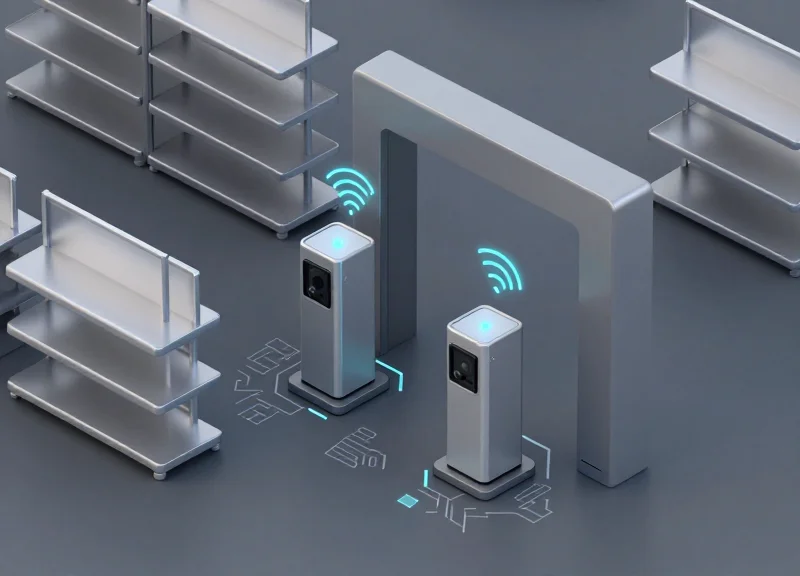
Retailers operating in environments characterized by industrial design, metal shelving, or foil-wrapped products often face a persistent challenge: the failure of traditional AM or RF EAS systems. In these 'metal-heavy' settings, signal reflection and absorption lead to frequent false alarms, causing staff fatigue and customer frustration. Microwave Electronic Article Surveillance (EAS) technology provides a robust alternative, operating at higher frequencies that navigate metallic interference more effectively. This technical guide outlines the professional calibration steps required to stabilize Microwave EAS performance, ensuring discreet tagging remains both effective and reliable.
The Science of Microwave EAS: Why It Suits Metal-Heavy Retail

Microwave Electronic Article Surveillance (EAS) is a high-frequency theft prevention technology operating primarily in the 2.45GHz ISM band. Unlike traditional Acousto-Magnetic (58kHz) or Radio-Frequency (8.2MHz) systems that rely on low-frequency magnetic coupling, Microwave EAS utilizes microwave backscatter. This fundamental shift in physics allows the system to remain stable in metal-heavy environments where traditional systems suffer from signal reflection, eddy currents, and 'dead zones' caused by large metallic surfaces or shelving.
| Feature | Acousto-Magnetic (AM) | Radio-Frequency (RF) | Microwave (MW) |
|---|---|---|---|
| Operating Frequency | 58 kHz | 8.2 MHz | 2.45 GHz |
| Metal Sensitivity | High (Detunes easily) | Moderate (Shielding issues) | Low (High immunity) |
| Typical Tag Size | Large / Bulky | Medium (Flat) | Micro / Discreet |
| Signal Behavior | Magnetic Field | Resonant Field | Directional Beam |
The technical advantage stems from the wavelength. At 2.45GHz, the wavelength is approximately 12.2 cm. This short wavelength allows for the use of incredibly small, thin antennas and tags that can be hidden within product packaging or even inside metallic items without significantly altering the tag's resonant frequency. In environments like hardware stores or luxury watch boutiques, where metal is ubiquitous, lower frequency systems often induce eddy currents in metal fixtures, which then create 'phantom' signals or false alarms. Microwave signals, behaving more like light, are easier to direct and contain within a specific detection zone.
Why does metal cause fewer false alarms in microwave systems?
Lower frequency systems (AM/RF) create large magnetic fields that interact with metal objects, causing them to 'ring' or block the signal. Microwave frequencies are less prone to this magnetic coupling, allowing the signal to reflect off metal surfaces without necessarily triggering the alarm logic unless a specific modulated 2.45GHz tag is present.
Is microwave EAS safe for high-end electronics?
Yes. The low-power 2.45GHz signal is non-ionizing and operates at levels similar to standard Wi-Fi routers, making it safe for consumer electronics and sensitive metallic merchandise.
How does tag size impact metal-heavy environments?
Microwave tags can be miniaturized to the size of a grain of rice. Because they don't require large induction coils, they are less likely to be 'shielded' by the metal items they are protecting, ensuring a higher pick-rate at the pedestal.
Expert Insight: The Fresnel Zone Advantage. One often overlooked technical benefit in Silicon Valley deployments is the ability to shape the 'detection volume' using Fresnel zone geometry. Because microwave signals are highly directional, engineers can use 'absorptive masking' to create a hard cutoff for the detection field. This prevents the 'bleeding' common in AM systems, where a tag passing three feet away from a pedestal might trigger it. In metal-heavy environments, this precision allows you to place tagged merchandise much closer to the gates without risking environmental interference.
Conducting a Comprehensive Site Environmental Analysis

A comprehensive site environmental analysis for Microwave EAS is the systematic process of mapping a retail space to identify electromagnetic interference (EMI) and physical obstructions that degrade the 2.45GHz signal. Unlike lower-frequency systems, Microwave EAS is highly sensitive to the 'multipath effect'—where signals bounce off metallic surfaces—and broadband noise from modern electronics. Conducting this audit before hardware installation ensures that the calibration phase targets actual security risks rather than compensating for preventable environmental noise.
| Interference Source | Effect on 2.45GHz Signal | Primary Mitigation Strategy |
|---|---|---|
| High-Output LED Drivers | Broadband EMI floor elevation | Distance separation or ferrite chokes |
| Stainless Steel Fixtures | Signal reflection (Multipath) | Antenna re-orientation (Cross-polarized) |
| Wi-Fi 6/6E Access Points | Channel overlap and saturation | Frequency hopping or shielding |
| Hidden Floor Rebar | Ground plane signal absorption | Pedestal base insulation |
- Baseline RF Spectrum Survey: Utilize a handheld spectrum analyzer to scan the 2.40 to 2.50 GHz range. Document 'peak hold' values over a 10-minute period during peak store hours to identify intermittent noise spikes from consumer devices.
- Metallic Density Mapping: Identify large-scale conductors within a 3-meter radius of the intended pedestal location. Pay specific attention to aluminum window frames and metal-clad doors, which can act as secondary resonators.
- Power Quality Assessment: Measure the ground-to-neutral voltage at the EAS dedicated circuit. High ground noise often bleeds into the receiver circuitry, manifesting as 'phantom' tags that are impossible to calibrate out via software.
Expert Silicon Valley Tip: The 'Reflective Ghosting' Metric. In metal-heavy environments, we often encounter 'ghosting,' where the signal bounces off a distant metal display and creates a secondary detection zone. To test for this, use a 'dead-tag' (a deactivated tag) and move it near large metal objects. If the system triggers, your environment is acting as a parabolic reflector. You must adjust the 'Pulse Repetition Frequency' (PRF) to allow these echoes to dissipate before the next interrogation window opens.
Can moving a Wi-Fi router solve false alarms?
Yes. Since Microwave EAS operates near the 2.4GHz ISM band, ensuring a minimum 5-meter clearance from high-traffic Wi-Fi access points can reduce the noise floor by up to 15dB.
Do 'Hidden' metal structures like HVAC ducts matter?
Critically. Large ductwork running directly above a pedestal can create an induction loop that pulls the detection field upward, reducing sensitivity at the floor level where small items are often concealed.
How does floor material impact the analysis?
Concrete with heavy rebar or mesh reinforcement acts as a ground plane. This requires a narrower beamwidth setting in the calibration software to prevent the signal from 'washing' across the floor.
Antenna Positioning and Geometry for Optimal Field Coverage

Optimal antenna positioning for Microwave EAS (2.45GHz) involves the strategic placement of transmitter and receiver pedestals to create a uniform electromagnetic field while minimizing signal diffraction caused by metal. Unlike traditional systems, microwave antennas require a clear 'Fresnel Zone'—an elliptical area between pedestals—where obstructions are minimized to prevent signal loss and false positives. In metal-heavy environments, the geometry of the installation must account for the reflective properties of nearby fixtures, ensuring that the phase of the signal remains stable across the entire detection aisle.
| Configuration Type | Ideal Application | Metal Proximity Tolerance | Primary Benefit |
|---|---|---|---|
| Parallel Pedestal | Standard store entrances | Low (requires 50cm+ clearance) | Highest detection sensitivity |
| Staggered Layout | Narrow corridors with shelving | Medium (handles reflections well) | Reduces 'blind spots' from shelves |
| Overhead Mounted | Wide, open-concept entrances | High (avoids floor-level metal) | Zero footprint, discreet aesthetic |
To ensure consistent performance, technicians must adhere to the '60/40 Rule' of microwave propagation: ensure that at least 60% of the first Fresnel zone is free of metallic obstructions. When working near structural pillars or metal racking, the antenna should be oriented such that its polarization plane is perpendicular, not parallel, to the largest metallic surface to prevent parasitic resonance.
- Baseline Field Mapping: Mark the floor with a 10cm grid to identify areas where the structural metal density is highest before bolting pedestals.
- The Null-Point Check: Position pedestals and use a field strength meter to find 'dead zones' or null points caused by destructive interference from reflections.
- Angular Micro-Adjustments: Rotate antennas by 5-10 degrees relative to each other. In high-metal areas, a slight toe-in can focus the beam energy more effectively toward the center of the aisle.
- Cross-Phase Verification: Synchronize the pulse timing between antennas to ensure they are not fighting reflected waves from the same source.
How close can I place microwave antennas to metal shelves?
Ideally, maintain a minimum buffer of 30cm. If the shelf is grounded and stationary, the system can often be calibrated to 'ignore' the static reflection, but proximity less than 15cm will severely distort the field.
Does the height of the antenna affect detection?
Yes. Microwave EAS performs best when the center of the antenna is aligned with the average height of the tagged merchandise. In retail, this is typically between 80cm and 120cm from the floor.
What is the 'Ghosting' effect in metal environments?
Ghosting occurs when waves bounce off metal surfaces and create a second, delayed signal that the system misinterprets as a tag. Correct geometry and pulse-width calibration are the primary fixes for this.
Expert Tip: Use 'Absorptive Masking' for permanent metal fixtures. If a structural metal beam is unavoidable and causing massive reflections, applying a small patch of microwave-absorbent material to the side of the beam facing the antenna can eliminate the 'multi-path' bounce that causes most false alarms in industrial-chic retail designs.
Step-by-Step Calibration: Tuning the Receiver Sensitivity
Tuning microwave EAS receiver sensitivity is the process of optimizing the Signal-to-Noise Ratio (SNR) by balancing gain—the amplification of incoming signals—against the detection threshold, which acts as the filter for background interference. In metal-heavy environments, the goal is to set the threshold just high enough to ignore multipath reflections and ambient electromagnetic noise while remaining low enough to trigger on the subtle 2.45GHz modulation emitted by discreet, hard-to-detect tags.
| Parameter | Function | Impact of Over-Adjustment |
|---|---|---|
| Receiver Gain | Amplifies all incoming signals at the 2.45GHz band. | High gain increases false alarms from ambient EMI. |
| Detection Threshold | Sets the minimum signal strength required to trigger an alarm. | High threshold leads to missed detections (blind spots). |
| Pulse Width Filtering | Validates the duration of the tag signal return. | Improper filtering may confuse metal vibration with a tag. |
- Baseline Noise Floor Mapping: Deactivate all tags within 10 meters. Use the system's diagnostic software to monitor the ambient noise floor. In a metal-heavy environment, you will likely see 'spikes' caused by reflective surfaces; record the peak average noise level.
- Incremental Gain Adjustment: Increase the receiver gain in 5% increments until the system begins to 'flicker' or show unstable background activity. This identifies the ceiling of your specific environment.
- Threshold Optimization: Set the detection threshold approximately 15% to 20% above the peak ambient noise level. This 'buffer zone' prevents false triggers caused by minor fluctuations in the power grid or shifting metal fixtures.
- Discreet Tag Validation: Test the system using the smallest tag in your inventory, held in the least favorable orientation (parallel to the floor). If the tag is not detected, lower the threshold slightly rather than increasing the gain.
Expert Tip: The 'Ghost Pulse' Validation Technique. Most technicians stop once the system detects a tag. However, in environments with high metallic density, you must check for 'Ghost Pulses'—momentary signal reflections that mimic a tag when a nearby metal door or cart moves. After calibration, forcefully move nearby metallic objects. If the system triggers, your threshold is too tight or your DSP (Digital Signal Processing) 'window' is too narrow. High-performance microwave systems should be tuned to require three consecutive valid pulses before firing an alarm to filter out these 'ghosts'.
Why does the system alarm when the store is empty?
This is usually 'Gain Creep.' In metal-heavy sites, environmental EMI can accumulate. Ensure your receiver gain isn't set to the maximum; it's better to have a slightly less sensitive antenna than a system that loses staff trust due to phantom alarms.
How does metal shelving affect the threshold?
Metal shelving acts as a waveguide, potentially concentrating noise. If a pedestal is within 1 meter of shelving, increase the 'Pulse Validation Count' in the software to ensure the receiver is seeing a consistent tag signal rather than a reflected noise spike.
Implementing Phase-Shift Adjustments to Filter False Triggers

Phase-shift adjustment is a signal processing technique in Microwave EAS systems that distinguishes between valid security tags and environmental 'noise' by analyzing the timing offset of the returned signal. Unlike simple sensitivity gain, which only measures signal strength, phase-discrimination evaluates the vector relationship between the transmitted carrier wave and the backscattered pulse. In metal-heavy environments, this allows the system to ignore 'phantom' signals caused by moving metal doors or shopping carts, as these reflections typically exhibit a chaotic or specific out-of-phase signature compared to the predictable resonance of a legitimate 2.45GHz tag.
The Veteran's Insight: The Phase-Locked Loop (PLL) Masking Strategy. Most installers make the mistake of reducing overall sensitivity when a moving door triggers an alarm, which creates blind spots. Instead, top-tier engineers use a 'Phase Mask.' By identifying the specific phase angle of the interference—for example, a sliding door that consistently reflects at a 90-degree offset—you can program the Digital Signal Processor (DSP) to 'notch out' that specific range while maintaining 100% sensitivity for the phase range where your tags reside.
| Signal Characteristic | Legitimate EAS Tag | Moving Metal Interference |
|---|---|---|
| Phase Coherence | High (Stable & Predictable) | Low (Fluctuating/Jittery) |
| Harmonic Profile | Specific 2nd/3rd Harmonics | Broadband Noise/Linear Reflection |
| Signal Persistence | Consistent within Detection Zone | Intermittent (Based on Motion) |
| Recommended Filter | Accept Window: 45° to 135° | Phase-Rejection Notch |
- Establish the Environmental Noise Floor: With no tags in the field, monitor the DSP output while actively moving nearby metal objects (doors, carts). Observe the phase angles generated on the system's diagnostic software.
- Map the Interference Zone: Identify the 'Phase Cluster' where the interference resides. For instance, if a rotating security gate consistently hits the 180-210 degree sector, mark this as the rejection zone.
- Configure the Window Comparator: Set the receiver to only trigger an alarm when the incoming signal's phase falls within the 'Safe Zone' (the range where your specific tags are known to resonate, usually calibrated to the center-band).
- Validate with 'Stress Testing': Simultaneously move the metal interference source while walking a tag through the lane. The system should remain silent for the door but trigger immediately for the tag.
Will phase-shifting reduce my detection range?
Not if done correctly. Unlike sensitivity reduction, phase-shifting only ignores specific signal 'shapes,' allowing you to keep maximum power for legitimate tags.
Does environmental humidity affect phase calibration?
In microwave systems (2.45GHz), extreme humidity can cause minor phase drift. It is best to calibrate during peak operating hours to account for local atmospheric conditions.
Can I automate this process?
Modern AI-driven EAS controllers feature 'Auto-Phase Tracking' which learns the environment over 24 hours and automatically builds rejection notches for repetitive mechanical noise.
Discreet Tagging Strategies for High-Value Metal Merchandise
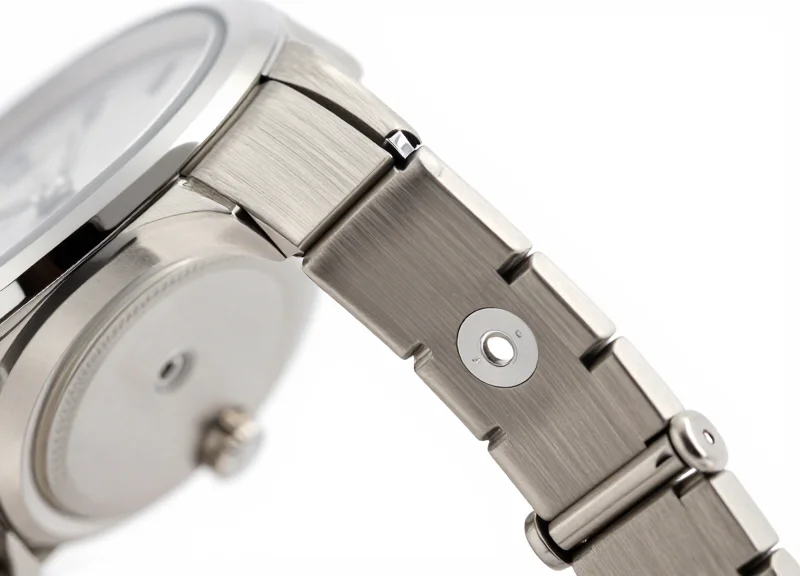
To achieve reliable detection for metal-heavy merchandise, microwave (MW) tags must be applied using a 'Dielectric Buffer' strategy. Unlike Acousto-Magnetic (AM) or Radio-Frequency (RF) systems, which suffer from massive detuning when placed near metal, Microwave EAS operates at frequencies (typically 2.45 GHz) where the signal can be maintained if a small physical gap—ideally 2mm to 5mm—is preserved between the tag and the metallic surface. This gap prevents the metal from acting as a ground plane that would otherwise absorb the microwave energy and render the tag invisible to the receiver.
- Identify the 'Low-Current' Zone: Place tags on the area of the product with the least surface area continuity. For example, on a high-end metal watch, tagging the underside of the strap rather than the watch face housing reduces the shielding effect.
- Implement Dielectric Spacers: Use foam-backed adhesive labels or specialized 'on-metal' MW tags. The foam acts as a dielectric spacer, ensuring the tag's internal resonator is not shorted by the metal surface.
- Apply the Edge-Alignment Rule: Position the tag as close to the edge of the metal object as possible. This allows the microwave signal to 'wrap' around the item via diffraction, increasing the likelihood of a successful trigger.
- Orient for Polarization: Align the tag's long axis perpendicular to the dominant orientation of the metal item. This mismatch helps prevent the metal from acting as a parasitic antenna that could dampen the tag's response.
| Metal Merchandise Type | Recommended Tagging Technique | Optimal Detection Orientation |
|---|---|---|
| Concave Items (Bowls, Tools) | Interior rim placement with foam spacer | Parallel to antenna pedestals |
| Cylindrical Items (Wine, Foil) | Vertical 'flag' tagging on the neck | Perpendicular to floor |
| Flat Metallic Packaging | Diagonal corner application | 45-degree offset from vertical |
| Electronics (Laptops/Tablets) | Near heat vents or plastic seams | Aligned with plastic apertures |
A common industry mistake is attempting to hide tags directly under metal foil labels. This creates a localized Faraday cage. Instead, expert practitioners utilize the 'Surface Wave Propagation' principle: by placing the tag near a structural break in the metal—such as a joint, seam, or non-metallic handle—the microwave energy can use the metal surface as a waveguide, actually extending the detection range beyond what is possible in free space.
Can I hide microwave tags inside metal containers?
No. Microwave signals cannot penetrate solid metal. Tags must be placed on the exterior or near a non-metallic window or aperture to be detected.
What is the 'Shadow Effect' in metal tagging?
The shadow effect occurs when the metal item is between the tag and the receiver. To mitigate this, ensure your pedestal calibration includes multi-path signal processing to catch reflected waves.
Why use Microwave over AM for metal tools?
Microwave tags have a smaller form factor and the higher frequency is less susceptible to the low-frequency magnetic interference common in hardware environments.
Testing Protocols: The Perimeter and Body-Shielding Checks
Testing protocols for Microwave Electronic Article Surveillance (EAS) are the final validation steps used to confirm that a system calibrated for metal-heavy environments can reliably detect tags while ignoring environmental noise. Unlike standard RF or AM systems, Microwave EAS (operating at 2.45GHz) requires specific 'Body-Shielding' checks because the human body, composed largely of water, acts as a significant attenuator of microwave signals. Effective testing must define the physical detection boundaries (the perimeter) and simulate real-world concealment tactics where a shopper's body might inadvertently block the line of sight between the tag and the receiver.
- Horizontal Grid Mapping: Divide the pedestals' detection zone into a 3x3 grid. Walk through each segment at a normal pace with the tag held at waist height, then repeat at ankle and chest height to ensure no 'dead zones' exist near metal floor plates.
- The 360-Degree Tag Orientation Test: Hold the tag in three axes (X, Y, and Z) while walking through the center. Microwave systems are polarized; testing all orientations ensures that metallic reflections aren't causing phase cancellations that 'hide' the tag in specific positions.
- Dynamic Shielding Simulation: The 'Body-Shield' test involves placing the tag in a pocket or holding it against the torso while walking past the antennas. This simulates a shoplifter attempting to use their own body mass to absorb the signal.
| Test Scenario | Expected Result | Common Failure Point |
|---|---|---|
| Open-Air Pass | 99%+ Detection | Excessive gain causing signal 'clipping' near antennas. |
| Body-Blocked (Pocket) | 85%+ Detection | Signal absorption by water-rich tissue; requires sensitivity boost. |
| Metal-Proximity (Handbag) | Variable | Faraday cage effect if tag is placed inside metallic lining. |
Expert Tip: The 'Saline Proxy' for Repeatable Calibration. A veteran secret in Microwave EAS calibration is using a 2-liter bag of saline solution to simulate a human torso. Because human body mass varies, using a consistent liquid volume allows you to measure the exact decibel (dB) drop in signal strength during shielding tests. If your system cannot maintain a signal 6dB above the noise floor when the saline bag is between the tag and the receiver, your threshold is set too high for a metal-heavy environment.
How often should I perform these perimeter checks?
Testing should occur monthly or whenever significant store layout changes occur, such as moving metal display racks or installing new LED lighting which can alter the EMI profile.
What is the 'Hard-Point' interference check?
This involves moving nearby metal objects (like shopping carts) just outside the perimeter to ensure they do not trigger a false alarm during peak traffic.
Why does detection fail only when the tag is near my phone?
2.45GHz is the same frequency as many Wi-Fi and Bluetooth devices. This test identifies if local active electronics are creating a 'masking' effect that the receiver's filters aren't catching.
Maintenance and Drift Compensation for Long-Term Reliability
Long-term reliability in Microwave EAS systems is achieved through 'Drift Compensation'—a proactive technical protocol designed to counteract the gradual shift in a system's baseline signal caused by component aging, thermal fluctuations, and 'Metal Migration' (the repositioning of metallic store fixtures). Unlike static systems, Microwave EAS in metal-heavy environments is dynamic; a system calibrated in July may fail in December as the physical properties of the surrounding metal expand or contract, or as holiday displays introduce new reflective surfaces. Effective maintenance transforms the system from a 'set-and-forget' installation into a responsive security infrastructure that maintains its 99% detection accuracy over years of service.
| Frequency | Maintenance Task | Target Variable |
|---|---|---|
| Monthly | Ambient Noise Floor Analysis | EMI / RFI Interference |
| Quarterly | Antenna Alignment & Tightening | Physical Path Deflection |
| Seasonal | Drift Baseline Reset | Reflective Geometry Changes |
| Annually | Transceiver Gain Recalibration | Component Signal Decay |
Expert Insight: The 'Thermal Expansion' Factor. In warehouses or flagship stores with high ceilings and significant metal ductwork, we often observe a phenomenon called 'Thermal Phase Drift.' As the metal infrastructure heats up during peak daylight hours, the phase of reflected microwave signals can shift by several degrees. If your false alarms spike specifically at 2:00 PM, your threshold is likely too tight to accommodate this thermal expansion. Always perform your drift compensation during peak temperature hours to capture the 'worst-case' noise floor.
- Analyze the Error Log: Review the system's internal event log to identify patterns in false triggers, specifically looking for time-of-day clusters that indicate environmental interference.
- Perform a 'No-Tag' Sweep: Clear the pedestal area of all merchandise and monitor the receiver's gain levels to establish the current 'Ambient Noise Floor' without active tags.
- Adjust Drift Compensation Thresholds: Incrementally adjust the signal-to-noise ratio (SNR) thresholds to account for any permanent increase in environmental reflections since the last calibration.
- Stress Test with 'Shadow Tags': Use a known low-resonance tag held at the edge of the detection zone to ensure that the new drift settings haven't compromised the detection of discreetly placed tags.
How does seasonal decor affect Microwave EAS?
Metallic streamers, foil-wrapped boxes, and even moisture-heavy items like real Christmas trees can change the microwave reflection pattern, necessitating a temporary gain reduction.
What is the primary cause of signal drift?
Component aging in the oscillator circuits and physical loosening of antenna mounts due to floor vibrations are the most common technical causes.
Can remote monitoring prevent false alarms?
Yes, modern IP-enabled EAS systems allow technicians to monitor drift levels in real-time and adjust sensitivity thresholds remotely before the system reaches a false-trigger state.