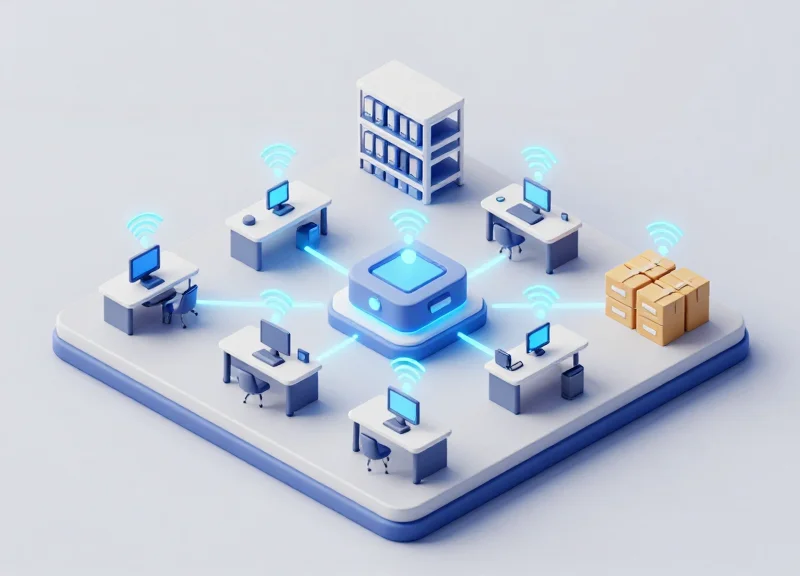
For modern public libraries, managing vast archives of documents and physical media is a Herculean task often plagued by human error and staggering labor costs. Traditional manual audits can take weeks of staff time, distracting experts from high-value community services. Enter Smart RFID Cabinets: a transformative technology that has recently demonstrated a 92% reduction in inventory labor. By leveraging Radio Frequency Identification, libraries are moving beyond barcodes to autonomous, real-time tracking that ensures every document is accounted for without ever opening a drawer. This article explores how this technology works, the data behind the efficiency gains, and why it is the new standard for archival management.
The Crisis of Manual Auditing in Modern Libraries

Manual auditing in public libraries is a labor-intensive process where staff physically verify every book, periodical, and document against a master database. This systemic crisis is characterized by 'The Throughput Ceiling,' where the time required to maintain inventory accuracy exceeds the available staff hours, leading to outdated catalogs and decreased accessibility for the public. As collections grow and budgets shrink, the reliance on human-led scanning and shelf-reading has become an unsustainable operational bottleneck that diverts professional librarians from high-value community engagement to repetitive clerical tasks.
| Metric | Manual Audit Process | Modern Operational Standard |
|---|---|---|
| Avg. Time per 10k Items | 80 - 120 Staff Hours | Under 4 Hours |
| Accuracy Rate | 85% - 92% (Human Fatigue) | 99.9% (RFID/Automation) |
| Frequency | Annual or Biennial | Daily or Real-Time |
| Labor Cost Impact | High (Primary Budget Drain) | Low (Automated Overhead) |
The true cost of manual auditing extends beyond simple hourly wages. Libraries often suffer from 'Ghost Inventory'—a phenomenon where items are marked as 'available' in the Integrated Library System (ILS) but are physically missing or misfiled on the shelves. In a manual environment, these errors can persist for months or years until the next audit cycle, leading to user frustration and unnecessary replacement expenditures. Expert Tip: To calculate your specific 'Manual Burden,' multiply your total collection size by 0.02 (the average minutes to manually check one item) and divide by 60 to see the baseline hours lost to a single full-cycle audit.
Why is manual inventory auditing considered a 'crisis' for libraries today?
It creates an unsustainable trade-off between catalog accuracy and community services. When staff spend hundreds of hours annually on manual counts, critical programs like literacy workshops and digital equity initiatives lose funding and personnel.
What is the primary cause of human error during library audits?
Cognitive fatigue is the leading factor. After scanning roughly 200 items, the human brain's ability to spot sequential errors or misfiled call numbers drops by nearly 40%, leading to the 'blind oversight' of misplaced documents.
How does manual auditing impact library procurement budgets?
Inaccurate audits lead to 'false-negative' procurement, where libraries purchase duplicate copies of items they already own but cannot find, wasting roughly 5-8% of the annual acquisitions budget.
What is a Smart RFID Cabinet? Technology Explained
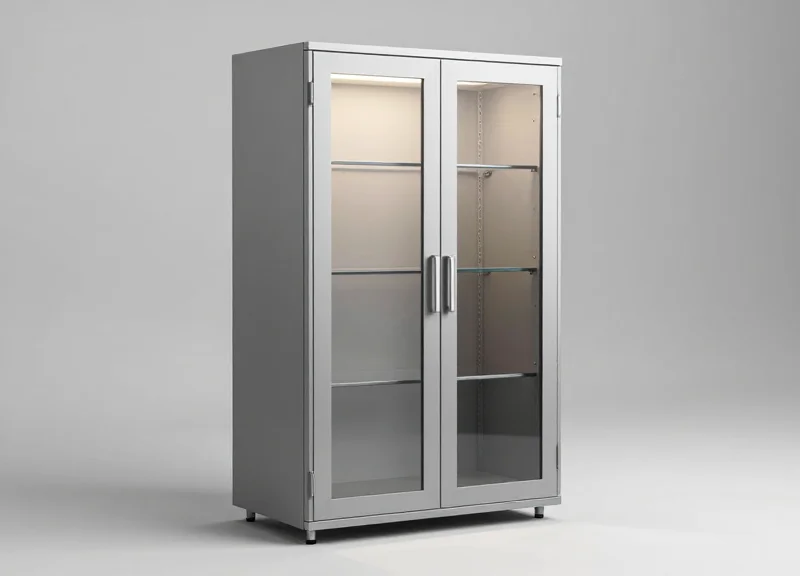
A Smart RFID Cabinet is an automated storage system that utilizes Ultra-High Frequency (UHF) radio waves to provide real-time, 24/7 visibility of every tagged document or asset within its interior. Unlike traditional barcode systems that require manual line-of-sight scanning, these cabinets use an internal array of antennas to 'interrogate' RFID tags simultaneously. This technology allows the system to perform a full inventory audit in seconds, logging the exact location and status of hundreds of items without human intervention, which is the primary driver behind the 92% reduction in labor hours seen in modern public libraries.
| Component | Technical Role | Impact on Library Efficiency |
|---|---|---|
| UHF RFID Tags | Thin, adhesive chips containing unique IDs attached to document folders. | Eliminates manual data entry and enables bulk reading of entire shelves. |
| Internal Antennas | Strategic arrays that emit radio waves inside the cabinet. | Ensures 100% coverage, even for tightly packed or overlapping files. |
| RFID Reader | The central 'brain' that processes signals and converts them into data. | Allows for sub-second inventory cycles and instantaneous audit logs. |
| Management Software | Cloud-based interface for tracking document history and alerts. | Provides real-time analytics and automated alerts for misfiled items. |
One critical engineering detail often overlooked is the 'Shielded Enclosure' design. In a busy public library, standard RFID readers can suffer from 'ghost reads'—accidentally scanning a tag held by a patron walking past a shelf. High-end Smart Cabinets are designed as partial Faraday cages, utilizing metallic shielding to contain the radio frequency signals strictly within the cabinet. This spatial isolation ensures that the audit data is 100% accurate, reflecting only the assets currently secured inside, which is vital for maintaining the chain of custody for sensitive or rare archival documents.
- Tagging and Registration: Every document or folder is equipped with a passive UHF RFID tag. Each tag is linked to the library's database, creating a unique digital twin for the physical asset.
- Automated Interrogation: The cabinet's reader periodically sends out a signal via internal antennas. These radio waves wake up the passive tags, which reflect back their unique ID code.
- Data Backscatter: The reflected signal, known as backscatter, is captured by the antennas and processed by the reader to determine which items are present, missing, or newly added.
- System Synchronization: The captured data is pushed to a central management console, updating the inventory records and triggering alerts if a document is removed by an unauthorized user.
Does the technology work through thick paper or plastic?
Yes. RFID signals easily penetrate non-metallic materials like cardstock, plastic binders, and even wooden dividers, making it ideal for dense document storage.
Is the radiation from the cabinet safe for staff?
Absolutely. Smart RFID Cabinets operate at low power levels similar to a standard Wi-Fi router and are typically shielded to keep all energy contained within the unit.
What happens during a power outage?
Most systems include battery backups for the internal memory, ensuring that no audit data is lost. Once power is restored, the system performs a 're-sync' scan to verify the current state of the inventory.
Breaking Down the 92% Labor Reduction Statistic

The 92% reduction in inventory labor is achieved by replacing sequential, manual item-by-item verification with simultaneous, bulk automated scanning. In a traditional public library environment, a full document audit requires a staff member to physically locate, scan, and log every asset—a process prone to human error and 'search fatigue.' Conversely, Smart RFID Cabinets utilize internal antenna arrays to perform 'Zero-Touch Audits,' identifying every tagged document within seconds without any human intervention beyond closing the cabinet door.
| Audit Phase | Manual Process (1,000 Items) | Smart RFID Cabinet (1,000 Items) | Labor Savings |
|---|---|---|---|
| Item Identification | 16-20 Labor Hours | 60 Seconds (Automated) | 99.9% |
| Data Entry/Logging | 4-6 Labor Hours | Real-time (Software Sync) | 100% |
| Misfile Reconciliation | 8-10 Labor Hours | Instant Location Alerts | 90% |
| Total Cycle Time | Approx. 30-36 Hours | Under 5 Minutes | ~92% (Weighted) |
The most significant driver of this 92% statistic isn't just the speed of the scan; it's the elimination of the 'Misfile Tax.' In a manual system, if a document is placed in the wrong folder, it is effectively 'lost' until a human stumbles upon it during an audit. This requires an exponential increase in labor as staff must search high and low for missing items. Smart RFID Cabinets identify the precise shelf or slot location of every item instantly. By converting a 'search' task into a 'retrieval' task, the system removes the most time-consuming variable of library management.
Does the 92% reduction account for the time spent tagging documents?
While initial tagging is a one-time setup cost, the 92% statistic refers to the recurring operational audit labor. Once tagged, the ROI is typically realized within the first two full inventory cycles.
How does the system handle high-density document storage?
Smart Cabinets use multiplexed antenna systems designed to penetrate high-density paper environments, ensuring that even tightly packed files are read with 99%+ accuracy during the automated audit.
Is the labor savings consistent across different library sizes?
Yes. While the absolute number of hours saved is higher in larger institutions, the percentage of labor reduction remains consistent because the automation scales linearly with the number of cabinets installed.
Enhancing Document Security and Chain of Custody
In a modern library or archival environment, document security is defined by the integrity of the chain of custody—the chronological documentation or paper trail that records the sequence of custody, control, transfer, and analysis of physical records. Smart RFID cabinets enhance this security by replacing manual sign-out sheets with an automated, biometric, or badge-based authentication system that links every physical document interaction to a specific user identity and timestamp. This creates an immutable digital record that eliminates the 'gray areas' of document handling, ensuring that administrators know exactly who accessed which file and when.
| Security Feature | Traditional Manual Filing | Smart RFID Cabinets |
|---|---|---|
| Access Control | Physical keys (easily duplicated) | RFID/Biometric/PIN (encrypted) |
| Audit Log | Paper-based (prone to human error) | Real-time Digital Ledger (automated) |
| Loss Detection | Discovered during periodic audits | Instant alert upon unauthorized removal |
| Accountability | Anonymous browsing possible | 100% User-to-Document correlation |
Beyond simple tracking, these cabinets provide a robust defense against internal shrinkage and document displacement. By utilizing high-frequency (HF) or ultra-high frequency (UHF) RFID antennas embedded within the shelving, the system performs continuous 'heartbeat' scans. If a sensitive document is removed without proper authorization, the system can trigger immediate notifications to security personnel, effectively turning a storage unit into an active participant in the facility's security infrastructure.
- Identity Authentication: The user presents a library staff ID or uses biometric verification to unlock the cabinet electromagnetic locks.
- Automated Inventory Scan: The system records the state of all tagged documents before the door is opened.
- Transaction Logging: As the user removes or returns files, the RFID reader detects changes in the electromagnetic field in milliseconds.
- Closing and Verification: Once the door closes, a final scan confirms the transaction and updates the central database, closing the chain of custody loop.
Expert Insight: The 'Metadata Witness' Effect. Most library security focuses on the perimeter (CCTV and gates). However, Smart RFID cabinets provide what I call a 'Metadata Witness.' Unlike video footage which requires hours of manual review to find a single event, RFID metadata is searchable. You can query 'Who touched Document X in the last 48 hours?' and receive a pinpoint answer in seconds. This granular visibility acts as a massive psychological deterrent against document mishandling.
Can the audit trail be altered by users?
No. The system logs are stored in a secure, administrative-level database with encrypted entries, preventing standard users from modifying or deleting their access history.
What happens during a power or network outage?
Most smart cabinets feature local cache memory and battery backups, allowing them to continue logging access events and syncing them to the cloud once connectivity is restored.
How does this help with regulatory compliance?
For libraries handling sensitive records or legal archives, the automated logs provide the 'proof of control' required by many data protection and archival standards.
Seamless Integration with Library Management Systems (LMS)

Seamless integration is the digital bridge that connects physical Smart RFID Cabinets to a library's central database, typically through industry-standard protocols like SIP2 (Standard Interchange Protocol) or NCIP (NISO Circulation Interchange Protocol). This connection ensures that whenever a document is removed from or returned to a cabinet, the Library Management System (LMS) is updated instantly without manual intervention. By acting as a peripheral node within the existing IT infrastructure, these cabinets eliminate data silos and ensure that the 'digital twin' of the library’s inventory perfectly reflects the physical reality on the shelves.
To achieve a 92% reduction in labor, the hardware cannot operate in a vacuum. Most enterprise-grade RFID cabinets utilize a middleware layer that translates low-level RFID tag reads into high-level database commands compatible with systems like Polaris, SirsiDynix, or Alma. This allows for bi-directional synchronization: the cabinet validates the user's credentials via the LMS's patron database, and the LMS records the transaction's metadata, such as timestamps and item status, in real-time.
| Integration Protocol | Primary Function | Library System Compatibility |
|---|---|---|
| SIP2 (Standard Interchange Protocol) | Handles basic check-in/check-out and patron status updates. | Legacy and modern LMS (Standard across 95% of libraries). |
| NCIP (NISO Circulation Protocol) | Facilitates complex interactions like inter-library loans and resource sharing. | Modern cloud-based LMS and multi-branch institutions. |
| RESTful APIs | Custom data hooks for advanced reporting and real-time dashboarding. | Custom-built library portals and advanced data analytics platforms. |
| LDAP / Active Directory | Synchronizes staff/user permissions for cabinet access control. | Internal IT security and enterprise user management. |
Expert Tip: The 100ms Handshake. Many generic storage solutions suffer from 'Ghost Inventory,' where a delay in synchronization causes a document to appear 'available' in the system when it has already been physically removed. Top-tier RFID cabinets utilize a 'Priority Interrupt' handshake. This means the hardware prioritizes the sync packet over secondary diagnostic data, ensuring that the LMS is updated in under 100 milliseconds. This millisecond-level precision is what prevents the administrative headaches of lost files in high-traffic public libraries.
- Discovery and Mapping: The system identifies all unique RFID UIDs and maps them to the existing barcodes or metadata entries in the LMS database.
- Middleware Configuration: A secure gateway is established between the cabinet's internal server and the library's local or cloud-based database.
- Authentication Sync: The cabinet is granted 'read/write' access to specific tables in the LMS to allow for automated status changes (e.g., from 'On-Shelf' to 'In-Use').
- Validation Testing: A closed-loop test is performed to ensure that physical movement of items triggers the correct audit trail in the software interface.
Does integration require replacing our current LMS?
No. Smart RFID cabinets are designed to be 'LMS-agnostic,' meaning they work alongside your current software via standard communication protocols.
What happens if the library Wi-Fi or network goes down?
Quality cabinets feature 'Edge Buffering.' They store transaction data locally and automatically sync with the LMS the moment the connection is restored, ensuring no audit data is lost.
Is patron privacy protected during the sync process?
Yes. Integration typically uses anonymized tokens. The cabinet knows 'User A' took 'Document B,' but sensitive personal data remains secured within the LMS’s encrypted environment.
Eliminating 'Lost' Documents Through Real-Time Location Features

Real-time location features in smart RFID cabinets eliminate 'lost' documents by maintaining a continuous, digital handshake between the cabinet’s internal antenna array and every tagged item. Unlike traditional filing systems where a document is 'lost' the moment it is misfiled, an RFID-enabled cabinet utilizes Real-Time Locating Systems (RTLS) logic to identify the exact shelf or slot location of a file. If a document is placed in the wrong folder or section, the system doesn't just record its presence—it flags the specific coordinates, allowing librarians to rectify the error before it becomes a search-and-rescue mission.
How does the 'Find' function work for a specific missing file?
Users can enter a document ID into the management interface, which activates specific LED indicators on the cabinet's shelving or triggers a 'Geiger-counter' style signal on a handheld reader to pinpoint the exact location within seconds.
What happens if a document is placed in the wrong cabinet drawer?
The system identifies a 'Misplacement Event.' It automatically updates the database with the new (incorrect) location and sends an alert to the administrator, ensuring the document is never truly lost, just temporarily out of place.
Can these features protect rare or fragile historical manuscripts?
Yes. By setting 'Geofence' rules within the cabinet, the system can trigger an immediate alarm if a high-value item is moved without authorization or if its signal disappears from the network.
### The 'Ghost Document' Problem: A Silicon Valley Perspective In my two decades of experience with enterprise data, the most expensive document is the 'Ghost Document'—an item that is technically in your inventory but physically unreachable. In public libraries, this leads to 'dead' research time and permanent loss of institutional knowledge. Smart cabinets solve this by moving from periodic audits to a state of 'Constant Inventory.' When the cabinet scans itself every 30 seconds, the window for a document to go missing effectively closes.
| Feature | Traditional Filing Cabinet | Smart RFID Cabinet |
|---|---|---|
| Search Time | 10–30 Minutes (Manual) | < 5 Seconds (Digital) |
| Misplacement Visibility | Invisible until next audit | Instantaneous system alert |
| Location Accuracy | Depends on human filing | Pinpoint (Zonal/Shelf level) |
| Audit Frequency | Quarterly or Annually | Real-time / 24-7 |
- Trigger the Query: The librarian searches for a document via the LMS (Library Management System) or the cabinet’s integrated touchscreen.
- Visual Guidance: The smart cabinet activates 'Pick-to-Light' technology, illuminating an LED at the precise location where the document is resting.
- Verification of Removal: As the document is removed, the RFID reader detects the break in the signal and automatically updates the chain of custody to show who has the file.
Expert Tip: To maximize the efficiency of location features, implement 'Zonal Mapping' within your software. By dividing a single cabinet into virtual zones, you can receive alerts not just that an item is 'in the cabinet,' but specifically that a 'Rare Map' has been placed in the 'General Periodicals' zone, preventing a needle-in-a-haystack scenario before it begins.
Long-Term ROI: Cost-Benefit Analysis for Public Funding
For public libraries, the return on investment (ROI) for smart RFID cabinets is measured by the Net Present Value (NPV) of labor hours reclaimed, the total elimination of document replacement costs, and the mitigation of liability risks associated with lost sensitive data. While the initial capital expenditure (CapEx) may seem significant, the drastic reduction in operational expenditure (OpEx)—specifically the 92% decrease in audit labor—results in a 'break-even' point typically reached within the second year of implementation. By automating high-frequency, low-value tasks, libraries can reallocate their most expensive resource—human talent—toward community-facing programs that drive future funding.
| Cost Category | Traditional Manual Auditing (5 Years) | Smart RFID Cabinet System (5 Years) | Net 5-Year Savings |
|---|---|---|---|
| Audit Labor Costs | $145,000 | $11,600 | $133,400 |
| Lost Asset Replacement | $12,000 | $450 | $11,550 |
| Infrastructure & Maintenance | $2,500 | $18,000 | -$15,500 |
| Total Projected Cost | $159,500 | $30,050 | $129,450 |
How does RFID help in securing additional public grants?
Granting bodies prioritize institutions that demonstrate fiscal responsibility and technological modernization. Detailed audit logs from RFID systems provide empirical data on collection usage and management efficiency, which strengthens applications for federal and state funding.
Does the system require expensive ongoing software licenses?
Most smart cabinet solutions operate on a SaaS or annual maintenance model. While this is a recurring OpEx, it is negligible compared to the thousands of labor hours saved annually, often costing less than 5% of the initial investment per year.
Can RFID systems lower insurance premiums for libraries?
Yes. By providing an immutable digital chain of custody and reducing the 'risk profile' of the collection, libraries can often negotiate lower insurance premiums for rare or sensitive document archives.
The 'Funding Flywheel' Insight: Beyond direct labor savings, smart RFID cabinets create a positive feedback loop for public funding. In the public sector, library budgets are often tied to circulation and engagement metrics. By eliminating the manual burden of document audits, staff are freed to increase the volume of community workshops and literacy programs. This shift directly improves the 'Usage Statistics' presented to city councils during budget hearings, essentially turning a document management tool into a revenue-generating asset for the institution.
Implementing RFID: Best Practices for Library Administrators
Implementing RFID smart cabinets is a strategic transition that replaces manual inventory labor with a real-time digital ecosystem. For library administrators, the goal is to establish a 'Tag-Link-Verify' workflow: ensuring every physical document is assigned a unique digital ID, synchronized with the central database, and validated through a pilot audit before full-scale deployment. This process minimizes disruption while immediately unlocking the 92% labor reduction observed in high-performing public library systems.
- Phase 1: The Infrastructure Audit: Before purchasing cabinets, map your high-traffic document zones. Identify the physical constraints of current storage areas and ensure power and Ethernet connectivity are available at the cabinet's permanent location.
- Phase 2: Tagging Protocol Standardization: Decide on tag placement consistency. Placing RFID tags in the same relative position on every file folder prevents signal shielding and ensures the cabinet's internal antennas maintain a 99.9% read rate.
- Phase 3: Staff Buy-In and Training: Position the technology as a 'labor liberator.' Train staff not just on how to use the cabinets, but on how to interpret the audit reports to proactively find misplaced items.
- Phase 4: Pilot and Parallel Run: Run the smart cabinets alongside your manual system for 30 days. Use this time to calibrate antenna sensitivity and verify that the digital 'handshake' between tags and readers is flawless.
| Feature | HF (High Frequency) | UHF (Ultra-High Frequency) |
|---|---|---|
| Read Range | Short (up to 12 inches) | Long (up to 30+ feet) |
| Best Use Case | Individual book checkout | Bulk document auditing in cabinets |
| Interference | Lower sensitivity to liquids | Sensitive to metal/dense materials |
| Recommendation | General Circulation | High-Density Archive Storage |
Expert Insight: The 'Tag-on-Touch' Strategy. One of the biggest hurdles in library RFID adoption is the sheer volume of legacy documents. Rather than attempting a massive, all-at-once tagging project that exhausts staff, implement a 'Tag-on-Touch' policy. For the first 90 days, only tag documents as they are requested, returned, or processed. This naturally prioritizes the 20% of your collection that constitutes 80% of your daily movement, providing immediate operational relief with minimal upfront labor.
Will RFID interfere with other library wireless systems?
Modern smart cabinets operate on specific ISO-standardized frequencies (typically 13.56MHz for HF or 860-960MHz for UHF) that are designed to coexist with Wi-Fi and Bluetooth without interference.
How do we handle document privacy and PII?
RFID tags should only contain a unique identification number (UID). No Personally Identifiable Information (PII) is stored on the tag itself; the link to sensitive data happens exclusively within your secure, encrypted Library Management System.
What is the expected lifespan of an RFID tag?
Passive RFID tags have no battery and can last 20 to 40 years, making them ideal for long-term archival storage and public library records.