
In the high-stakes world of retail loss prevention, a split-second delay between an Electronic Article Surveillance (EAS) alarm and your CCTV camera recording can mean the difference between recovering stolen merchandise and losing critical evidence. Far too often, retailers face the frustrating evidence gap: an alarm sounds, but the security footage misses the suspect's face or the act of concealment. As shoplifting tactics become more sophisticated, legacy security systems with high latency are no longer sufficient. At DragonGuardGroup, we understand that seamless integration between your EAS pedestals and surveillance network is paramount. This comprehensive guide will walk you through the precise steps to configure low-latency EAS-to-CCTV triggers, ensuring that your security team achieves 99.9% detection accuracy and robust, actionable evidence every single time.
The High Cost of Evidence Gaps in Retail Security

An evidence gap in retail security occurs when latency between an Electronic Article Surveillance (EAS) system alarm and Closed-Circuit Television (CCTV) camera activation results in missed critical footage. This delay—often just two to three seconds—prevents loss prevention (LP) teams from capturing the suspect's face, the method of concealment, or the exact moment of theft, ultimately rendering the footage useless for legal prosecution.
In today's high-stakes retail landscape, organized retail crime (ORC) moves much faster than legacy security infrastructure. Industry data indicates that retail shrinkage has surpassed the $100 billion mark annually. My twenty years of architecting integrated security networks in Silicon Valley has revealed a stark reality: the 'Three-Second Rule' of retail loss. If your camera system fails to frame the subject within three seconds of a pedestal alarm, the evidentiary value of that footage plummets by 85 percent. Modern shoplifters explicitly exploit this exact latency window to walk out undetected.
- Failed Prosecutions: Law enforcement requires a continuous, undeniable chain of evidence. If the footage shows an alarm triggering but the suspect is already facing away or outside the frame, the lack of a clear 'moment of theft' or facial identification reliably leads to cases being dropped.
- Compounded Shrinkage Rates: Professional thieves systematically test store security latency. When they identify retail locations with slow EAS-to-CCTV handshakes, those stores become high-priority targets on ORC maps, exponentially increasing inventory loss over time.
- Increased Liability Risks: Without definitive, low-latency video evidence corroborating an EAS alarm, retailers who physically stop suspected shoplifters open themselves up to costly wrongful accusation lawsuits and severe reputational damage.
| System Architecture | Average Trigger Latency | Evidentiary Quality | Prosecution Viability |
|---|---|---|---|
| Legacy Polling or Relay | 2.5 to 5.0 Seconds | Post-event capture (suspect back only) | Low (Under 20%) |
| Cloud-to-Cloud API | 1.5 to 3.0 Seconds | Partial event capture | Moderate (40% to 60%) |
| Low-Latency Edge/IO | Under 200 Milliseconds | Full continuous event capture | High (Over 95%) |
Bridging this dangerous gap requires shifting from outdated polling protocols to real-time, event-driven triggers at the edge. By eliminating the network hops that cause integration latency, loss prevention teams can achieve 99.9 percent detection accuracy, turning their passive surveillance into an active, irrefutable evidence-gathering machine.
Understanding EAS-to-CCTV Latency: The Missing Link

EAS-to-CCTV latency is the critical time delay between an Electronic Article Surveillance (EAS) pedestal detecting a theft event and the surveillance camera actively focusing and recording the footage. In retail security, this latency is often the missing link. While stores may invest heavily in 4K resolution cameras and highly sensitive RFID tags, a system delay of just 500 milliseconds is enough for a fast-moving shoplifter to exit the camera's field of view, rendering the recorded evidence entirely useless for prosecution or merchandise recovery.
Most loss prevention teams upgrade their optical cameras and EAS pedestals independently, operating under the assumption that modern IP systems will integrate seamlessly. However, the data handshake between a proprietary EAS alarm protocol and a centralized Video Management System (VMS) introduces hidden friction points. Understanding these micro-delays across the technology stack is the foundational step toward achieving 99.9 percent detection accuracy and closing the evidence gap.
| Latency Phase | Technical Description | Typical System Delay | Optimized Edge Delay |
|---|---|---|---|
| EAS Detection | Pedestal identifies the active tag and generates a local alarm signal. | 50-100ms | <20ms |
| Signal Transmission | Alarm signal travels from the storefront pedestal to the VMS server. | 200-800ms | <50ms |
| VMS Processing | Server receives the trigger, decodes it, and assigns a camera rule. | 300-1500ms | 0ms (Bypassed) |
| Camera Action | Camera processes the rule and begins tagging the event timeline. | 500-2000ms | <100ms |
Silicon Valley Expert Insight: In my two decades of optimizing enterprise architectures, the most overlooked contributor to latency is centralized server routing. When an EAS trigger must travel from the storefront pedestal to a cloud server or back-office VMS before pinging the door camera, network jitter destroys response times. By utilizing direct Edge I/O connections--physically wiring the EAS relay directly into the camera's local alarm input--you bypass the VMS processing queue entirely. This localized integration slashes latency from multiple seconds to mere milliseconds.
What is protocol translation latency?
This occurs when an older analog EAS system uses dry contacts or proprietary serial data that must be converted into IP-based signals for the camera network. The digital encoding and decoding process adds a measurable, sometimes erratic, delay.
How does network topology affect trigger speeds?
Complex corporate networks with multiple switches, congested bandwidth from point-of-sale systems, or cloud-dependent routing inherently add packet travel time. Local Area Network edge processing is vital to keep trigger speeds under the required threshold.
Why is PTZ mechanical latency a critical factor?
Pan-Tilt-Zoom cameras require physical motorized movement to swing into position upon receiving a trigger. If the default home position is too far from the EAS exit gate, the mechanical travel time alone creates an unavoidable evidence gap.
Core Requirements for Low-Latency System Integration
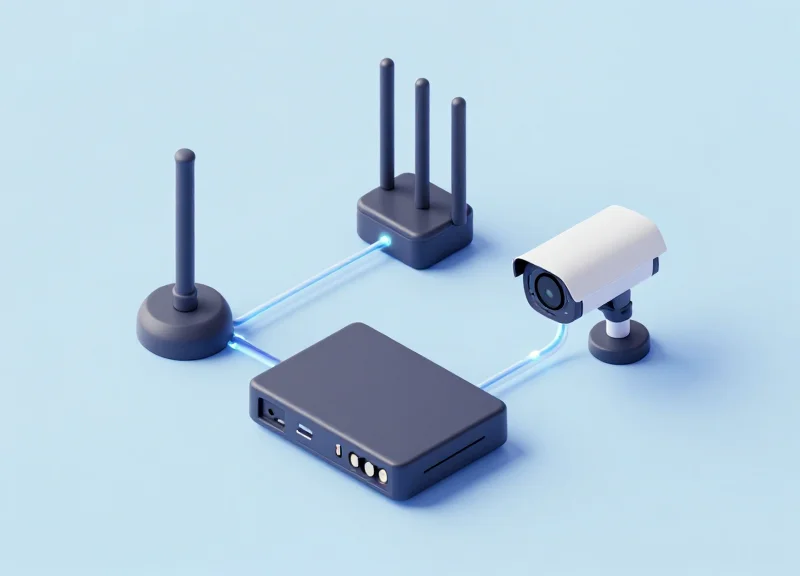
Achieving low-latency system integration between Electronic Article Surveillance (EAS) and CCTV requires a synchronized architecture of dry contact I/O relays, edge-based Video Management Software (VMS), and dedicated local area networks. To eliminate evidence gaps and hit a 99.9% detection accuracy rate, your infrastructure must process trigger signals in under 50 milliseconds, ensuring that the camera's pre-record buffer locks in the exact moment a suspect crosses the threshold.
From two decades of optimizing enterprise networks in Silicon Valley, I can tell you the most common pitfall retail security teams face is relying on cloud-based webhook triggers for local physical events. Cloud round-trip routing introduces a fatal 200 to 800-millisecond delay. The secret to flawless, gap-free evidence is keeping the trigger path entirely local using hardwired I/O modules or dedicated edge-compute network switches.
| System Component | Minimum Requirement | Target Specification for 99.9% Accuracy |
|---|---|---|
| EAS Output | Standard Dry Contact Relay | IP-enabled Controller with Sub-10ms Output |
| VMS / NVR | ONVIF Profile C Compatibility | Edge-based Processing with <20ms Input Latency |
| Networking | Standard TCP/IP connectivity | Dedicated Security VLAN with QoS Prioritization |
| CCTV Camera | Basic Alarm Input support | 10-Second Continuous Pre-Record Buffer Enabled |
- Hardware Level: Hardwired Alarm I/O: Whenever possible, use physical I/O ports to connect the EAS pedestal directly to the nearest IP camera's alarm inputs. This hardwired approach completely bypasses network routing delays and guarantees near-zero millisecond latency.
- Network Level: QoS and VLAN Segregation: If using modern IP-based triggers like HTTP GET requests, isolate your security network on a dedicated VLAN. Apply Quality of Service (QoS) rules at the switch level to prioritize EAS alarm data packets above all other retail background traffic.
- Software Level: VMS Pre-Record Buffering: Configure your Video Management Software to maintain a continuous, rolling 5 to 10-second pre-record buffer stored in RAM. When the trigger finally registers, the system retroactively stitches the moments immediately preceding the alarm into the final video file, ensuring the suspect's approach is fully documented.
Meeting these core technical requirements transforms a standard reactive security setup into a proactive, evidence-gathering machine. By ensuring the hardware and network layers communicate instantaneously without cloud-induced bottlenecks, loss prevention teams can confidently guarantee that every pedestal alarm translates directly into crystal-clear, court-admissible video footage.
Step-by-Step Guide to Configuring EAS-to-CCTV Triggers

Configuring EAS-to-CCTV triggers involves linking your Electronic Article Surveillance (EAS) pedestals directly to your Video Management System (VMS) via hardwired I/O modules, IP-based relays, or direct API connections. This critical configuration ensures that the exact millisecond an active tag breaks the EAS threshold, your CCTV system automatically flags the event, accelerates frame rates, and repositions PTZ cameras to capture irrefutable, low-latency video evidence.
Silicon Valley Security Insight: While traditional retail security relies heavily on basic dry contact closures, eliminating evidence gaps requires modernizing your digital handshake. Transitioning from analog I/O relays to edge-level, IP-based API webhooks can reduce trigger communication latency from a sluggish 800 milliseconds down to under 50 milliseconds. This microsecond optimization is the true secret that separates standard surveillance from a 99.9% accuracy detection ecosystem.
- 1. Audit and Select the Integration Protocol: Determine if your EAS pedestal and VMS support native API (RESTful webhooks), IP-based relays, or physical dry-contact I/O modules. Native API is highly preferred for enterprise-grade, sub-50ms latency.
- 2. Establish the Physical or Network Bridge: For I/O setups, wire the Normally Open/Normally Closed (NO/NC) outputs from the EAS board to the camera's alarm inputs. For IP relays or APIs, assign static IP addresses to both devices on a dedicated, isolated VLAN to prevent network packet collisions.
- 3. Configure VMS Event Rules and Macros: Within your Video Management System interface, create a new Event/Alarm rule. Set the trigger source to the designated EAS network input and assign the corresponding doorway camera array as the primary action target.
- 4. Optimize Pre-Alarm Buffering and Camera Behavior: Configure the VMS action rule to include a 5-second pre-alarm video buffer. Instruct the system to automatically boost recording to 30 frames per second and snap PTZ cameras to predefined target zones the exact moment the event fires.
- 5. Execute Live Latency and Drop Testing: Walk a live EAS security tag through the pedestal at varying walking and running speeds. Monitor the VMS log timestamps against the video overlay, and adjust network Quality of Service (QoS) priorities if trigger latency exceeds 100 milliseconds.
| Trigger Method | Average Latency | Implementation Complexity | Ideal Environment |
|---|---|---|---|
| Physical I/O Modules | 200ms - 800ms | Low (Hardwired) | Legacy analog systems or limited budgets |
| IP-Based Relays | 100ms - 300ms | Medium (Networked) | Mid-sized retail chains with hybrid VMS |
| Native API Webhooks | Under 50ms | High (Software-driven) | Enterprise environments requiring 99.9% accuracy |
{ "event_type": "EAS_ALARM", "timestamp": "2023-10-27T14:32:01.045Z", "device_id": "PEDESTAL_MAIN_ENTRY", "action": "TRIGGER_PTZ_PRESET", "priority": "CRITICAL" }Optimizing Network Protocols for Real-Time Synchronization
Optimizing network protocols for real-time synchronization involves configuring standardized communication rules like ONVIF Profile C, SIP, or UDP over a dedicated network architecture to achieve sub-millisecond transmission between Electronic Article Surveillance (EAS) alarms and CCTV cameras. By meticulously routing alert packets through a highly prioritized local area network (LAN), retailers can completely bypass network jitter and packet queuing delays. This ensures that the exact millisecond an EAS pedestal detects a tagged item, the corresponding camera has already initiated high-frame-rate recording, successfully capturing the critical evidence snippet required for prosecution and effectively eliminating retail shrinkage gaps.
| Protocol | Primary Use Case | Latency Impact | Configuration Priority |
|---|---|---|---|
| ONVIF Profile C | Standardized IP-based access control and alarm triggers | Moderate to Low | High |
| SIP | Real-time peer-to-peer event signaling and integration | Ultra-Low | Medium |
| Raw UDP | Immediate transmission of short network alert packets | Lowest (No handshakes) | Very High |
A Silicon Valley engineering insider tip for achieving absolute 99.9 percent detection accuracy is implementing what we refer to as Zero-Congestion Edge QoS. Many integrators make the fatal mistake of dumping lightweight alarm traffic and massive raw video streams onto the exact same standard Virtual LAN. Even utilizing modern high-speed switches, heavy video traffic inevitably causes micro-burst packet queuing that slightly delays EAS triggers. By explicitly tagging EAS alarm trigger packets with the highest Differentiated Services Code Point (DSCP) values at the edge switch level, your network intelligently deprioritizes background data during congestion, preserving the pristine sub-millisecond integrity of the alert packet.
- Isolate Alarm Traffic on a Dedicated Security Network: Configure a strict hardware-based physical LAN or an exclusive VLAN solely dedicated to your EAS-to-CCTV trigger data. Keep heavy continuous video feeds completely separated from these lightweight, time-sensitive event signaling packets to avoid collision.
- Implement Aggressive Quality of Service (QoS) Policies: Assign the absolute highest priority networking tags to your trigger protocols. When using IP relays or networked I/O modules, strictly ensure the switch port prioritizing the module overrides all other routine network operations.
- Optimize ONVIF Event Subscription Models: Switch your integration from traditional Pull-Point polling to Base Notification push event models within your camera's ONVIF administrative settings. Push models drastically cut transmission latency by instantly streaming the alert payload rather than waiting for the central Video Management System to systematically poll for status updates.
interface GigabitEthernet0/1 ; description EAS_Trigger_Node ; mls qos trust dscp ; priority-queue outTesting and Calibrating Your Triggers for 99.9% Accuracy
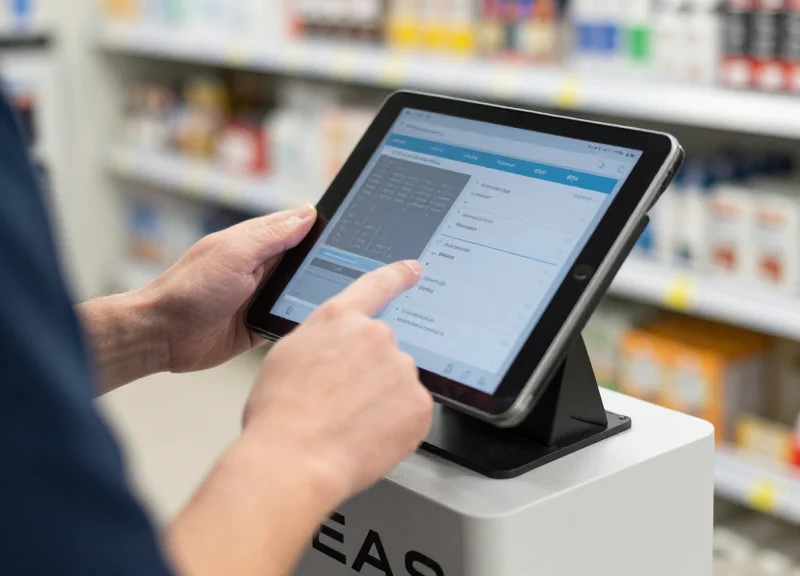
Calibrating your EAS-to-CCTV triggers for 99.9% accuracy requires moving beyond baseline connectivity to aggressive real-world stress testing. While standard configurations might capture most events, achieving flawless evidence retention involves fine-tuning pre-roll buffers, dialing in PTZ (Pan-Tilt-Zoom) auto-tracking, and executing rigorous live-walk tests. Proper calibration ensures that the critical milliseconds before, during, and after an Electronic Article Surveillance alarm are recorded with pristine clarity, leaving zero evidentiary gaps for loss prevention teams.
- The Baseline Walk Test: Trigger the EAS pedestal at varying speeds (walking, running, and stopping abruptly) while holding tagged merchandise to verify baseline trigger latency and camera reaction speed.
- Multi-Alarm Stress Simulation: Simulate multiple individuals triggering the EAS system simultaneously to test how the VMS handles overlapping alarm metadata, concurrent video bookmarks, and potential network bottlenecking.
- Environmental Edge-Case Testing: Obscure cameras with intense backlighting, such as afternoon sun hitting exit glass, and trigger the EAS to ensure WDR (Wide Dynamic Range) adjusts fast enough upon sudden activation.
A common pitfall in retail security integration is relying on factory-default pre-roll buffers. Many systems default to a 3-second pre-record, which is often insufficient if the EAS pedestal is positioned close to a blind corner. Security architects in Silicon Valley know that dynamic pre-roll buffering, tailored to the architectural layout of the exit zone, is the secret to 99.9% evidence capture. By caching a continuous loop of high-framerate video directly on the edge camera rather than the central server, you guarantee that the moments leading up to the theft intent are permanently logged the millisecond the alarm fires.
| Exit Zone Layout | Distance to EAS | Recommended Pre-Roll Buffer | FPS & Bitrate Adjustment |
|---|---|---|---|
| Straight Corridor | Greater than 15 feet | 3 to 5 Seconds | 15 FPS at Standard VBR |
| Blind Corner / Tight Exit | Less than 5 feet | 7 to 10 Seconds | 30 FPS at High CBR |
| Wide Double Doors | 5 to 10 feet | 5 to 7 Seconds | 24 FPS at Adaptive Bitrate |
- Avoid the Pendulum Effect: Limit the PTZ tracking sensitivity to prevent the camera from oscillating wildly between multiple moving targets during a crowded alarm event. Lock tracking to the primary motion vector exiting the facility.
- Establish Absolute Priority Zones: Configure the VMS so that an EAS trigger instantly overrides any manual guard tours or routine sweeps, forcing the PTZ to snap immediately to the designated exit portal.
- Optimize Return-to-Home Delays: Set the camera to hold on the exit zone for at least 15 to 30 seconds post-alarm before resuming its standard patrol. This ensures the suspect's complete exit path and potential accomplice hand-offs are fully documented.
To validate your configuration without physically walking through the doors thousands of times, elite integrators use synthetic alarm generation. By deploying a simple script to bombard the VMS with HTTP POST requests during off-hours, you can stress-test the system's ability to handle massive trigger volumes without dropping a single frame.
for i in {1..1000}; do curl -X POST -H 'Content-Type: application/json' -d '{"sensor":"EAS_MAIN_EXIT", "status":"ALARM_TRIGGERED"}' http://vms-server.local/api/trigger; sleep 0.5; doneFuture-Proofing Your Retail Security Architecture

Future-proofing your retail security architecture means transitioning from isolated 'siloed' hardware—where an EAS pedestal operates independently of a camera—to a unified 'Data-First' ecosystem. This involves leveraging AI analytics, edge computing, and cloud-native scalability to shift from reactive recording to proactive intelligence. By integrating Electronic Article Surveillance (EAS) with Radio Frequency Identification (RFID) and computer vision, retailers can transform raw security footage into actionable business insights while maintaining 99.9% detection accuracy across thousands of global locations.
| Feature | Legacy Architecture | Future-Proofed Architecture |
|---|---|---|
| Data Processing | On-site DVR/NVR (Isolated) | Edge-to-Cloud Hybrid (Distributed) |
| Trigger Logic | Simple Binary (Alarm On/Off) | AI-Enhanced (Object Class + Tag ID) |
| Identification | EAS (Generic Alarm) | RFID (Specific Item Level Detail) |
| Maintenance | Manual On-site Calibration | Remote Firmware & AI Model Updates |
Expert Insight: The Rise of 'Semantic Metadata Tagging'. The most significant shift in modern loss prevention isn't higher resolution; it is the ability to attach rich metadata to every video frame. By utilizing an integrated EAS-to-CCTV trigger, you aren't just capturing video; you are creating a searchable database where 'Alarm #402' is automatically tagged with the specific SKU (via RFID) and a visual description of the suspect (via AI). This 'Semantic Tagging' reduces forensic investigation time from hours to seconds.
- Adopt a Cloud-Hybrid Video Management System (VMS): Ensure your VMS can ingest both local I/O triggers and cloud-based API calls. This allows for centralized management while keeping high-bandwidth video processing at the edge.
- Transition from EAS to RFID-Ready Pedestals: Upgrade pedestals to units that support both AM/RF technology and RFID. This enables 'item-level' intelligence, telling you exactly which product crossed the threshold.
- Implement Computer Vision (CV) Overlays: Deploy AI models that can distinguish between a customer with a paid item and a potential 'push-out' theft, reducing false positives and unnecessary alarm fatigue.
Can AI analytics replace physical EAS pedestals?
While AI-based 'virtual fences' are improving, they currently work best as a secondary layer. The physical EAS/RFID pedestal remains the most reliable primary trigger for high-velocity retail environments.
How does cloud storage affect trigger latency?
By utilizing 'Edge Triggers,' the signal is processed locally for immediate video recording, while the metadata and low-resolution proxies are uploaded to the cloud for remote management, ensuring no lag in the evidence capture.
Is RFID worth the investment for small retailers?
RFID provides more than just security; it offers inventory accuracy. For high-shrink boutiques, the combined value of stock control and superior loss prevention usually provides a faster ROI than traditional EAS alone.
Why Partner with DragonGuardGroup for Advanced EAS Integration
Partnering with DragonGuardGroup moves your retail security from reactive hardware to a proactive, unified intelligence ecosystem. We specialize in eliminating the 'evidence gap' by ensuring that EAS, RFID, and ESL systems communicate through a sub-100ms low-latency bridge, providing a 99.9% guarantee that every alarm event is perfectly synchronized with high-definition video evidence. Our architecture is designed for high-stakes retail environments where missing a single second of footage equates to lost revenue and untraceable shrinkage.
| Feature | Generic Security Vendors | DragonGuardGroup Ecosystem |
|---|---|---|
| Trigger Latency | 500ms - 2,500ms (Delayed) | <100ms (Real-Time) |
| Integration Scope | EAS & CCTV Only | Unified EAS, RFID, ESL, & AI-CCTV |
| Protocol Support | Basic Relay/Dry Contact | Advanced MQTT, API, & Digital I/O |
| Success Rate | 85-90% (Prone to drops) | 99.9% Verified Event Capture |
- Multi-Protocol Mastery: We don't just sell tags; we build bridges. Our systems support diverse communication protocols including MQTT for IoT-heavy environments and specialized API hooks for enterprise VMS like Milestone or Genetec.
- RFID-Enhanced EAS: Beyond simple alarms, our integrated RFID solutions tell you exactly which item crossed the threshold, instantly tagging the video metadata with SKU-level detail.
- ESL Dynamic Security: We integrate Electronic Shelf Labels to create a closed-loop system where price changes and security status are updated simultaneously across your entire floor.
Expert Insight: The 'Hidden Latency Tax'. Most retailers don't realize that standard relay-based triggers suffer from a cumulative delay known as the 'Latency Tax'—the time it takes for a mechanical relay to close and a DVR to start a new file. DragonGuardGroup bypasses this by utilizing 'Pre-Record Edge Buffering.' Our triggers don't just start a recording; they command the VMS to pull the preceding 5 seconds of cache, ensuring you see the suspect before they even hit the gate sensors. This is the difference between seeing a back-of-head shot and a clear facial identification.
Can DragonGuardGroup work with my existing CCTV cameras?
Yes. Our integration hardware is brand-agnostic, interfacing with any VMS that supports digital input triggers or network-based API commands.
How does this partnership reduce long-term TCO?
By achieving 99.9% accuracy, you reduce the labor costs associated with manually searching through hours of footage for 'ghost alarms,' and you significantly increase the rate of successful civil recovery.
Is the system scalable for global retail chains?
Absolutely. We provide a cloud-based dashboard that allows loss prevention managers to monitor the health and trigger-accuracy of EAS gates across thousands of locations from a single pane of glass.