In the high-stakes world of industrial manufacturing and heavy logistics, visibility is everything. Yet, many facilities plagued by 'missing asset' glitches find their Real-Time Location Systems (RTLS) failing at the most critical moments. The culprit is almost always the environment: dense metallic structures, heavy machinery, and reflective surfaces that create a chaotic electromagnetic landscape. For a facility manager, a single missing pallet or tool can translate to thousands of dollars in downtime. This guide explores how to overcome these physics-based hurdles to ensure your RTLS remains a reliable source of truth, even in the most challenging industrial zones.
The Anatomy of the 'Missing Asset' Glitch

The 'Missing Asset' glitch refers to a systemic failure in Real-Time Location Systems (RTLS) where physical equipment remains present on the floor but becomes invisible to the digital tracking layer. This phenomenon occurs when radio frequency (RF) signals are blocked, absorbed, or reflected by dense metallic structures, causing the software to report a 'last seen' status or a 'ghost' location. In industrial environments, this is rarely a hardware failure and almost always an environmental signal integrity issue characterized by extreme multipath interference and signal shadowing.
To solve this, we must first understand the three core mechanisms of signal degradation that turn a functioning tag into a missing asset. In metal-dense zones, the physics of RF propagation changes fundamentally, turning a simple warehouse into a complex maze of electromagnetic obstacles.
| Phenomenon | Physical Cause | Impact on RTLS Dashboard |
|---|---|---|
| Multipath Interference | Signals bouncing off metal surfaces (racking, machinery). | Assets appear to 'jump' between locations or show high jitter. |
| Signal Shadowing | Direct line-of-sight blocked by heavy equipment or steel plates. | Asset completely disappears until moved to an open aisle. |
| The Faraday Effect | Assets stored inside metal containers or tight racking gaps. | Tag signals are trapped or nullified, leading to 'Null' status. |
Expert Tip: The 'Signal Echo Paradox'. A common mistake in industrial RTLS deployment is increasing the transmission power to 'punch through' metal. However, in high-reflectivity environments, this actually exacerbates the glitch by increasing the volume of reflected signals (noise), which confuses the receiver's time-of-arrival (ToA) calculations. Lowering power and increasing anchor density is often the superior strategic move.
Why do assets 'flicker' on the map before disappearing?
This is usually caused by 'threshold hunting,' where a tag is at the limit of its link budget. Interference causes the signal-to-noise ratio (SNR) to fluctuate, causing the system to intermittently drop the asset from the UI when it falls below a confidence threshold.
Is Bluetooth (BLE) more prone to this than Ultra-Wideband (UWB)?
Generally, yes. BLE operates on the crowded 2.4GHz band and is more susceptible to interference and multipath issues. UWB handles reflections better due to its extremely short pulse duration, which allows it to distinguish the original signal from its echoes.
How does the glitch impact operational ROI?
The cost isn't just the 'missing' item; it is the labor hours wasted on manual searches and the 'safety stock' companies keep to compensate for poor visibility, which bloats working capital.
Understanding the Physics: Why Metal is the Enemy of RF

Metal is the primary adversary of Radio Frequency (RF) systems because it is a highly conductive material that creates a physical and electromagnetic barrier to waves. When RF signals—such as those used in UWB, Wi-Fi, or Bluetooth RTLS—encounter metal, they do not simply pass through; instead, they are subject to reflection, absorption, and scattering. This interference creates 'multipath propagation,' where signals bounce off surfaces and arrive at the receiver at different times and phases, leading to significant errors in distance calculation and asset positioning.
| Phenomenon | Physical Interaction | Impact on RTLS |
|---|---|---|
| Reflection | Signals bounce off metal surfaces like light off a mirror. | Causes 'multipath' errors where the system sees ghost signals. |
| Faraday Shielding | Metal enclosures or dense shelving block all external RF fields. | Creates total 'dead zones' where assets become invisible. |
| Diffraction | Signals 'bend' around the edges of large metal objects. | Slows signal arrival, leading to inaccurate Time of Flight (ToF) data. |
| Absorption | Energy is converted to heat within the metal or surface coating. | Reduces signal strength (RSSI), causing assets to drop off the map. |
A critical and often misunderstood concept in industrial zones is the Faraday Cage effect. In a warehouse with dense floor-to-ceiling metal racking, the structure can inadvertently act as a shield, trapping RF energy inside a specific aisle or blocking it from reaching overhead anchors. This is why an asset can be perfectly visible in one square meter and completely 'lost' just thirty centimeters away. The conductivity of the metal redistributes the electromagnetic charges, effectively neutralizing the signal's ability to penetrate the barrier.
Does the type of metal matter for RF interference?
Yes. Highly conductive metals like copper and aluminum are more effective at reflecting and shielding RF signals than lower-conductivity metals like stainless steel, though all create significant challenges for RTLS.
Why does UWB perform better than Wi-Fi in metal-heavy zones?
Ultra-Wideband (UWB) uses very short pulses that allow the receiver to distinguish between the original 'first path' signal and its reflections, whereas narrowband signals like Wi-Fi or BLE get 'smeared' by reflections.
Can signal interference happen without a direct metal barrier?
Absolutely. Multipath interference can occur when signals reflect off a metal ceiling or floor, arriving at the receiver out of phase and canceling out the primary signal even if the line of sight is clear.
Expert Insight: Beware of the 'Multipath Null.' A unique challenge in metal-dense environments is Destructive Interference. This occurs when a reflected signal reaches the antenna exactly 180 degrees out of phase with the direct signal. In these instances, the two waves cancel each other out entirely. You may see a 'Missing Asset' glitch even when the hardware is functioning perfectly, simply because the asset is sitting in a physical 'null point' created by the geometry of the surrounding metal machinery. Moving the anchor or the asset by as little as 10 centimeters can often restore a full-strength signal.
Multipath Interference: The Ghost in the Machine
In a metal-heavy industrial environment, a radio signal rarely travels in a straight line from the tag to the anchor. Instead, it behaves like a billiard ball, ricocheting off steel girders, aluminum shelving, and heavy machinery. This phenomenon, known as multipath interference, results in the receiver picking up the same signal multiple times at slightly different intervals. Because the RTLS engine relies on nanosecond-level precision to calculate distance, these 'ghost' reflections create constructive or destructive interference, leading to 'jumpy' data or assets appearing to be inside solid walls.
| RTLS Technology | Multipath Sensitivity | Primary Error Cause | Resolution Strategy |
|---|---|---|---|
| Wi-Fi / RSSI | Extreme | Signal attenuation via reflection | Dense anchor deployment |
| Bluetooth (BLE) | High | Phase shifts and fading | Direction Finding (AoA) |
| Ultra-Wideband (UWB) | Low | Time-of-flight distortion | Short pulse discrimination |
| Chirp Spread Spectrum | Moderate | Frequency interference | Wide bandwidth processing |
The core of the 'Ghost in the Machine' problem lies in the delay spread—the time difference between the arrival of the direct path signal and the last reflected signal. In a warehouse, this spread can be significant enough to completely mask the original pulse, especially for narrowband technologies.
- The First Arrival Detection: The receiver must distinguish the 'First Path' (the straight line) from the 'Strongest Path' (often a reflection). Many systems fail by locking onto the strongest signal rather than the first one.
- Phase Cancellation: When a reflected wave arrives 180 degrees out of phase with the direct wave, they cancel each other out, creating a 'dead zone' where the asset simply disappears from the map.
- Spatial Correlation: The RTLS software attempts to reconcile the conflicting data points. If the multipath is severe, the algorithm produces a 'ghost' asset location that drifts or jumps sporadically.
Expert Insight: The 10-Nanosecond Rule. In industrial RTLS, a mere 10-nanosecond error in time-of-flight calculation translates to a 3-meter positioning error. While many vendors claim 'high accuracy,' they often ignore the fact that in a steel-reinforced facility, the 'Strongest Path' is almost never the 'Direct Path.' To solve this, look for systems that utilize 'Channel Impulse Response' (CIR) analysis to filter out reflections at the hardware level before they ever reach your software.
Why does my asset seem to 'vibrate' on the screen?
This is typically caused by rapid multipath fluctuations. As small movements occur in the environment (like a forklift passing by), the reflection patterns change, causing the location engine to constantly recalculate slightly different coordinates.
Can shielding the receiver help?
Paradoxically, no. Shielding often increases reflections. The better approach is using circular polarization antennas which are designed to reject signals that have undergone an odd number of reflections.
Does frequency hopping mitigate multipath?
Yes, to an extent. By changing frequencies, the system can avoid specific 'nulls' caused by phase cancellation, though it does not solve the fundamental time-delay issue inherent in reflections.
Choosing the Right Technology: UWB vs. BLE vs. Active RFID

In metal-heavy industrial zones, choosing an RTLS technology depends on its ability to resolve the 'multipath' problem—where radio signals bounce off metallic surfaces and create interference. Ultra-Wideband (UWB) is the gold standard for high-interference environments because it uses nanosecond-duration pulses to distinguish the direct line-of-sight signal from its echoes. While Bluetooth Low Energy (BLE) and Active RFID offer lower implementation costs, they primarily rely on signal strength (RSSI) or narrow-band frequencies, making them significantly more susceptible to the 'missing asset' glitch when surrounded by steel and heavy machinery.
| Feature | Ultra-Wideband (UWB) | Bluetooth Low Energy (BLE) | Active RFID |
|---|---|---|---|
| Typical Accuracy | 10 - 30 cm | 2 - 5 meters | 3 - 10 meters |
| Multipath Resilience | Excellent (Time-of-Flight based) | Low (RSSI-based) | Moderate |
| Metal Interference | Highly Resistant | Highly Susceptible | Prone to Dead Zones |
| Infrastructure Cost | High | Low to Moderate | Moderate |
| Battery Life | Months to 2 Years | 2 to 5 Years | 3 to 7 Years |
The fundamental differentiator in industrial performance is the physics of the signal. BLE and Active RFID are narrow-band technologies. In a warehouse full of metal racks, these signals 'smear' together as they reflect, leading the system to report an asset's location dozens of meters away from its actual position. UWB avoids this by utilizing a massive 500MHz+ bandwidth. It doesn't care how loud the signal is; it only cares when the very first pulse arrives. This 'Time of Flight' (ToF) approach allows it to ignore the delayed, reflected signals that typically cause ghosting in other systems.
- UWB: The Precision Powerhouse: Best for high-density manufacturing where sub-meter accuracy is non-negotiable despite heavy metal presence. It effectively 'sees' through the noise.
- BLE: The Cost-Effective Compromise: Ideal for general proximity sensing in open areas. However, in metal-dense zones, it requires dense anchor placement to mitigate signal absorption and reflection.
- Active RFID: The Long-Range Workhorse: Strong for outdoor yard management or large-scale asset tracking where gate-level accuracy is sufficient and high-speed updates aren't required.
### The Expert Perspective: The 'Hybrid' Trap A common mistake in industrial procurement is attempting to solve signal interference by simply increasing the number of BLE beacons. My professional experience in Silicon Valley deployments shows that in metal-heavy zones, more beacons often lead to more noise, not better accuracy. This is known as 'Signal Flooding.' If your facility is more than 60% steel by volume, the ROI on UWB—despite the higher initial anchor cost—is actually higher because it eliminates the 'labor leak' associated with staff searching for assets that the system incorrectly located.
Can I use BLE if my warehouse has metal racks?
Yes, but you must use 'Angle of Arrival' (AoA) hardware rather than standard RSSI. AoA is more resilient to reflections but still falls short of UWB's precision in high-multipath environments.
Does UWB penetrate through solid metal walls?
No radio signal penetrates solid metal; it either reflects or is absorbed. However, UWB is superior at finding 'leakage' paths and timing the fastest route, which provides a more stable location than RFID.
Is Active RFID obsolete for industrial use?
Not at all. It remains the most cost-effective solution for tracking assets over several kilometers in shipping yards where metal density is lower than in an indoor production line.
Specialized Tagging Solutions for Metal Surfaces
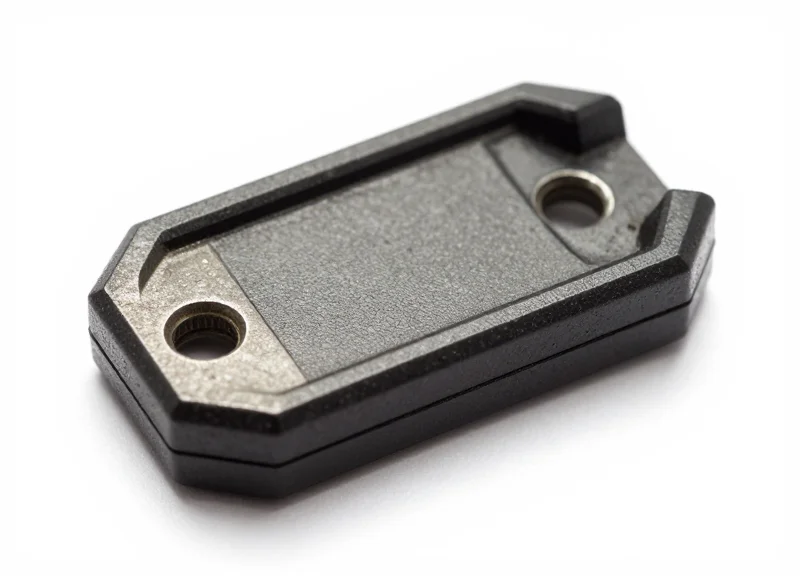
Specialized on-metal RTLS tags are engineered hardware solutions designed to maintain signal integrity when mounted directly onto conductive surfaces. Unlike standard tags that suffer from 'antenna detuning' and RF short-circuiting when near metal, specialized tags incorporate a physical dielectric spacer and a tuned antenna architecture. This design creates a necessary buffer between the metal and the tag's radiating element, ensuring that the radio frequency (RF) energy is reflected outward rather than being absorbed or cancelled out by the metallic object.
In high-stakes industrial environments, using a standard 'sticker' or plastic-cased tag on a steel beam or heavy machinery is a recipe for the 'Missing Asset' glitch. The metal surface acts as a parasitic element to the tag’s antenna, shifting its resonant frequency so far that the RTLS anchors can no longer 'hear' it. To solve this, manufacturers utilize high-permittivity materials in the tag base to manage the electromagnetic field interaction.
| Feature | Standard RTLS Tag | Specialized On-Metal Tag |
|---|---|---|
| Antenna Design | Omni-directional, free-space tuned | Directional, metal-compensated tuning |
| Mounting | Adhesive or zip-tie (hanging) | Flush mount, mechanical fasteners |
| Signal Loss | 90-100% loss when flush against metal | Minimal loss; optimized for reflection |
| Physical Build | Thin plastic or paper inlay | Ruggedized shell with internal spacer |
Expert Insight: The Ground Plane Advantage. While we often view metal as an enemy, a properly engineered on-metal tag treats the metal surface as a 'Ground Plane.' If the tag's antenna is tuned correctly for the specific metal alloy of your assets, the metal actually reflects the signal back toward the receiver, effectively doubling the apparent aperture of the antenna. This can result in a more stable and longer-range signal than the same tag would achieve in open air, provided the standoff distance is mathematically precise.
- Identify the Dielectric Standoff: Ensure the tag has a built-in spacer (usually 3mm to 5mm thick). This physical gap is non-negotiable for preventing the metal from quenching the RF field.
- Verify Frequency Tuning: Select tags that are 'pre-tuned' for the specific material (e.g., steel vs. aluminum), as different metals have varying conductivity levels that affect impedance.
- Evaluate IP-Rating and Encapsulation: On-metal tags are often used in harsh zones. Look for IP68 or IP69K ratings to protect the internal spacer from moisture, which can change the dielectric constant and kill the signal.
Can I use a 3D-printed spacer with a standard tag?
While it may provide slight improvement, it is generally ineffective because standard tag antennas are tuned for the permittivity of air (1.0). A DIY spacer does not correct the impedance mismatch caused by the proximity of metal.
Does the size of the metal asset matter?
Yes. Small metal objects cause less detuning than large, flat metal surfaces. If tagging a small tool, a 'mini' on-metal tag may suffice, whereas large containers require high-gain metal tags.
What mounting method is best?
Mechanical fasteners (screws or rivets) are preferred in metal-heavy zones, as industrial heat and vibration can cause adhesives to fail, leading to 'missing assets' that are physically lost, not just digitally shielded.
Strategic Infrastructure Placement: Overcoming Dead Zones

To overcome RTLS dead zones in metal-heavy industrial zones, infrastructure must be positioned at heights of 4 to 6 meters to maintain a clear Line-of-Sight (LoS), utilizing a high density of anchors—typically one every 15 to 20 meters—arranged in a non-linear, staggered geometry. This approach minimizes Geometric Dilution of Precision (GDOP) and ensures that even if one signal path is blocked by machinery or steel beams, the system can rely on redundant data points to maintain sub-meter accuracy.
| Environment Type | Target Mounting Height | Recommended Anchor Spacing | Optimal Antenna Tilt |
|---|---|---|---|
| Standard Warehouse | 4.5m - 6.0m | 20m - 25m | 15° Down-tilt |
| Heavy Machining Floor | 5.5m - 8.0m | 12m - 18m | 30° Down-tilt |
| High-Bay Racking | 7.0m - 10.0m | 10m - 15m | 45° Directed toward aisles |
Strategic placement is not just about coverage; it is about managing the 'Fresnel Zone'—the elliptical region around the direct line-of-sight between the tag and anchor. In industrial settings, if a metallic obstacle protrudes into even 20% of this zone, signal strength can drop significantly due to phase cancellation, even if the visual path looks clear. This is why 'Apex Positioning'—mounting anchors slightly below the ceiling but above the highest point of metal racks—is critical for signal integrity.
- Perform a Dynamic RF Heat Map: Use a spectrum analyzer to identify existing noise floors and signal reflections from permanent metal structures like mezzanines.
- Establish Geometric Diversity: Avoid placing anchors in a straight line. A staggered 'diamond' or 'zigzag' pattern provides better trilateration angles for the software algorithms.
- Redundancy Planning (n+2): In high-interference zones, ensure every square meter is covered by at least two more anchors than the mathematical minimum required (usually 4 for 3D tracking).
Expert Insight: Beware of the 'Symmetry Trap.' In a perfectly symmetrical metal warehouse, multipath signals can arrive at an anchor at almost the same time as the direct signal, confusing the receiver. By intentionally varying the mounting heights of your anchors by as little as 0.5 meters, you break the symmetry of reflections, making it easier for advanced RTLS algorithms to distinguish the 'true' signal from the metallic ghost reflections.
What is the biggest mistake in anchor placement?
Placing anchors directly against large metal plates or inside I-beams. This effectively creates a directional shield that cuts your coverage area in half and causes massive signal bounce.
How many anchors do I need for a 10,000 sq ft metal shop?
In a metal-heavy zone, the density should increase by 30-50% compared to an open office. Plan for one anchor every 150-200 square meters to ensure signal redundancy.
Can I use external antennas to bypass dead zones?
Yes, high-gain directional antennas can be used to 'flood' a specific dead zone, such as a narrow alley between metal containers, where omni-directional signals would simply scatter.
Software Filters and Algorithmic Smoothing
In metal-heavy industrial zones, raw signal data is rarely clean; multipath propagation causes 'jitter,' where an asset appears to vibrate or jump between locations despite being stationary. Software filters and algorithmic smoothing act as the mathematical correction layer, processing raw Received Signal Strength Indicator (RSSI) or Time of Flight (ToF) data to produce a stable, reliable coordinate. By distinguishing between genuine movement and momentary signal spikes caused by metal reflections, these algorithms ensure your digital twin reflects physical reality.
| Algorithm Type | Best Use Case | Latency Impact | Pros/Cons |
|---|---|---|---|
| Moving Average | Stationary assets or slow-moving parts | Moderate | Simple to implement; prone to lagging behind rapid movement. |
| Kalman Filter | Dynamic vehicles (forklifts, AGVs) | Low | Excellent predictive power; requires complex parameter tuning. |
| Particle Filter | Highly non-linear indoor environments | High | Highly accurate in complex zones; requires significant compute power. |
A critical component of this software layer is the 'Velocity Constraint Check.' This is an expert-level technique where the system cross-references a location update with the physical capabilities of the asset. For example, if a pallet of engine blocks appears to move 30 meters in 0.5 seconds, the algorithm identifies this as a multipath error—rather than a real event—and suppresses the update. This physics-aware approach prevents the 'teleportation' glitches common in warehouses filled with steel racking.
def simple_kalman_filter(z, x, p, q, r):
    # Prediction stage
    p = p + q
    # Measurement update stage
    k = p / (p + r)
    x = x + k * (z - x)
    p = (1 - k) * p
    return x, p
# z: raw measurement, x: estimate, p: error covariance
# q: process noise, r: measurement noise
Does smoothing increase the latency of asset tracking?
Yes, there is always a trade-off. Heavier filtering leads to 'smoother' movement but introduces a delay between the physical move and the screen update. For safety-critical applications, low-latency Kalman filters are preferred over high-window moving averages.
Can software fix a total lack of signal?
No. Algorithms can only 'clean' existing data or bridge very small gaps via dead reckoning. If an asset is completely shielded by metal, physical infrastructure changes are required.
What is an RSSI Threshold?
It is a software setting that instructs the system to ignore any signal weaker than a specific decibel level, effectively cutting out distant, low-quality reflections that would otherwise cause location errors.
Physical Shielding and Signal Directivity
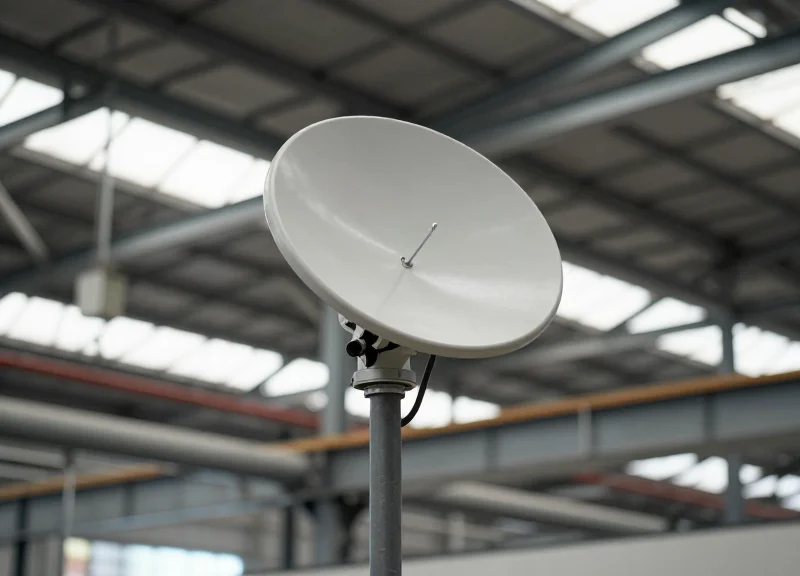
Physical shielding and signal directivity are proactive hardware-level strategies designed to isolate Real-Time Location System (RTLS) signals from the 'multipath chaos' inherent in industrial environments. While software filters manage data after the fact, physical shielding uses RF-absorbent materials to block interference, and signal directivity employs specialized antennas to focus signal energy into specific corridors. This dual approach ensures that RTLS anchors receive the clean, primary signal pulse while ignoring the erratic reflections off heavy machinery, steel racking, and overhead cranes.
| Antenna Type | Signal Pattern | Best Use Case in Metal Zones |
|---|---|---|
| Omni-directional | 360-degree spherical | Open warehouse areas with low metal density. |
| Patch/Directional | Focused cone (60-120 degrees) | Long aisles or tracking along metallic perimeters. |
| Parabolic/Yagi | Narrow, long-range beam | Cross-facility links or highly specific gate-checks. |
| Sector Antennas | Wide horizontal, narrow vertical | Wall-mounted tracking to avoid ceiling reflections. |
A common mistake in industrial RTLS deployment is assuming that more power equals better coverage. In metal-heavy zones, more power often leads to more reflections. The key is 'Sectorization'—the process of dividing a facility into discrete RF zones using directional antennas. By angling a patch antenna downward or along a specific walkway, you effectively 'blind' the receiver to the noise coming from the rest of the factory floor. This creates a high-SNR (Signal-to-Noise Ratio) environment where the 'Missing Asset' glitch is virtually eliminated because the system only sees what it is intended to see.
Can I use metal sheets as a shield?
No. While metal blocks signals, it also reflects them, potentially worsening the multipath effect. Use RF-absorbent foam or ferrite-tuned sheets which convert RF energy into heat rather than bouncing it.
Where is shielding most effective?
Shielding is most effective when placed directly behind an anchor to block 'back-lobe' noise or on large metallic pillars that act as secondary radiators.
Does antenna directivity affect tag battery life?
Yes, positively. High-gain directional antennas can pick up weaker signals, allowing tags to operate at lower transmit power levels, extending battery life by up to 15%.
Expert Tip: Implement the 'Ferrite Trap.' In areas with extreme metallic jitter, such as automated welding cells, line the back of your anchor mounts with flexible ferrite-loaded polymer sheets. Unlike standard shielding, these materials have a high magnetic loss tangent, which effectively 'swallows' stray reflections before they can reach the antenna element, providing a level of signal clarity that software algorithms alone cannot achieve.
- Map Interference Hotspots: Use a spectrum analyzer to identify where signal bounce is most prevalent.
- Select Antenna Beamwidth: Choose a patch antenna with a beamwidth that matches the width of the target tracking aisle.
- Apply RF Absorbers: Install absorbent materials on static metal surfaces that are reflecting signals toward the anchors.
- Optimize Tilt and Azimuth: Fine-tune the physical angle of the antennas to minimize 'spillover' into adjacent zones.
The Importance of Regular RF Site Audits
An RF site audit is a systematic evaluation of a facility's radio frequency environment to identify and mitigate new sources of interference, signal dead zones, and multipath reflections that degrade RTLS performance. In metal-heavy industrial zones, these audits are not a 'one-and-done' event but a necessary maintenance cycle, as the introduction of new machinery, storage racks, or structural reinforcements can fundamentally alter the way signals propagate, leading to the dreaded 'missing asset' glitch.
In a modern factory, the 'RF landscape' is fluid. What was a clear line-of-sight path six months ago might now be blocked by a high-density stainless steel shelving unit. This phenomenon, known as 'Environmental Drift,' causes a gradual decline in location accuracy that software filters alone cannot solve. A proactive audit ensures that your infrastructure layout evolves alongside your operational footprint.
- Baseline Heat Mapping: Compare current signal strength (RSSI) across the floor against the initial deployment map to identify areas of significant signal attenuation or unexpected gain.
- Spectrum Congestion Analysis: Use a spectrum analyzer to detect noise from new Wi-Fi 6 nodes, IoT sensors, or industrial microwave equipment that may be bleeding into your RTLS frequency bands.
- Physical Anchor Verification: Inspect anchor nodes for physical shifts, loosened mounts, or 'antenna droop' caused by vibration or accidental contact with warehouse equipment.
- Multipath Reflection Stress Test: Simulate asset movement near new metallic structures to see if 'ghost signals' (reflections) are causing the system to miscalculate positions by several meters.
| Audit Trigger | Frequency / Event | Primary Goal |
|---|---|---|
| Routine Maintenance | Every 6–12 Months | General system health check and software optimization. |
| Facility Reconfiguration | Post-Layout Change | Recalibrate anchors to account for new metallic obstructions. |
| Performance Threshold Breach | Immediate | Troubleshoot localized 'dead zones' or accuracy drops below 95%. |
| New Equipment Install | Within 48 Hours | Assess interference from high-power motors or wireless machinery. |
Expert Tip: The 'Shadow Reflection' Insight. When auditing, don't just look for what blocks signals. Look for what reflects them. A new galvanized steel partition located 30 feet away from an anchor can reflect a signal back into the path of a tag, creating a secondary signal peak that confuses the TOA (Time of Arrival) calculation. High-precision audits use 'Synthetic Aperture' testing to isolate these invisible reflections.
Can software-defined radios (SDR) automate these audits?
While SDRs can monitor spectrum noise remotely, they cannot replace physical walk-through heat mapping that captures how signals interact with moving metal at the ground level.
How long does a typical industrial RF audit take?
For a 50,000 sq. ft. facility, a comprehensive audit usually takes 1 to 2 business days, depending on the complexity of the metallic environment.
What is the most common finding during an audit?
The 'Hidden Shield' effect: A new inventory rack placed directly in front of a critical gateway, reducing the effective range by up to 70%.