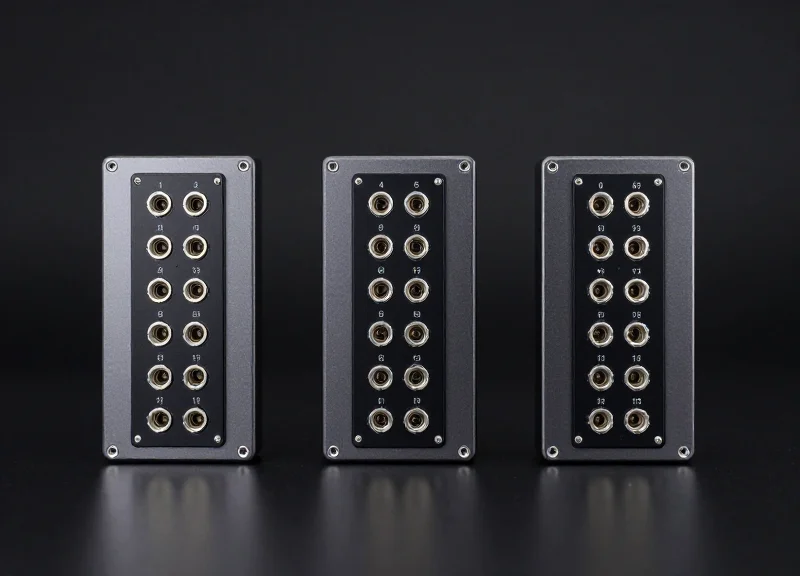
In the fast-paced world of modern logistics, the efficiency of your automated data collection system can be the difference between a streamlined supply chain and a bottlenecked operation. For large-scale warehouses, selecting the right RFID fixed reader isn't just about reading tags; it's about optimizing infrastructure, minimizing interference, and maximizing ROI. One of the most critical decisions hardware engineers and warehouse managers face is determining the ideal port density. Whether you are deploying a simple dock door portal or a complex, high-density shelving system, understanding the nuances between 4, 8, and 16-port configurations is essential. This guide provides an authoritative look into how to match your specific warehouse requirements with the right multi-antenna RFID fixed reader.
The Evolution of RFID Port Density in Industrial Environments
The evolution of RFID port density represents a shift from localized 'choke-point' tracking to comprehensive, facility-wide visibility. Originally, industrial RFID readers were limited to 1 or 4 ports, designed primarily for simple dock door monitoring. However, as warehouses transitioned into mega-fulfillment centers, the demand for 'high-density' readers—specifically 8 and 16-port configurations—emerged to solve the problems of infrastructure bloat, high installation costs, and complex network management. Modern high-density readers allow a single IP address and power drop to manage up to 16 distinct antenna zones, drastically increasing data throughput while simplifying the physical hardware footprint.
| Era | Typical Port Count | Primary Application | Architectural Challenge |
|---|---|---|---|
| Early Adoption (2000s) | 1 - 2 Ports | Single conveyor point tracking | Fragmented data silos; high cost per read point. |
| The 4-Port Standard | 4 Ports | Standard dock doors / Portals | Expensive cabling and networking for large areas. |
| High-Density Era (Current) | 8 - 16 Ports | Multi-lane portals & smart shelving | Requires sophisticated RF multiplexing management. |
Expert Insight: The real driver behind the shift to 16-port systems isn't just 'more antennas'—it is the 'Silicon Consolidation' factor. Historically, adding more antennas meant using external RF switches, which introduced significant signal loss (often 1-2 dB). Modern 16-port readers utilize integrated, high-speed switching circuits that maintain signal integrity across all channels. This allows for 'dense-reader mode' performance where many antennas can fire in rapid succession without cross-talk, a feat impossible with older cascaded switch architectures.
Why was the 4-port reader the industry standard for so long?
The 4-port limit was largely dictated by the processing power of early RFID chips and the physical size of RF connectors. Additionally, most early use cases were limited to four-sided portal tracking at a single dock door.
What triggered the jump to 16-port configurations?
The rise of massive e-commerce warehouses necessitated monitoring continuous rows of shelving and multiple adjacent loading docks. Using four 4-port readers was 40% more expensive in terms of power-over-ethernet (PoE) drops and software licensing compared to a single 16-port unit.
Does higher port density affect read speed?
Technically, a reader cycles through its ports. However, modern processors have reduced switching time to milliseconds, ensuring that a 16-port reader can maintain the same 'near-real-time' inventory accuracy as multiple smaller readers if configured correctly.
4-Port RFID Readers: The Versatile Workhorse
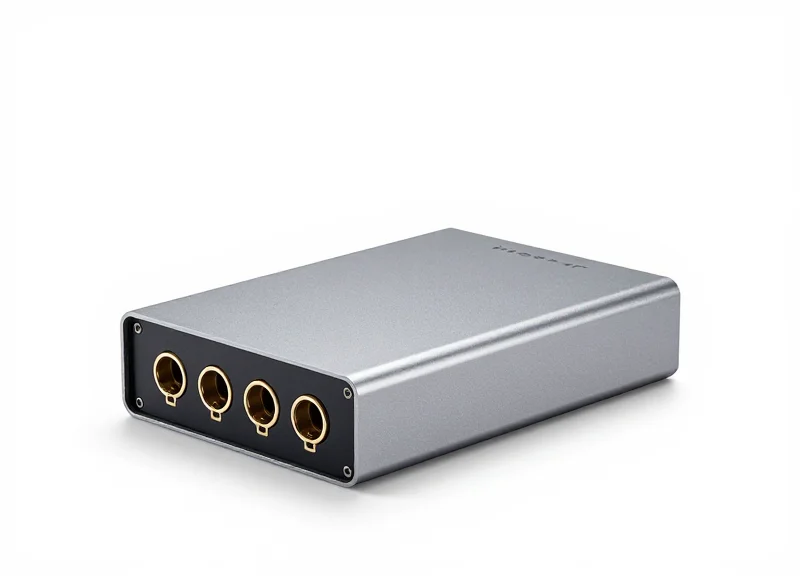
A 4-port RFID reader is a fixed device capable of connecting to up to four external antennas, serving as the fundamental 'unit of scale' for modern warehouse automation. In high-density environments, these readers are deployed to manage discrete read zones where precision is more critical than raw antenna count. By providing enough ports to cover a 3D read field—typically through side-mounted and overhead antennas—the 4-port reader ensures nearly 100% read rates for individual transit points like dock doors or conveyor junctions without the signal complexity found in higher-density configurations.
| Deployment Zone | Antenna Configuration | Primary Objective |
|---|---|---|
| Individual Dock Door | 2 Side-mounted + 1 Overhead | Pallet-level inventory verification |
| Conveyor Sortation | 4-sided Tunnel (Top/Bottom/Sides) | High-speed item identification |
| Work-in-Process (WIP) | 2 Near-field Antennas | Localized assembly tracking |
| Narrow Aisle Portal | 2 High-gain Circular Antennas | Forklift traffic directionality |
- Optimized Power-to-Port Ratio: Unlike 16-port readers that often multiplex a single radio module across many outputs, 4-port readers generally provide the highest 'clean' power and sensitivity per antenna, essential for reading tags on liquid or metal-dense pallets.
- Reduced RF Interference: In a dense warehouse, 16 antennas firing from one source can create complex multi-path interference. 4-port units allow for better spatial isolation and frequency planning.
- Simplified Maintenance: If a 16-port reader fails, sixteen points of data collection go dark. Utilizing 4-port readers creates a more resilient, distributed network architecture where a single failure only impacts one localized zone.
Expert Insight: One critical factor often overlooked is 'Cable Loss Margin.' In large warehouses, the longer the coaxial cable between the reader and the antenna, the more signal strength is lost. Because 4-port readers are usually mounted directly at the point of activity (e.g., on the dock door frame), they utilize shorter cables compared to centralized 16-port systems. This results in a higher Link Budget, allowing for the detection of low-quality or poorly oriented tags that higher-density systems might miss due to line attenuation.
When should I choose 4 ports over 8 or 16?
Select a 4-port reader when your read zone is physically isolated or when you require the highest possible read sensitivity for challenging tag environments. It is the gold standard for dock doors where each door acts as an independent data silo.
Can I expand a 4-port reader later?
Yes, many 4-port readers support external RF switches (multiplexers), but this often comes at the cost of slower read cycles and increased software complexity. If you anticipate needing more than 4 antennas per zone, starting with an 8-port unit is usually more cost-effective.
8-Port Fixed Readers: Bridging the Gap in Mid-Sized Zones
8-port fixed RFID readers are the 'Goldilocks' solution for industrial logistics, designed specifically for environments where a 4-port reader creates coverage gaps and a 16-port reader introduces excessive cable attenuation and cost. These devices are most effective in mid-sized zones such as narrow-aisle picking areas, multi-lane conveyor junctions, and medium-width thoroughfares where a 360-degree 'read-tunnel' effect is required to capture tags on densely packed pallets from multiple orientations.
| Feature | 4-Port Reader | 8-Port Reader (The Bridge) | 16-Port Reader |
|---|---|---|---|
| Coverage Area | Single Point (Dock Door) | Zonal (Aisles/Transit) | Wide-Area (Choke Points) |
| Cost per Read Point | High | Moderate/Optimal | Low |
| Installation Complexity | Low | Medium | High (Cable Management) |
| Redundancy | Limited | High (Overlapping Fields) | Extreme |
One of the most critical advantages of the 8-port configuration is the ability to create 'overlapping read zones.' In a warehouse aisle, four antennas can be dedicated to floor-level scanning while the remaining four focus on mid-to-high rack levels. This prevents the 'null zones' often found in 4-port setups where high-stacking prevents tags from entering the RF field effectively.
- Optimized ROI: Reduces the number of IP drops and power outlets required compared to installing two separate 4-port readers.
- Scalable Density: Perfect for 'Portal-Plus' setups where you need 4 antennas for the main entry and 4 for auxiliary tracking or verification.
- Reduced Interference: Managing a single 8-port device is easier for frequency hopping and timing than synchronizing two 4-port devices in close proximity.
Expert Insight: The 8-Port Multiplexing Nuance. Most 8-port readers utilize internal high-speed RF switches (multiplexing) rather than eight independent radio modules. While this saves cost, it means the 'cycle time' per antenna is slightly longer than a 4-port unit. For high-speed conveyor belts moving faster than 600 feet per minute, a 4-port reader is often superior; however, for standard warehouse traffic and forklift-speed transitions, the 8-port reader offers the most reliable balance of tag population density and read accuracy.
When should I choose 8 ports over two 4-port readers?
Choose 8 ports when the antennas are within 30-50 feet of the reader. This consolidates network management and reduces hardware costs by roughly 20-30% compared to buying two separate readers.
Does an 8-port reader slow down tag reading?
Technically, the reader cycles through antennas sequentially. In 99% of warehouse applications, the switching speed (milliseconds) is so fast that the user perceives it as simultaneous reading across all 8 points.
What cable type is best for 8-port setups?
Because 8-port setups involve longer cable runs to cover a 'zone,' use LMR-240 or LMR-400 shielded cables to minimize signal loss, especially for the furthest antennas.
16-Port High-Density Readers: Powering Mega-Warehouses
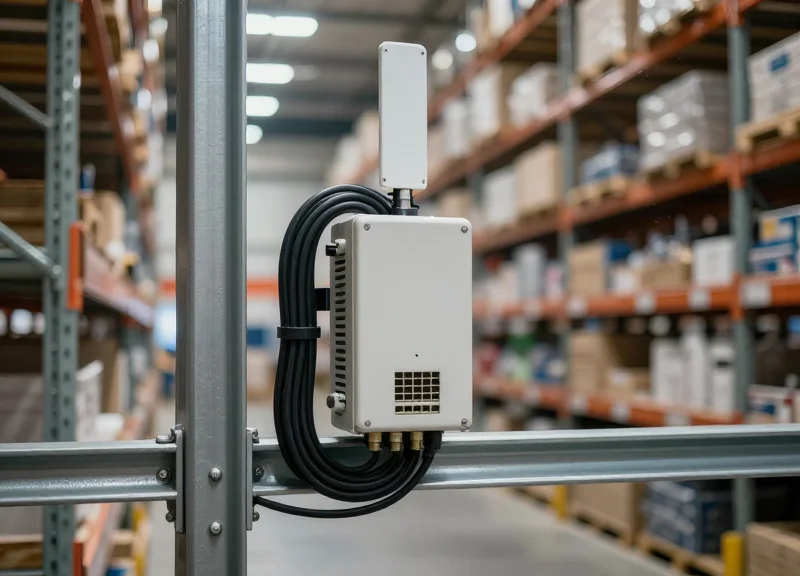
16-port RFID readers are high-capacity industrial fixed readers designed to support sixteen independent antennas from a single IP address and power source. These devices serve as the backbone for 'Mega-Warehouse' operations where dense storage systems, such as mobile racking or high-rise smart shelving, require continuous, granular visibility across massive floor spaces without the complexity of managing dozens of individual network nodes.
When scaling to thousands of square feet, the primary challenge isn't just signal coverage; it is infrastructure management. Deploying a 16-port reader allows warehouse managers to consolidate their hardware footprint. Instead of running four separate Ethernet drops and occupying four switch ports to support 16 antennas, a single 16-port unit handles the entire zone. This centralization reduces the 'attack surface' for network failures and simplifies the software integration layer, as the middleware only needs to poll a single device for a large array of read points.
| Infrastructure Metric | 4x 4-Port Readers (Traditional) | 1x 16-Port Reader (High-Density) |
|---|---|---|
| Network IP Addresses | 4 | 1 |
| PoE/Power Drops | 4 | 1 (often Ultra-PoE or DC) |
| Switch Port Consumption | 4 Ports | 1 Port |
| Installation Labor | High (4 mounts, 4 drops) | Low (1 mount, 1 drop) |
- Smart Shelving & Picking Walls: Ideal for high-velocity e-commerce picking walls where every bin needs an dedicated antenna to ensure 99.9% inventory accuracy.
- Extensive Tunnel Systems: Used in high-speed sorting tunnels where antennas must be placed at multiple angles (top, bottom, sides, and diagonals) to read tags regardless of orientation.
- High-Density Pallet Racking: Perfect for monitoring multi-level pallet positions where antennas are distributed across vertical beams to track real-time stock movement.
Expert Insight: The 'Hidden' Cable Physics of 16-Port Arrays. One critical factor often overlooked is RF cable loss. Because a 16-port reader is a centralized hub, some antennas will inevitably be further away than in a decentralized 4-port setup. To maximize performance, I recommend using LMR-400 or LMR-600 grade cabling for runs exceeding 20 feet. While the cable is thicker and more expensive, the savings you gain from needing fewer network switches and IP licenses far outweigh the cost of premium coaxial cabling.
Does a 16-port reader read tags slower than a 4-port reader?
Technically, the reader switches between ports (multiplexing). However, modern high-performance 16-port readers use advanced processors that switch ports in milliseconds, making the difference negligible for even fast-moving conveyor applications.
Is a 16-port reader a single point of failure?
While it is a single node, industrial-grade 16-port readers are built with higher MTBF (Mean Time Between Failures) ratings and ruggedized housing to ensure they can handle the heavy load of a mega-warehouse environment.
Can I mix different antenna types on one 16-port reader?
Yes. This is a major advantage. You can have 8 far-field antennas for zone coverage and 8 near-field antennas for specific shelf-level tracking all managed by one device.
Technical Considerations: Cable Loss and Signal Integrity
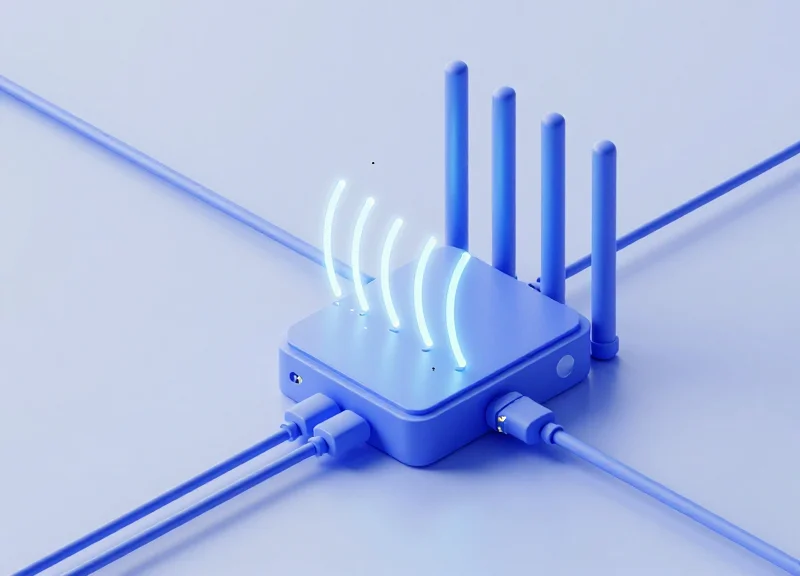
In high-density RFID deployments, cable loss refers to the reduction of RF power as a signal travels from the fixed reader to the antenna (and back). This attenuation is measured in decibels (dB) and is primarily caused by cable length, frequency (UHF 860-960 MHz), and the physical quality of the coaxial line. When scaling from 4 to 16 ports, cable runs inevitably become longer and more complex; if loss exceeds 2-3 dB, your 'high-power' reader may only deliver half of its rated energy to the antenna, resulting in missed tags and 'dead zones' in your warehouse.
| Cable Type | Diameter (mm) | Attenuation (dB/10m @ 900MHz) | Flexibility/Usage |
|---|---|---|---|
| RG-58 | 4.95 | 4.5 - 5.0 | Poor (Not recommended) |
| LMR-195 | 4.95 | 3.6 - 3.9 | Medium (Short runs < 3m) |
| LMR-240 | 6.10 | 2.4 - 2.6 | Excellent (Standard 5-10m) |
| LMR-400 | 10.29 | 1.3 - 1.5 | Low (Long runs > 10m) |
| LMR-600 | 14.99 | 0.8 - 1.0 | Ultra-Low (Backbone/High-Ceiling) |
The Veteran's Insight: The 'Switching Loss' Tax. Most engineers account for cable length, but few account for the internal insertion loss of 8 and 16-port multiplexers. Every time you double the port count, you typically introduce an additional 0.5 to 1.2 dB of loss purely from the internal RF switching circuitry. In a 16-port environment, your link budget is already 'handicapped' before the signal even reaches the cable. To compensate, always specify antennas with 1-2 dBi higher gain than you would use on a standard 4-port setup.
- Calculate the Link Budget: Sum the reader output (e.g., +30 dBm) minus the total cable loss, connector loss (approx 0.1 dB per joint), and internal switching loss. Ensure the final power at the antenna meets the regulatory EIRP limit while remaining above the tag's activation threshold.
- Standardize Cable Lengths: In multi-port systems, try to keep cable lengths consistent across all ports. Significant variations in length cause inconsistent read zones, making software-side RSSI (Received Signal Strength Indicator) filtering nearly impossible to calibrate across the warehouse.
- Verify Connector Torque: Loose SMA or N-type connectors are the leading cause of 'noise' and signal reflection (VSWR). In high-vibration warehouse environments, use a torque wrench to ensure every connection is seated to manufacturer specifications (typically 7-10 inch-pounds for SMA).
Does cable quality matter if the reader is set to max power?
Yes. While you can increase power to overcome cable loss, you cannot easily overcome the 'Return Link' loss. The weak signal reflected by the RFID tag must travel back through the same lossy cable; if the cable is poor, the tag's response will fall below the reader's sensitivity floor, regardless of how high the transmit power is.
Can I use 'pigtail' adapters for better flexibility?
Every adapter adds roughly 0.2 to 0.5 dB of loss and creates a potential point of failure. Use direct cable assemblies (e.g., LMR-240 with N-Type to SMA connectors already terminated) whenever possible to maintain signal integrity.
How does signal interference change with 16 ports?
With 16 antennas, the risk of 'False Reads' or cross-talk increases. Higher-quality double-shielded cables (like the LMR series) are essential to prevent RF leakage between adjacent cables in a high-density tray.
Switching Speed and Read Cycles across Multiple Antennas
Switching speed is the duration an RFID reader takes to transition its RF signal from one antenna port to the next, while a read cycle represents the total time required to poll every active antenna in a sequence. In high-density warehouse deployments, these metrics determine the 'refresh rate' of your data capture; a faster cycle ensures that moving items are energized and recorded by at least one antenna before exiting the read zone. Understanding the trade-off between the number of ports and the total cycle time is essential for balancing broad coverage with the high-velocity requirements of modern logistics.
| Port Configuration | Typical Cycle Time (ms) | Velocity Suitability | Primary Use Case |
|---|---|---|---|
| 4-Port Reader | 100ms - 250ms | High (Conveyors) | Point-of-passage tracking |
| 8-Port Reader | 300ms - 600ms | Medium (Forklifts) | Dock door portals |
| 16-Port Reader | 700ms - 1200ms | Low (Static) | Smart shelving and bulk inventory |
The core challenge in multi-antenna systems is 'Dwell Time'—the specific window the reader stays active on a single port to listen for tag responses. If you spread a reader's processing power across 16 ports, each antenna inherently receives less 'airtime' per second compared to a 4-port setup. For static inventory, this is negligible. However, for a pallet moving at 3 meters per second through a portal, a slow 16-port cycle might only provide a single 'hit' per antenna, significantly increasing the risk of a missed read due to RF shadowing or multipath interference.
Expert Insight: The 'Port-to-Speed Ratio' is a critical engineering benchmark often overlooked. If your application involves motion, you must calculate the 'Time-in-View' for a tag. If your reader’s total cycle time (the time to loop through all active ports) exceeds 50% of the tag’s Time-in-View, you are entering a high-risk zone for data loss. In these scenarios, it is often more reliable to deploy two synchronized 4-port readers than a single 16-port unit, as the parallel processing effectively doubles your read opportunities within the same physical window.
Can I skip unused ports to speed up the cycle?
Yes. Modern fixed readers allow you to disable specific ports in the software configuration. By only cycling through active antennas (e.g., ports 1, 3, and 5), you reduce the total cycle time and increase the polling frequency for the remaining antennas.
Does switching between ports cause RF interference?
No. RFID readers use multiplexing, meaning only one antenna is 'hot' or radiating at any given millisecond. The switching happens in the digital domain before the RF amplifier, preventing port-to-port interference.
What is 'Adaptive Polling'?
Some high-end 8 and 16-port readers support adaptive polling, where the reader automatically spends more dwell time on antennas that are currently detecting tags and skips or shortens the time on 'quiet' antennas to optimize throughput.
Total Cost of Ownership (TCO) Analysis
The Total Cost of Ownership (TCO) for high-density RFID deployments is defined as the sum of hardware procurement, infrastructure installation (cabling, network drops, and power), and long-term maintenance expenses over a 5-to-7-year lifecycle. While a single 16-port reader carries a higher unit price than a 4-port alternative, it typically reduces the aggregate TCO by 20% to 35% in large warehouses by consolidating network management points and minimizing the expensive labor costs associated with running multiple electrical and data drops.
| Cost Factor | 4-Port Configuration (4 Units) | 16-Port Configuration (1 Unit) |
|---|---|---|
| Hardware Unit Cost | Lower per unit (~$1,200/ea) | High per unit (~$4,200/ea) |
| Network/Power Drops | 4 Drops (High Labor Cost) | 1 Drop (Low Labor Cost) |
| Cabling Complexity | Short RF cables, many IP addresses | Long RF cables, single IP address |
| Software Licensing | Often per-device (4x cost) | Often per-device (1x cost) |
| Annual Maintenance | Higher (4 devices to monitor/fail) | Lower (1 device to monitor/fail) |
Expert Insight: The 80/20 Infrastructure Rule. In my two decades of Silicon Valley tech deployments, I have observed that in 'brownfield' warehouse environments, roughly 80% of deployment costs are driven by electrical and network contractors rather than the RFID hardware itself. Therefore, a 16-port reader that costs 3x more than a 4-port reader is actually the 'budget' choice because it eliminates three-quarters of the most expensive variable: professional labor for conduit and data runs. However, be mindful of the 'RF Cable Threshold'—if your antennas are more than 30 feet from the reader, the cost of high-grade, low-loss LMR-600 cabling can quickly erode these savings.
Does a higher port count increase maintenance risks?
No, it actually reduces them. Managing one 16-port reader involves one IP address to secure, one firmware version to update, and one point of failure to monitor via your heartbeat software, compared to managing four separate devices.
How does PoE+ impact TCO for 16-port readers?
Many 16-port readers require high-wattage PoE++ (802.3bt) to power all ports and internal processing. You must budget for upgraded industrial switches; otherwise, the cost of installing localized AC power outlets will negate your infrastructure savings.
What is the 'Hidden Cost' of low-port density?
The hidden cost is 'Network Congestion and Collision.' Multiple 4-port readers in close proximity require complex frequency planning to avoid interference, which increases the engineering hours required for a successful site survey and tuning.
Strategic Antenna Placement for High-Density Deployments
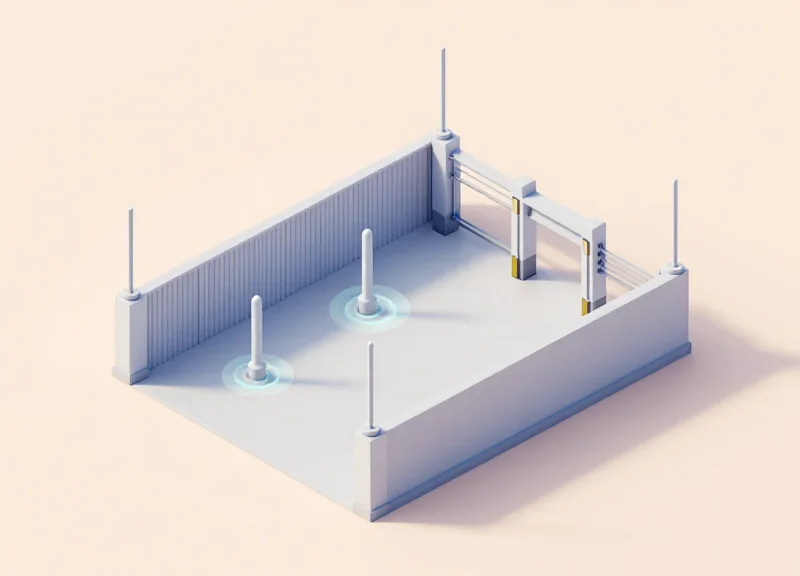
Strategic antenna placement is the art of balancing RF field overlap with spatial isolation to achieve a 100% read rate without inducing 'crosstalk'—a phenomenon where neighboring antennas interfere with each other's signals. In high-density environments like large warehouses using 8 or 16-port readers, success relies on meticulously calculating the Beamwidth-at-Distance (BaD) and adjusting the 'Gain-to-Density' ratio. This ensures that every tag within a specific zone is energized and captured while neighboring zones remain silent, preventing duplicate data and reader collisions.
- Determine Polarization Requirements: Use circular polarization for general warehouse items with unpredictable tag orientations. Use linear polarization for conveyor belts or portals where tag orientation is fixed, as this provides a more concentrated and longer-range energy field.
- Establish the 3-Meter Rule: In high-port-count setups, maintain at least 3 meters of physical separation between antennas facing the same direction to prevent backscatter interference, or use software-defined timing to offset their read cycles.
- Optimize the 'Look-Down' Angle: Mount antennas 3-5 meters high, tilted downward at a 30 to 45-degree angle. This limits the RF 'footprint' on the floor and prevents the signal from bouncing off concrete and traveling hundreds of feet into unrelated storage zones.
- Zone Calibration via RSSI Filtering: Configure the reader to ignore tags with a Received Signal Strength Indicator (RSSI) below a certain threshold to effectively create 'soft' boundaries for each antenna port.
| Placement Scenario | Antenna Type | Recommended Angle | Key Objective |
|---|---|---|---|
| Narrow Aisle Racking | High-Gain Patch | 15-20° (Tilt Down) | Deep rack penetration without aisle bleed |
| Dock Door Portal | Circular Polarized | Side-mounted, 90° to flow | Capture multiple tags on moving pallets |
| Overhead Bulk Area | Wide-Beam Patch | 90° (Top-Down) | Maximum area coverage for floor storage |
| Conveyor Sorting | Near-Field / Linear | Parallel to belt | High-speed, short-range precision |
Expert Insight: Software-Defined Power Leveling (SDPL). In a 16-port deployment, do not run every port at the same power (e.g., 30dBm). A unique best practice for high-density warehouses is to 'Zone-Tune' your ports. Ports 1-4 might be covering a high-rack 5 meters away (30dBm), while Ports 5-8 cover a floor-level pickup point only 2 meters away. Reducing the power on the closer ports to 20dBm significantly reduces the noise floor of your entire system, increasing the 'hearing sensitivity' of your reader for the more distant tags.
What is 'Crosstalk' in multi-antenna setups?
Crosstalk occurs when two or more antennas emit RF waves that intersect or when one antenna picks up the backscatter signal intended for another. This is mitigated by using high-quality shielded cables and ensuring antennas on the same reader are not facing each other directly.
How do I prevent 'Ghost Reads'?
Ghost reads—reading tags in the next aisle—are best prevented by using RF-absorbing materials on the back of racks or by fine-tuning the 'Transmit Power' settings for each individual port on your 8 or 16-port reader.
Is cable length a factor in placement?
Absolutely. Because high-density readers (like 16-port models) often have longer cable runs, you must account for signal attenuation. Use LMR-400 or LMR-600 cables for runs exceeding 10 meters to ensure the antenna still receives enough power to energize tags.
Power over Ethernet (PoE+) and GPIO Integration
Power over Ethernet (PoE+) and General Purpose Input/Output (GPIO) integration are the twin engines of modern RFID deployments, allowing a single Ethernet cable to provide both data connectivity and electrical power while enabling the reader to interact with the physical environment. For high-density 8-port and 16-port readers, PoE+ (IEEE 802.3at) is generally the minimum requirement to ensure consistent RF output across all antennas, while GPIO ports allow the reader to trigger external hardware like motion sensors, light stacks, and motorized dock gates without needing a separate PLC (Programmable Logic Controller).
In a large-scale warehouse, the primary advantage of PoE+ is the elimination of dedicated AC outlets at every read point, which can save thousands of dollars in electrical installation costs. However, as port density increases, so does the power draw. While a 4-port reader might operate comfortably on standard PoE (15.4W), a 16-port reader under heavy load—cycling through high-gain antennas and managing GPIO peripherals—frequently requires the 30W provided by PoE+ or even the 60-90W of PoE++ (802.3bt) to prevent 'brownouts' during peak read cycles.
| Port Count | Recommended Power Standard | Typical Use Case | GPIO Potential |
|---|---|---|---|
| 4-Port | PoE (802.3af) | Single dock doors or small conveyors | Basic: 1 trigger, 1 light stack |
| 8-Port | PoE+ (802.3at) | Complex sortation or dual dock doors | Moderate: Sensors + Alarms |
| 16-Port | PoE+ / PoE++ (802.3bt) | Full mezzanine monitoring or high-density zones | Advanced: Multiple triggers & automation |
Expert Insight: The 'Peripheral Starvation' Risk. A common pitfall in high-density RFID design is failing to account for the cumulative power draw of GPIO-connected devices. If you are powering a 16-port reader via PoE+ and attempt to draw current directly from the GPIO pins to power a large industrial siren or multiple LED stacks, you risk 'starving' the RF module. This often manifests as intermittent read failures or ghost tags. Always verify if your GPIO peripherals require an external power supply or if the reader's internal bus can truly handle the combined load of 16 active antenna ports and the peripheral logic.
Can I use a standard PoE switch for a 16-port RFID reader?
It is not recommended. While the reader may boot up, standard PoE (802.3af) usually provides only 12.95W at the device. Under heavy tag loads or high RF power settings, a 16-port reader will likely reboot or provide inconsistent signal strength. Always use a PoE+ or PoE++ injector/switch.
How does GPIO help in warehouse automation?
GPIO allows the RFID reader to act as a local controller. For example, a motion sensor can trigger the reader to 'wake up' when a pallet approaches (Input), and the reader can flash a green light once the pallet is successfully scanned (Output).
What is the maximum distance for GPIO wiring?
Typically, GPIO signals can travel up to 50 feet (15 meters) using shielded twisted-pair cabling. Beyond this, signal degradation or electromagnetic interference (EMI) from warehouse machinery may cause false triggers.
Future-Proofing Your RFID Infrastructure

Future-proofing your RFID infrastructure is the strategic selection of hardware that accommodates both physical expansion and logical evolution, ensuring your investment remains relevant as business needs shift. In large-scale warehouse environments, this specifically means choosing fixed readers that support high port densities (8 or 16 ports) while offering robust processing power, over-the-air (OTA) firmware updates, and native integration with modern IoT protocols like MQTT and gRPC. By deploying a system that can scale from simple portal tracking to high-resolution Real-Time Location Systems (RTLS) without hardware replacement, enterprises significantly reduce their long-term capital expenditure (CAPEX).
| Capability | Standard (Current) | Future-Proof (Next-Gen) |
|---|---|---|
| Communication | Proprietary SDKs / LLRP | Native MQTT / RESTful APIs / gRPC |
| Edge Computing | Basic Tag Filtering | On-device Linux App Hosting (Docker) |
| Scalability | Fixed Port Count | Daisy-chaining / Hub Support |
| Protocol Support | Gen2V2 Standard | Gen2V2 / V3 Ready (Software Defined) |
| Security | Simple Password | TLS 1.2/1.3 / Certificate-based Auth |
Expert Insight: The CPU/RAM Bottleneck. While most buyers focus on the number of RF ports, the true future-proofing bottleneck is the internal processor. As warehouses move toward 'Intelligence at the Edge,' the reader is no longer just a 'dumb' data pipe; it must filter noise, run custom scripts, and prioritize data packets in real-time. We recommend selecting 16-port readers that utilize ARM-based quad-core processors and at least 2GB of RAM to ensure the device can handle future AI-driven tag filtering algorithms.
Can I upgrade a 4-port system to 16 ports later?
Direct hardware upgrades are rarely possible. If you anticipate growth, it is more cost-effective to install an 8 or 16-port reader initially and leave ports unused than to replace 4-port units and redo the network infrastructure later.
How does RTLS affect my reader choice today?
Standard inventory readers may lack the clock synchronization needed for phase-based RTLS. If your roadmap includes high-precision tracking, ensure your high-density reader supports phase-angle data reporting.
Why is 'Containerization' important for RFID readers?
Modern readers that support Docker allow you to run microservices directly on the reader. This minimizes latency and reduces the load on your central server by processing data at the warehouse floor level.
- Assess Physical Growth: Identify potential locations for future shelves or docks and ensure your readers have the spare ports to cover these areas.
- Verify Software Agility: Choose vendors with a proven track record of providing firmware updates that support new RAIN RFID standards.
- Evaluate Integration Ecosystems: Select readers that integrate natively with your existing ERP or WMS via standard cloud connectors.