Protecting high-value power tools is a major headache for retailers because metal surfaces play havoc with traditional Electronic Article Surveillance (EAS) signals. From signal reflections to total absorption, metallic interference can render your security pedestals useless or lead to constant, frustrating false alarms. This guide breaks down the professional techniques for calibrating your EAS antennas and the strategic application of 15mm anti-metal ferrite tags, ensuring your inventory stays secure while maintaining a smooth shopping environment.
The Physics of Interference: Why Metal Disturbs EAS Systems

In the world of Electronic Article Surveillance (EAS), interference occurs when metallic objects—common in power tools like drills and saws—interact with the electromagnetic fields generated by security antennas. This interference typically manifests in two ways: shielding, where the metal acts as a Faraday cage to block signals, and detuning, where the proximity of conductive material shifts the resonant frequency of the security tag away from the system's detection range. Because EAS systems (both AM and RF) rely on precise pulse-listening or resonance cycles, even a few millimeters of steel can disrupt the communication between the pedestal and the tag, leading to 'blind spots' at the retail exit.
| Interference Type | Physical Mechanism | Impact on EAS System |
|---|---|---|
| Shielding (Faraday Effect) | Conductive surfaces redirecting EM waves | Total signal loss; the tag cannot be 'seen' by the antenna. |
| Detuning | Changes in the tag's LC circuit capacitance/inductance | Tag frequency shifts (e.g., from 8.2MHz to 7.5MHz), missing the gate's filter. |
| Eddy Currents | Localized loops of electric current induced by the field | Creates a counter-magnetic field that weakens the primary signal. |
The core of the problem lies in Lenz's Law. When the EAS antenna sends out a magnetic pulse, it induces 'Eddy Currents' on the surface of the metal power tool. These currents create their own magnetic field that opposes the original field. For standard security tags, this means the energy required to 'wake up' the tag is absorbed by the tool's chassis rather than the tag's internal resonator. This is why a standard 58kHz Acousto-Magnetic (AM) tag will fail immediately when slapped onto a lithium-ion battery pack or a magnesium-alloy gear housing.
Why does aluminum cause more issues than steel?
Aluminum is highly conductive but non-ferrous. While it doesn't soak up the magnetic flux like steel, its high conductivity generates massive Eddy Currents that aggressively shield the RF or AM signal.
What is the 'Near-Field' effect in power tool protection?
When a tag is within the 'Near-Field' of a metal body (less than 1cm), the metal acts as a parasitic element. Without a ferrite buffer, the metal pulls the energy out of the tag's coil, a phenomenon known as inductive coupling loss.
Can I just use a thicker adhesive to solve the problem?
No. While distance helps, simple spacing doesn't redirect the magnetic flux. You need a high-permeability material like ferrite to channel the magnetic field into the tag's sensor rather than letting it dissipate into the metal tool.
Expert Tip: Not all metals are created equal. In my 20 years of field engineering, I have found that power tools with high carbon-steel components cause 'Frequency Pulling,' while those with heavy aluminum heat sinks cause 'Signal Dampening.' Identifying which you are dealing with determines whether you need a thicker ferrite layer (for shielding) or a precision-tuned tag (for detuning mitigation).
Introduction to 15mm Anti-Metal Ferrite Tags
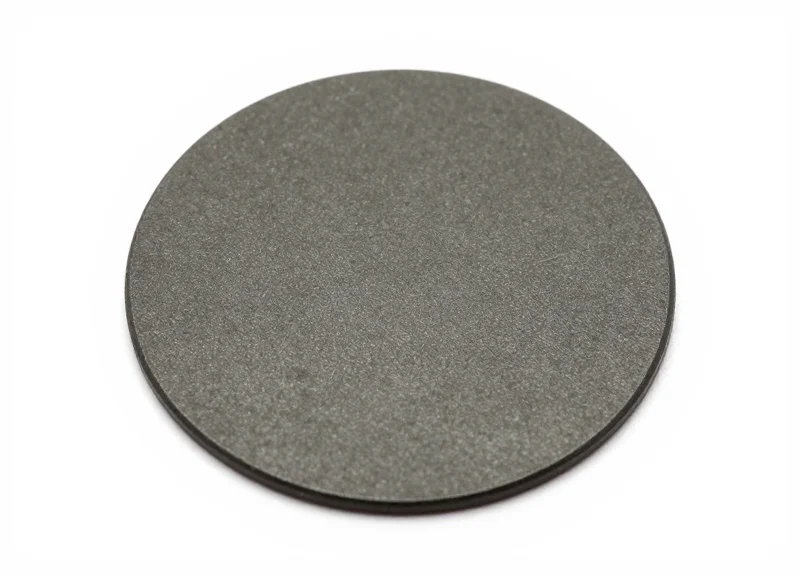
A 15mm anti-metal ferrite tag is a specialized Electronic Article Surveillance (EAS) component engineered with a layer of sintered ferrite material that acts as a magnetic insulator between the tag's antenna and a metallic surface. While standard adhesive tags fail on power tools due to electromagnetic 'detuning,' the ferrite backing redirects the magnetic flux, preventing the metal from absorbing the signal and ensuring the tag remains detectable by security pedestals even when mounted on high-density steel or aluminum.
| Feature | Standard Adhesive Tag | 15mm Anti-Metal Ferrite Tag |
|---|---|---|
| Detection on Metal | Near 0% (Signal Shorted) | 85-95% (Signal Preserved) |
| Signal Physics | Eddy Current Interference | Magnetic Flux Redirection |
| Ideal Application | Cardboard/Plastic | Power Tools / Batteries |
| Form Factor | Thin Paper/Plastic | Rigid or Semi-Rigid Ferrite |
The science behind these tags lies in the 'magnetic permeability' of the ferrite layer. Ferrite is a ceramic compound that is highly receptive to magnetic fields but is a poor conductor of electricity. By placing this material between the tool's metal body and the EAS resonator, we create a 'magnetic bypass.' Instead of the energy from the security antenna hitting the metal and causing a counter-current that kills the signal, the energy is channeled through the ferrite, allowing the tag to vibrate and respond at its intended frequency (typically 58kHz for AM systems).
Why is the 15mm size specific for power tools?
The 15mm width is considered the industry 'sweet spot.' It provides enough surface area for a high-Q factor resonator to function, yet it is small enough to fit on the narrow grips, motor housings, or battery rails of drills and impact drivers without obstructing the user's hand.
Does the ferrite layer add significant weight?
No. Despite its dense magnetic properties, the ferrite used in retail security is extremely thin (often less than 1mm thick), adding negligible weight to the product while providing maximum security.
Can these tags be used on curved surfaces?
While ferrite is naturally brittle, modern 15mm tags are often encased in a semi-flexible housing or use segmented ferrite 'tiles' to allow for slight contouring on tool handles.
Expert Insight: The Air-Gap Fallacy. A common mistake in retail loss prevention is assuming that a thick foam spacer can replace a ferrite backing. While foam creates physical distance (an air gap), it does nothing to manage the magnetic flux. On high-density tools like circular saws or hammer drills, an air gap of even 5mm will still result in a 60% loss of detection range, whereas a 1mm ferrite layer maintains nearly full range by actively managing the electromagnetic field.
Essential Pre-Calibration Environmental Audit

An Essential Pre-Calibration Environmental Audit is a rigorous diagnostic phase where technicians map out Electronic Article Surveillance (EAS) electromagnetic interference (EMI) and physical obstructions—such as LED ballast noise, ground loops, or massive steel infrastructure—prior to adjusting software sensitivity. This step is critical because attempting to calibrate an antenna in a high-noise environment without first identifying external stressors leads to 'phantom alarms' or dead zones, rendering even high-quality 15mm anti-metal ferrite tags ineffective due to a poor signal-to-noise ratio.
| Interference Source | Type of Noise | Typical Impact on EAS |
|---|---|---|
| LED Lighting Systems | High-Frequency Switching Noise | Constant low-level interference that reduces detection range. |
| Under-floor Power Cables | Magnetic Field EMI | Rhythmic 'false triggers' synced with high-draw equipment cycles. |
| Automatic Sliding Doors | Moving Metal Interference | Large metal masses changing the magnetic field, causing sync loss. |
| HVAC Units/Motors | Conductive Noise | Spikes in interference when motors cycle on, causing erratic alarms. |
Expert Insight: The 'Ghost Loop' Factor. Many technicians overlook the structural metal within the floor. In hardware environments, rebar or metallic conduits often form a 'shorted loop' under the antenna. Before you touch the software, use a handheld field strength meter to check for 'hot spots' on the floor surface. If the floor is 'hot' with EMI, no amount of software calibration will stabilize a 58kHz Acousto-Magnetic (AM) system.
- De-energize Non-Essential Circuits: Briefly turn off nearby LED displays and neon signs to determine if the ambient noise floor drops. If the EAS 'Ready' light stabilizes, you've identified a primary noise source.
- Distance Mapping: Ensure a 'clear zone' of at least 1 meter from any large stationary metal objects (e.g., metal shelving, display racks) and 2 meters from moving metal (e.g., elevators or escalators).
- Phase Synchronization Check: Use an oscilloscope or the system’s built-in diagnostic tool to ensure the antenna is not picking up 'Zero Crossing' noise from the building's main power phase.
- Ferrite Tag Baseline Test: Place a 15mm anti-metal ferrite tag on a non-metallic surface (wood) at the center of the pedestals to establish a 'clean' detection baseline before applying it to metal tools.
Can LED lights really stop my EAS from working?
Yes. Cheap LED drivers emit high-frequency noise that mimics the frequency of EAS tags (specifically 58kHz for AM systems), causing the system to 'think' a tag is present or masking the actual tag signal.
Why does my antenna alarm every time the automatic door opens?
This is known as 'Moving Metal Interference.' The large aluminum or steel frame of the door disturbs the electromagnetic field as it moves. This requires adjusting the 'Noise Cancellation' or 'Gate Width' settings during the calibration phase.
How do I know if the noise is coming from the power line?
If the interference disappears when the antenna is run off a portable battery pack, the noise is 'conducted' through the power lines. You will need a dedicated power filter or a different circuit.
Step-by-Step EAS Antenna Calibration for High-Metal Zones

Calibrating EAS antennas for high-metal zones involves fine-tuning the transceiver’s signal-to-noise ratio (SNR) to distinguish the specific 8.2MHz or 58kHz resonance of a 15mm anti-metal ferrite tag from the massive electromagnetic 'noise' generated by metal shelves and power tools. Effective calibration requires adjusting the system's sensitivity thresholds and phase settings to ensure that metallic interference does not suppress the signal or trigger false alarms.
- Initialize the Environmental Self-Test: Before making manual adjustments, trigger the antenna's built-in self-test mode. This allows the controller to map the ambient noise floor created by surrounding metal infrastructure, which will serve as the baseline for your sensitivity offsets.
- Adjust the Rx (Receiver) Sensitivity Gain: In metal-heavy environments, a 'less is more' approach is often required. Reduce the receiver gain incrementally until the background noise LED indicators stop flashing. This prevents the antenna from becoming 'blinded' by reflected signals from metal tool bodies.
- Fine-Tune Phase Synchronization: Adjust the phase window (often labeled as 'Phase' or 'Sync' on the board) to ensure the antenna is sampling the signal at the exact moment the tag resonates. Metal causes a phase shift in electromagnetic waves; adjusting this ensures you are catching the peak signal of the ferrite tag.
- Set Pulse Width and Frequency Windows: Narrow the detection window to target the specific frequency profile of the 15mm ferrite tag. Because ferrite tags produce a very 'tight' and stable signal compared to standard soft tags, narrowing the window reduces the chances of picking up stray wide-band noise.
- Field-Test with a 'Shielded' Tag: Conduct a walk-test using a ferrite tag applied to a high-density metal object, like a cordless drill. Test at the top, middle, and bottom of the pedestals to ensure the detection field is uniform across the entire aisle width.
| Parameter | Standard Retail Setting | High-Metal Hardware Setting |
|---|---|---|
| Receiver Gain | 70% - 85% | 45% - 60% (Lower prevents saturation) |
| Detection Window | Wide (Standard tags) | Narrow (Ferrite tags are more precise) |
| Phase Offset | Default / Zero | Variable (Corrects metal-induced lag) |
| Noise Filter | Level 1 (Low) | Level 3 (High / Digital Signal Processing) |
Expert Tip: Use 'Dynamic Thresholding' if your EAS controller supports it. Most modern digital systems allow the antenna to automatically raise or lower its sensitivity in real-time based on fluctuating noise levels. For hardware stores, this is critical because moving metal carts or opening metal security grilles can temporarily change the environment's electromagnetic profile.
Why does the antenna beep when there are no tags nearby?
This is usually 'phantom' interference or ghosting, caused by a high sensitivity setting picking up electrical noise from LED drivers or nearby power cables. Lower the gain slightly or increase the 'noise threshold' setting on the control board.
Can I increase the distance between antennas if I use ferrite tags?
While ferrite tags are highly efficient, metal-heavy environments naturally compress the detection field. We recommend keeping the aisle width between 1.2m and 1.5m for maximum reliability when tagging power tools.
Does the orientation of the ferrite tag matter during calibration?
Yes. Ferrite tags are directional. Always calibrate the system using the tag's 'weakest' orientation (usually perpendicular to the antenna) to ensure 360-degree detection coverage.
Precision Application: Where to Place Tags on Power Tools
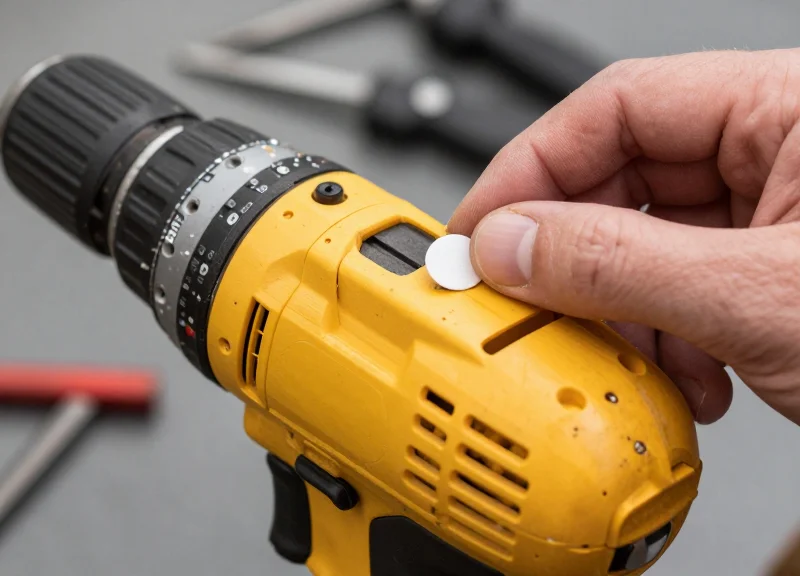
For maximum detection in high-theft environments, 15mm anti-metal ferrite tags must be applied to the 'signal-neutral' zones of power tools—typically flat, non-porous surfaces that face outward when the tool is carried. Effective placement ensures that the ferrite layer successfully decouples the tag's antenna from the metal housing, preventing the eddy currents that would otherwise nullify the EAS signal. The goal is to avoid 'masking' by the user's hand or the tool's internal electromagnetic components.
| Tool Category | Primary Placement Zone | Secondary/Backup Zone | Reasoning |
|---|---|---|---|
| Cordless Drills/Drivers | Rear of the motor housing | Base of the handle (above battery) | High visibility to pedestals; avoids hand coverage. |
| Circular Saws | Upper blade guard (fixed portion) | Main motor casing cover | Large flat surface area; furthest from floor-level interference. |
| Angle Grinders | Top of the gear housing | Side handle attachment point | Direct line-of-sight to antennas; away from high-heat zones. |
| Li-Ion Batteries | Recessed side channel | Bottom flat surface | Batteries are high-value targets; tagging them separately is essential. |
Expert Tip: The 'Motor-Magnet' Offset. While ferrite tags are designed for metal, placing them directly over the powerful permanent magnets inside a brushless motor can shift the tag's resonance frequency. Always offset the tag at least 15mm-20mm away from the motor's central axis to ensure the EAS antenna can 'wake up' the tag consistently.
- Surface Preparation: Clean the application site with an 70% Isopropyl Alcohol wipe to remove industrial oils, dust, or grip-enhancing coatings that prevent adhesive bonding.
- Positioning for Line-of-Sight: Place the tag horizontally on the tool. Because EAS pedestals use vertical and horizontal coils, a horizontal tag orientation on the side of a tool usually yields the highest pick-up rate.
- Pressure Application: Apply firm, even pressure for 3-5 seconds. The acrylic adhesive used in 15mm ferrite tags is pressure-sensitive and requires this initial 'set' to achieve maximum bond strength.
- Post-Application Testing: Pass the tool through your calibrated EAS gate at different heights and angles to confirm there are no 'dead spots' caused by the tool's specific geometry.
Can the tags be placed under a brand sticker?
Yes, as long as the sticker contains no metallic foils. Placing the 15mm ferrite tag under a manufacturer’s logo sticker can provide a 'stealth' security layer that shoplifters are less likely to tamper with.
Will the tag survive the vibration of a reciprocating saw?
High-quality ferrite tags are built with shock-absorbing layers, but placement is key. Avoid moving parts or 'high-flex' plastic zones; stick to the rigid main housing to prevent the tag from shaking loose.
Do I need two tags for larger tools?
For heavy machinery like miter saws or large rotary hammers, 'Dual-Tagging' (placing tags on opposite sides) is recommended to ensure detection regardless of which way the thief carries the item through the exit.
Managing False Alarms: Tuning Out Background Noise
Managing false alarms, often referred to as 'phantom alarms,' involves calibrating the Electronic Article Surveillance (EAS) system to recognize the specific digital signature of a 15mm ferrite anti-metal tag while filtering out non-target electromagnetic interference (EMI). Because power tools and hardware environments are saturated with metal and electrical noise, tuning requires a focus on the Signal-to-Noise Ratio (SNR). Effective management moves beyond simple sensitivity adjustments, utilizing phase discrimination and pulse-width filtering to ensure the pedestals only trigger when a legitimate resonant circuit enters the detection field.
| Signal Characteristic | 15mm Ferrite Tag Signal | Environmental EMI (Noise) |
|---|---|---|
| Waveform Type | Exponentially Decaying Sine Wave | Continuous, Spiky, or Irregular |
| Frequency Stability | Fixed (e.g., 58kHz for AM) | Fluctuating or Harmonic-Rich |
| Duration | Consistent Pulse (ms) | Intermittent or Sustained |
| Source | Tag Resonator | LED Drivers, Motors, IT Cables |
- Identify the 'Noise Floor': Use an oscilloscope or the EAS system’s built-in diagnostic software to visualize the background noise level when no tags are present. This establishes your baseline.
- Adjust the Threshold Gate: Set the detection threshold at least 20% above the peak noise floor. This 'buffer zone' prevents minor electrical surges from triggering the alarm.
- Implement Phase Discrimination: Modern AM systems allow you to tune the 'Phase Window.' Since ferrite tags have a specific phase response, you can ignore signals that fall outside the expected degree range (e.g., 0-180 degrees).
- Apply Logic Filtering (Tag-In-Field): Enable 'Multi-Pulse Validation' where the system must see 3 or 4 consecutive identical pulses before the alarm triggers, effectively ignoring random EMI spikes.
Expert Silicon Valley Tip: The 'Loop-Back' Shielding Hack. In high-interference hardware environments, EMI often travels through the floor via unshielded power conduits. If electronic tuning fails to suppress noise, verify that the EAS power cables are not coiled. Coiled cables act as unintended antennas. Instead, use a 'figure-eight' fold for excess cabling; this creates a self-canceling magnetic field that significantly drops the noise floor by 5-10dB, allowing for higher sensitivity settings without the false alarms.
Why does the alarm trigger when the store's automatic doors open?
The moving metal frames of the doors change the magnetic field (metal-in-motion). This is solved by adjusting the 'Zero-Phase' setting or increasing the 'Inhibit' time during door operation.
Can LED lighting cause false alarms with ferrite tags?
Yes, cheap LED drivers emit high-frequency noise that mimics tag pulses. Switching to shielded drivers or moving the EAS controller away from lighting ballasts is required.
Does the 15mm ferrite tag increase false alarm rates?
No. In fact, because ferrite tags provide a cleaner, more 'organized' signal than standard tags on metal, they allow for tighter filter settings which actually reduces phantom alarms.
Comparative Analysis: AM vs. RF Systems for Tool Security
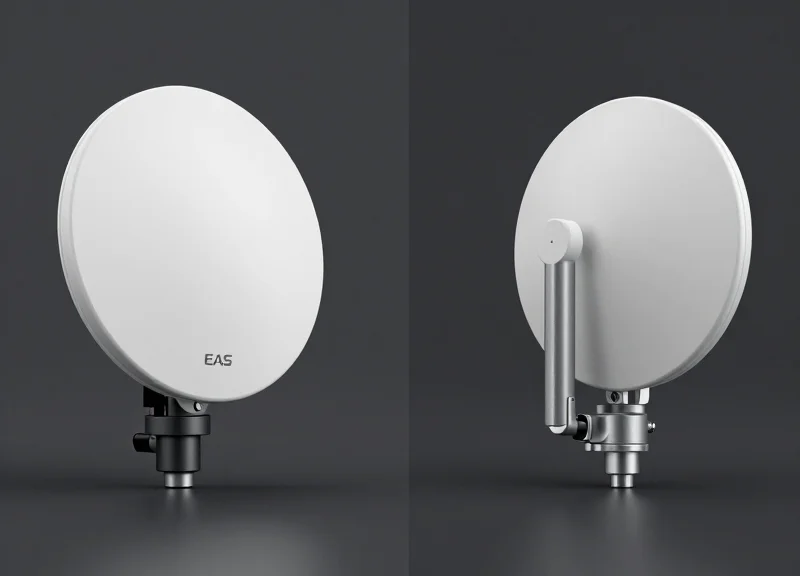
For high-density metallic items like power tools, the fundamental physics of Acousto-Magnetic (AM) systems at 58kHz provide a distinct advantage over Radio Frequency (RF) systems at 8.2MHz. While RF systems are cost-effective for soft goods, they suffer from 'shielding' and 'detuning' when placed near conductive surfaces. In contrast, AM systems utilize magnetostriction, where the signal is less affected by the tool's metallic mass, allowing the 15mm ferrite tags to resonate clearly even when surrounded by motors and batteries.
| Feature | AM (Acousto-Magnetic) 58kHz | RF (Radio Frequency) 8.2MHz |
|---|---|---|
| Metal Tolerance | High; ideal for tools and hardware. | Low; prone to signal shielding. |
| Detection Range | Wide (up to 2.4m between pedestals). | Moderate (up to 1.8m). |
| Tag Size/Profile | Slightly thicker (15mm ferrite tags). | Flat stickers or large hard tags. |
| False Alarm Rate | Lower; ignores most household EMI. | Higher; sensitive to electronic noise. |
| System Cost | Higher initial investment. | Lower initial investment. |
Expert Insight: The 'Q-Factor' Advantage. In technical terms, RF tags placed on metal experience a massive drop in their 'Quality Factor' (Q-Factor), meaning the energy intended to trigger the alarm is absorbed by the tool itself. AM tags, specifically those using high-grade ferrite cores, maintain a stable resonance frequency. If you are securing lithium-ion powered tools, the AM system's ability to penetrate the battery's shielding is the single most important factor in reducing shrink.
Can I use RF tags on power tools if I use a spacer?
While foam spacers can reduce detuning, they significantly increase the tag's profile, making it easier for thieves to peel off. AM ferrite tags are designed to work in close proximity to metal without needing bulky spacers.
Is it worth upgrading from RF to AM for a hardware aisle?
If your shrink rates on high-value tools exceed 2%, the ROI on an AM system is typically achieved within 12 months due to the higher detection rate and lower false-alarm fatigue among staff.
Why do 15mm tags specifically favor AM systems?
The 15mm dimension is optimized for the 58kHz wavelength. At this size, a ferrite-core AM tag provides a much stronger magnetic return signal than an RF coil of the same footprint, which would be too small to be detected reliably.
Maintenance Protocols for Long-Term System Reliability
Long-term reliability in EAS systems for power tools is achieved by implementing a dual-track maintenance protocol: regular electronic calibration to offset signal drift and physical integrity audits of 15mm ferrite tags to ensure the magnetic properties haven't been compromised by heavy vibrations or industrial impact. Maintaining a 99% detection rate is not a 'set and forget' task; it requires a systematic approach to monitoring the relationship between the pedestal sensitivity and the metallic environment.
| Frequency | Action Item | Objective |
|---|---|---|
| Weekly | Walk-test with 'Golden Tag' | Verify the detection perimeter using a known-good reference tag. |
| Monthly | Pedestal Power Cycle & Sync | Reset processors and re-synchronize with nearby systems to clear 'signal creep'. |
| Quarterly | Ferromagnetic Audit | Assess if new metal displays or shelving have been moved within 2 meters of the antenna. |
| Bi-Annually | Firmware & Sensitivity Tuning | Update EAS software and adjust filters to account for seasonal electromagnetic noise. |
- The 'Golden Tag' Benchmark: Designate a specific 15mm anti-metal ferrite tag as your 'Golden Tag'. Use this exact tag for every weekly test to ensure that any drop in detection is due to antenna health rather than tag variance.
- Adhesive Integrity Check: Power tools are handled roughly. Inspect 10% of floor stock monthly to ensure the ferrite tags haven't shifted or partially peeled, as a gap between the tool and the tag can introduce air-gap interference.
- Power Supply Monitoring: Check for 'dirty power' or fluctuating voltage. EAS systems are sensitive to power surges which can cause the internal filters to degrade, leading to increased false alarms.
Expert Tip: Be aware of the 'Seasonal Metallic Shift.' In hardware retail, inventory density changes significantly during spring and winter (e.g., massive influxes of metal gardening tools or snowblowers). This shift in bulk metal density near the entrance can change the pedestal's self-capacitance. We recommend a full re-calibration of the 'Zero-Level' sensitivity during peak inventory transitions to prevent detection blind spots.
Why is my system suddenly alarming when no one is there?
This is likely 'Phantom Tagging' caused by a new LED sign or electrical equipment installed near the pedestals. Check the frequency spectrum for new EMI sources.
Can the 15mm ferrite tags lose their effectiveness over time?
While ferrite itself is stable, the internal resonator can be damaged by extreme mechanical shock (e.g., dropping a drill directly on the tag). Periodic testing of high-impact tools is essential.
How do I know if the antenna needs a professional technician?
If your 'Golden Tag' detection range drops by more than 20% and a system reboot doesn't fix it, your capacitor bank or tuning board may be failing.