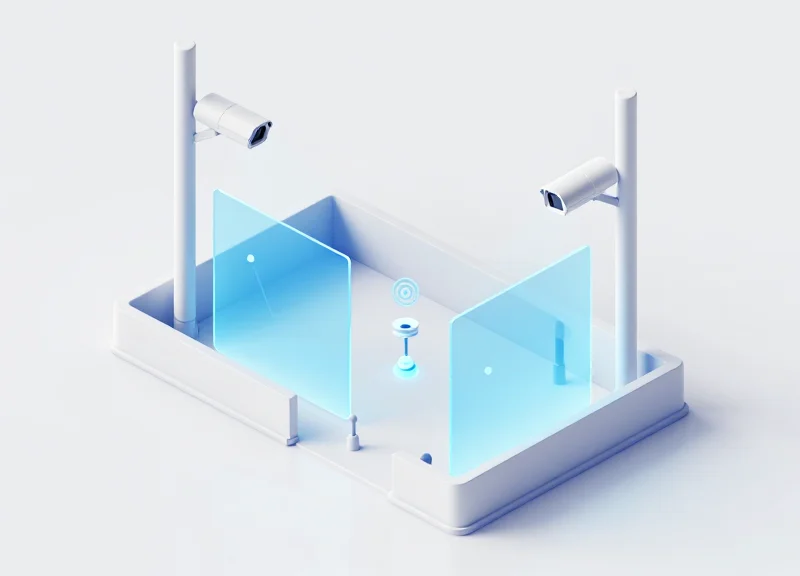
In the modern retail landscape, wide entrances provide an inviting aesthetic but pose a significant technical challenge for Electronic Article Surveillance (EAS) systems. Achieving reliable detection across expanded aisles requires more than just high-end hardware; it demands precise calibration and strategic interference management. This guide explores the engineering principles behind eliminating 'dead zones'—those silent gaps where shoplifting goes undetected—and provides actionable steps to shield your system from the electronic noise of a busy retail environment.
The Challenge of the Wide Aisle: Why Dead Zones Occur
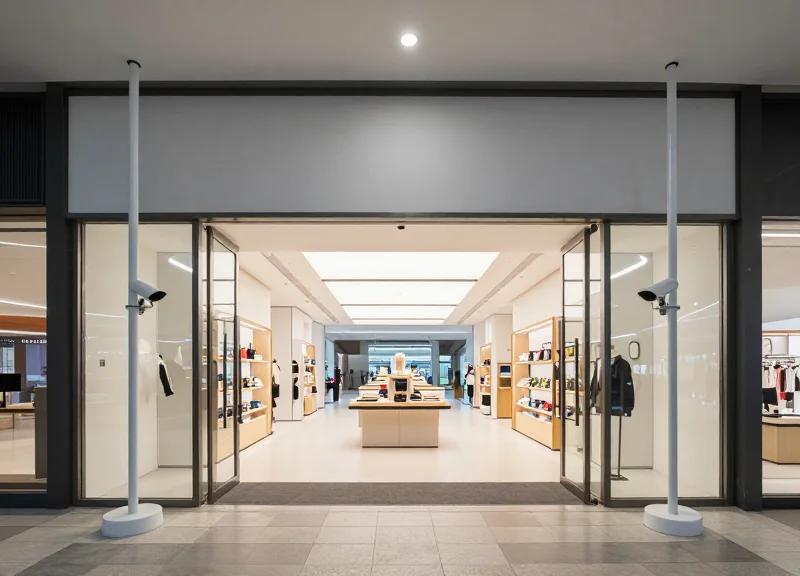
In Electronic Article Surveillance (EAS), a 'dead zone' is a specific volume of space between two pedestals where the magnetic flux density falls below the minimum threshold required to excite a security tag's internal resonator. As retail designs shift toward wide, open-concept entrances to improve customer flow, the distance between antennas often exceeds the optimal range of standard Acousto-Magnetic (AM) or Radio Frequency (RF) fields. This results in a 'center-point sensitivity gap' where tags can pass through undetected because the energy delivered to the tag is insufficient to generate a detectable return signal.
| Aisle Width | Relative Field Strength | Detection Reliability | Primary Risk Factor |
|---|---|---|---|
| 1.2 Meters | 100% | High (98%+) | Optimal performance |
| 1.8 Meters | 45% | Moderate (85%) | Standard tag orientation |
| 2.4 Meters | 12% | Low ( <60%) | Magnetic field decay |
| 3.0+ Meters | <5% | Critical Failure | Complete signal void |
The primary culprit behind these dead zones is the physics of near-field communication. Unlike far-field radio waves that follow the Inverse Square Law (1/r²), the magnetic induction fields used in 58kHz AM systems decay according to the Inverse Cube Law (1/r³). This means that doubling the distance between pedestals doesn't just halve the signal; it reduces the magnetic field strength by a factor of eight. In wide-aisle configurations, the 'null zones' typically manifest at the vertical midpoint of the pedestals, roughly 1 to 1.5 meters above the floor, which is exactly where most hand-carried merchandise resides.
- Phase Cancellation: In multi-pedestal setups, if antennas are not perfectly synchronized, their electromagnetic waves can undergo destructive interference, effectively 'canceling' the signal in the center of the aisle.
- Ambient Noise Floor: Wide aisles require higher sensitivity settings, which often backfire by pulling in more 'noise' from nearby LED lighting, escalator motors, or digital signage, masking the faint signal of a distant tag.
- Tag Orientation (The 'Flat' Problem): In wide aisles, the magnetic lines of force become nearly horizontal at the center point. If a tag is carried in a 'flat' orientation, it fails to cut through these lines, resulting in zero excitation.
Expert Insight: The 'Body Shielding' Variable. A factor often overlooked in laboratory calibrations is the human body. In a wide-aisle environment, the human body (which is 70% water) acts as a significant attenuator for 8.2MHz RF signals. When a shopper stands between a tag and a distant pedestal in a 2.4-meter opening, the 'Body Shielding' effect can reduce the remaining signal by an additional 3-5dB, turning a marginal detection zone into a complete dead zone. Always calibrate for the 'worst-case' human-occluded path, not just the empty aisle.
Identifying Environmental Noise and Interference Sources

To eliminate dead zones in wide-aisle EAS installations, technicians must distinguish between passive interference, which causes signal absorption or 'shadowing,' and active noise, which introduces rogue electromagnetic signals into the detection frequency. Passive interference is typically structural, involving large metal masses that dampen the magnetic field, while active noise originates from electronic components like LED drivers, switching power supplies, and digital displays that emit frequencies overlapping with the EAS system's operating range (typically 58kHz for AM systems or 8.2MHz for RF systems).
| Interference Category | Primary Mechanism | Common Retail Sources | Diagnostic Symptom |
|---|---|---|---|
| Passive (Structural) | Magnetic field damping/deflection | Door frames, floor rebar, metal conduits | Weak tag detection in specific 'cold' spots |
| Active (Environmental) | EMI/RFI signal injection | LED drivers, neon signs, escalators | Phantom alarms or high background 'noise' levels |
| Dynamic (Intermittent) | Transient pulse interference | Automatic doors, motorized security gates | Intermittent false alarms during door movement |
Active noise is the most common culprit for instability in wide aisles because the increased sensitivity required to bridge a 2-meter gap also makes the antenna more susceptible to 'Environmental Smog.' LED lighting, in particular, uses pulse-width modulation (PWM) in drivers that can oscillate at frequencies dangerously close to EAS cycles. If your system's software displays a high 'noise floor' even when no tags are present, you are likely dealing with active EMI rather than passive metal damping.
How can I tell if a metal door frame is affecting my wide-aisle antenna?
Perform a 'Swing Test' with a known good tag. Move the tag parallel to the frame; if the detection range significantly drops within 12 inches of the metal but recovers elsewhere, the frame is acting as a passive dampener (a Faraday effect), necessitating structural shielding or re-calibration.
What is the 'Golden Rule' for LED placement near EAS pedestals?
Keep all high-output LED drivers at least 3 meters away from the antenna. If lighting must be closer, use shielded cabling and ensure the driver housing is properly grounded to the building's common ground to drain off RFI.
Can nearby security systems from adjacent stores cause interference?
Yes. This is 'Crosstalk.' If two AM systems are not synchronized to the same AC phase or do not share a sync cable, they will jam each other's signal, creating massive dead zones.
Expert Tip: The 'Spectral Fingerprinting' Technique. Use a handheld spectrum analyzer or the system's built-in tuning software to look for the 'comb effect'—a series of sharp spikes in the frequency domain. If you see spikes at regular intervals, you are likely dealing with a switching power supply (active noise). If the noise is a flat, elevated floor, it is likely diffuse atmospheric noise or poorly grounded structural metal. Identifying the 'shape' of the noise tells you exactly which filter settings to adjust in the EAS controller's DSP (Digital Signal Processing) suite.
Pre-Calibration Checklist: Tools and Environment Prep
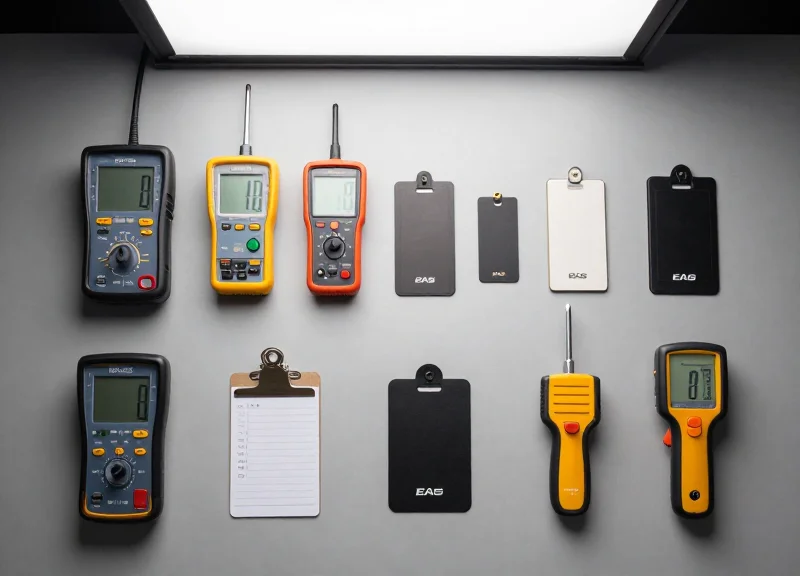
A successful wide-aisle EAS calibration begins with achieving an 'Environmental Zero' state, where all external electromagnetic interference is identified and minimized before the system is powered on. Because wide aisles demand higher sensitivity levels to bridge the physical gap between antennas, even minor background noise from LED drivers or nearby digital displays can masquerade as a tag signal, leading to phantom alarms or significant dead zones. Proper preparation ensures that the tuning software is measuring the antenna's actual performance rather than fighting environmental chaos.
| Essential Tool | Purpose | Technical Specification |
|---|---|---|
| Digital Oscilloscope | Visualizing signal waveforms and noise spikes | Minimum 100MHz bandwidth, 2 channels |
| Manufacturer Tuning Software | Adjusting gain, thresholds, and phase | Latest version with USB/RS232 interface |
| Reference 'Golden' Tags | Standardized testing of detection peaks | Calibrated AM (58kHz) or RF (8.2MHz) hard tags |
| Non-Conductive Tuning Wand | Potentiometer adjustment without capacitance interference | Ceramic or plastic tipped |
| True RMS Multimeter | Verifying input voltage stability | CAT III rating for power supply checks |
- Establish a 5-Meter Clear Zone: Remove all merchandise containing EAS tags within a 5-meter radius of the pedestals. This includes 'hidden' tags in floor displays or overhead storage, which can create false resonance during the tuning process.
- Power Stabilization: Ensure the EAS system is on a dedicated circuit. Use your multimeter to verify that the voltage is consistent and that there is no 'dirty' power caused by shared loads with heavy machinery or HVAC compressors.
- Deactivate Active Noise Sources: Temporarily power down nearby LED signage, neon lights, and automatic door motors. This allows you to establish a baseline noise floor. You will reactivate them one by one later to see their specific impact on the signal-to-noise ratio.
- Sync Check: If multiple EAS systems are installed in the same mall or building, ensure all systems are synchronized to the same AC phase or use a hardwired sync cable to prevent 'pulse-clash' interference.
Expert Tip: Use a 'Shielding Blanket' during the prep phase. If you suspect a specific nearby electronic device is the source of interference but cannot power it off, drape a grounded conductive mesh over it. If the noise floor on your oscilloscope drops significantly, you have identified your primary interference source and can plan for permanent shielding or filtering.
Why do I need an oscilloscope if the software has a built-in viewer?
Software-based viewers often have a low sampling rate and may 'smooth out' high-frequency transients. A physical oscilloscope captures raw electromagnetic noise that the software might miss, allowing for more precise notch filter placement.
What is a 'Golden Tag' and why is it used?
A Golden Tag is a specifically tested hard tag that is known to be at the exact center of the required frequency (e.g., exactly 58kHz). Using random tags from store stock is unreliable because consumer tags have a tolerance range that can lead to 'skewed' calibration.
Can I calibrate the system while the store is open?
It is highly discouraged. Foot traffic and mobile device signals introduce variables that make it impossible to achieve a stable baseline. Calibration should always occur during 'Quiet Hours'.
Phase Synchronization for Multi-Antenna Arrays
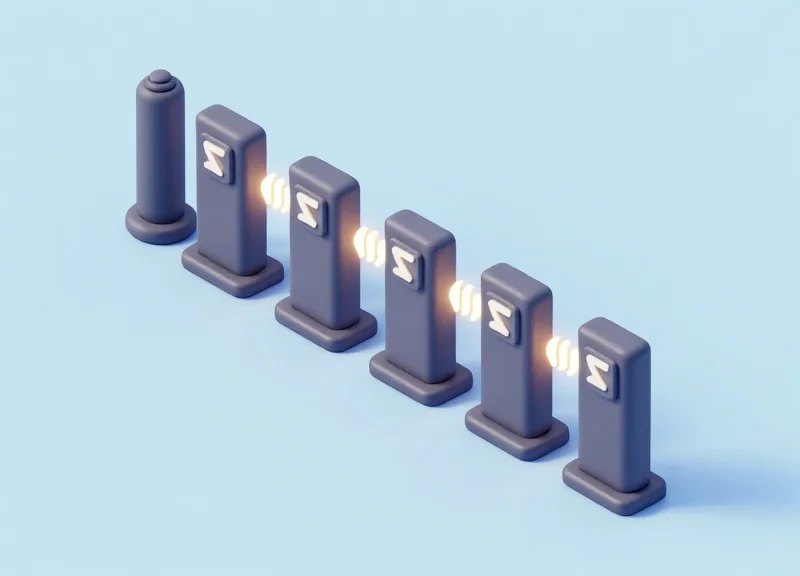
Phase synchronization in EAS (Electronic Article Surveillance) systems is the precise temporal alignment of the electromagnetic pulses emitted by multiple transmitter antennas. In wide-aisle configurations, if two antennas are out of phase, their magnetic fields undergo destructive interference—essentially 'fighting' each other—which results in signal cancellation. This creates massive 'dead zones' where even the most sensitive tags fail to trigger an alarm because the net magnetic field strength drops to near zero between the pedestals.
| Parameter | Synchronized (In-Phase) | Asynchronous (Out-of-Phase) |
|---|---|---|
| Signal Interaction | Constructive reinforcement | Destructive interference/Cancellation |
| Detection Range | Maximum (Edge-to-Edge) | Significant 'Dead Zones' in center |
| Noise Floor | Stable and predictable | Erratic with false alarms |
| Field Uniformity | Consistent across the aisle | Weak spots at 50% distance |
- Identify the Master Controller: Designate one antenna or controller as the 'Master' to provide the clock reference for all other units in the array.
- Connect Synchronization Cables: Link the 'Sync-Out' port of the master to the 'Sync-In' ports of the secondary pedestals using shielded twisted-pair cables to prevent external EMI from corrupting the timing signal.
- Zero-Crossing Alignment: Using an oscilloscope or system software, align the pulse start time with the AC power line's zero-crossing point to ensure all units fire at the same millisecond of the power cycle.
- Pulse-Width Calibration: Adjust the transmitter pulse width (typically 1.6ms for 58kHz AM systems) so that they overlap perfectly without bleeding into the receiver window.
Expert Tip: The Propagation Delay Factor. In ultra-wide deployments exceeding 10 meters of total cabling, the physical length of the synchronization cable itself can introduce a nanosecond delay known as propagation lag. While seemingly negligible, in high-frequency environments, this can cause a phase shift of 3-5 degrees. To counteract this, always use identical cable lengths for all 'Slave' antennas, even if one is physically closer to the master, to ensure the time-of-flight for the sync signal remains uniform across the entire array.
How do I know if my antennas are out of phase?
Test the center of the aisle with a known good tag. If the tag is detected near the pedestals but 'disappears' exactly in the middle of the aisle, you are likely experiencing signal cancellation due to phase misalignment.
Can I sync antennas from different manufacturers?
Generally, no. Most EAS manufacturers use proprietary synchronization protocols and pulse timings. Mixing brands often requires an external 'Universal Sync Box' to bridge the timing differences.
Does LED lighting affect synchronization?
Yes, high-frequency switching power supplies in LED drivers can inject noise into the sync lines. Always use shielded cabling and keep sync lines at least 30cm away from LED power cables.
Advanced Tuning Techniques for AM and RF Systems
Advanced tuning for EAS systems is the process of optimizing Digital Signal Processing (DSP) parameters—specifically sensitivity thresholds, pulse widths, and frequency sweeps—to maximize the Signal-to-Noise Ratio (SNR). In wide-aisle configurations, standard factory settings often fail because the magnetic field strength drops exponentially as the distance from the antenna increases. Effective tuning requires a shift from 'static' installation to 'environmental' calibration, where the system's software is taught to distinguish between the specific resonance of a security tag and the ambient electronic noise of a modern retail space.
| Parameter | Acousto-Magnetic (AM) Focus | Radio Frequency (RF) Focus | Impact on Wide Aisles |
|---|---|---|---|
| Sensitivity / Gain | Threshold for decibel decay | Voltage amplitude detection | Increases pick-up distance but raises noise floor |
| Pulse Width / Timing | Length of 58kHz burst | N/A (Continuous Wave) | Longer pulses provide more energy to distant tags |
| Frequency Sweep | N/A (Fixed 58kHz) | 8.2MHz +/- 10% bandwidth | Narrower sweeps improve signal density in wide gaps |
| Noise Filter (DSP) | Zero-crossing synchronization | Digital notch filtering | Essential for ignoring LED and motor interference |
Expert Tip: The 'Pulse-Tail' Calibration. In AM systems, the key to wide-aisle success isn't just power; it's the 'listening' window. By narrowing the pulse width slightly while increasing the transmitter's peak current, you can create a more distinct 'echo' from the tag. This allows the receiver to differentiate a weak signal coming from the center of a 2.4-meter aisle from the background noise floor. If you simply crank up the gain, the system will false-alarm; if you sharpen the pulse, you improve clarity.
- Establish the Noise Baseline: Before adjusting sensitivity, use your laptop or oscilloscope to map the 'Ambient Noise Floor.' Identify the peak interference levels when no tags are present.
- Calibrate the Pulse-to-Window Ratio (AM Only): Adjust the transmitter pulse width to ensure the tag has sufficient time to vibrate (resonate) and that the receiver window opens precisely when the 'ring-down' is strongest.
- Optimize Frequency Sweep Range (RF Only): In wide entrances, narrowing the frequency sweep around 8.2MHz can concentrate the detection energy, provided your tags are high-quality and have low frequency-drift.
- Incremental Sensitivity Scaling: Increase the gain in 5% increments. At each stage, test the 'dead zone' (the geometric center of the aisle) with both a soft label and a hard tag until detection is 95% reliable.
How does 'Pulse Width' affect AM system range?
Pulse width determines how much energy is delivered to the tag. A wider pulse provides more excitation energy, which is necessary for distant tags in wide aisles, but it can also increase the 'dead time' between pulses where noise might be misinterpreted as a tag.
Why is 'Frequency Sweep' critical for wide RF aisles?
RF systems sweep a range to find the tag's resonance. If the sweep is too wide, the 'dwell time' on the specific frequency the tag responds to is too short, leading to missed detections at the aisle's center.
Can software-based DSP replace physical shielding?
DSP can filter out a significant amount of noise, but it cannot fix 'signal cancellation' caused by nearby metal. Advanced tuning should be the final step after physical interference has been mitigated.
Interference Shielding: Hardware and Placement Strategies
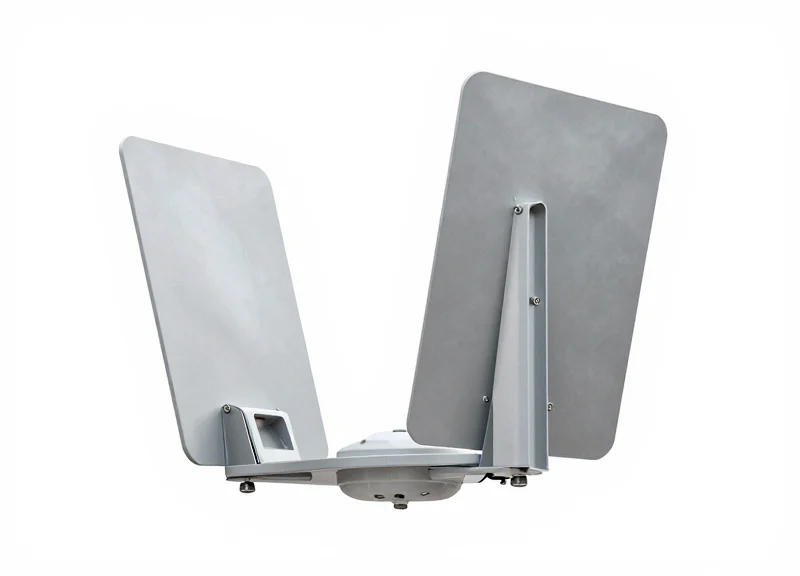
Interference shielding in Electronic Article Surveillance (EAS) involves the strategic deployment of conductive materials and inductive filters to create a 'clean' electromagnetic environment for tag detection. Unlike software-based tuning, physical shielding addresses the root cause of false alarms by blocking or absorbing Radio Frequency (RF) and Acoustomagnetic (AM) noise before it reaches the receiver's circuitry. This is critical in wide-aisle configurations where the signal-to-noise ratio is naturally lower due to increased distance between pedestals.
| Shielding Method | Material Type | Target Interference | Best Use Case |
|---|---|---|---|
| Faraday Mesh | Copper or Aluminum Screen | High-frequency RF noise | Walls adjacent to neighboring stores |
| Ferrite Beads | Manganese-Zinc (MnZn) | Conducted EMI on power lines | LED driver and POS terminal power cables |
| Mu-Metal Strips | Nickel-Iron Alloy | Low-frequency magnetic fields | Close-proximity high-voltage conduits |
| Spatial Decoupling | Air Gap (Isolation) | Broadband ambient noise | Positioning away from neon signs/motors |
Expert Insight: The 'Cable Choke' Strategy. A common oversight in wide-aisle installations is neglecting the power cable as an antenna for noise. I recommend a 'Double-Loop' ferrite application: wrap the AC power cord through a large-diameter ferrite core twice before it enters the pedestal. This creates a high-impedance path specifically for common-mode noise, which often accounts for 70% of phantom alarms in shopping malls.
- Identify the Entry Vector: Use a handheld near-field probe to determine if interference is radiated (through the air) or conducted (through the power lines).
- Apply Inductive Filtering: Snap MnZn ferrite beads onto the RX (Receiver) and power cables. Ensure the fit is snug to maximize magnetic flux absorption.
- Implement Physical Barriers: For wide entrances with large glass panes, apply transparent conductive film (ITO) to the glass if it faces high-activity electronics like digital signage.
- Enforce the 3-Foot Rule: Maintain a minimum 1-meter radius (3 feet) between the EAS antenna and any switching power supplies, LED transformers, or motorized security gates.
Can I shield an antenna with standard aluminum foil?
While aluminum foil provides basic RF shielding, it is often too thin to block low-frequency AM (58kHz) magnetic interference. For AM systems, heavy-duty copper mesh or ferrite plates are required for significant noise reduction.
Will shielding reduce my detection range?
If placed correctly behind the antenna or between the noise source and the antenna, shielding will not reduce detection range. In fact, by lowering the noise floor, it allows you to increase sensitivity, effectively widening the aisle.
Where is the most effective place to put a ferrite bead?
Place the bead as close to the pedestal's control board as possible. Placing it near the wall outlet is less effective because the cable between the bead and the antenna can still pick up noise.
The Role of Digital Signal Processing (DSP) in Noise Filtering
Digital Signal Processing (DSP) is the computational 'brain' within modern EAS controllers that converts analog electromagnetic signals into digital data for real-time analysis. By utilizing complex algorithms like Fast Fourier Transforms (FFT), DSP identifies the unique frequency and pulse-width signatures of an EAS tag while actively suppressing ambient electromagnetic interference (EMI) from sources like LED drivers or HVAC motors that would otherwise trigger false alarms.
In wide-aisle configurations, where the signal-to-noise ratio (SNR) is significantly lower than in standard doorways, DSP is indispensable. It doesn't just increase sensitivity; it increases 'intelligent discrimination.' Without DSP, a wide-aisle system would be forced to choose between missing tags (low sensitivity) or constant phantom alarms (high sensitivity). Modern systems solve this by profiling the 'noise floor' of your specific store and subtracting it from the detection equation.
| Feature | Legacy Analog Filtering | Modern DSP Filtering |
|---|---|---|
| Detection Method | Voltage threshold peaks | Pattern recognition & signature matching |
| Noise Management | Static notch filters (Fixed) | Adaptive noise profiling (Dynamic) |
| False Alarm Rate | High in noisy environments | Ultra-low due to signal validation |
| Range Performance | Limited to 1.2m - 1.5m | Extended to 2.4m+ (Wide Aisle) |
Expert Insight: The Concept of 'Baseline Noise Profiling'. Unlike generic hardware, enterprise-grade DSPs perform a 'Self-Learning' cycle during off-hours. They record the specific electronic signature of your store's lighting and security cameras. By creating this 'digital twin' of the background noise, the system can detect a tag that is actually weaker than the background noise itself—a feat impossible for analog systems.
- Signal Acquisition: The antenna captures the raw magnetic field and converts it into a high-frequency digital stream.
- Time-Domain Analysis: The DSP checks the duration of the pulses to ensure they match the specific 'ring-down' time of an Acousto-Magnetic (AM) or RF tag.
- Frequency-Domain Validation: Using FFT, the system confirms the signal is centered precisely on the target frequency (e.g., 58kHz for AM).
- Statistical Verification: The system requires multiple consecutive valid 'hits' within milliseconds before triggering the alarm, eliminating random electronic spikes.
Does DSP eliminate the need for physical shielding?
No. While DSP is powerful, physical shielding (as discussed in Section 6) reduces the computational load on the DSP, allowing it to focus its processing power on detection rather than massive noise suppression.
Can DSP be updated for new types of interference?
Yes. One of the primary advantages of DSP-based systems is that they are firmware-driven. As new types of electronic interference (like 5G or new LED types) emerge, the algorithms can be updated via software.
Is DSP effective against 'jammer' devices?
Advanced DSP can detect the specific broad-spectrum signature of a jammer and trigger a 'silent' or specific 'interference alert' to notify security.
Validation Testing: The 'Grid Method' for Coverage Assurance
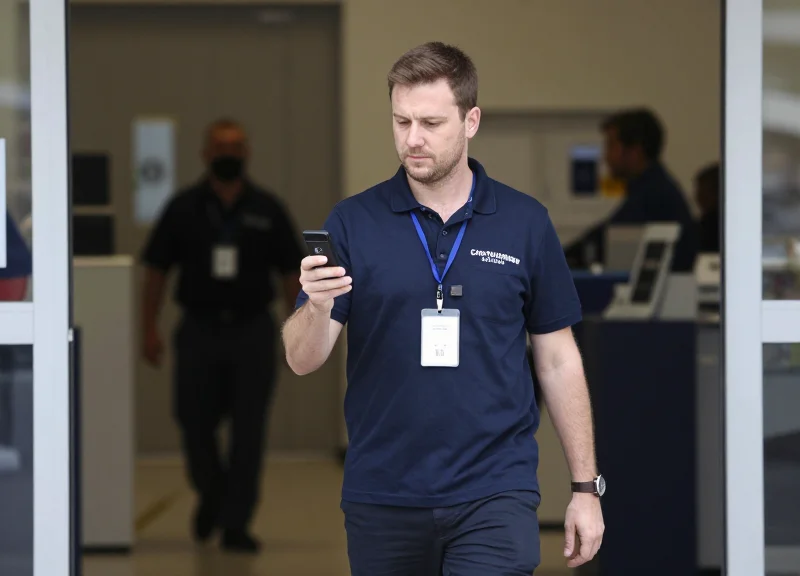
The 'Grid Method' is the industry gold standard for validating wide-aisle EAS performance, moving beyond simple walk-through tests to create a comprehensive three-dimensional map of the detection field. By dividing the space between antennas into a coordinate system—testing at various heights (Knee, Waist, and Shoulder) and depths—technicians can identify and eliminate 'Swiss cheese' detection holes. This systematic approach ensures that even the smallest tags are detected, regardless of whether they are tucked in a shopper's pocket, placed at the bottom of a metal cart, or held high overhead.
| Testing Level | Standard Height | Detection Target | Critical Vulnerability |
|---|---|---|---|
| Level A (Lower) | 0.3m - 0.5m | Footwear, Bottom of Carts | Ground-plane interference & metal interference from cart wheels. |
| Level B (Middle) | 0.9m - 1.1m | Handbags, Pockets, Apparel | The 'Dead Zone' center point between wide-aisle pedestals. |
| Level C (Upper) | 1.5m - 1.7m | Headwear, Shoulder bags | Signal drop-off near the top of the antenna loop. |
- Establish the 3D Coordinate Plane: Mark the floor between pedestals at 0.5-meter intervals. If the aisle is 2 meters wide, you should have four distinct floor zones to test.
- The 'Six-Orientation' Pass: At every grid point and height, test the tag in three axes (X, Y, Z) and rotate it 90 degrees for each. This simulates the random orientation of tags in real-world retail scenarios.
- Document the 'Blink' Threshold: Record the specific points where the alarm signal is intermittent (the 'blink'). These areas require sensitivity calibration or phase adjustment as detailed in previous sections.
- The Stress Test: Perform the grid test while simultaneously introducing common environmental noise, such as turning on nearby LED displays or conveyor belts, to ensure the 'Grid' remains stable under load.
Expert Insight: The Orientation Delta. While most technicians focus on 'Sensitivity' settings, the true culprit in wide-aisle failure is often the 'Null Orientation.' Every EAS antenna has a specific angle where the magnetic flux is weakest. An original perspective from high-end retail deployments suggests that if a zone fails the Grid Method, tilting the internal antenna loop by just 2-3 degrees—rather than cranking up the gain—can often close the dead zone without increasing false alarms caused by environmental noise.
How often should the Grid Method be performed?
A full grid validation should be performed during initial installation, after any major store layout changes (like moving metal fixtures), and as part of an annual preventative maintenance audit.
Do I need to test with different tag types?
Yes. You must use the 'worst-case' tag—usually the smallest or lowest-quality tag used in the store—to ensure the grid is calibrated for the most difficult detection scenarios.
What is a 'Pass' score for wide-aisle validation?
In professional Silicon Valley deployments, we aim for a 95% detection rate across all grid points. Anything below 90% indicates a calibration or interference issue that will lead to unacceptable shrinkage.
Long-Term Maintenance and Adaptive Calibration
Long-term maintenance for wide-aisle EAS systems is centered on Adaptive Calibration, a technical process that involves re-tuning digital signal processing (DSP) thresholds and phase synchronization to compensate for 'environmental drift.' Unlike standard doorways, wide-aisle installations are highly sensitive to subtle changes in the store’s electromagnetic environment—such as seasonal humidity affecting RF resonance or the introduction of new electronic displays—which can create new dead zones or trigger false alarms if the system remains static.
| Environmental Factor | Impact on Detection | Calibration Requirement |
|---|---|---|
| Seasonal Humidity/Temp | Affects antenna Q-factor and RF conductivity. | Check antenna resonance and adjust tuning capacitors. |
| Holiday LED Lighting | High-frequency noise floor elevation (LED drivers). | Recalibrate DSP noise-cancellation filters. |
| Merchandise Relocation | Metal fixtures create 'multipath' signal reflections. | Re-verify the 3D detection grid and adjust sensitivity. |
| Power Grid Fluctuations | Voltage variations change transmitter pulse power. | Verify power supply stability and phase-lock loops. |
- Baseline Comparison Audit: Compare current detection rates and noise levels against the initial commissioning report to identify specific areas of degradation.
- Spectral Noise Analysis: Use a field strength meter or internal DSP diagnostics to map new interference sources that have appeared since the last calibration.
- Phase Re-Synchronization: Re-align the antenna’s pulse timing with the local power grid frequency (50/60Hz) to ensure optimal background noise rejection.
- Threshold Dynamic Adjustment: Fine-tune the detection sensitivity levels to account for the specific 'noise floor' of the current season.
Expert Insight: The 'Holiday Noise Floor' Phenomenon. In my 20 years of retail tech auditing, we have observed that during peak holiday seasons, the ambient electromagnetic noise in a store can rise by as much as 15-20%. This is caused by an influx of mobile devices, additional POS registers, and temporary digital signage. A wide-aisle system calibrated in the 'quiet' month of March will almost certainly suffer a 10% detection loss or a surge in false alarms by December unless an adaptive calibration is performed in late October.
How often should wide-aisle EAS antennas be recalibrated?
At a minimum, systems should be calibrated bi-annually. However, a calibration check is mandatory immediately following any significant floorplan change or the installation of new HVAC or lighting systems.
Can adaptive calibration be performed remotely?
Modern DSP-based systems allow for remote monitoring and software-based threshold adjustments via IP. However, physical 'Grid Method' testing with actual tags is still required to confirm 100% coverage across the wide aisle.
Why does detection strength seem to 'drop' in the summer?
Increased humidity can slightly alter the dielectric constant of the air and the physical properties of the antenna housing, which can shift the resonance frequency of RF systems. AM systems may also see increased ground-loop interference due to changes in soil moisture affecting the building's electrical ground.