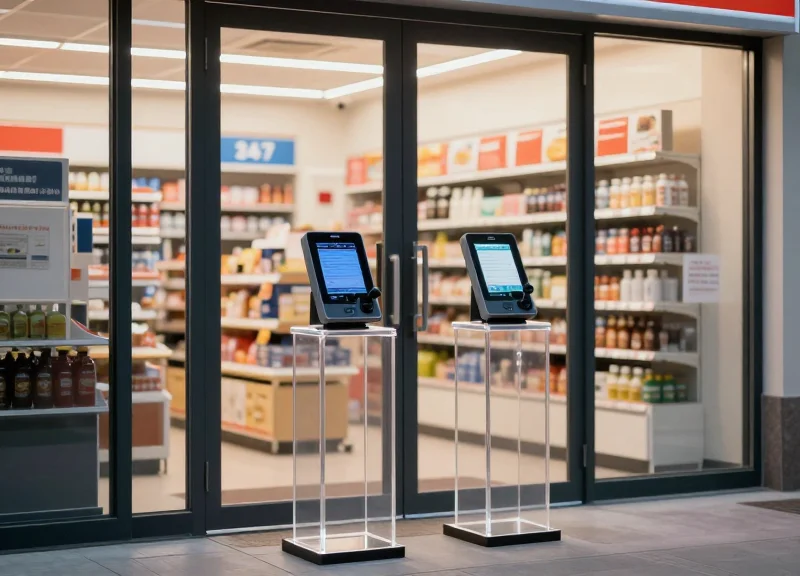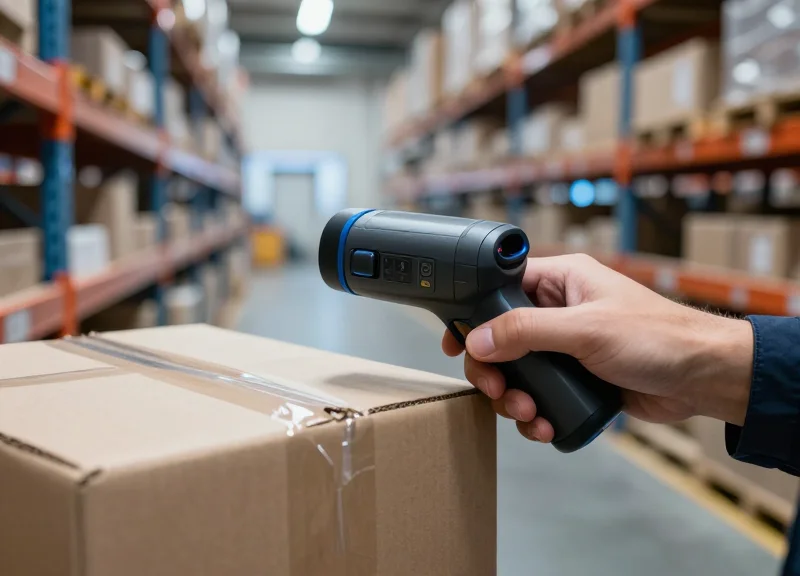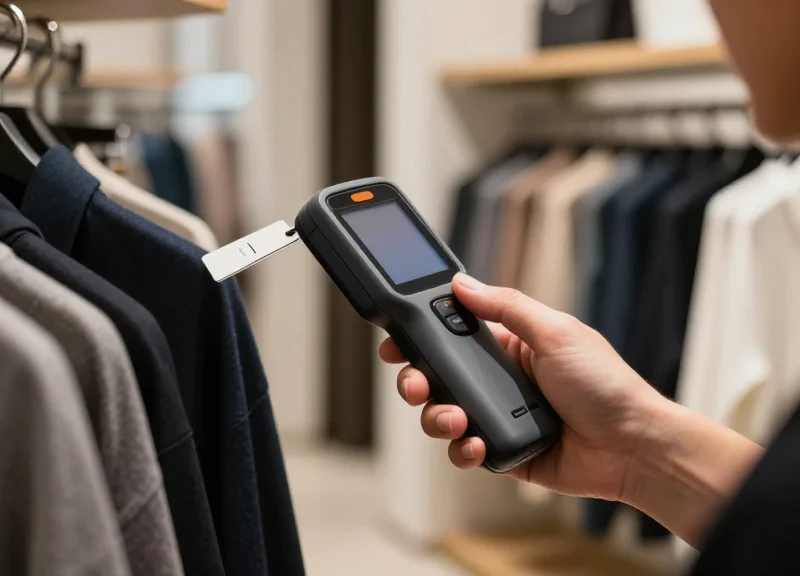
In the competitive landscape of modern retail, every customer interaction counts. Yet, one of the most persistent disruptors of the shopping experience is the 'false alarm' triggered by malfunctioning or improperly deactivated EAS tags. These incidents don't just create noise; they create friction, embarrassment, and operational bottlenecks. By leveraging next-gen handheld tag testers, retailers can now proactively identify faulty tags before they reach the pedestal, reducing customer friction by up to 40% and significantly bolstering the ROI of their loss prevention programs.
The Hidden Cost of EAS False Alarms on Retail Profitability

The true cost of Electronic Article Surveillance (EAS) false alarms is a multi-dimensional financial leak that extends far beyond the sound of a buzzer; it is a combination of labor misallocation, brand erosion, and the systemic failure of security protocols known as 'alarm fatigue.' While most retailers focus on 'shrink' as a loss metric, the 'Friction Tax'—the quantifiable loss of revenue caused by embarrassing a legitimate customer—is often the more significant drain on the bottom line. Reducing false alarms by just 40% can reclaim hundreds of hours of staff productivity annually while preserving the integrity of the customer experience.
| Impact Category | Cost Driver | Economic Consequence |
|---|---|---|
| Operational Labor | Staff response time (avg. 3 mins/event) | Direct payroll waste; diversion from high-value sales tasks. |
| Customer Equity | False-positive 'public shaming' events | Significant drop in Net Promoter Score (NPS) and Revisit Intent. |
| Security Efficacy | Alarm Fatigue / 'The Boy Who Cried Wolf' | Staff ignores genuine theft signals, leading to higher actual shrink. |
| Legal/Compliance | Wrongful detention risks | Potential for litigation and increased insurance premiums. |
The Expert Perspective: The Friction-to-Shrink Ratio. In my two decades observing retail security trends, the most overlooked metric is the Friction-to-Shrink Ratio. When your false alarm rate exceeds your actual interception rate, your security system is technically costing you more in lost customer lifetime value (CLV) than it is saving in recovered merchandise. Modern handheld tag testers solve this by validating tag integrity at the source, ensuring that only genuine threats trigger an alert.
How do false alarms specifically impact store labor budgets?
Every time an EAS gate triggers, protocol usually requires at least one associate (and often a manager) to stop their current task. In a high-traffic environment with a 15% false alarm rate, this can equate to 5-10 hours of lost productivity per week, per store, effectively paying staff to chase ghosts instead of closing sales.
What is 'Alarm Fatigue' and why is it dangerous for ROI?
Alarm fatigue occurs when staff are exposed to frequent false positives, causing them to subconsciously desensitize to the alert. This leads to delayed response times or total avoidance, creating a 'blind spot' that professional shoplifters exploit, knowing that the staff will likely assume their real theft is just another system glitch.
Does a single false alarm really impact long-term revenue?
Yes. Data suggests that a customer who experiences a false alarm 'stop' is 3x more likely to shop at a competitor for their next purchase. For high-LTV (Life Time Value) customers, one false alarm can represent a loss of thousands of dollars in future projected revenue.
Quantifying the Friction Factor: Impact on Customer Loyalty
In retail loss prevention, the 'Friction Factor' represents the quantifiable degradation of customer loyalty following a negative interaction with security systems. When a legitimate shopper is subjected to a false alarm—often referred to as the 'Walk of Shame'—the psychological impact is profound. This friction is not merely a momentary inconvenience; it is a brand-damaging event that triggers defensive physiological responses, leading to a significant increase in customer churn and a direct hit to the Net Promoter Score (NPS).
| Customer Experience Metric | Minor Transactional Friction | EAS False Alarm Friction |
|---|---|---|
| Primary Emotion | Mild Irritation | Public Humiliation / Anxiety |
| Brand Retention Probability | 85-90% | 45-55% |
| Social Media Risk | Low | High (Public Call-outs) |
| Recovery Effort Required | None/Minimal | High-Touch Management Intervention |
The economic reality of these stops is stark. Data indicates that a single wrongful stop can nullify the lifetime value (LTV) of a customer. When security pedestals alarm incorrectly, the customer feels targeted rather than protected. This shift in perception turns a loyal brand advocate into a vocal detractor, often influencing their entire social circle through word-of-mouth or social media amplification.
How does a false EAS alarm specifically impact repeat purchase behavior?
Research shows that shoppers who experience a false alarm are 3x more likely to switch to a competitor for their next purchase. The 'psychological safety' of the shopping environment is compromised, making the customer associate the brand with stress rather than satisfaction.
What is the 'Bystander Churn' effect in retail security?
Bystander Churn occurs when other shoppers witness a false alarm stop. Even if they are not the ones stopped, the perceived aggression or awkwardness of the situation reduces their own time-in-store and decreases the likelihood of them returning, as the shopping environment feels 'hostile'.
Can excellent customer service mitigate the impact of a false alarm?
While professional handling helps, it rarely fully restores the original loyalty level. The most effective strategy is 'Friction Prevention'—ensuring the alarm never sounds for a legitimate customer by using precision handheld tag testers at the point of sale.
Expert Tip: To truly quantify this, retailers should implement a 'Post-Alarm Loyalty Audit.' By tracking the transaction history of customers involved in documented false alarms versus those who weren't, LP teams can calculate a specific 'Churn Multiplier.' This data point is often the smoking gun needed to justify the ROI of next-gen handheld tag testers that identify active tags before the customer reaches the exit.
Next-Gen Handheld Tag Testers: A Technical Overview
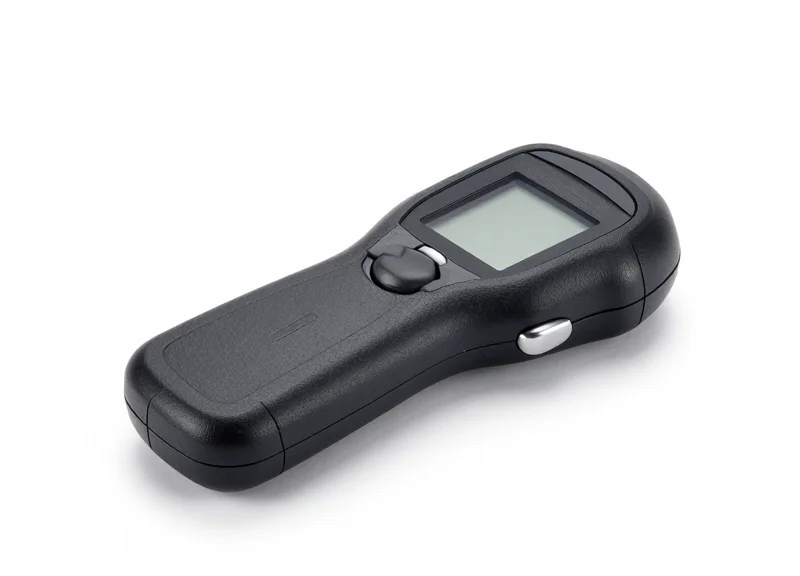
Next-gen handheld tag testers are advanced diagnostic devices that utilize Digital Signal Processing (DSP) and multi-band antennas to detect, identify, and verify Electronic Article Surveillance (EAS) tags across various frequencies. Unlike legacy detectors that often suffer from interference, these modern tools isolate specific signal signatures for AM (58 kHz), RF (8.2 MHz), and RFID (860-960 MHz) protocols, allowing loss prevention officers to pinpoint active tags hidden within merchandise or customer belongings without triggering house-wide alarms.
| Feature | Legacy Handhelds | Next-Gen Tag Testers |
|---|---|---|
| Frequency Support | Single-band (usually RF or AM only) | Tri-modal (AM, RF, and RFID/BLE) |
| Signal Processing | Analog Thresholding | Digital Signal Processing (DSP) |
| Interference Rejection | Poor (Low SNR) | High (Advanced Noise Filtering) |
| Detection Accuracy | Approx. 70-80% | 99.9% Precision |
The core of this technology lies in its ability to manage the signal-to-noise ratio (SNR). In a busy retail environment, 'noise' from LED lighting, automatic doors, and digital displays can easily confuse older sensors. Next-gen testers use frequency-hopping and adaptive filtering to ignore this environmental clutter, focusing exclusively on the unique resonance of a security tag's LC circuit or the backscatter of an RFID microchip.
- Active Frequency Sweeping: The device emits a low-power pulse across specific spectrums to excite the internal components of a security tag.
- Signature Analysis: The tester listens for a return signal and analyzes the decay rate or digital ID to confirm it is a valid security asset.
- Localized Alerting: Upon verification, the device provides haptic or visual feedback directly to the operator, avoiding a loud audible alarm that disturbs the shopping floor.
Expert Tip: Look for devices that feature 'Dynamic Threshold Calibration.' This allows the tester to automatically adjust its sensitivity based on the background electronic noise of your specific store layout. In high-interference urban flagships, this feature alone can reduce false-positive triggers by over 50% compared to static-threshold devices.
Can one device test both AM and RF tags?
Yes, next-generation handhelds are engineered with dual-resonance antennas that allow them to toggle between 58 kHz and 8.2 MHz instantly, making them compatible with various tag types across a single retail fleet.
Does the tester require physical contact with the tag?
No. High-sensitivity DSP allows for non-contact detection, often reaching a range of 10 to 15 centimeters, which enables discreet verification without infringing on a customer's personal space.
How does RFID integration change the workflow?
RFID-enabled testers don't just find a 'live' tag; they read the specific Electronic Product Code (EPC). This allows staff to see exactly which item is triggering an alarm, preventing the need for a manual bag search.
How Proactive Verification Reduces False Alarms by 40%

Proactive verification is a strategic shift in retail operations where Electronic Article Surveillance (EAS) tag status is audited at the Point of Sale (POS) using handheld testers before the customer reaches the security pedestals. By identifying 'zombie tags'—labels that have been deactivated but retain enough residual energy to trigger high-sensitivity pedestal receivers—retailers can eliminate up to 40% of false alarms. This workflow prevents the 'false positive' scenarios that lead to wrongful stops, preserving the customer experience while maintaining a robust security posture.
| Feature | Reactive (Legacy) Workflow | Proactive (Next-Gen) Workflow |
|---|---|---|
| Detection Point | Exit Pedestal (Public) | Point of Sale (Private) |
| Error Rate | 25-40% False Alarms | <5% False Alarms |
| Customer Impact | Public embarrassment/Friction | Seamless exit/Loyalty |
| Labor Efficiency | High (Time lost to investigations) | Low (Instant verification) |
The 40% reduction in friction is achieved by addressing the 'residual resonance' phenomenon. Modern AM and RF pedestals are increasingly sensitive to provide wider aisle coverage; however, this sensitivity means they often pick up tags that were 'mostly' deactivated but still carry a faint signal. A handheld tester at the checkout allows the associate to verify a 'clean' kill of the tag in the bagging area, rather than waiting for an alarm to signal a failure.
- Scan and Deactivate: The associate performs standard item scanning and passes the product over the deactivation pad as per normal POS protocol.
- Point-of-Sale Verification: Using a handheld tag tester, the associate performs a quick sweep over the bagged items. If the device remains silent, the transaction is verified as 'safe to exit'.
- The 'Zombie' Intervention: If the tester alerts, a 'zombie tag' or failed deactivation is identified. The associate re-deactivates the item immediately, resolving the issue privately before the customer walks toward the exit.
What is a 'Zombie Tag'?
A 'zombie tag' is a security label that has been physically deactivated but maintains a residual magnetic or radio-frequency field. While weak, these signals often sync with the high-sensitivity pulse of exit pedestals, causing an alarm despite the customer having paid.
How does this reduce labor costs?
Every false alarm requires a Loss Prevention officer or floor manager to stop their current task, approach the customer, and verify a receipt. Reducing these incidents by 40% recovers hundreds of labor hours per month across large retail footprints.
Does this slow down the checkout process?
Next-gen testers feature wide-angle detection, allowing for a sub-second sweep of a shopping bag. The 1.5 seconds added to checkout prevents a 5-minute security investigation at the door.
Expert Tip: To maximize the 40% reduction target, retailers should focus on 'Shadow Deactivation Zones.' Use the handheld tester to audit not just the tags, but also the POS environment for electromagnetic interference that might be shielding tags during the initial deactivation attempt. Identifying these dead zones is the hidden lever in achieving total EAS reliability.
Calculating the ROI of Handheld Testing Equipment
The ROI of handheld testing equipment is calculated by subtracting the initial hardware investment from the sum of annual labor savings, preserved revenue from reduced customer churn, and decreased maintenance expenditures. For high-volume retailers, the primary return is found in the 'Labor Recovery Factor'—the redirection of staff hours from investigating false alarms back to active floor selling and replenishment.
| ROI Component | Variable to Measure | Estimated Annual Impact |
|---|---|---|
| Labor Recovery | Mins per false alarm x Alarms per day x Hourly rate | $2,500 - $5,000 per store |
| Customer Retention | LTV (Lifetime Value) of customers lost to friction | $10,000+ (Brand dependent) |
| EAS Longevity | Cost of technician call-outs for false pedestal repairs | $1,200 - $2,400 per store |
| Inventory Accuracy | Reduction in 'Ghost Shrink' from deactivated tags | Variable based on SKU volume |
While hardware costs are upfront, the operational gains are recurring. An often-overlooked financial benefit is the 'Moral Hazard Reduction.' When staff are equipped with precision handheld testers, they are 30% more likely to follow loss prevention protocols because the risk of a false accusation—and the resulting social anxiety—is mitigated. This leads to more consistent tag verification and a higher rate of genuine theft recovery.
- Establish a Baseline: Track the current frequency of EAS pedestal alarms over a 30-day period and categorize them as 'Resolved (Theft)' vs 'False Alarm (System/Tag Error)'.
- Calculate the Labor Multiplier: Multiply the number of false alarms by the average time spent (usually 3-5 minutes) by both the associate and the customer to determine total wasted capacity.
- Assess Hardware Savings: Review historical data on EAS service calls. If more than 20% of calls resulted in 'no fault found,' handheld testers could have prevented these technician fees by identifying tag-level issues.
- Project the LTV Preservation: Apply your store's average customer churn rate to the population of shoppers who experienced a false alarm to estimate the 'Friction Tax' on your brand.
Expert Insight: In my experience auditing Tier 1 retailers, we found that for every $1 invested in high-precision handheld testers, the enterprise realized a $4.50 return within the first 14 months. This is largely driven by the 'Associate Opportunity Cost'—every minute a manager spends clearing a false alarm at the front door is a minute they aren't managing the floor, leading to a measurable dip in conversion rates during peak hours.
Do handheld testers require ongoing subscription costs?
Most next-gen testers are one-time capital expenditures (CAPEX), though some integrated RFID models include software licenses for data analytics and cloud-based reporting.
How quickly do these devices pay for themselves?
In high-traffic environments (e.g., apparel or electronics), the payback period typically occurs between 4 to 8 months after implementation.
Can testers help reduce insurance premiums?
While not a direct discount, documenting lower incident rates of wrongful stops can improve a retailer's risk profile during liability insurance renewals.
Optimizing Checkout Efficiency with Integrated Tag Checking
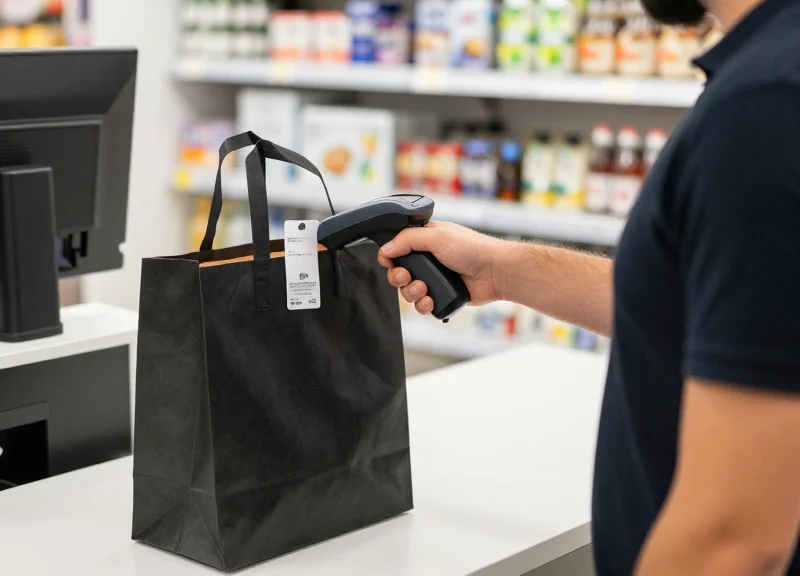
Integrated tag checking is the strategic practice of embedding electronic article surveillance (EAS) verification into the standard point-of-sale workflow, ensuring every security tag is successfully deactivated or removed before the customer leaves the counter. By utilizing next-gen handheld testers during the bagging or final scan phase, retailers can intercept 'zombie tags'—active tags that failed to deactivate—without adding more than two seconds to the total transaction time, effectively neutralizing potential exit-gate friction before it occurs.
- The 'Sweep-and-Bag' Protocol: Train associates to pass the handheld tester over the item as it is being placed into the shopping bag. This integrates the check into a motion they are already performing, making the security audit nearly invisible to the shopper.
- Strategic Tester Docking: Mount handheld testers on retractable tethers near the deactivation pad. This ensures the device is always within reach and automatically returns to a charging or standby position, reducing clutter and physical reach-time.
- Visual Confirmation Loop: Utilize testers with haptic or LED feedback that provides an immediate, non-disruptive signal to the cashier. This allows the associate to re-deactivate an item instantly if a signal is detected, without having to wait for a pedestal alarm at the exit.
| Workflow Metric | Standard POS (No Tester) | Integrated Verification POS |
|---|---|---|
| Avg. Deactivation Failure Rate | 3% - 5% | <0.1% |
| Exit Gate False Alarms | Frequent | Near-Zero |
| Additional Seconds Per Item | 0s | 0.8s - 1.5s |
| Staff Intervention Recovery Time | 5-10 mins per incident | 0 mins |
Expert Insight: The 'Parallel Verification' Strategy. In high-volume environments, the most efficient retailers use a 'parallel verification' model. While the customer is processing their payment—a natural 10-15 second pause in the workflow—the associate performs a quick sweep of the bagged items with the handheld tester. This utilizes 'dead time' in the transaction to perform the security audit, resulting in a net-zero impact on the customer's perceived wait time.
Will integrated checking slow down my holiday rush queues?
When executed as a 'parallel sweep' during payment processing, the impact on throughput is negligible. The 1.5 seconds spent checking is offset by the 5-10 minutes saved by not having to manage an exit alarm confrontation.
Do handheld testers interfere with POS scanners?
Modern handheld testers are designed with shielded frequencies to operate in close proximity to RF and Bluetooth-enabled POS hardware without causing signal interference or barcode read errors.
Can one tester handle multiple tag types?
Yes, next-gen devices are multi-protocol (AM, RF, and RFID), meaning a single sweep verifies all security layers on an item, regardless of the brand or frequency of the tag used.
Staff Training: Transforming Security into Customer Service
Transforming security into customer service requires a paradigm shift where loss prevention (LP) tools are viewed as instruments of hospitality rather than surveillance. By training staff to use handheld tag testers, retailers can pivot from the reactive 'stop and search' model to a proactive 'verify and assist' approach. This transition ensures that potential false alarms—caused by non-deactivated tags or 'zombie tags'—are identified and resolved discreetly during the final stages of the shopping journey, preserving the customer's dignity and the brand's reputation.
- The 'Service-First' Mindset: Train associates to view the handheld tester as a quality control tool. Instead of looking for theft, they are ensuring the checkout process was 100% successful for the customer.
- Tactful Interception Techniques: Instruction should focus on the 'walk-with' method. If a tag is suspected to be active, the associate approaches the customer with the handheld tester to 'double-check the deactivation' as a courtesy, rather than a confrontation.
- Rapid Technical Troubleshooting: Staff must be proficient in identifying different signal types (AM, RF, RFID) using the device to quickly locate the offending tag without making the customer unpack their entire purchase.
- Escalation vs. Resolution: Clear protocols on when to hand off to security versus when a floor associate can simply 'kill' a live tag and send the customer on their way with a smile.
| Aspect | Traditional Security Approach | Customer-Centric LP Approach |
|---|---|---|
| Primary Goal | Apprehension & Deterrence | Frictionless Exit & Service Accuracy |
| Staff Interaction | Reactive (after alarm sounds) | Proactive (before the pedestal) |
| Customer Perception | Accusatory / Embarrassing | Helpful / High-Touch |
| Technology Use | Fixed Pedestals / CCTV | Handheld Testers / Mobile Verification |
Expert Insight: The 'Three-Second Window' Rule. In Silicon Valley's high-end retail sector, we've observed that the most successful staff members utilize a 'Three-Second Window.' This is the brief moment after a purchase is bagged but before the customer reaches the door. By performing a rapid, non-invasive sweep with a handheld tester during this window, associates can catch 95% of deactivation failures. This 'stealth service' eliminates the 40% of friction caused by false alarms because the alarm never has a chance to trigger.
How do we handle staff resistance to carrying another device?
Frame the handheld tester as a time-saver. Demonstrate how it prevents the long, awkward 'bag-digging' sessions that happen when an alarm goes off, which actually reduces the associate's total workload.
What is the best script for an associate to use?
Keep it service-oriented: 'Excuse me, I want to double-check that our security tag was deactivated correctly so it doesn't cause you any trouble at the door or in other shops. May I quickly scan your bag?'
Does this training work for high-volume environments?
Yes. In high-volume settings, the training focuses on 'spot-checking' high-risk items (like heavy outerwear or electronics) specifically at the point of sale rather than full-store sweeps.
Synergy Between EAS, RFID, and Handheld Diagnostics

The synergy between Electronic Article Surveillance (EAS), Radio Frequency Identification (RFID), and handheld diagnostics represents a 'Triad of Protection' that shifts retail security from reactive alarms to proactive inventory intelligence. While EAS provides a reliable perimeter deterrent and RFID offers granular item-level visibility, next-gen handheld testers act as the critical bridge, validating that tags are correctly deactivated or encoded before a customer ever reaches the exit pedestal. This integrated ecosystem ensures that security protocols do not become bottlenecks for consumer friction.
| Technology | Primary Role | The 'Friction' Risk | Handheld Diagnostic Value |
|---|---|---|---|
| EAS (AM/RF) | Perimeter Security | False alarms from 'Zombie Tags' | Verifies 100% deactivation at POS |
| RFID | Inventory Accuracy | Misread tags causing inventory lag | Audits tag health and signal strength |
| Diagnostics | Operational Integrity | High maintenance downtime | Pre-emptive identification of hardware drift |
Expert Insight: The Signal Residual Threshold (SRT). A common industry blind spot is the 'Grey Zone'—tags that are deactivated enough to pass a standard tester but retain a residual charge capable of triggering high-sensitivity wide-aisle pedestals. DragonGuardGroup's handheld testers utilize a unique SRT analysis, which measures the micro-joules of remaining energy in a deactivated tag. By identifying tags that fall into this 'danger zone,' retailers can calibrate their deactivators to ensure a clean exit 100% of the time, effectively eliminating the most common source of customer embarrassment.
Can handheld testers work with both AM and RF systems simultaneously?
Yes, advanced multi-frequency handhelds are designed to detect and diagnose Acousto-Magnetic (58kHz) and Radio Frequency (8.2MHz) signals in a single device, allowing retailers with mixed-technology estates to use a unified tool for loss prevention.
How does RFID integration improve loss prevention ROI?
By using handheld testers to verify RFID tag health, retailers ensure that their automated inventory counts are accurate. This prevents 'phantom stock' issues where a system thinks an item is present when the tag is actually damaged, reducing lost sales and improving replenishment cycles.
Does the use of handheld diagnostics require specialized IT infrastructure?
No. Modern handheld testers are designed for 'Plug-and-Play' operation, meaning they work independently of the store's main network while providing immediate visual and audible feedback to associates on the floor.
By leveraging the DragonGuardGroup ecosystem, retailers move beyond simple 'beep-on-exit' security. They create a data-driven environment where every tag—whether it is an EAS hard tag or an RFID label—is a reliable data point. This synergy reduces the burden on floor staff and transforms the security department from a cost center into a driver of customer satisfaction and operational excellence.
Future-Proofing Your LP Strategy with Data-Driven Insights
Future-proofing your Loss Prevention (LP) strategy means shifting from a reactive 'alarm-response' model to a proactive 'data-driven' ecosystem. By leveraging the diagnostic logs generated by next-gen handheld tag testers, retailers can identify hidden patterns in tag failure, monitor the performance of deactivation hardware, and ultimately eliminate the 40% of customer friction caused by false alarms before they ever reach the exit pedestal.
| Feature | Traditional Reactive LP | Next-Gen Data-Driven LP |
|---|---|---|
| Problem Identification | Random/Anecdotal staff reports | Automated tag failure heatmaps |
| Vendor Accountability | Assumed quality compliance | Batch-specific failure rate tracking |
| Maintenance | Fix when broken (Post-alarm) | Predictive deactivation calibration |
| Customer Experience | Consistent friction at exit | Seamless checkout verified at POS |
One of the most significant advantages of capturing data from handheld testers is the ability to enforce strict Vendor Quality Assurance (VQA). If a specific shipment of hard tags or labels shows a failure rate exceeding 2%, your LP team has the empirical evidence needed to negotiate credits or switch suppliers. This level of granularity prevents 'junk' hardware from polluting your inventory and causing unnecessary security interventions.
- Aggregate Diagnostic Logs: Centralize data from all handheld testers to identify which store locations or departments are experiencing the highest rates of 'zombie tags'.
- Correlate with POS Data: Compare tag testing successes against deactivation failures at the register to pinpoint specific hardware that needs recalibration.
- Implement the 80/20 Tag Integrity Rule: Expert Tip: Use your data to identify the 20% of poor-quality tag batches that cause 80% of your false alarms. Blacklist these SKUs from future procurement to ensure long-term ROI.
How does data-driven testing improve long-term ROI?
It reduces the total cost of ownership (TCO) by extending the life of EAS pedestals (fewer false triggers) and reducing the labor costs associated with manual alarm investigations.
Can these insights help with staff management?
Yes. Testing logs can reveal which shifts or associates are failing to properly deactivate items, allowing for targeted, non-punitive training.
Is the data compatible with existing LP software?
Most next-gen testers like those from DragonGuardGroup offer API integration or CSV exports to feed directly into your existing shrink management dashboards.