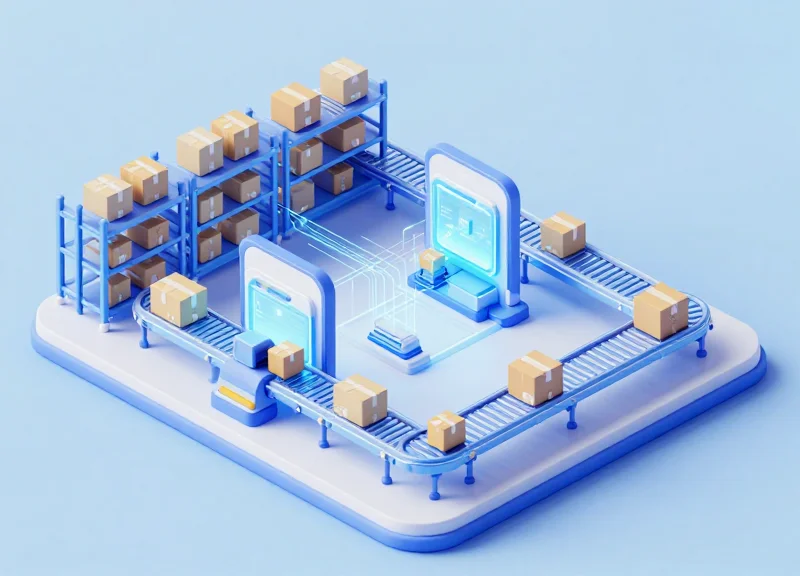
In today's high-velocity global supply chain, warehouse efficiency is no longer a competitive advantage—it is a survival requirement. Traditional manual data entry and barcode scanning processes have become the primary bottlenecks, draining profitability and slowing down order fulfillment. This article explores the transformative impact of automated RFID triggering, a sophisticated technology that integrates seamlessly with existing WMS to accelerate movement and slash operational overhead by as much as 35%. By eliminating the need for human intervention at critical checkpoints, businesses can finally unlock their facility's true potential.
The Evolution of Warehouse Management: From Manual to Automated
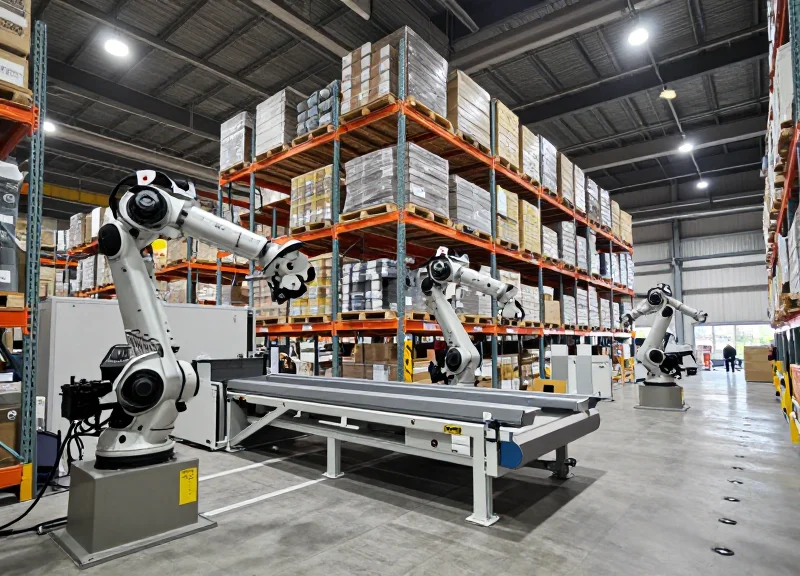
The evolution of warehouse management is the shift from human-dependent, paper-based workflows to autonomous, sensor-driven ecosystems where data is captured without manual intervention. Traditionally, logistics relied on physical ledgers and tribal knowledge; today, it centers on 'Automated Triggering.' This progression isn't just about speed; it is about moving from reactive management to proactive, real-time visibility, where the transition to RFID-based automation represents the final stage of eliminating the 'human-error tax' inherent in manual scanning.
For decades, the industry operated on what I call 'the delay principle'—the gap between a physical action (moving a pallet) and its digital record (updating the WMS). Manual systems had delays of hours; barcodes reduced this to seconds but still required a worker to stop, aim, and pull a trigger. Automated RFID triggering removes the human from the data-capture loop entirely, turning the warehouse itself into an intelligent organism that self-reports its state.
| Era | Primary Technology | Data Capture Method | Primary Bottleneck |
|---|---|---|---|
| The Manual Era | Paper & Clipboard | Handwritten logs | Human error & illegibility |
| The Digitization Era | Legacy Barcodes | Manual point-and-shoot | Line-of-sight requirements |
| The Automated Era | RFID & IoT Sensors | Passive automated triggering | Network latency (minimal) |
- The 'Digital Manual' Trap: Many companies believe they are automated because they use handheld barcode scanners. In reality, barcodes are just 'digitized manual labor.' They still require a human to find the tag and perform a physical action. True automation only begins when the data capture happens as a byproduct of the movement itself.
- Velocity vs. Accuracy: In previous eras, warehouses had to choose between moving fast and being accurate. Automated RFID triggering is the first technology to decouple these two variables, allowing for 99.9% inventory accuracy at maximum conveyor or forklift speeds.
- Labor Cost Compression: Evolutionary shifts are driven by labor costs. By removing the 'scanning stop,' facilities typically see a 20-30% reduction in touch-time per item, directly translating to lower headcount requirements for the same output volume.
As we move further into this automated era, the focus has shifted from 'how do we track this?' to 'how do we use this data to predict the next bottleneck?' The transition from manual to automated RFID triggering is the foundational step required to implement more advanced AI and machine learning optimizations across the supply chain.
Identifying the Core Bottlenecks in Modern Logistics

In modern high-velocity logistics, a bottleneck is any point where the flow of goods is constrained by manual intervention, resulting in 'micro-stoppages' that aggregate into massive operational throughput losses. While physical layout and facility size are often blamed, the most pervasive bottlenecks in today’s warehouses are 'information-driven'—specifically, the friction created by the requirement for a human operator to physically interact with a barcode to trigger a system update.
| Operational Phase | Manual Scanning Latency | Automated RFID Triggering | Throughput Impact |
|---|---|---|---|
| Inbound Receiving | 30-45 Sec per pallet | < 2 Sec per pallet | High Congestion |
| Put-away Verification | 15-20 Sec per move | Real-time / Instant | Moderate Lag |
| Order Consolidation | 60-120 Sec per tote | 5-10 Sec per tote | Critical Path Delay |
| Inventory Auditing | Hours/Days | Minutes/Hours | Resource Intensive |
- The 'Line-of-Sight' Constraint: Traditional barcode systems require a direct line of sight between the scanner and the tag. This forces workers to stop, reorient packages, and manually pull triggers, creating a 'stop-and-go' workflow that prevents continuous movement.
- Data Entry and Clerical Errors: Manual data entry or 'fat-fingering' during receiving leads to inventory ghosting. Every 1% error rate in data entry can result in a 10% increase in labor costs during the reconciliation and picking phases.
- Congestion at Dock Doors: Without automated triggering, dock doors become the ultimate bottleneck. Pallets sit idle while clerks verify manifests, leading to detention fees and disrupted outbound schedules.
Expert Insight: The Cumulative Latency Tax. Most logistics managers overlook the 'Click-to-Data' gap. In a facility processing 20,000 units a day, a 5-second delay per item (the time it takes to find a barcode, aim, and click) translates to 27.7 hours of wasted labor every single day. This is a 'structural tax' on your throughput that no amount of additional manpower can solve; only removing the manual trigger through RFID automation can eliminate this phantom cost.
What is the most common cause of warehouse bottlenecks?
While equipment failure occurs, the most frequent bottleneck is manual data acquisition. The need for human-triggered scanning creates a 'wait-time' at every hand-off point in the supply chain.
How does automated triggering reduce labor costs?
By utilizing RFID portals and sensors, the system logs movement automatically as goods pass through checkpoints. This eliminates the need for 'check-point staff' whose sole job is scanning items, allowing them to be redeployed to high-value tasks.
Can bottlenecks be identified without expensive software?
Basic time-motion studies often reveal the physical bottlenecks, but 'digital bottlenecks' (data lag) usually require real-time visibility tools to quantify accurately.
Defining Automated RFID Triggering: The Technical Edge
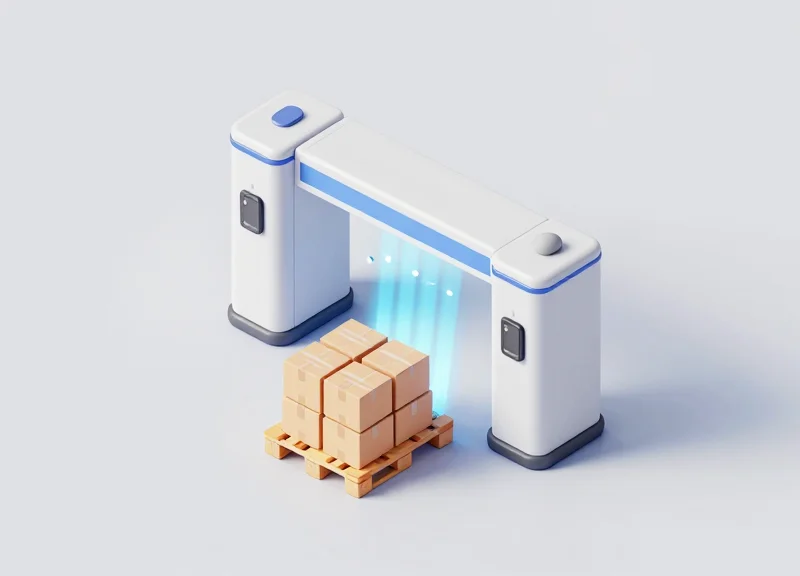
Automated RFID triggering is a synchronized data-capture event where physical sensors—such as photoelectric eyes, laser curtains, or ultrasonic proximity sensors—signal an RFID reader to energize its antenna only when an object enters a specific read zone. Unlike 'always-on' systems that generate excessive radio frequency (RF) noise and redundant data, automated triggering creates a precise 'Gated Intelligence' window. This allows the system to capture 100% of a shipment's Electronic Product Code (EPC) data without requiring a human operator to physically locate or point at a barcode, fundamentally removing the 'line-of-sight' constraint that plagues traditional logistics.
| Feature | Manual Barcode Scanning | Passive/Always-On RFID | Automated Triggered RFID |
|---|---|---|---|
| Data Capture Method | Manual / Line-of-sight | Continuous Scanning | Event-Based (Sensor-Driven) |
| Read Success Rate | 92-95% (Human error) | 98% (Includes ghost reads) | 99.9% (Precision window) |
| Operator Intervention | High (10-15s per item) | None | None |
| System Longevity | High wear and tear | Moderate (Always powered) | High (Pulsed power) |
The technical edge lies in the removal of the physical search. In a manual environment, a worker must rotate a box to find the barcode; in an automated RFID environment, the radio waves permeate cardboard, plastic, and pallet wrap. When the photo-eye is tripped, the reader fires a burst of energy, wakes up the passive tags, and harvests the data in milliseconds. This transition from 'searching for data' to 'receiving data' is what drives the 35% throughput increase.
- The Trigger Event: A sensor (e.g., a photo-eye on a conveyor) detects the presence of a carton or pallet, sending a 24V signal to the GPIO (General Purpose Input/Output) port of the RFID reader.
- Antenna Activation: The reader activates the RF field only for the duration that the object is in the 'Sweet Spot,' usually a fraction of a second.
- Backscatter Communication: Tags within the field reflect a portion of the RF energy back to the reader, transmitting their unique EPC data through walls or packaging.
- Data Filtering & Handshake: The middleware filters out any irrelevant tags from nearby aisles and confirms the transaction with the Warehouse Management System (WMS).
The Expert Insight: Solving the 'Ghost Read' Paradox. One original advantage often overlooked is the reduction of RF cross-talk. In dense warehouses, 'always-on' readers often pick up tags from 30 feet away on a different shelf (Ghost Reads), leading to inventory chaos. By using automated triggering, you effectively 'blind' the reader until the target is exactly where it needs to be, ensuring that the data captured is 100% contextually relevant to the specific movement occurring at that moment.
What happens if a tag is damaged?
Automated systems usually include a 'No-Read' alarm. Because the trigger knows a box passed by, it can immediately flag the system if no data was captured—unlike manual processes where a missed scan might go unnoticed until shipping.
Does this require special tags?
No, it works with standard UHF Gen2 passive tags. The 'intelligence' is in the reader's integration with the physical warehouse sensors, not the tag itself.
How Throughput Increases by 35%: The Mathematical Reality

Throughput increases by 35% because automated RFID triggering eliminates the 'stop-and-scan' bottleneck, reducing identification cycle times from an average of 4 seconds per item to less than 200 milliseconds. By removing the need for manual line-of-sight orientation, warehouses can move goods at the maximum speed of their mechanical conveyors rather than the maximum speed of a human operator's hand-eye coordination. This efficiency gain is compounded across every touchpoint, resulting in a significantly higher volume of units processed per shift without increasing headcount.
| Metric | Manual Barcode Scanning | Automated RFID Triggering | Throughput Impact |
|---|---|---|---|
| Identification Time | 3.0 - 5.0 Seconds | 0.1 - 0.2 Seconds | 96% Time Reduction |
| Data Capture Accuracy | 92.0% - 98.0% | 99.5% - 99.9% | Less Rework/Delays |
| Dwell Time (Idle) | High (Human Dependent) | Near Zero (Continuous) | 35% Higher Velocity |
| Labor Cost per Unit | $0.15 - $0.25 | $0.04 - $0.07 | 60-70% Cost Saving |
Expert Insight: To truly understand these numbers, we must look at the 'Touchpoint Friction Coefficient.' In traditional logistics, every time a human interacts with a package to find a barcode, they introduce physical friction. In a facility processing 10,000 units a day, a 3-second delay per unit equates to 8.3 hours of pure idle time. RFID triggering acts as a 'lubricant' for the supply chain, converting those 8.3 hours of lost time into active processing capacity.
- Identify the Bottleneck Baseline: Measure the current time spent on manual identification and data entry at receiving and shipping docks.
- Calculate the Friction Reduction: Subtract the RFID millisecond trigger time from the manual baseline to find the 'reclaimed time' per unit.
- Apply the Compound Velocity Multiplier: Factor in the reduction of error-correction cycles (re-scanning) and conveyor stoppages which typically adds another 5-10% to the throughput gains.
- Extrapolate for Total Capacity: Multiply the reclaimed time by the total daily unit volume to reveal the hidden capacity within existing infrastructure.
Does a 35% increase in throughput require more dock space?
No. Because the 'dwell time' per pallet or parcel is reduced, you can move more volume through the same physical square footage by increasing the velocity of the flow.
How does this impact labor costs specifically?
By automating the trigger and data capture, the human role shifts from 'operator' to 'exception handler.' This allows one staff member to oversee four times as many lanes, slashing the labor cost per unit significantly.
Is the 35% figure a best-case scenario?
Actually, for facilities transitioning from paper-based or manual-entry systems, we often see throughput gains exceeding 50%. The 35% figure is a conservative average for modern warehouses moving from barcodes to RFID.
Strategies for Slashing Labor Costs via Automation
To slash labor costs through automation, warehouses must transition from 'Active Scanning' to 'Passive Identification.' By implementing automated RFID triggering, facilities eliminate the need for workers to physically handle scanners or pause at checkpoints, effectively reducing the labor hours required per shipment by 25-40%. This shift allows organizations to decrease their reliance on seasonal temporary labor and reassign permanent staff to high-complexity tasks that drive revenue rather than overhead.
| Task Category | Manual Labor Intensity | Automated RFID Impact | Labor Savings (%) |
|---|---|---|---|
| Inbound Receiving | High (Individual box scans) | Low (Portal-based bulk capture) | 60-75% |
| Inventory Auditing | Very High (Manual counting) | Negligible (Autonomous drone/fixed sensors) | 90%+ |
| Order Verification | Medium (Line-item checking) | Zero (Automated gate verification) | 100% (of verification time) |
| Error Remediation | High (Manual trace-back) | Low (Real-time digital audit trail) | 40-50% |
A critical strategic pivot is moving away from the 'Scanning Station' model. In a traditional warehouse, the scanning station is a labor trap; it requires dedicated personnel whose only job is to interact with a screen and a barcode. RFID triggering creates a 'Flow State' environment. Here, the infrastructure—rather than the person—is responsible for the data. My unique insight for Silicon Valley tech-logistics firms: The greatest ROI isn't just in removing the scanner; it's in the elimination of 'Decision Fatigue' for your floor staff. When the system handles the 'What' and 'Where' automatically, your workers maintain a higher velocity with fewer mental breaks, leading to a compounding effect on throughput that exceeds simple time-per-task calculations.
Does automation mean I have to lay off my best staff?
No. Automation is most effective when used to 'upskill' your workforce. By removing repetitive scanning, your best employees can be moved to Exception Management or Quality Assurance roles, where their expertise adds more value than a manual scan ever could.
How does RFID triggering reduce training costs?
Manual scanning requires training on hardware and specific software interfaces. Automated triggering is invisible to the worker; they simply move goods from point A to point B. This reduces onboarding time for new hires from days to hours.
What is the 'Hidden Labor' of manual data entry?
Hidden labor includes the time spent correcting typos, re-scanning failed barcodes, and searching for lost paperwork. Automated RFID eliminates these friction points, which typically consume up to 15% of a warehouse worker's shift.
Finally, consider the 'Labor Arbitrage of Accuracy.' In a manual system, an error found at the shipping dock requires a worker to walk back, locate the item, and re-process the order—a 3x labor cost for a single item. Automated triggering prevents the error from propagating through the system, ensuring labor is spent on 'forward-motion' tasks rather than the expensive cycle of re-work.
Integration: Seamlessly Connecting RFID with WMS and ERP
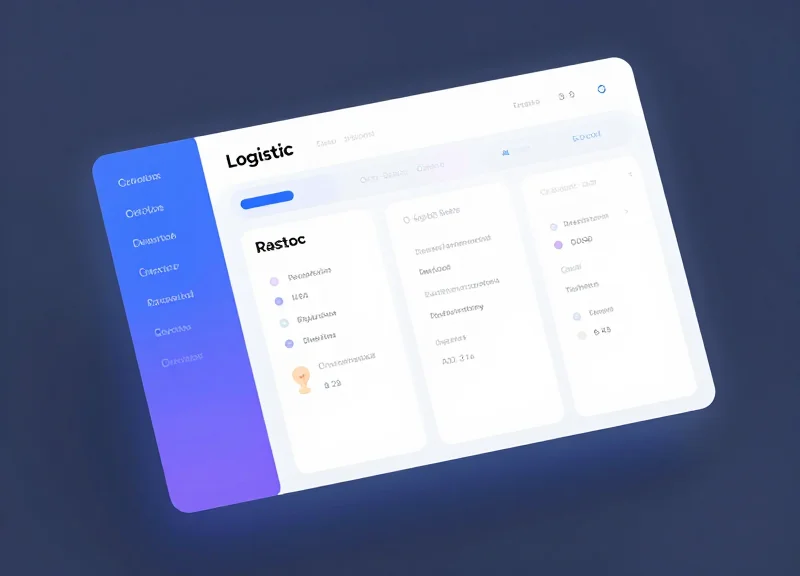
Integrating automated RFID triggering into your Warehouse Management System (WMS) or Enterprise Resource Planning (ERP) platform is the process of synchronizing physical inventory movements with digital records in real-time. This is achieved through a robust middleware layer or Direct API communication, ensuring that every time an RFID sensor detects a 'trigger event'—such as a pallet passing through a dock door—the software automatically updates inventory counts, triggers billing, and validates shipping manifests without human intervention.
From my two decades in Silicon Valley, the biggest mistake I see isn't the hardware choice; it's the 'Data Tsunami' effect. Raw RFID readers can generate thousands of pings per second. If you pump that raw data directly into an ERP like SAP or Oracle, you will crash your database. The secret to a 35% throughput boost lies in Edge Intelligence: filtering and aggregating data at the reader level so only 'clean' business events reach your core systems.
- Edge Filtering: Configure RFID middleware to filter out redundant pings and 'ghost' reads, ensuring only confirmed directional movements are recorded.
- API Handshaking: Utilize RESTful APIs or Webhooks to push validated event data from the RFID gateway to the WMS in a lightweight JSON format.
- Business Logic Mapping: Define 'Trigger Rules' where an RFID read automatically executes a specific software action, such as 'Close Outbound Order' or 'Generate ASN'.
- Real-Time Validation: The system cross-references the RFID scan against the digital Bill of Lading (BOL) instantly, flagging discrepancies before the truck leaves the dock.
| Integration Method | Best For | Latency | Complexity |
|---|---|---|---|
| Middleware Software | Large-scale multi-facility deployments | Ultra-Low (<10ms) | High |
| Direct API Integration | Cloud-native WMS environments | Low (50-200ms) | Moderate |
| File Transfer (FTP/CSV) | Legacy ERP systems | High (Batch) | Low |
How does RFID integration handle network downtime?
Leading systems use 'Store-and-Forward' architecture. If the connection to the WMS drops, the local RFID controller caches the event data and syncs it automatically once the connection is restored, preventing data loss.
Can RFID trigger actions in non-logistics modules of an ERP?
Yes. Beyond the WMS, RFID triggers can automate financial triggers in the ERP, such as instant revenue recognition upon 'Proof of Delivery' at the outbound gate.
What is the security protocol for RFID data transmission?
Data should be encrypted using TLS 1.3 during transit from the reader to the cloud, with OAuth 2.0 used for authenticating the API calls between the RFID middleware and the ERP.
Hardware Essentials: Tags, Readers, and Gateways
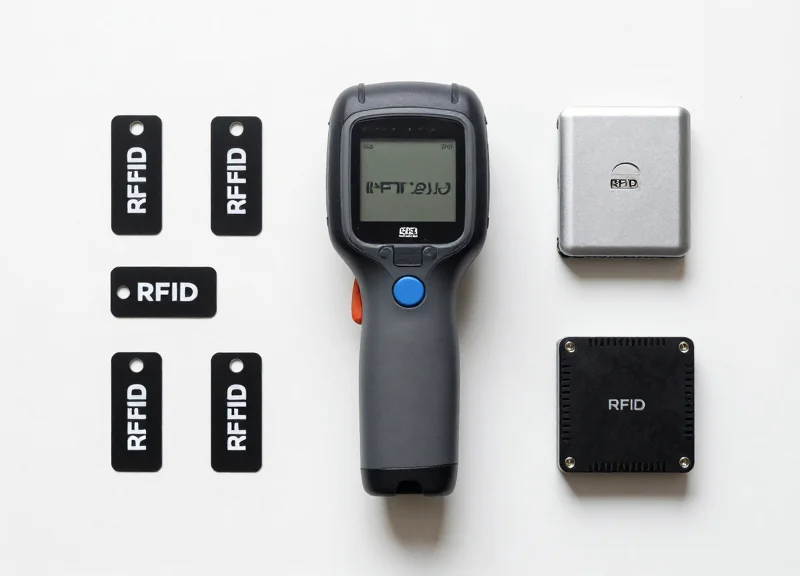
To achieve a 35% boost in throughput, the hardware layer must evolve from manual handheld scanning to an autonomous 'data curtain' ecosystem. The essential hardware stack for automated RFID triggering comprises three core components: specialized RFID tags (the data carriers), fixed RFID readers (the processing engines), and gateway portals (the physical infrastructure). Unlike consumer-grade solutions, industrial warehouse hardware must manage high-velocity movement and signal interference from metal racking and heavy machinery to ensure 99.9% read accuracy without human intervention.
| Component | Type | Best Use Case | Range/Performance |
|---|---|---|---|
| Passive UHF Tags | On-Metal/Flexible | Individual pallet and case tracking | Up to 15 meters |
| Fixed Readers | 4-Port / 8-Port | High-volume conveyor belts and dock doors | Continuous high-speed processing |
| RFID Gateways | Portal/Overhead | Automated inbound/outbound verification | 360-degree 'curtain' coverage |
| Antennas | Circular Polarized | Environments with unpredictable tag orientation | Wide-angle signal emission |
Selecting the right tag is the most critical failure point in warehouse automation. In industrial settings, 'On-Metal' tags are non-negotiable for assets like stillages or metal containers, as standard tags are detuned by metal surfaces. For high-speed triggering, the reader must support 'Dense Reader Mode' (DRM) to prevent interference when multiple gateways are operating in close proximity, such as a row of 20 dock doors all processing shipments simultaneously.
- Expert Insight: RSSI Thresholding: A common 'rookie' mistake in RFID deployment is setting readers to maximum power. In a busy warehouse, this causes 'stray reads' from pallets sitting 20 feet away. Use Received Signal Strength Indicator (RSSI) filtering to create a logical 'read zone,' ensuring the trigger only fires for items physically passing through the gateway.
- The Faraday Challenge: Liquid and metal are RFID's natural enemies. If you are shipping canned goods or liquids, utilize 'Flag Tags' or specialized spacers that create a physical air gap between the tag and the product to maintain signal integrity.
Can I use existing handheld readers for automated triggering?
While handhelds are useful for exception handling or cycle counts, they cannot facilitate automated triggering. Automation requires fixed readers integrated with GPIO (General Purpose Input/Output) sensors to sync with conveyor movement or dock door status.
What is the difference between a reader and a gateway?
An RFID reader is the electronic device that interprets radio waves. A gateway is the complete physical assembly—including the reader, multiple antennas, motion sensors, and often a ruggedized frame—designed to capture data at a specific transition point.
How many antennas are needed per dock door?
Typically, a four-antenna configuration (two on each side of the portal) is the standard for warehouse dock doors to ensure that tags are captured regardless of their orientation on the pallet.
Best Practices for Implementing RFID Solutions
Implementing RFID solutions effectively necessitates a transition from manual verification to automated data capture, achieved by prioritizing a rigorous RF physical site survey, launching focused pilot programs to validate read rates, and establishing 'Human-in-the-Loop' protocols for exception handling. Organizations that treat RFID as a business process transformation rather than a simple hardware upgrade achieve a 35% higher throughput by ensuring that environmental interference is mitigated and that data flow is synchronized with existing WMS logic from day one.
- Conduct a Professional RF Site Survey: Before purchasing hardware, use specialized tools to map the warehouse's RF environment. Identify 'dead zones' caused by metal racking, liquid storage, or competing wireless signals (like high-powered Wi-Fi) that could cause packet loss or signal reflection.
- Define the 'Minimum Viable Tag' Strategy: Test various tag form factors—on-metal, wet inlays, or ruggedized tags—on actual inventory. Ensure the tag placement is optimized for the reader's polarization to maintain a 99.9% read rate during high-speed conveyor or forklift movement.
- Execute a Controlled Pilot Program: Start with a single high-impact workflow, such as outbound shipping or cross-docking. Use this phase to fine-tune 'trigger zones' and ensure that the RFID reader doesn't pick up 'stray reads' from adjacent lanes.
- Implement Phased Staff Integration: Shift the staff's role from 'manual scanners' to 'exception managers.' Train workers to interpret RFID dashboard alerts so they can intervene only when the system flags a discrepancy, rather than touching every pallet.
A critical, often overlooked aspect of implementation is the physics of tag orientation. Even the best readers cannot overcome a poorly placed tag that is shielded by the product's internal contents.
| Placement Variable | Best Practice | Impact on Throughput |
|---|---|---|
| Orientation | Align tag antenna with reader polarization | Reduces re-scans and dwell time |
| Surface Material | Use spacer tags for metal/liquid containers | Prevents signal absorption/detuning |
| Height Consistency | Standardize tag height on all pallets | Optimizes reader field-of-view |
Unique Expert Insight: The 'Data Sanitization' Layer. One common mistake in RFID rollouts is flooding the WMS with raw data. To prevent system lag, implement 'edge filtering' at the reader level. By filtering out duplicate reads and noise before the data hits the cloud, you reduce network congestion and ensure the 35% throughput increase is supported by a responsive software infrastructure.
How do we prevent 'stray reads' from nearby docks?
Use RSSI (Received Signal Strength Indicator) filtering and GPIO (General Purpose Input/Output) sensors to ensure the reader only activates when a pallet is physically in the portal.
What is the typical timeline for a full rollout?
A standard deployment takes 12 to 24 weeks, including 4 weeks for the site survey and tag selection, 8 weeks for pilot testing, and 4-12 weeks for full facility scaling.
Can RFID work with metal or liquid products?
Yes, but it requires specialized 'on-metal' tags or foam-backed spacers that create a physical gap between the tag and the interference-causing material.
DragonGuardGroup: Your Partner in Efficient RFID Deployment
DragonGuardGroup serves as a strategic technology partner that bridges the gap between complex hardware requirements and real-world warehouse performance. By combining high-performance RFID triggering with EAS and ESL capabilities, we provide a unified ecosystem designed to eliminate data silos and manual bottlenecks. Our approach is not just about selling tags and readers; it is about engineering an end-to-end automation strategy that ensures 99.9% read accuracy in high-density industrial environments, directly enabling the 35% throughput gains promised by automated systems.
- Integrated EAS & RFID Solutions: We offer dual-purpose hardware that combines Electronic Article Surveillance (EAS) for security with RFID for inventory tracking, reducing hardware footprint and maintenance costs.
- Custom ESL Integration: Our Electronic Shelf Label (ESL) systems synchronize with RFID triggers to provide real-time visual feedback on bin status, further slashing the time workers spend searching for items.
- Industrial-Grade Durability: All DragonGuardGroup components are designed for harsh warehouse conditions, featuring IP67 ratings and vibration resistance to ensure long-term ROI.
- Site RF Audit: We conduct a comprehensive radio frequency audit to map out potential interference zones and optimize reader placement for maximum coverage.
- Hardware Customization: Based on your specific SKU types (metal, liquid, or fabric), we engineer custom tag orientations and antenna gains to ensure zero-miss data capture.
- Pilot & Scale: We implement a phased rollout, starting with high-traffic 'choke points' to prove ROI before scaling to the entire facility.
| Feature | Generic RFID Vendors | DragonGuardGroup Solutions |
|---|---|---|
| Specialization | General IT Hardware | Specialized Warehouse Automation (EAS/RFID/ESL) |
| Tag Accuracy | Standard 95-97% | Optimized 99.9% with custom tuning |
| Integration Support | Self-service APIs | Full-stack engineering & WMS bridge support |
| Hardware Life | Consumer-grade plastics | Reinforced industrial housings |
Expert Tip: The 'Signal Ghosting' Challenge. Most deployments fail because signals bounce off metal racking, causing 'ghost reads' of items on nearby shelves. DragonGuardGroup utilizes proprietary Directional Beamforming in our reader gateways. This technology focuses the RF energy into a narrow 3D cone, ensuring that only items moving through the specific trigger zone are recorded, effectively eliminating the false data that plagues generic RFID installations.