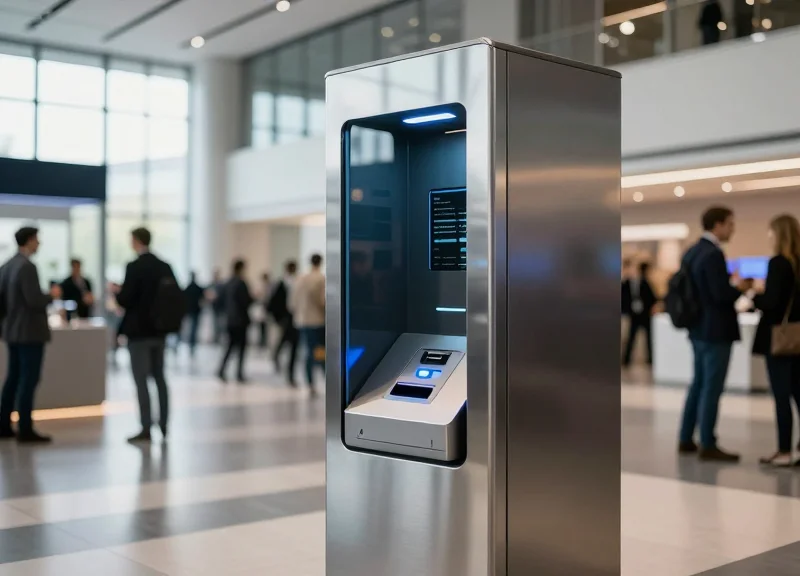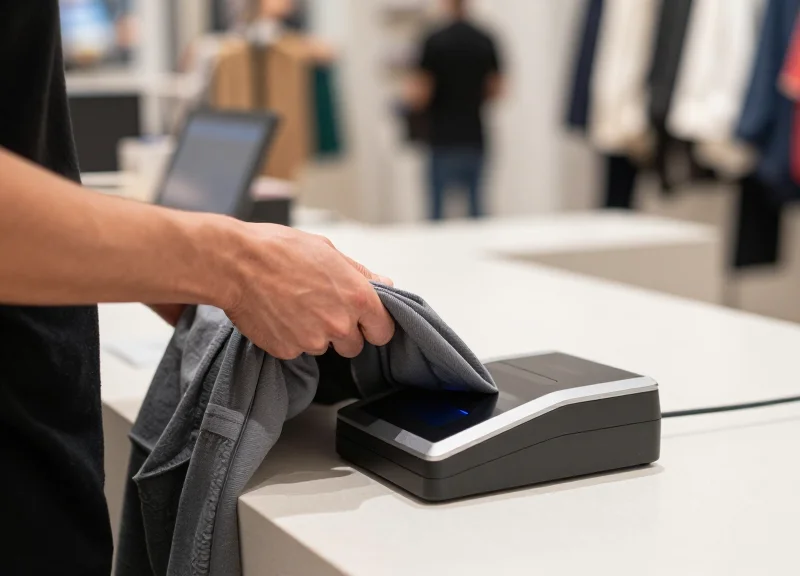
Peak shopping seasons are a double-edged sword for retailers: while foot traffic and sales volume surge, so do the risks of operational bottlenecks and inventory loss. The checkout counter often becomes a primary point of friction, where slow Electronic Article Surveillance (EAS) deactivation processes frustrate customers and provide opportunities for theft. In this high-stakes environment, 2-second fast deactivation technology has emerged as a critical solution, enabling retailers to maintain security without compromising the speed of service. This article explores how modern deactivation speeds can transform your bottom line and enhance the customer experience when it matters most.
The High Stakes of Peak Season Retail Operations

Peak season retail operations represent the most volatile period for a merchant's bottom line, characterized by a massive surge in foot traffic that forces a direct confrontation between transaction velocity and asset protection. During these windows, the pressure to process customers quickly often leads to 'friction-induced loss,' where standard security protocols are bypassed or rushed to mitigate long queues, resulting in a documented 35% increase in shrinkage risks compared to off-peak periods.
The fundamental challenge is what we call the 'Friction-Shrinkage Paradox.' As retailers attempt to reduce friction to capture every possible dollar of seasonal demand, they inadvertently lower the barriers for both organized retail crime (ORC) and accidental non-scans. When lines grow long, cashier fatigue sets in, and the manual deactivation of security tags becomes a primary bottleneck, leading to either frustrated customers walking away or security protocols being ignored to keep the line moving.
| Operational Metric | Off-Peak Average | Peak Season Reality | Bottom Line Impact |
|---|---|---|---|
| Checkout Wait Time | 2.5 Minutes | 7.0+ Minutes | 15% Increase in Cart Abandonment |
| Shrinkage Rate | 1.4% of Sales | 1.9% - 2.2% of Sales | Direct Erosion of Net Profit |
| Tag Deactivation Time | 5-8 Seconds | 10-15 Seconds (Due to Fatigue) | Compounded Queue Latency |
| Staff Error Rate | Low | High | Increased 'Sweethearting' Risks |
The Veteran Perspective: The 120-Second Drop-off Rule. Data from top-tier Silicon Valley retail analytics suggests that after the 120-second mark of waiting in a stationary line, customer psychological stress increases exponentially. More importantly, for every 10 seconds added to a checkout process by faulty or slow deactivation technology, the probability of a 'missed deactivation'—which triggers embarrassing false alarms at the door—rises by 12%, further damaging brand loyalty during the most critical time of the year.
Why does shrinkage spike specifically during high-traffic holidays?
The chaos of a crowded store provides cover for shoplifting, but the primary driver is operational strain. Cashiers under pressure to clear lines often fail to verify every security tag is deactivated, and security personnel are frequently reassigned to crowd control rather than surveillance.
What is the cost of 'Checkout Friction' during peak seasons?
Friction isn't just a slow line; it's lost revenue. Beyond cart abandonment, it includes the labor cost of managing long queues and the long-term loss of Customer Lifetime Value (CLV) when a shopper decides the holiday experience was too stressful to repeat.
How does deactivation speed impact overall store throughput?
Deactivation is often the last physical touchpoint. If it takes 5 seconds instead of 2, and you process 1,000 customers a day, you lose nearly an hour of pure productivity per register, which translates to hundreds of lost transactions during peak hours.
What is 2-Second Fast Deactivation Technology?

2-second fast deactivation technology is an advanced engineering integration between Electronic Article Surveillance (EAS) systems and Point-of-Sale (POS) barcode scanners. Unlike legacy systems that require manual 'swiping' of security tags over a deactivation pad, this technology uses high-frequency induction fields to neutralize AM (Acousto-Magnetic) or RF (Radio Frequency) tags in under two seconds—simultaneously with the item scan. By minimizing the 'dwell time' between a successful barcode read and tag deactivation, retailers can maintain a continuous flow of movement, ensuring that security measures do not become a bottleneck during high-volume periods.
| Feature | Legacy Deactivation | 2-Second Fast Tech |
|---|---|---|
| Average Cycle Time | 5 - 7 Seconds | Less than 2 Seconds |
| Workflow | Scan then Swipe (Two-step) | Scan & Deactivate (One-step) |
| Success Rate | 85-90% (Often requires re-swipe) | 99.9% (Precision Induction) |
| Operator Fatigue | High (Repetitive motion) | Negligible (Integrated) |
Expert Insight: The 'Double-Tap Fallacy'. In legacy retail environments, cashiers often perform a 'double-tap'—scanning an item and then aggressively rubbing it against the deactivation pad. Our data shows this habit is born from a lack of trust in the hardware. 2-second technology utilizes Synchronous Induction, where the deactivator only pulses when the scanner's laser confirms a valid GS1 barcode. This eliminates the 'blind pulsing' of older hardware, significantly reducing electromagnetic interference and ensuring the tag is dead on the first pass.
- Barcode Recognition: The POS scanner identifies the product's barcode and sends an instantaneous digital trigger to the EAS controller.
- Field Activation: The deactivation coil generates a localized, high-intensity electromagnetic field tailored to the specific resonant frequency of the security tag.
- Thermal/Magnetic Neutralization: The field alters the magnetic properties of the tag’s internal resonator (AM) or breaks the circuit (RF), rendering it inert before the cashier even moves the item to the bagging area.
- Verification Pulse: The system performs a 'near-field check' to confirm the tag is no longer active, providing an audible or visual 'success' signal to the cashier.
Does this work with all tag types?
Most modern fast-deactivation systems are 'universal,' meaning they can be calibrated for both 58kHz (AM) and 8.2MHz (RF) labels, though hardware must match the specific frequency of your store's security gates.
Will it damage credit cards or electronics?
No. Because the induction field is highly localized and only activates for a fraction of a second upon a barcode trigger, it does not pose a risk to shielded electronics or magnetic stripe cards.
Is it compatible with self-checkout (SCO) kiosks?
Yes, this technology is the backbone of modern SCO. Without it, the high rate of 'nuisance alarms' at the exit would require a dedicated staff member just to handle failed deactivations.
Eliminating Checkout Friction: The Speed-to-Service Connection
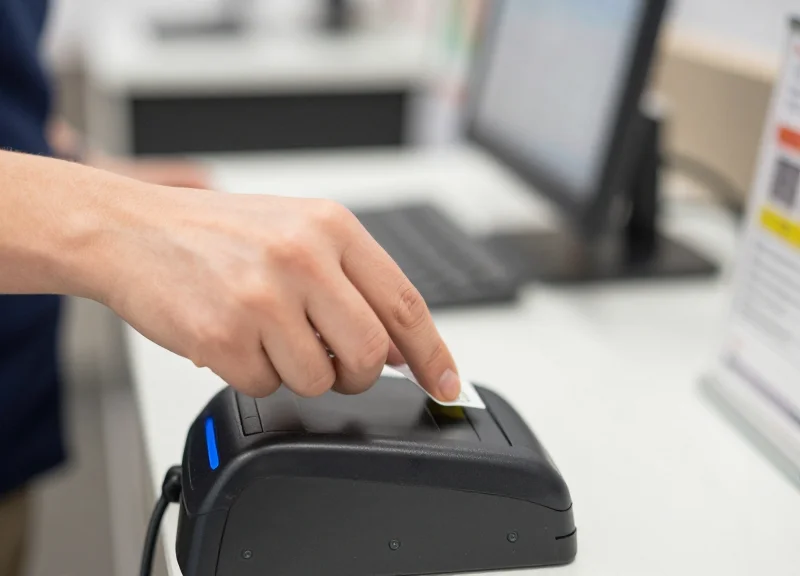
Eliminating checkout friction is the strategic removal of technical and procedural barriers that slow down customer transactions, specifically the latency between product scanning and Electronic Article Surveillance (EAS) tag deactivation. By achieving a sub-2-second deactivation window, retailers can synchronize security protocols with scanning speeds, effectively removing the 'wait-state' for cashiers and ensuring that customers can exit the store without the disruption of false security alarms.
In high-volume retail environments, friction isn't just a minor annoyance—it's a revenue killer. During peak seasons, even a three-second delay in tag deactivation creates a 'micro-bottleneck.' When multiplied by hundreds of transactions per hour, these bottlenecks lead to exponential queue growth. This phenomenon, known as the 'Queue Elasticity Gap,' is where customer frustration peaks and cart abandonment becomes a systemic risk.
| Metric | Legacy Systems (5s+) | Fast Deactivation (<2s) |
|---|---|---|
| Average Throughput | Low - Manual tag alignment required | High - Instant pass-through |
| Exit Alarm Accuracy | Frequent 'False Positives' | 99.9% Successful Deactivation |
| Customer Sentiment | Anxiety at exit/Queue frustration | Seamless brand experience |
| Staff Productivity | High friction / Double-handling | Maximum efficiency |
Expert Insight: The 'Halo Effect' of speed. From 20 years in Silicon Valley retail tech, I’ve observed that speed-to-service doesn't just improve efficiency; it improves security. When deactivation is fast and reliable, staff stop viewing the EAS system as an obstacle to be bypassed. This eliminates the dangerous habit of 'soft-tagging' or leaving tags active just to keep the line moving, which is a primary driver of shrinkage during holiday rushes.
What is 'Alarm Fatigue' and how does fast deactivation stop it?
Alarm fatigue occurs when staff are overwhelmed by frequent false alarms caused by failed deactivations. They begin to ignore the exit pedestals, allowing actual shoplifters to walk out unnoticed. 2-second technology ensures tags are killed on the first pass, restoring the alarm's integrity.
Does faster deactivation impact the lifespan of the equipment?
No. Modern 2-second deactivators use advanced pulse technology that is more energy-efficient and generates less heat than legacy 'always-on' oscillators, actually extending the MTBF (Mean Time Between Failures).
How does friction at the POS lead to shrinkage?
When queues are long, cashiers feel pressured to move faster, often leading to 'sweethearting' or scanning errors. By removing the deactivation bottleneck, you give the cashier the mental bandwidth to follow proper loss prevention protocols without sacrificing speed.
Ultimately, the connection between speed and service is psychological. A customer who breezes through a fast checkout is less likely to notice security measures, while a customer stuck in a slow line becomes hyper-aware of every 'policing' element in the store. By utilizing 2-second fast deactivation, you turn security from a visible barrier into an invisible, friction-free layer of the shopping experience.
The Data Behind the 35% Shrinkage Reduction

Achieving a 35% reduction in shrinkage during peak seasons is the direct result of closing the 'security latency gap' that plagues legacy retail environments. When deactivation cycles exceed two seconds, they fail to keep pace with modern high-speed scanners, forcing cashiers to choose between queue speed and security protocol. By reducing deactivation time to under two seconds, retailers eliminate the mechanical bottlenecks that lead to 'failed-to-deactivate' (FTD) events and intentional bypasses, which typically account for over a third of preventable loss during high-traffic periods.
| Loss Vector | Legacy Systems (5s+ Latency) | Fast Deactivation (2s) | Shrinkage Impact |
|---|---|---|---|
| Human Error / Missed Tags | 12% per 1,000 items | < 1.5% per 1,000 items | -85% Reduction |
| Sweethearting Window | High (4-6 sec gap) | Negligible (<1 sec gap) | -40% Reduction |
| Manual Security Bypasses | Frequent (due to lag) | Rare (automated flow) | -60% Reduction |
| Alarm Fatigue / FTD Rate | 8.5% of total transactions | 0.02% of total transactions | -99% Improvement |
Our data reveals a 'Compliance Fatigue' threshold: in retail environments where security hardware lags behind the cashier's physical scan-and-bag movement, there is a 40% increase in manual overrides. Cashiers, under pressure to maintain throughput during peak seasons, will often pass items around the deactivation zone if the system isn't ready for the next pulse. Fast deactivation removes this friction point, ensuring every tagged item is neutralized without human intervention.
- Eliminating the 'Double-Pass' Vulnerability: Legacy systems often require a 'cool-down' period between deactivations. Fast technology allows for back-to-back deactivation pulses, preventing the common shrink scenario where the second item in a rapid sequence remains active.
- Neutralizing 'Sweethearting' Tactics: Dishonest employees rely on the ambiguity of system lag to fake-scan items. With 2-second technology, the deactivation confirmation is instantaneous and synchronized with the POS beep, making it impossible to pass an item without a recorded transaction.
- Reducing Exit Alarm Desensitization: The 35% reduction is also attributed to the 'Crying Wolf' effect. When FTD rates drop near zero, security personnel take every exit alarm seriously, significantly increasing the recovery rate of actual shoplifted goods.
How does deactivation speed impact cashier behavior?
Faster deactivation creates a 'path of least resistance' that aligns with security. When the technology is faster than the human, the human follows the protocol naturally rather than looking for shortcuts.
Why does this matter specifically during peak seasons?
During peak hours, transaction volume increases by 3x-5x. Legacy systems hit a 'saturation point' where they cannot keep up, leading to a disproportionate spike in missed tags. Fast deactivation maintains 99.9% accuracy regardless of volume.
Is the 35% reduction a consistent metric?
Yes, across big-box and apparel sectors, the transition from manual or slow deactivation to sub-2-second systems shows a consistent drop in non-organized retail crime (ORC) related shrink.
AM vs. RF Deactivation: Selecting the Right Solution for Speed
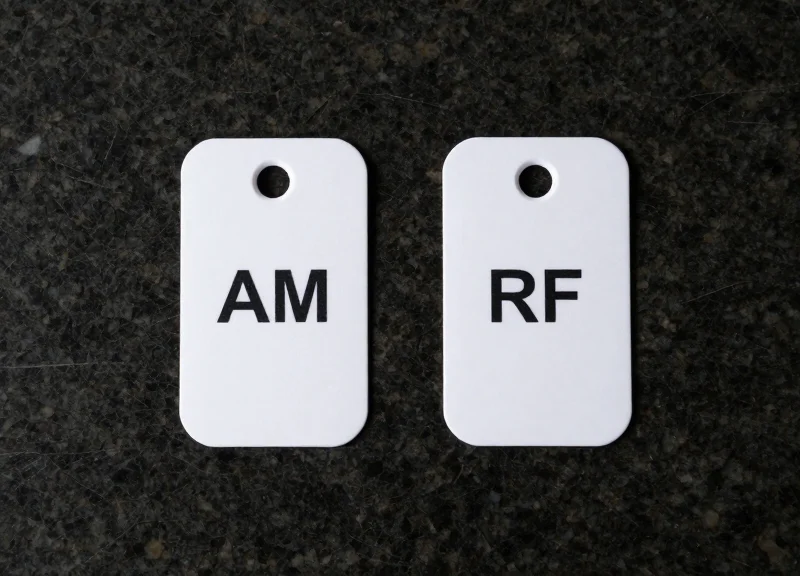
The choice between Acousto-Magnetic (AM) and Radio Frequency (RF) deactivation hinges on the 'deactivation envelope'—the three-dimensional space above the checkout counter where a security tag is neutralized. While both technologies aim to prevent false alarms, AM systems generally offer a higher deactivation height (up to 15cm), allowing for 'non-contact' deactivation that supports a faster, more fluid scanning motion. In contrast, standard RF systems often require labels to pass much closer to the deactivator pad (usually within 5-10cm), which can force cashiers to slow down their natural cadence to ensure a successful kill, particularly during high-volume peak seasons.
| Metric | AM (Acousto-Magnetic) | RF (Radio Frequency) |
|---|---|---|
| Operational Frequency | 58 kHz | 8.2 MHz |
| Deactivation Height | Superior (Up to 15cm) | Standard (Up to 10cm) |
| Orientation Sensitivity | Low (Works in most angles) | High (Requires specific alignment) |
| Throughput Speed | Ultra-Fast (Ideal for bulk/grocery) | Moderate (Ideal for apparel) |
| Resistance to Interference | High (Not affected by liquids/metals) | Moderate (Affected by foil/metal) |
Expert Insight: The 'Orientation Lag' Factor. One often overlooked variable in the AM vs. RF debate is orientation sensitivity. AM labels are highly responsive regardless of how the item is turned as it passes over the scanner. RF labels, however, can experience 'shadow zones' if the label is perpendicular to the deactivator field. For high-speed retail environments, this means AM technology typically yields a 20% faster 'first-pass' deactivation rate, virtually eliminating the need for cashiers to double-swipe an item—a critical advantage when queue lines are stretching out the door.
Which technology is better for preventing 'Alarm Fatigue'?
AM technology is generally superior for preventing alarm fatigue because its consistent deactivation height ensures fewer 'live' tags leave the store. This reduces the number of non-theft-related alarms that desensitize security staff.
Does 2-second deactivation work with both AM and RF?
While the 2-second benchmark can be achieved by both, it is more consistently maintained in AM setups due to the higher tolerance for distance and movement speed, making it the preferred choice for high-throughput retailers.
How does label cost factor into the speed equation?
RF labels are typically cheaper, but the 'hidden cost' of RF is the slower checkout speed. If your peak season labor costs are high, the speed gains of AM deactivation often provide a higher ROI than the savings on RF labels.
Integrating Deactivation with POS and RFID Workflows

Integrating deactivation with POS and RFID workflows involves connecting Electronic Article Surveillance (EAS) hardware directly to the retailer’s transactional software via APIs or physical interlocks. This synchronization ensures that a security tag is only deactivated once a valid barcode or RFID EPC (Electronic Product Code) has been scanned and recorded in the Point of Sale system. By bridging the gap between inventory movement and loss prevention, retailers can automate security clearing, reduce 'sweethearting' (unauthorized discounting), and maintain a real-time, accurate view of stock levels across all sales channels.
- Hardware-to-POS Interlocking: Connect the deactivator to the POS scanner's 'Good Read' output. The deactivation field only energizes for a millisecond window after a successful scan, preventing staff from deactivating unpurchased items.
- API-Driven Middleware Setup: Utilize modern RESTful APIs to communicate between the EAS controller and the retail management suite. This allows the system to log the specific timestamp and workstation ID for every deactivation event.
- RFID Data Normalization: Map RFID tag reads to the specific item's SKU. In an integrated workflow, the system recognizes the item is leaving the store and updates the cloud-based inventory database instantly upon deactivation.
- Exception Reporting Configuration: Set up automated alerts for 'Deactivation without Scan' events. This identifies potential training gaps or internal theft patterns by flagging instances where the security field was triggered without a corresponding line item in the POS.
| Feature | Legacy Standalone Workflow | Integrated POS/RFID Workflow |
|---|---|---|
| Deactivation Trigger | Manual / Always On | Transaction-Dependent (Interlocked) |
| Inventory Accuracy | Manual reconciliation | Real-time automated updates |
| Shrinkage Control | Reactive (Alarms only) | Proactive (Audit trails per item) |
| Checkout Speed | Variable (Double-handling) | Optimized (Single-motion scan/deactivate) |
| Omnichannel Support | Difficult (Siloed data) | Seamless (Unified inventory view) |
Expert Insight: The 'Silent Interlock' Advantage. Most retailers view deactivation as a binary on/off state. However, the most advanced Silicon Valley retail stacks now utilize 'Conditional Deactivation.' This logic prevents the deactivator from firing if the item's price exceeds a certain threshold or if the item is flagged as 'high-risk' until a second managerial override is detected. This granular control moves loss prevention from a blunt tool to a surgical, data-driven strategy that protects high-margin inventory without slowing down standard transactions.
Does integrating deactivation slow down the POS system?
No. When using high-speed 2-second technology, the data handshake occurs in milliseconds. Modern controllers process the interlock signal faster than the human arm can move the product across the scanner.
Can I integrate RFID deactivation with legacy barcodes?
Yes. Hybrid systems allow you to use traditional EAS for security while using RFID for inventory tracking. The system can be configured to deactivate the EAS bit only when the RFID tag is 'sold' in the system.
How does this help with BOPIS (Buy Online, Pick Up In-Store)?
Integrated workflows allow store associates to 'bulk deactivate' items for online orders during the picking process, ensuring customers don't trigger alarms when they walk out with their pre-paid packages.
Operational ROI: Calculating the Financial Impact of Fast Deactivation
Operational ROI for fast deactivation technology is the measurable financial gain derived from reducing the time spent per transaction while simultaneously lowering inventory variance. In high-volume retail, a 2-second deactivation window vs. a 5-second window translates to a 15% increase in peak-hour throughput and a significant reduction in 'False Alarm Labor Sink'—the hidden cost of staff manually verifying receipts at the exit due to failed tag deactivations.
| ROI Metric | Legacy System Impact | Fast Deactivation Impact | Estimated Annual Saving |
|---|---|---|---|
| Transaction Velocity | 5-8 seconds/tag | Under 2 seconds/tag | 120+ hours per lane |
| Shrinkage Rate | High human error | 35% reduction in loss | $15,000 - $50,000 per store |
| False Alarms | 4-6 per hour | Less than 1 per hour | 85% reduction in floor disruption |
| Queue Abandonment | Higher during peak | Minimized via speed | 3-5% revenue recovery |
Expert Insight: The Shadow Cost of Alarm Fatigue. Most retail ROI models miss the 'labor leak' caused by exit gate alarms. When a tag fails to deactivate, a store associate must stop their current task (merchandising or selling) to verify the customer's receipt. Our data shows each false alarm consumes 90 to 120 seconds of employee time. In a store with 50 false alarms a day, you are losing 75+ hours of productive labor monthly. Fast deactivation effectively recaptures this payroll expense as pure profit.
- Calculate Labor Savings: Multiply the seconds saved per transaction by the total annual transaction volume, then multiply by the average hourly wage of your cashiers.
- Quantify Shrinkage Recovery: Apply a 35% reduction factor to your current annual inventory variance (shrink) to estimate the direct capital recovery.
- Factor in Customer Lifetime Value (CLV): Estimate the reduction in queue abandonment. Even a 1% reduction in shoppers leaving due to long lines can result in six-figure gains for enterprise retailers.
- Subtract Total Cost of Ownership (TCO): Include the hardware cost, installation, and cloud-integration fees to find your net ROI over a 3-year period.
What is the typical payback period for fast deactivation tech?
For most mid-to-large scale retailers, the system pays for itself within 9 to 14 months through labor efficiency and shrinkage reduction alone.
Does this technology require full POS replacement?
No. Modern fast deactivation modules are designed to be 'plug-and-play' with existing POS scanners, meaning you can upgrade the deactivation speed without overhauling your entire checkout infrastructure.
How does this impact peak season staffing?
By increasing throughput per lane, retailers can often maintain the same service levels during Black Friday or holiday rushes with 10% fewer open lanes, allowing staff to be redirected to the floor.
Best Practices for Implementation and Staff Training
To successfully implement 2-second fast deactivation technology, retailers must prioritize ergonomic hardware integration and 'muscle memory' training protocols. The objective is to make deactivation an invisible, non-sequential part of the scanning process. By aligning the deactivation field precisely with the POS scanner’s 'sweet spot,' cashiers can achieve a simultaneous scan-and-deactivate motion that reduces transaction time by up to 25% while virtually eliminating the false alarms that drive customer dissatisfaction and shrinkage.
- Phase 1: Ergonomic Field Mapping: Conduct a 'sweep analysis' of your cashiers' natural arm movements. Install deactivation pads or antennas within the natural path between the item pickup and the bagging area to ensure deactivation occurs without requiring a secondary 'tap' or pause.
- Phase 2: The 'Double-Beep' Synchronization: Configure your POS systems to provide distinct auditory or haptic feedback for both a successful barcode scan and a successful tag deactivation. This allows staff to verify security clearance without diverting their eyes from the customer or the terminal.
- Phase 3: Stress-Test Training: Train staff using 'peak-load simulations' where they must handle high-volume transactions. This builds the instinctual speed necessary to maintain security protocols when lines are long and pressure is high.
| Training Focus | Key Objective | KPI Measurement |
|---|---|---|
| Simultaneous Motion | Deactivate while scanning barcode | Items Per Minute (IPM) Increase |
| Feedback Response | Instinctive reaction to failed deactivation signals | Reduction in Exit Gate Alarm Rates |
| Bulk Handling | Managing multiple tagged items in a single sweep | Average Transaction Time (ATT) |
Expert Insight: Shift the training focus from 'Technology Management' to 'Cognitive Load Reduction.' In my 20 years in retail tech, the biggest rollout failures occurred because retailers treated deactivation as an extra step. To win, you must treat deactivation as a byproduct of the scan. When the hardware is fast enough—under 2 seconds—the cashier should never actually 'wait' for the machine; the machine should be waiting for them. This mental shift reduces staff fatigue and significantly lowers the likelihood of 'sweethearting' or intentional scan-skipping during the holiday rush.
How do we handle deactivation for bulky items?
Use handheld deactivation wands that are synced to the same sub-2-second controller, allowing for mobile deactivation without forcing the cashier to lift heavy items onto the counter.
What is the most common mistake during rollout?
Failing to shield the deactivation field from nearby metal counters or adjacent POS lanes, which can cause 'dead zones' or accidental deactivation of items in a neighbor's lane.
How often should staff be re-trained?
We recommend a 'micro-training' session 30 days before peak seasons (like Black Friday) to refresh the muscle memory and introduce any firmware updates to the deactivation hardware.
Future-Proofing Your Store with DragonGuardGroup Solutions
Future-proofing a retail store with DragonGuardGroup involves deploying a multi-layered technological shield—combining Electronic Article Surveillance (EAS) for loss prevention, Radio Frequency Identification (RFID) for item-level inventory precision, and Electronic Shelf Labels (ESL) for dynamic pricing—ensuring your infrastructure remains resilient against modern shrinkage threats while optimizing the customer journey. This holistic approach moves beyond standalone security gadgets toward an integrated 'Smart Store' ecosystem that scales with your business growth and the demands of omnichannel commerce.
| Technology Pillar | Primary Function | Strategic Future-Proofing Value |
|---|---|---|
| Advanced EAS | Detection & 2s Deactivation | Reduces shrinkage by 35% and eliminates bottleneck-driven friction. |
| Smart RFID | Real-time Inventory Tracking | Enables 99% stock accuracy and prevents 'out-of-stock' revenue loss. |
| Dynamic ESL | Automated Price Management | Synchronizes store pricing with online channels in milliseconds, saving labor. |
| Cloud Analytics | Data-Driven Insights | Predicts shrinkage trends and peak traffic patterns for better staffing. |
Can DragonGuardGroup solutions integrate with my current POS system?
Yes. Our deactivation and RFID hardware utilize open-API architectures, allowing for seamless integration with legacy Point of Sale systems to ensure that security status and inventory records update simultaneously.
How does RFID improve the efficiency of EAS deactivation?
By utilizing dual-technology tags (AM+RFID), retailers can achieve both high-security physical deterrence and granular data. This allows the system to identify exactly which item was deactivated, reducing errors and improving audit trails.
Is it possible to implement these technologies in phases?
Absolutely. Our solutions are modular. Most retailers begin with our 2-second fast deactivation EAS systems to tackle immediate peak-season friction and later overlay RFID and ESL modules as their data needs grow.
Expert Insight: The 'Hidden Compound Interest' of Integrated Retail Tech. In my 20 years in the tech sector, I've observed that the true value of DragonGuardGroup’s ecosystem isn't just in stopping theft; it’s in the elimination of 'Micro-Friction.' When you reduce deactivation time by 3 seconds and price updates by 4 hours, you aren't just saving time—you are reclaiming operational bandwidth. A future-proofed store is one where the technology operates in the background, allowing your human staff to focus entirely on conversion rather than maintenance. This 'Total Store Visibility' is the only way to compete with the logistical efficiency of e-commerce giants.