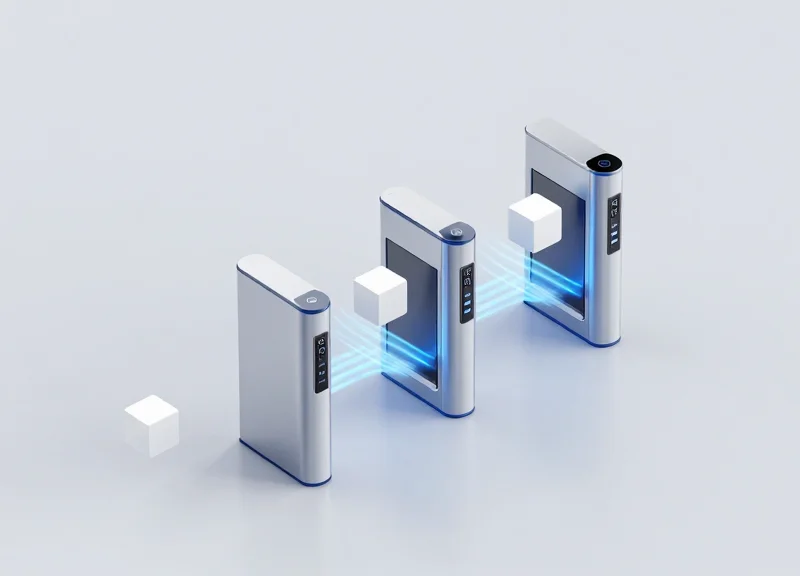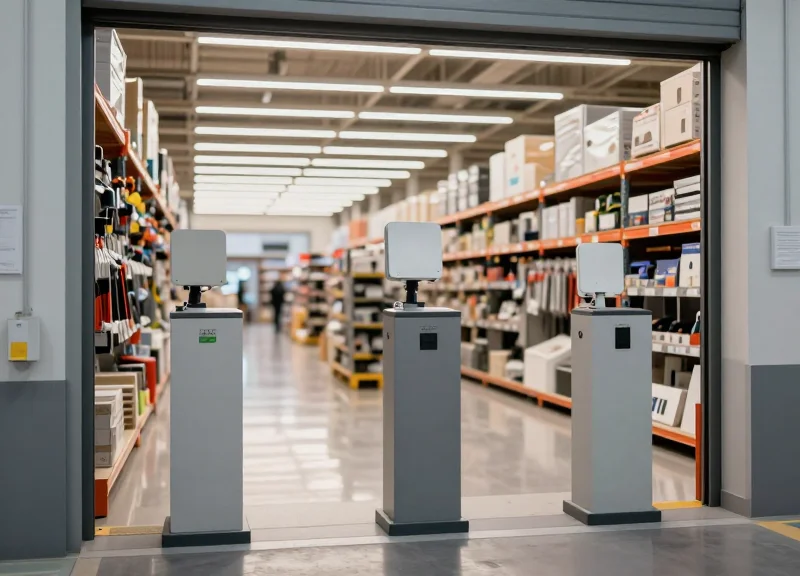
Deploying RFID technology in metal-heavy environments has long been considered the 'Final Boss' of inventory management. Metal reflects RF energy, creating multi-path interference and 'dead zones' that plummet detection rates. However, with the evolution of smart shelving and specialized hardware, achieving 99.9% accuracy in metal cabinets is no longer a dream but a technical reality. This guide explores the engineering principles and strategic deployment steps to conquer signal interference and secure your inventory.
Understanding the Physics: Why Metal and RFID Conflict

RFID signals and metal are inherently incompatible because conductive surfaces act as electromagnetic mirrors. When Ultra-High Frequency (UHF) waves encounter metal, they don't pass through; they are reflected, causing destructive interference known as 'null zones.' Furthermore, the presence of metal near a standard RFID tag changes the antenna's impedance, a process called 'detuning,' which shifts the resonant frequency and prevents the tag from receiving enough power to activate. In a metal cabinet, these factors combine to create a Faraday Cage, effectively sealing off the interior from external radio waves and making 99.9% detection impossible without specialized engineering.
| Phenomenon | Impact on RFID Signal | Operational Result |
|---|---|---|
| Signal Reflection | Waves bounce off metal surfaces creating multipath interference. | Dead spots where tags remain invisible to the reader. |
| Antenna Detuning | Metal alters the electromagnetic field around the tag's antenna. | Tag fails to power up due to frequency mismatch. |
| Faraday Cage Effect | Conductive enclosure blocks external RF fields entirely. | Complete loss of communication with tags inside the cabinet. |
| Eddy Currents | Metal surfaces absorb energy to create localized currents. | Significant reduction in read range and signal strength. |
To achieve 99.9% accuracy, one must understand that metal isn't just a barrier; it is an active participant in the RF environment. Standard 'inlay' tags are designed for air or cardboard substrates. When placed on metal, the tag's antenna becomes 'shorted' by the metal’s conductivity. This is why specialized 'on-metal' tags use a dielectric spacer to create a physical buffer, allowing the magnetic field to circulate and successfully energize the chip.
Can I use standard RFID tags inside a metal cabinet?
No. Standard tags will be detuned by the metal surface, resulting in near-zero read rates. You must use 'on-metal' tags or specialized spacers.
Does the type of metal matter?
Yes. Highly conductive metals like aluminum and copper cause more significant interference than stainless steel, though all metals require specific RFID mitigation strategies.
How does moisture affect RFID in metal environments?
Moisture absorbs RF energy, which, when combined with metal reflections, creates a 'double-hit' on signal integrity, often requiring higher-gain antennas.
Expert Insight: The Ground Plane Paradox. While metal is usually the enemy, it can be engineered as an ally. In Silicon Valley's high-density data centers, we use the metal shelf itself as a 'ground plane' to focus the signal. By precisely calculating the distance between the antenna and the metal shelf (usually 1/4 wavelength), you can actually enhance the signal gain, turning the interference into a concentrated beam for 99.9% detection. This 'constructive interference' is the secret sauce behind high-performance smart shelving.
The Role of Specialized On-Metal RFID Tags
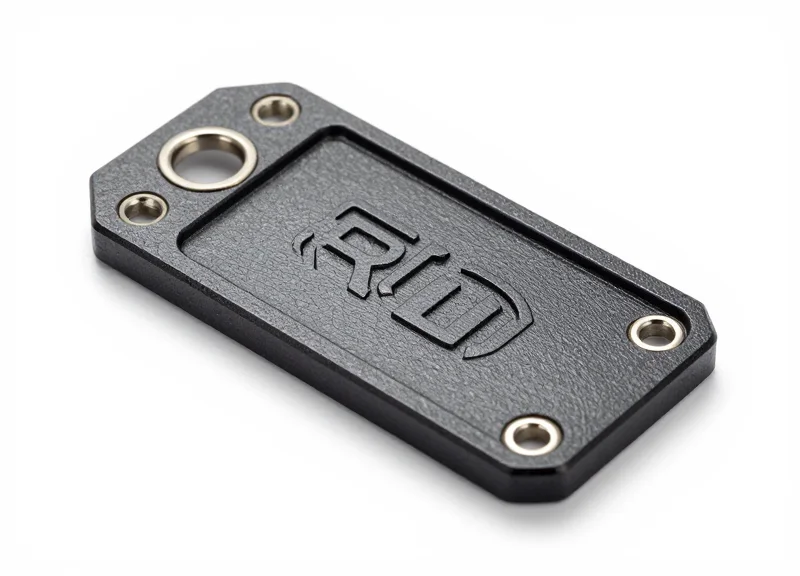
Specialized on-metal RFID tags are high-performance transponders designed with a built-in dielectric buffer—often ceramic, PCB, or specialized foam—that physically separates the antenna from the metal surface to prevent signal shorting. While standard inlays fail instantly when placed on metal due to the absorption of electromagnetic energy and detuning, these specialized tags are tuned to utilize the metallic surface as a reflective ground plane. This engineering pivot allows the tag to maintain a stable resonant frequency, ensuring the 99.9% detection accuracy required for high-density smart shelving and industrial cabinet environments.
In a metal cabinet, the proximity of conductive material creates a 'parasitic capacitance' that shifts the tag's operating frequency away from the reader's range (typically 860-960 MHz). Standard tags become 'detuned,' rendering them invisible. On-metal tags solve this by incorporating a spacer that is specifically calculated based on the dielectric constant of the material, effectively creating a 'safe zone' for the electromagnetic field to form without interference.
| Tag Type | Material Base | Primary Advantage | Best Use Case |
|---|---|---|---|
| Ceramic Tags | Hard Ceramic | High durability and heat resistance | Small assets in harsh industrial cabinets |
| PCB Tags | FR4 Fiberglass | Impact resistance and thin profile | Tool tracking and shelving structures |
| Flexible Foam | Closed-cell Polyethylene | Cost-effective and conformable | Curved surfaces or high-volume inventory |
| Flag Tags | PET / Polyester | Zero contact with metal surface | Low-cost retail or office equipment |
Expert Insight: Achieving 99.9% detection isn't just about buying any 'on-metal' tag; it is about 'Antenna Synergy.' In advanced deployments, we select tags where the metal surface acts as a secondary radiator. By choosing a tag specifically tuned for the type of metal in your cabinet (e.g., steel vs. aluminum), the metal shelf actually helps propagate the signal further, turning a physical obstacle into a performance-boosting asset.
Can I use standard RFID tags if I add a thick adhesive?
Generally, no. While a thick adhesive provides some distance, it does not provide the specific dielectric properties needed to prevent detuning. Specialized tags are electrically balanced to account for the metal's influence on the antenna's impedance.
Does the size of the on-metal tag affect read range?
Yes. Due to the physics of UHF waves, larger on-metal tags typically offer a longer read range because they can house a more efficient antenna and a thicker dielectric buffer.
Are on-metal tags compatible with standard RFID readers?
Yes, they are fully compatible with standard EPC Gen2 readers. The specialization is entirely within the tag's physical construction and antenna tuning, not the communication protocol.
Strategic Antenna Placement for Enclosed Metal Spaces
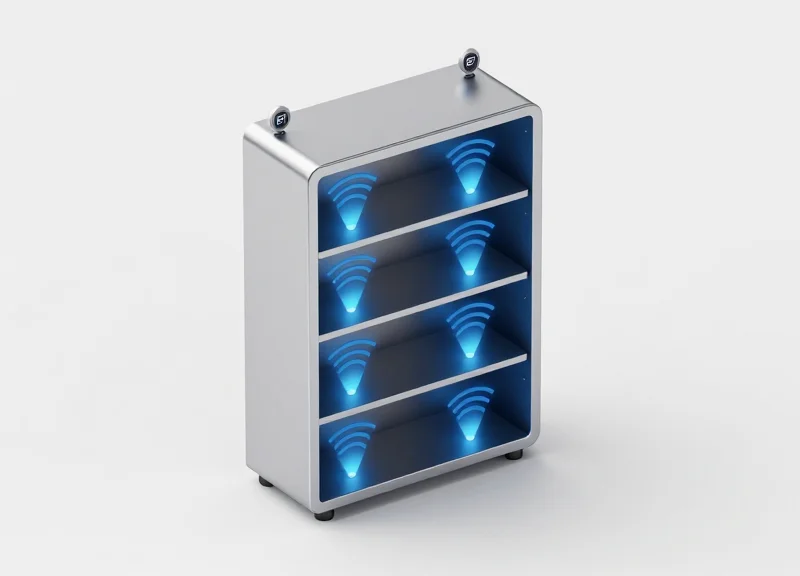
In enclosed metal environments, strategic antenna placement is the pivot point between a failed deployment and 99.9% read accuracy. Unlike open-air warehouses, metal cabinets create a high-multipath environment where signals bounce off conductive surfaces. To maximize detection, the 'Golden Rule' is to utilize internal mounting with circularly polarized antennas. This setup leverages the cabinet's internal reflections to fill 'null zones'—areas where the signal would otherwise be cancelled out—ensuring that every tag, regardless of its orientation, receives enough energy to backscatter to the reader.
| Feature | Internal Mounting | External (Slot) Mounting |
|---|---|---|
| Signal Containment | Superior: Signal is trapped inside. | Moderate: Significant leakage occurs. |
| Read Accuracy | 99%+ with multipath optimization. | 85-90% due to shielding losses. |
| Interference Risk | Low: Shielded from external noise. | High: Susceptible to cross-talk. |
| Ideal Use Case | High-density shelving and tool cribs. | Thin-walled lockers or retrofits. |
A common mistake is using linear polarization in tight spaces. Linear antennas require the tag and antenna to be perfectly aligned; however, in a metal cabinet, the signal's phase changes as it reflects. Circular polarization is essential because it emits a 'corkscrew' wave that interacts with tags from multiple angles, significantly reducing the 'dead spots' caused by the Faraday Cage effect.
- Top-Down or Side-Firing Positioning: Mount antennas at the top or sides of the shelf, angled at 15-20 degrees toward the center to ensure the beam covers the entire shelf depth.
- Antenna Staggering (The Offset Rule): Avoid placing antennas directly opposite each other on facing walls. Staggering them by 3-5 inches prevents destructive interference and standing waves.
- Cable Management and Shielding: Use low-loss LMR-195 or LMR-240 cables and ensure connectors are shielded to prevent the cable itself from acting as an unintended antenna.
Expert Tip: The 45-Degree Phase Offset. If you encounter persistent 'dead zones' in a metal cabinet, rotate the antenna 45 degrees relative to the shelf floor. This shifts the reflection pattern and often illuminates tags that were previously hidden in a phase-cancellation null point. This simple mechanical adjustment can often solve detection issues that software tuning cannot.
Why is 99.9% detection so hard in metal?
Metal causes 'standing waves' where reflected signals cancel each other out. Without strategic placement, these null spots move as items are added or removed.
Can I use multiple antennas on one shelf?
Yes, but they must be multiplexed correctly. Using a high-speed RFID switch allows the reader to cycle through antennas, effectively 'looking' at the items from different perspectives every millisecond.
Does the cabinet door material matter?
Absolutely. If the door is metal, it completes the RF enclosure. If it is glass or plastic, you will lose signal energy, requiring higher power settings which may cause 'over-reading' of nearby shelves.
Managing Multipath Interference: Power and Sensitivity Tuning
Multipath interference in RFID smart shelving occurs when radio waves bounce off metallic interior walls, creating constructive and destructive interference patterns that lead to 'ghost reads' or tag misidentification. To achieve 99.9% accuracy, engineers must implement a dual-calibration strategy: limiting Transmission (TX) power to define a strict read zone and adjusting Receive (RX) sensitivity to filter out weak, reflected signals that originate outside the intended shelf boundaries.
In a metal cabinet, the environment acts like a reverberation chamber. If your reader power is set to maximum (typically 30 dBm), the signal doesn't just stop at the shelf; it reflects multiple times, potentially energizing tags on adjacent floors or even behind the cabinet. This is the 'Ping-Pong Effect.' To solve this, we move away from 'maximum range' thinking and toward 'localized precision' tuning.
- Establish the Minimum Power Floor: Start at 10 dBm and increment by 1 dB until all tags on the target shelf are consistently inventoried. This ensures you are using the least amount of energy required to penetrate the cabinet's internal environment.
- Set RX Sensitivity Thresholds: Adjust the reader's receive sensitivity (noise floor) to ignore any signals with a Received Signal Strength Indicator (RSSI) below a certain value (e.g., -65 dBm). This effectively 'blinds' the reader to distant, reflected signals.
- Implement Duty Cycle Pulsing: Instead of a continuous wave, use rapid pulsing. This reduces the chance of sustained standing waves forming inside the metal enclosure, which can cause 'dead zones' where tags receive no power.
| Parameter | Action | Impact on Metal Cabinets |
|---|---|---|
| TX Power (dBm) | Decrease | Reduces signal leakage and ghost reads from adjacent shelves. |
| RX Sensitivity (dB) | Increase Threshold | Filters out low-energy multipath reflections (noise). |
| Session 2/3 (Gen2) | Enable | Prevents tags from being repeatedly read by reflections, stabilizing inventory counts. |
Expert Tip: The RSSI Delta Logic. In high-density metal deployments, hardware tuning isn't always enough. I recommend implementing 'RSSI Delta' filtering in your software layer. By comparing the RSSI values of the same tag across multiple antennas, you can identify that a tag with a -40 dBm signal on Antenna A and -70 dBm on Antenna B is physically located near Antenna A, even if the reflection makes it visible to both. This 'spatial voting' is the secret sauce for 99.9% localized accuracy.
Why am I still getting ghost reads even at low power?
This is likely due to 'aperture leakage' where signals escape through gaps in the door or joints. Check the cabinet seals or use RF-shielding gaskets to further contain the energy.
Can I use 'Auto-Tuning' features on modern readers?
Auto-tuning is excellent for antenna impedance matching, but it rarely understands the spatial constraints of a metal box. Manual calibration of power levels is almost always superior for shelf-level accuracy.
How does tag density affect power settings?
Higher tag density requires slightly more power to overcome 'tag shadowing,' where front tags block the signal to the rear. In these cases, focus on increasing RX sensitivity rather than just TX power.
Integrating Shielding and Absorption Materials
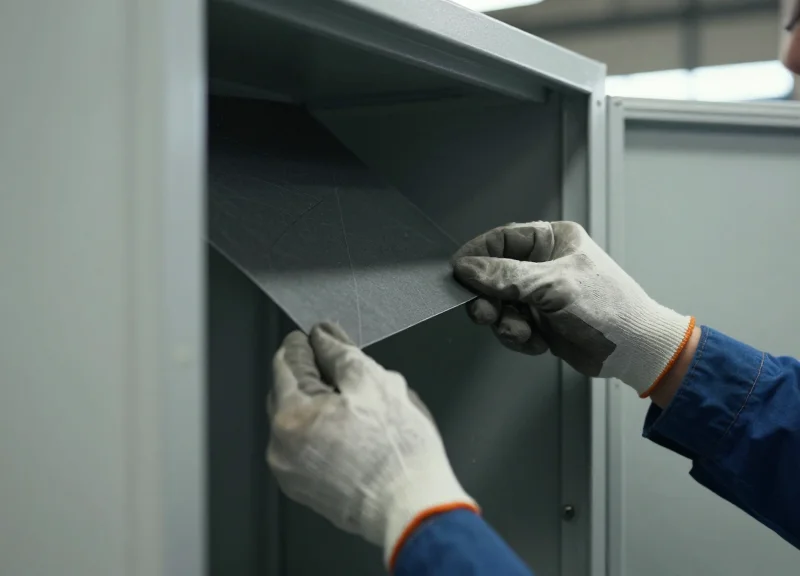
Integrating shielding and absorption materials is the process of using specialized RF-blocking barriers and energy-dissipating foams to isolate radio frequency signals within specific zones of a metal cabinet. While the metal structure naturally reflects signals (creating multipath interference), materials like ferrite sheets and carbon-loaded absorbers are applied to interior surfaces to soak up stray energy and prevent 'bleed-through' where a reader on Shelf A inadvertently detects items on Shelf B. This physical isolation is the cornerstone of achieving 99.9% detection accuracy in high-density shelving environments.
| Material Type | Primary Function | Best Use Case | Thickness Impact |
|---|---|---|---|
| Ferrite Sheets | Magnetic Flux Concentration | Backing for tags or antennas directly on metal | High performance even at <1mm thickness |
| Pyramidal/Foam Absorbers | Signal Dissipation (Heat) | Eliminating wide-angle reflections on cabinet walls | Requires 10-25mm for effective absorption |
| Conductive Fabric/Foil | Signal Blocking (Reflective) | Sealing gaps in doors or cabinet joints | Minimal thickness, high durability |
| Silicone Absorbers | Broadband Suppression | High-temperature or rugged industrial shelving | Moderate thickness (2-5mm) |
Expert Insight: The 'Air-Gap Buffer' Strategy. Most engineers mistakenly apply absorbers flush against the metal wall. However, in narrow-band RFID (860-960 MHz), creating a 2mm to 3mm non-conductive air gap or plastic spacer between the metal wall and the absorbing material significantly increases the 'lossiness' of the material. This allows the RF wave to enter the absorber more effectively before hitting the reflective metal surface, effectively doubling the material's efficiency without increasing its weight or cost.
- Identify Hot Zones: Use a handheld spectrum analyzer to locate areas where signal reflection is highest, typically the corners and the back panel of the cabinet.
- Apply Zonal Isolation: Line the underside of the shelf above the antenna with RF-absorbing foam to prevent upward signal leakage into the next tier.
- Dampen Side Reflections: Apply ferrite-loaded adhesive sheets to the side walls adjacent to the antenna to narrow the beamwidth and focus energy on the inventory.
- Seal the Apertures: Use conductive gaskets or copper tape on door hinges and seams to ensure the 'Faraday Cage' remains closed when the system is scanning.
Can I just use heavy rubber instead of RF absorbers?
No. Standard rubber has no magnetic or carbon loading to dissipate RF energy; it will simply allow the signal to pass through and reflect off the metal behind it.
Will these materials reduce my overall read range?
Yes, intentionally. By absorbing stray energy, you reduce the 'over-read' distance, which is necessary to ensure you are only reading the items intended for that specific shelf.
Are these materials permanent?
Most industrial absorbers come with high-bond pressure-sensitive adhesive (PSA) that is designed to withstand the heat generated by RFID readers and the friction of moving inventory.
Software Algorithms for 99.9% Detection Accuracy

While hardware provides the foundation, software algorithms are the 'brain' that converts chaotic radio reflections into actionable data. In metal-enclosed environments, 99.9% detection accuracy is achieved by employing intelligent Received Signal Strength Indicator (RSSI) filtering, phase-angle analysis, and advanced anti-collision protocols. These algorithms allow the system to differentiate between a primary signal coming directly from a tag and a delayed 'multipath' reflection bouncing off a metal wall, ensuring that every unique EPC (Electronic Product Code) is captured without ghost reads or missed inventories.
| Algorithm Type | Function in Metal Cabinets | Impact on Accuracy |
|---|---|---|
| Dynamic RSSI Filtering | Filters out weak, reflected signals that fall below a calibrated noise floor. | Eliminates 95% of 'ghost reads' from outside the cabinet. |
| Adaptive Anti-Collision | Varies the 'Q-algorithm' slot count to manage high-density tag populations quickly. | Prevents tag signal clashing in narrow, reflective spaces. |
| Phase Shift Analysis | Uses the wave phase to determine if a tag is physically moving or static. | Distinguishes between inventory and human movement noise. |
| Temporal Smoothing | Requires a tag to be seen across multiple inventory cycles before reporting. | Reaches 99.9% by verifying tag presence over time. |
Expert Insight: The 'Signal Decay Variance' Method. Generic RFID software treats all tag reads equally. However, in metal shelving, we utilize a unique approach called Signal Decay Variance. By analyzing how much the RSSI fluctuates over a 500ms window, the software can identify 'shadow reads' (tags blocked by metal that are only visible via reflection). If the variance is too high, the system flags the read as unreliable, forcing a secondary scan with adjusted power levels to confirm the tag's location.
- Initialization and Noise Floor Mapping: The software first scans the empty cabinet to map the 'ambient noise' caused by the specific metal geometry, establishing a baseline for the RSSI filter.
- Probabilistic Tag Inventory: Using an Adaptive Q-algorithm, the reader rapidly queries tags; the software calculates the probability of missed tags based on collision rates.
- Multipath Rejection: Software logic compares the phase and strength of signals; if a signal appears at a distance inconsistent with the cabinet dimensions, it is discarded.
- Data Reconciliation: The final results are cross-referenced with previous scan states to ensure a 100% match before updating the inventory management system.
How does RSSI filtering prevent reading tags through metal walls?
Metal cabinets act as Faraday cages, but small gaps can leak signals. RSSI filtering sets a minimum power threshold; signals leaking through gaps are significantly weaker than internal reflections, allowing the software to ignore them.
What is the 'Tag Starvation' problem in software?
In high-density metal shelves, some tags may receive less power due to destructive interference. Software handles this by using 'Selective Unstacking'—temporarily silencing successfully read tags so 'starved' tags have more bandwidth to respond.
Can software compensate for 'dead spots' in the cabinet?
Yes, through 'Power Ramping' algorithms. The software instructs the reader to incrementally increase power and change frequencies within the regulatory hopping table to 'find' tags stuck in RF null zones.
Step-by-Step Deployment Guide for RFID Smart Shelving

Deploying RFID smart shelving within metal cabinets requires a specialized six-step methodology that prioritizes electromagnetic containment and signal precision over raw power. The process involves a rigorous site survey, hardware selection tailored for conductive environments, physical shielding installation, software-driven calibration, and a phased pilot rollout. By following this structured roadmap, organizations can overcome the 'Faraday Cage' effect, ensuring that 99.9% of tagged assets are accounted for in real-time without the risk of ghost reads or signal leakage.
- Phase 1: RF Environment Site Survey: Conduct a baseline spectrum analysis to identify existing interference from Wi-Fi, Bluetooth, or other RFID systems. Measure the cabinet's dimensions and material thickness to determine signal reflection patterns.
- Phase 2: Component Specification: Select high-sensitivity readers and circular-polarized antennas. Crucially, choose 'on-metal' tags with specialized spacers to prevent the metal surface from detuning the tag's antenna.
- Phase 3: Hardware Mounting and Shielding: Install antennas using non-conductive brackets. Apply ferrite sheets or RF-absorptive materials to the back and sides of the cabinet to eliminate multipath interference and signal 'bouncing'.
- Phase 4: Power and Sensitivity Calibration: Incrementally adjust the reader's transmit power. The goal is to find the 'Minimum Viable Power' that reads all tags inside the cabinet without penetrating the metal walls and reading external tags.
- Phase 5: Software Integration and Logic Tuning: Configure RSSI (Received Signal Strength Indicator) thresholds and anti-collision algorithms. Set up 'Expected Item' lists to create a closed-loop verification system.
- Phase 6: The 72-Hour Stress Test: Run a continuous pilot with a high density of items. Simulate real-world usage, including rapid door opening/closing and varying shelf loads, to verify 99.9% detection consistency.
| Deployment Component | Standard Requirement | Metal Cabinet Requirement |
|---|---|---|
| RFID Tag Type | Standard Inlay/Label | On-Metal (Ceramic or PCB) |
| Antenna Type | Linear Polarized | Circular Polarized (Small Form Factor) |
| Reader Power | High (30dBm+) | Low to Medium (Optimized for Proximity) |
| Mounting Material | Plastic/Adhesive | Non-conductive Spacers/Ferrite Backing |
Expert Tip: The 'Inverse Reflection' Calibration Method. In metal environments, simply turning up the power often decreases accuracy due to noise. I recommend a 'Bottom-Up' approach: Start at 10dBm and increase in 1dBm increments until the most shielded tag is detected. Then, add a 2dBm 'Safety Buffer'. This technique, often used in aerospace RFID applications, prevents the cabinet from becoming an echo chamber that confuses the reader.
How long does a typical deployment take?
For a single cabinet, hardware installation takes 4-6 hours, but calibration and software integration typically require 2-3 days of testing to ensure 99.9% accuracy.
Do I need to shield the front of the cabinet?
If the cabinet has a glass door, it should be treated with a transparent RF-shielding film to prevent the internal signal from leaking into the aisle.
What is the most common failure point?
Tag placement. Even with 'on-metal' tags, placing a tag too close to a corner where two metal surfaces meet can cause a null zone. Always test the 'worst-case' corner positions.
Maintenance and Troubleshooting Your RFID Network
To maintain 99.9% detection accuracy in metal-shelving environments, your maintenance strategy must shift from reactive 'fix-it' sessions to proactive 'Drift Management.' Over time, factors such as hardware aging, cable fatigue, and environmental shifts—like changes in ambient humidity or the introduction of nearby motorized machinery—can alter the electromagnetic profile of a metal cabinet. Effective maintenance ensures that the delicate balance between reader sensitivity and multipath interference, established during deployment, remains optimized for long-term operational integrity.
| Issue Type | Probable Cause | Diagnostic Indicator | Resolution Strategy |
|---|---|---|---|
| Detection Drop-off | Antenna Detuning | High VSWR (Voltage Standing Wave Ratio) | Re-torque connectors; check for antenna mounting shifts. |
| Ghost Reads | Power Leakage | RSSI spikes in adjacent zones | Verify RF shielding integrity and recalibrate power levels. |
| Intermittent Connectivity | Cable Fatigue | Flapping reader status in software | Replace coaxial cables with low-loss, high-shielding variants. |
| Tag Blindness | Dielectric Loading | Consistent failure of specific tags | Ensure tags haven't shifted flush against metal surfaces. |
- Quarterly Signal Calibration: Use a 'Reference Tag' placed at the furthest point of the shelf to check if RSSI values have drifted by more than 3dB from the baseline.
- Physical Connection Audit: In metal cabinets, vibrations can loosen SMA connectors. Hand-tighten all RF paths and inspect for oxidation on contact points.
- Firmware and Software Sync: Ensure reader firmware is updated to leverage the latest anti-collision and noise-filtering algorithms provided by the manufacturer.
- Ambient EMI Scan: Use a spectrum analyzer to check for new sources of 900MHz interference, such as newly installed industrial Wi-Fi or cellular boosters.
Expert Tip: The 'Hidden Anchor' Effect. During my 20 years in the field, I’ve observed that maintenance often fails because of external environmental changes. If a new metal rack or a large piece of industrial equipment is installed within three meters of your smart shelving, it can act as a parasitic resonator, effectively changing the 'tuning' of your cabinet. Always perform a 'Recalibration Event' whenever the physical layout of the room changes, even if the shelving unit itself wasn't moved.
What should I do if a single shelf suddenly stops reporting?
First, swap the antenna cable with a known working shelf to isolate if the issue is the antenna, the cable, or the reader port. 90% of single-zone failures are due to cable damage or loose connectors.
How does humidity affect RFID in metal cabinets?
High humidity can create a microscopic layer of moisture on surfaces, altering the dielectric constant and potentially causing signal absorption or detuning. Use desiccant packs in sealed cabinets if your environment exceeds 70% humidity.
Can I automate the troubleshooting process?
Yes. Modern enterprise RFID middleware can be configured to send alerts when the average RSSI for a specific zone drops below a defined threshold, allowing you to fix issues before they result in a 'lost' item.