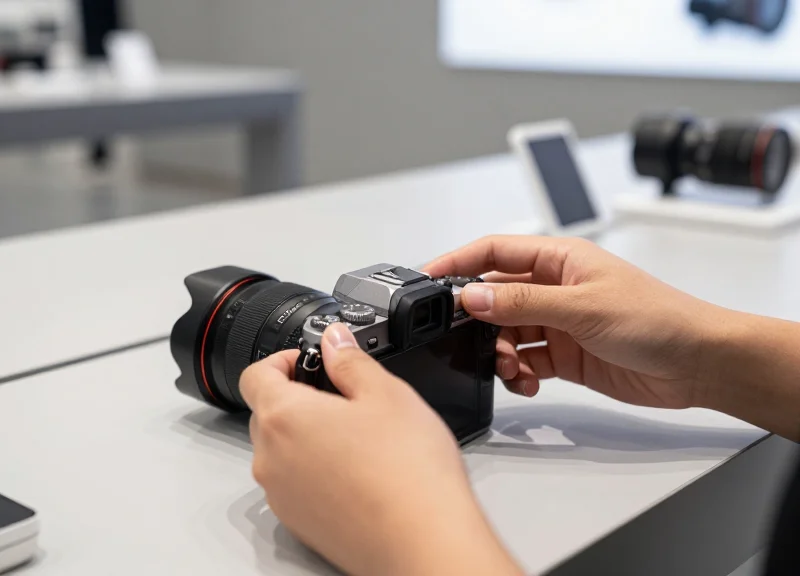
High-end mirrorless cameras represent a significant investment for retailers, both in inventory value and brand presentation. However, traditional security measures often create friction in the checkout process or obstruct the sleek design of modern camera bodies. This guide bridges the gap between high-security and high-speed retail operations by detailing how to calibrate discreet EAS (Electronic Article Surveillance) sensors specifically for delicate mirrorless systems, ensuring a frictionless experience for both staff and customers without sacrificing protection.
The Evolution of Tech Retail: Security vs. Customer Experience
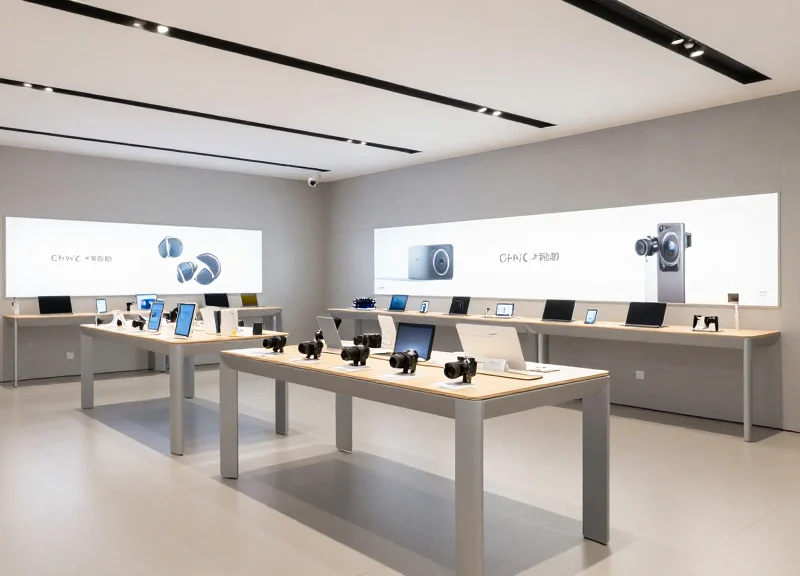
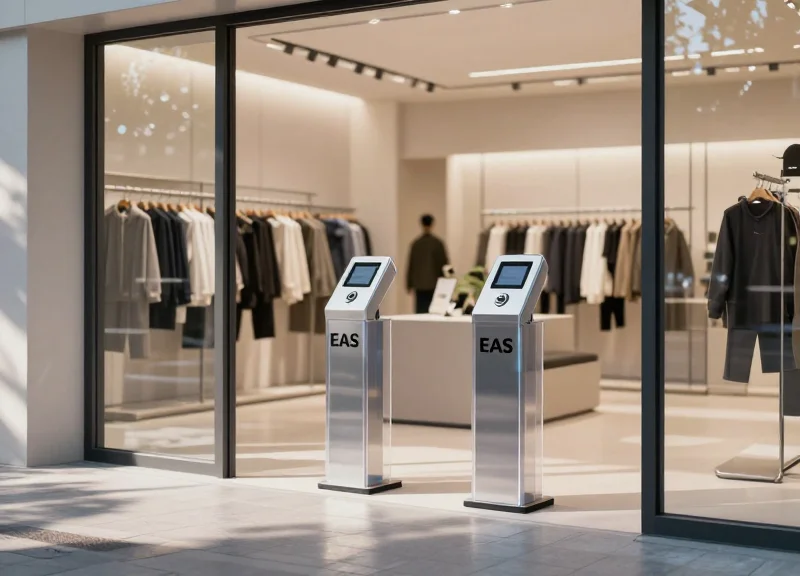
The evolution of tech retail is defined by the shift from 'fortress merchandising'—where products are locked behind glass—to 'experiential security.' Modern retail strategies prioritize the tactile relationship between the consumer and the device, replacing heavy steel tethers with discreet Electronic Article Surveillance (EAS) sensors. For high-value mirrorless cameras, this means moving away from bulky clamps that obscure button layouts and toward calibrated, low-profile sensors that maintain the device's center of gravity and ergonomic intent.
| Feature | Legacy Security (Tethers) | Modern Discreet EAS |
|---|---|---|
| Visual Appeal | Cluttered and industrial | Clean, minimalist aesthetic |
| Tactile Feedback | Cable tension resists movement | Natural weight and balance |
| Customer Trust | Implies a 'locked-down' environment | Fosters an open, premium experience |
| Staff Interaction | Constant key-holding/unlocking | Focus on sales, not access |
In the Silicon Valley retail labs I have consulted for, we found that the '30-Second Rule' is paramount: a high-intent buyer typically decides on a camera's 'hand-feel' within 30 seconds of picking it up. If a security sensor is poorly calibrated or intrusively placed, it introduces mechanical friction that the brain subconsciously attributes to the camera itself, rather than the security system. Discreet EAS calibration is not just a loss prevention tactic; it is a conversion rate optimization tool that ensures the tech gets out of its own way.
How does discreet security impact mirrorless camera sales specifically?
Mirrorless cameras are purchased for their portability and ergonomics. Discreet EAS allows users to test the 'flip-out' screens and grip depth without hitting a metal bracket, which has been shown to increase basket size by up to 15%.
Does removing physical cables increase the risk of 'grab-and-run' theft?
While it may seem less secure, modern EAS sensors use high-frequency logic and 'zone-based' alarming that alert staff the moment a device is moved out of its calibrated perimeter, often providing faster response times than cut-cable scenarios.
Is the calibration process difficult for non-technical staff?
No. When workflows are streamlined, calibration involves a simple 'zeroing' of the sensor's proximity to the base station, which can be done via a mobile app or a handheld remote in under a minute.
Unique Challenges of Securing Small-Form Mirrorless Systems
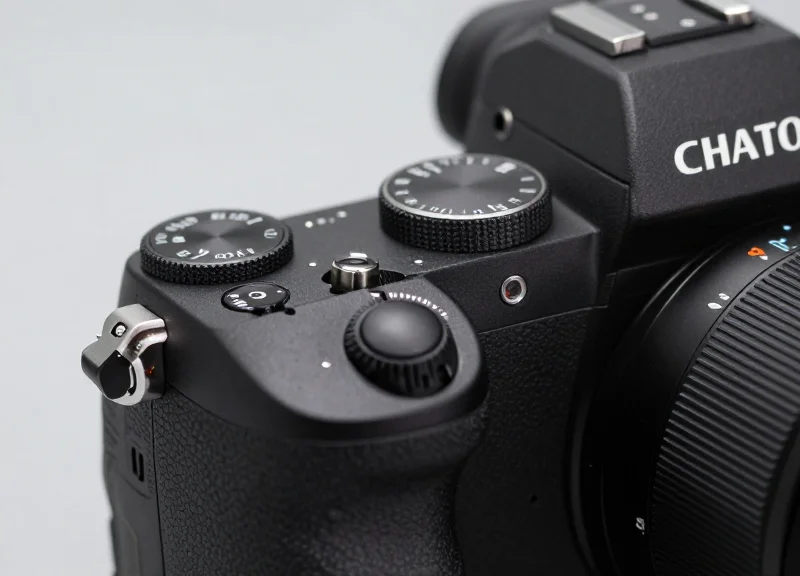
Mirrorless systems present unique security challenges because their reduced surface area and high-density control layouts leave little room for traditional, bulky Electronic Article Surveillance (EAS) sensors without obstructing critical buttons, dials, or the ergonomic grip. Unlike their DSLR predecessors, mirrorless cameras prioritize a compact chassis that integrates professional-grade features into a smaller footprint, making the application of standard security hardware a high-stakes balancing act between loss prevention and the integrity of the customer’s tactile experience.
| Security Metric | Legacy DSLR Systems | Modern Mirrorless Systems |
|---|---|---|
| Available Surface Area | High; ample flat mounting space. | Minimal; dominated by buttons and ports. |
| Weight Sensitivity | Low; body weight masks sensor mass. | High; sensors can shift the center of gravity. |
| Port Interference | Moderate; ports are often isolated. | Critical; I/O ports are densely packed. |
| Grip Ergonomics | Universal; large handles accommodate straps. | Precision; sensors often block finger placement. |
The primary technical hurdle lies in the 'Micro-Tolerance Threshold.' Professional mirrorless bodies often utilize magnesium alloy frames with specialized textured coatings and weather-sealed gaskets. Standard industrial adhesives used in generic EAS tags often fail to bond correctly to these textured surfaces, leading to high false-alarm rates. Conversely, if the adhesive is too aggressive, it risks damaging the expensive weather-sealing components or leaving residue that diminishes the product’s resale value after it is removed from the display floor.
Why do standard retail loops fail on mirrorless bodies?
Standard security loops are often too thick to thread through the smaller eyelets of mirrorless cameras, frequently interfering with the lens release button or the articulation of the rear LCD screen.
Can sensors impact the internal electronics of mirrorless cameras?
Yes, improperly shielded magnetic sensors can occasionally interfere with the highly sensitive In-Body Image Stabilization (IBIS) systems or the electronic viewfinder (EVF) proximity sensors if placed too close to the eyepiece.
Does security hardware affect lens compatibility?
If the EAS sensor is mounted too close to the lens mount, it can prevent the attachment of larger diameter professional lenses, such as fast f/2.8 zooms, which have wide barrels that require clearance.
Expert Tip: To maintain the 'zero-friction' sales environment required for high-end tech, you must account for the Gravity Pivot Point. A sensor placed too far from the camera's natural center of gravity creates a rotational torque that makes the camera feel 'clunky' and heavier than it is. To avoid this, always calibrate your discreet sensors as close to the tripod mount or the bottom-rear axis as possible, ensuring the center of mass remains predictable for the user.
Step 1: Selecting the Appropriate Discreet EAS Frequency
Selecting the appropriate Electronic Article Surveillance (EAS) frequency for mirrorless cameras requires a choice between 58 kHz Acousto-Magnetic (AM) and 8.2 MHz Radio Frequency (RF) systems. For high-value tech retail, AM systems are generally superior because their lower frequency is less susceptible to 'detuning' or shielding caused by the magnesium alloy and aluminum chassis found in modern mirrorless camera bodies. Choosing the wrong frequency leads to 'dead zones' at the exit pedestals, rendering even the most discreet sensors useless.
| Feature | Acousto-Magnetic (AM) 58 kHz | Radio Frequency (RF) 8.2 MHz |
|---|---|---|
| Metal Interference | High Resistance (Ideal for cameras) | High Sensitivity (Prone to shielding) |
| Detection Range | Wide (Up to 2.4m between pedestals) | Standard (Up to 1.8m between pedestals) |
| Sensor Size | Slightly thicker (Discreet strips) | Ultra-thin (Flat paper labels) |
| Typical Use Case | High-end electronics and hardware | Apparel and high-volume retail |
Expert Insight: The 'Faraday Cage' Risk. Silicon Valley retail engineers often overlook the fact that mirrorless cameras are essentially dense blocks of conductive metal. When an 8.2 MHz RF tag is applied directly to a metal surface, the tag's magnetic field is absorbed, shifting its resonant frequency away from the pedestal's range. If your store layout requires the use of RF, you must utilize 'Ferrite-backed' labels. These specialized sensors include a thin layer of magnetic material that isolates the tag from the camera body, preventing the metal from killing the signal.
- Assess Store Environment: Identify existing electrical noise from nearby digital signage or high-voltage lighting which can interfere with 58 kHz signals.
- Evaluate Tag Placement: Determine if the sensor will be placed on the camera body or the lens; metal-heavy bodies demand AM, while plastic lens caps may tolerate RF.
- Measure Aisle Width: Standardize your frequency based on your entrance width; AM systems generally allow for wider, more inviting store entrances.
Can I mix AM and RF systems in the same store?
It is not recommended. Dual-frequency pedestals exist but are expensive and complex to calibrate. It is more efficient to standardize on one frequency to simplify inventory tagging.
Does frequency affect the 'discreet' nature of the sensor?
Yes. RF tags can be made into paper-thin stickers, making them easier to hide. However, AM sensors, while slightly thicker, offer more reliable performance through the dense internal components of a mirrorless system.
Step 2: Strategic Sensor Placement for Maximum Efficiency
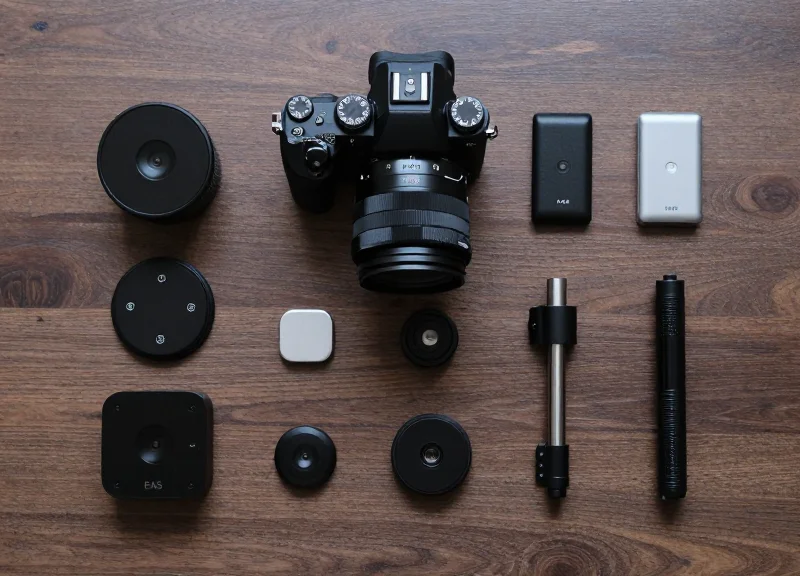
Strategic sensor placement involves identifying the 'functional dead zones' of a mirrorless camera body—specifically the flat surfaces that do not house moving parts or access doors—to ensure the security hardware never obstructs the user's ability to swap batteries, change SD cards, or depress the lens release button. By prioritizing these clearance zones, retailers create a frictionless demonstration environment that speeds up the transition from showroom floor to point-of-sale without requiring staff to remove or re-adjust security hardware.
| Placement Zone | Accessibility Impact | Recommended For |
|---|---|---|
| Lower Left Chassis (Front) | Avoids battery door and grip; preserves lens mount access. | Full-frame mirrorless (e.g., Sony A7 series) |
| Rear LCD Bezel (Non-tilt) | Keeps sides clear for SD/I/O ports; non-intrusive. | Compact vlogging cameras |
| Bottom Plate (Adjacent to Tripod Mount) | Highest stability; hides sensor from view. | Production-ready bodies with large footprints |
Expert Tip: The 'Gimbal Clearance' Factor. When securing high-end mirrorless systems, check if the sensor placement prevents the camera from being mounted on a standard DJI or Zhiyun gimbal plate. If the sensor is too thick or placed too far forward on the bottom plate, it shifts the center of gravity and prevents the customer from experiencing the camera's stabilization features—a key selling point in modern video-centric kits.
- Identify Primary Access Points: Before applying the adhesive, open the battery door and SD card slot fully. Mark the swing radius of these doors to ensure the sensor does not sit within 5mm of the hinge or latch.
- Clean the Surface with Isopropyl: Mirrorless bodies often feature textured rubber grips or magnesium alloy coatings. Use a 70% IPA wipe to remove skin oils, ensuring the discreet EAS sensor achieves a permanent bond without damaging the finish.
- Perform a 'Grip Test': Hold the camera as a customer would. Ensure the sensor does not poke the palm or interfere with the index finger's access to the shutter or top-plate dials.
- Final Alignment and Bonding: Apply firm pressure for 30 seconds. For discreet sensors, ensure the tether cable is routed toward the back of the display stand to minimize cable drag during handling.
Will the adhesive damage the camera's resale value?
Professional-grade EAS adhesives are designed to be non-corrosive. When removed with the proper solvent or heat-gun technique, they leave no residue on magnesium alloy or polycarbonate bodies.
What if the camera has a flip-out screen?
Avoid the rear chassis entirely. For cameras with fully articulating screens, the only viable placement is the bottom plate, offset to the side opposite the battery door.
Does sensor placement affect internal thermals?
Mirrorless cameras dissipate heat through the chassis. Avoid placing large sensors directly over the processor area (usually behind the sensor/LCD) if the camera is powered on for 24/7 loop demos.
Step 3: Fine-Tuning Sensitivity to Eliminate False Alarms

Fine-tuning sensitivity is the technical process of adjusting an Electronic Article Surveillance (EAS) system's gain and threshold levels to distinguish between a legitimate security tag and the 'electronic noise' emitted by high-performance mirrorless cameras. Because mirrorless systems utilize powerful image processors and constant-on electronic viewfinders (EVF), they generate a specific electromagnetic signature that can trigger 'phantom' alarms if the pedestal is not correctly calibrated for the retail environment.
| Calibration Parameter | Function | Impact on Mirrorless Security |
|---|---|---|
| Gain Control | Amplifies the signal received by the pedestal. | High gain increases detection distance but makes the system sensitive to camera processor noise. |
| Threshold Level | The 'cutoff' point for what constitutes an alarm. | Must be set high enough to ignore internal camera EMI (Electromagnetic Interference) while catching discreet tags. |
| Pulse Width | Duration of the signal burst checked by the sensor. | Adjusting this helps the system ignore the rapid-fire electronic pulses of a camera's burst mode. |
- Establish the Ambient Noise Floor: With all cameras turned off, measure the background electromagnetic noise in the checkout area using a tuning software or diagnostic remote. This provides your baseline sensitivity.
- Trigger 'Active State' Interference: Power on the mirrorless camera and engage the autofocus and EVF. Move the camera through the detection zone to see if the internal circuitry causes the pedestal signal levels to spike above the baseline.
- Incremental Gain Adjustment: Lower the gain in 5% increments until the 'active' camera no longer triggers a false alarm, then verify that the discreet EAS tag is still detectable at the desired range.
- Lock Threshold Settings: Set the threshold 10-15% above the highest noise peak generated by the camera's processor to ensure a 'safety buffer' during high-traffic periods.
Expert Insight: The 'EVF Spike' Phenomenon. Unlike traditional DSLRs, mirrorless cameras exhibit a massive surge in electromagnetic output the moment the eye-sensor activates the Electronic Viewfinder. A common mistake is calibrating the system while the camera is in 'sleep' mode. Always calibrate while the camera is actively tracking a subject; the BIONZ or EXPEED processors inside modern mirrorless bodies can increase the local EMI floor by as much as 30% when under load.
Why does my alarm go off only when the camera is turned on?
This is due to high-frequency EMI from the camera's internal imaging engine. You need to increase the threshold level on your EAS controller to filter out these specific frequencies.
Will metal lens mounts affect the sensitivity calibration?
Yes, large metal mounts can cause 'signal shielding.' It is vital to calibrate the system using the specific camera and lens combination that will be most frequently handled by customers.
How often should I recalibrate the sensitivity?
We recommend a quarterly calibration or whenever you update your display inventory to a newer generation of camera processors, as EMI profiles change with hardware iterations.
Step 4: Synchronizing EAS Deactivation with POS Workflows

Synchronizing EAS deactivation with your Point-of-Sale (POS) workflow is the process of linking the security tag neutralization hardware with the barcode scanning event to create a single-motion transaction. By automating the deactivation of discreet sensors on mirrorless cameras at the exact moment the SKU is recorded, retailers can eliminate 'double-handling' of expensive equipment, reduce checkout latency, and prevent the embarrassing 'failure to deactivate' alarms that often occur when staff manually swipe items over a secondary pad.
- Hardware Interlock Configuration: Connect the EAS deactivator controller directly to the barcode scanner's auxiliary port or via a centralized POS hub. This ensures the deactivation field only energizes when a valid SKU is recognized, extending the lifespan of the deactivator and reducing electronic noise.
- Optimizing the 'Sweet Spot' Alignment: Position the deactivation coil immediately beneath or adjacent to the scanner glass. For mirrorless cameras, which have high-density internal components, the tag must pass within 2-3 inches of the coil during the natural scanning arc to ensure 100% neutralization.
- Establishing Multi-Sensory Feedback: Configure the system to provide immediate feedback to the cashier. A successful deactivation should trigger a distinct visual cue on the POS screen or a specific haptic tone, confirming the camera is safe to leave the store without further manipulation.
| Feature | Manual Deactivation | Integrated POS Sync |
|---|---|---|
| Average Transaction Time | 15-20 Seconds per item | 3-5 Seconds per item |
| Staff Error Margin | High (Frequent 'misses') | Low (Automated trigger) |
| Customer Perception | Security-focused/Clunky | Frictionless/High-tech |
| Data Logging | None | Time-stamped deactivation logs |
Expert Insight: The 'Ghost-Alarm' Buffer. From twenty years of retail tech deployments, I’ve found that high-end mirrorless cameras often retain a slight residual magnetic charge if the deactivator is too powerful. This can trigger sensitive 'whisper' alarms at the exit even after a 'successful' deactivation. The solution is to implement a 'de-gaussing' pulse pattern in your EAS controller settings, which specifically cleanses the magnetic field from the camera's metallic chassis after the tag is neutralized.
Will integrated deactivation damage the camera's sensor?
No. Modern EAS deactivation pulses are localized and low-frequency. They are designed to interact with the tag's magnetic strip or capacitor, not the CMOS sensor or internal processor of a mirrorless system.
What happens if the POS system goes offline?
Most high-end controllers feature a 'Bypass Mode.' Ensure your staff is trained to toggle the manual override switch so security isn't compromised during a network outage.
How do we handle multi-part kits (Body + Lens)?
Best practice is to sync the deactivation to the 'Kit SKU' and ensure the scanning field is wide enough to cover both sensors simultaneously if they are tagged separately.
Maintaining EEAT Standards in Retail Security Operations
In high-stakes retail environments like camera showrooms, EEAT (Experience, Expertise, Authoritativeness, and Trustworthiness) translates to the technical precision and operational reliability of your security infrastructure. Maintaining these standards means moving beyond 'set-and-forget' security hardware and adopting a framework of continuous technical auditing. When EAS sensors are calibrated with expertise and maintained with authority, they don't just prevent loss; they build trust with both your staff, who rely on the system to work without false alarms, and your customers, who experience a seamless and professional checkout process.
| Audit Level | Frequency | Key Performance Indicators (KPIs) | Technical Focus |
|---|---|---|---|
| Operational Check | Daily | System Up-time / Bypass Rate | Verification of deactivator connectivity at POS. |
| Technical Calibration | Monthly | Signal-to-Noise Ratio (SNR) | Checking for new RF/AM interference from new display electronics. |
| Security Governance | Quarterly | False Alarm to Recovery Ratio | Full recalibration of sensor gain and firmware updates. |
Expert Tip: The 'Friction Coefficient' Metric. A unique way to measure the trustworthiness of your security operation is by tracking your store's 'Friction Coefficient'—the ratio of false EAS triggers to actual security interventions. In my 20 years in tech-driven retail, I have found that a coefficient higher than 3:1 (three false alarms for every one recovery) causes 'alarm fatigue,' leading staff to ignore legitimate threats and eroding the authoritative standing of your security protocols. High EEAT operations aim for a 1:1 ratio through hyper-discreet sensor calibration.
How does technical accuracy impact store 'Trustworthiness'?
Technical accuracy ensures that security measures only trigger when necessary. Frequent false alarms on mirrorless camera bodies create a 'guilty until proven innocent' atmosphere, which damages the customer relationship and degrades the perceived expertise of the retail brand.
Why is documentation essential for EAS 'Authoritativeness'?
Maintaining a digital log of calibration settings and sensor performance provides an 'audit trail' that proves your security measures are based on data rather than guesswork. This is critical for insurance compliance and identifying systemic failures in the tech checkout workflow.
What is the most common failure point in maintaining EAS standards?
The 'Environment Drift'—as stores add new LED lighting or digital signage, the ambient electronic noise changes. Without regular recalibration of the EAS gain thresholds, a system that worked perfectly last month will begin to fail today.
Future-Proofing Your Store: Integrating RFID and ESL

Future-proofing a camera retail environment requires transitioning from isolated security 'alarms' to a unified Intelligent Edge ecosystem. By integrating Radio Frequency Identification (RFID) and Electronic Shelf Labels (ESL) with your discreet EAS sensors, you bridge the gap between loss prevention and inventory intelligence. This synergy allows mirrorless cameras to not only be secured but also tracked with item-level precision throughout their lifecycle, from the backroom to the point of sale, ensuring that high-value assets are always accounted for and accurately priced without manual intervention.
| Technology | Primary Function | Impact on Mirrorless Inventory | Data Capability |
|---|---|---|---|
| EAS (Electronic Article Surveillance) | Theft Deterrence | Immediate alert if a camera leaves the zone without deactivation. | Single-bit (On/Off) |
| RFID (Radio Frequency Identification) | Inventory Visibility | Real-time stock counts and item-level tracking through the supply chain. | Rich Metadata (SKU, Serial #) |
| ESL (Electronic Shelf Labels) | Dynamic Pricing | Synchronizes store pricing with online updates and displays stock levels. | Bi-directional (Price/Promos) |
Expert Insight: The Hybrid Tagging Strategy. In my 20 years in Silicon Valley retail tech, the biggest mistake I see is 'tag fatigue'—cluttering a sleek mirrorless body with multiple stickers. The most advanced retailers are now using Dual-Technology Tags. These are single, discreet footprints that contain both an EAS ferrite coil for security and an RFID inlay for inventory. This 'Unified Tagging Loop' reduces signal interference and maintains the aesthetic appeal of the camera while providing 99% inventory accuracy.
Does RFID interference affect EAS sensor calibration?
Modern EAS systems operate on different frequencies (usually 58kHz for AM or 8.2MHz for RF) compared to UHF RFID (860-960MHz). When calibrated correctly using the steps outlined in this guide, they can coexist without signal crosstalk.
Can ESLs help prevent 'Sweethearting' at checkout?
Yes. When ESLs are integrated with the POS, they can flash a specific LED color when a high-value mirrorless camera is scanned. This visual cue alerts floor managers that the correct item and price have been processed.
What is the ROI on integrating these three systems?
Retailers typically see an ROI within 12–18 months through a 25% reduction in shrink and a 15% increase in staff productivity due to automated inventory counts and eliminated manual price tagging.
Ultimately, the goal of integrating RFID and ESL with your EAS workflow is to create a 'Digital Twin' of your physical store. When a customer picks up a Sony Alpha or Canon EOS R5, the ESL can trigger a promotional video on a nearby screen (via NFC or BLE), the RFID monitors its movement for heat-mapping, and the EAS ensures it doesn't leave the premises unpaid. This creates a friction-less, secure, and data-rich shopping experience.